mirrors BMW Z4 2016 E89 Owner's Manual
[x] Cancel search | Manufacturer: BMW, Model Year: 2016, Model line: Z4, Model: BMW Z4 2016 E89Pages: 289, PDF Size: 7.13 MB
Page 17 of 289
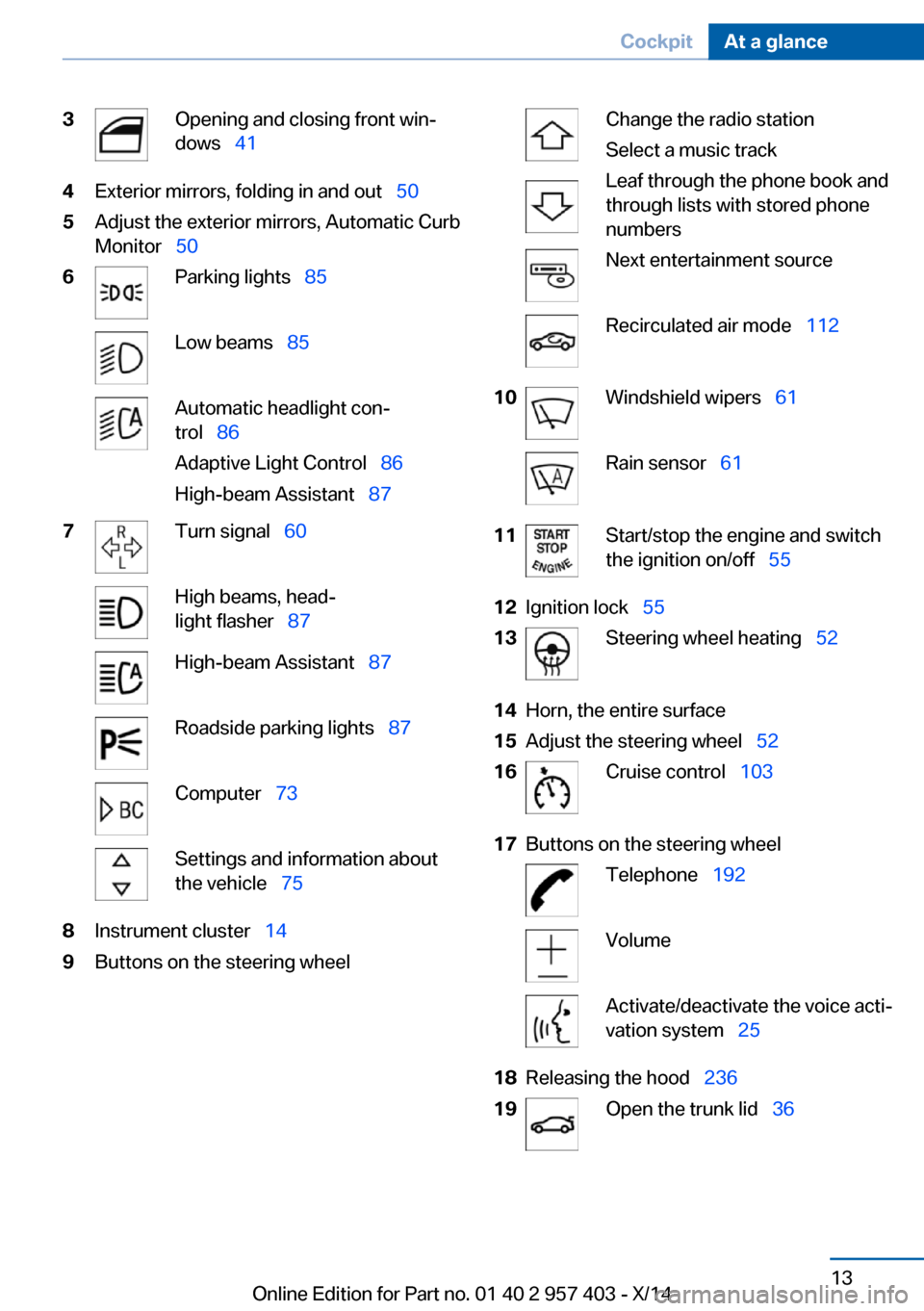
3Opening and closing front win‐
dows 414Exterior mirrors, folding in and out 505Adjust the exterior mirrors, Automatic Curb
Monitor 506Parking lights 85Low beams 85Automatic headlight con‐
trol 86
Adaptive Light Control 86
High-beam Assistant 877Turn signal 60High beams, head‐
light flasher 87High-beam Assistant 87Roadside parking lights 87Computer 73Settings and information about
the vehicle 758Instrument cluster 149Buttons on the steering wheelChange the radio station
Select a music track
Leaf through the phone book and
through lists with stored phone
numbersNext entertainment sourceRecirculated air mode 11210Windshield wipers 61Rain sensor 6111Start/stop the engine and switch
the ignition on/off 5512Ignition lock 5513Steering wheel heating 5214Horn, the entire surface15Adjust the steering wheel 5216Cruise control 10317Buttons on the steering wheelTelephone 192VolumeActivate/deactivate the voice acti‐
vation system 2518Releasing the hood 23619Open the trunk lid 36Seite 13CockpitAt a glance13
Online Edition for Part no. 01 40 2 957 403 - X/14
Page 53 of 289
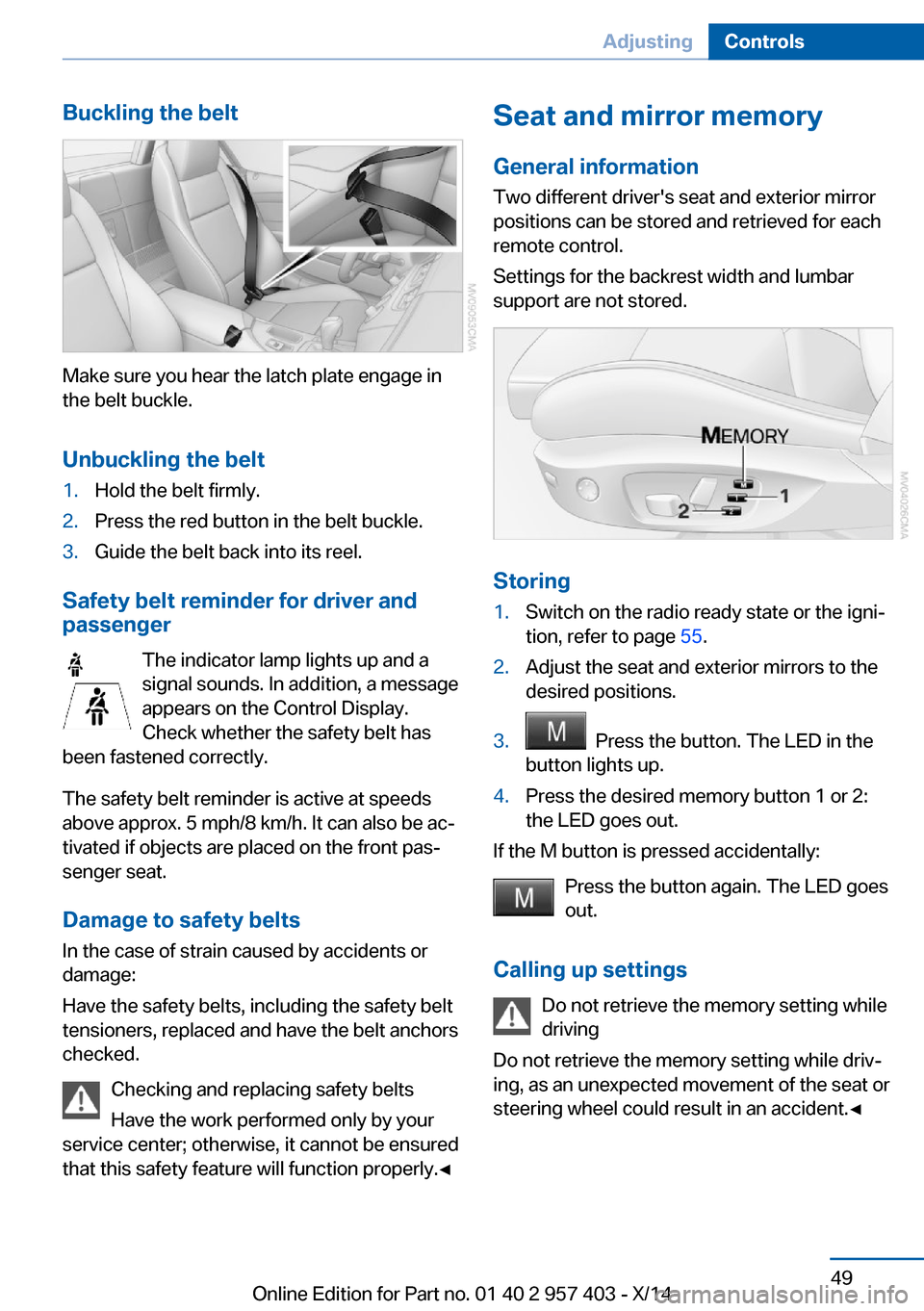
Buckling the belt
Make sure you hear the latch plate engage in
the belt buckle.
Unbuckling the belt
1.Hold the belt firmly.2.Press the red button in the belt buckle.3.Guide the belt back into its reel.
Safety belt reminder for driver and
passenger
The indicator lamp lights up and a
signal sounds. In addition, a message
appears on the Control Display.
Check whether the safety belt has
been fastened correctly.
The safety belt reminder is active at speeds
above approx. 5 mph/8 km/h. It can also be ac‐
tivated if objects are placed on the front pas‐
senger seat.
Damage to safety belts In the case of strain caused by accidents or
damage:
Have the safety belts, including the safety belt
tensioners, replaced and have the belt anchors
checked.
Checking and replacing safety belts
Have the work performed only by your
service center; otherwise, it cannot be ensured
that this safety feature will function properly.◀
Seat and mirror memory
General information Two different driver's seat and exterior mirrorpositions can be stored and retrieved for each
remote control.
Settings for the backrest width and lumbar
support are not stored.
Storing
1.Switch on the radio ready state or the igni‐
tion, refer to page 55.2.Adjust the seat and exterior mirrors to the
desired positions.3. Press the button. The LED in the
button lights up.4.Press the desired memory button 1 or 2:
the LED goes out.
If the M button is pressed accidentally:
Press the button again. The LED goes
out.
Calling up settings Do not retrieve the memory setting while
driving
Do not retrieve the memory setting while driv‐
ing, as an unexpected movement of the seat or
steering wheel could result in an accident.◀
Seite 49AdjustingControls49
Online Edition for Part no. 01 40 2 957 403 - X/14
Page 54 of 289
Comfort function1.Open the driver's door or switch on the
radio ready state, refer to page 55.2.Briefly press the desired memory but‐
ton 1 or 2.
The seat is automatically moved to the stored
position.
The procedure stops when a switch for adjust‐
ing the seat or one of the buttons is pressed.
Safety mode
1.Close the driver's door and switch the igni‐
tion on or off, refer to page 55.2.Press and hold the desired button 1 or 2
until the adjustment procedure is com‐
pleted.
Mirrors
Exterior mirrors
General information The mirror on the passenger side is more
curved than the driver's mirror.
Estimating distances correctly
Objects reflected in the mirror are closer
than they appear. Do not estimate the distance
to the traffic behind you based on what you
see in the mirror, as this will increase your risk
of an accident.◀
The setting for the exterior mirrors is stored for
the remote control currently in use. The stored
position is called up automatically when the
vehicle is unlocked.
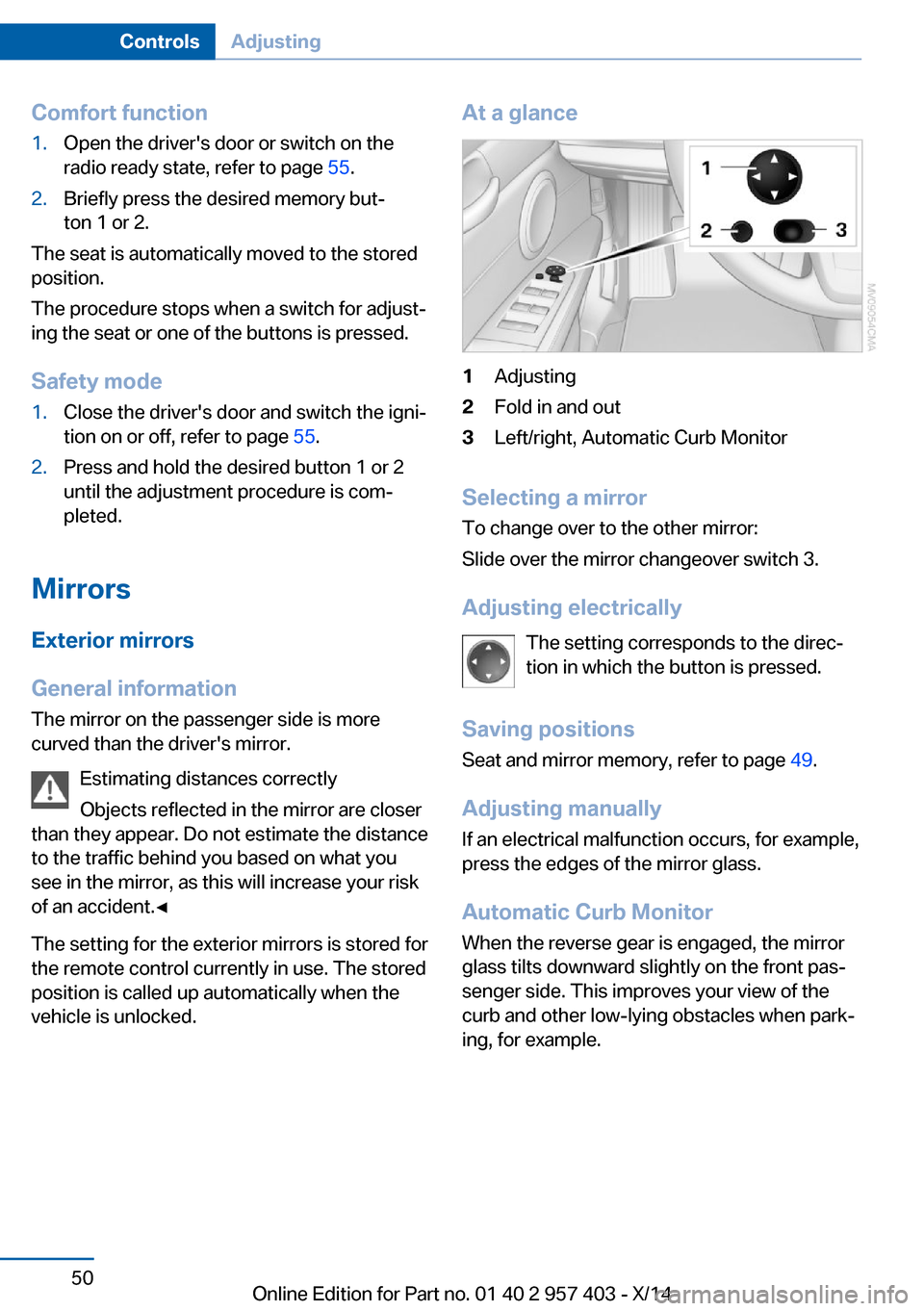
At a glance1Adjusting2Fold in and out3Left/right, Automatic Curb Monitor
Selecting a mirror
To change over to the other mirror:
Slide over the mirror changeover switch 3.
Adjusting electrically The setting corresponds to the direc‐
tion in which the button is pressed.
Saving positions Seat and mirror memory, refer to page 49.
Adjusting manually If an electrical malfunction occurs, for example,
press the edges of the mirror glass.
Automatic Curb Monitor When the reverse gear is engaged, the mirror
glass tilts downward slightly on the front pas‐
senger side. This improves your view of the
curb and other low-lying obstacles when park‐
ing, for example.
Seite 50ControlsAdjusting50
Online Edition for Part no. 01 40 2 957 403 - X/14
Page 55 of 289
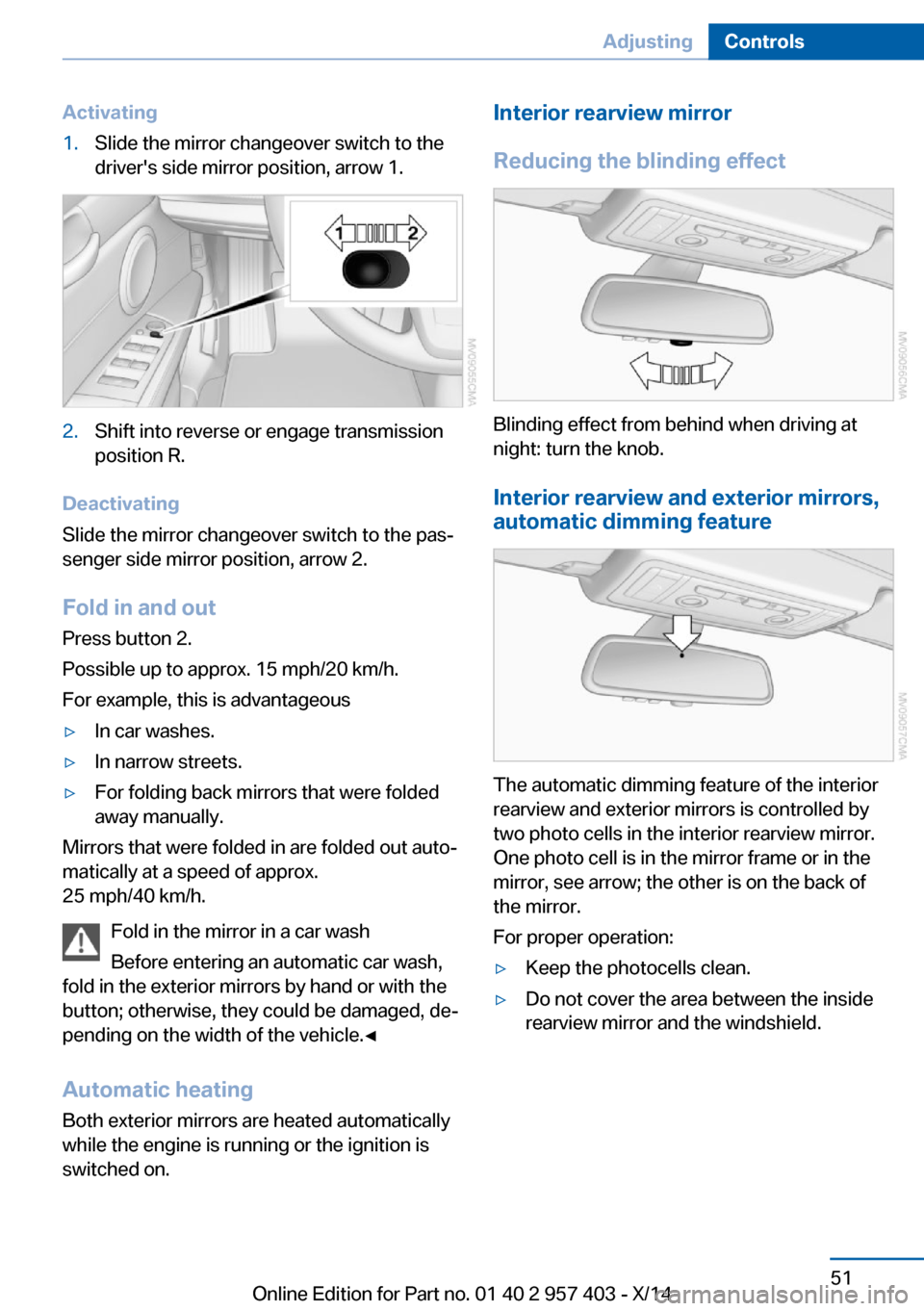
Activating1.Slide the mirror changeover switch to the
driver's side mirror position, arrow 1.2.Shift into reverse or engage transmission
position R.
Deactivating
Slide the mirror changeover switch to the pas‐
senger side mirror position, arrow 2.
Fold in and outPress button 2.
Possible up to approx. 15 mph/20 km/h.
For example, this is advantageous
▷In car washes.▷In narrow streets.▷For folding back mirrors that were folded
away manually.
Mirrors that were folded in are folded out auto‐
matically at a speed of approx.
25 mph/40 km/h.
Fold in the mirror in a car wash
Before entering an automatic car wash,
fold in the exterior mirrors by hand or with the
button; otherwise, they could be damaged, de‐
pending on the width of the vehicle.◀
Automatic heating
Both exterior mirrors are heated automatically
while the engine is running or the ignition is
switched on.
Interior rearview mirror
Reducing the blinding effect
Blinding effect from behind when driving at
night: turn the knob.
Interior rearview and exterior mirrors,
automatic dimming feature
The automatic dimming feature of the interior
rearview and exterior mirrors is controlled by
two photo cells in the interior rearview mirror.
One photo cell is in the mirror frame or in the
mirror, see arrow; the other is on the back of
the mirror.
For proper operation:
▷Keep the photocells clean.▷Do not cover the area between the inside
rearview mirror and the windshield.Seite 51AdjustingControls51
Online Edition for Part no. 01 40 2 957 403 - X/14
Page 137 of 289
Remove attached parts following use
Remove auxiliary mirrors or rear-mounted lug‐
gage racks after use.
Attached parts on the vehicle impair the aero‐
dynamics and increase the fuel consumption.
Close both windows
An open window causes higher air resistance
and thus increases fuel consumption.
Tires
General information
Tires can have varying effects on fuel con‐
sumption; for example, fuel consumption can
be influenced by the tire size.
Check the tire inflation pressure
regularly
Check and, if necessary, correct the tire infla‐
tion pressure, refer to page 226, at least twice
a month and before starting on a long trip.
Low tire inflation pressure increases rolling re‐
sistance and thus raises fuel consumption and
tire wear.
Drive away without delay Do not wait for the engine to warm-up while
the vehicle remains stationary. Start driving
right away, but at moderate engine speeds.
This is the fastest way for the cold engine to
reach its operating temperature.
Look well ahead when driving
Avoid unnecessary acceleration and braking.
By maintaining a suitable distance to the vehi‐ cle driving ahead of you.
Driving smoothly and looking ahead reduces
fuel consumption.
Avoid high engine speeds Use 1st gear to get the vehicle in motion. Be‐
ginning with 2nd gear, accelerate rapidly.When accelerating, shift up before reaching high engine speeds.
When you reach the desired speed, shift into
the highest applicable gear and drive with the
engine speed as low as possible and at a con‐
stant speed.
As a rule: driving at low engine speeds lowers
fuel consumption and reduces wear.
Use coasting conditions When approaching a red light, take your foot
off the accelerator and coast to a halt in the
highest applicable gear.
On a downhill slope, take your foot off the ac‐
celerator and coast in a suitable gear.
The flow of fuel is interrupted while coasting.
Switch off the engine during longer
stops
Switch off the engine during longer stops, e.g.,
at traffic lights, railroad crossings or in traffic
congestion.
Automatic Engine Start/Stop Function The Automatic Engine Start/Stop Function au‐
tomatically switches the engine off during a
stop.
If the engine is stopped and then started again,
fuel consumption and emissions drop com‐
pared to an engine that runs permanently.
Stopping the engine even for just a few sec‐
onds can result in savings.
Use of this system can cause premature wear
on certain vehicle components.
In addition, fuel consumption depends on
other factors as well, such as driving style, road
conditions, maintenance, and environmental
factors.
Additional information on the Automatic En‐
gine Start/Stop Function, refer to page 57.Seite 133Things to remember when drivingDriving tips133
Online Edition for Part no. 01 40 2 957 403 - X/14
Page 259 of 289
CareVehicle equipmentThis chapter describes all series equipment as
well as country-specific and special equipment
offered for this model series. Therefore, it also
describes equipment that may not be found in
your vehicle, for instance due to the selected
special equipment or the country version. This
also applies to safety-related functions and
systems.
When using the features and systems descri‐
bed here, adhere to local regulations.
Car washes Notes Steam jets or high-pressure washers
When using steam jets or high-pressure
washers, hold them a sufficient distance away
and use a maximum temperature of
140 ℉/60 ℃.
Holding them too close or using excessively
high pressures or temperatures can cause
damage or preliminary damage that may then
lead to long-term damage.
Follow the operating instructions for the high-
pressure washer.◀
Cleaning sensors/cameras with high-
pressure washers
When using high-pressure washers, do not
spray the seals of the retractable hardtop and
the exterior sensors and cameras, for Park Dis‐
tance Control, for instance, for extended peri‐
ods of time and only from a distance of at least
12 in/30 cm.◀
Regularly remove foreign bodies, such as
leaves, from the area below the windshield
when the hood is open.Wash your vehicle frequently, particularly in
winter.
Intense soiling and road salt can damage the
vehicle.
Washing in automatic car washes Give preference to cloth car washes or those
that use soft brushes in order to avoid paint damage.
Notes Note the following:▷Make sure that the wheels and tires are not
damaged by the transport mechanisms.▷Fold in the exterior mirrors; otherwise, they
may be damaged, depending on the width
of the vehicle.▷Deactivate the rain sensor, refer to
page 62, to avoid unintentional wiper acti‐
vation.▷Unscrew the road antenna.
Guide rails in car washes
Avoid car washes with guide rails higher
than 4 in/10 cm; otherwise, the vehicle body
could be damaged.◀
Before driving into a car wash The vehicle is able to roll if the following steps
are taken.
Manual transmission
1.Shift to neutral.2.Release the parking brake, refer to
page 59.3.Switch the engine off.4.Leave the remote control in the ignition
lock.Seite 255CareMobility255
Online Edition for Part no. 01 40 2 957 403 - X/14
Page 266 of 289
Technical dataVehicle equipment
This chapter describes all series equipment as
well as country-specific and special equipment
offered for this model series. Therefore, it also
describes equipment that may not be found in
your vehicle, for instance due to the selectedspecial equipment or the country version. This
also applies to safety-related functions and
systems.
When using the features and systems descri‐
bed here, adhere to local regulations.
Note
The technical data and specifications in the
Owner's Manual serve as guidelines. Detailed
values can be obtained from your registrationdocuments, from labels in your vehicle, or from
the service center.
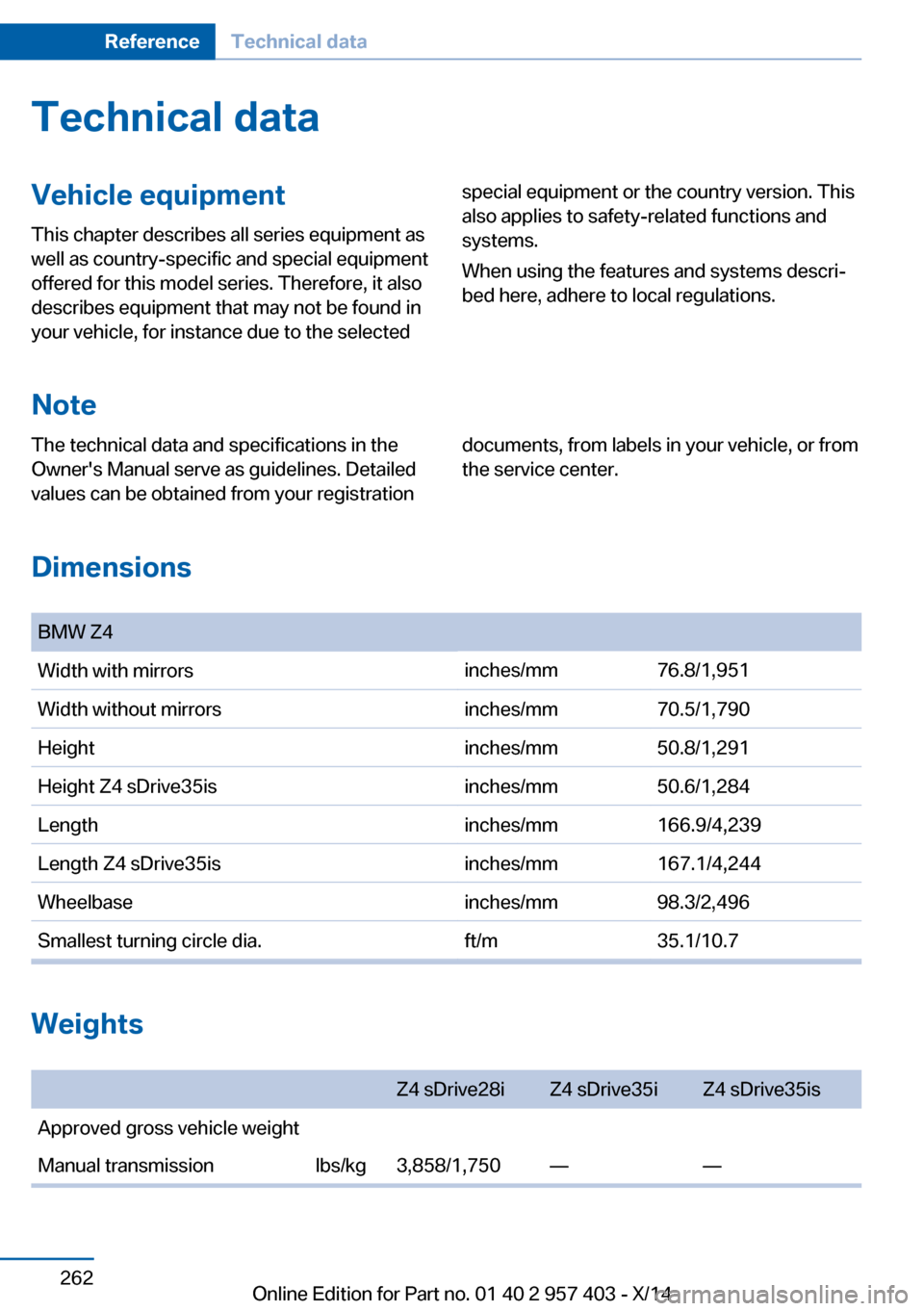
Dimensions
BMW Z4Width with mirrorsinches/mm76.8/1,951Width without mirrorsinches/mm70.5/1,790Heightinches/mm50.8/1,291Height Z4 sDrive35isinches/mm50.6/1,284Lengthinches/mm166.9/4,239Length Z4 sDrive35isinches/mm167.1/4,244Wheelbaseinches/mm98.3/2,496Smallest turning circle dia.ft/m35.1/10.7
Weights
Z4 sDrive28iZ4 sDrive35iZ4 sDrive35isApproved gross vehicle weightManual transmissionlbs/kg3,858/1,750——Seite 262ReferenceTechnical data262
Online Edition for Part no. 01 40 2 957 403 - X/14
Page 279 of 289
DBC Dynamic Brake Con‐trol 99
DCC, refer to Cruise con‐ trol 103
Defogging windows 109
Defroster– Rear window 109, 112
Defrosting windows 109
Destination entry via the ad‐ dress book 142
Destination guidance 149
Destination guidance with in‐ termediate destinations 147
Destination input, naviga‐ tion 140
Digital clock 71
Digital compass 116
Digital radio 163
Dimensions 262
Dimming mirrors 51
Directional indicators, refer to Turn signals 60
Display lighting, refer to In‐ strument lighting 88
Display, refer to Control Dis‐ play 18
Displays and controls 12
Displays, care 258
Displays, cleaning 258
Displays, refer to Instrument cluster 14
Disposal
– Coolant 239– Remote control battery 39– Vehicle battery 248
Distance control, refer to
PDC 105
Divided screen view, split screen 22
Door key, refer to Remote control with integrated
key 30
Door lock 35
Doors, manual operation 35
Doors, unlocking and locking– Confirmation signals 34– From the inside 35– From the outside 32
DOT Quality Grades 230
Draft-free ventila‐ tion 109, 112
Drive-off assistant 102
Drive-off assistant, refer to DSC 99
Driving notes, breaking in 128
Driving notes, general 128
Driving stability control sys‐ tems 99
Driving tips 128
DSC Dynamic Stability Con‐ trol 99
DTC Dynamic Traction Con‐ trol 100
DTMF suffix dialing 198
DVD/CD 170
DVDs, storing 175
DVD, video 172
Dynamic Brake Control DBC 99
Dynamic destination guid‐ ance 156
Dynamic Driving Control 100
Dynamic Stability Control DSC 99
Dynamic Traction Control DTC 100
E
EBV electronic brake-force distribution 99
EfficientDynamics, refer to Saving fuel 132
Electrical fault
– 7-gear automatic transmis‐
sion 69
Electrical malfunction
– Door lock 35– Driver's door 35– Fuel filler flap 222Electric seat adjustment 47
Electronic brake-force distri‐ bution 99
Electronic engine oil level check 236
Electronic Stability Program ESP, refer to DSC 99
Emergency operation– Fuel filler flap, unlocking
manually 222
Emergency Request 249
Emergency unlocking
– Trunk lid, from the inside 37
Energy, saving
– Automatic Engine Start/
Stop Function 57
Engine compartment 235
Engine coolant, refer to Cool‐ ant 239
Engine oil, adding 238
Engine oil additives 238
Engine oil, checking the level 236
Engine oil temperature 72
Engine oil types, alterna‐ tive 238
Engine oil types, ap‐ proved 238
Engine, overheating, refer to Coolant temperature 72
Engine start, Help 250
Engine, starting 56
Engine, starting
– Comfort Access 37– Start/Stop button 55
Engine, stopping, Start/Stop
button 55
Engine, switching off 57
Engine temperature 72
Entry comparison 23
Entry lamps, refer to Interior lamps 89
Equalizer 160
Equipment, interior 114
Error messages, refer to Check Control 82
Seite 275Everything from A to ZReference275
Online Edition for Part no. 01 40 2 957 403 - X/14
Page 280 of 289
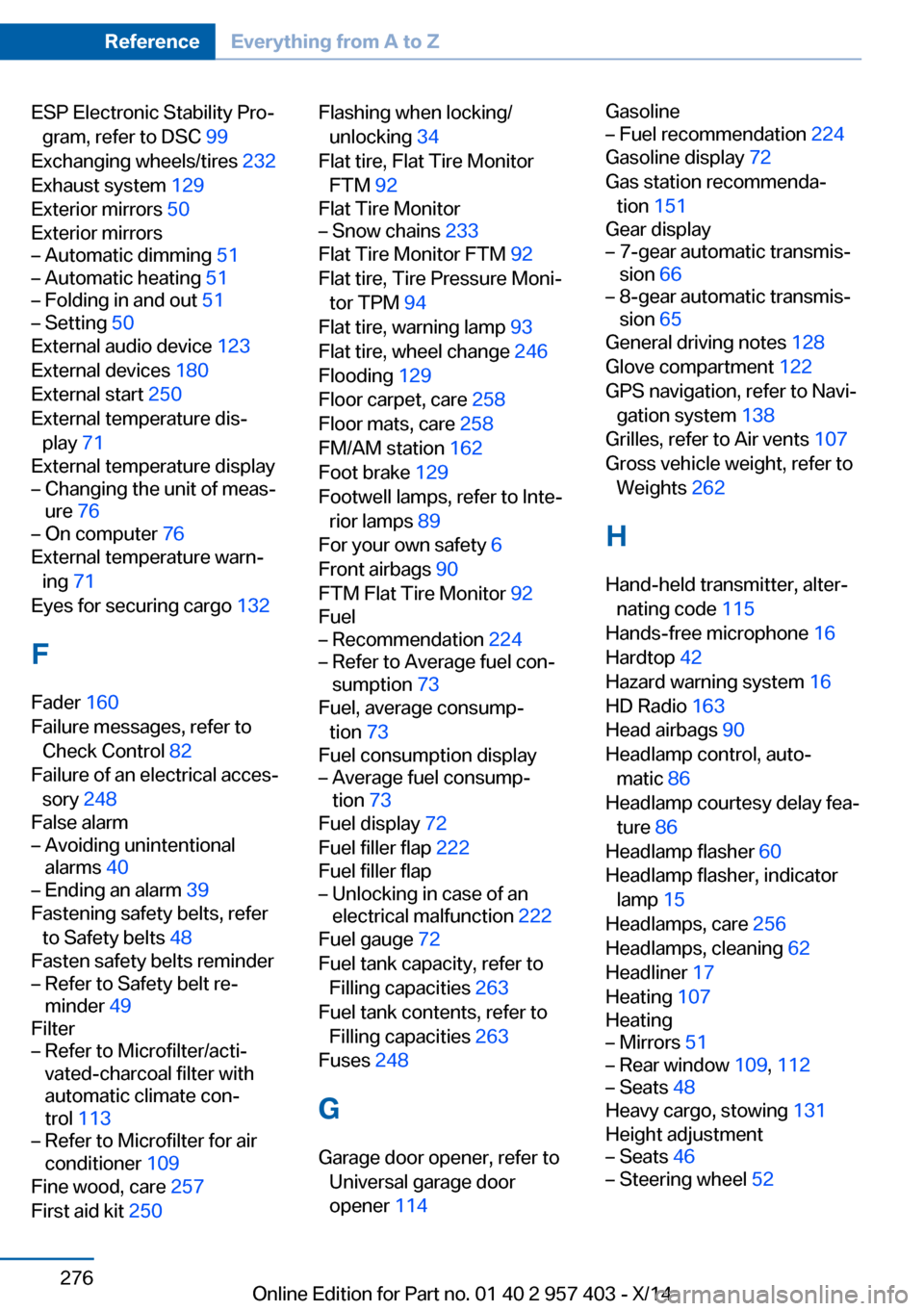
ESP Electronic Stability Pro‐gram, refer to DSC 99
Exchanging wheels/tires 232
Exhaust system 129
Exterior mirrors 50
Exterior mirrors– Automatic dimming 51– Automatic heating 51– Folding in and out 51– Setting 50
External audio device 123
External devices 180
External start 250
External temperature dis‐ play 71
External temperature display
– Changing the unit of meas‐
ure 76– On computer 76
External temperature warn‐
ing 71
Eyes for securing cargo 132
F
Fader 160
Failure messages, refer to Check Control 82
Failure of an electrical acces‐ sory 248
False alarm
– Avoiding unintentional
alarms 40– Ending an alarm 39
Fastening safety belts, refer
to Safety belts 48
Fasten safety belts reminder
– Refer to Safety belt re‐
minder 49
Filter
– Refer to Microfilter/acti‐
vated-charcoal filter with
automatic climate con‐
trol 113– Refer to Microfilter for air
conditioner 109
Fine wood, care 257
First aid kit 250
Flashing when locking/
unlocking 34
Flat tire, Flat Tire Monitor FTM 92
Flat Tire Monitor– Snow chains 233
Flat Tire Monitor FTM 92
Flat tire, Tire Pressure Moni‐ tor TPM 94
Flat tire, warning lamp 93
Flat tire, wheel change 246
Flooding 129
Floor carpet, care 258
Floor mats, care 258
FM/AM station 162
Foot brake 129
Footwell lamps, refer to Inte‐ rior lamps 89
For your own safety 6
Front airbags 90
FTM Flat Tire Monitor 92
Fuel
– Recommendation 224– Refer to Average fuel con‐
sumption 73
Fuel, average consump‐
tion 73
Fuel consumption display
– Average fuel consump‐
tion 73
Fuel display 72
Fuel filler flap 222
Fuel filler flap
– Unlocking in case of an
electrical malfunction 222
Fuel gauge 72
Fuel tank capacity, refer to Filling capacities 263
Fuel tank contents, refer to Filling capacities 263
Fuses 248
G
Garage door opener, refer to Universal garage door
opener 114
Gasoline– Fuel recommendation 224
Gasoline display 72
Gas station recommenda‐ tion 151
Gear display
– 7-gear automatic transmis‐
sion 66– 8-gear automatic transmis‐
sion 65
General driving notes 128
Glove compartment 122
GPS navigation, refer to Navi‐
gation system 138
Grilles, refer to Air vents 107
Gross vehicle weight, refer to Weights 262
H
Hand-held transmitter, alter‐ nating code 115
Hands-free microphone 16
Hardtop 42
Hazard warning system 16
HD Radio 163
Head airbags 90
Headlamp control, auto‐ matic 86
Headlamp courtesy delay fea‐ ture 86
Headlamp flasher 60
Headlamp flasher, indicator lamp 15
Headlamps, care 256
Headlamps, cleaning 62
Headliner 17
Heating 107
Heating
– Mirrors 51– Rear window 109, 112– Seats 48
Heavy cargo, stowing 131
Height adjustment
– Seats 46– Steering wheel 52Seite 276ReferenceEverything from A to Z276
Online Edition for Part no. 01 40 2 957 403 - X/14
Page 282 of 289
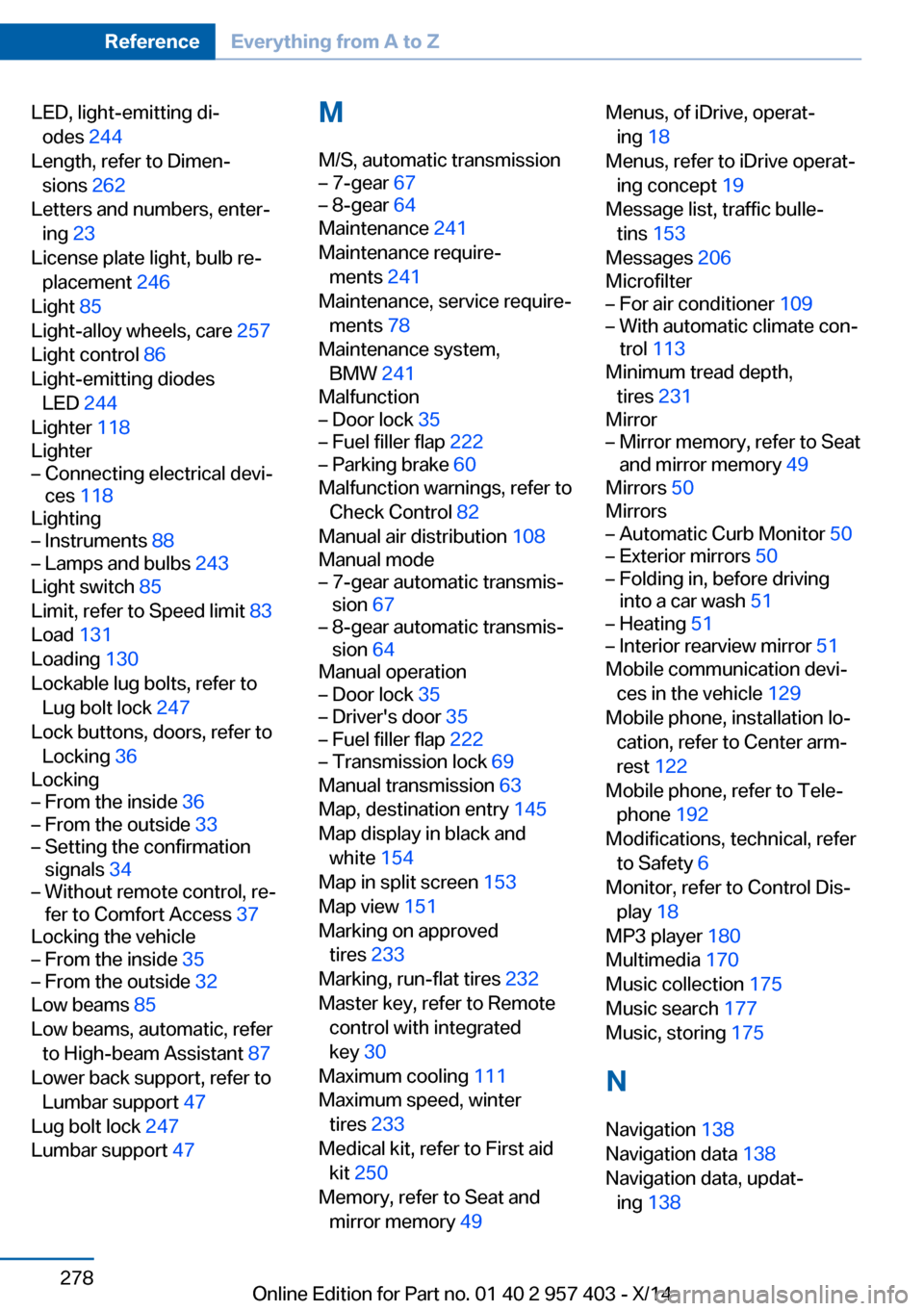
LED, light-emitting di‐odes 244
Length, refer to Dimen‐ sions 262
Letters and numbers, enter‐ ing 23
License plate light, bulb re‐ placement 246
Light 85
Light-alloy wheels, care 257
Light control 86
Light-emitting diodes LED 244
Lighter 118
Lighter– Connecting electrical devi‐
ces 118
Lighting
– Instruments 88– Lamps and bulbs 243
Light switch 85
Limit, refer to Speed limit 83
Load 131
Loading 130
Lockable lug bolts, refer to Lug bolt lock 247
Lock buttons, doors, refer to Locking 36
Locking
– From the inside 36– From the outside 33– Setting the confirmation
signals 34– Without remote control, re‐
fer to Comfort Access 37
Locking the vehicle
– From the inside 35– From the outside 32
Low beams 85
Low beams, automatic, refer to High-beam Assistant 87
Lower back support, refer to Lumbar support 47
Lug bolt lock 247
Lumbar support 47
M
M/S, automatic transmission– 7-gear 67– 8-gear 64
Maintenance 241
Maintenance require‐ ments 241
Maintenance, service require‐ ments 78
Maintenance system, BMW 241
Malfunction
– Door lock 35– Fuel filler flap 222– Parking brake 60
Malfunction warnings, refer to
Check Control 82
Manual air distribution 108
Manual mode
– 7-gear automatic transmis‐
sion 67– 8-gear automatic transmis‐
sion 64
Manual operation
– Door lock 35– Driver's door 35– Fuel filler flap 222– Transmission lock 69
Manual transmission 63
Map, destination entry 145
Map display in black and white 154
Map in split screen 153
Map view 151
Marking on approved tires 233
Marking, run-flat tires 232
Master key, refer to Remote control with integrated
key 30
Maximum cooling 111
Maximum speed, winter tires 233
Medical kit, refer to First aid kit 250
Memory, refer to Seat and mirror memory 49
Menus, of iDrive, operat‐
ing 18
Menus, refer to iDrive operat‐ ing concept 19
Message list, traffic bulle‐ tins 153
Messages 206
Microfilter– For air conditioner 109– With automatic climate con‐
trol 113
Minimum tread depth,
tires 231
Mirror
– Mirror memory, refer to Seat
and mirror memory 49
Mirrors 50
Mirrors
– Automatic Curb Monitor 50– Exterior mirrors 50– Folding in, before driving
into a car wash 51– Heating 51– Interior rearview mirror 51
Mobile communication devi‐
ces in the vehicle 129
Mobile phone, installation lo‐ cation, refer to Center arm‐
rest 122
Mobile phone, refer to Tele‐ phone 192
Modifications, technical, refer to Safety 6
Monitor, refer to Control Dis‐ play 18
MP3 player 180
Multimedia 170
Music collection 175
Music search 177
Music, storing 175
N
Navigation 138
Navigation data 138
Navigation data, updat‐ ing 138
Seite 278ReferenceEverything from A to Z278
Online Edition for Part no. 01 40 2 957 403 - X/14