air conditioning BMW Z4 ROADSTER 3.0I 2005 E85 Owner's Manual
[x] Cancel search | Manufacturer: BMW, Model Year: 2005, Model line: Z4 ROADSTER 3.0I, Model: BMW Z4 ROADSTER 3.0I 2005 E85Pages: 120, PDF Size: 3.82 MB
Page 60 of 120
Controlling the climate for pleasant driving
58
Controlling the climate for pleasant driving
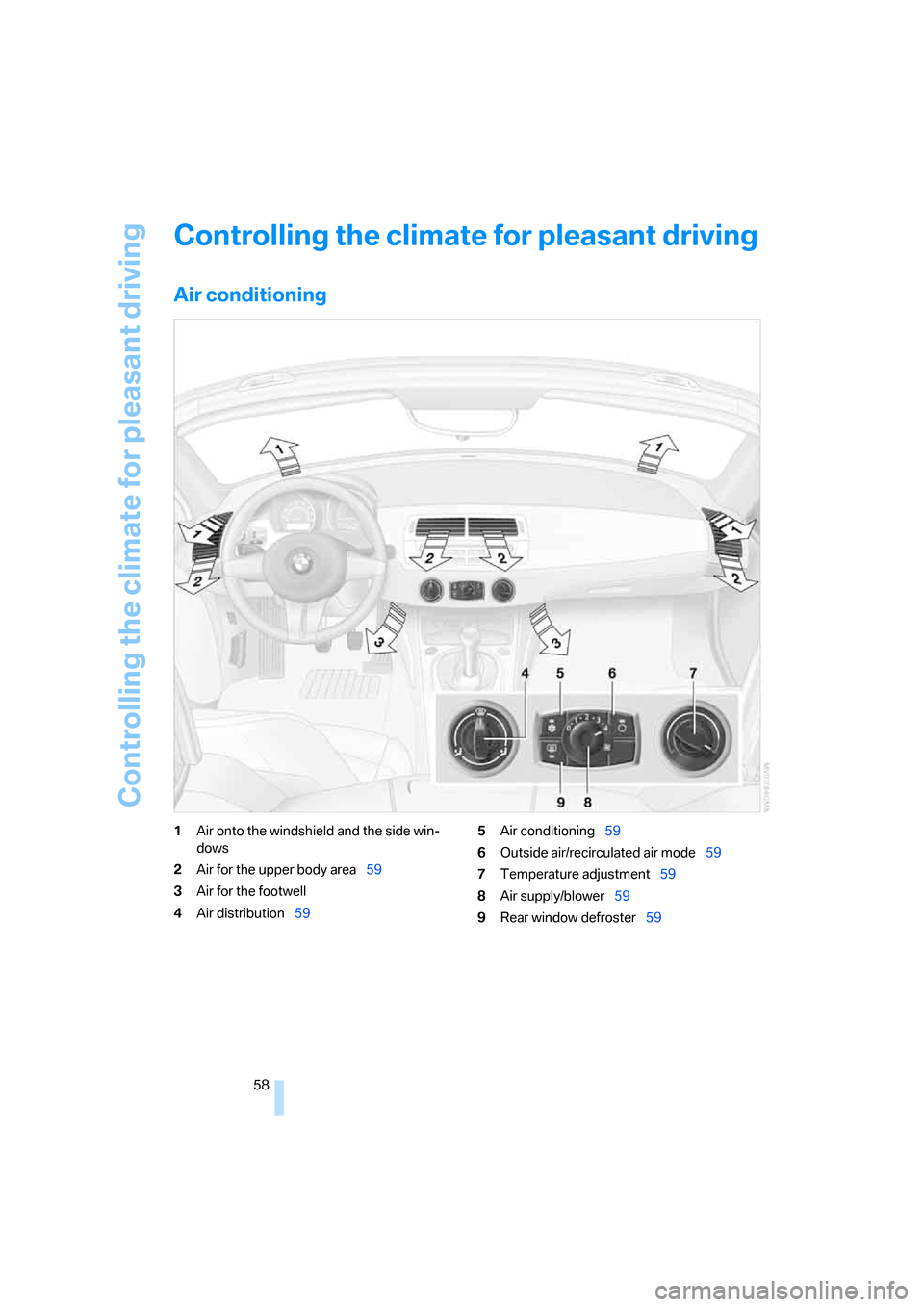
Air conditioning
1Air onto the windshield and the side win-
dows
2Air for the upper body area59
3Air for the footwell
4Air distribution595Air conditioning59
6Outside air/recirculated air mode59
7Temperature adjustment59
8Air supply/blower59
9Rear window defroster59
Page 61 of 120
Reference
At a glance
Controls
Driving tips
Mobility
59
Air distribution
You can direct airflow onto the win-
dows , toward the upper body
and into the footwell . All interme-
diate settings are possible.
Air supply/blower
Turn the rotary control to adjust the
air supply. Both heating and ventila-
tion become more effective as the air
supply rate is increased.
Turn the rotary control toward zero:
The blower and the heating are turned off, and
the air supply is stopped.
Temperature
In order to increase the temperature
of the passenger compartment, turn
to the right toward the red zone.
Air conditioning
The air is cooled and dehumidified
and, depending on the temperature
setting, rewarmed.
Depending on the weather, the wind-
shield may fog over briefly when the engine is
started.
Condensation forms during operation of
the air conditioning system, which then
exits under the vehicle. Traces of condensed
water on the ground underneath the vehicle are
thus normal.<
Outside air/recirculated air mode
If there are unpleasant odors in the
outside air, you can temporarily block
the supply of incoming air. The sys-
tem then recirculates the air currently
within the vehicle.
If the windows fog over in the recirculated
air mode, switch this mode off and
increase the air supply as required. Do not use
the recirculated-air mode continuously over a
long period of time as this would otherwise
reduce the air quality in the interior of the vehi-
cle.<
Rear window defroster
The indicator lamp lights up when
the rear window defroster is active.
The rear window defroster switches
off automatically.
Ventilation
You can adjust the blower controls for the upper
body area to obtain the optimum airflow rates
and directions for your personal requirements:
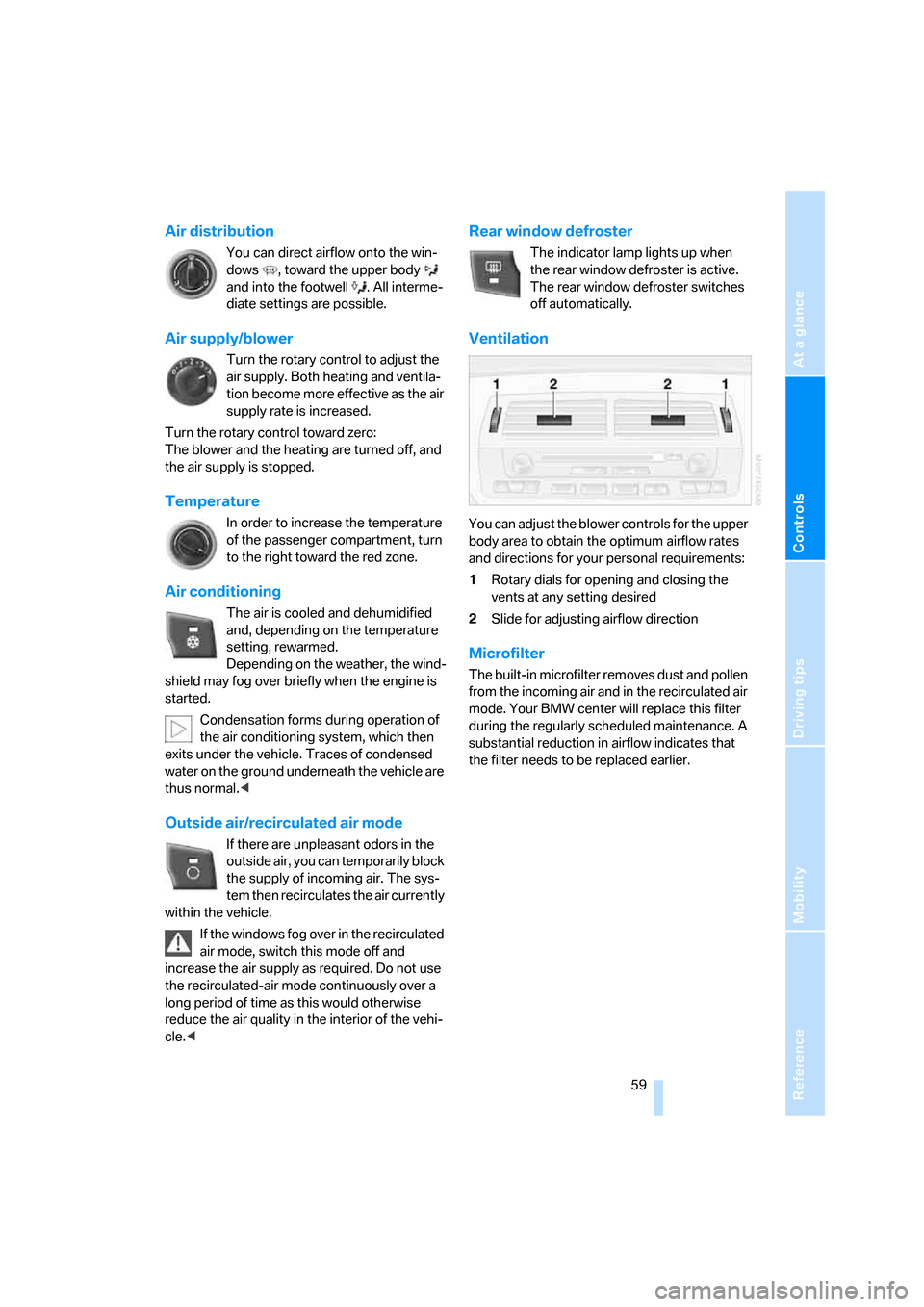
1Rotary dials for opening and closing the
vents at any setting desired
2Slide for adjusting airflow direction
Microfilter
The built-in microfilter removes dust and pollen
from the incoming air and in the recirculated air
mode. Your BMW center will replace this filter
during the regularly scheduled maintenance. A
substantial reduction in airflow indicates that
the filter needs to be replaced earlier.
Page 63 of 120
Reference
At a glance
Controls
Driving tips
Mobility
61
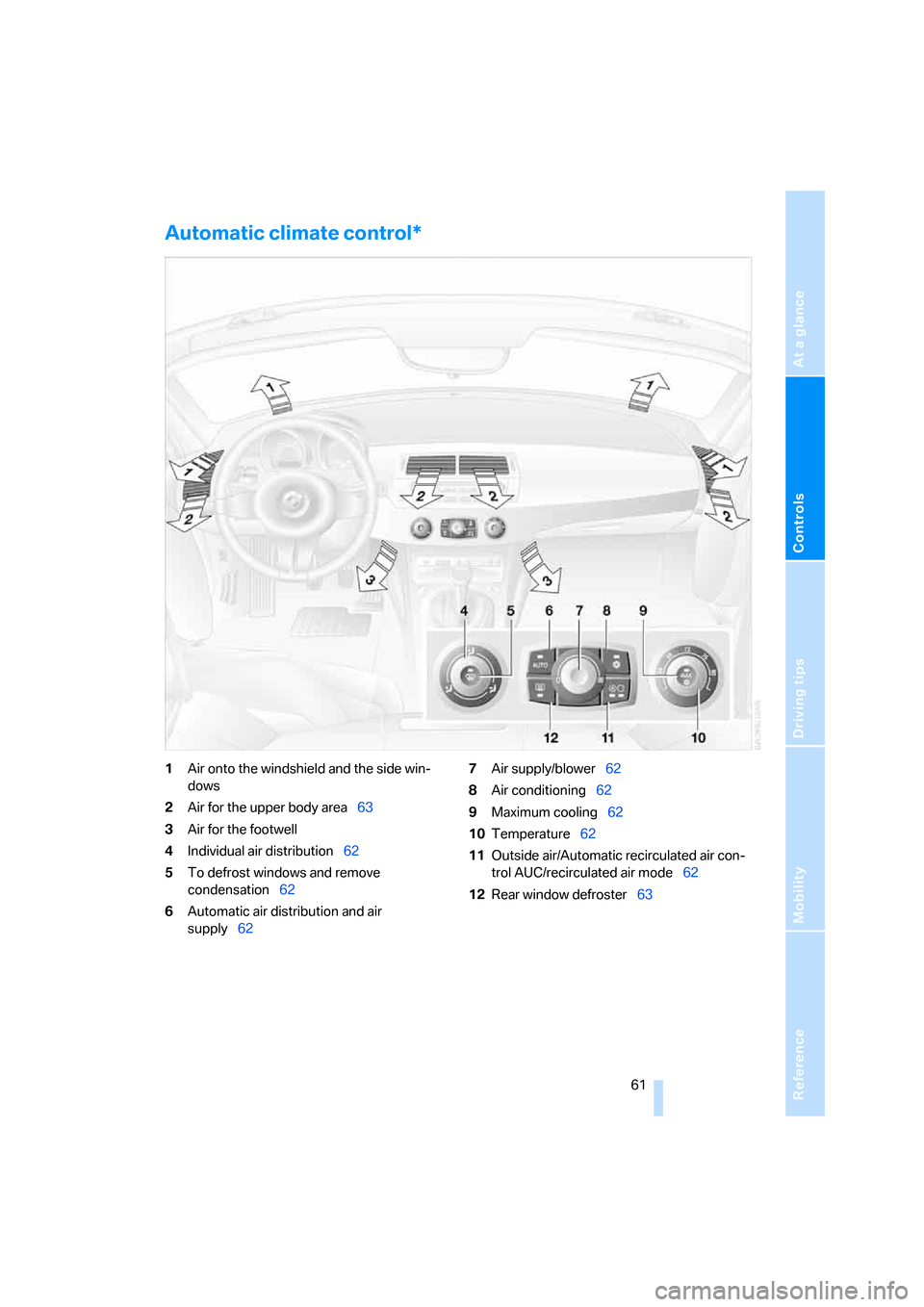
Automatic climate control*
1Air onto the windshield and the side win-
dows
2Air for the upper body area63
3Air for the footwell
4Individual air distribution62
5To defrost windows and remove
condensation62
6Automatic air distribution and air
supply627Air supply/blower62
8Air conditioning62
9Maximum cooling62
10Temperature62
11Outside air/Automatic recirculated air con-
trol AUC/recirculated air mode62
12Rear window defroster63
Page 64 of 120
Controlling the climate for pleasant driving
62
Tips for pleasant driving
Use the automatic system – switch on with
AUTO button 6. Select the desired interior tem-
perature.
Detailed setting options are described for you
below.
Automatic air distribution and supply
The AUTO program assumes the
adjustment of the air distribution and
air supply for you and in addition
adapts the temperature to external
influences, summer or winter, to meet prefer-
ences you can specify.
In the AUTO program, the air conditioning
mode is also turned on at the same time.
The AUTO program functions only to a
limited extent when the convertible top is
open.<
Individual air distribution
You yourself can direct airflow onto
the windows , toward the upper
body and into the footwell . The
arrow lights up. The automatic air
supply remains unchanged. All intermediate
settings are possible. By pressing the AUTO
button, you can reactivate the air distribution.
Temperature
The interior temperature that
appears on the display panel is a gen-
eral figure intended for reference
purposes. When you start the vehi-
cle, the system ensures that the selected tem-
perature is reached as quickly as possible,
regardless of the season. It then maintains this
temperature.
Air supply/blower
Turn the rotary control to adjust the
air supply. This shuts off the auto-
matic air supply. The arrow lights up.
The automatic air distribution
remains unchanged. You can reactivate the
automatic air supply by pressing the AUTO but-
ton.When you turn the rotary control toward zero:
the blower, heating and air conditioner are
switched off, and the air supply is stopped. You
can reactivate the system by turning the control
toward the right again.
To defrost windows and remove
condensation
This program quickly removes ice
and condensation from the wind-
shield and the side windows.
Maximum cooling
Above an outside temperature of
327/06 and with the engine run-
ning, you achieve a maximum cooling
effect as quickly as possible. At the
same time, the air conditioning is turned on.
The temperature is set to the lowest possible
value. The system switches to the recirculated
air mode, and air flows at maximum blower
speed from the ventilation grills in the upper
body area only. Therefore, the air outlets must
always be open when you select this program.
Air conditioning
The air is cooled and dehumidified
and, depending on the temperature
setting, rewarmed.
Depending on the weather, the wind-
shield may fog over briefly when the engine is
started.
The air conditioning system is automatically
switched on when you use the AUTO program.
Condensation forms during operation of
the air conditioning system, which then
exits under the vehicle. Traces of condensed
water on the ground underneath the vehicle are
thus normal.<
Outside air/Automatic recirculated air
control AUC/recirculated air mode
You can respond to unpleasant
external odors or pollutants by tem-
porarily stopping the flow of outside
air. The system then recirculates the
air currently within the vehicle.
Page 72 of 120
Special operating instructions
70 sure which must be exerted by the pads to
clean the rotors by brake applications is not
reached.
If the brake rotors are corroded, they will tend to
respond to braking with a pulsating effect which
even extended application will fail to cure.
Interior and exterior mirrors with
automatic dimming feature*
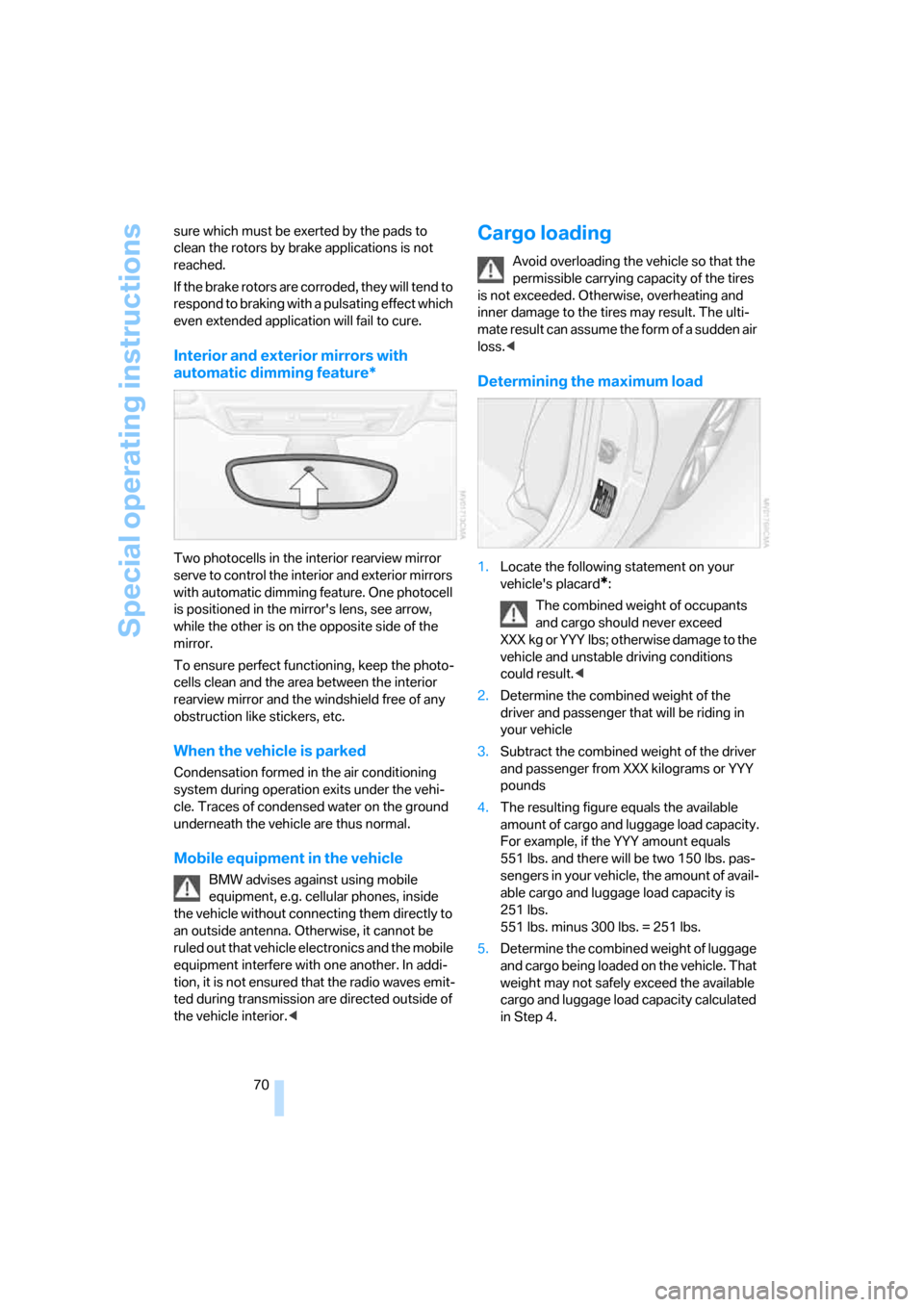
Two photocells in the interior rearview mirror
serve to control the interior and exterior mirrors
with automatic dimming feature. One photocell
is positioned in the mirror's lens, see arrow,
while the other is on the opposite side of the
mirror.
To ensure perfect functioning, keep the photo-
cells clean and the area between the interior
rearview mirror and the windshield free of any
obstruction like stickers, etc.
When the vehicle is parked
Condensation formed in the air conditioning
system during operation exits under the vehi-
cle. Traces of condensed water on the ground
underneath the vehicle are thus normal.
Mobile equipment in the vehicle
BMW advises against using mobile
equipment, e.g. cellular phones, inside
the vehicle without connecting them directly to
an outside antenna. Otherwise, it cannot be
ruled out that vehicle electronics and the mobile
equipment interfere with one another. In addi-
tion, it is not ensured that the radio waves emit-
ted during transmission are directed outside of
the vehicle interior.<
Cargo loading
Avoid overloading the vehicle so that the
permissible carrying capacity of the tires
is not exceeded. Otherwise, overheating and
inner damage to the tires may result. The ulti-
mate result can assume the form of a sudden air
loss.<
Determining the maximum load
1.Locate the following statement on your
vehicle's placard
*:
The combined weight of occupants
and cargo should never exceed
XXX kg or YYY lbs; otherwise damage to the
vehicle and unstable driving conditions
could result.<
2.Determine the combined weight of the
driver and passenger that will be riding in
your vehicle
3.Subtract the combined weight of the driver
and passenger from XXX kilograms or YYY
pounds
4.The resulting figure equals the available
amount of cargo and luggage load capacity.
For example, if the YYY amount equals
551 lbs. and there will be two 150 lbs. pas-
sengers in your vehicle, the amount of avail-
able cargo and luggage load capacity is
251 lbs.
551 lbs. minus 300 lbs. = 251 lbs.
5.Determine the combined weight of luggage
and cargo being loaded on the vehicle. That
weight may not safely exceed the available
cargo and luggage load capacity calculated
in Step 4.
Page 108 of 120
Everything from A to Z
106
A
ABS Antilock Brake
System50
– indicator lamp13
Acceleration assistant42
Accessories, refer to
– For your own safety6
– Your individual vehicle5
Accident, refer to Emergency
call96
Acknowledgment signal for
vehicle locking/unlocking16
Activated-charcoal filter63
Adjusting the thigh support29
Air, drying,
refer to Air conditioning
mode59,62
Airbags53
– deactivation33
– indicator lamp12
– passenger airbags indicator
lamp34
– reactivation33
– safe seating position27
Airbag switch33
Air conditioning58
Air conditioning mode
– air conditioning59
– automatic climate control62
Air conditioning mode
switching on/off
manually59,62
Air distribution
– air conditioning59
– automatic climate control62
Airing out, refer to
Ventilation59,63
Air outlets,
refer to Ventilation59,63
Air pressure, refer to Tire
inflation pressure78Air recirculation, refer to
Recirculated air
mode59,62
Air supply/blower
– air conditioning59
– automatic climate control62
AKI, refer to Fuel
specifications76
Alarm system25
– avoiding unintentional
alarms26
All-season tires, refer to
Winter tires81
Antenna, refer to the
Caring for your vehicle
brochure
Antifreeze86,87
– coolant87
– washing fluids86
Antilock Brake System
ABS50
– indicator lamp13
Anti-theft alarm system, refer
to Alarm system25
Anti-theft protection16,25
Approved axle load, refer to
Weights103
Approved engine oils87
Approved gross vehicle
weight, refer to Weights103
Artificial leather, refer to the
Caring for your vehicle
brochure
Ashtray65
Assistant systems,
refer to Dynamic Stability
Control DSC50
AUC Automatic recirculated
air control62Automatic
– air distribution62
– air supply/blower62
– cruise control44
– headlamp control56
– luggage compartment lid
operation19
Automatically dimming
interior rearview mirror31
Automatic car wash, refer to
the Caring for your vehicle
brochure
Automatic climate control61
Automatic recirculated air
control AUC62
Automatic transmission with
Steptronic38
– ignition36
– indicator lamp13
– interlock36
– selector lever lock38
– shiftlock38
– towing the vehicle99
– tow-starting99
AUTO program,
refer to Automatic air
distribution62
Average fuel consumption49
– setting unit of measure48
Average speed49
– setting unit of measure48
Avoiding unintentional
alarms26
Axle loads, refer to
Weights103
B
Backrest, refer to Seat
adjustment28
Backup lamps38
– bulb replacement93
Everything from A to Z
Index
Page 109 of 120
Reference
At a glance
Controls
Driving tips
Mobility
107
Bandages, refer to First-aid
kit97
Bar, towing99
Battery94
– charging95
– disposal95
– indicator lamp12,94
– jump-starting97
– power supply interruption95
– remote control16
Belts, refer to Safety belts30
Belt tensioner, refer to Safety
belts30
Beverage holders64
Blower
– air conditioning59
– automatic climate control62
Blower, refer to Air
supply59,62
BMW5
BMW Maintenance
System89
Bottle holders, refer to
Beverage holders64
Brake fluid88
– filling88
– indicator/warning
lamp13,88
– level88
Brake force display52
Brake hydraulic system88
– indicator/warning
lamp13,88
Brake lamps
– brake force display52
– bulb replacement93
– indicator lamp, defective
lamp13
Brake pads88
– break-in procedures68
– warning lamp88
Brake pad wear indicator
– brake pads88
– warning lamp13
Brake rotors
– brake system69
– break-in procedures68Brakes
– ABS50
– brake fluid88
– brake pads88
– break-in procedures68
– indicator/warning
lamps13,51
– parking brake37
Brake system
– brake fluid88
– brake pads88
– break-in procedures68
– disc brakes69
– indicator lamp13
Breakdown
– Flat Tire Monitor52
Breakdown service, refer to
Mobile Service96
Breaking in the differential,
refer to Engine and
differential68
Break-in procedures68
Bridging, refer to Jump-
starting97
Bulb replacement, refer to
Lamps and bulbs91
Buttons in the multifunction
steering wheel10
C
California laws
– Event Data Recorders90
– Proposition 65 warning6
Can holders, refer to Beverage
holders64
Capacities105
Capacity
– luggage compartment, refer
to Weights103
Car battery94
Car care, refer to the Caring
for your vehicle brochure
Car-care products, refer to the
Caring for your vehicle
brochure
Care, refer to the Caring for
your vehicle brochure
Car keys, refer to Keys16Carpet care, refer to the
Caring for your vehicle
brochure
Car radio, refer to the separate
Owner's Manual
Car telephone, refer to the
separate Owner's Manual
Car wash, refer to the Caring
for your vehicle brochure
Catalytic converter, refer to
Hot exhaust system69
CD changer, refer to Owner's
Manual for Radio/Onboard
Computer
CD operation, refer to Owner's
Manual for Radio/Onboard
Computer
Center high-mount brake
lamp, bulb replacement93
Central locking system16
– interior18
Changes, technical, refer to
For your own safety6
Changing a wheel94
– Run Flat tires94
Charge indicator lamp12,94
Check gas cap, indicator
lamp13
Child-restraint mounting
system, LATCH35
Child-restraint systems33
Child seat, refer to
Installing child-restraint
systems34
Chrome parts, refer to the
Caring for your vehicle
brochure
Cigarette lighter65
Cigarette lighter socket65
Cleaning the rear window,
refer to the Caring for your
vehicle brochure
Cleaning the vehicle, refer to
the Caring for your vehicle
brochure
Page 110 of 120
Everything from A to Z
108 Clock47,48
– 12- or 24-hour mode48
– refer to Owner's Manual for
Radio/Onboard Computer
– setting47
Clothes hooks25
Clutch, break-in
procedures68
Cockpit10
Cold start, refer to
Starting the engine36
Compact disc operation, refer
to Owner's Manual for
Radio/Onboard Computer
Compartments64
Computer48
– clock, 12- or 24-hour
mode48
– refer to Owner's Manual for
Onboard Computer
Computer, refer to Onboard
Computer48
Condensation, refer to Air
conditioning mode59,62
Condensation, removing from
windows
– air conditioning60
– automatic climate control62
Configuring settings, refer to
Vehicle Memory,
Key Memory31
Connecting a vacuum cleaner,
refer to Power socket65
Consumption, refer to
Average consumption49
Consumption display, refer to
Fuel gauge46
Contents3
Control elements, refer to
Cockpit10
Controls, lighting, refer to
Instrument lighting57
Convenience operation
– convertible top18
– from outside18
– windows18Convertible top20,21
– care, refer to the Caring for
your vehicle brochure
– convenience operation18
– electrical fault23
– emergency closing23
– fully automatic21
– malfunction23
– manual20
– mechanical20
Convertible top compartment
panel19
Coolant87
– indicator lamp13
– level88
– thermometer46
Coolant water, refer to
Coolant87
Cooling
– maximum62
– refer to Air conditioning
mode59,62
Cooling system, refer to
Capacities105
Copyright2
Correct tires82
Cruise control44
Cruising range49
Cup holders, refer to
Beverage holders64
Curb weight, refer to
Weights103
Cylinders, refer to Engine
data102
D
Dashboard, refer to
Cockpit10
Data, technical102
– capacities105
– dimensions104
– engine data102
– weights103
Daytime driving lamps56
DBC Dynamic Brake
Control50
– warning lamp13,51
Defective bulb56Defrosting rear window
– air conditioning59
– automatic climate control63
Defrosting windows60,62
Defrosting windows and
removing condensation
– air conditioning60
– automatic climate control62
Defrosting windshield, refer to
Defrosting windows60,62
Defrost position, refer to
Defrosting windows60,62
Digital clock47
Dimensions104
Dimming mirrors70
Dipstick, engine oil86
Directional indicators, refer to
Turn signal indicators42
Disc brakes69
Displacement, refer to Engine
data102
Display elements12
Display lighting,
refer to Instrument
lighting57
Displays, refer to Instrument
cluster12
Disposal
– of engine oil87
– vehicle battery95
Distance remaining, refer to
Range49
Door key16
Door lock17
Doors, unlocking and locking
– from inside18
– from outside16,17
DOT quality grades80
Draft-free ventilation59,63
Driving Dynamic Control41
Driving light, refer to Parking
lamps/Low beams56
Driving notes68
– break-in procedures68
– driving tips68
Driving stability control50
Driving stability control
systems50
Page 111 of 120
Reference
At a glance
Controls
Driving tips
Mobility
109
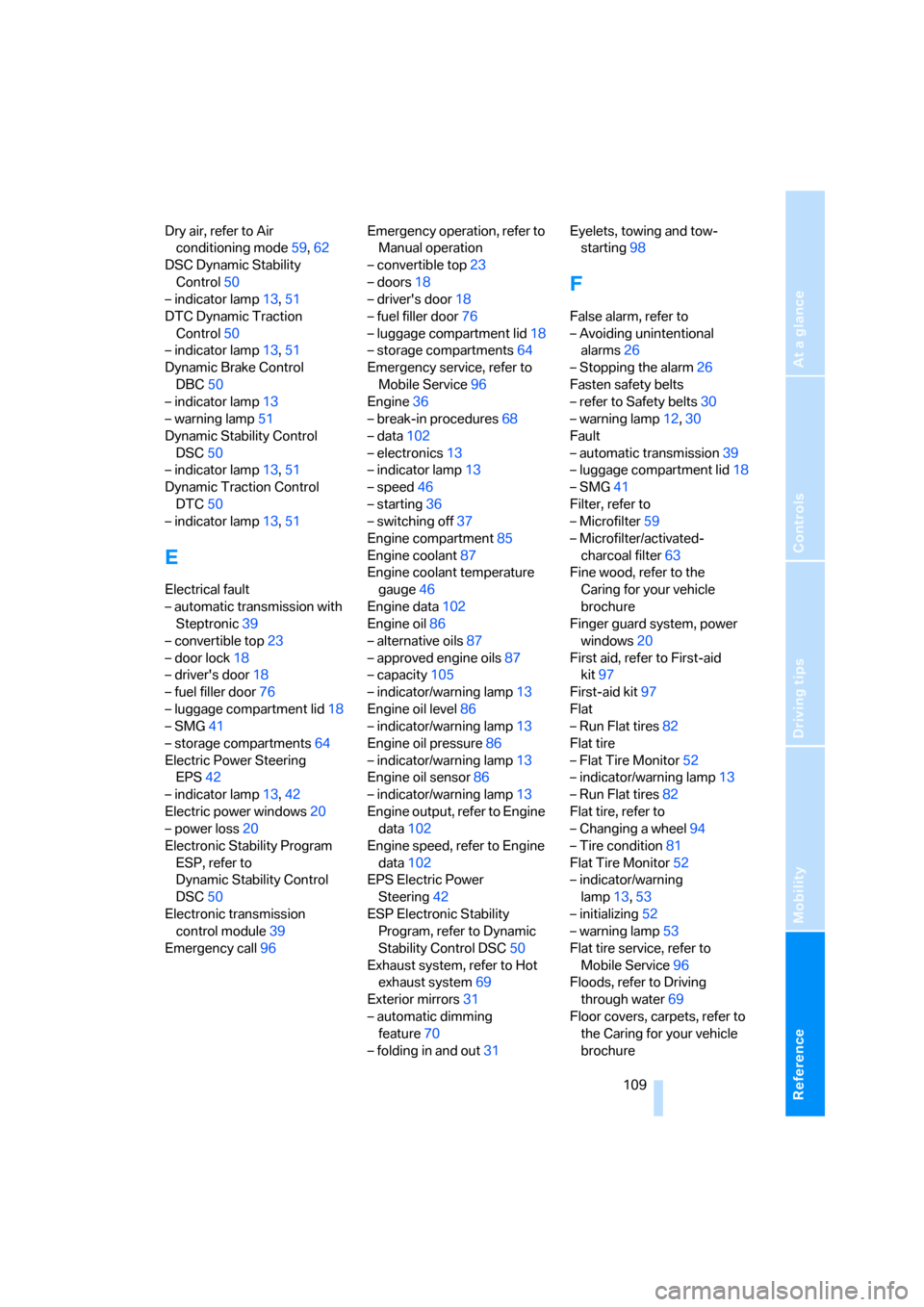
Dry air, refer to Air
conditioning mode59,62
DSC Dynamic Stability
Control50
– indicator lamp13,51
DTC Dynamic Traction
Control50
– indicator lamp13,51
Dynamic Brake Control
DBC50
– indicator lamp13
– warning lamp51
Dynamic Stability Control
DSC50
– indicator lamp13,51
Dynamic Traction Control
DTC50
– indicator lamp13,51
E
Electrical fault
– automatic transmission with
Steptronic39
– convertible top23
– door lock18
– driver's door18
– fuel filler door76
– luggage compartment lid18
– SMG41
– storage compartments64
Electric Power Steering
EPS42
– indicator lamp13,42
Electric power windows20
– power loss20
Electronic Stability Program
ESP, refer to
Dynamic Stability Control
DSC50
Electronic transmission
control module39
Emergency call96Emergency operation, refer to
Manual operation
– convertible top23
– doors18
– driver's door18
– fuel filler door76
– luggage compartment lid18
– storage compartments64
Emergency service, refer to
Mobile Service96
Engine36
– break-in procedures68
– data102
– electronics13
– indicator lamp13
– speed46
– starting36
– switching off37
Engine compartment85
Engine coolant87
Engine coolant temperature
gauge46
Engine data102
Engine oil86
– alternative oils87
– approved engine oils87
– capacity105
– indicator/warning lamp13
Engine oil level86
– indicator/warning lamp13
Engine oil pressure86
– indicator/warning lamp13
Engine oil sensor86
– indicator/warning lamp
13
Engine output, refer to Engine
data102
Engine speed, refer to Engine
data102
EPS Electric Power
Steering42
ESP Electronic Stability
Program, refer to Dynamic
Stability Control DSC50
Exhaust system, refer to Hot
exhaust system69
Exterior mirrors31
– automatic dimming
feature70
– folding in and out31Eyelets, towing and tow-
starting98
F
False alarm, refer to
– Avoiding unintentional
alarms26
– Stopping the alarm26
Fasten safety belts
– refer to Safety belts30
– warning lamp12,30
Fault
– automatic transmission39
– luggage compartment lid18
– SMG41
Filter, refer to
– Microfilter59
– Microfilter/activated-
charcoal filter63
Fine wood, refer to the
Caring for your vehicle
brochure
Finger guard system, power
windows20
First aid, refer to First-aid
kit97
First-aid kit97
Flat
– Run Flat tires82
Flat tire
– Flat Tire Monitor52
– indicator/warning lamp13
– Run Flat tires82
Flat tire, refer to
– Changing a wheel94
– Tire condition81
Flat Tire Monitor52
– indicator/warning
lamp13,53
– initializing52
– warning lamp53
Flat tire service, refer to
Mobile Service96
Floods, refer to Driving
through water69
Floor covers, carpets, refer to
the Caring for your vehicle
brochure
Page 114 of 120
Everything from A to Z
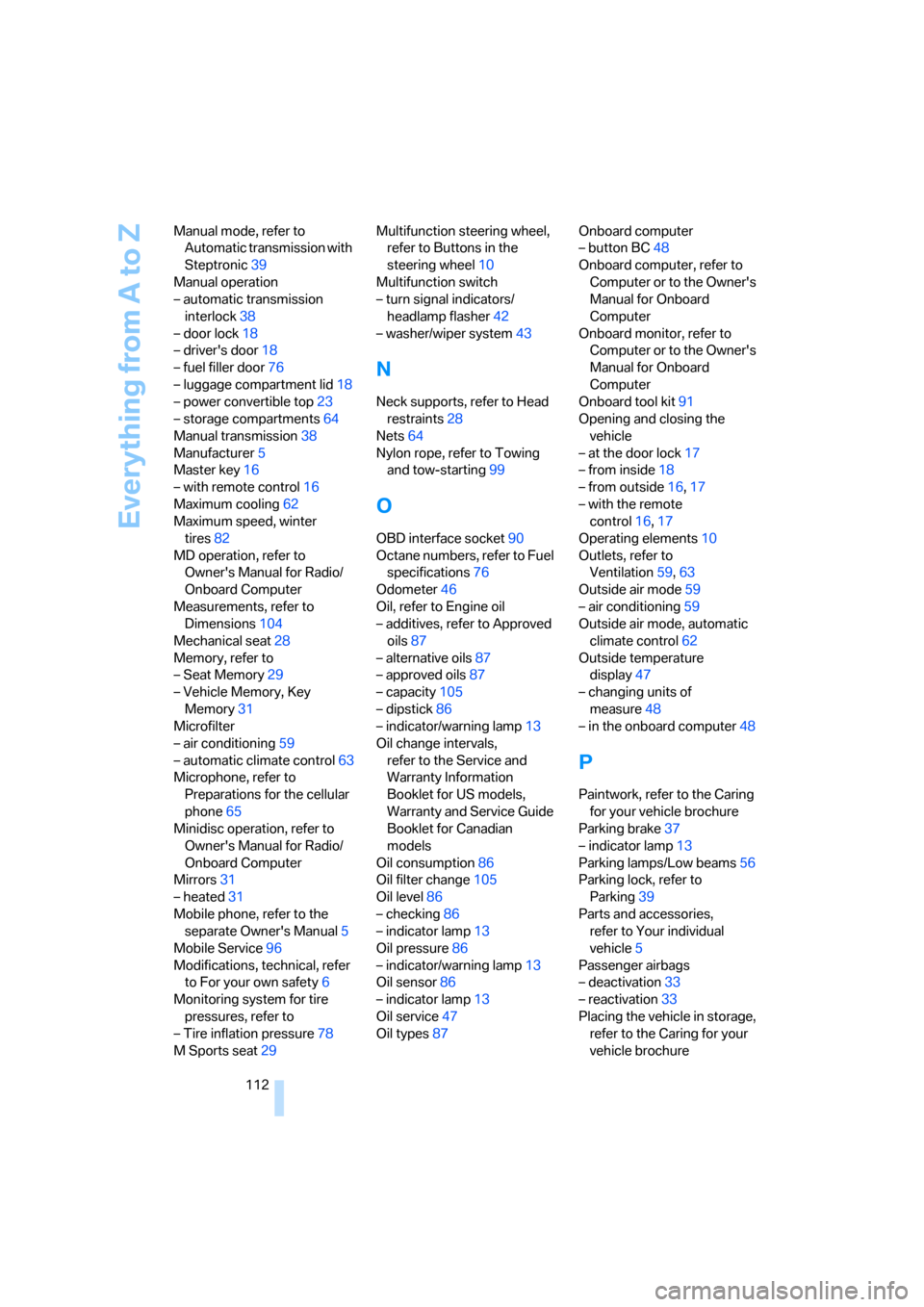
112 Manual mode, refer to
Automatic transmission with
Steptronic39
Manual operation
– automatic transmission
interlock38
– door lock18
– driver's door18
– fuel filler door76
– luggage compartment lid18
– power convertible top23
– storage compartments64
Manual transmission38
Manufacturer5
Master key16
– with remote control16
Maximum cooling62
Maximum speed, winter
tires82
MD operation, refer to
Owner's Manual for Radio/
Onboard Computer
Measurements, refer to
Dimensions104
Mechanical seat28
Memory, refer to
– Seat Memory29
– Vehicle Memory, Key
Memory31
Microfilter
– air conditioning59
– automatic climate control63
Microphone, refer to
Preparations for the cellular
phone65
Minidisc operation, refer to
Owner's Manual for Radio/
Onboard Computer
Mirrors31
– heated31
Mobile phone, refer to the
separate Owner's Manual5
Mobile Service96
Modifications, technical, refer
to For your own safety6
Monitoring system for tire
pressures, refer to
– Tire inflation pressure78
M Sports seat29Multifunction steering wheel,
refer to Buttons in the
steering wheel10
Multifunction switch
– turn signal indicators/
headlamp flasher42
– washer/wiper system43
N
Neck supports, refer to Head
restraints28
Nets64
Nylon rope, refer to Towing
and tow-starting99
O
OBD interface socket90
Octane numbers, refer to Fuel
specifications76
Odometer46
Oil, refer to Engine oil
– additives, refer to Approved
oils87
– alternative oils87
– approved oils87
– capacity105
– dipstick86
– indicator/warning lamp13
Oil change intervals,
refer to the Service and
Warranty Information
Booklet for US models,
Warranty and Service Guide
Booklet for Canadian
models
Oil consumption86
Oil filter change105
Oil level86
– checking86
– indicator lamp13
Oil pressure86
– indicator/warning lamp13
Oil sensor86
– indicator lamp13
Oil service47
Oil types87Onboard computer
– button BC48
Onboard computer, refer to
Computer or to the Owner's
Manual for Onboard
Computer
Onboard monitor, refer to
Computer or to the Owner's
Manual for Onboard
Computer
Onboard tool kit91
Opening and closing the
vehicle
– at the door lock17
– from inside18
– from outside16,17
– with the remote
control16,17
Operating elements10
Outlets, refer to
Ventilation59,63
Outside air mode59
– air conditioning59
Outside air mode, automatic
climate control62
Outside temperature
display47
– changing units of
measure48
– in the onboard computer48
P
Paintwork, refer to the Caring
for your vehicle brochure
Parking brake37
– indicator lamp13
Parking lamps/Low beams56
Parking lock, refer to
Parking39
Parts and accessories,
refer to Your individual
vehicle5
Passenger airbags
– deactivation33
– reactivation33
Placing the vehicle in storage,
refer to the Caring for your
vehicle brochure