light BMW Z4 SDRIVE28I 2013 Repair Manual
[x] Cancel search | Manufacturer: BMW, Model Year: 2013, Model line: Z4 SDRIVE28I, Model: BMW Z4 SDRIVE28I 2013Pages: 220, PDF Size: 9.9 MB
Page 124 of 220
To end random playback:
"RND"
Compressed audio files
CD players and CD/DVD changers can play back
CDs or DVDs with compressed audio data: MP3
and WMA.
Selecting a track1."LIST"2.Select the desired directory using the right
knob.▷ : press the right knob to open a di‐
rectory.▷ : press the right knob to close a di‐
rectory.3.Select other directories if you wish.4.Highlight the desired track and press the
right knob.
You can scroll through the directories during
playback.
To change to the current track:
"CURR"
Displaying information on the track
Any information stored on the currently selected
track can be displayed.
1."LIST"2."TRACK"CD/DVD changer
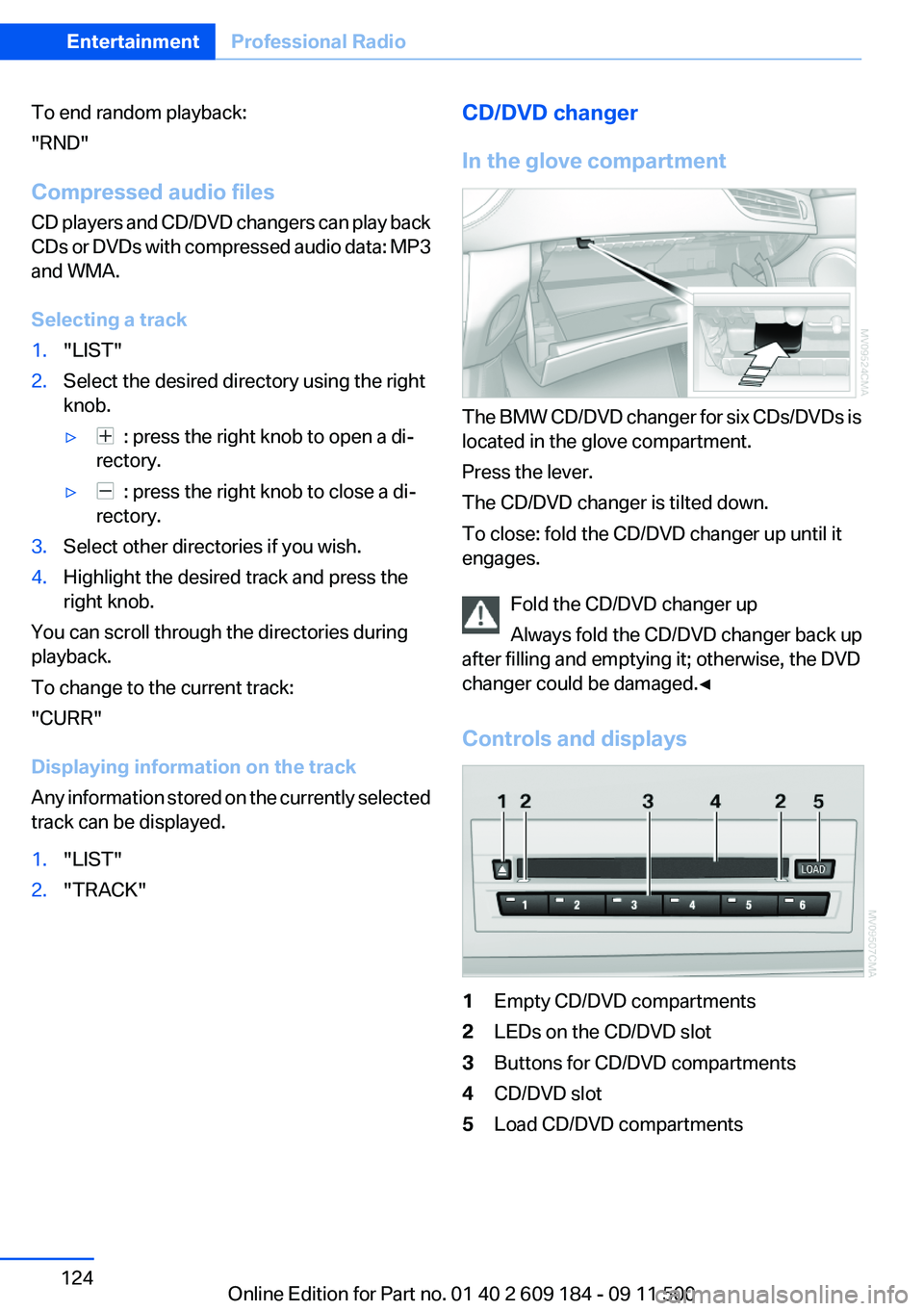
In the glove compartment
The BMW CD/DVD changer for six CDs/DVDs is
located in the glove compartment.
Press the lever.
The CD/DVD changer is tilted down.
To close: fold the CD/DVD changer up until it
engages.
Fold the CD/DVD changer up
Always fold the CD/DVD changer back up
after filling and emptying it; otherwise, the DVD
changer could be damaged.◀
Controls and displays
1Empty CD/DVD compartments2LEDs on the CD/DVD slot3Buttons for CD/DVD compartments4CD/DVD slot5Load CD/DVD compartmentsSeite 124EntertainmentProfessional Radio124
Online Edition for Part no. 01 40 2 609 184 - 09 11 500
Page 127 of 220
Malfunctions involving individual CDs/
DVDs
If malfunctions occur only with particular CDs/
DVDs, this can be due to one of the following
causes:
Self-recorded CDs/DVDs▷Possible reasons for malfunctions with self-
recorded CDs/DVDs are inconsistent data
creation or recording processes, or poor
quality or old age of the blank CD/DVD.▷Only label CDs/DVDs on the upper side with
a pen intended for this purpose.
Damage
▷Avoid fingerprints, dust, scratches and
moisture.▷Store CDs/DVDs in a sleeve.▷Do not subject CDs/DVDs to temperatures
over 122 ℉/50 ℃, high humidity or direct
sunlight.
CDs/DVDs with copy protection
CDs/DVDs are often provided with a copy pro‐
tection feature by the manufacturer. This can
mean that some CDs/DVDs cannot be played or
can only be played to a limited extent.
MACROVISION
This product contains copyrighted technology
that is based on multiple registered US patents
and the intellectual property of the Macrovision
Corporation and other manufacturers. The use
of this copy protection must be approved by
Macrovision. Media protected by this product -
unless otherwise agreed with Macrovision - may
only be used for private purposes. Copying of
this technology is prohibited.
External devices
AUX-IN port
At a glance▷For connecting audio devices, e.g., MP3
player. The sound is output on the vehicle
loudspeakers.▷Recommendation: use medium tone and
volume settings on the audio device. The
tone depends on the quality of the audio
files.
Connecting
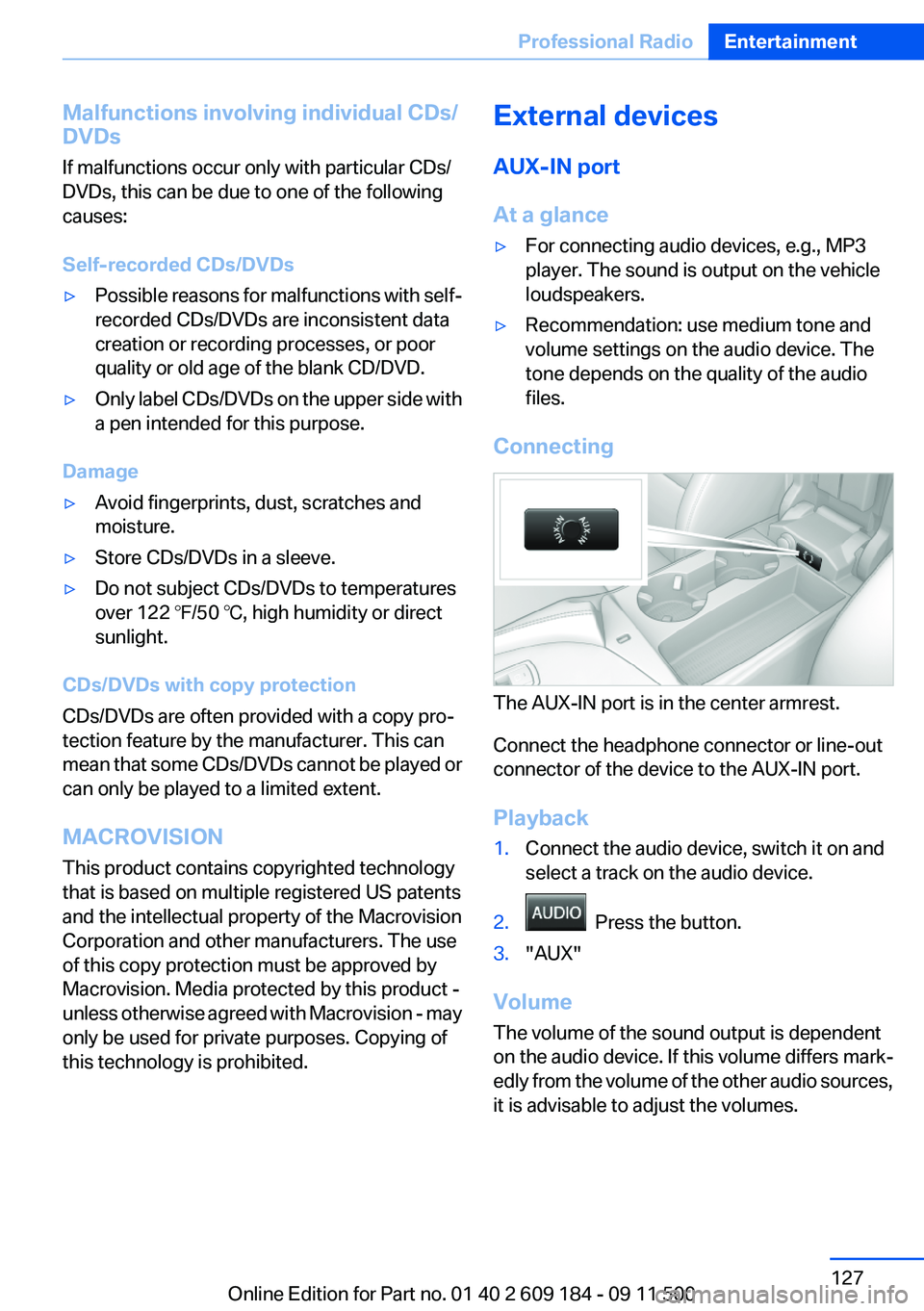
The AUX-IN port is in the center armrest.
Connect the headphone connector or line-out
connector of the device to the AUX-IN port.
Playback
1.Connect the audio device, switch it on and
select a track on the audio device.2. Press the button.3."AUX"
Volume
The volume of the sound output is dependent
on the audio device. If this volume differs mark‐
edly from the volume of the other audio sources,
it is advisable to adjust the volumes.
Seite 127Professional RadioEntertainment127
Online Edition for Part no. 01 40 2 609 184 - 09 11 500
Page 129 of 220
Number of tracks
Information from up to four USB devices or for
approx. 20,000 tracks can be stored in the ve‐
hicle. If a fifth device is connected or if more than
20,000 tracks are stored, information on exist‐
ing tracks may be deleted.
Copy protection
Music tracks with integrated Digital Rights Man‐
agement (DRM) cannot be played.
Playback1. Press the button.2."IPOD" or "USB"
Changing the music track
Skipping to another track
It is possible to skip to another track within the
selected directory.
Press the button repeatedly until the
desired track is played.
With the right knob:
Turn the right knob until the desired track is
played back.
Fast forward/reverse
Hold the button down.
Tracks can be heard but are distorted.
Random playback
"RND"
To end random playback: "RND"
Selecting a track
Depending on the connected device, the track
can be selected via the following category:
▷"LIST": playback lists.▷"DIR": device file structure.▷"GEN": musical genre.▷"ART": artist.▷"ALB": album.1.Select the desired category.2.If necessary, select the desired directory us‐
ing the right knob.▷ : press the right knob to open a di‐
rectory.▷ : press the right knob to close a di‐
rectory.3.Select other directories if you wish.4.Highlight the desired track and press the
right knob.
You can scroll through the directories during
playback.
To change to the current track:
"CURR"
Displaying information on the track
Any information stored on the currently selected
track can be displayed.
"TRACK"
Adjusting the volume
The volume of the sound output is dependent
on the audio device. If this volume differs mark‐
edly from the volume of the other audio sources,
it is advisable to adjust the volumes.
1."LEV"2.Turn the right knob until the desired volume
is set and press the knob.
Notes
Do not expose the audio device to extreme en‐
vironmental conditions, such as very high tem‐
peratures; refer to the audio device operating
instructions.
Depending on the configuration of the audio
files, e.g., bit rates greater than 256 kbit/s, the
files may not play back correctly in each case.
Seite 129Professional RadioEntertainment129
Online Edition for Part no. 01 40 2 609 184 - 09 11 500
Page 135 of 220
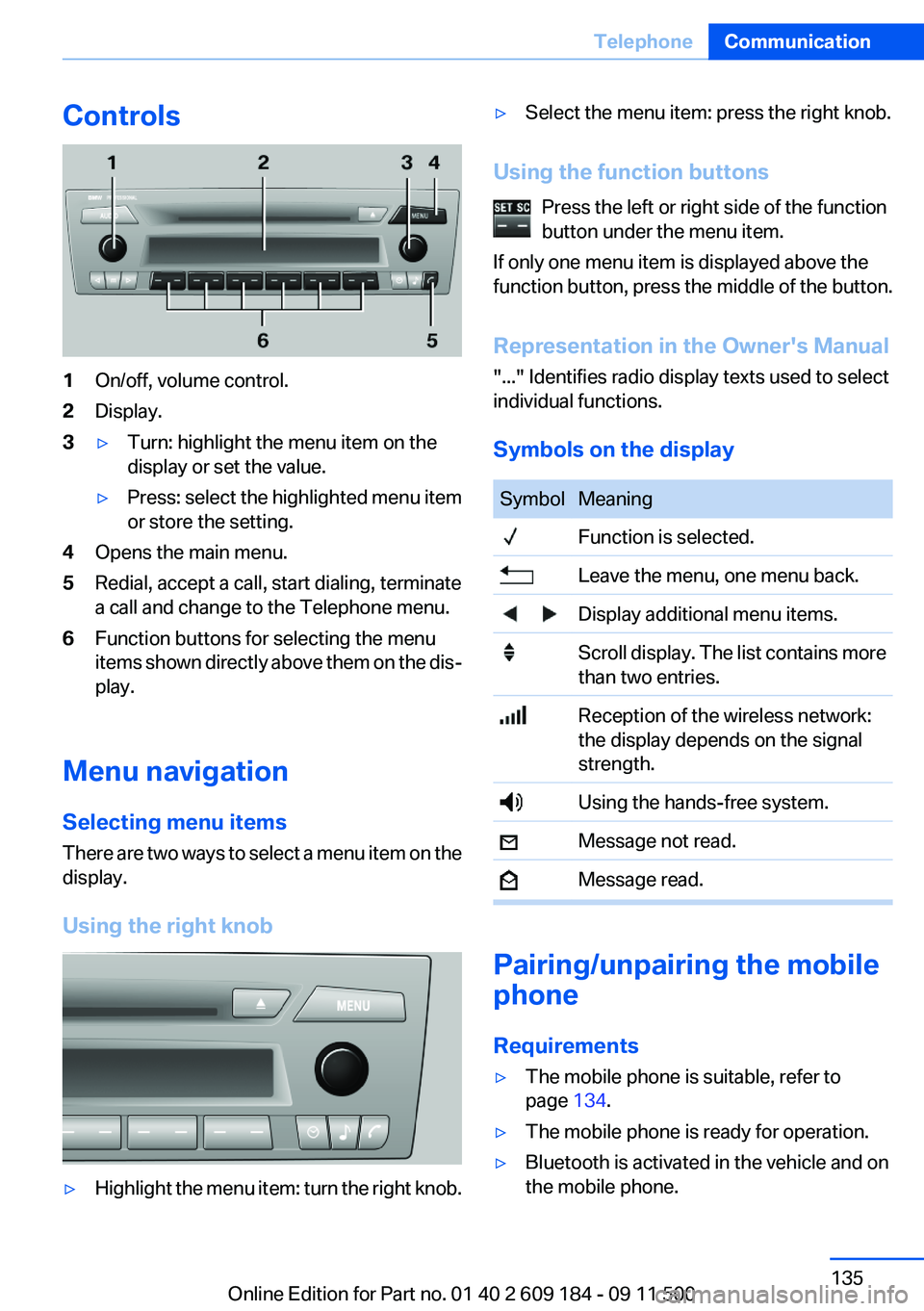
Controls1On/off, volume control.2Display.3▷Turn: highlight the menu item on the
display or set the value.▷Press: select the highlighted menu item
or store the setting.4Opens the main menu.5Redial, accept a call, start dialing, terminate
a call and change to the Telephone menu.6Function buttons for selecting the menu
items shown directly above them on the dis‐
play.
Menu navigation
Selecting menu items
There are two ways to select a menu item on the
display.
Using the right knob
▷Highlight the menu item: turn the right knob.▷Select the menu item: press the right knob.
Using the function buttons Press the left or right side of the function
button under the menu item.
If only one menu item is displayed above the
function button, press the middle of the button.
Representation in the Owner's Manual
"..." Identifies radio display texts used to select
individual functions.
Symbols on the display
SymbolMeaning Function is selected. Leave the menu, one menu back. Display additional menu items. Scroll display. The list contains more
than two entries. Reception of the wireless network:
the display depends on the signal
strength. Using the hands-free system. Message not read. Message read.
Pairing/unpairing the mobile
phone
Requirements
▷The mobile phone is suitable, refer to
page 134.▷The mobile phone is ready for operation.▷Bluetooth is activated in the vehicle and on
the mobile phone.Seite 135TelephoneCommunication135
Online Edition for Part no. 01 40 2 609 184 - 09 11 500
Page 152 of 220
RefuelingVehicle equipment
This chapter describes all series equipment as
well as country-specific and special equipment
offered for this model series.Therefore, it also
describes equipment that may not be found in
your vehicle, for instance due to the selected
special equipment or the country version. This
also applies to safety-related functions and sys‐
tems.
General information Refuel promptly
At the latest, refuel at a range of 30 miles/
50 km; otherwise, the engine function is not en‐
sured and damage may occur.◀
Notes Switch off the engine before refueling
Always switch off the engine before refu‐
eling; otherwise, fuel cannot be added to the
tank and a message will be displayed.◀
Observe when handling fuel▷Take all precautionary measures and
observe all applicable regulations
when handling fuel.▷Do not carry any spare fuel containers in
your vehicle. They can develop a leak and
cause an explosion or cause a fire in the
event of an accident.◀Fuel filler flap
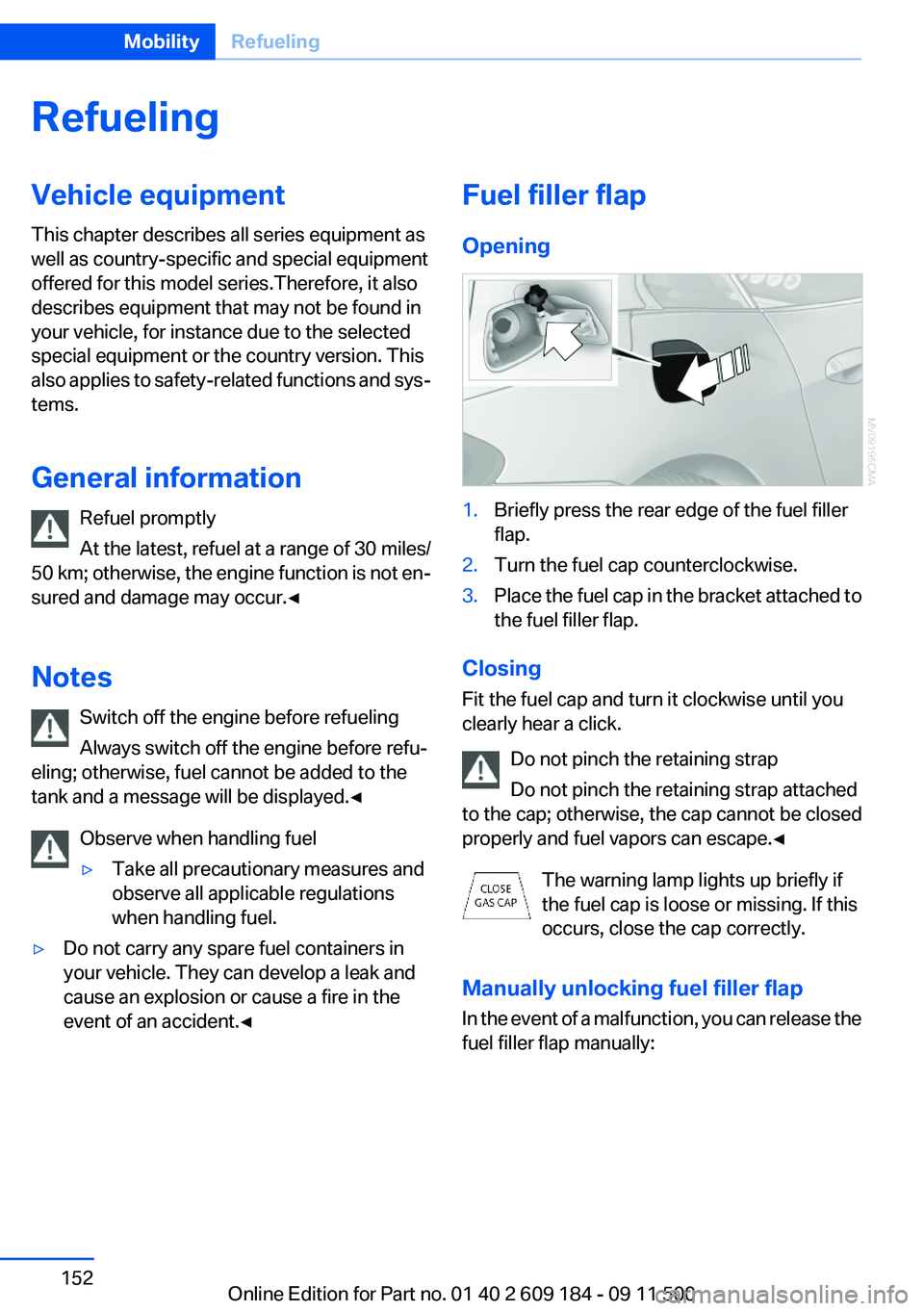
Opening1.Briefly press the rear edge of the fuel filler
flap.2.Turn the fuel cap counterclockwise.3.Place the fuel cap in the bracket attached to
the fuel filler flap.
Closing
Fit the fuel cap and turn it clockwise until you
clearly hear a click.
Do not pinch the retaining strap
Do not pinch the retaining strap attached
to the cap; otherwise, the cap cannot be closed
properly and fuel vapors can escape.◀
The warning lamp lights up briefly if
the fuel cap is loose or missing. If this
occurs, close the cap correctly.
Manually unlocking fuel filler flap
In the event of a malfunction, you can release the
fuel filler flap manually:
Seite 152MobilityRefueling152
Online Edition for Part no. 01 40 2 609 184 - 09 11 500
Page 162 of 220
Retreaded tires
Possibly substantial variations in the de‐
sign and age of the tire casing structures can
limit service life and have a negative impact on
road safety.◀
Winter tires
The manufacturer of your vehicle recommends
winter tires for winter roads or at temperatures
below +45 ℉/+7 ℃.
Although so-called all-season M+S tires do pro‐
vide better winter traction than summer tires,
they do not provide the same level of perform‐
ance as winter tires.
Maximum speed of winter tires
If the maximum speed of the vehicle is higher
than the permissible speed for the winter tires,
then display a corresponding sign in the field of
vision. You can obtain this sign from the tire spe‐
cialist or from your service center.
Maximum speed for winter tires
Do not exceed the maximum speed for the
winter tires; otherwise, tire damage and acci‐
dents can occur.◀
Run-flat tires
For your own safety, only use run-flat tires. No
spare tire is available in the case of a flat tire. Your
service center will be glad to advise you.
Rotating wheels between axles
The manufacturer of your vehicle advises
against swapping wheels between the front and
rear axles.
This can impair the handling characteristics.
Rotating the tires is not permissible when using
different types of tires.
Storage
Store wheels and tires in a cool, dry place with
as little exposure to light as possible.Always protect tires against all contact with oil,
grease and fuels.
Do not exceed the maximum tire inflation pres‐
sure indicated on the side wall of the tire.
Snow chains
Only certain fine-link snow chains have been
tested by BMW, classified as safe for use and
recommended. Consult your service center for
more information.
Snow chains must be mounted in pairs and on
the rear wheels only. Observe the manufactur‐
er's instructions when mounting snow chains.
Do not exceed a speed of 30 mph/50 km/h when
using snow chains.
Do not initialize the Flat Tire Monitor if snow
chains are mounted; otherwise, the instrument
might issue an incorrect reading.
When driving with snow chains, it can be bene‐
ficial to temporarily activate DTC, refer to
page 83.Seite 162MobilityWheels and tires162
Online Edition for Part no. 01 40 2 609 184 - 09 11 500
Page 166 of 220
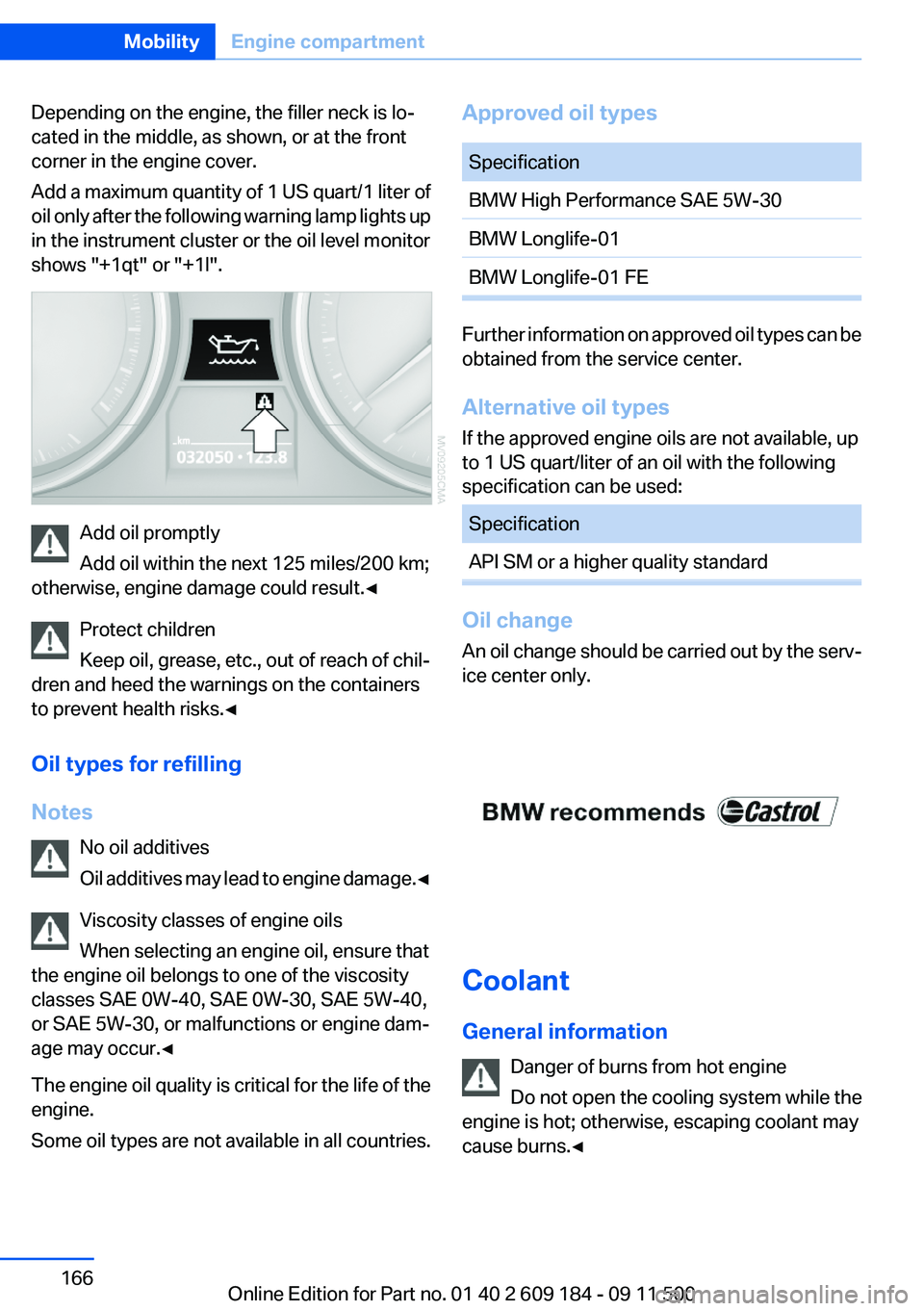
Depending on the engine, the filler neck is lo‐
cated in the middle, as shown, or at the front
corner in the engine cover.
Add a maximum quantity of 1 US quart/1 liter of
oil only after the following warning lamp lights up
in the instrument cluster or the oil level monitor
shows "+1qt" or "+1l".
Add oil promptly
Add oil within the next 125 miles/200 km;
otherwise, engine damage could result.◀
Protect children
Keep oil, grease, etc., out of reach of chil‐
dren and heed the warnings on the containers
to prevent health risks.◀
Oil types for refilling
Notes No oil additives
Oil additives may lead to engine damage. ◀
Viscosity classes of engine oils
When selecting an engine oil, ensure that
the engine oil belongs to one of the viscosity
classes SAE 0W-40, SAE 0W-30, SAE 5W-40,
or SAE 5W-30, or malfunctions or engine dam‐
age may occur.◀
The engine oil quality is critical for the life of the
engine.
Some oil types are not available in all countries.
Approved oil typesSpecificationBMW High Performance SAE 5W-30BMW Longlife-01BMW Longlife-01 FE
Further information on approved oil types can be
obtained from the service center.
Alternative oil types
If the approved engine oils are not available, up
to 1 US quart/liter of an oil with the following
specification can be used:
SpecificationAPI SM or a higher quality standard
Oil change
An oil change should be carried out by the serv‐
ice center only.
Coolant
General information Danger of burns from hot engine
Do not open the cooling system while the
engine is hot; otherwise, escaping coolant may
cause burns.◀
Seite 166MobilityEngine compartment166
Online Edition for Part no. 01 40 2 609 184 - 09 11 500
Page 167 of 220
Suitable additives
Only use suitable additives; otherwise, en‐
gine damage may occur. The additives are
harmful to your health.◀
Coolant consists of water and additives.
Not all commercially available additives are suit‐
able for your vehicle. Ask your service center for
suitable additives.
Checking the coolant level1.Let the engine cool.2.Turn the expansion tank cap counterclock‐
wise slightly to allow any accumulated pres‐
sure to escape, then continue turning to
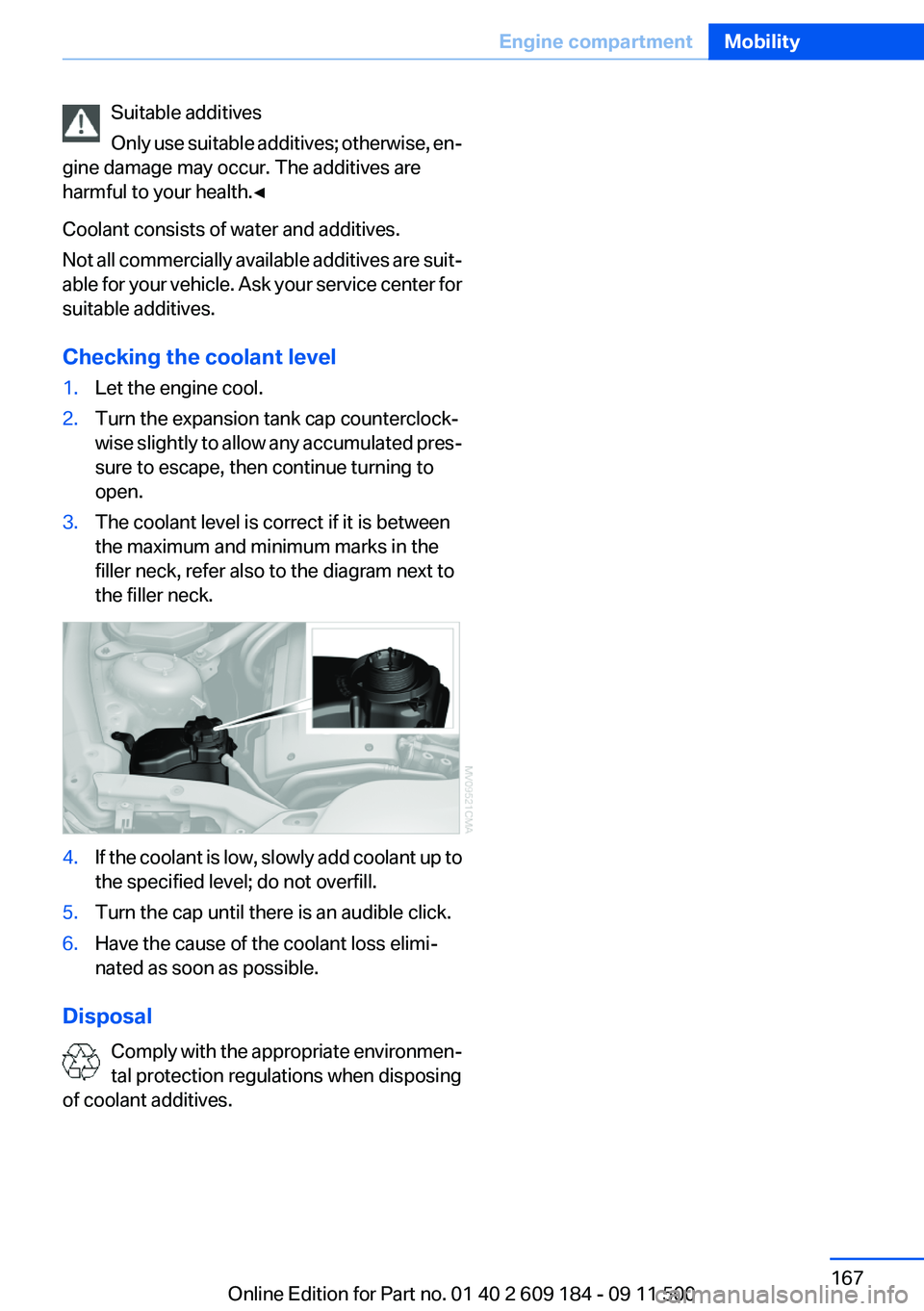
open.3.The coolant level is correct if it is between
the maximum and minimum marks in the
filler neck, refer also to the diagram next to
the filler neck.4.If the coolant is low, slowly add coolant up to
the specified level; do not overfill.5.Turn the cap until there is an audible click.6.Have the cause of the coolant loss elimi‐
nated as soon as possible.
Disposal
Comply with the appropriate environmen‐
tal protection regulations when disposing
of coolant additives.
Seite 167Engine compartmentMobility167
Online Edition for Part no. 01 40 2 609 184 - 09 11 500
Page 169 of 220
Socket for OBD Onboard
Diagnosis
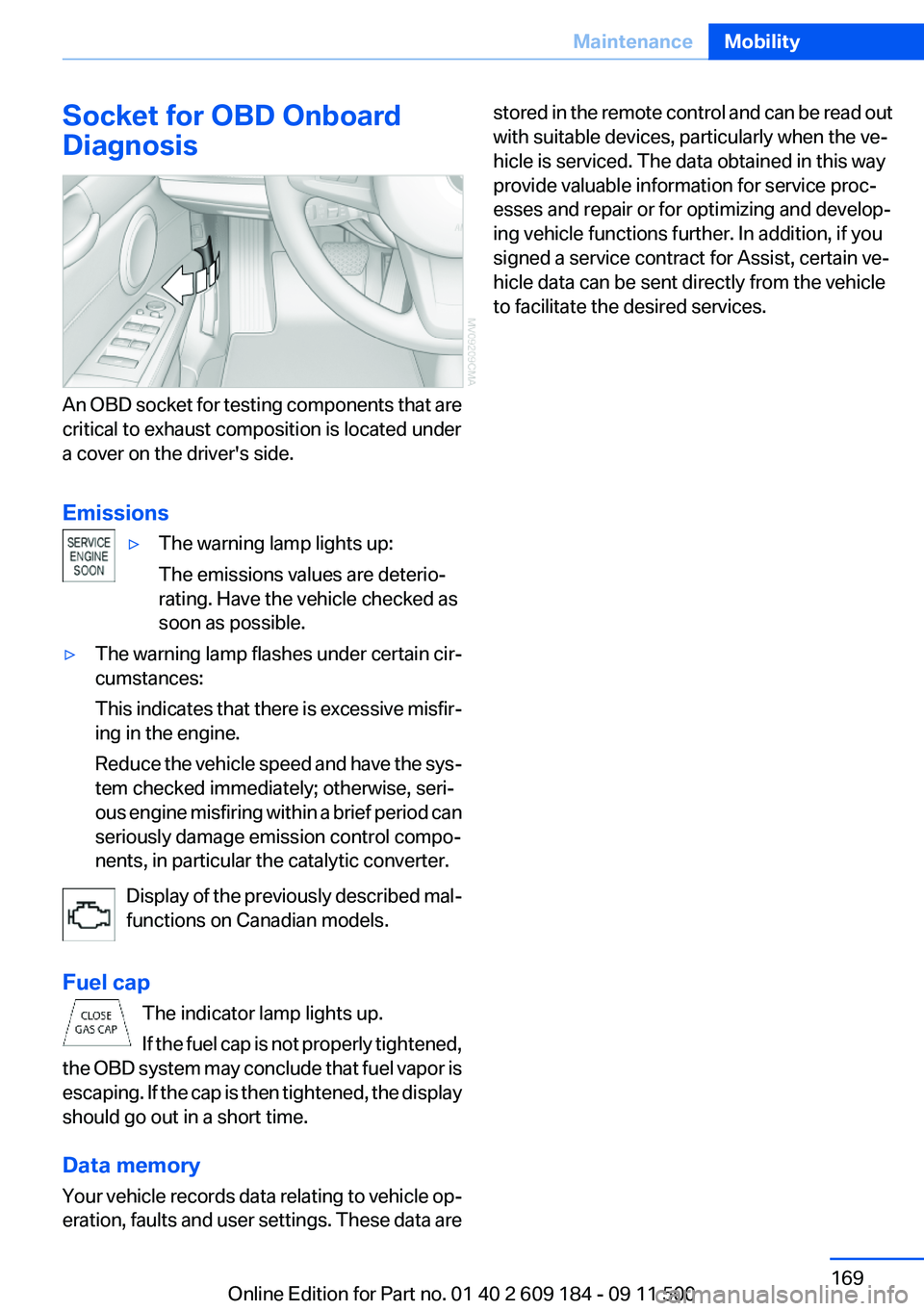
An OBD socket for testing components that are
critical to exhaust composition is located under
a cover on the driver's side.
Emissions
▷The warning lamp lights up:
The emissions values are deterio‐
rating. Have the vehicle checked as
soon as possible.▷The warning lamp flashes under certain cir‐
cumstances:
This indicates that there is excessive misfir‐
ing in the engine.
Reduce the vehicle speed and have the sys‐
tem checked immediately; otherwise, seri‐
ous engine misfiring within a brief period can
seriously damage emission control compo‐
nents, in particular the catalytic converter.
Display of the previously described mal‐
functions on Canadian models.
Fuel cap The indicator lamp lights up.
If the fuel cap is not properly tightened,
the OBD system may conclude that fuel vapor is
escaping. If the cap is then tightened, the display
should go out in a short time.
Data memory
Your vehicle records data relating to vehicle op‐
eration, faults and user settings. These data are
stored in the remote control and can be read out
with suitable devices, particularly when the ve‐
hicle is serviced. The data obtained in this way
provide valuable information for service proc‐
esses and repair or for optimizing and develop‐
ing vehicle functions further. In addition, if you
signed a service contract for Assist, certain ve‐
hicle data can be sent directly from the vehicle
to facilitate the desired services.Seite 169MaintenanceMobility169
Online Edition for Part no. 01 40 2 609 184 - 09 11 500
Page 170 of 220
Replacing componentsVehicle equipment
This chapter describes all series equipment as
well as country-specific and special equipment
offered for this model series.Therefore, it also
describes equipment that may not be found in
your vehicle, for instance due to the selected
special equipment or the country version. This
also applies to safety-related functions and sys‐
tems.
Tool kit
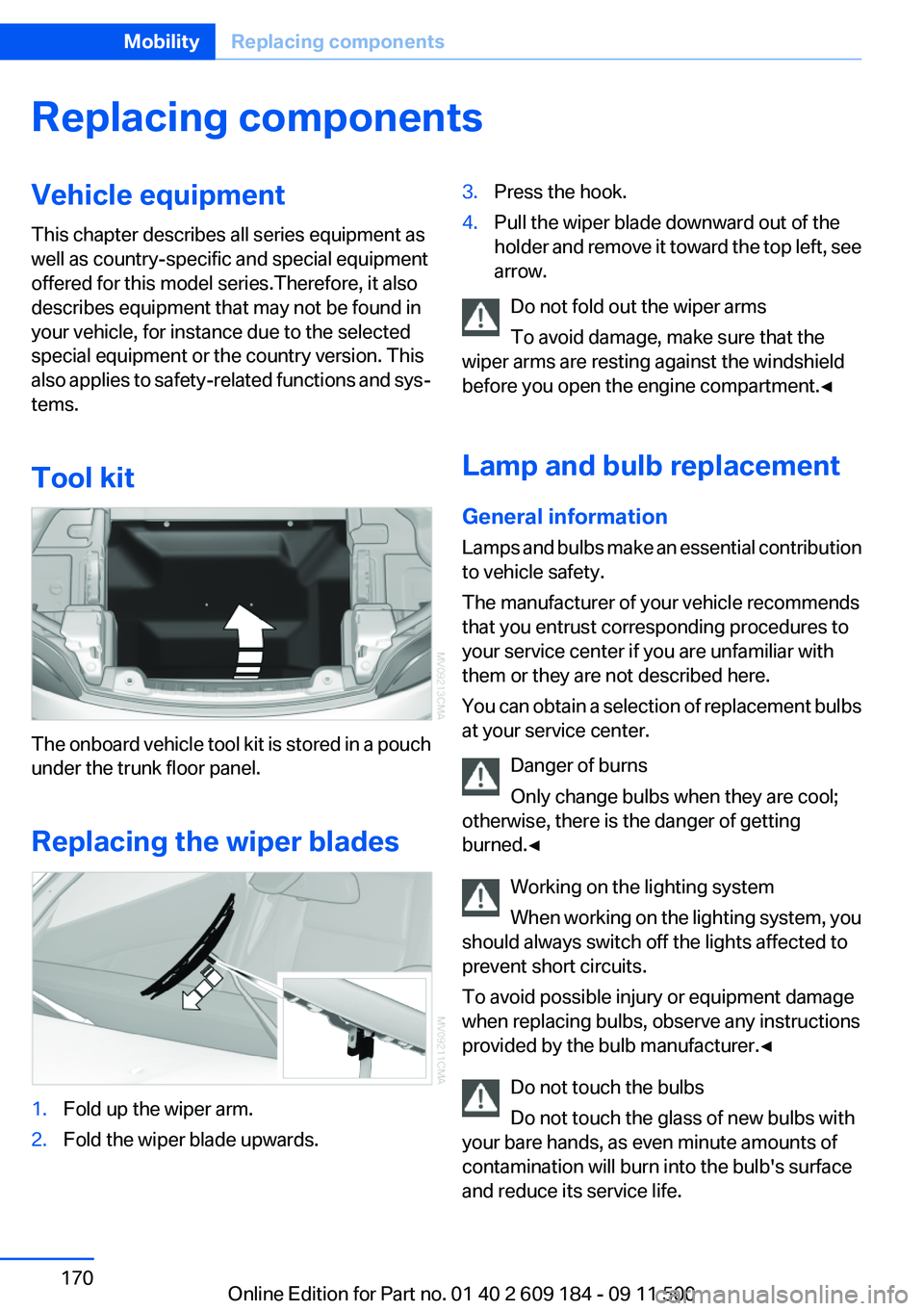
The onboard vehicle tool kit is stored in a pouch
under the trunk floor panel.
Replacing the wiper blades
1.Fold up the wiper arm.2.Fold the wiper blade upwards.3.Press the hook.4.Pull the wiper blade downward out of the
holder and remove it toward the top left, see
arrow.
Do not fold out the wiper arms
To avoid damage, make sure that the
wiper arms are resting against the windshield
before you open the engine compartment.◀
Lamp and bulb replacement
General information
Lamps and bulbs make an essential contribution
to vehicle safety.
The manufacturer of your vehicle recommends
that you entrust corresponding procedures to
your service center if you are unfamiliar with
them or they are not described here.
You can obtain a selection of replacement bulbs
at your service center.
Danger of burns
Only change bulbs when they are cool;
otherwise, there is the danger of getting
burned.◀
Working on the lighting system
When working on the lighting system, you
should always switch off the lights affected to
prevent short circuits.
To avoid possible injury or equipment damage
when replacing bulbs, observe any instructions
provided by the bulb manufacturer.◀
Do not touch the bulbs
Do not touch the glass of new bulbs with
your bare hands, as even minute amounts of
contamination will burn into the bulb's surface
and reduce its service life.
Seite 170MobilityReplacing components170
Online Edition for Part no. 01 40 2 609 184 - 09 11 500