parking brake BMW Z4 SDRIVE28I 2013 Owners Manual
[x] Cancel search | Manufacturer: BMW, Model Year: 2013, Model line: Z4 SDRIVE28I, Model: BMW Z4 SDRIVE28I 2013Pages: 220, PDF Size: 9.9 MB
Page 16 of 220
Open the retractable hard‐
top 33Deactivate the Automatic Engine
Start/Stop Function 476Parking brake 497Buttons for Dynamic Driving Control 82
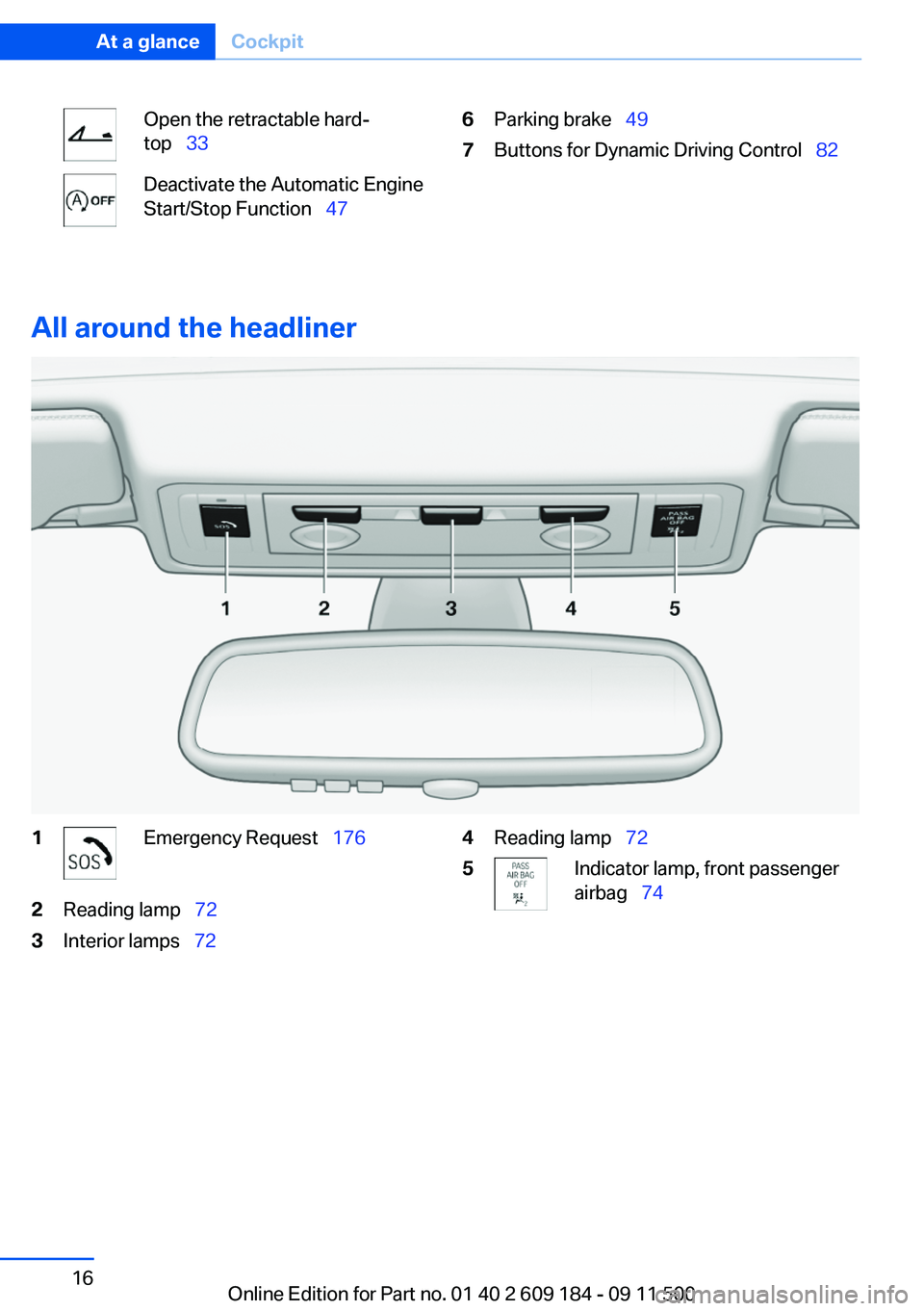
All around the headliner
1Emergency Request 1762Reading lamp 723Interior lamps 724Reading lamp 725Indicator lamp, front passenger
airbag 74Seite 16At a glanceCockpit16
Online Edition for Part no. 01 40 2 609 184 - 09 11 500
Page 46 of 220
Ignition on
All electrical consumers can operate. The od‐
ometer and trip odometer are displayed in the
instrument cluster.
To save battery power when the engine is off,
switch off the ignition and any unnecessary
electronic systems/power consumers.
Radio ready state and ignition off
All indicator and warning lamps as well as dis‐
plays in the instrument cluster go out.
Sport automatic transmission
In certain situations, transmission position P is
engaged automatically. To make it possible for
the vehicle to roll, such as in an automatic car
wash, follow the instructions in Car washes, re‐
fer to page 182.
Starting the engine Enclosed areas
Do not let the engine run in enclosed
areas; otherwise, breathing of exhaust fumes
may lead to loss of consciousness and death.
The exhaust gases contain carbon monoxide, an
odorless and colorless but highly toxic gas.◀
Unattended vehicle
Do not leave the car unattended with the
engine running; otherwise, it presents a poten‐
tial source of danger.
Before leaving the car with the engine running,
set the parking brake and place the transmission
in position P or neutral to prevent the car from
moving.◀
Frequent starting in quick succession
Avoid repeated futile attempts at starting
the car and avoid starting the car frequently in
quick succession. Otherwise, the fuel is not
burned or is inadequately burned, and there is
the danger of overheating and damaging the
catalytic converter.◀Do not wait for the engine to warm up while the
vehicle remains stationary. Start driving right
away, but at moderate engine speeds.
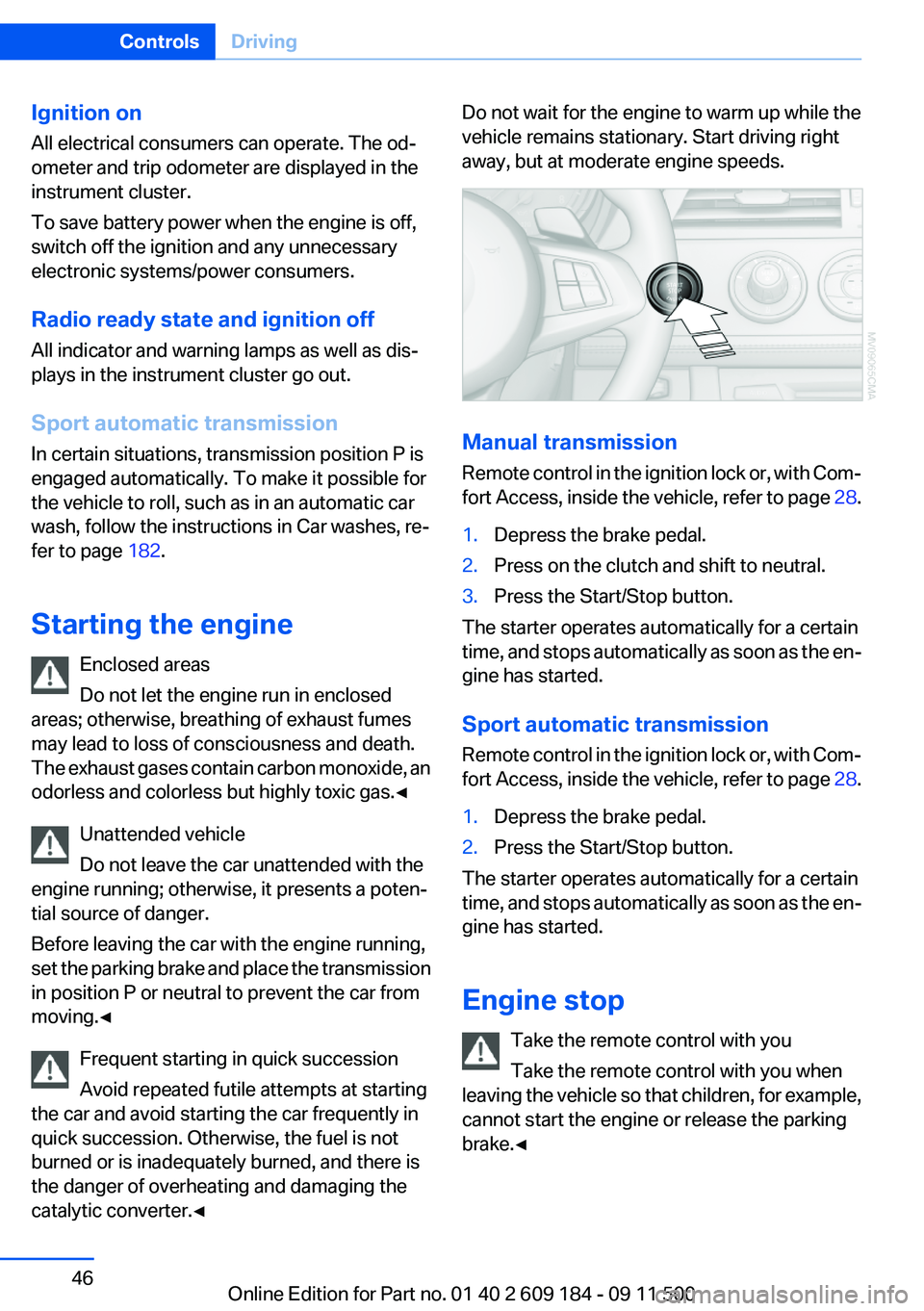
Manual transmission
Remote control in the ignition lock or, with Com‐
fort Access, inside the vehicle, refer to page 28.
1.Depress the brake pedal.2.Press on the clutch and shift to neutral.3.Press the Start/Stop button.
The starter operates automatically for a certain
time, and stops automatically as soon as the en‐
gine has started.
Sport automatic transmission
Remote control in the ignition lock or, with Com‐
fort Access, inside the vehicle, refer to page 28.
1.Depress the brake pedal.2.Press the Start/Stop button.
The starter operates automatically for a certain
time, and stops automatically as soon as the en‐
gine has started.
Engine stop Take the remote control with you
Take the remote control with you when
leaving the vehicle so that children, for example,
cannot start the engine or release the parking
brake.◀
Seite 46ControlsDriving46
Online Edition for Part no. 01 40 2 609 184 - 09 11 500
Page 47 of 220
Set the parking brake and further secure
the vehicle as required
Set the parking brake firmly when parking; oth‐
erwise, the vehicle could roll. On steep upward
and downward inclines, further secure the vehi‐
cle, for example, by turning the steering wheel in
the direction of the curb.◀
Manual transmission1.With the vehicle at a standstill, press the
Start/Stop button.2.Shift into first gear or reverse.3.Set the parking brake.4.Remove the remote control from the ignition
lock, refer to page 45.
Sport automatic transmission
1.With the vehicle at a standstill, press the
Start/Stop button.2.Set the parking brake.3.Remove the remote control from the ignition
lock, refer to page 45.
Automatic Engine Start/Stop
Function
The concept
The Automatic Engine Start/Stop Function
helps save fuel and lower emissions. The sys‐
tem automatically switches off the engine dur‐
ing a stop, e.g., in a traffic congestion or at traffic
lights. The ignition remains switched on. The
engine starts again automatically when the
clutch is pressed.
Automatic operation
The automatic engine start/stop function is op‐
erational after each engine start. It is activated
whenever you drive forward faster than 3 mph/
5 km/h.
Automatic engine stop
The engine is switched off automatically during
a stop under the following conditions:▷Neutral gear is engaged and the clutch pedal
is not depressed.▷The driver's safety belt is fastened or the
driver's door is closed.
When the engine is switched off, the air volume
of the air conditioner or automatic climate con‐
trol is reduced.
Indicator lamp in the instrument cluster The indicator lamp lights up when the
Auto Start/Stop function is ready to
start the engine automatically.
More information, refer to page 186.
Note
The engine is not switched off automatically in
the following situations:
▷External temperatures below approx. 37 ℉/
+3 ℃.▷High external temperature and operation of
the automatic climate control.▷The interior is not yet heated or cooled as
much as desired.▷The engine is not yet at operating tempera‐
ture.▷Sharp steering angle or the steering wheel
is being turned.▷After driving in reverse.▷Fogging of the windows when the automatic
climate control is switched on.▷Vehicle battery charge is very low.▷Hood is unlocked.Seite 47DrivingControls47
Online Edition for Part no. 01 40 2 609 184 - 09 11 500
Page 48 of 220
Parking the vehicle during an
automatic engine stop
The vehicle can be parked safely during an au‐
tomatic engine stop, such as when you wish to
leave the vehicle.1.Press the Start/Stop button. The ignition is
switched off. The Auto Start/Stop function
is deactivated.2.Set the parking brake.
Start the engine as usual using the Start/Stop
button.
Automatic engine start
To drive away, the engine starts automatically as
soon as the clutch pedal is depressed.
After the engine starts, accelerate as usual.
Safety mode
The engine does not start by itself after it is
switched off automatically if any of the following
conditions are fulfilled:
▷The driver's safety belt is unfastened or the
driver's door is open.▷Hood was unlocked.
The indicator lamp lights up.
The engine can only be started via the
Start/Stop button.
More information, refer to page 186.
Note
Even if you do not wish to drive away, the stop‐
ped engine still starts automatically in the fol‐
lowing situations:
▷The interior has heated up strongly with the
cooling function switched on.▷The steering wheel is turned.▷The vehicle begins to roll.▷Fogging of the windows when the automatic
climate control is switched on.▷Vehicle battery charge is very low.▷The interior has cooled down strongly with
the heating switched on.▷Low braking pressure, such as from de‐
pressing the brake pedal a number of times
consecutively.
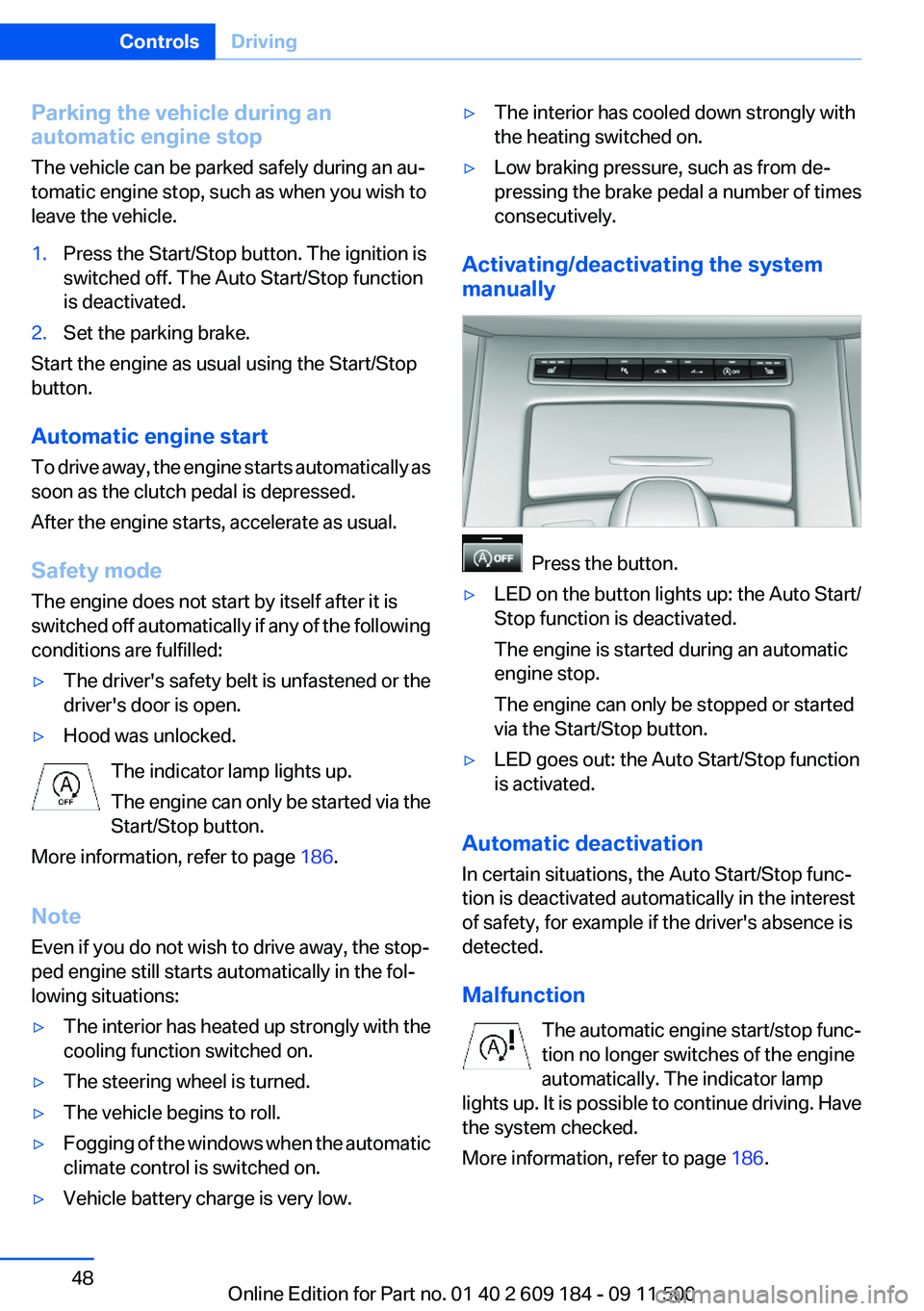
Activating/deactivating the system
manually
Press the button.
▷LED on the button lights up: the Auto Start/
Stop function is deactivated.
The engine is started during an automatic
engine stop.
The engine can only be stopped or started
via the Start/Stop button.▷LED goes out: the Auto Start/Stop function
is activated.
Automatic deactivation
In certain situations, the Auto Start/Stop func‐
tion is deactivated automatically in the interest
of safety, for example if the driver's absence is
detected.
Malfunction The automatic engine start/stop func‐
tion no longer switches of the engine
automatically. The indicator lamp
lights up. It is possible to continue driving. Have
the system checked.
More information, refer to page 186.
Seite 48ControlsDriving48
Online Edition for Part no. 01 40 2 609 184 - 09 11 500
Page 49 of 220
Parking brake
The concept
Your vehicle is equipped with an electrome‐
chanical parking brake that can be set and re‐
leased by using a button.
The parking brake is primarily used to prevent
the vehicle from rolling when it is parked.
When the vehicle is stationary, the parking brake
acts on the rear wheels via an electromechanical
mechanism. When the vehicle is rolling or being
driven, the parking brake acts on the disc brakes
of the front and rear wheels via the hydraulic
brake system.
Setting
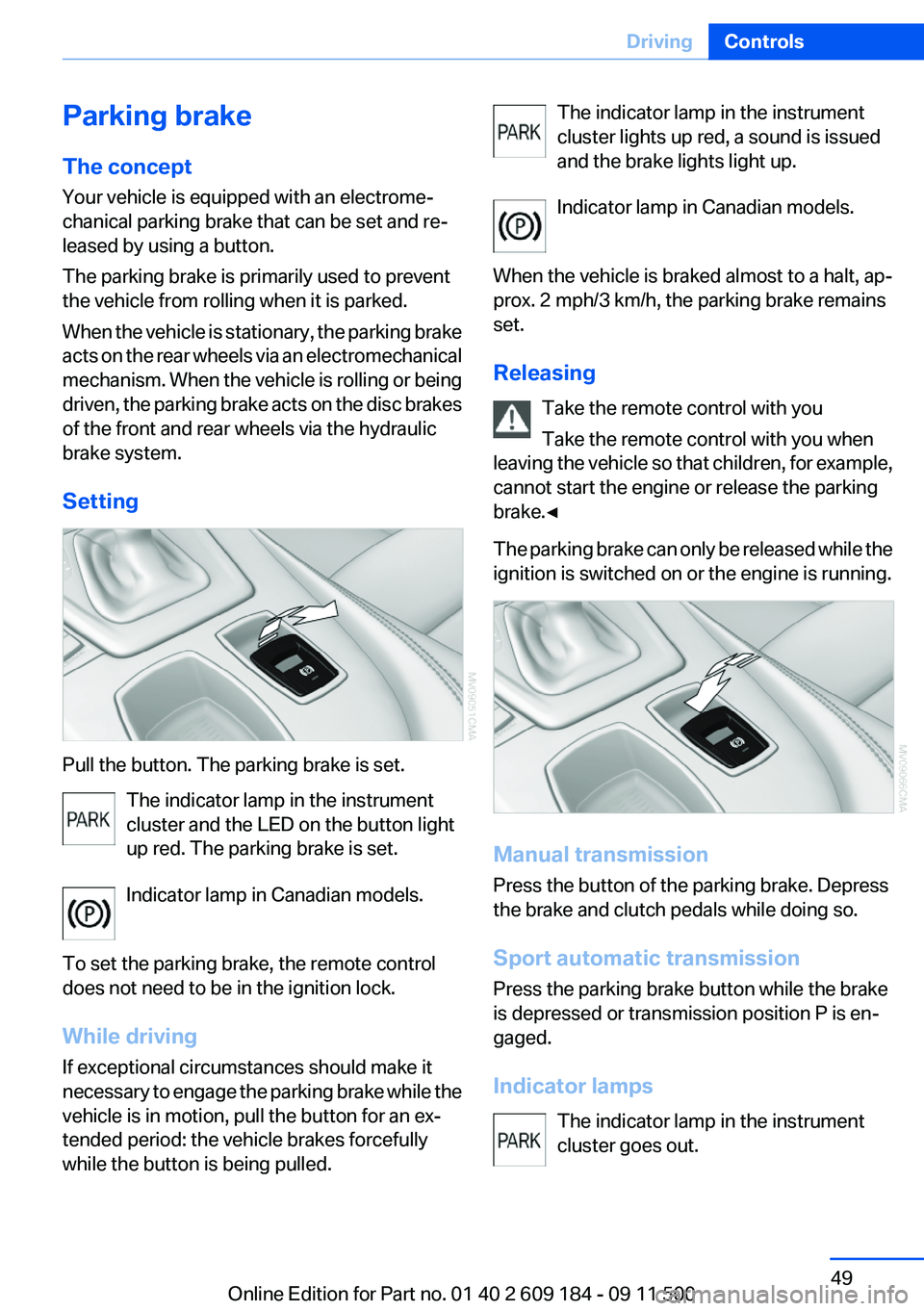
Pull the button. The parking brake is set. The indicator lamp in the instrument
cluster and the LED on the button light
up red. The parking brake is set.
Indicator lamp in Canadian models.
To set the parking brake, the remote control
does not need to be in the ignition lock.
While driving
If exceptional circumstances should make it
necessary to engage the parking brake while the
vehicle is in motion, pull the button for an ex‐
tended period: the vehicle brakes forcefully
while the button is being pulled.
The indicator lamp in the instrument
cluster lights up red, a sound is issued
and the brake lights light up.
Indicator lamp in Canadian models.
When the vehicle is braked almost to a halt, ap‐
prox. 2 mph/3 km/h, the parking brake remains
set.
Releasing Take the remote control with you
Take the remote control with you when
leaving the vehicle so that children, for example,
cannot start the engine or release the parking
brake.◀
The parking brake can only be released while the
ignition is switched on or the engine is running.
Manual transmission
Press the button of the parking brake. Depress
the brake and clutch pedals while doing so.
Sport automatic transmission
Press the parking brake button while the brake
is depressed or transmission position P is en‐
gaged.
Indicator lamps The indicator lamp in the instrument
cluster goes out.
Seite 49DrivingControls49
Online Edition for Part no. 01 40 2 609 184 - 09 11 500
Page 50 of 220
Indicator lamp in Canadian models.
Malfunction
In the event of a failure or malfunction of the
parking brake, secure the vehicle against rolling
using a wheel chock, for example, if you leave
the vehicle.
Turn signals/
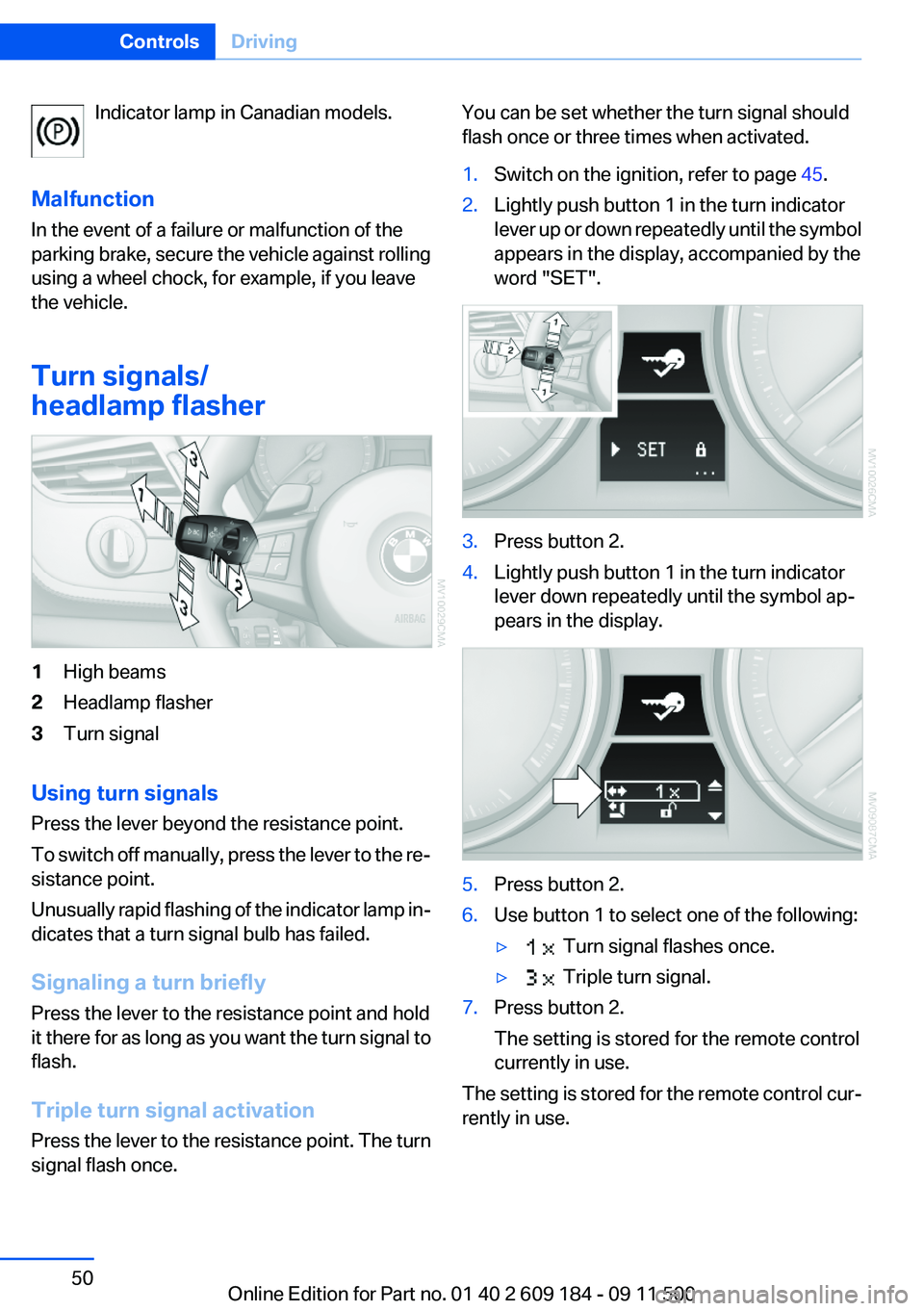
headlamp flasher1High beams2Headlamp flasher3Turn signal
Using turn signals
Press the lever beyond the resistance point.
To switch off manually, press the lever to the re‐
sistance point.
Unusually rapid flashing of the indicator lamp in‐
dicates that a turn signal bulb has failed.
Signaling a turn briefly
Press the lever to the resistance point and hold
it there for as long as you want the turn signal to
flash.
Triple turn signal activation
Press the lever to the resistance point. The turn
signal flash once.
You can be set whether the turn signal should
flash once or three times when activated.1.Switch on the ignition, refer to page 45.2.Lightly push button 1 in the turn indicator
lever up or down repeatedly until the symbol
appears in the display, accompanied by the
word "SET".3.Press button 2.4.Lightly push button 1 in the turn indicator
lever down repeatedly until the symbol ap‐
pears in the display.5.Press button 2.6.Use button 1 to select one of the following:▷ Turn signal flashes once.▷ Triple turn signal.7.Press button 2.
The setting is stored for the remote control
currently in use.
The setting is stored for the remote control cur‐
rently in use.
Seite 50ControlsDriving50
Online Edition for Part no. 01 40 2 609 184 - 09 11 500
Page 58 of 220
cient, the forward gears are changed again au‐
tomatically.
Launch Control
Launch Control enables you to drive off with an
optimal vehicle acceleration on a high grip road
surface.
Do not use Launch Control too often
Do not use Launch Control too often, as
the higher loads on the vehicle lead to premature
component wear.◀
Launch Control is available when the engine is
at operating temperature, i.e., after driving con‐
tinuously for at least 6 miles/10 km.1.With the engine running, depress the brake
pedal with your left foot.2.Activate the SPORT+ program of the Dy‐
namic Driving Control, refer to page 82.3.With the vehicle stationary, activate manual
mode and select first gear.4.Press the accelerator all the way down. The
engine speed when driving off is controlled.
A flag symbol appears in the instrument
cluster.5.The vehicle accelerates when you release
the brake pedal. Keep the accelerator
pressed all the way down.6.The transmission shifts up automatically as
long as the accelerator is pressed all the way
down.
Launch Control only becomes available again
after a certain distance has been driven.
Launch Control can only be used after the
break-in phase, refer to page 108.
To maintain driving stability, activate DSC
whenever possible.
Manually releasing and engaging the
transmission lock
If a power failure occurs, e.g., if the battery is
discharged or disconnected, the transmission
lock must be released manually, otherwise the
rear wheels are blocked and the vehicle cannot
be towed.
Release the transmission lock manually for tow‐
ing only and set the parking brake beforehand to
prevent the vehicle from rolling. After parking
the vehicle, engage the transmission lock again
manually, refer to page 59.
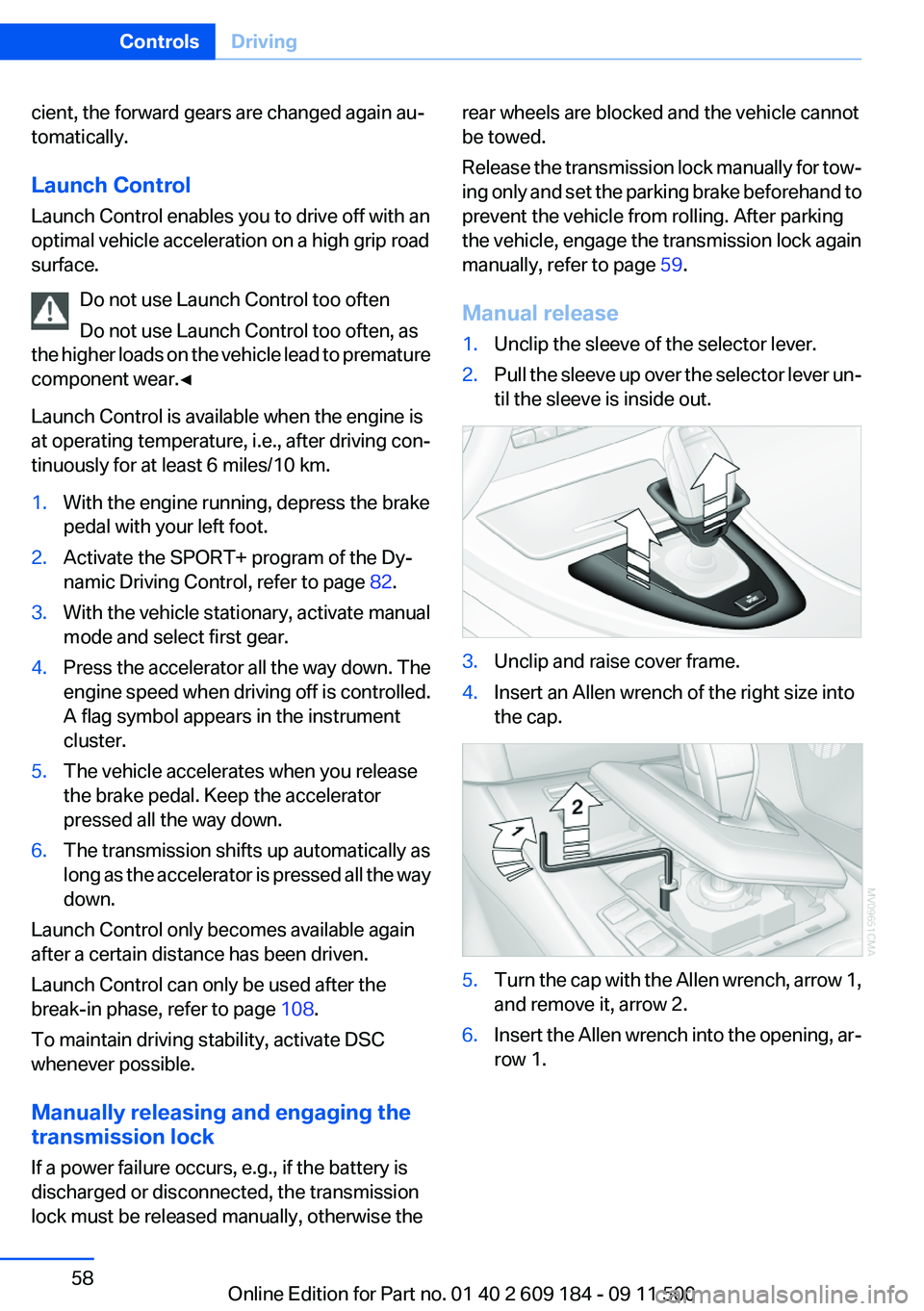
Manual release1.Unclip the sleeve of the selector lever.2.Pull the sleeve up over the selector lever un‐
til the sleeve is inside out.3.Unclip and raise cover frame.4.Insert an Allen wrench of the right size into
the cap.5.Turn the cap with the Allen wrench, arrow 1,
and remove it, arrow 2.6.Insert the Allen wrench into the opening, ar‐
row 1.Seite 58ControlsDriving58
Online Edition for Part no. 01 40 2 609 184 - 09 11 500
Page 59 of 220
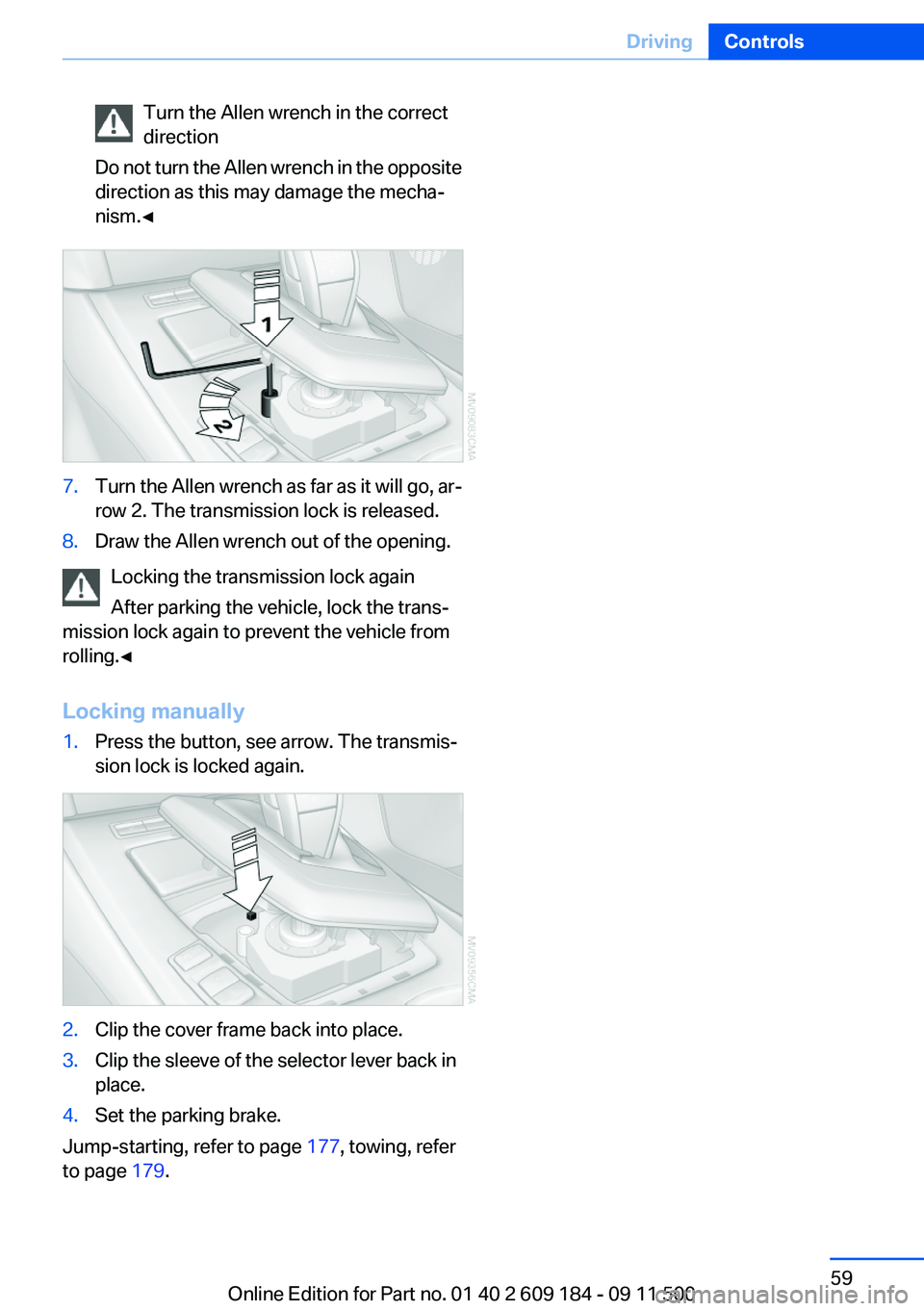
Turn the Allen wrench in the correct
direction
Do not turn the Allen wrench in the opposite
direction as this may damage the mecha‐
nism.◀7.Turn the Allen wrench as far as it will go, ar‐
row 2. The transmission lock is released.8.Draw the Allen wrench out of the opening.
Locking the transmission lock again
After parking the vehicle, lock the trans‐
mission lock again to prevent the vehicle from
rolling.◀
Locking manually
1.Press the button, see arrow. The transmis‐
sion lock is locked again.2.Clip the cover frame back into place.3.Clip the sleeve of the selector lever back in
place.4.Set the parking brake.
Jump-starting, refer to page 177, towing, refer
to page 179.
Seite 59DrivingControls59
Online Edition for Part no. 01 40 2 609 184 - 09 11 500
Page 84 of 220
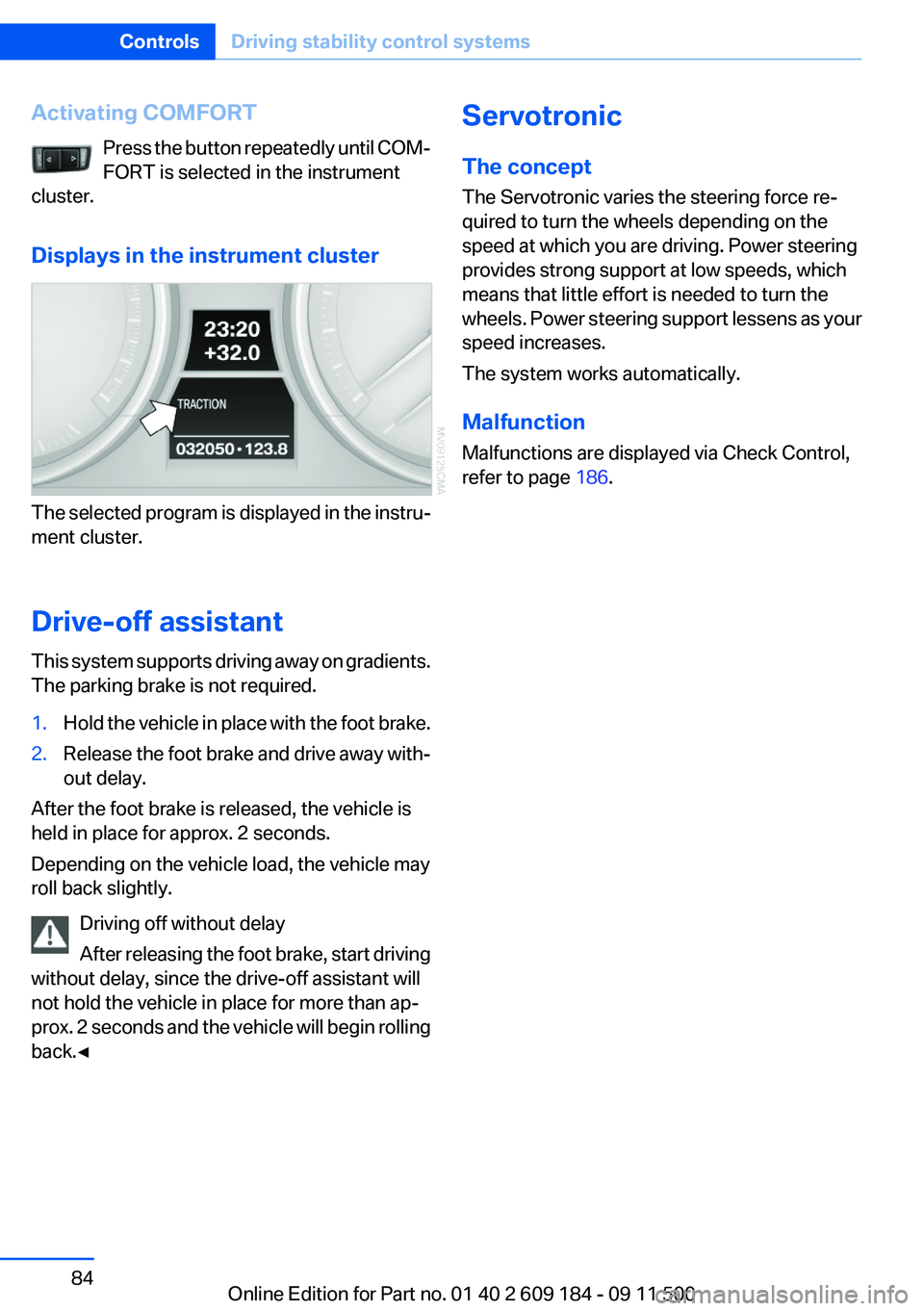
Activating COMFORTPress the button repeatedly until COM‐
FORT is selected in the instrument
cluster.
Displays in the instrument cluster
The selected program is displayed in the instru‐
ment cluster.
Drive-off assistant
This system supports driving away on gradients.
The parking brake is not required.
1.Hold the vehicle in place with the foot brake.2.Release the foot brake and drive away with‐
out delay.
After the foot brake is released, the vehicle is
held in place for approx. 2 seconds.
Depending on the vehicle load, the vehicle may
roll back slightly.
Driving off without delay
After releasing the foot brake, start driving
without delay, since the drive-off assistant will
not hold the vehicle in place for more than ap‐
prox. 2 seconds and the vehicle will begin rolling
back.◀
Servotronic
The concept
The Servotronic varies the steering force re‐
quired to turn the wheels depending on the
speed at which you are driving. Power steering
provides strong support at low speeds, which
means that little effort is needed to turn the
wheels. Power steering support lessens as your
speed increases.
The system works automatically.
Malfunction
Malfunctions are displayed via Check Control,
refer to page 186.Seite 84ControlsDriving stability control systems84
Online Edition for Part no. 01 40 2 609 184 - 09 11 500
Page 108 of 220
Things to remember when drivingVehicle equipment
This chapter describes all series equipment as
well as country-specific and special equipment
offered for this model series.Therefore, it also
describes equipment that may not be found in
your vehicle, for instance due to the selected
special equipment or the country version. This
also applies to safety-related functions and sys‐
tems.
Breaking-in period
General information
Moving parts need to be broken in to adjust to
each other.
The following instructions will help achieve a
long vehicle life and good economy.
Engine and differential
Always obey the official speed limits.
Up to 1,200 miles/2,000 km
Do not exceed the maximum engine and road
speeds:▷4,500 rpm and 100 mph/160 km/h.
Do not drive with full-throttle operation, and do
not use the transmission's kickdown mode or
Launch Control.
From 1,200 miles/2,000 km
The engine and vehicle speed can gradually be
increased.
Tires
Due to technical factors associated with their
manufacture, tires do not achieve their full trac‐
tion potential until after an initial breaking-in pe‐
riod.
Drive conservatively for the first 200 miles/
300 km.
Brake system
Brakes require an initial break-in period of ap‐
prox. 300 miles/500 km to achieve optimized
contact and wear patterns between brake pads
and rotors. Drive cautiously during this break-in
period.
Clutch
The clutch requires an initial break-in period of
approx. 300 miles/500 km to function at an op‐
timal level.
During this break-in period, engage the clutch
gently.
Following part replacement
The same breaking in procedures should be ob‐
served if any of the components mentioned
above have to be renewed in the course of the
vehicle's operating life.
General driving notes
Ground clearance Limited ground clearance
Note that the Z4 sDrive35 has limited
ground clearance, for instance when driving into
underground parking garages or over obstacles.
Otherwise, the vehicle may be damaged.◀
Closing the trunk lid Drive with the trunk lid closed
Only operate the vehicle with the trunk lid
closed; otherwise, exhaust fumes could enter
the passenger compartment.◀Seite 108Driving tipsThings to remember when driving108
Online Edition for Part no. 01 40 2 609 184 - 09 11 500