light BMW Z4 SDRIVE30I 2009 Manual PDF
[x] Cancel search | Manufacturer: BMW, Model Year: 2009, Model line: Z4 SDRIVE30I, Model: BMW Z4 SDRIVE30I 2009Pages: 248, PDF Size: 7.63 MB
Page 215 of 248
Mobility
213Reference
At a glance
Controls
Driving tips
Communications
Navigation
Entertainment
Giving and receiving assistance
Emergency Request*
Conditions for an Emergency Request:
>BMW Assist is activated. Activating
BMW Assist, refer to page 180.
> Radio readiness is on.
> The BMW Assist system is logged on to a
wireless network.
> The Emergency Request system is
operable.
> Equipment version with full preparation
package mobile phone. This equipment
makes it possible to send an Emergency
Request even if no mobile phone is paired
with the vehicle.
Once your service contract for BMW Assist
expires, the BMW Assist system can be deacti-
vated by a BMW center without you having to
visit a workshop. Once the BMW Assist system
has been deactivated, Emergency Requests
are not possible. The BMW Assist system can
be reactivated by a BMW center after a new
contract has been signed.
Sending an Emergency Request
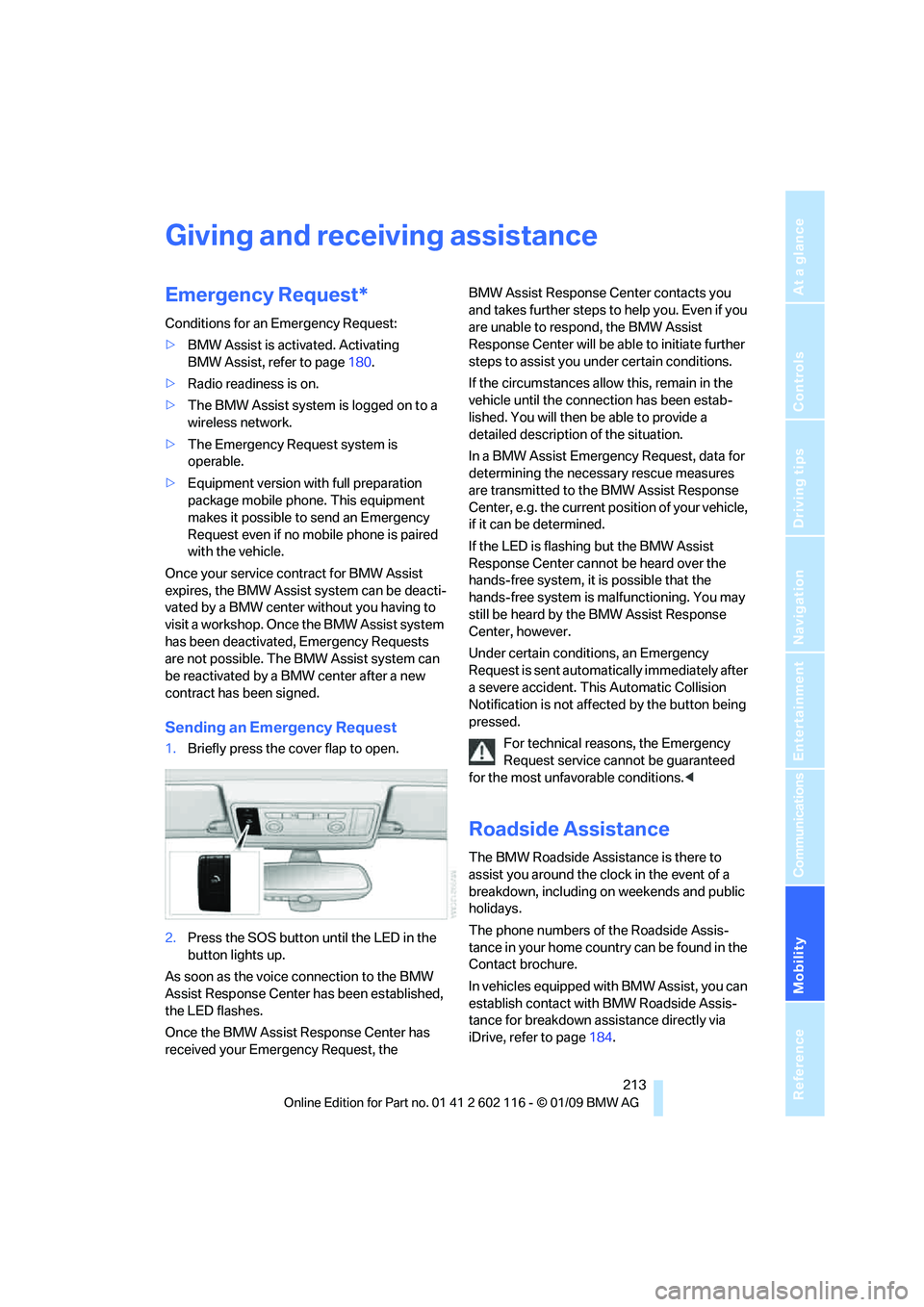
1. Briefly press the cover flap to open.
2. Press the SOS button until the LED in the
button lights up.
As soon as the voice connection to the BMW
Assist Response Center has been established,
the LED flashes.
Once the BMW Assist Response Center has
received your Emergency Request, the BMW Assist Response Center contacts you
and takes further steps to help you. Even if you
are unable to respond, the BMW Assist
Response Center will be ab
le to initiate further
steps to assist you under certain conditions.
If the circumstances allo w this, remain in the
vehicle until the connection has been estab-
lished. You will then be able to provide a
detailed description of the situation.
In a BMW Assist Emerge ncy Request, data for
determining the necessary rescue measures
are transmitted to the BMW Assist Response
Center, e.g. the current po sition of your vehicle,
if it can be determined.
If the LED is flashing but the BMW Assist
Response Center cannot be heard over the
hands-free system, it is possible that the
hands-free system is malfunctioning. You may
still be heard by the BMW Assist Response
Center, however.
Under certain conditions, an Emergency
Request is sent automati cally immediately after
a severe accident. Th is Automatic Collision
Notification is not affected by the button being
pressed.
For technical reasons, the Emergency
Request service cannot be guaranteed
for the most unfavorable conditions. <
Roadside Assistance
The BMW Roadside Assistance is there to
assist you around the clock in the event of a
breakdown, including on weekends and public
holidays.
The phone numbers of the Roadside Assis-
tance in your home country can be found in the
Contact brochure.
In vehicles equipped with BMW Assist, you can
establish contact with BMW Roadside Assis-
tance for breakdown assistance directly via
iDrive, refer to page184.
Page 217 of 248
Mobility
215Reference
At a glance
Controls
Driving tips
Communications
Navigation
Entertainment
4.Attach one terminal clamp of the minus/–
jumper cable to the nega tive terminal of the
battery or to an engine or body ground of
the assisting vehicle.
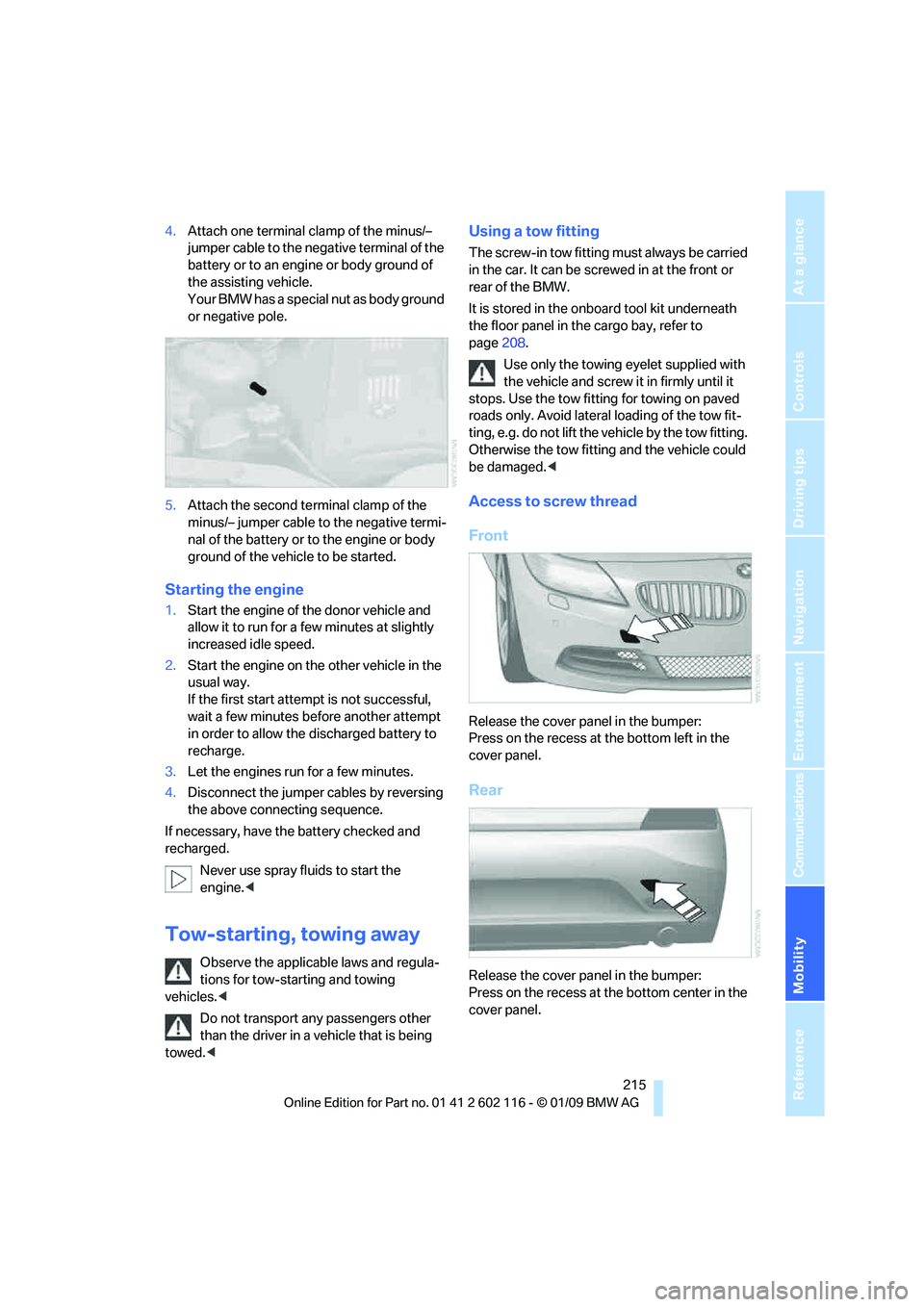
Your BMW has a special nut as body ground
or negative pole.
5. Attach the second te rminal clamp of the
minus/– jumper cable to the negative termi-
nal of the battery or to the engine or body
ground of the vehicle to be started.
Starting the engine
1. Start the engine of the donor vehicle and
allow it to run for a few minutes at slightly
increased idle speed.
2. Start the engine on the other vehicle in the
usual way.
If the first start attempt is not successful,
wait a few minutes be fore another attempt
in order to allow the discharged battery to
recharge.
3. Let the engines run for a few minutes.
4. Disconnect the jumper cables by reversing
the above connecting sequence.
If necessary, have the battery checked and
recharged.
Never use spray fluids to start the
engine. <
Tow-starting, towing away
Observe the applicable laws and regula-
tions for tow-starting and towing
vehicles. <
Do not transport any passengers other
than the driver in a vehicle that is being
towed. <
Using a tow fitting
The screw-in tow fitting must always be carried
in the car. It can be sc rewed in at the front or
rear of the BMW.
It is stored in the onboard tool kit underneath
the floor panel in the cargo bay, refer to
page 208.
Use only the towing eyelet supplied with
the vehicle and screw it in firmly until it
stops. Use the tow fitting for towing on paved
roads only. Avoid lateral loading of the tow fit-
ting, e.g. do not lift the vehicle by the tow fitting.
Otherwise the tow fitting and the vehicle could
be damaged. <
Access to screw thread
Front
Release the cover panel in the bumper:
Press on the recess at the bottom left in the
cover panel.
Rear
Release the cover panel in the bumper:
Press on the recess at the bottom center in the
cover panel.
Page 218 of 248
Giving and receiving assistance
216
Being towed
Make sure that the ignition is switched on,
refer to page50, otherwise the low-beam
headlamps, tail lamps, turn signal indicators and
windshield wipers may be unavailable.
If the electrical system fails, do not tow-start or
tow the vehicle. The electrical steering wheel
lock cannot be released and the vehicle cannot
be steered. Jump-starting, refer to page 214.
Power steering assistance is not available when
the engine is not running. Thus, braking and
steering will requir e increased effort.<
Manual transmission
Gearshift lever in neutral position.
Automatic transmission
Selector lever in position N.
Changing selector leve r positions, refer to
page 54.
Do not exceed a towing speed of 31 mph
or 50 km/h and a towing distance of
31 miles/50 km, otherwise the automatic trans-
mission may be damaged. <
7-gear sport automatic transmission
with dual clutch
Ensure that transmission lock P is not
engaged as the rear wheels will otherwise
be blocked.
When using the car wash function, refer to
page 205, note that the parking lock P is
engaged automatically after approx. 30 min-
utes, blocking the rear wheels.
If an electrical malfunction occurs or if towing
takes longer than approx. 20 minutes, manually
release the parking lock, refer to page 58.<
Do not exceed a towing speed of 31 mph
or 50 km/h and a towing distance of
31 miles/50 km, otherwise the 7-gear sport
automatic transmission may be damaged. <
Towing methods
Do not lift the vehicle by a tow fitting or
body and chassis parts, otherwise dam-
age may result. <
With a tow bar
The towing vehicle must not be lighter
than the towed vehicle, otherwise it may
be impossible to maintain control. <
The tow fittings used should be on the same
side on both vehicles. Should it prove impossi-
ble to avoid mounting the tow bar at an angle,
please observe the following:
> Clearance and maneuvering capability will
be sharply limited during cornering.
> The tow bar will generate la teral forces if it is
attached offset.
Attach the tow bar to the tow fittings only,
as attaching it to othe r parts of the vehicle
could result in damage. <
With a tow rope
When starting off in the towing vehicle, make
sure that the tow rope is taut.
To avoid jerking and the associated
stresses on vehicle components when
towing, always use nylon ropes or nylon straps.
Attach the tow rope to the tow fittings only, as
attaching it to other pa rts of the vehicle could
result in damage. <
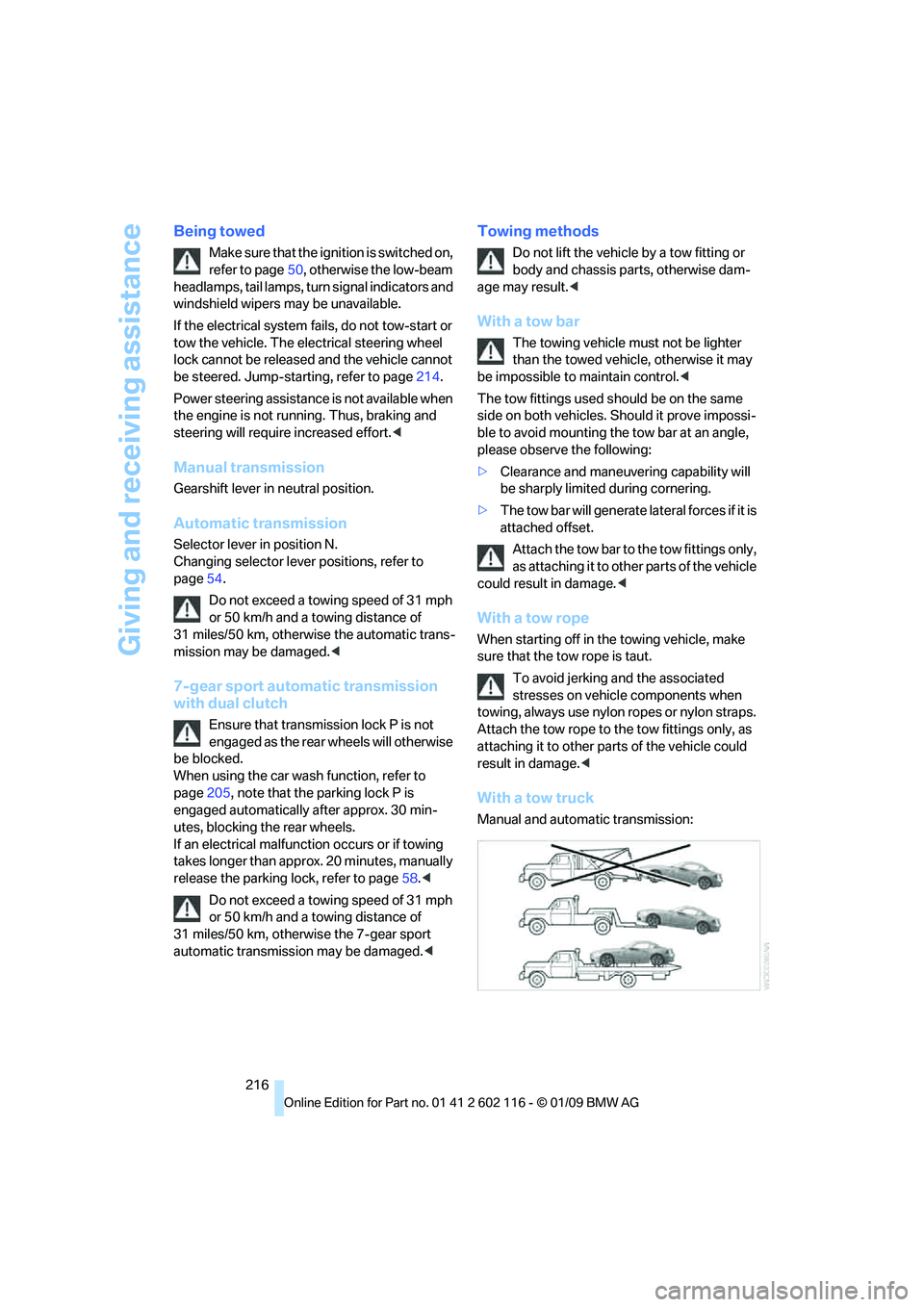
With a tow truck
Manual and automatic transmission:
Page 230 of 248
Short commands for the voice activation system
228
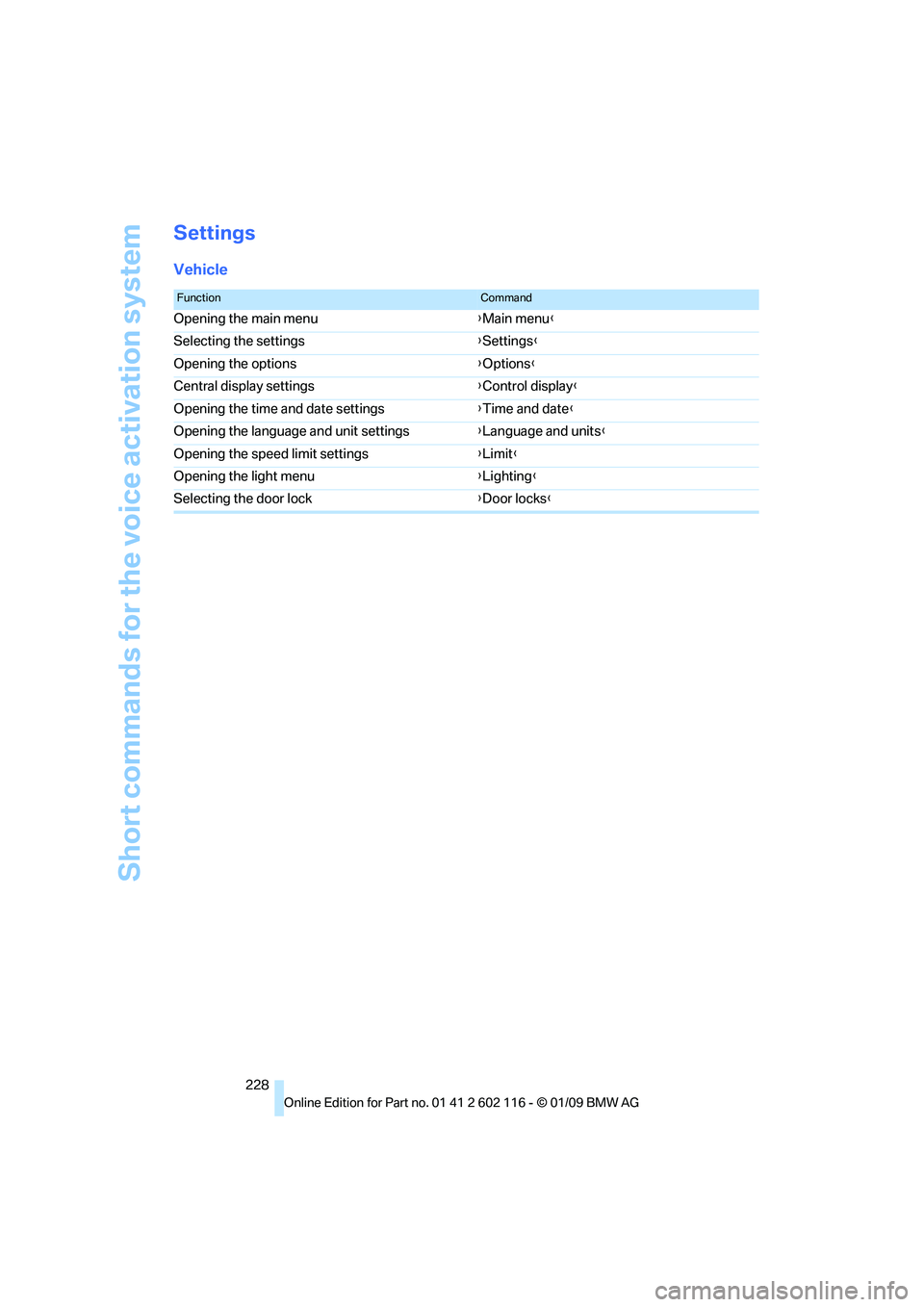
Settings
Vehicle
FunctionCommand
Opening the main menu {Main menu }
Selecting the settings {Settings }
Opening the options {Options }
Central display settings {Control display }
Opening the time and date settings {Time and date }
Opening the language and unit settings {Language and units }
Opening the speed limit settings {Limit }
Opening the light menu {Lighting }
Selecting the door lock {Door locks }
Page 232 of 248
Everything from A to Z
230
Everything from A to Z
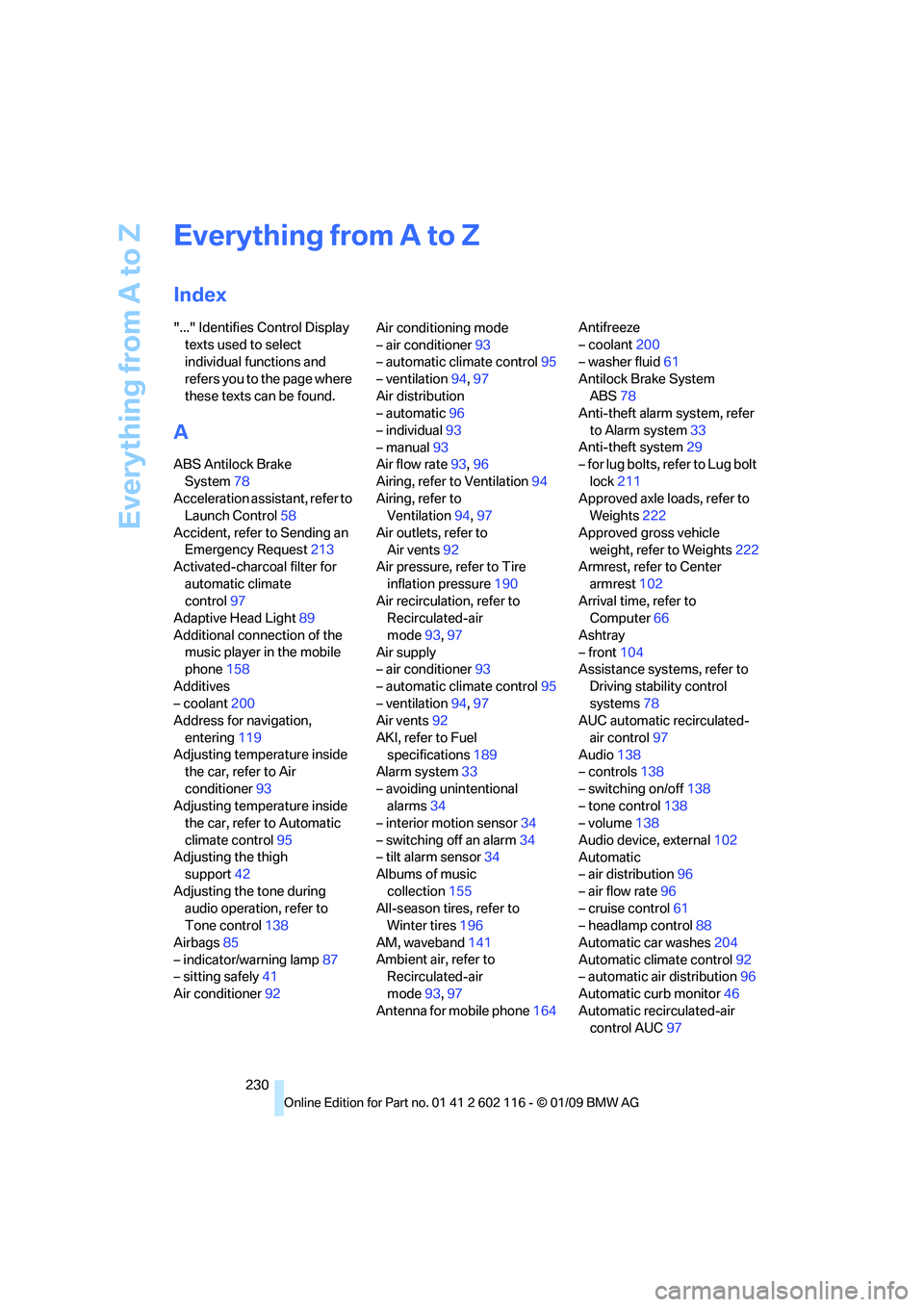
Index
"..." Identifies Control Display texts used to select
individual functions and
refers you to the page where
these texts can be found.
A
ABS Antilock Brake System 78
Acceleration assistant, refer to Launch Control 58
Accident, refer to Sending an Emergency Request 213
Activated-charcoal filter for
automatic climate
control 97
Adaptive Head Light 89
Additional connection of the music player in the mobile
phone 158
Additives
– coolant 200
Address for navigation,
entering 119
Adjusting temperature inside the car, refer to Air
conditioner 93
Adjusting temperature inside the car, refer to Automatic
climate control 95
Adjusting the thigh support 42
Adjusting the tone during audio operation, refer to
Tone control 138
Airbags 85
– indicator/warning lamp 87
– sitting safely 41
Air conditioner 92 Air conditioning mode
– air conditioner
93
– automatic climate control 95
– ventilation 94,97
Air distribution
– automatic 96
– individual 93
– manual 93
Air flow rate 93,96
Airing, refer to Ventilation 94
Airing, refer to Ventilation 94,97
Air outlets, refer to Air vents 92
Air pressure, refer to Tire
inflation pressure 190
Air recirculation, refer to Recirculated-air
mode 93,97
Air supply
– air conditioner 93
– automatic climate control 95
– ventilation 94,97
Air vents 92
AKI, refer to Fuel specifications 189
Alarm system 33
– avoiding unintentional alarms 34
–
interior motion sensor 34
– switching off an alarm 34
– tilt alarm sensor 34
Albums of music
collection 155
All-season tires, refer to Winter tires 196
AM, waveband 141
Ambient air, refer to Recirculated-air
mode 93,97
Antenna for mobile phone 164Antifreeze
– coolant
200
– washer fluid 61
Antilock Brake System ABS 78
Anti-theft alarm system, refer
to Alarm system 33
Anti-theft system 29
– for lug bolts, refer to Lug bolt
lock 211
Approved axle loads, refer to Weights 222
Approved gross vehicle weight, refer to Weights 222
Armrest, refer to Center
armrest 102
Arrival time, refer to Computer 66
Ashtray
– front 104
Assistance systems, refer to
Driving stability control
systems 78
AUC automatic recirculated-
air control 97
Audio 138
– controls 138
– switching on/off 138
– tone control 138
– volume 138
Audio device, external 102
Automatic
– air distribution 96
– air flow rate 96
– cruise control 61
– headlamp control 88
Automatic car washes 204
Automatic climate control 92
– automatic air distribution 96
Automatic curb monitor 46
Automatic recirculated-air control AUC 97
Page 234 of 248
Everything from A to Z
232
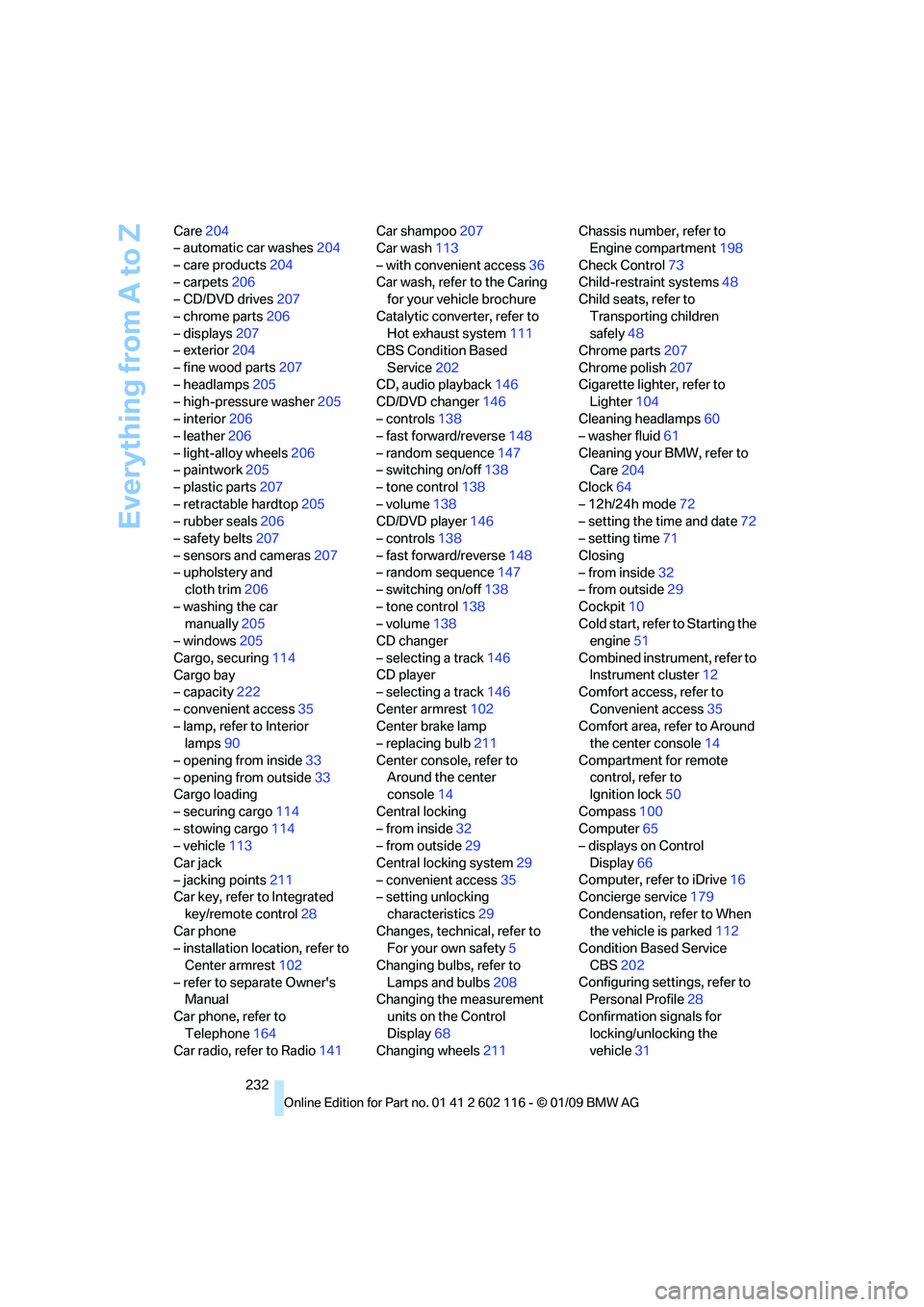
Care
204
– automatic car washes 204
– care products 204
– carpets 206
– CD/DVD drives 207
– chrome parts 206
– displays 207
– exterior 204
– fine wood parts 207
– headlamps 205
– high-pressure washer 205
– interior 206
– leather 206
– light-alloy wheels 206
– paintwork 205
– plastic parts 207
– retractable hardtop 205
– rubber seals 206
– safety belts 207
– sensors and cameras 207
– upholstery and cloth trim 206
– washing the car manually 205
– windows 205
Cargo, securing 114
Cargo bay
– capacity 222
– convenient access 35
– lamp, refer to Interior lamps 90
– opening from inside 33
– opening from outside 33
Cargo loading
– securing cargo 114
– stowing cargo 114
– vehicle 113
Car jack
– jacking points 211
Car key, refer to Integrated
key/remote control 28
Car phone
– installation location, refer to
Center armrest 102
– refer to separate Owner's Manual
Car phone, refer to Telephone 164
Car radio, refer to Radio 141Car shampoo
207
Car wash 113
– with convenient access 36
Car wash, refer to the Caring for your vehicle brochure
Catalytic converter, refer to Hot exhaust system 111
CBS Condition Based
Service 202
CD, audio playback 146
CD/DVD changer 14
6
– controls 138
– fast forward/reverse 148
– random sequence 147
– switching on/off 138
– tone control 138
– volume 138
CD/DVD player 146
– controls 138
– fast forward/reverse 148
– random sequence 147
– switching on/off 138
– tone control 138
– volume 138
CD changer
– selecting a track 146
CD player
– selecting a track 146
Center armrest 102
Center brake lamp
– replacing bulb 211
Center console, refer to Around the center
console 14
Central locking
– from inside 32
– from outside 29
Central locking system 29
– convenient access 35
– setting unlocking
characteristics 29
Changes, technical, refer to For your own safety 5
Changing bulbs, refer to Lamps and bulbs 208
Changing the measurement
units on the Control
Display 68
Changing wheels 211Chassis number, refer to
Engine compartment 198
Check Control 73
Child-restraint systems 48
Child seats, refer to
Transporting children
safely 48
Chrome parts 207
Chrome polish 207
Cigarette lighter, refer to Lighter 104
Cleaning headlamps 60
– washer fluid 61
Cleaning your BMW, refer to Care 204
Clock 64
– 12h/24h mode 72
– setting the time and date 72
– setting time 71
Closing
– from inside 32
– from outside 29
Cockpit 10
Cold start, refer to Starting
the
engine 51
Combined instrument, refer to Instrument cluster 12
Comfort access, refer to
Convenient access 35
Comfort area, refer to Around the center console 14
Compartment for remote control, refer to
Ignition lock 50
Compass 100
Computer 65
– displays on Control
Display 66
Computer, refer to iDrive 16
Concierge service 179
Condensation, refer to When the vehicle is parked 112
Condition Based Service
CBS 202
Configuring settings, refer to Personal Profile 28
Confirmation signals for locking/unlocking the
vehicle 31
Page 235 of 248
Reference 233
At a glance
Controls
Driving tips
Communications
Navigation
Entertainment
Mobility
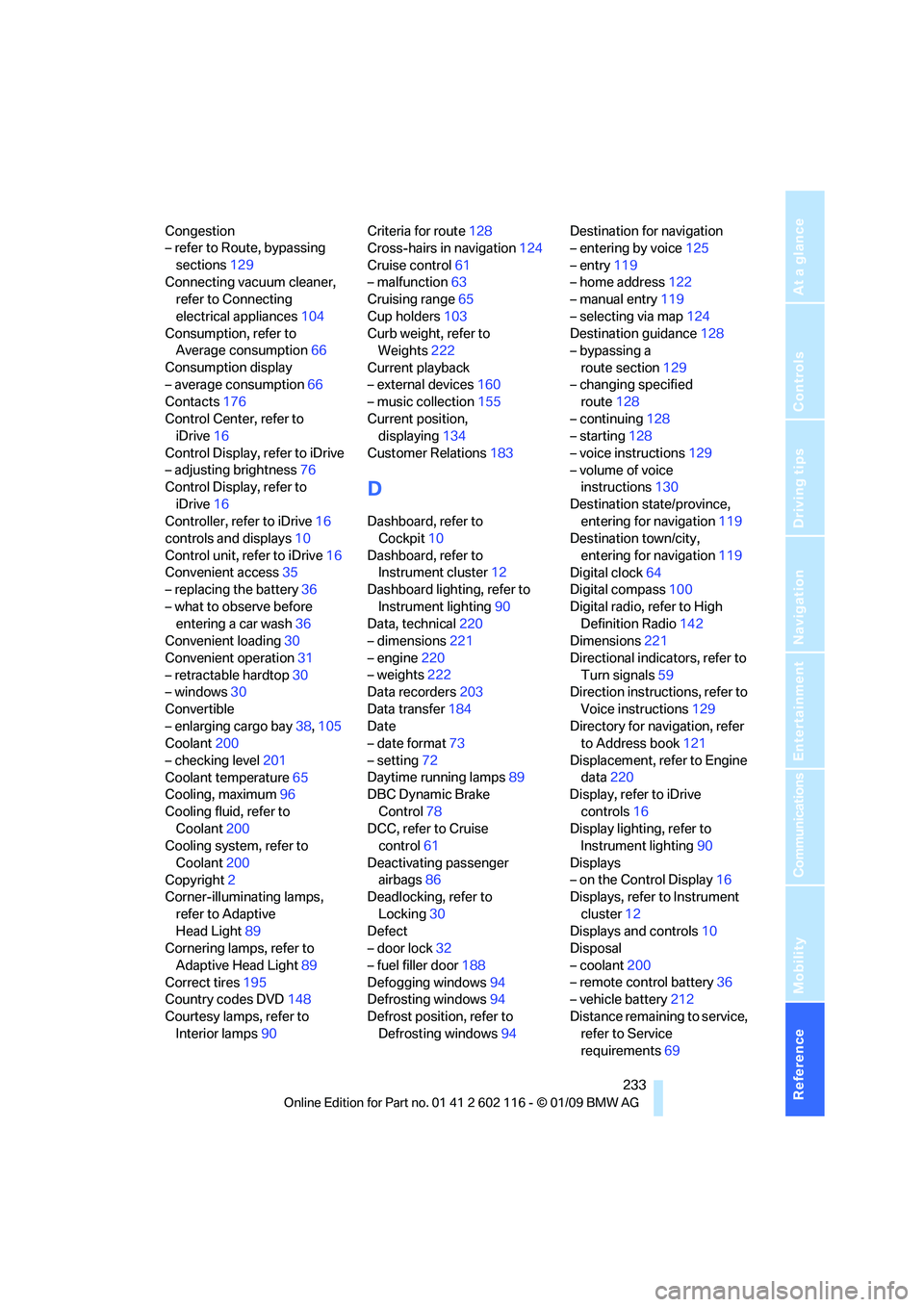
Congestion
– refer to Route, bypassing sections 129
Connecting vacuum cleaner, refer to Connecting
electrical appliances 104
Consumption, refer to Average consumption 66
Consumption display
– average consumption 66
Contacts 176
Control Center, refer to iDrive 16
Control Display, refer to iDrive
– adjusting brightness 76
Control Display, refer to
iDrive 16
Controller, refer to iDrive 16
controls and displays 10
Control unit, refer to iDrive 16
Convenient access 35
– replacing the battery 36
– what to observe before entering a car wash 36
Convenient loading 30
Convenient operation 31
– retractable hardtop 30
– windows 30
Convertible
– enlarging cargo bay 38,105
Coolant 200
– checking level 201
Coolant temperature 65
Cooling, maximum 96
Cooling fluid, refer to Coolant 200
Cooling system, refer to
Coolant 200
Copyright 2
Corner-illuminating lamps,
refer to Adaptive
Head Light 89
Cornering lamps, refer to
Adaptive Head Light 89
Correct tires 195
Country codes DVD 148
Courtesy lamps, refer to Interior lamps 90 Criteria for route
128
Cross-hairs in navigation 124
Cruise control 61
– malfunction 63
Cruising range 65
Cup holders 103
Curb weight, refer to Weights 222
Current playback
– external devices 160
– music collection 155
Current position, displayin
g134
Customer Relations 183
D
Dashboard, refer to
Cockpit 10
Dashboard, refer to Instrument cluster 12
Dashboard lighting, refer to
Instrument lighting 90
Data, technical 220
– dimensions 221
– engine 220
– weights 222
Data recorders 203
Data transfer 184
Date
– date format 73
– setting 72
Daytime running lamps 89
DBC Dynamic Brake
Control 78
DCC, refer to Cruise control 61
Deactivating passenger airbags 86
Deadlocking, refer to
Locking 30
Defect
– door lock 32
– fuel filler door 188
Defogging windows 94
Defrosting windows 94
Defrost position, refer to Defrosting windows 94Destination for navigation
– entering by voice
125
– entry 119
– home address 122
– manual entry 119
– selecting via map 124
Destination guidance 128
– bypassing a
route section 129
– changing specified route 128
– continuing 128
– starting 128
– voice instructions 129
– volume of voice instructions 130
Destination state/province, entering for navigation 119
Destination town/city,
entering for navigation 119
Digital clock 64
Digital compass 100
Digital radio, refer to High Definition Radio 142
Dimensions 221
Directional indicators, refer to Turn signals 59
Direction instructions, refer to
Voice instructions 129
Directory for navigation, refer to Address book 121
Displace
ment, refer to Engine
data 220
Display, refer to iDrive
controls 16
Display lighting, refer to Instrument lighting 90
Displays
– on the Control Display 16
Displays, refer to Instrument
cluster 12
Displays and controls 10
Disposal
– coolant 200
– remote control battery 36
– vehicle battery 212
Distance remaining to service, refer to Service
requirements 69
Page 238 of 248
Everything from A to Z
236
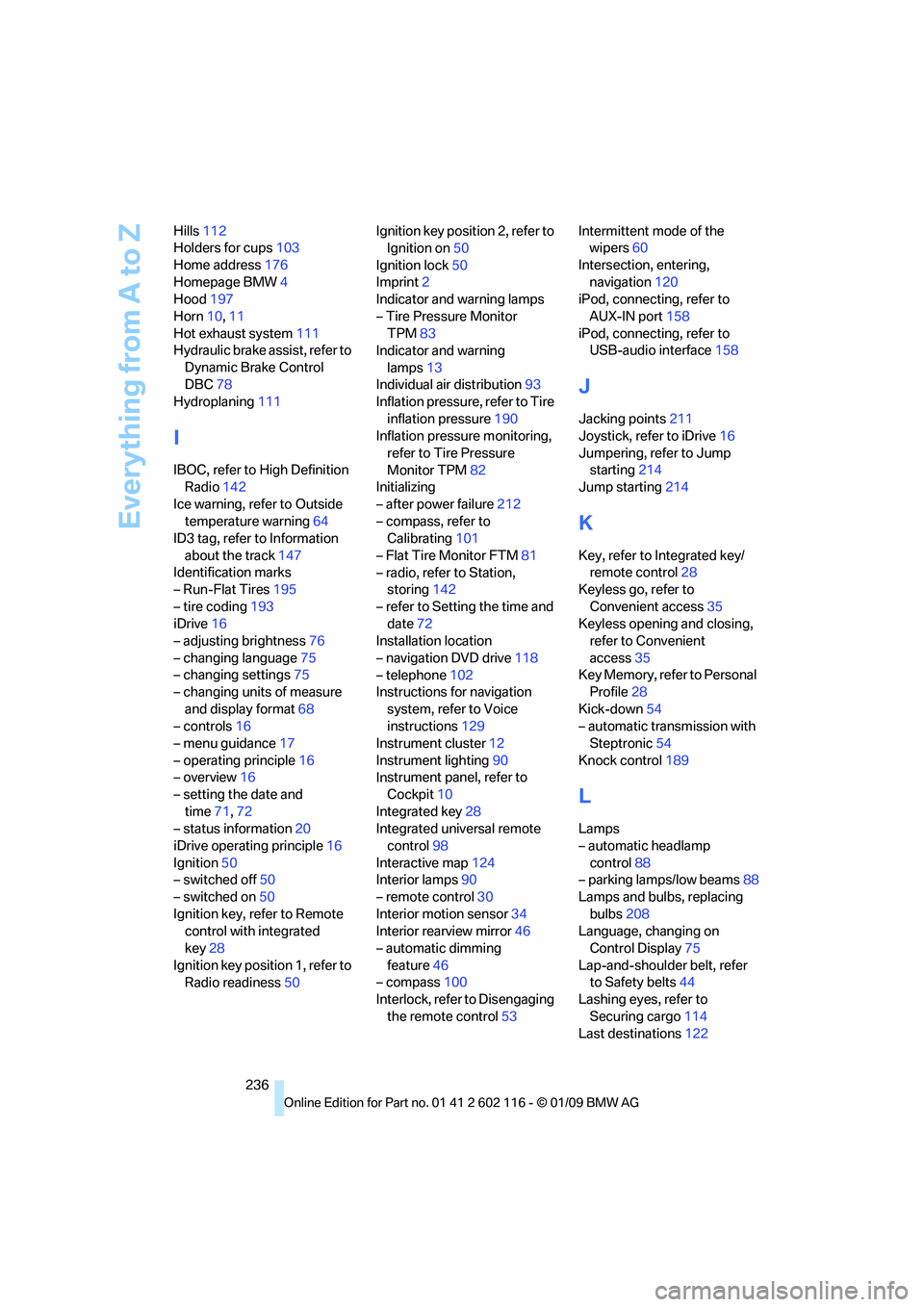
Hills
112
Holders for cups 103
Home address 176
Homepage BMW 4
Hood 197
Horn 10,11
Hot exhaust system 111
Hydraulic brake assist, refer to
Dynamic Brake Control
DBC 78
Hydroplaning 111
I
IBOC, refer to High Definition
Radio 142
Ice warning, refer to Outside temperature warning 64
ID3 tag, refer to Information
about the track 147
Identification marks
– Run-Flat Tires 195
– tire coding 193
iDrive 16
– adjusting brightness 76
– changing language 75
– changing settings 75
– changing units of measure
and display format 68
– controls 16
– menu guidance 17
– operating principle 16
– overview 16
– setting the date and
time 71,72
– status information 20
iDrive operating principle 16
Ignition 50
– switched off 50
– switched on 50
Ignition key, refer to Remote control with integrated
key 28
Ignition key position 1, refer to Radio readiness 50Ignition key position 2, refer to
Ignition on 50
Ignition lock 50
Imprint 2
Indicator and warning lamps
– Tire Pressure Monitor TPM 83
Indicator and warning
lamps 13
Individual air distribution 93
Inflation pressure, refer to Tire
inflation pressure 190
Inflation pressure monitoring,
refer to Tire Pressure
Monitor TPM 82
Initializing
– after power failure 212
– compass, refer to Calibrating 101
– Flat Tire Monitor FTM 81
– radio, refer to Station, storing 142
– refer to Setting the time and date 72
Installation location
– navigation DVD drive 118
– telephone 102
Instructions for navigation
system, refer to Voice
instructions 129
Instrument cluster 12
Instrument lighting 90
In
strument panel, refer to Cockpit 10
Integrated key 28
Integrated universal remote control 98
Interactive map 124
Interior lamps 90
– remote control 30
Interior motion sensor 34
Interior rearview mirror 46
– automatic dimming
feature 46
– compass 100
Interlock, refer to Disengaging
the remote control 53Intermittent mode of the
wipers 60
Intersection, entering, navigation 120
iPod, connecting, refer to
AUX-IN port 158
iPod, connecting, refer to USB-audio interface 158
J
Jacking points211
Joystick, refer to iDrive 16
Jumpering, refer to Jump starting 214
Jump starting 214
K
Key, refer to Integrated key/
remote control 28
Keyless go, refer to
Convenient access 35
Keyless opening and closing, refer to Convenient
access 35
Key Memory, refer to Personal Profile 28
Kick-down 54
– automatic transmission with Steptronic 54
Knock control 189
L
Lamps
– automatic headlamp
control 88
– parking lamps/low beams 88
Lamps and bulbs, replacing
bulbs 208
Language, changing on Control Display 75
Lap-and-shoulder belt, refer to Safety belts 44
Lashing eyes, refer to
Securing cargo 114
Last destinations 122
Page 239 of 248
Reference 237
At a glance
Controls
Driving tips
Communications
Navigation
Entertainment
Mobility
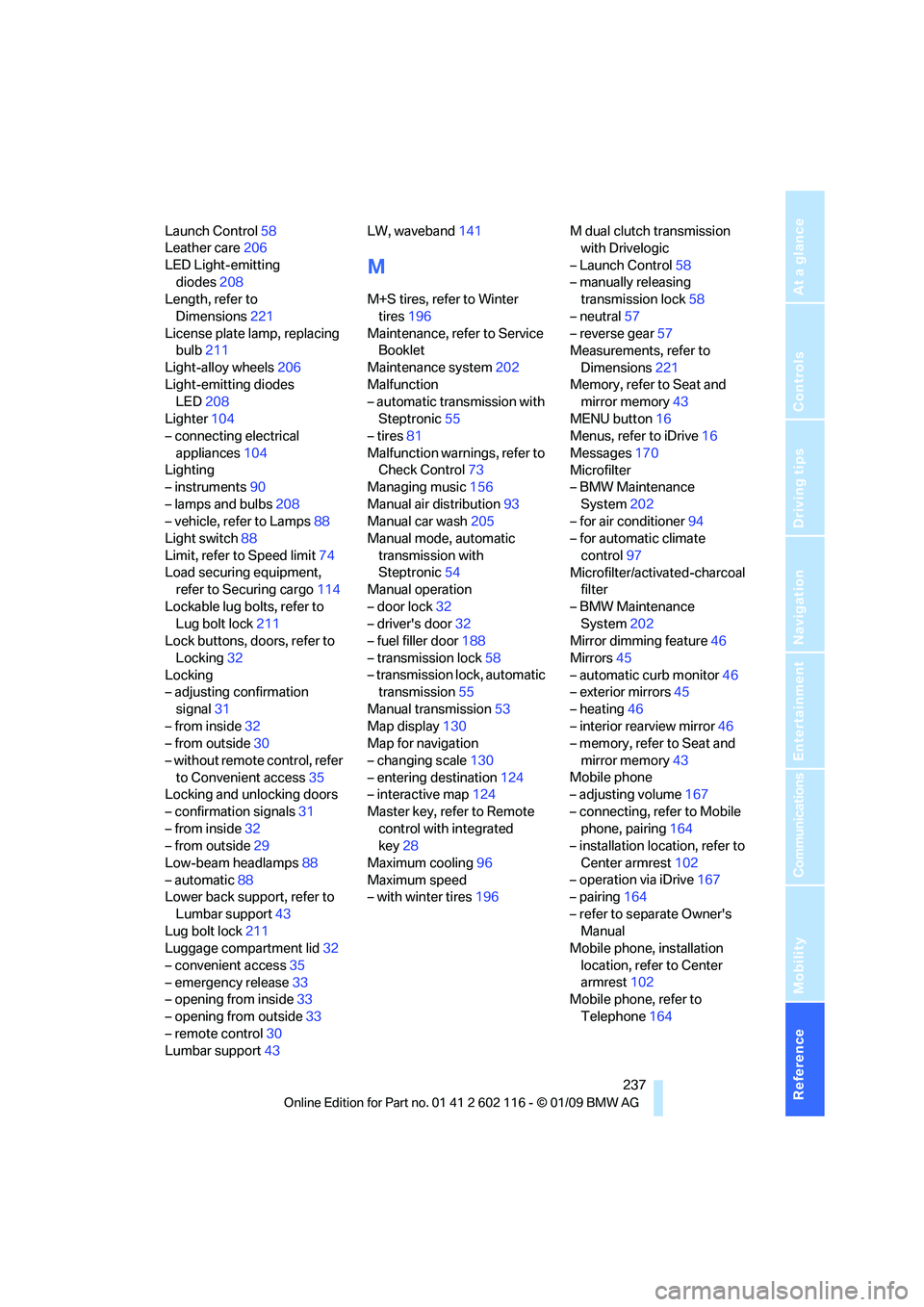
Launch Control58
Leather care 206
LED Light-emitting diodes 208
Length, refer to
Dimensions 221
License plate lamp, replacing bulb 211
Light-alloy wheels 206
Light-emitting diodes LED 208
Lighter 104
– connecting electrical
appliances 104
Lighting
– instruments 90
– lamps and bulbs 208
– vehicle, refer to Lamps 88
Light switch 88
Limit, refer to Speed limit 74
Load securing equipment, refer to Securing cargo 114
Lockable lug bolts, refer to Lug bolt lock 211
Lock buttons, doors, refer to
Locking 32
Locking
– adjusting confirmation
signal 31
– from inside 32
– from outside 30
– without remote control, refer to Convenient access 35
Locking and unlocking doors
– confirmation signals 31
– from inside 32
– from outside 29
Low-beam headlamps 88
– automatic 88
Lower back support, refer to
Lumbar support 43
Lug bolt lock 211
Luggage compartment lid 32
– convenient access 35
– emergency release 33
– opening from inside 33
– opening from outside 33
– remote control 30
Lumbar support 43 LW, waveband
141
M
M+S tires, refer to Winter
tires 196
Maintenance, refer to Service Booklet
Maintenance system 202
Malfunction
– automatic transmission with
Steptronic 55
– tires 81
Malfunction warnings, refer to Check Control 73
Managing music 156
Manual air distribution 93
Manual car wash 205
Manual mode, automatic
transmission with
Steptronic 54
Manual operation
– door lock 32
– driver's door 32
– fuel filler door 188
– transmission lock 58
– transmission lock, automatic transmission 55
Manual transmission 53
Map display 130
Map for navigation
– changing scale 130
– entering destination 124
– interactive map 124
Master key, refer to Remote control with integrated
key 28
Maximum cooling 96
Maximum speed
– with winter tires 196M dual clutch transmission
with Drivelogic
– Launch Control 58
– manually releasing transmission lock 58
– neutral 57
– reverse gear 57
Measurements, refer to
Dimensions 221
Memory, refer to Seat and mirror memory 43
MENU button 16
Menus, refer to iDrive 16
Messages 170
Microfilter
– BMW Maintenance
System 202
– for air conditioner 94
– for automatic climate
control 97
Microfilter/activated-charcoal filter
– BMW Maintenance System 202
Mirror dimming feature 46
Mirrors 45
– automatic curb monitor 46
– exterior mirrors 45
– heating 46
– interior rearview mirror 46
–
memory, refer to Seat and
mirror memory 43
Mobile phone
– adjusting volume 167
– connecting, refer to Mobile phone, pairing 164
– installation location, refer to
Center armrest 102
– operation via iDrive 167
– pairing 164
– refer to separate Owner's Manual
Mobile phone, installation
location, refer to Center
armrest 102
Mobile phone, refer to
Telephone 164
Page 241 of 248
Reference 239
At a glance
Controls
Driving tips
Communications
Navigation
Entertainment
Mobility
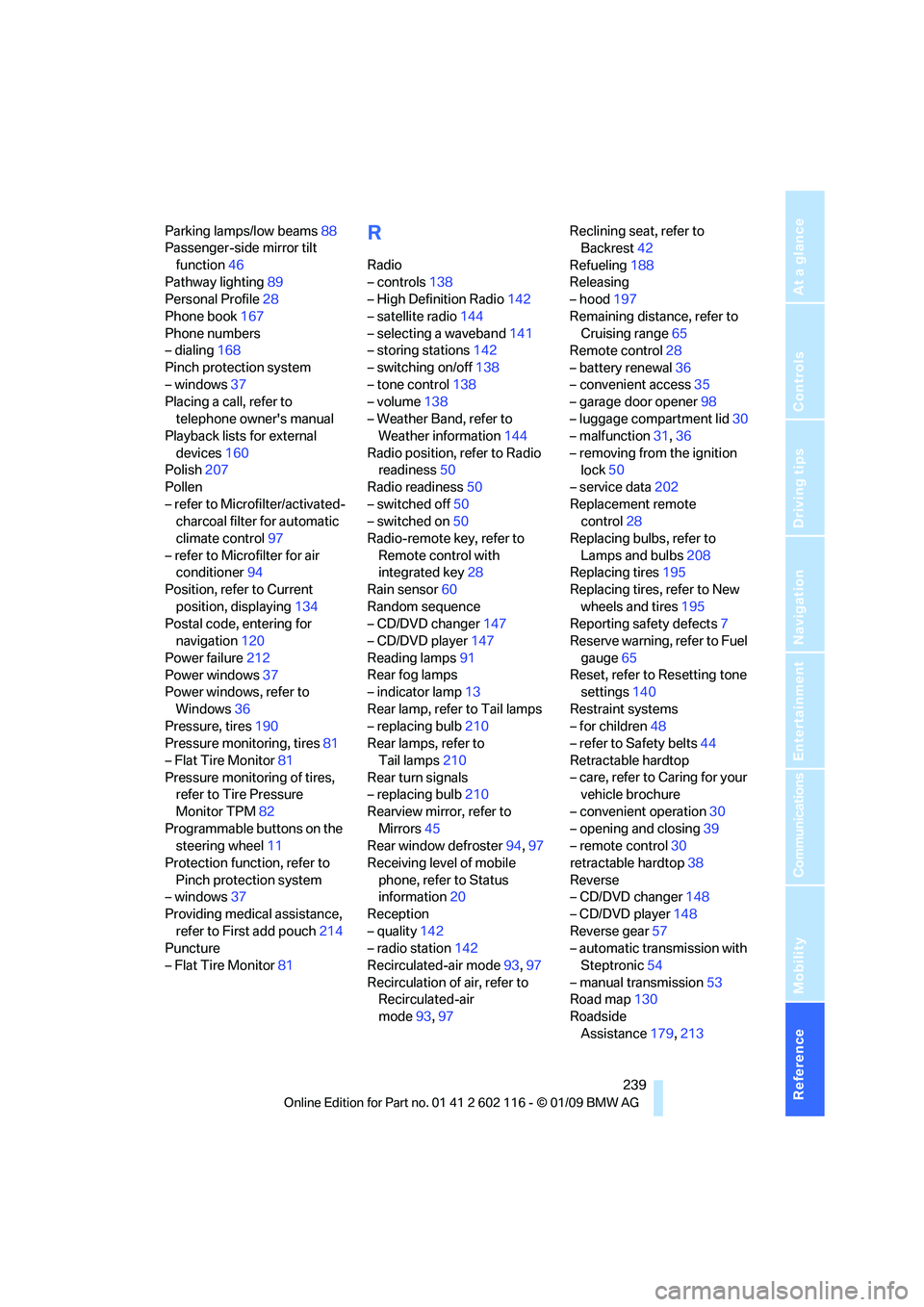
Parking lamps/low beams88
Passenger-side mirror tilt
function 46
Pathway lighting 89
Personal Profile 28
Phone book 167
Phone numbers
– dialing 168
Pinch protection system
– windows 37
Placing a call, refer to
telephone owner's manual
Playback lists for external
devices 160
Polish 207
Pollen
– refer to Microfilter/activated- charcoal filter for automatic
climate control 97
– refer to Microfilter for air conditioner 94
Position, refer to Current
position, displaying 134
Postal code, entering for navigation 120
Power failure 212
Power windows 37
Power windows, refer to
Windows 36
Pressure, tires 190
Pressure monitoring, tires 81
– Flat Tire Monitor 81
Pressure monitoring of tires, refer to Tire Pressure
Monitor TPM 82
Programmable buttons on the steering wheel 11
Protection function, refer to Pinch protection system
– windows 37
Providing medical assistance, refer to First add pouch 214
Puncture
– Flat Tire Monitor 81R
Radio
– controls138
– High Definition Radio 142
– satellite radio 144
– selecting a waveband 141
– storing stations 142
– switching on/off 138
– tone control 138
– volume 138
– Weather Band, refer to Weather information 144
Radio position, refer to Radio readiness 50
Radio readiness 50
– switched off 50
– switched on 50
Radio-remote key, refer to
Remote control with
integrated key 28
Rain sensor 60
Random sequence
– CD/DVD changer 147
– CD/DVD player 147
Reading lamps 91
Rear fog lamps
– indicator lamp 13
Rear lamp, refer to Tail lamps
– replacing bulb 210
Rear lamps, refer to
Tail lamps 210
Rear turn signals
– replacing bulb 210
Rearview mirror, refer to Mirrors 45
Rear window defroster 94,97
Receiving level of mobile phone, refer to Status
information 20
Reception
– quality 142
– radio station 142
Recirculated-air mode 93,97
Recirculation of air, refer to Recirculated-air
mode 93,97 Reclining seat, refer to
Backrest 42
Refueling 188
Releasing
– hood 197
Remaining distance, refer to Cruising range 65
Remote control 28
– battery renewal 36
– convenient access 35
– garage door opener 98
– luggage compartment lid 30
– malfunction 31,36
– removing from the ignition lo
ck50
– service data 202
Replacement remote control 28
Replacing bulbs, refer to
Lamps and bulbs 208
Replacing tires 195
Replacing tires, refer to New
wheels and tires 195
Reporting safety defects 7
Reserve warning, refer to Fuel
gauge 65
Reset, refer to Resetting tone settings 140
Restraint systems
– for children 48
– refer to Safety belts 44
Retractable hardtop
– care, refer to Caring for your vehicle brochure
– convenient operation 30
– opening and closing 39
– remote control 30
retractable hardtop 38
Reverse
– CD/DVD changer 148
– CD/DVD player 148
Reverse gear 57
– automatic transmission with
Steptronic 54
– manual transmission 53
Road map 130
Roadside Assistance 179,213