mirror controls BMW Z4 SDRIVE35I 2012 User Guide
[x] Cancel search | Manufacturer: BMW, Model Year: 2012, Model line: Z4 SDRIVE35I, Model: BMW Z4 SDRIVE35I 2012Pages: 220, PDF Size: 9.9 MB
Page 97 of 220
distance depends on the particular hand-
held transmitter.4.Press the button of the desired function on
the hand-held transmitter and the button
being programmed on the interior rearview
mirror simultaneously and hold. The LED on
the interior rearview mirror flashes slowly at
first.5.When the LED flashes more rapidly, release
both buttons. Rapid flashing indicates that
the button on the interior rearview mirror has
been programmed.
If the LED does not flash faster after 60 sec‐
onds, change the distance between the in‐
terior rearview mirror and the hand-held
transmitter and repeat the step. Multiple tri‐
als at different distances may be necessary.
Wait at least 15 seconds between trials.
Canada: If the programming procedure with
the hand-held transmitter was interrupted,
press and hold the button on the interior
rearview mirror and press the button on the
hand-held transmitter multiple times for
2 seconds each and release.6.To program additional functions on other
buttons, repeat steps 3 to 5.
The systems can be operated with the buttons
on the interior rearview mirror.
Special characteristics of alternating-
code radio systems
If the system cannot be operated after repeated
programming, check whether the system to be
operated uses an alternating-code system.
Read the operating instructions of the system or
press and hold the programmed button on the
interior rearview mirror. If the LED on the interior
rearview mirror flashes rapidly at first and then
lights up continuously for 2 seconds, the system
is equipped with an alternating-code system.
This flashing LED pattern repeats itself for ap‐
prox. 20 seconds.
In systems with an alternating-code system, the
Universal Garage Door Opener and the system
must be additionally synchronized.
Please obtain additional information on syn‐
chronization in the operating instructions of the
system being set up.
The systems will be easier to synchronize with
the aid of a second person.
Synchronization:1.Park the vehicle within range of the remote-
controlled system.2.Program the corresponding button on the
interior rearview mirror as described.3.Identify and press the synchronization but‐
ton on the system being set up. You have
approx. 30 seconds for the next step.4.Press and hold the button on the interior
rearview mirror for approx. 3 seconds and
then release it. Repeat this step up to three
times if necessary to complete the synchro‐
nization procedure. When synchronization
is completed, the programmed function is
executed.
Reprogramming individual buttons
1.Switch on the ignition.2.Hold the hand-held transmitter at a distance
of approx. 1 to 3 in/2.5 to 8 cm from the
memory buttons.
The required distance depends on the par‐
ticular hand-held transmitter.3.Press the memory button of the Universal
Garage Door Opener.4.If the LED flashes slowly after approx.
20 seconds, press the transmit button on
the hand-held transmitter.5.Release both buttons when the LED flashes
rapidly.
If the LED does not flash rapidly after approx.
60 seconds, change the distance and repeat
the step.Seite 97Interior equipmentControls97
Online Edition for Part no. 01 40 2 609 184 - 09 11 500
Page 98 of 220
Canada: if the LED does not flash rapidly af‐
ter approx. 60 seconds, change the distance
and repeat the step. If programming was
aborted by the hand-held transmitter, hold
down the memory button and press and re‐
lease the button on the hand-held transmit‐
ter several times for 2 seconds.
Controls
Prior to operation
Before operating a unit with the Universal
Garage Door Opener, ensure that there are no
people, animals, or objects in the range of move‐
ment of the system; otherwise, there is a risk of
injury or damage.
Also follow the safety instructions of the hand-
held transmitter.◀
The system, such as the garage door, can be
operated using the button on the interior rear‐
view mirror with the engine running or the igni‐
tion switched on. When you are within the re‐
ception range of the system, press and hold the
button until the function is initiated. The LED on
the interior rearview mirror lights up continu‐
ously while the radio signal is being transmitted.
Deleting stored functions
Press the right and left buttons on the interior
rearview mirror simultaneously for approx.
20 seconds until the LED flashes rapidly. All
stored functions are deleted. The functions can‐
not be deleted individually.
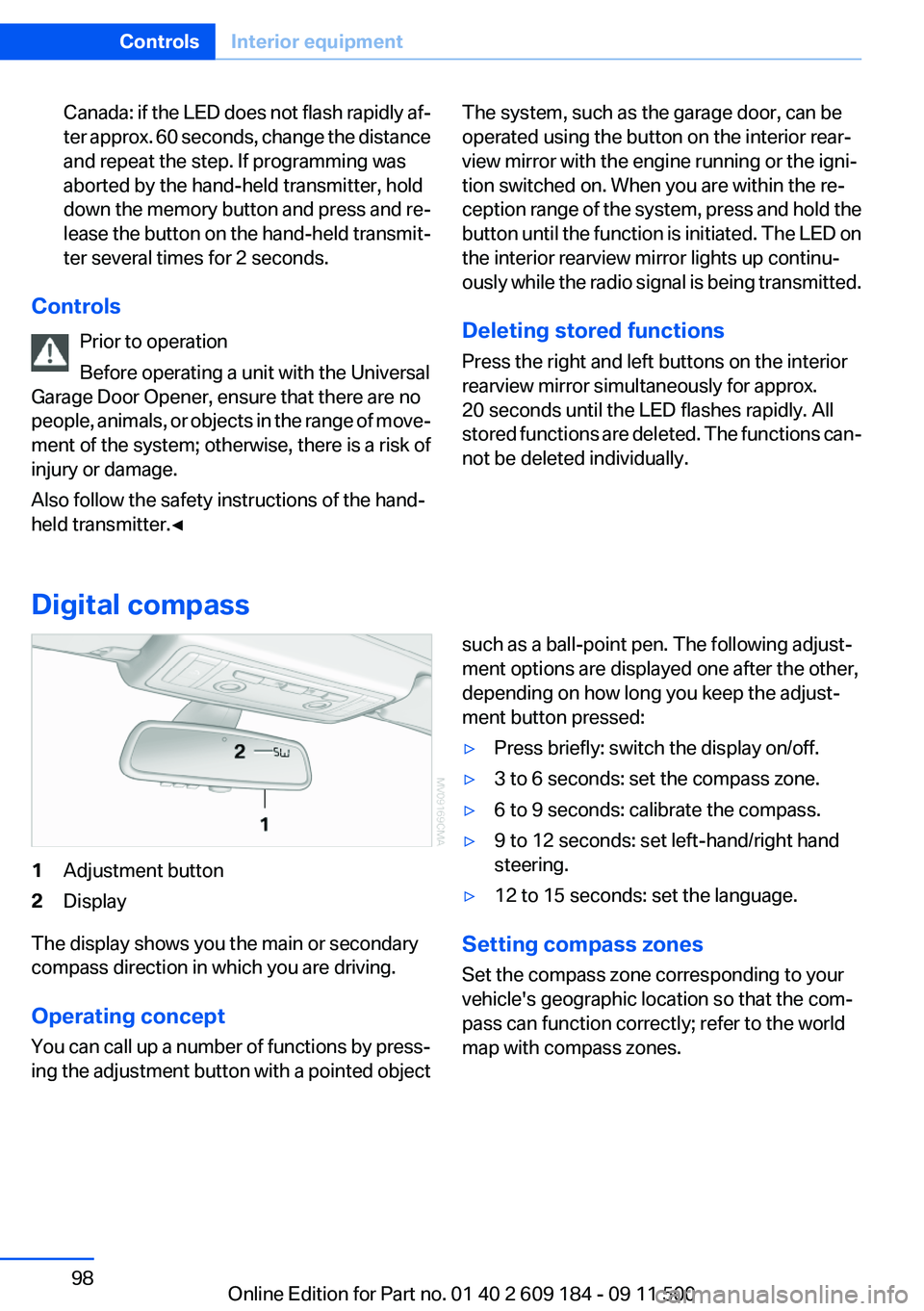
Digital compass
1Adjustment button2Display
The display shows you the main or secondary
compass direction in which you are driving.
Operating concept
You can call up a number of functions by press‐
ing the adjustment button with a pointed object
such as a ball-point pen. The following adjust‐
ment options are displayed one after the other,
depending on how long you keep the adjust‐
ment button pressed:▷Press briefly: switch the display on/off.▷3 to 6 seconds: set the compass zone.▷6 to 9 seconds: calibrate the compass.▷9 to 12 seconds: set left-hand/right hand
steering.▷12 to 15 seconds: set the language.
Setting compass zones
Set the compass zone corresponding to your
vehicle's geographic location so that the com‐
pass can function correctly; refer to the world
map with compass zones.
Seite 98ControlsInterior equipment98
Online Edition for Part no. 01 40 2 609 184 - 09 11 500
Page 210 of 220
Cleaning, displays 185
Cleaning your BMW, refer to Care 182
Clock 60
Clock– 12h/24h format 63
Closing
– From the inside 26– From the outside 22
Cockpit 12
Cold start, refer to Starting the engine 46
Combination instrument, refer to Instrument cluster 14
Combination switch
– Refer to Washer/wiper sys‐
tem 51
Comfort Access
– Battery replacement 30– In a car wash 29
Comfort area, refer to Around
the center console 15
COMFORT program, Dynamic Driving Control 83
Compartment for remote con‐ trol, refer to Ignition lock 45
Compartments, refer to Stor‐ age compartments 104
Compass 98
Computer 62
Computer
– Displays on the radio dis‐
play 62
Condensation under the vehi‐
cle 110
Condition Based Service CBS 168
Confirmation signals for lock‐ ing/unlocking the vehicle 24
ConnectedDrive 145
Consumption, refer to Aver‐ age fuel consumption 62
Control Display, care 185
Controls and displays 12
Control systems, driving sta‐ bility 81
Convenient loading 23
Convenient opening and clos‐
ing– Retractable hardtop 23– Window 23
Convenient operation 26
Convertible
– Enlarging the trunk 34, 100
Convertible top, refer to Re‐
tractable hardtop 33
Coolant
– Checking the level 167– Temperature 61
Cooling, maximum 93
Cooling system, refer to Cool‐ ant 166
Corrosion on brake discs 110
Courtesy lamps, refer to Inte‐ rior lamps 72
Cradle for telephone or mobile
phone
– Refer to Snap-in adapter in
center armrest storage com‐
partment 103
Cradle for telephone or mobile
phone, refer to Snap-in
adapter 143
Cruise control 85
Cruise control
– Malfunction 86
Cupholder 105
Curb weight, refer to Weights 204
Cylinders, number of, refer to Engine data 202
D
Damage, tires 160
Dashboard lighting, refer to In‐ strument lighting 71
Dashboard, refer to Cock‐ pit 12
Data, technical 202
Data, technical
– Dimensions 203– Engine 202– Filling capacities 206– Weights 204Date– Setting 65
Daytime running lights 69
DBC Dynamic Brake Con‐ trol 81
DCC, refer to Cruise con‐ trol 85
Defogging windows 91
Defroster
– Rear window 91, 94
Defrosting windows 91
Digital clock 60
Digital compass 98
Dimming mirrors 41
Directional indicators, refer to Turn signals 50
Displacement, refer to Engine data 202
Display lighting, refer to Instru‐ ment lighting 71
Displays and controls 12
Displays, care 185
Displays, cleaning 185
Displays, refer to Instrument
cluster 14
Disposal
– Coolant 166– Remote control battery 30– Vehicle battery 175
Distance control, refer to
PDC 87
Door key, refer to Remote con‐ trol with integrated key 20
Door lock 25
Doors, manual operation 26
Doors, unlocking and locking
– Confirmation signals 24– From the inside 26– From the outside 22
DOT Quality Grades 159
Draft-free ventilation 91, 95
Drive-off assistant 84
Drive-off assistant, refer to DSC 81
Driving notes, breaking in 108
Driving notes, general 108
Seite 210ReferenceEverything from A to Z210
Online Edition for Part no. 01 40 2 609 184 - 09 11 500