fog light BUICK CASCADA 2017 Owner's Manual
[x] Cancel search | Manufacturer: BUICK, Model Year: 2017, Model line: CASCADA, Model: BUICK CASCADA 2017Pages: 381, PDF Size: 6.58 MB
Page 4 of 381
Buick Cascada Owner Manual (GMNA-Localizing-U.S.-9967834) - 2017 - crc -
7/18/16
Introduction 3
Danger, Warning, and
Caution
Warning messages found on vehicle
labels and in this manual describe
hazards and what to do to avoid or
reduce them.
{Danger
Danger indicates a hazard with a
high level of risk which will result
in serious injury or death.
{Warning
Warning indicates a hazard that
could result in injury or death.
Caution
Caution indicates a hazard that
could result in property or vehicle
damage.
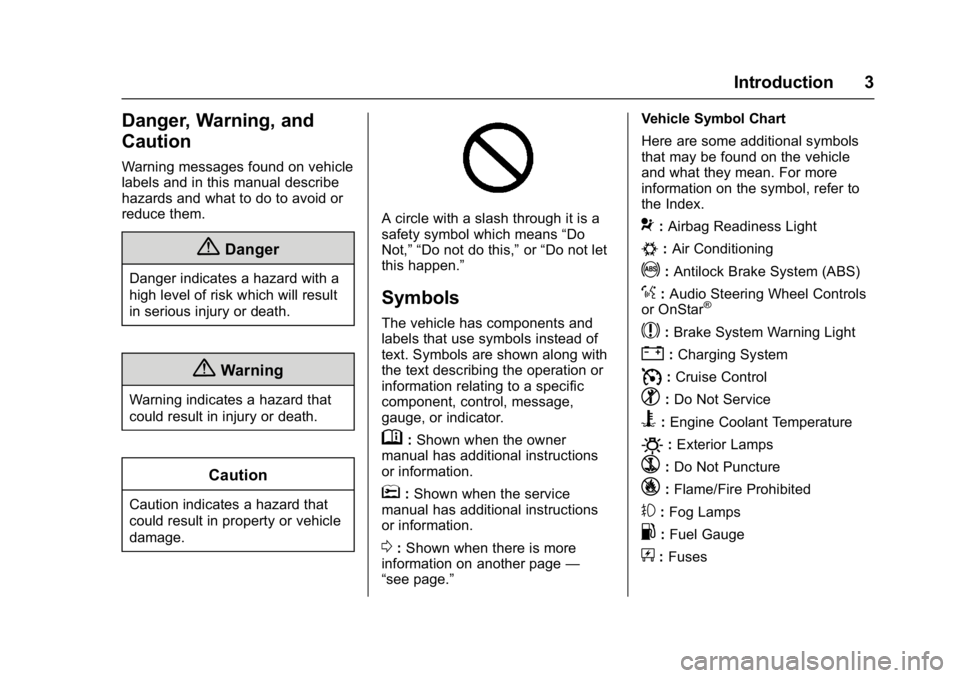
A circle with a slash through it is a
safety symbol which means“Do
Not,” “Do not do this,” or“Do not let
this happen.”
Symbols
The vehicle has components and
labels that use symbols instead of
text. Symbols are shown along with
the text describing the operation or
information relating to a specific
component, control, message,
gauge, or indicator.
M: Shown when the owner
manual has additional instructions
or information.
*: Shown when the service
manual has additional instructions
or information.
0: Shown when there is more
information on another page —
“see page.” Vehicle Symbol Chart
Here are some additional symbols
that may be found on the vehicle
and what they mean. For more
information on the symbol, refer to
the Index.
9:
Airbag Readiness Light
#:Air Conditioning
!:Antilock Brake System (ABS)
%:Audio Steering Wheel Controls
or OnStar®
$: Brake System Warning Light
":Charging System
I: Cruise Control
^:Do Not Service
B:Engine Coolant Temperature
O:Exterior Lamps
`: Do Not Puncture
_:Flame/Fire Prohibited
#:Fog Lamps
.:Fuel Gauge
+: Fuses
Page 8 of 381

Buick Cascada Owner Manual (GMNA-Localizing-U.S.-9967834) - 2017 - crc -
7/18/16
In Brief 7
1.Air Vents 0215.
2. Headlamp High/Low-Beam
Changer 0120.
Turn Signal Lever. See Turn
and Lane-Change
Signals 0122.
Driver Information Center (DIC)
Buttons. See Driver Information
Center (DIC) 0110.
3. Cruise Control 0242.
Forward Collision Alert (FCA)
System 0246 (If Equipped).
4. Instrument Cluster 098.
5. Driver Information Center
(DIC) 0110.
6. Steering Wheel Controls 093.
7. Windshield Wiper/Washer 094.
8. Central Locking Switch. See Power Door Locks 028.
Hazard Warning
Flashers 0122.
Passenger Airbag Status
Indicator 0101.
9. AM-FM Radio 0138. 10. Anti-Theft Alarm System
Indicator Light. See Vehicle
Alarm System 031.
11. Traction Control/Electronic
Stability Control 0240.
Lane Departure Warning
(LDW) 0248.
Assistance Systems for
Parking or Backing 0244.
12. Dual Automatic Climate Control
System 0213.
Heated Front Seats 049 (If
Equipped).
Heated Steering Wheel 094 (If
Equipped).
13. USB Port. See USB0160.
Input Jack. See Auxiliary
Devices 0165.
14. Convertible Top 037.
Central Power Window Switch.
See Power Windows 034.
15. Electric Parking Brake 0237.
16. Shift Lever. See Automatic
Transmission 0234.
17. Power Outlets 096. 18. Ignition Switch. See
Ignition
Positions 0228.
19. Horn 094.
20. Steering Wheel
Adjustment 093.
21. Instrument Panel Storage 089.
Instrument Panel Fuse
Block 0285.
22. Hood Release. See Hood 0257.
23. Exterior Lamp Controls 0119.
Fog Lamps 0123 (If
Equipped).
Instrument Panel Illumination
Control 0123.
24. Data Link Connector (DLC) (Out of View). See Malfunction
Indicator Lamp (Check Engine
Light) 0102.
Page 15 of 381
Buick Cascada Owner Manual (GMNA-Localizing-U.S.-9967834) - 2017 - crc -
7/18/16
14 In Brief
':Press to turn on the dome
lamps.
Reading Lamps
The front reading lamps are in the
overhead console.
#or$: Press the button near
each lamp to turn it on or off.
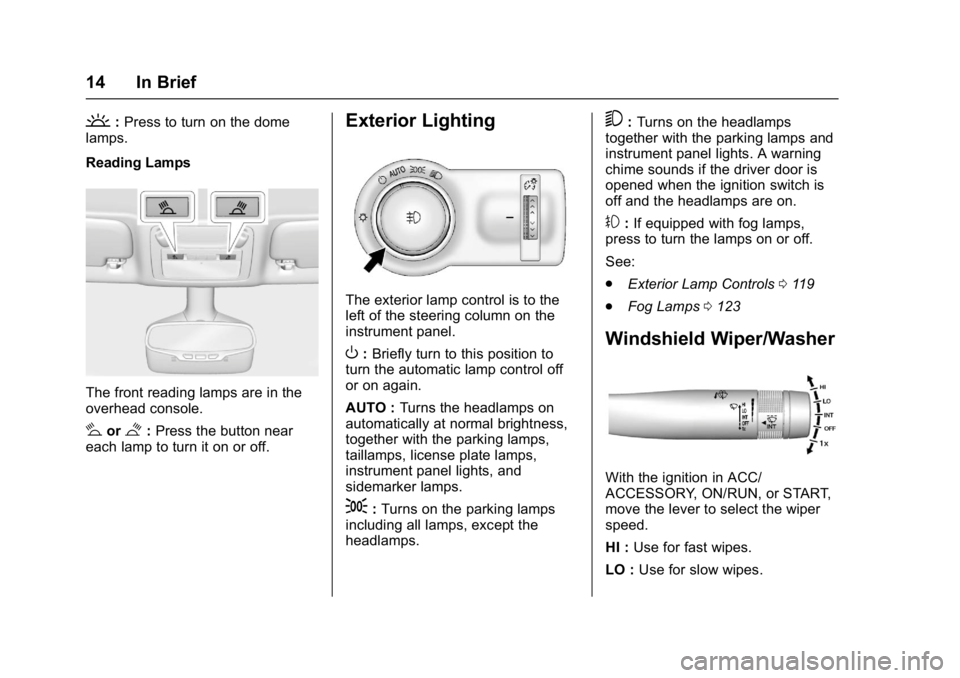
Exterior Lighting
The exterior lamp control is to the
left of the steering column on the
instrument panel.
O: Briefly turn to this position to
turn the automatic lamp control off
or on again.
AUTO : Turns the headlamps on
automatically at normal brightness,
together with the parking lamps,
taillamps, license plate lamps,
instrument panel lights, and
sidemarker lamps.
;: Turns on the parking lamps
including all lamps, except the
headlamps.
5: Turns on the headlamps
together with the parking lamps and
instrument panel lights. A warning
chime sounds if the driver door is
opened when the ignition switch is
off and the headlamps are on.
#: If equipped with fog lamps,
press to turn the lamps on or off.
See:
. Exterior Lamp Controls 0119
. Fog Lamps 0123
Windshield Wiper/Washer
With the ignition in ACC/
ACCESSORY, ON/RUN, or START,
move the lever to select the wiper
speed.
HI : Use for fast wipes.
LO : Use for slow wipes.
Page 93 of 381
Buick Cascada Owner Manual (GMNA-Localizing-U.S.-9967834) - 2017 - crc -
7/18/16
92 Instruments and Controls
Instruments and
Controls
Controls
Steering Wheel Adjustment . . . . 93
Steering Wheel Controls . . . . . . . 93
Heated Steering Wheel . . . . . . . . 94
Horn . . . . . . . . . . . . . . . . . . . . . . . . . . . 94
Windshield Wiper/Washer . . . . . . 94
Compass . . . . . . . . . . . . . . . . . . . . . . 95
Clock . . . . . . . . . . . . . . . . . . . . . . . . . . 96
Power Outlets . . . . . . . . . . . . . . . . . 96
Warning Lights, Gauges, and
Indicators
Warning Lights, Gauges, andIndicators . . . . . . . . . . . . . . . . . . . . 97
Instrument Cluster . . . . . . . . . . . . . 98
Speedometer . . . . . . . . . . . . . . . . . . 99
Odometer . . . . . . . . . . . . . . . . . . . . . . 99
Trip Odometer . . . . . . . . . . . . . . . . . 99
Tachometer . . . . . . . . . . . . . . . . . . . . 99
Fuel Gauge . . . . . . . . . . . . . . . . . . . . 99
Engine Coolant Temperature Gauge . . . . . . . . . . . . . . . . . . . . . . 100
Safety Belt Reminders . . . . . . . . 100
Airbag Readiness Light . . . . . . . 101
Passenger Airbag Status Indicator . . . . . . . . . . . . . . . . . . . . 101 Charging System Light . . . . . . . 102
Malfunction Indicator Lamp
(Check Engine Light) . . . . . . . . 102
Brake System Warning Light . . . . . . . . . . . . . . . . . . . . . . . . 104
Electric Parking Brake Light . . . . . . . . . . . . . . . . . . . . . . . . 105
Service Electric Parking Brake Light . . . . . . . . . . . . . . . . . . . . . . . . 105
Antilock Brake System (ABS) Warning Light . . . . . . . . . . . . . . . 105
Operate Pedal Light . . . . . . . . . . 105
Power Steering Warning Light . . . . . . . . . . . . . . . . . . . . . . . . 106
Lane Departure Warning (LDW) Light . . . . . . . . . . . . . . . . . 106
Vehicle Ahead Indicator . . . . . . 106
StabiliTrak®OFF Light . . . . . . . . 106
Traction Control System (TCS)/ StabiliTrak
®Light . . . . . . . . . . . 107
Tire Pressure Light . . . . . . . . . . . 107
Engine Oil Pressure Light . . . . 107
Low Fuel Warning Light . . . . . . 108
Security Light . . . . . . . . . . . . . . . . . 108
High-Beam On Light . . . . . . . . . . 108
Adaptive Forward Lighting (AFL) Light . . . . . . . . . . . . . . . . . . 109
Front Fog Lamp Light . . . . . . . . . 109
Lamps On Reminder . . . . . . . . . 109
Cruise Control Light . . . . . . . . . . 109
Door Ajar Light . . . . . . . . . . . . . . . 109
Information Displays
Driver Information Center (DIC) . . . . . . . . . . . . . . . . 110
Vehicle Messages
Vehicle Messages . . . . . . . . . . . . 113
Vehicle Personalization
Vehicle Personalization . . . . . . . 113
Page 110 of 381
Buick Cascada Owner Manual (GMNA-Localizing-U.S.-9967834) - 2017 - crc -
7/18/16
Instruments and Controls 109
The high‐beam on light comes on
when the high-beam headlamps are
in use.
SeeHeadlamp High/Low-Beam
Changer 0120 for more information.
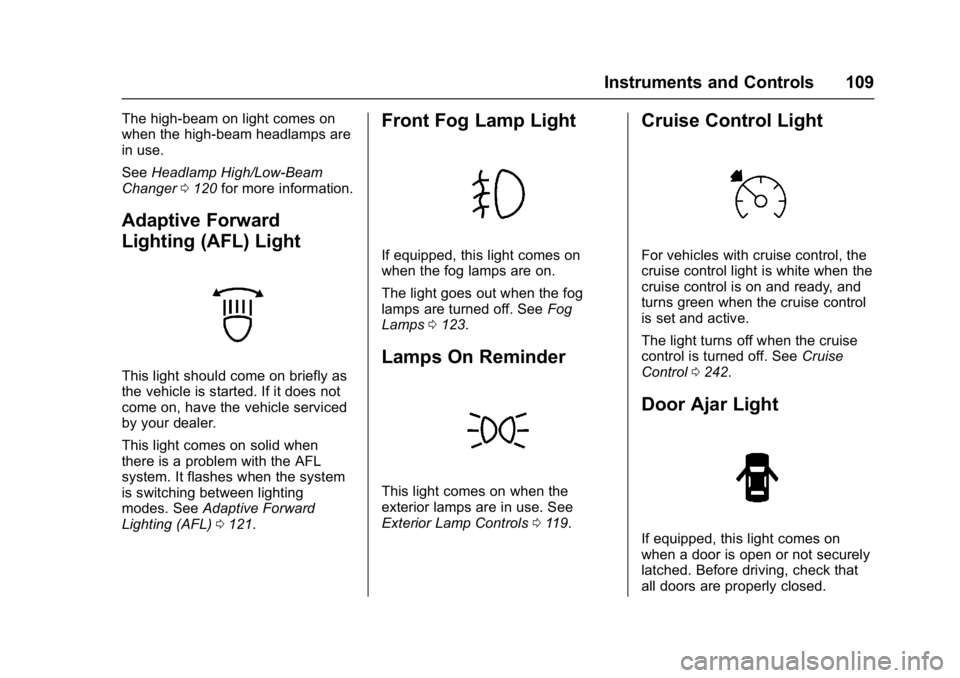
Adaptive Forward
Lighting (AFL) Light
This light should come on briefly as
the vehicle is started. If it does not
come on, have the vehicle serviced
by your dealer.
This light comes on solid when
there is a problem with the AFL
system. It flashes when the system
is switching between lighting
modes. See Adaptive Forward
Lighting (AFL) 0121.
Front Fog Lamp Light
If equipped, this light comes on
when the fog lamps are on.
The light goes out when the fog
lamps are turned off. See Fog
Lamps 0123.
Lamps On Reminder
This light comes on when the
exterior lamps are in use. See
Exterior Lamp Controls 0119.
Cruise Control Light
For vehicles with cruise control, the
cruise control light is white when the
cruise control is on and ready, and
turns green when the cruise control
is set and active.
The light turns off when the cruise
control is turned off. See Cruise
Control 0242.
Door Ajar Light
If equipped, this light comes on
when a door is open or not securely
latched. Before driving, check that
all doors are properly closed.
Page 117 of 381
Buick Cascada Owner Manual (GMNA-Localizing-U.S.-9967834) - 2017 - crc -
7/18/16
116 Instruments and Controls
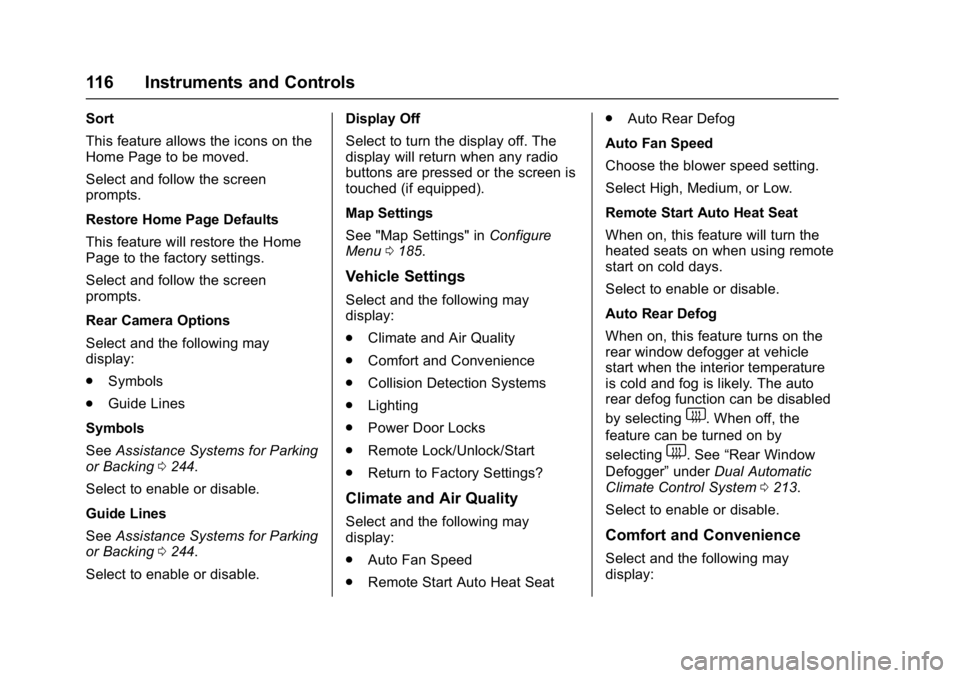
Sort
This feature allows the icons on the
Home Page to be moved.
Select and follow the screen
prompts.
Restore Home Page Defaults
This feature will restore the Home
Page to the factory settings.
Select and follow the screen
prompts.
Rear Camera Options
Select and the following may
display:
.Symbols
. Guide Lines
Symbols
See Assistance Systems for Parking
or Backing 0244.
Select to enable or disable.
Guide Lines
See Assistance Systems for Parking
or Backing 0244.
Select to enable or disable. Display Off
Select to turn the display off. The
display will return when any radio
buttons are pressed or the screen is
touched (if equipped).
Map Settings
See "Map Settings" in
Configure
Menu 0185.
Vehicle Settings
Select and the following may
display:
.
Climate and Air Quality
. Comfort and Convenience
. Collision Detection Systems
. Lighting
. Power Door Locks
. Remote Lock/Unlock/Start
. Return to Factory Settings?
Climate and Air Quality
Select and the following may
display:
.
Auto Fan Speed
. Remote Start Auto Heat Seat .
Auto Rear Defog
Auto Fan Speed
Choose the blower speed setting.
Select High, Medium, or Low.
Remote Start Auto Heat Seat
When on, this feature will turn the
heated seats on when using remote
start on cold days.
Select to enable or disable.
Auto Rear Defog
When on, this feature turns on the
rear window defogger at vehicle
start when the interior temperature
is cold and fog is likely. The auto
rear defog function can be disabled
by selecting
1. When off, the
feature can be turned on by
selecting
1. See “Rear Window
Defogger” underDual Automatic
Climate Control System 0213.
Select to enable or disable.
Comfort and Convenience
Select and the following may
display:
Page 120 of 381
Buick Cascada Owner Manual (GMNA-Localizing-U.S.-9967834) - 2017 - crc -
7/18/16
Lighting 119
Lighting
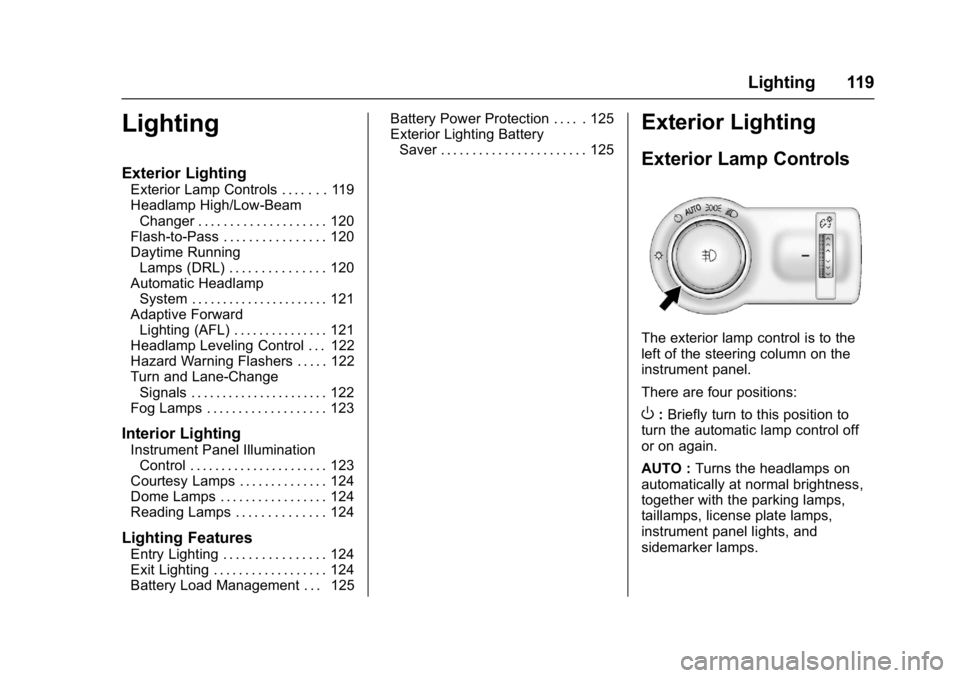
Exterior Lighting
Exterior Lamp Controls . . . . . . . 119
Headlamp High/Low-BeamChanger . . . . . . . . . . . . . . . . . . . . 120
Flash-to-Pass . . . . . . . . . . . . . . . . 120
Daytime Running Lamps (DRL) . . . . . . . . . . . . . . . 120
Automatic Headlamp System . . . . . . . . . . . . . . . . . . . . . . 121
Adaptive Forward Lighting (AFL) . . . . . . . . . . . . . . . 121
Headlamp Leveling Control . . . 122
Hazard Warning Flashers . . . . . 122
Turn and Lane-Change Signals . . . . . . . . . . . . . . . . . . . . . . 122
Fog Lamps . . . . . . . . . . . . . . . . . . . 123
Interior Lighting
Instrument Panel Illumination Control . . . . . . . . . . . . . . . . . . . . . . 123
Courtesy Lamps . . . . . . . . . . . . . . 124
Dome Lamps . . . . . . . . . . . . . . . . . 124
Reading Lamps . . . . . . . . . . . . . . 124
Lighting Features
Entry Lighting . . . . . . . . . . . . . . . . 124
Exit Lighting . . . . . . . . . . . . . . . . . . 124
Battery Load Management . . . 125 Battery Power Protection . . . . . 125
Exterior Lighting Battery
Saver . . . . . . . . . . . . . . . . . . . . . . . 125
Exterior Lighting
Exterior Lamp Controls
The exterior lamp control is to the
left of the steering column on the
instrument panel.
There are four positions:
O: Briefly turn to this position to
turn the automatic lamp control off
or on again.
AUTO : Turns the headlamps on
automatically at normal brightness,
together with the parking lamps,
taillamps, license plate lamps,
instrument panel lights, and
sidemarker lamps.
Page 121 of 381
Buick Cascada Owner Manual (GMNA-Localizing-U.S.-9967834) - 2017 - crc -
7/18/16
120 Lighting
;:Turns on the parking lamps
including all lamps, except the
headlamps.
5: Turns on the headlamps
together with the parking lamps and
instrument panel lights. A warning
chime sounds if the driver door is
opened when the ignition switch is
off and the headlamps are on.
#: If equipped, press to turn the
fog lamps on or off.
See Fog Lamps 0123.
When the lights are on,
;will be
lit. See Lamps On Reminder 0109.
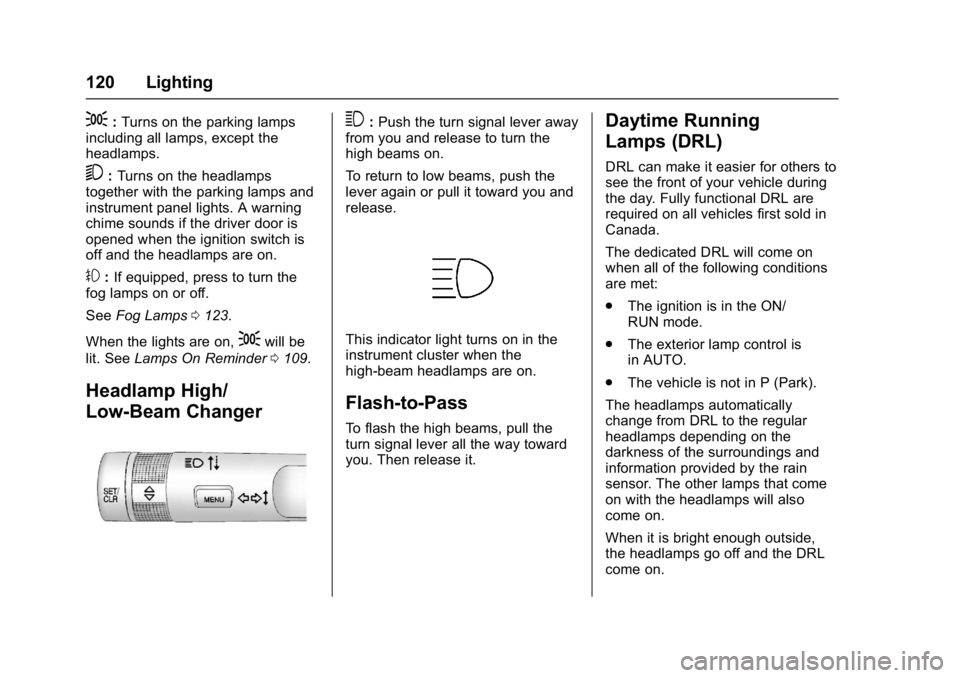
Headlamp High/
Low-Beam Changer
3:Push the turn signal lever away
from you and release to turn the
high beams on.
To return to low beams, push the
lever again or pull it toward you and
release.
This indicator light turns on in the
instrument cluster when the
high-beam headlamps are on.
Flash-to-Pass
To flash the high beams, pull the
turn signal lever all the way toward
you. Then release it.
Daytime Running
Lamps (DRL)
DRL can make it easier for others to
see the front of your vehicle during
the day. Fully functional DRL are
required on all vehicles first sold in
Canada.
The dedicated DRL will come on
when all of the following conditions
are met:
. The ignition is in the ON/
RUN mode.
. The exterior lamp control is
in AUTO.
. The vehicle is not in P (Park).
The headlamps automatically
change from DRL to the regular
headlamps depending on the
darkness of the surroundings and
information provided by the rain
sensor. The other lamps that come
on with the headlamps will also
come on.
When it is bright enough outside,
the headlamps go off and the DRL
come on.
Page 124 of 381
Buick Cascada Owner Manual (GMNA-Localizing-U.S.-9967834) - 2017 - crc -
7/18/16
Lighting 123
burned out bulbs. If a bulb is not
burned out, check the fuse. See
Fuses and Circuit Breakers0282.
Fog Lamps
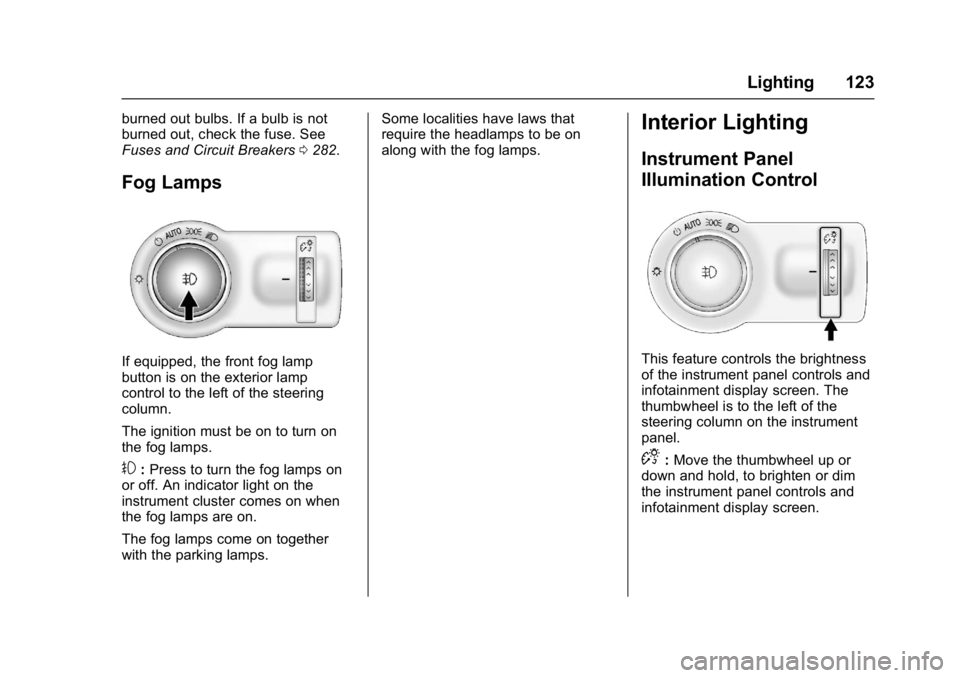
If equipped, the front fog lamp
button is on the exterior lamp
control to the left of the steering
column.
The ignition must be on to turn on
the fog lamps.
#:Press to turn the fog lamps on
or off. An indicator light on the
instrument cluster comes on when
the fog lamps are on.
The fog lamps come on together
with the parking lamps. Some localities have laws that
require the headlamps to be on
along with the fog lamps.
Interior Lighting
Instrument Panel
Illumination Control
This feature controls the brightness
of the instrument panel controls and
infotainment display screen. The
thumbwheel is to the left of the
steering column on the instrument
panel.
D:
Move the thumbwheel up or
down and hold, to brighten or dim
the instrument panel controls and
infotainment display screen.
Page 126 of 381
Buick Cascada Owner Manual (GMNA-Localizing-U.S.-9967834) - 2017 - crc -
7/18/16
Lighting 125
exterior lamps and dome lamps
remain on after the door is closed
for a set amount of time, then
automatically turn off.
The exterior lamps turn off
immediately by turning the exterior
lamps control off.
This feature can be changed. See
Vehicle Personalization0113.
Battery Load
Management
The vehicle has Electric Power
Management (EPM) that estimates
the battery's temperature and state
of charge. It then adjusts the voltage
for best performance and extended
life of the battery.
When the battery's state of charge
is low, the voltage is raised slightly
to quickly bring the charge back up.
When the state of charge is high,
the voltage is lowered slightly to
prevent overcharging. If the vehicle
has a voltmeter gauge or a voltage
display on the Driver Information
Center (DIC), you may see the voltage move up or down. This is
normal. If there is a problem, an
alert will be displayed.
The battery can be discharged at
idle if the electrical loads are very
high. This is true for all vehicles.
This is because the generator
(alternator) may not be spinning fast
enough at idle to produce all of the
power needed for very high
electrical loads.
A high electrical load occurs when
several of the following are on, such
as: headlamps, high beams, rear
window defogger, climate control fan
at high speed, heated seats, engine
cooling fans, trailer loads, and loads
plugged into accessory power
outlets.
EPM works to prevent excessive
discharge of the battery. It does this
by balancing the generator's output
and the vehicle's electrical needs.
It can increase engine idle speed to
generate more power whenever
needed. It can temporarily reduce
the power demands of some
accessories.Normally, these actions occur in
steps or levels, without being
noticeable. In rare cases at the
highest levels of corrective action,
this action may be noticeable to the
driver. If so, a DIC message might
be displayed and it is recommended
that the driver reduce the electrical
loads as much as possible. See
Driver Information Center
(DIC)
0110.
Battery Power Protection
The battery saver feature is
designed to protect the vehicle's
battery.
If some interior lamps are left on
and the ignition is turned off, the
battery rundown protection system
automatically turns the lamp off after
some time.
Exterior Lighting Battery
Saver
The exterior lamps turn off about
10 minutes after the ignition is
turned off, if the parking lamps or
headlamps have been manually left
on. This protects against draining