park assist BUICK CASCADA 2018 Owners Manual
[x] Cancel search | Manufacturer: BUICK, Model Year: 2018, Model line: CASCADA, Model: BUICK CASCADA 2018Pages: 303, PDF Size: 5.87 MB
Page 6 of 303
Buick Cascada Owner Manual (GMNA-Localizing-U.S-11373983) - 2018 -
CRC - 7/10/17
In Brief 5
In Brief Instrument Panel Instrument Panel Overview . . . . . . 6
Initial Drive Information Initial Drive Information . . . . . . . . . . 8
Remote Keyless Entry (RKE)
System . . . . . . . . . . . . . . . . . . . . . . . . 8
Remote Vehicle Start . . . . . . . . . . . 8
Door Locks . . . . . . . . . . . . . . . . . . . . . 9
Trunk Release . . . . . . . . . . . . . . . . . . 9
Windows . . . . . . . . . . . . . . . . . . . . . . . 10
Seat Adjustment . . . . . . . . . . . . . . . 10
Heated Seats . . . . . . . . . . . . . . . . . . 11
Head Restraint Adjustment . . . . 12
Seat Belts . . . . . . . . . . . . . . . . . . . . . 12
Passenger Sensing System . . . 12
Mirror Adjustment . . . . . . . . . . . . . . 13
Steering Wheel Adjustment . . . . 13
Interior Lighting . . . . . . . . . . . . . . . . 14
Exterior Lighting . . . . . . . . . . . . . . . 14
Windshield Wiper/Washer . . . . . . 15
Climate Controls . . . . . . . . . . . . . . . 15
Transmission . . . . . . . . . . . . . . . . . . 16
Vehicle Features
Infotainment System . . . . . . . . . . . 16
Steering Wheel Controls . . . . . . . 16 Cruise Control . . . . . . . . . . . . . . . . . 16
Driver Information
Center (DIC) . . . . . . . . . . . . . . . . . 17
Forward Collision Alert (FCA)
System . . . . . . . . . . . . . . . . . . . . . . . 17
Lane Departure
Warning (LDW) . . . . . . . . . . . . . . . 17
Rear Vision Camera (RVC) . . . . 17
Parking Assist . . . . . . . . . . . . . . . . . 18
Power Outlets . . . . . . . . . . . . . . . . . 18
Convertible . . . . . . . . . . . . . . . . . . . . 18
Performance and Maintenance Traction Control/Electronic
Stability Control . . . . . . . . . . . . . . 18
Tire Pressure Monitor . . . . . . . . . . 19
Fuel . . . . . . . . . . . . . . . . . . . . . . . . . . . 19
E85 or FlexFuel . . . . . . . . . . . . . . . . 20
Engine Oil Life System . . . . . . . . 20
Driving for Better Fuel
Economy . . . . . . . . . . . . . . . . . . . . . 20
Roadside Assistance
Program . . . . . . . . . . . . . . . . . . . . . . 20
Page 8 of 303

Buick Cascada Owner Manual (GMNA-Localizing-U.S-11373983) - 2018 -
CRC - 7/10/17
In Brief 71. Air Vents 0 132 .
2. Headlamp High/Low-Beam
Changer 0 121 .
Turn Signal Lever. See Turn
and Lane-Change Signals
0 123 .
Driver Information Center (DIC)
Buttons. See Driver Information
Center (DIC) 0 110 .
3. Cruise Control 0 159 .
Forward Collision Alert (FCA)
System 0 164 (If Equipped).
4. Instrument Cluster 0 98 .
5. Driver Information Center (DIC)
0 110 .
6. Steering Wheel Controls 0 94 .
7. Windshield Wiper/Washer 0 94 .
8. Central Locking Switch. See
Power Door Locks 0 28 .
Hazard Warning Flashers
0 123 .
Passenger Airbag Status
Indicator 0 101 . 9. AM-FM Radio. See the
infotainment manual.
10. Anti-Theft Alarm System
Indicator Light. See Vehicle
Alarm System 0 31 .
11. Traction Control/Electronic
Stability Control 0 157 .
Lane Departure Warning
(LDW) 0 166 .
Assistance Systems for
Parking or Backing 0 162 .
12. Dual Automatic Climate Control
System 0 129 .
Heated Front Seats 0 50 (If
Equipped).
Heated Steering Wheel 0 94 (If
Equipped).
13. USB Port. See the infotainment
manual.
Input Jack. See the
infotainment manual.
14. Convertible Top 0 37 .
All Window Switch. See Power
Windows 0 35 .
15. Electric Parking Brake 0 155 . 16. Shift Lever. See Automatic
Transmission 0 151 .
17. Power Outlets 0 96 .
18. Ignition Switch. See Ignition
Positions 0 145 .
19. Horn 0 94 .
20. Steering Wheel Adjustment
0 94 (Out of View).
21. Instrument Panel Storage 0 90 .
Instrument Panel Fuse Block
0 205 .
22. Hood Release. See Hood
0 176 .
23. Exterior Lamp Controls 0 120 .
Fog Lamps 0 124 (If
Equipped).
Instrument Panel Illumination
Control 0 124 .
24. Data Link Connector (DLC)
(Out of View). See Malfunction
Indicator Lamp (Check Engine
Light) 0 102 .
Page 18 of 303

Buick Cascada Owner Manual (GMNA-Localizing-U.S-11373983) - 2018 -
CRC - 7/10/17
In Brief 17SET/ − : Move the thumbwheel down
briefly to set the speed and activate
cruise control. If cruise control is
already active, use to decrease
speed.
* : Press to disengage cruise
control without erasing the set
speed from memory.
See Cruise Control 0 159 .
Driver Information
Center (DIC) The DIC display is in the center of
the instrument cluster. It shows the
status of many vehicle systems. The
controls for the DIC are on the turn
signal lever.
1. SET/CLR: Press to set,
or press and hold to clear, the
menu item displayed. 2.
w /
x : Use the band to
scroll through the items in
each menu.
3. MENU: Press to display the
DIC menus. This button is also
used to return to or exit the last
screen displayed on the DIC.
See Driver Information Center (DIC)
0 110 .
Forward Collision Alert
(FCA) System If equipped, FCA may help avoid or
reduce the harm caused by
front-end crashes. FCA provides a
green indicator,
V , when a vehicle
is detected ahead. When
approaching a vehicle ahead too
quickly, FCA provides a visual alert
and rapidly beeps.
See Forward Collision Alert (FCA)
System 0 164 . Lane Departure
Warning (LDW) If equipped, LDW may help avoid
unintentional lane departures at
speeds of 56 km/h (35 mph) or
greater. LDW uses a camera sensor
to detect the lane markings. The
LDW light,
@ , is green if a lane
marking is detected. If the vehicle
departs the lane without using a turn
signal in that direction, the light will
change to amber and flash. In
addition, beeps will sound.
See Lane Departure Warning (LDW)
0 166 .
Rear Vision
Camera (RVC) RVC displays a view of the area
behind the vehicle on the
infotainment display when the
vehicle is shifted into R (Reverse) to
aid with parking and low-speed
backing maneuvers.
See Assistance Systems for Parking
or Backing 0 162 .
Page 19 of 303
Buick Cascada Owner Manual (GMNA-Localizing-U.S-11373983) - 2018 -
CRC - 7/10/17
18 In Brief
Parking Assist If equipped, Rear Parking Assist
(RPA) uses sensors on the rear
bumper to assist with parking and
avoiding objects while in
R (Reverse). It operates at speeds
less than 8 km/h (5 mph). RPA may
show a warning triangle on the
infotainment display and a graphic
on the instrument cluster to provide
the object distance. In addition,
multiple beeps may occur if very
close to an object.
The vehicle may also have the Front
Parking Assist system.
See Assistance Systems for Parking
or Backing 0 162 .
Power Outlets The accessory power outlets can be
used to plug in electrical equipment,
such as a cell phone or MP3 player. There is one accessory power outlet
on the center stack below the
climate controls and one on the rear
of the center console. These outlets
are powered when the ignition is on
or in ACC/ACCESSORY, or until the
driver door is opened within
10 minutes of turning off the vehicle.
See Retained Accessory Power
(RAP) 0 148 .
See Power Outlets 0 96 .
Convertible The convertible top can be
automatically opened and closed.
For step-by-step instructions, see
Convertible Top 0 37 .Performance and
Maintenance Traction Control/
Electronic Stability
Control The Traction Control System (TCS)
limits wheel spin. The system is on
when the vehicle is started.
The StabiliTrak system assists with
directional control of the vehicle in
difficult driving conditions. The
system is on when the vehicle is
started.
.
To turn off TCS, press and
release
g on the center stack.
The appropriate DIC message is
displayed.
.
Press and release
g again to
turn TCS back on. The
appropriate DIC message is
displayed.
Page 35 of 303

Buick Cascada Owner Manual (GMNA-Localizing-U.S-11373983) - 2018 -
CRC - 7/10/17
34 Keys, Doors, and Windows
Folding Mirrors Manual Folding Mirrors The vehicle has manual folding
mirrors. These mirrors can be folded
inward to prevent damage when
going through an automatic car
wash. To fold, pull the mirror toward
the vehicle. Push the mirror outward
to return it to the original position.
Heated Mirrors If equipped with heated mirrors:
= : The rear window defogger also
heats the outside mirrors.
See Dual Automatic Climate Control
System 0 129 . Interior Mirrors Interior Rearview Mirrors Adjust the rearview mirror for a clear
view of the area behind the vehicle.
Do not spray glass cleaner directly
on the mirror. Use a soft towel
dampened with water.
Automatic Dimming
Rearview Mirror The rearview mirror automatically
dims to reduce the glare of the
headlamps from behind. This
feature comes on when the vehicle
is started.
The vehicle may also have a Rear
Vision Camera (RVC). See
Assistance Systems for Parking or
Backing 0 162 .Windows
{ WarningNever leave a child, a helpless
adult, or a pet alone in a vehicle,
especially with the windows
closed in warm or hot weather.
They can be overcome by the
extreme heat and suffer
permanent injuries or even death
from heat stroke.
Page 104 of 303
Buick Cascada Owner Manual (GMNA-Localizing-U.S-11373983) - 2018 -
CRC - 7/10/17
Instruments and Controls 103CautionModifications to the engine,
transmission, exhaust, intake,
or fuel system, or the use of
replacement tires that do not
meet the original tire
specifications, can cause this light
to come on. This could lead to
costly repairs not covered by the
vehicle warranty. This could also
affect the vehicle ’ s ability to pass
an Emissions Inspection/
Maintenance test. See
Accessories and Modifications
0 175 .
If the light is flashing : A
malfunction has been detected that
could damage the emission control
system and increase vehicle
emissions. Diagnosis and service
may be required.
To help prevent damage, reduce
vehicle speed and avoid hard
accelerations and uphill grades. If the light continues to flash, find a
safe place to park. Turn the vehicle
off and wait at least 10 seconds
before restarting the engine. If the
light is still flashing, follow the
previous guidelines and see your
dealer for service as soon as
possible.
If the light is on steady : A
malfunction has been detected.
Diagnosis and service may be
required.
Check the following:
.
A loose or missing fuel cap may
cause the light to come on. See
Filling the Tank 0 169 . A few
driving trips with the cap
properly installed may turn the
light off.
.
Poor fuel quality can cause
inefficient engine operation and
poor driveability, which may go
away once the engine is warmed
up. If this occurs, change the
fuel brand. It may require at
least one full tank of the proper
fuel to turn the light off. See Fuel
0 167 . If the light remains on, see your
dealer.
Emissions Inspection and
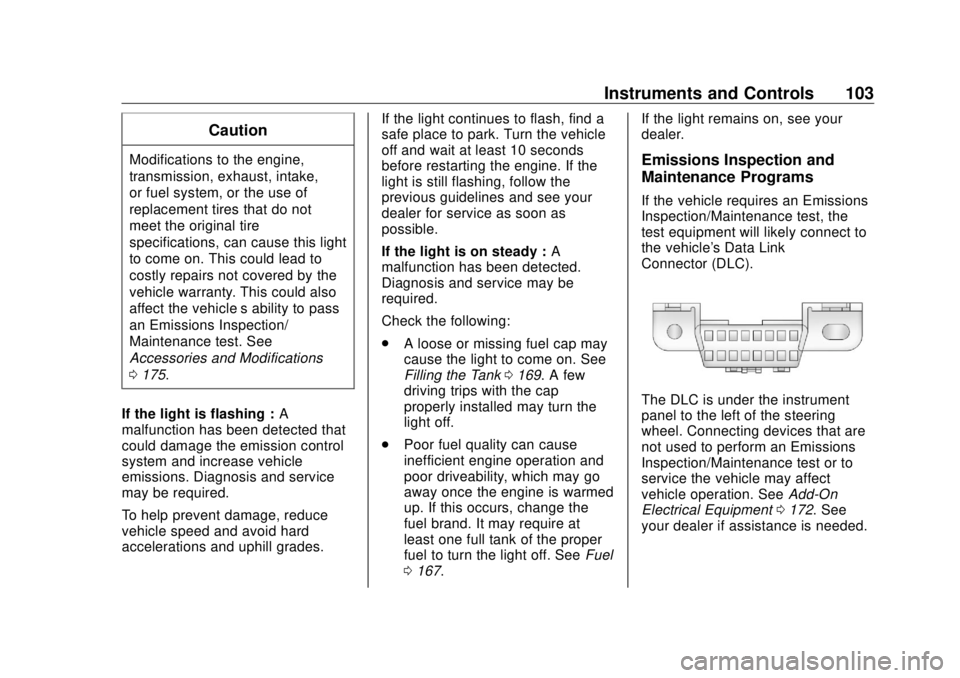
Maintenance Programs If the vehicle requires an Emissions
Inspection/Maintenance test, the
test equipment will likely connect to
the vehicle's Data Link
Connector (DLC).
The DLC is under the instrument
panel to the left of the steering
wheel. Connecting devices that are
not used to perform an Emissions
Inspection/Maintenance test or to
service the vehicle may affect
vehicle operation. See Add-On
Electrical Equipment 0 172 . See
your dealer if assistance is needed.
Page 118 of 303
Buick Cascada Owner Manual (GMNA-Localizing-U.S-11373983) - 2018 -
CRC - 7/10/17
Instruments and Controls 117Symbols
See Assistance Systems for Parking
or Backing 0 162 .
Select to enable or disable.
Guide Lines
See Assistance Systems for Parking
or Backing 0 162 .
Select to enable or disable.
Display Off
Select to turn the display off. The
display will return when any controls
on the radio center stack are
pressed or the infotainment screen
is touched.
Map Settings
See “ Map Settings ” in the
infotainment manual.
Vehicle Settings
Select and the following may
display:
.
Climate and Air Quality
.
Comfort and Convenience
.
Collision Detection Systems .
Lighting
.
Power Door Locks
.
Remote Lock/Unlock/Start
.
Return to Factory Settings?
Climate and Air Quality Select and the following may
display:
.
Auto Fan Speed
.
Remote Start Auto Heat Seat
.
Auto Rear Defog
Auto Fan Speed
Choose the blower speed setting.
Select High, Medium, or Low.
Remote Start Auto Heat Seat
When on, this feature will turn the
heated seats on when using remote
start on cold days.
Select to enable or disable.
Auto Rear Defog
When on, this feature turns on the
rear window defogger at vehicle
start when the interior temperature
is cold and fog is likely. The auto rear defog function can be disabled
by selecting
1 . When off, the
feature can be turned on by
selecting
1 . See “ Rear Window
Defogger ” under Dual Automatic
Climate Control System 0 129 .
Select to enable or disable.
Comfort and Convenience Select and the following may
display:
.
Chime Volume
.
Button Chime
Chime Volume
This allows the selection of the
chime volume level.
Select Low or High.
Button Chime
This allows the Button Chime
feature to be turned on or off.
Select to enable or disable.
Page 119 of 303
Buick Cascada Owner Manual (GMNA-Localizing-U.S-11373983) - 2018 -
CRC - 7/10/17
118 Instruments and Controls Collision Detection Systems Select and the following may
display:
.
Park Assist
Park Assist
This allows the Parking Assist
feature to be turned on or off.
Select Off or On.
Lighting Select and the following may
display:
.
Vehicle Locator Lights
.
Exit Lighting
Vehicle Locator Lights
This allows the vehicle locator lights
to be turned on or off.
Select to enable or disable.
Exit Lighting
This allows the selection of how
long the exterior lamps stay on
when leaving the vehicle when it is
dark outside. Select Off, 30 Seconds, 1 Minute,
or 2 Minutes.
Power Door Locks Select and the following may
display:
.
Open Door Anti Lock Out
.
Auto Door Unlock
.
Delay Door Lock
Open Door Anti Lock Out
When on, this feature will keep the
driver door from locking until the
door is closed. If this feature is
turned on, the Delay Door Lock
menu will not be available.
Select to enable or disable.
Auto Door Unlock
This allows selection of which doors
will automatically unlock when the
vehicle is shifted into P (Park).
Select All Doors, Driver Door, or Off.
Delay Door Lock
When on, this feature will delay the
locking of the doors. See Delayed
Locking 0 28 . Select to enable or disable.
Remote Lock/Unlock/Start Select and the following may
display:
.
Remote Unlock Feedback
.
Remote Lock Feedback
.
Remote Door Unlock
Remote Unlock Feedback
When on, the exterior lamps will
flash when unlocking the vehicle
with the RKE transmitter.
Select Flash Lights or Off.
Remote Lock Feedback
This allows selection of what
feedback is provided when
unlocking the vehicle with the RKE
transmitter.
Select Lights and Horn, Lights Only,
Horn Only, or Off.
Remote Door Unlock
This allows selection of which doors
will unlock on the first press of
K on
the RKE transmitter. If Driver Door
Page 135 of 303
Buick Cascada Owner Manual (GMNA-Localizing-U.S-11373983) - 2018 -
CRC - 7/10/17
134 Driving and Operating
Driving and
Operating Driving Information Distracted Driving . . . . . . . . . . . . 135
Defensive Driving . . . . . . . . . . . . . 135
Drunk Driving . . . . . . . . . . . . . . . . . 136
Control of a Vehicle . . . . . . . . . . . 136
Braking . . . . . . . . . . . . . . . . . . . . . . . 136
Steering . . . . . . . . . . . . . . . . . . . . . . 136
Off-Road Recovery . . . . . . . . . . . 137
Loss of Control . . . . . . . . . . . . . . . 137
Driving on Wet Roads . . . . . . . . 138
Hill and Mountain Roads . . . . . 139
Winter Driving . . . . . . . . . . . . . . . . 139
If the Vehicle Is Stuck . . . . . . . . 141
Vehicle Load Limits . . . . . . . . . . . 141
Starting and Operating New Vehicle Break-In . . . . . . . . . 145
Ignition Positions . . . . . . . . . . . . . 145
Starting the Engine . . . . . . . . . . . 147
Retained Accessory
Power (RAP) . . . . . . . . . . . . . . . . 148
Shifting Into Park . . . . . . . . . . . . . 149
Shifting out of Park . . . . . . . . . . . 149
Parking over Things
That Burn . . . . . . . . . . . . . . . . . . . 150 Engine Exhaust Engine Exhaust . . . . . . . . . . . . . . 150
Running the Vehicle While
Parked . . . . . . . . . . . . . . . . . . . . . . 151
Automatic Transmission Automatic Transmission . . . . . . 151
Manual Mode . . . . . . . . . . . . . . . . . 153
Brakes Antilock Brake
System (ABS) . . . . . . . . . . . . . . . 154
Electric Parking Brake . . . . . . . . 155
Brake Assist . . . . . . . . . . . . . . . . . . 157
Hill Start Assist (HSA) . . . . . . . . 157
Ride Control Systems Traction Control/Electronic
Stability Control . . . . . . . . . . . . . 157
Cruise Control Cruise Control . . . . . . . . . . . . . . . . 159
Driver Assistance Systems Assistance Systems for
Parking or Backing . . . . . . . . . . 162
Forward Collision Alert (FCA)
System . . . . . . . . . . . . . . . . . . . . . . 164
Lane Departure
Warning (LDW) . . . . . . . . . . . . . 166 Fuel Fuel . . . . . . . . . . . . . . . . . . . . . . . . . . 167
California Fuel
Requirements . . . . . . . . . . . . . . . 168
Fuels in Foreign Countries . . . 169
Fuel Additives . . . . . . . . . . . . . . . . 169
Filling the Tank . . . . . . . . . . . . . . . 169
Filling a Portable Fuel
Container . . . . . . . . . . . . . . . . . . . 171
Trailer Towing General Towing
Information . . . . . . . . . . . . . . . . . . 171
Conversions and Add-Ons Add-On Electrical
Equipment . . . . . . . . . . . . . . . . . . 172
Page 147 of 303
Buick Cascada Owner Manual (GMNA-Localizing-U.S-11373983) - 2018 -
CRC - 7/10/17
146 Driving and Operating CautionUsing a tool to force the key to
turn in the ignition could cause
damage to the switch or break the
key. Use the correct key, make
sure it is all the way in, and turn it
only with your hand. If the key
cannot be turned by hand, see
your dealer.
The key must be fully extended to
start the vehicle.
To shift out of P (Park), turn the
ignition on and apply the brake
pedal.
0 : When the vehicle is stopped,
turn the ignition off to turn the
engine off. Retained Accessory
Power (RAP) will remain active. See
Retained Accessory Power (RAP)
0 148 .
This is the only position from which
the key can be removed. This locks
the ignition and automatic
transmission. Do not turn the engine off when the
vehicle is moving. This will cause a
loss of power assist in the brake
and steering systems and disable
the airbags.
If the vehicle must be shut off in an
emergency:
1. Brake using a firm and steady
pressure. Do not pump the
brakes repeatedly. This may
deplete power assist, requiring
increased brake pedal force.
2. Shift the vehicle to N (Neutral).
This can be done while the
vehicle is moving. After shifting
to N (Neutral), continue to
firmly apply the brakes and
steer the vehicle to a safe
location.
3. Come to a complete stop. Shift
to P (Park). Turn the
ignition off.
4. Set the parking brake. See
Electric Parking Brake 0 155 .{ WarningTurning off the vehicle while
moving may cause loss of power
assist in the brake and steering
systems and disable the airbags.
While driving, only shut the
vehicle off in an emergency.
If the vehicle cannot be pulled over,
and must be shut off while driving,
turn the ignition to ACC/
ACCESSORY.
1 : This position provides power to
some of the electrical accessories.
To move the key from ACC/
ACCESSORY to off, push in the key
and then turn the ignition to off.
2 : The ignition switch stays in this
position when the engine is running.
This position can be used to operate
the electrical accessories, including
the ventilation fan and 12-volt power
outlet, as well as to display some
warning and indicator lights. This
position can also be used for
service and diagnostics, and to
verify the proper operation of the