ECU BUICK CASCADA 2019 Owner's Guide
[x] Cancel search | Manufacturer: BUICK, Model Year: 2019, Model line: CASCADA, Model: BUICK CASCADA 2019Pages: 307, PDF Size: 5.12 MB
Page 90 of 307
Buick Cascada Owner Manual (GMNA-Localizing-U.S.-12461774) - 2019 -
CRC - 3/26/18
Seats and Restraints 89
Securing Child Restraints
(With the Seat Belt in the
Front Seat)
This vehicle has airbags. A rear
seat is a safer place to secure a
forward-facing child restraint. See
Where to Put the Restraint078.
In addition, the vehicle has a
passenger sensing system which is
designed to turn off the front
outboard passenger frontal airbag
and knee airbag under certain
conditions.
See Passenger Sensing System
0 67 and Passenger Airbag Status
Indicator 0103 for more information,
including important safety
information.
Never put a rear-facing child seat in
the front. This is because the risk to
the rear-facing child is so great,
if the airbag deploys.
{Warning
A child in a rear-facing child
restraint can be seriously injured
or killed if the front outboard
passenger frontal airbag inflates.
This is because the back of the
rear-facing child restraint would
be very close to the inflating
airbag. A child in a forward-facing
child restraint can be seriously
injured or killed if the front
outboard passenger frontal airbag
inflates and the passenger seat is
in a forward position.
Even if the passenger sensing
system has turned off the front
outboard passenger airbag(s), no
system is fail-safe. No one can
guarantee that an airbag will not
deploy under some unusual
circumstance, even though the
airbag(s) are off.
Secure rear-facing child restraints
in a rear seat, even if the
airbag(s) are off. If you secure a
(Continued)
Warning (Continued)
forward-facing child restraint in
the front outboard passenger
seat, always move the seat as far
back as it will go. It is better to
secure the child restraint in a
rear seat.
SeePassenger Sensing System
0 67 for additional information.
If the child restraint uses a top
tether, see Lower Anchors and
Tethers for Children (LATCH
System) 079 for top tether anchor
locations.
Do not secure a child seat in a
position without a top tether anchor
if a national or local law requires
that the top tether be anchored, or if
the instructions that come with the
child restraint say that the top tether
must be anchored.
In Canada, the law requires that
forward-facing child restraints have
a top tether, and that the tether be
attached.
Page 91 of 307
Buick Cascada Owner Manual (GMNA-Localizing-U.S.-12461774) - 2019 -
CRC - 3/26/18
90 Seats and Restraints
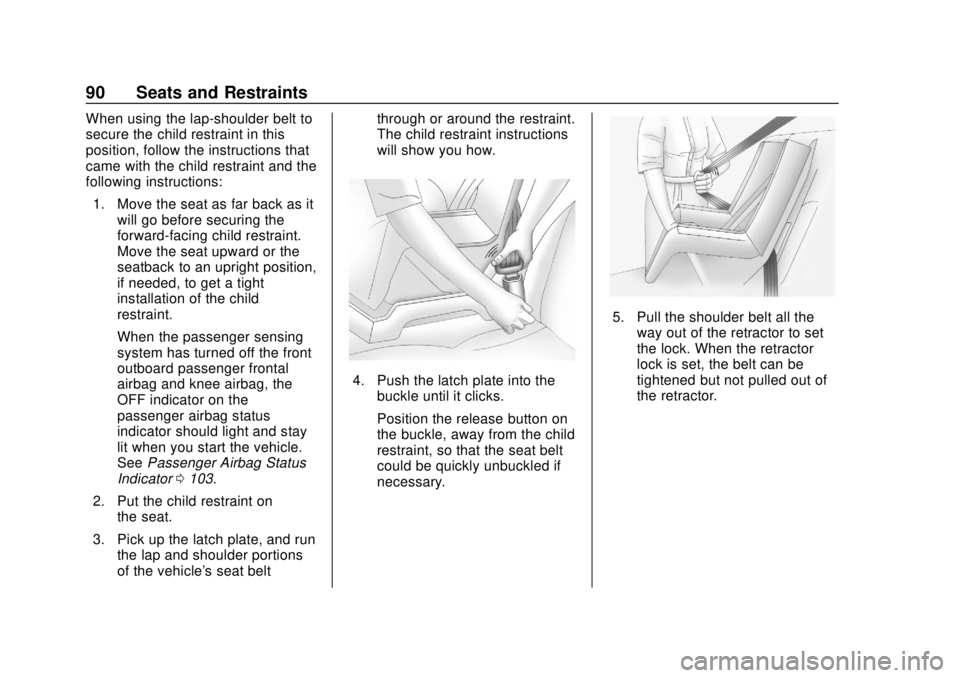
When using the lap-shoulder belt to
secure the child restraint in this
position, follow the instructions that
came with the child restraint and the
following instructions:1. Move the seat as far back as it will go before securing the
forward-facing child restraint.
Move the seat upward or the
seatback to an upright position,
if needed, to get a tight
installation of the child
restraint.
When the passenger sensing
system has turned off the front
outboard passenger frontal
airbag and knee airbag, the
OFF indicator on the
passenger airbag status
indicator should light and stay
lit when you start the vehicle.
See Passenger Airbag Status
Indicator 0103.
2. Put the child restraint on the seat.
3. Pick up the latch plate, and run the lap and shoulder portions
of the vehicle's seat belt through or around the restraint.
The child restraint instructions
will show you how.
4. Push the latch plate into the
buckle until it clicks.
Position the release button on
the buckle, away from the child
restraint, so that the seat belt
could be quickly unbuckled if
necessary.
5. Pull the shoulder belt all theway out of the retractor to set
the lock. When the retractor
lock is set, the belt can be
tightened but not pulled out of
the retractor.
Page 92 of 307
Buick Cascada Owner Manual (GMNA-Localizing-U.S.-12461774) - 2019 -
CRC - 3/26/18
Seats and Restraints 91
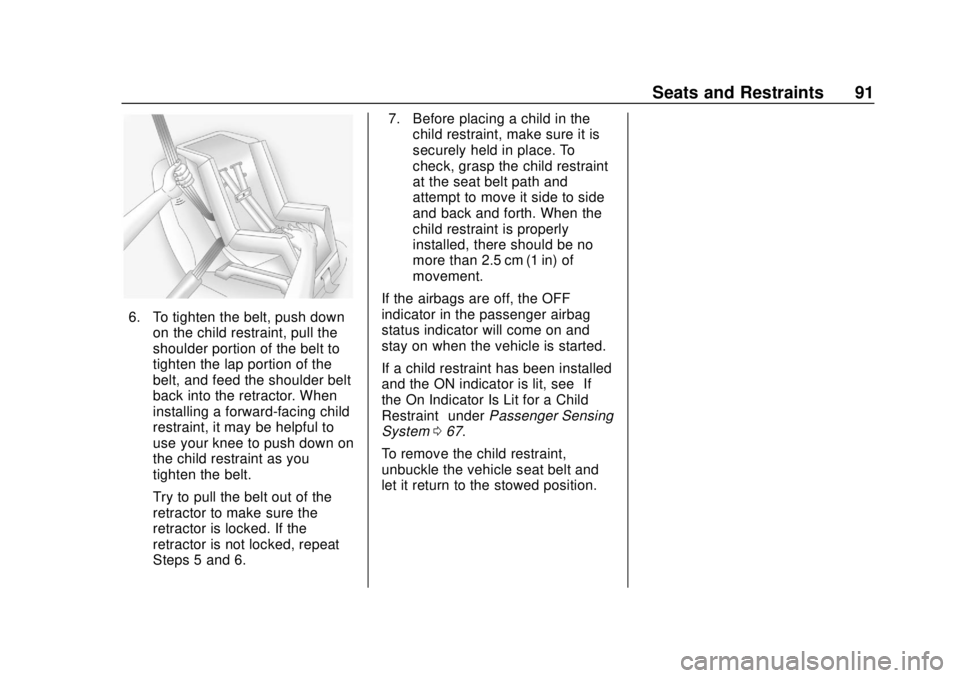
6. To tighten the belt, push downon the child restraint, pull the
shoulder portion of the belt to
tighten the lap portion of the
belt, and feed the shoulder belt
back into the retractor. When
installing a forward-facing child
restraint, it may be helpful to
use your knee to push down on
the child restraint as you
tighten the belt.
Try to pull the belt out of the
retractor to make sure the
retractor is locked. If the
retractor is not locked, repeat
Steps 5 and 6. 7. Before placing a child in the
child restraint, make sure it is
securely held in place. To
check, grasp the child restraint
at the seat belt path and
attempt to move it side to side
and back and forth. When the
child restraint is properly
installed, there should be no
more than 2.5 cm (1 in) of
movement.
If the airbags are off, the OFF
indicator in the passenger airbag
status indicator will come on and
stay on when the vehicle is started.
If a child restraint has been installed
and the ON indicator is lit, see “If
the On Indicator Is Lit for a Child
Restraint” underPassenger Sensing
System 067.
To remove the child restraint,
unbuckle the vehicle seat belt and
let it return to the stowed position.
Page 95 of 307
Buick Cascada Owner Manual (GMNA-Localizing-U.S.-12461774) - 2019 -
CRC - 3/26/18
94 Storage
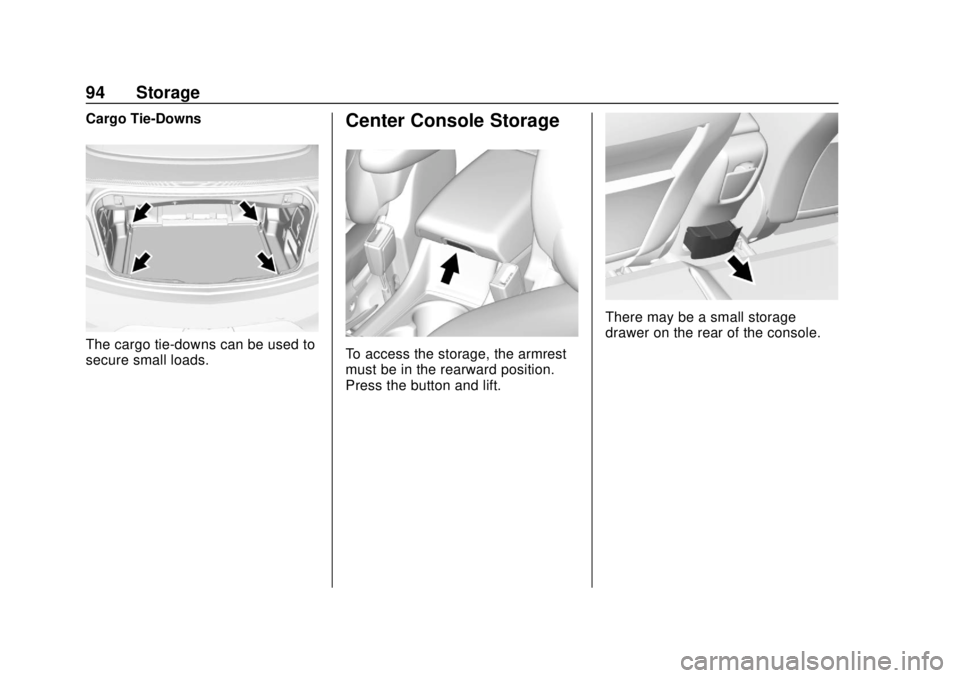
Cargo Tie-Downs
The cargo tie-downs can be used to
secure small loads.
Center Console Storage
To access the storage, the armrest
must be in the rearward position.
Press the button and lift.
There may be a small storage
drawer on the rear of the console.
Page 96 of 307
Buick Cascada Owner Manual (GMNA-Localizing-U.S.-12461774) - 2019 -
CRC - 3/26/18
Instruments and Controls 95
Instruments and
Controls
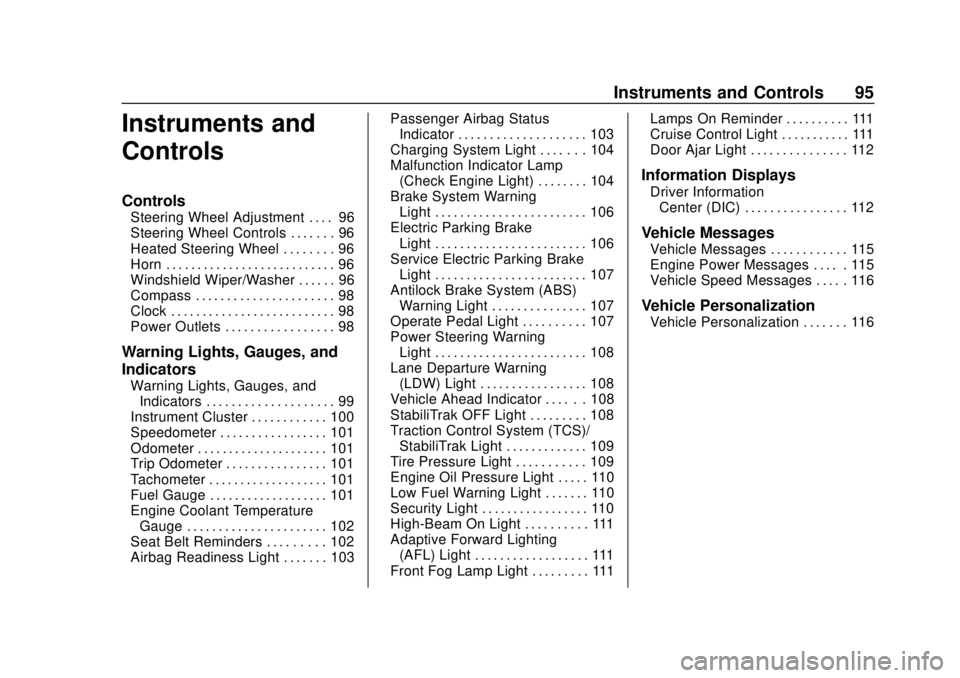
Controls
Steering Wheel Adjustment . . . . 96
Steering Wheel Controls . . . . . . . 96
Heated Steering Wheel . . . . . . . . 96
Horn . . . . . . . . . . . . . . . . . . . . . . . . . . . 96
Windshield Wiper/Washer . . . . . . 96
Compass . . . . . . . . . . . . . . . . . . . . . . 98
Clock . . . . . . . . . . . . . . . . . . . . . . . . . . 98
Power Outlets . . . . . . . . . . . . . . . . . 98
Warning Lights, Gauges, and
Indicators
Warning Lights, Gauges, andIndicators . . . . . . . . . . . . . . . . . . . . 99
Instrument Cluster . . . . . . . . . . . . 100
Speedometer . . . . . . . . . . . . . . . . . 101
Odometer . . . . . . . . . . . . . . . . . . . . . 101
Trip Odometer . . . . . . . . . . . . . . . . 101
Tachometer . . . . . . . . . . . . . . . . . . . 101
Fuel Gauge . . . . . . . . . . . . . . . . . . . 101
Engine Coolant Temperature Gauge . . . . . . . . . . . . . . . . . . . . . . 102
Seat Belt Reminders . . . . . . . . . 102
Airbag Readiness Light . . . . . . . 103 Passenger Airbag Status
Indicator . . . . . . . . . . . . . . . . . . . . 103
Charging System Light . . . . . . . 104
Malfunction Indicator Lamp (Check Engine Light) . . . . . . . . 104
Brake System Warning Light . . . . . . . . . . . . . . . . . . . . . . . . 106
Electric Parking Brake Light . . . . . . . . . . . . . . . . . . . . . . . . 106
Service Electric Parking Brake Light . . . . . . . . . . . . . . . . . . . . . . . . 107
Antilock Brake System (ABS) Warning Light . . . . . . . . . . . . . . . 107
Operate Pedal Light . . . . . . . . . . 107
Power Steering Warning Light . . . . . . . . . . . . . . . . . . . . . . . . 108
Lane Departure Warning (LDW) Light . . . . . . . . . . . . . . . . . 108
Vehicle Ahead Indicator . . . . . . 108
StabiliTrak OFF Light . . . . . . . . . 108
Traction Control System (TCS)/ StabiliTrak Light . . . . . . . . . . . . . 109
Tire Pressure Light . . . . . . . . . . . 109
Engine Oil Pressure Light . . . . . 110
Low Fuel Warning Light . . . . . . . 110
Security Light . . . . . . . . . . . . . . . . . 110
High-Beam On Light . . . . . . . . . . 111
Adaptive Forward Lighting (AFL) Light . . . . . . . . . . . . . . . . . . 111
Front Fog Lamp Light . . . . . . . . . 111 Lamps On Reminder . . . . . . . . . . 111
Cruise Control Light . . . . . . . . . . . 111
Door Ajar Light . . . . . . . . . . . . . . . 112
Information Displays
Driver Information
Center (DIC) . . . . . . . . . . . . . . . . 112
Vehicle Messages
Vehicle Messages . . . . . . . . . . . . 115
Engine Power Messages . . . . . 115
Vehicle Speed Messages . . . . . 116
Vehicle Personalization
Vehicle Personalization . . . . . . . 116
Page 111 of 307
Buick Cascada Owner Manual (GMNA-Localizing-U.S.-12461774) - 2019 -
CRC - 3/26/18
110 Instruments and Controls
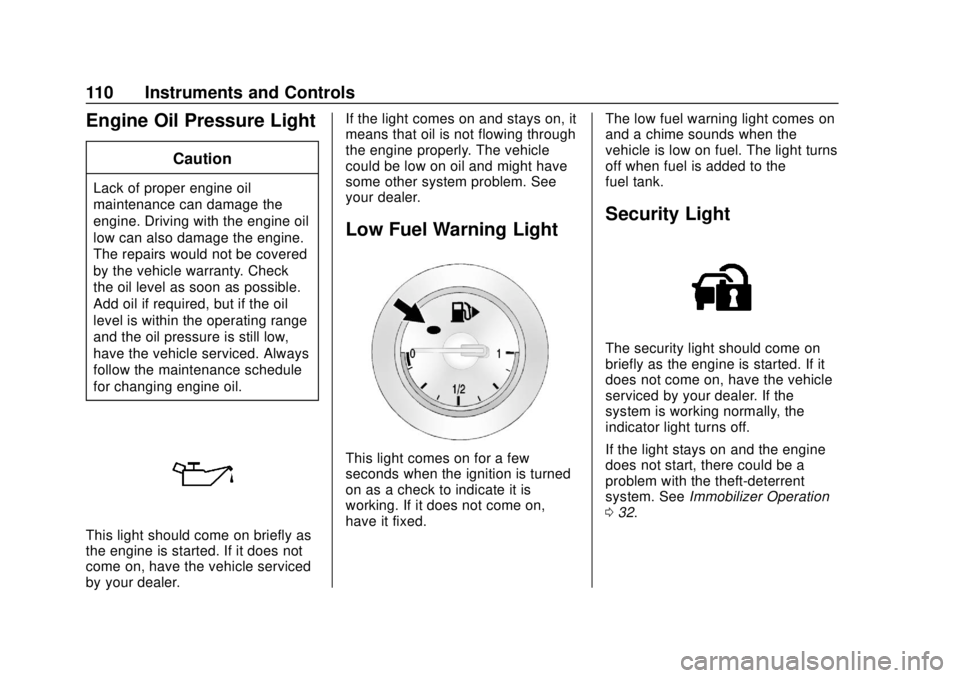
Engine Oil Pressure Light
Caution
Lack of proper engine oil
maintenance can damage the
engine. Driving with the engine oil
low can also damage the engine.
The repairs would not be covered
by the vehicle warranty. Check
the oil level as soon as possible.
Add oil if required, but if the oil
level is within the operating range
and the oil pressure is still low,
have the vehicle serviced. Always
follow the maintenance schedule
for changing engine oil.
This light should come on briefly as
the engine is started. If it does not
come on, have the vehicle serviced
by your dealer.If the light comes on and stays on, it
means that oil is not flowing through
the engine properly. The vehicle
could be low on oil and might have
some other system problem. See
your dealer.
Low Fuel Warning Light
This light comes on for a few
seconds when the ignition is turned
on as a check to indicate it is
working. If it does not come on,
have it fixed.
The low fuel warning light comes on
and a chime sounds when the
vehicle is low on fuel. The light turns
off when fuel is added to the
fuel tank.
Security Light
The security light should come on
briefly as the engine is started. If it
does not come on, have the vehicle
serviced by your dealer. If the
system is working normally, the
indicator light turns off.
If the light stays on and the engine
does not start, there could be a
problem with the theft-deterrent
system. See
Immobilizer Operation
0 32.
Page 113 of 307
Buick Cascada Owner Manual (GMNA-Localizing-U.S.-12461774) - 2019 -
CRC - 3/26/18
112 Instruments and Controls
Door Ajar Light
If equipped, this light comes on
when a door is open or not securely
latched. Before driving, check that
all doors are properly closed.
Information Displays
Driver Information
Center (DIC)
The DIC displays information about
the vehicle. It also displays warning
messages if a system problem is
detected. SeeVehicle Messages
0 115. All messages appear in the
DIC display in the center of the
instrument cluster.
DIC Operation and Displays
The DIC has different displays
which can be accessed by using the
DIC buttons on the turn signal lever.
The DIC displays trip, fuel, and
vehicle system information, and
warning messages if a system
problem is detected.
The bottom of the DIC display
shows the position of the shift lever
and the odometer. It may also show
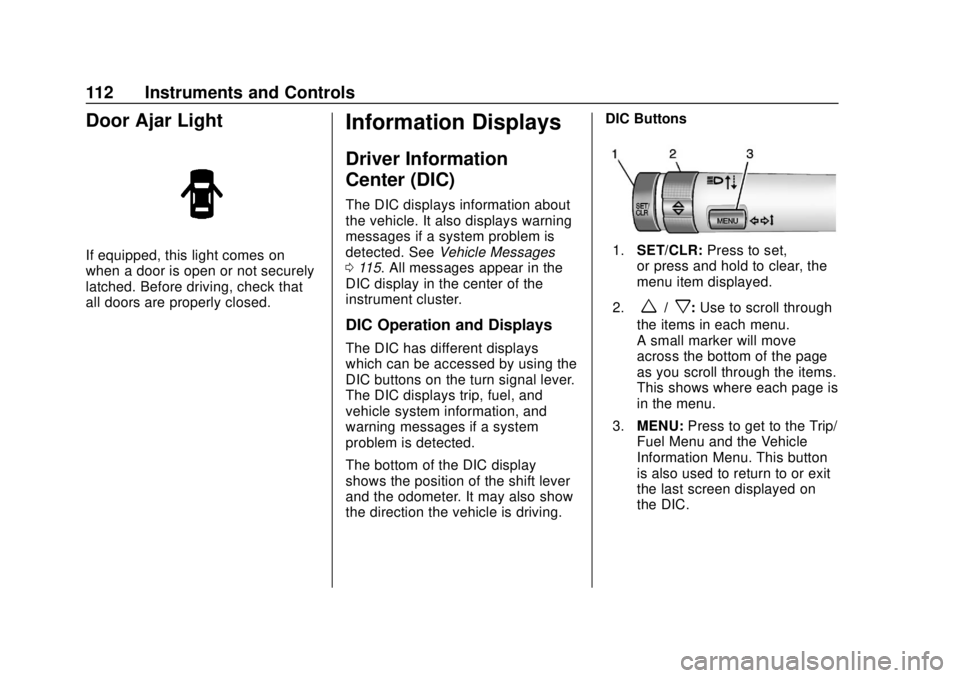
the direction the vehicle is driving. DIC Buttons
1.
SET/CLR: Press to set,
or press and hold to clear, the
menu item displayed.
2.
w/x: Use to scroll through
the items in each menu.
A small marker will move
across the bottom of the page
as you scroll through the items.
This shows where each page is
in the menu.
3. MENU: Press to get to the Trip/
Fuel Menu and the Vehicle
Information Menu. This button
is also used to return to or exit
the last screen displayed on
the DIC.
Page 116 of 307
Buick Cascada Owner Manual (GMNA-Localizing-U.S.-12461774) - 2019 -
CRC - 3/26/18
Instruments and Controls 115
Remember, the Remaining Oil Life
display must be reset after each oil
change. It will not reset itself. Also,
be careful not to reset the
Remaining Oil Life display
accidentally at any time other than
when the oil has just been changed.
It cannot be reset accurately until
the next oil change. To reset the
engine oil life system, press SET/
CLR while the Remaining Oil Life
display is active. SeeEngine Oil
Life System 0183.
Battery Voltage
This display shows the current
battery voltage. If the voltage is in
the normal range, the value will
display. For example, the display
may read Battery Voltage 15.0
Volts. The vehicle's charging system
regulates voltage based on the state
of the battery. The battery voltage
can fluctuate while viewing this
information on the DIC. This is
normal. See Charging System Light
0 104.Vehicle Messages
Messages displayed on the DIC
indicate the status of the vehicle or
some action that may be needed to
correct a condition. Multiple
messages may display one after the
other.
The messages that do not require
immediate action can be
acknowledged and cleared by
pressing SET/CLR. The messages
that require immediate action cannot
be cleared until that action is
performed. All messages should be
taken seriously and clearing the
messages does not correct the
problem.
Follow the instructions given in the
messages. The system displays
messages regarding the following
topics:
.
Service Messages
. Fluid Levels
. Vehicle Security
. Brakes
. Ride Control Systems .
Driver Assistance Systems
. Cruise Control
. Lighting and Bulb Replacement
. Wiper/Washer Systems
. Doors and Windows
. Convertible Top
. Seat Belts
. Airbag Systems
. Engine and Transmission
. Tire Pressure
. Battery
Engine Power Messages
ENGINE POWER IS REDUCED
This message displays when the
vehicle's propulsion power is
reduced. Reduced propulsion power
can affect the vehicle's ability to
accelerate. If this message is on,
but there is no observed reduction
in performance, proceed to your
destination. The performance may
be reduced the next time the vehicle
is driven. The vehicle may be driven
Page 147 of 307
Buick Cascada Owner Manual (GMNA-Localizing-U.S.-12461774) - 2019 -
CRC - 3/26/18
146 Driving and Operating
Warning (Continued)
.Do not leave an
unsecured child restraint
in the vehicle.
.Secure loose items in the
vehicle.
.Do not leave a seat
folded down unless
needed.
Starting and
Operating
New Vehicle Break-In
Caution
The vehicle does not need an
elaborate break-in. But it will
perform better in the long run if
you follow these guidelines:. Do not drive at any one
constant speed, fast or slow,
for the first 805 km (500 mi).
Do not make full-throttle
starts. Avoid downshifting to
brake or slow the vehicle.
. Avoid making hard stops for
the first 322 km (200 mi) or
so. During this time the new
brake linings are not yet
broken in. Hard stops with
new linings can mean
premature wear and earlier
replacement. Follow this
(Continued)
Caution (Continued)
breaking-in guideline every
time you get new brake
linings.
Following break-in, engine speed
and load can be gradually
increased.
Ignition Positions
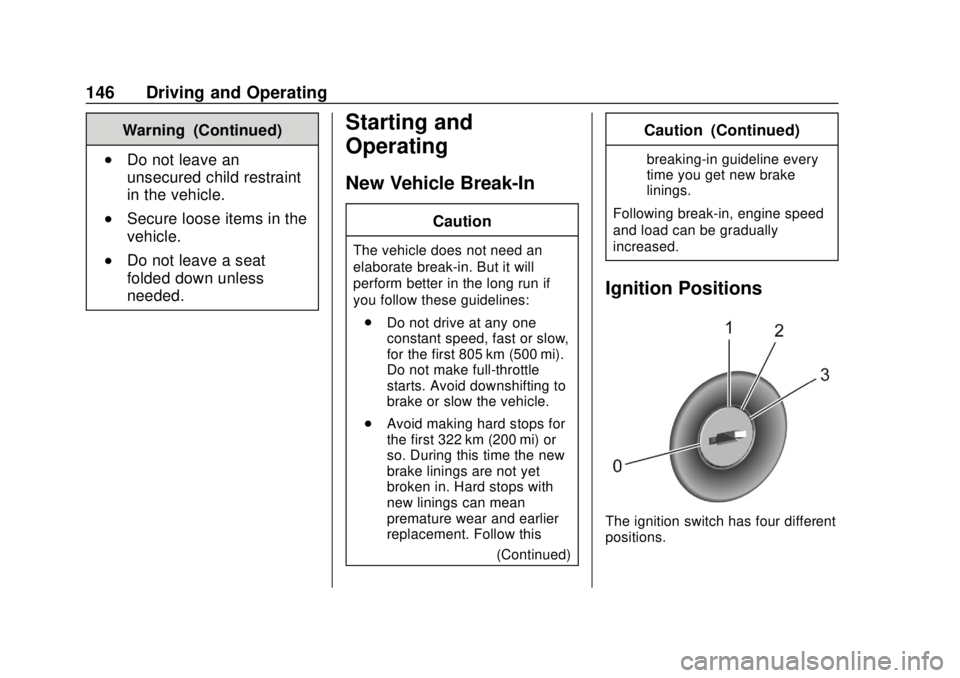
The ignition switch has four different
positions.
Page 180 of 307
Buick Cascada Owner Manual (GMNA-Localizing-U.S.-12461774) - 2019 -
CRC - 3/26/18
Vehicle Care 179
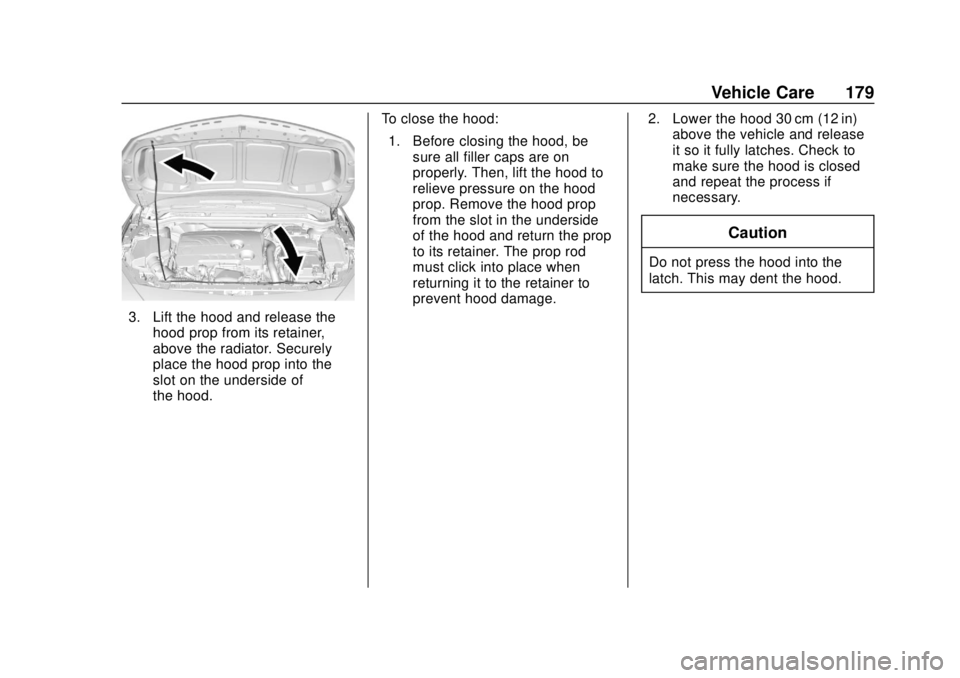
3. Lift the hood and release thehood prop from its retainer,
above the radiator. Securely
place the hood prop into the
slot on the underside of
the hood. To close the hood:
1. Before closing the hood, be sure all filler caps are on
properly. Then, lift the hood to
relieve pressure on the hood
prop. Remove the hood prop
from the slot in the underside
of the hood and return the prop
to its retainer. The prop rod
must click into place when
returning it to the retainer to
prevent hood damage. 2. Lower the hood 30 cm (12 in)
above the vehicle and release
it so it fully latches. Check to
make sure the hood is closed
and repeat the process if
necessary.
Caution
Do not press the hood into the
latch. This may dent the hood.