lock BUICK CASCADA 2019 Service Manual
[x] Cancel search | Manufacturer: BUICK, Model Year: 2019, Model line: CASCADA, Model: BUICK CASCADA 2019Pages: 307, PDF Size: 5.12 MB
Page 96 of 307
Buick Cascada Owner Manual (GMNA-Localizing-U.S.-12461774) - 2019 -
CRC - 3/26/18
Instruments and Controls 95
Instruments and
Controls
Controls
Steering Wheel Adjustment . . . . 96
Steering Wheel Controls . . . . . . . 96
Heated Steering Wheel . . . . . . . . 96
Horn . . . . . . . . . . . . . . . . . . . . . . . . . . . 96
Windshield Wiper/Washer . . . . . . 96
Compass . . . . . . . . . . . . . . . . . . . . . . 98
Clock . . . . . . . . . . . . . . . . . . . . . . . . . . 98
Power Outlets . . . . . . . . . . . . . . . . . 98
Warning Lights, Gauges, and
Indicators
Warning Lights, Gauges, andIndicators . . . . . . . . . . . . . . . . . . . . 99
Instrument Cluster . . . . . . . . . . . . 100
Speedometer . . . . . . . . . . . . . . . . . 101
Odometer . . . . . . . . . . . . . . . . . . . . . 101
Trip Odometer . . . . . . . . . . . . . . . . 101
Tachometer . . . . . . . . . . . . . . . . . . . 101
Fuel Gauge . . . . . . . . . . . . . . . . . . . 101
Engine Coolant Temperature Gauge . . . . . . . . . . . . . . . . . . . . . . 102
Seat Belt Reminders . . . . . . . . . 102
Airbag Readiness Light . . . . . . . 103 Passenger Airbag Status
Indicator . . . . . . . . . . . . . . . . . . . . 103
Charging System Light . . . . . . . 104
Malfunction Indicator Lamp (Check Engine Light) . . . . . . . . 104
Brake System Warning Light . . . . . . . . . . . . . . . . . . . . . . . . 106
Electric Parking Brake Light . . . . . . . . . . . . . . . . . . . . . . . . 106
Service Electric Parking Brake Light . . . . . . . . . . . . . . . . . . . . . . . . 107
Antilock Brake System (ABS) Warning Light . . . . . . . . . . . . . . . 107
Operate Pedal Light . . . . . . . . . . 107
Power Steering Warning Light . . . . . . . . . . . . . . . . . . . . . . . . 108
Lane Departure Warning (LDW) Light . . . . . . . . . . . . . . . . . 108
Vehicle Ahead Indicator . . . . . . 108
StabiliTrak OFF Light . . . . . . . . . 108
Traction Control System (TCS)/ StabiliTrak Light . . . . . . . . . . . . . 109
Tire Pressure Light . . . . . . . . . . . 109
Engine Oil Pressure Light . . . . . 110
Low Fuel Warning Light . . . . . . . 110
Security Light . . . . . . . . . . . . . . . . . 110
High-Beam On Light . . . . . . . . . . 111
Adaptive Forward Lighting (AFL) Light . . . . . . . . . . . . . . . . . . 111
Front Fog Lamp Light . . . . . . . . . 111 Lamps On Reminder . . . . . . . . . . 111
Cruise Control Light . . . . . . . . . . . 111
Door Ajar Light . . . . . . . . . . . . . . . 112
Information Displays
Driver Information
Center (DIC) . . . . . . . . . . . . . . . . 112
Vehicle Messages
Vehicle Messages . . . . . . . . . . . . 115
Engine Power Messages . . . . . 115
Vehicle Speed Messages . . . . . 116
Vehicle Personalization
Vehicle Personalization . . . . . . . 116
Page 97 of 307
Buick Cascada Owner Manual (GMNA-Localizing-U.S.-12461774) - 2019 -
CRC - 3/26/18
96 Instruments and Controls
Controls
Steering Wheel
Adjustment
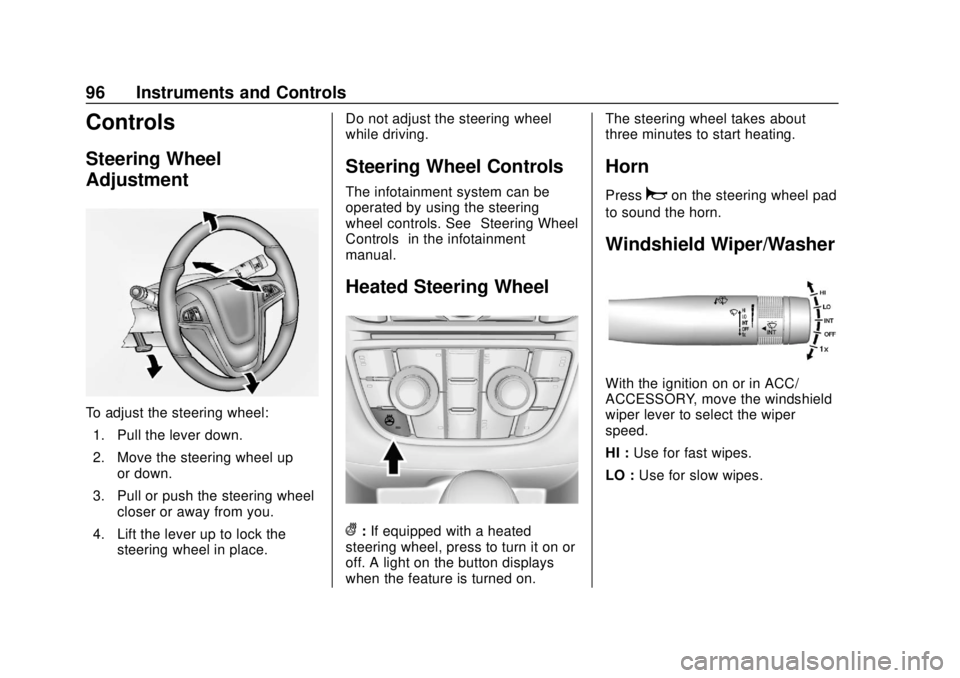
To adjust the steering wheel:1. Pull the lever down.
2. Move the steering wheel up or down.
3. Pull or push the steering wheel closer or away from you.
4. Lift the lever up to lock the steering wheel in place. Do not adjust the steering wheel
while driving.
Steering Wheel Controls
The infotainment system can be
operated by using the steering
wheel controls. See
“Steering Wheel
Controls” in the infotainment
manual.
Heated Steering Wheel
(: If equipped with a heated
steering wheel, press to turn it on or
off. A light on the button displays
when the feature is turned on. The steering wheel takes about
three minutes to start heating.
Horn
Pressaon the steering wheel pad
to sound the horn.
Windshield Wiper/Washer
With the ignition on or in ACC/
ACCESSORY, move the windshield
wiper lever to select the wiper
speed.
HI : Use for fast wipes.
LO : Use for slow wipes.
Page 99 of 307
Buick Cascada Owner Manual (GMNA-Localizing-U.S.-12461774) - 2019 -
CRC - 3/26/18
98 Instruments and Controls
With Rainsense, if the transmission
is in N (Neutral) and the vehicle
speed is very slow, the wipers will
automatically stop at the base of the
windshield.
The wiper operations return to
normal when the transmission is no
longer in N (Neutral) or the vehicle
speed has increased.
nL: Pull the windshield wiper
lever toward you to spray windshield
washer fluid and activate the wipers.
The wipers will continue until the
lever is released or the maximum
wash time is reached. When the
windshield wiper lever is released,
additional wipes may occur
depending on how long the
windshield washer had been
activated. See Washer Fluid0190
for information on filling the
windshield washer fluid reservoir.
{Warning
In freezing weather, do not use
the washer until the windshield is
warmed. Otherwise the washer
fluid can form ice on the
windshield, blocking your vision.
Compass
The vehicle may have a compass
display on the Driver Information
Center (DIC). The compass receives
its heading and other information
from the Global Positioning
System (GPS) antenna, StabiliTrak/
Electronic Stability Control (ESC),
and vehicle speed information.
The compass system is designed to
operate for a certain number of
miles or degrees of turn before
needing a signal from the GPS
satellites. When the compass
display shows CAL, drive the
vehicle for a short distance in an
open area where it can receive a
GPS signal. The compass system will automatically determine when a
GPS signal is restored and provide
a heading again.
Clock
The infotainment system controls
are used to access the time and
date settings through the menu
system. The clock menu can only
be used with the radio while the
ignition is turned on or in ACC/
ACCESSORY. See
“Time and Date
Settings” under“Configuration
Menu” in the infotainment manual.
Power Outlets
The accessory power outlets can be
used to plug in electrical equipment,
such as a cell phone or MP3 player.
There is one accessory power outlet
on the center stack below the
climate controls and one on the rear
of the center console. These outlets
are powered when the ignition is on
or in ACC/ACCESSORY, or until the
driver door is opened within
10 minutes of turning off the vehicle.
SeeRetained Accessory Power
(RAP) 0149.
Page 108 of 307
Buick Cascada Owner Manual (GMNA-Localizing-U.S.-12461774) - 2019 -
CRC - 3/26/18
Instruments and Controls 107
The parking brake status light
comes on when the brake is
applied. If the light continues
flashing after the parking brake is
released, or while driving, there is a
problem with the Electric Parking
Brake (EPB) system.
If the light does not come on,
or remains flashing, see your dealer.
Service Electric Parking
Brake Light
The parking brake warning light
should come on briefly when
starting the vehicle. If it does not
come on, have it fixed so it will be
ready to warn if there is a problem.
If this light stays on, there is a
problem with the Electric Parking
Brake (EPB) system or another
system on the vehicle that iscausing the parking brake system to
work at a reduced level. The vehicle
can still be driven, but should be
taken to a dealer as soon as
possible. See the information for the
EPB under
Electric Parking Brake
0 156.
Antilock Brake System
(ABS) Warning Light
The Antilock Brake System (ABS)
light comes on briefly when the
engine is started.
If the light does not come on, have
the vehicle serviced by your dealer.
If the ABS light comes on and stays
on while driving, stop as soon as
possible and turn the ignition off.
Start the engine again to reset the
system. If the light stays on after
driving at a speed above 20 km/h (13 mph), see your dealer for
service. A chime may also sound
when the light comes on steady.
If the regular brake system warning
light is not on, the vehicle still has
brakes, but not antilock brakes.
If the regular brake system warning
light is also on, the vehicle does not
have antilock brakes and there is a
problem with the regular brakes.
See
Brake System Warning Light
0 106.
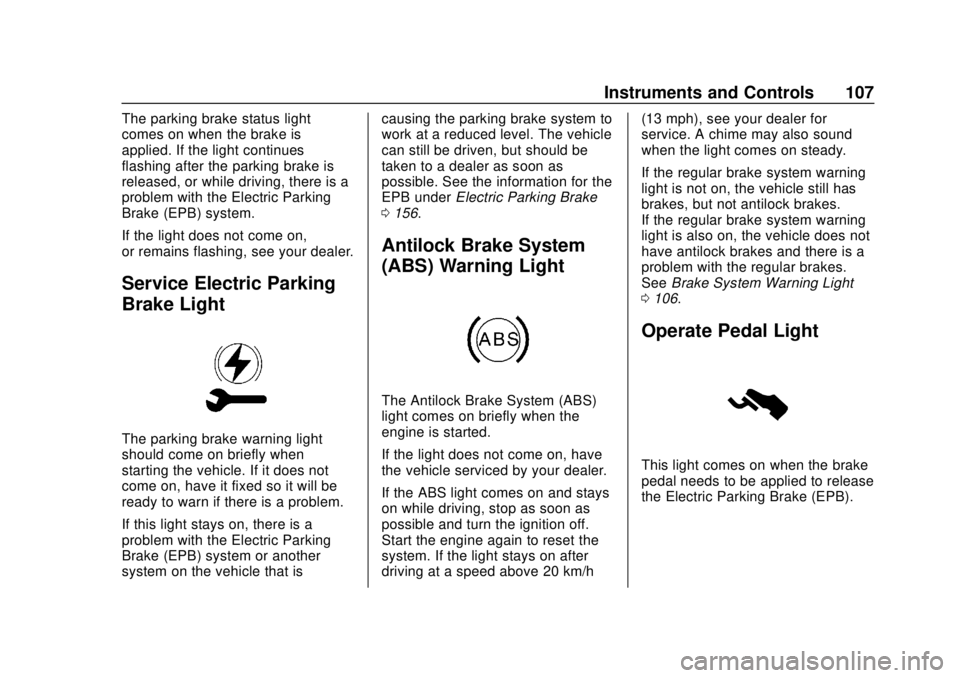
Operate Pedal Light
This light comes on when the brake
pedal needs to be applied to release
the Electric Parking Brake (EPB).
Page 120 of 307
Buick Cascada Owner Manual (GMNA-Localizing-U.S.-12461774) - 2019 -
CRC - 3/26/18
Instruments and Controls 119
Map Settings
See“Map Settings” in the
infotainment manual.
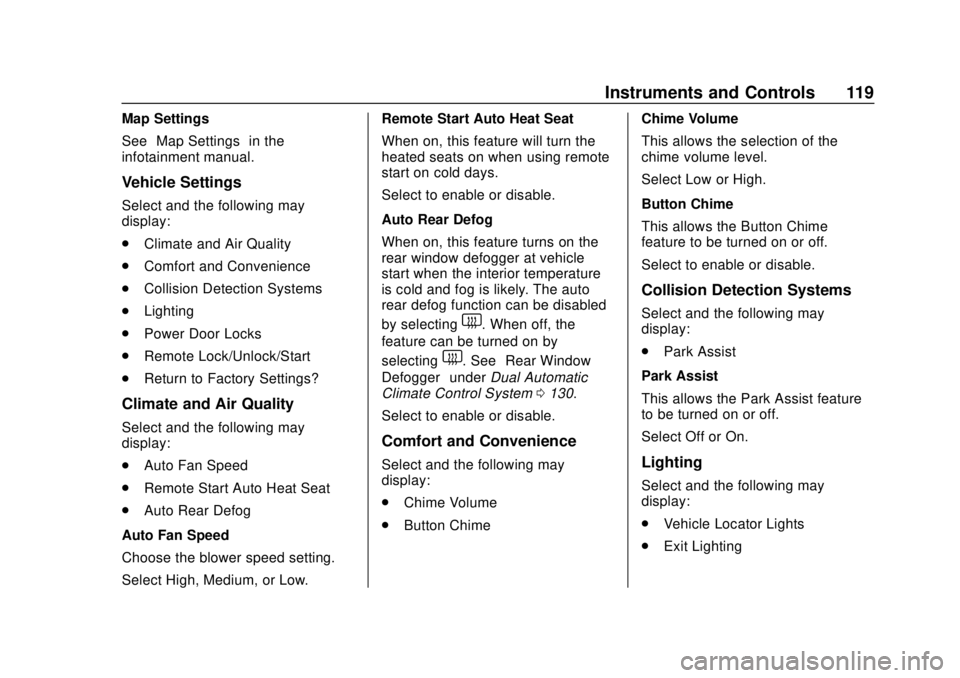
Vehicle Settings
Select and the following may
display:
. Climate and Air Quality
. Comfort and Convenience
. Collision Detection Systems
. Lighting
. Power Door Locks
. Remote Lock/Unlock/Start
. Return to Factory Settings?
Climate and Air Quality
Select and the following may
display:
.Auto Fan Speed
. Remote Start Auto Heat Seat
. Auto Rear Defog
Auto Fan Speed
Choose the blower speed setting.
Select High, Medium, or Low. Remote Start Auto Heat Seat
When on, this feature will turn the
heated seats on when using remote
start on cold days.
Select to enable or disable.
Auto Rear Defog
When on, this feature turns on the
rear window defogger at vehicle
start when the interior temperature
is cold and fog is likely. The auto
rear defog function can be disabled
by selecting
1. When off, the
feature can be turned on by
selecting
1. See “Rear Window
Defogger” underDual Automatic
Climate Control System 0130.
Select to enable or disable.
Comfort and Convenience
Select and the following may
display:
. Chime Volume
. Button Chime Chime Volume
This allows the selection of the
chime volume level.
Select Low or High.
Button Chime
This allows the Button Chime
feature to be turned on or off.
Select to enable or disable.
Collision Detection Systems
Select and the following may
display:
.
Park Assist
Park Assist
This allows the Park Assist feature
to be turned on or off.
Select Off or On.
Lighting
Select and the following may
display:
. Vehicle Locator Lights
. Exit Lighting
Page 121 of 307
Buick Cascada Owner Manual (GMNA-Localizing-U.S.-12461774) - 2019 -
CRC - 3/26/18
120 Instruments and Controls
Vehicle Locator Lights
This allows the vehicle locator lights
to be turned on or off.
Select to enable or disable.
Exit Lighting
This allows the selection of how
long the exterior lamps stay on
when leaving the vehicle when it is
dark outside.
Select Off, 30 Seconds, 1 Minute,
or 2 Minutes.
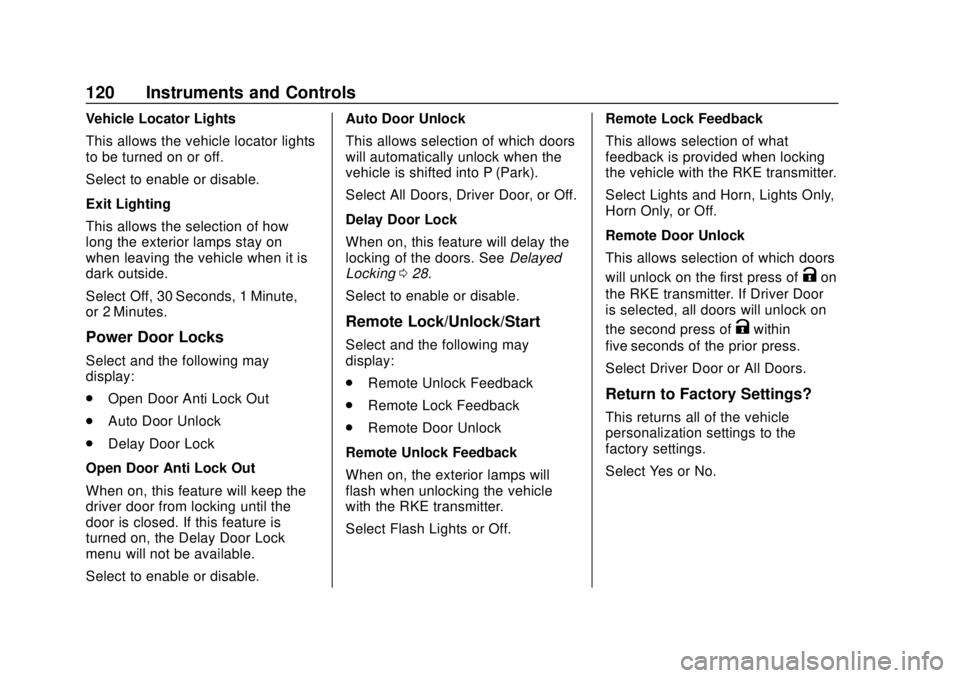
Power Door Locks
Select and the following may
display:
.Open Door Anti Lock Out
. Auto Door Unlock
. Delay Door Lock
Open Door Anti Lock Out
When on, this feature will keep the
driver door from locking until the
door is closed. If this feature is
turned on, the Delay Door Lock
menu will not be available.
Select to enable or disable. Auto Door Unlock
This allows selection of which doors
will automatically unlock when the
vehicle is shifted into P (Park).
Select All Doors, Driver Door, or Off.
Delay Door Lock
When on, this feature will delay the
locking of the doors. See
Delayed
Locking 028.
Select to enable or disable.
Remote Lock/Unlock/Start
Select and the following may
display:
. Remote Unlock Feedback
. Remote Lock Feedback
. Remote Door Unlock
Remote Unlock Feedback
When on, the exterior lamps will
flash when unlocking the vehicle
with the RKE transmitter.
Select Flash Lights or Off. Remote Lock Feedback
This allows selection of what
feedback is provided when locking
the vehicle with the RKE transmitter.
Select Lights and Horn, Lights Only,
Horn Only, or Off.
Remote Door Unlock
This allows selection of which doors
will unlock on the first press of
Kon
the RKE transmitter. If Driver Door
is selected, all doors will unlock on
the second press of
Kwithin
five seconds of the prior press.
Select Driver Door or All Doors.
Return to Factory Settings?
This returns all of the vehicle
personalization settings to the
factory settings.
Select Yes or No.
Page 134 of 307

Buick Cascada Owner Manual (GMNA-Localizing-U.S.-12461774) - 2019 -
CRC - 3/26/18
Climate Controls 133
Air Vents
Adjustable Air Vents
1. Slider Knob
2. Thumbwheel
Use the slider knobs (1) on the air
vents to change the direction of the
airflow.
Use the thumbwheels (2) near the
air vents to control the amount of
airflow or to shut off the airflow.
Fixed Air Vents
Additional air vents are under the
windshield, near the side windows,
and in the foot wells.
Operation Tips
.Clear away any ice, snow,
or leaves from the air inlets at
the base of the windshield that
can block the flow of air into the
vehicle. .
Clear snow off the hood to
improve visibility and help
decrease moisture drawn into
the vehicle.
. Keep all outlets open whenever
possible for best system
performance.
. Keep the path under all seats
clear of objects to help circulate
the air inside the vehicle more
effectively.
. Use of non-GM approved hood
deflectors can adversely affect
the performance of the system.
Page 136 of 307
Buick Cascada Owner Manual (GMNA-Localizing-U.S.-12461774) - 2019 -
CRC - 3/26/18
Driving and Operating 135
Driving and
Operating
Driving Information
Distracted Driving . . . . . . . . . . . . 136
Defensive Driving . . . . . . . . . . . . . 136
Drunk Driving . . . . . . . . . . . . . . . . . 137
Control of a Vehicle . . . . . . . . . . . 137
Braking . . . . . . . . . . . . . . . . . . . . . . . 137
Steering . . . . . . . . . . . . . . . . . . . . . . 137
Off-Road Recovery . . . . . . . . . . . 138
Loss of Control . . . . . . . . . . . . . . . 138
Driving on Wet Roads . . . . . . . . 139
Hill and Mountain Roads . . . . . 140
Winter Driving . . . . . . . . . . . . . . . . 140
If the Vehicle Is Stuck . . . . . . . . 142
Vehicle Load Limits . . . . . . . . . . . 142
Starting and Operating
New Vehicle Break-In . . . . . . . . . 146
Ignition Positions . . . . . . . . . . . . . 146
Starting the Engine . . . . . . . . . . . 148
Retained AccessoryPower (RAP) . . . . . . . . . . . . . . . . 149
Shifting Into Park . . . . . . . . . . . . . 150
Shifting out of Park . . . . . . . . . . . 150
Parking over Things That Burn . . . . . . . . . . . . . . . . . . . 151
Engine Exhaust
Engine Exhaust . . . . . . . . . . . . . . 151
Running the Vehicle WhileParked . . . . . . . . . . . . . . . . . . . . . . 152
Automatic Transmission
Automatic Transmission . . . . . . 152
Manual Mode . . . . . . . . . . . . . . . . . 154
Brakes
Antilock BrakeSystem (ABS) . . . . . . . . . . . . . . . 155
Electric Parking Brake . . . . . . . . 156
Brake Assist . . . . . . . . . . . . . . . . . . 157
Hill Start Assist (HSA) . . . . . . . . 158
Ride Control Systems
Traction Control/Electronic Stability Control . . . . . . . . . . . . . 158
Cruise Control
Cruise Control . . . . . . . . . . . . . . . . 160
Driver Assistance Systems
Driver Assistance Systems . . . 163
Assistance Systems forParking or Backing . . . . . . . . . . 164
Forward Collision Alert (FCA) System . . . . . . . . . . . . . . . . . . . . . . 167
Lane Departure Warning (LDW) . . . . . . . . . . . . . 168
Fuel
Top Tier Fuel . . . . . . . . . . . . . . . . . 170
Recommended Fuel . . . . . . . . . . 170
Prohibited Fuels . . . . . . . . . . . . . . 170
Fuels in Foreign Countries . . . 171
Fuel Additives . . . . . . . . . . . . . . . . 171
Filling the Tank . . . . . . . . . . . . . . . 171
Filling a Portable FuelContainer . . . . . . . . . . . . . . . . . . . 173
Trailer Towing
General TowingInformation . . . . . . . . . . . . . . . . . . 173
Conversions and Add-Ons
Add-On ElectricalEquipment . . . . . . . . . . . . . . . . . . 174
Page 139 of 307
Buick Cascada Owner Manual (GMNA-Localizing-U.S.-12461774) - 2019 -
CRC - 3/26/18
138 Driving and Operating
See your dealer if there is a
problem.
Curve Tips
.Take curves at a reasonable
speed.
. Reduce speed before entering a
curve.
. Maintain a reasonable steady
speed through the curve.
. Wait until the vehicle is out of
the curve before accelerating
gently into the straightaway.
Steering in Emergencies
.There are some situations when
steering around a problem may
be more effective than braking.
. Holding both sides of the
steering wheel allows you to turn
180 degrees without removing
a hand.
. The Antilock Brake System
(ABS) allows steering while
braking.
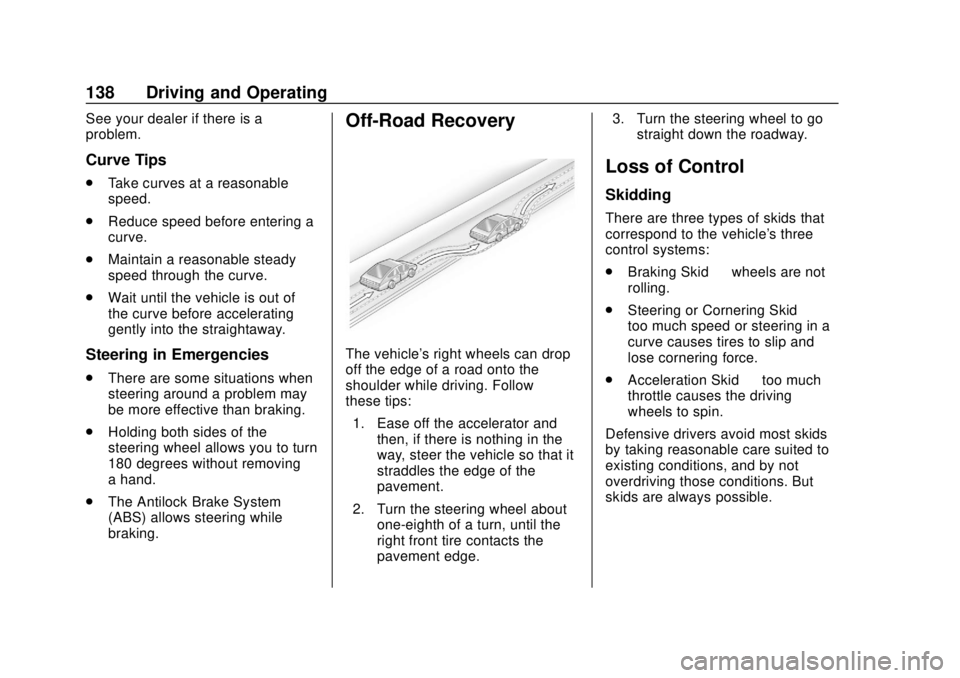
Off-Road Recovery
The vehicle's right wheels can drop
off the edge of a road onto the
shoulder while driving. Follow
these tips:
1. Ease off the accelerator and then, if there is nothing in the
way, steer the vehicle so that it
straddles the edge of the
pavement.
2. Turn the steering wheel about one-eighth of a turn, until the
right front tire contacts the
pavement edge. 3. Turn the steering wheel to go
straight down the roadway.
Loss of Control
Skidding
There are three types of skids that
correspond to the vehicle's three
control systems:
.Braking Skid —wheels are not
rolling.
. Steering or Cornering Skid —
too much speed or steering in a
curve causes tires to slip and
lose cornering force.
. Acceleration Skid —too much
throttle causes the driving
wheels to spin.
Defensive drivers avoid most skids
by taking reasonable care suited to
existing conditions, and by not
overdriving those conditions. But
skids are always possible.
Page 140 of 307
Buick Cascada Owner Manual (GMNA-Localizing-U.S.-12461774) - 2019 -
CRC - 3/26/18
Driving and Operating 139
If the vehicle starts to slide, follow
these suggestions:
.Ease your foot off the
accelerator pedal and steer the
way you want the vehicle to go.
The vehicle may straighten out.
Be ready for a second skid if it
occurs.
. Slow down and adjust your
driving according to weather
conditions. Stopping distance
can be longer and vehicle
control can be affected when
traction is reduced by water,
snow, ice, gravel, or other
material on the road. Learn to
recognize warning clues —such
as enough water, ice, or packed
snow on the road to make a
mirrored surface —and slow
down when you have any doubt.
. Try to avoid sudden steering,
acceleration, or braking,
including reducing vehicle speed
by shifting to a lower gear. Any
sudden changes could cause
the tires to slide. Remember: Antilock brakes help
avoid only the braking skid.
Driving on Wet Roads
Rain and wet roads can reduce
vehicle traction and affect your
ability to stop and accelerate.
Always drive slower in these types
of driving conditions and avoid
driving through large puddles and
deep-standing or flowing water.
{Warning
Wet brakes can cause crashes.
They might not work as well in a
quick stop and could cause
pulling to one side. You could
lose control of the vehicle.
After driving through a large
puddle of water or a car/vehicle
wash, lightly apply the brake
pedal until the brakes work
normally.
(Continued)
Warning (Continued)
Flowing or rushing water creates
strong forces. Driving through
flowing water could cause the
vehicle to be carried away. If this
happens, you and other vehicle
occupants could drown. Do not
ignore police warnings and be
very cautious about trying to drive
through flowing water.
Hydroplaning
Hydroplaning is dangerous. Water
can build up under the vehicle's
tires so they actually ride on the
water. This can happen if the road is
wet enough and you are going fast
enough. When the vehicle is
hydroplaning, it has little or no
contact with the road.
There is no hard and fast rule about
hydroplaning. The best advice is to
slow down when the road is wet.