warning BUICK CENTURY 1993 Owners Manual
[x] Cancel search | Manufacturer: BUICK, Model Year: 1993, Model line: CENTURY, Model: BUICK CENTURY 1993Pages: 324, PDF Size: 17.58 MB
Page 11 of 324
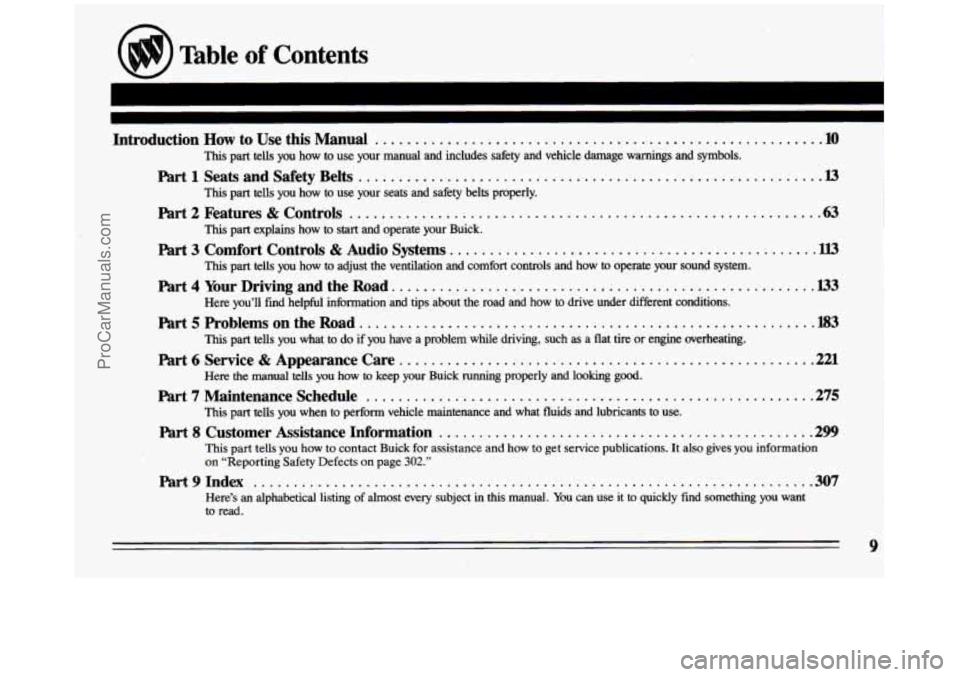
Table of Contents
Introduction How to Use this Manual ....................................................... .10
This part tells you how to use your manual and includes safety and vehicle damage warnings\
and symbols.
Part 1 Seats and Safety Belts .......................................................... I3
This part tells you how to use your seats and safety belts properly.
Part 2 Features & Controls .......................................................... .63
Part 3 Comfort Controls & Audio Systems. ............................................. W!
Part 4 Your Driving and the Road. .......................... : ........................ .I33
Part 5 Problems on the Road. ....................................................... .l83
Part 6 Service & Appearance Care .................................................... .221
Part7MaintenanceSchedule ...........................................................
Part 8 Customer .Assistance Information .............................................. .299
This part explains how to start and operate your Buick.
This part tells you how to adjust the ventilation and comfort controls and how
to operate your sound system.
Here you’ll find helpful information and tips about the road and \
how to drive under different conditions.
This part tells you what to
do if you have a problem while driving, such as a flat tire or engine overheating.
Here the manual tells you how to keep your Buick running properly and looking good.
This part tells you when
to perform vehicle maintenance and what fluids and lubricants to use.
This part tells
you how to contact Buick for assistance and how to get service publications. It also gives you information
on “Reporting Safety Defects on page 302.”
hrt9Index ......................................................~...............30\
7
Here’s an alphabetical listing of almost every subject in this manual. You can use it to quickly find something you want
to read.
ProCarManuals.com
Page 12 of 324
How to Use this Manual
Many people read their owner’s manual from beginning
to end when they first receive their new vehicle. This will
help you learn about the htures and controls for your
vehicle.
In this manual, you’ll find that pictures and
words work together
to explain things quickly.
Index: A good place to look fbr what you need is the
Index
in back of the manual. It’s an alphabetical list of all
that’s
in the manual, and the page number where you’ll
find it;
14: Each part of this manual begins with a brief list
of its contents, so you can often find at a glance if a part
contains the information you want.
part 7: This part of the manual covers the maintenance
required for your vehicle.
Part 8 Customer Assistance: This part includes
important information about “Reporting Safety Defects.”
You
will also find customer satisfaction phone numbers
(including customer satisfaction numbers for the hearing
and speech impaired). ‘We’ve also included ordering
information for service publications in
this part.
Safety Warnings and Symbols
You will find a number of safety cautions in this book.
We use yellow and the word CAUTION to tell you about
things that could hurt you
if you were to ignore the
warning.
I A CAUTION:
I
In the yellow caution area, we tell you what the hazard
is. Then we tell you what to do to help avoid or reduce
the hazard. Please read these cautions.
If you don’t, you
or others could be
hurt.
10
I
ProCarManuals.com
Page 13 of 324

You will also find a red circle with a slash through it in
this book. This safety symbol means “Don’t,” “Don’t do \
this,” or “Don’t let this happen.”
8
Vehicle Damage Warnings
Also, in this book you will find these blue notices:
In the blue notice area, we tell you about, something that
can damage your vehicle. Many times,
this damage
would not be covered
by your warranty, and it could be
costly. But the notice
will tell you what to do to help
avoid the damage.
When you read other manuals, you might
see CAUTION
and
NOTICE warnings in different colors or in different
words. In this manual, we’ve
used the familiar words and
colors that Buick has used for years.
You’ll
also see warning labels on your vehicle. They use
the same colors, and the words CAUTION or NOTICE.
ProCarManuals.com
Page 14 of 324
I
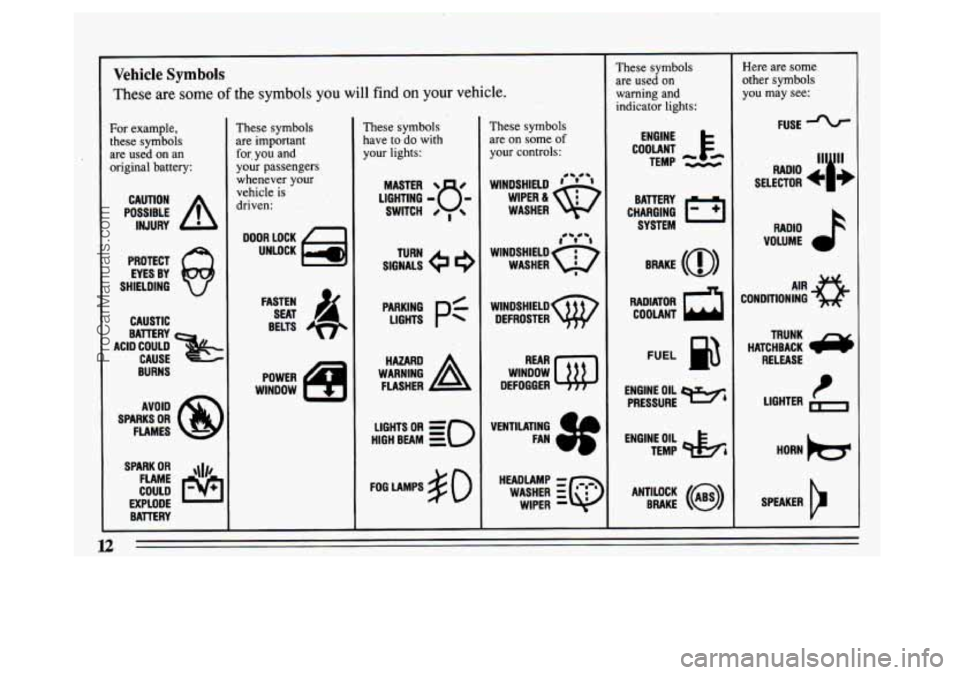
Vehicle Symbols
These are some of the symbols you will find on your vehicle.
For example,
these symbols
are used on an
original battery:
POSSIBLE A
CAUTION
INJURY
PROTECT EYES BY
SHIELDING
CAUSTIC
ACID COULD CAUSE
BATTERY
BURNS AVOID
SPARKS
OR
FLAMES
SPARK
OR ,111,
COULD FLAME
EXPLODE BATTERY
These symbols
are important
for. you and
your passengers
whenever your
vehicle
is
driven:
DOOR LOCK
UNLOCK
FASTEN SEAT
4
BELTS
POWER
WINDOW
These symbols
have
to do with
your lights:
SIGNALS e3
TURN
WARNING
A
HAZARD
FLASHER
HIGH BEAM
OR =, =o
FOG LAMPS # 0
These symbols
are on some
of
your controls:
WINDSHIELD ' ' ' 0- 0-
WIPER &
WASHER
t0 @e4 i
WINDSHIELD=
WASHER I
wlNDsHIELDw DEFROSTER
WINDOW
@
REAR
DEFOGGER
VENTILATING FAN
HEADLAMP
-
WIPER -
WASHER zQ
Thes, ,ymbols
are used on
warning and indicator lights:
COOLANT F-
ENGINE
TEMP
--
CHARGING I-1
BATTERY SYSTEM
FUEL
ENGINE OIL wb
PRESSURE
TEMP
OIL &
ANTILOCK BRAKE (i)
Here are some
other symbols
you may see:
FUSE
RADIO
k
VOLUME a
CONDITIONING AIR a
HATCHBACK e
TRUNK
RELEASE
SPEAKER
b
ProCarManuals.com
Page 31 of 324
@ If I’m a good driver, and I never drive far from
home, why
should I wear safety belts?
A: You may be an excellent driver, but if you’re in an
accident-even one that isn’t your fault-you and
your passengers can be hurt. Being
a good driver
doesn’t protect you from things beyond your control,
such as bad drivers.
Most accidents occur within
25 miles (40 km) of
home. And
the greatest number of serious injuries
and deaths occur at
speeds of less than 40 mph
(65 krn/h).
Safety belts are for everyone.
Safety Belt Warning Light
When the key is turned to
“Run” or
“Start:’ a chime
will come on for about
eight seconds to remind
people. to fasten their safety
belts, unless the driver’s safety belt is buckled. The
safety belt light will also
come on and stay on for about
60 seconds or until
the driver’s
belt is buckled. A
i
h
A CAUTION:
I If your safety belt light ever comes on or stays
on after the front doors are closed and the
driver’s belt
is buckled, have your vehicle fixed.
If you don’t, you might not have the protection
you’d need in
a crash.
How to Wear Safety Belts Properly
Adults
This section is only for people of adult size.
A CAUTION:
There are special things to know about safety
belts and children.
And there are different
rules for babies and smaller children. If a child
will be riding
in your Buick, see the section
after this one, called “Childrenl’
Follow those I
rules for everyone’s protection.
First, you’ll want to know which restraint systems your
vehicle has.
We’ll start with the driver position.
29
ProCarManuals.com
Page 65 of 324

n
part 2 Features and Controls
Here you can learn about the many standard and optional features on your Buick. and informat\
ion on starting.
shifting and braking . Also explained are the instrument panel and the warning systems that tell you if everything
is working properly-and what to do if you have a problem .
Part 2 includes:
Keys ........................................................................\
........
Locks ........................................................................\
...... 65
Remote Keyless Entry System ........................................................... 66
New Vehicle Break-In ................................................................. 72
Ignition ........................................................................\
..... 73
Starting Your Engine .................................................................. 74
Shifting the Transaxle ........................................... : ..................... 77
parking Brake ........................................................................\
80
ShiftingIntoPark ..................................................................... 81
Windows ........................................................................\
... 84
Horn ........................................................................\
....... 86
TiltSteeringWheel ................................................................... 86
Turn Signal/Headlight Beam Lever ....................................................... 86
Windshield Wipers, Washer ........................................................... 88
CruiseControl ..................................................................... 91
InteriorLights ....................................................................... \
95
Headlights ........................................................................\
.. 95
Mirrors ........................................................................\
..... 98
Instrument Panel ..................................................................... 105
Warning Lights, Gages and Indicators .................................................. 106
63
ProCarManuals.com
Page 75 of 324
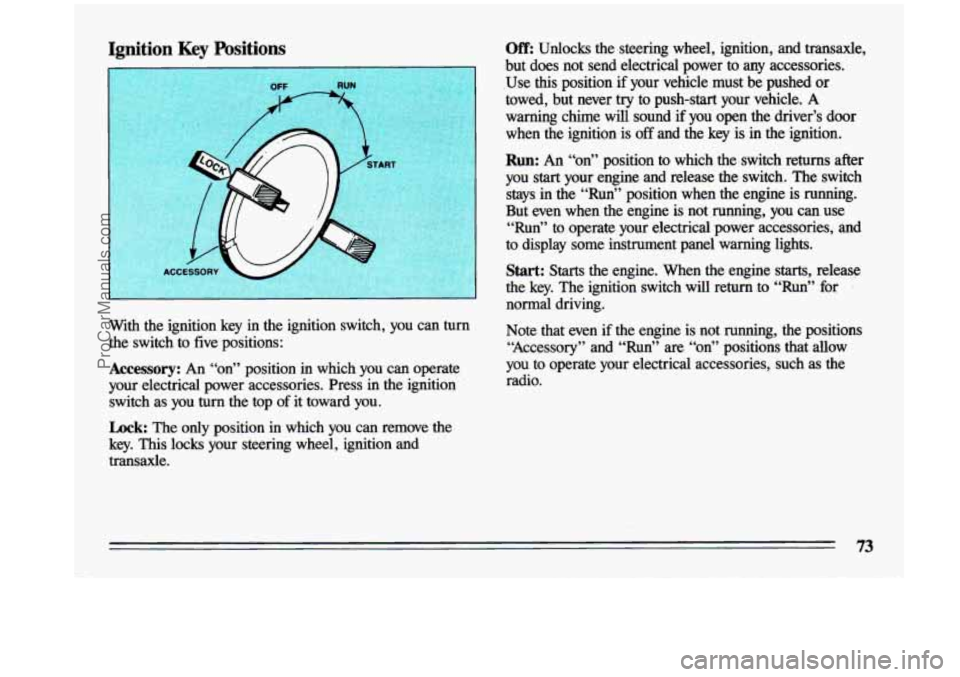
Ignition Key Positions Off: Unlocks the steering wheel, ignition, and transaxle,
but does not send electrical power to any accessories.
.Use
this position if your vehicle must be pushed or
towed, but never try to push-start your vehicle.
A
warning chime will sound if you open the driver’s door
when the ignition
is off and the key is in the ignition.
I
Run: An “on” position to which the. switch returns after
you
start your engine and release the switch. The switch
stays in the “Run” position when the engine is running.
But even when the engine is not running, you can use
“Run” to operate your electrical power accessories, and
to display some instrument panel warning lights.
Start: Starts the engine. When the engine starts, release
the key. The ignition switch will return to “Run” for
normal driving.
with the ignition key
h the ignition switch, YOU can turn Note that even if the engine is not running, the positions
the switch to five positions: “Accessory” and “Run” \
are “on” positions that allow
.Accessory: An “on” position in which you can operate you to operate your electrical accessories, such as the
your electrical power accessories. Press
in the ignition ‘ radio.
switch as you
turn the top of it toward you.
Lock: The only position in which you can remove the
key. This locks your steering wheel, ignition
and
transaxle.
ProCarManuals.com
Page 82 of 324
Parking Brake
The parking brake uses the brakes on the rear wheels.
I
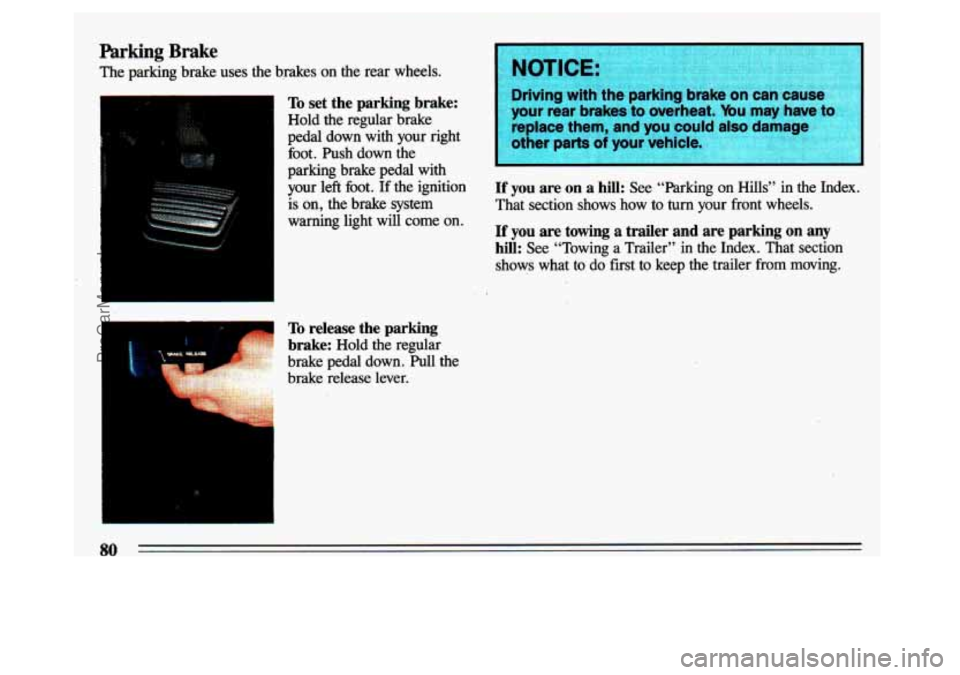
To set the parking brake:
Hold the regular brake
pedal down with your right
foot. Push down the
parking brake pedal with
your left foot.
If the ignition
is on, the brake system
I warning light will come on.
L
I
To release the parking
brake:
Hold the regular
brake pedal down. Pull the
brake release lever.
NOTICE:
Driving with thiparl ‘g brake or )use
your rear brakesto oveFheat. ybu may have
-
replace them, and you could alse damage
other parts
of your vehicle.
If you are on a hill: See “Parking on Hills” in the Index.
That section shows
how to turn your front wheels.
If you are towing a trailer and are parking on any
hill: See “Towing a Trailer” in the Index. That section
shows what to do first to keep the trailer from
moving.
80
ProCarManuals.com
Page 98 of 324
Headlight “On” Warning
If you open the door while leaving the lights on, you will
hear a warning chime.
Daytime Running Lights (Canada Only)
The Canadian Federal Government has decided that “Daytime Running Lights” (DRL)
are a useful feature, in
that DIU can make your vehicle more visible to
pedestrians and other drivers during daylight hours. DRL
are required on new vehicles sold in Canada.
Your DRL work with a light sensor on top
of the
instrument panel. Don’t cover it up. The low beam
headlights will come on at reduced brightness
in daylight
when:
The ignition is on
The headlight switch is off, and
The parking brake is released.
At dusk, the exterior. lights will come bn &.nomatically
and the low
beams will change to full brightness. At
dawn, the exterior lights will go out and the low beams
will change to
the reduced brightness of DRL (if the
headlight switch is off).
Of course, you may still turn on the headlights any time
you need to.
To idle your vehicle with DRL off, set the parking brake
while the ignition is in the
“Off’ or “Lock” position.
Then start the vehicle. The
DRL will stay off until you
release the parking brake.
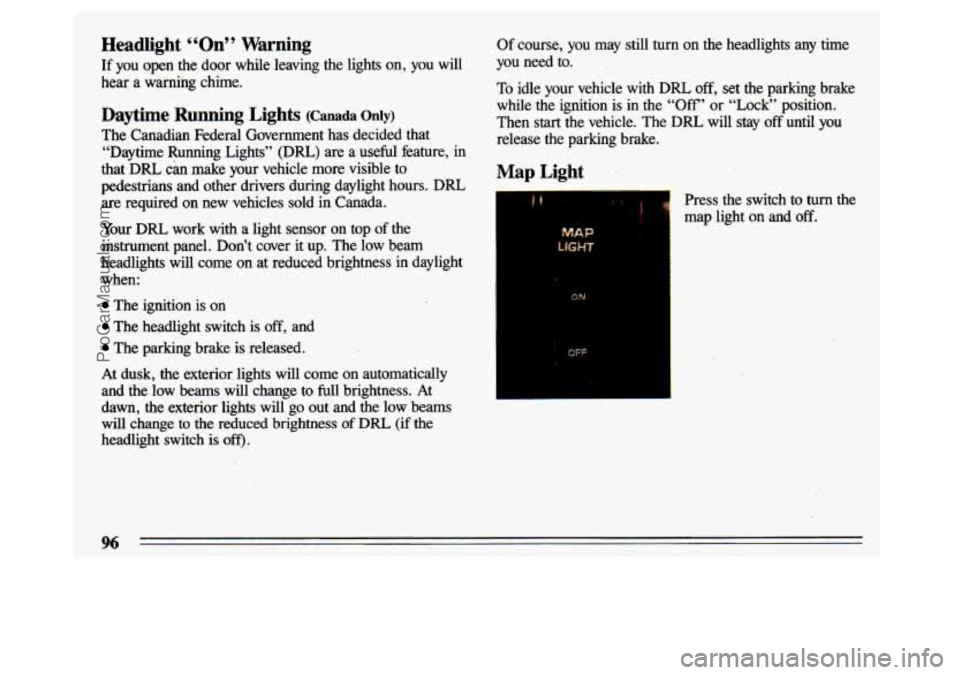
Map Light
& Press the switch to turn the
map light on and
off.
MAP
ON
OFF
96
ProCarManuals.com
Page 108 of 324
Speedometer and Odometer
Your speedometer lets you see your speed in both miles per
hour (mph) and kilometers per hour (ludh). Your odometer
shows how
fkr your vehicle has been driven, in either
miles (used
in the U.S.) or kilometers (used in Canada).
Your Buick has a “tamper-resistant odometer? If you can
see silver lines between the numbers, probably someone
has
tried to turn it back. The numbers may not be true.
You
may wonder what happens if a vehicle has to have a
new odometer installed. If possible, the new one has to
be set to the same reading the old one had. If it can’t \
be,
then it’s set at zero, but a label on the driver’s door\
must show the old reading and when the new one was installed.
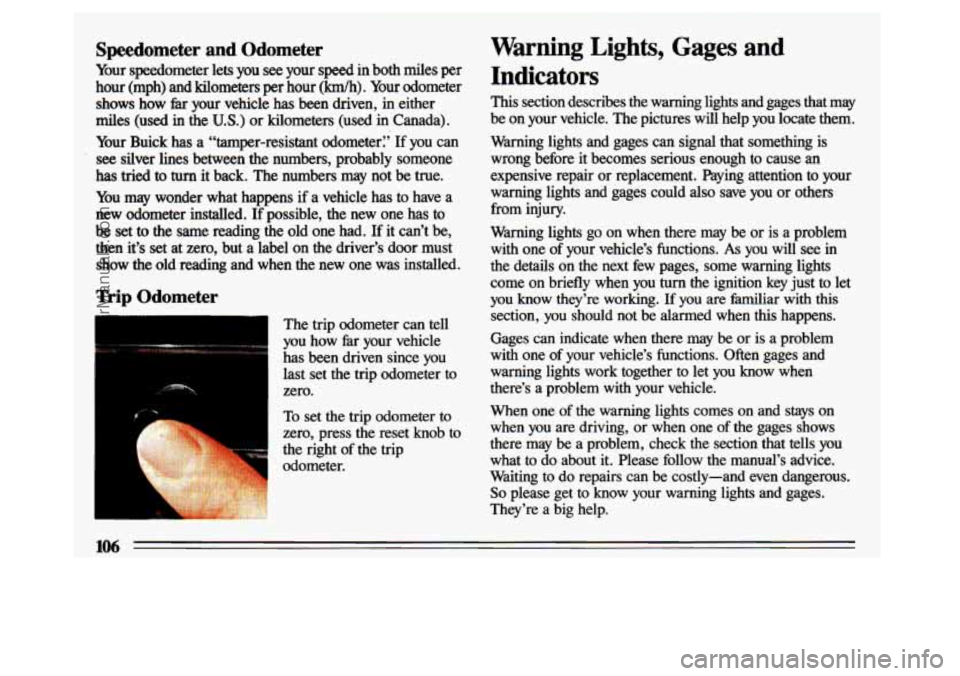
Trip Odometer
The trip odometer can tell
you how
far your vehicle
has been driven since you last set the trip odometer to
zero.
To set the trip odometer to
zero, press the reset knob to
the right of the trip
odometer.
Warning Lights, Gages and
Indicators
This section describes the warning lights and gages that may
be on your vehicle. The pictures will help you locate them.
Warning lights and gages can signal that something is
wrong before it becomes serious enough to cause an
expensive repair or replacement. Paying attention to your
warning lights and gages could
also save you or others
from injury.
Warning lights go on when there may be or is a problem
with one
of your vehicle’s functions. As you will see in
the details on the next few pages, some warning lights
come on briefly when you
turn the ignition key just to let
you know they’re working. If you are familiar with this
section, you should not be alarmed when this happens.
Gages can indicate when there may be or is a problem
with one of your vehicle’s functions. Often gages and
warning lights work together to let you know when
there’s a problem with your vehicle.
When one of the warning lights comes on and stays on
when you are driving, or when one of the gages shows
there may be a problem, check the section that tells you
what to do about it. Please follow the manual’s advice.
Waiting to do repairs can be costly-and even dangerous.
So please get to know your warning lights and gages.
They’re a big help.
ProCarManuals.com