instrument panel BUICK CENTURY 1994 User Guide
[x] Cancel search | Manufacturer: BUICK, Model Year: 1994, Model line: CENTURY, Model: BUICK CENTURY 1994Pages: 308, PDF Size: 16.3 MB
Page 104 of 308
Interior Lights Delay
When you pull on the driver’s outside door handle, the
dome and courtesy lights will go on and stay on for
about
40 seconds, or until you turn the ignition on.
If you pull on the driver’s inside door handle within 30
seconds of switching off the ignition, the interior lights
will go
on and stay on for about 5 seconds, to allow you
to unlock your door(s).
Courtesy Lights
When any door is opened, several lights go on. These
lights are under
the instrument panel. Optional lights are
on the rear doors. They make it easy for you to enter and
leave
the vehicle. You also can turn these lights on by
rotating the interior lights switch to
“HI.”
Mirrors
Inside Mirror
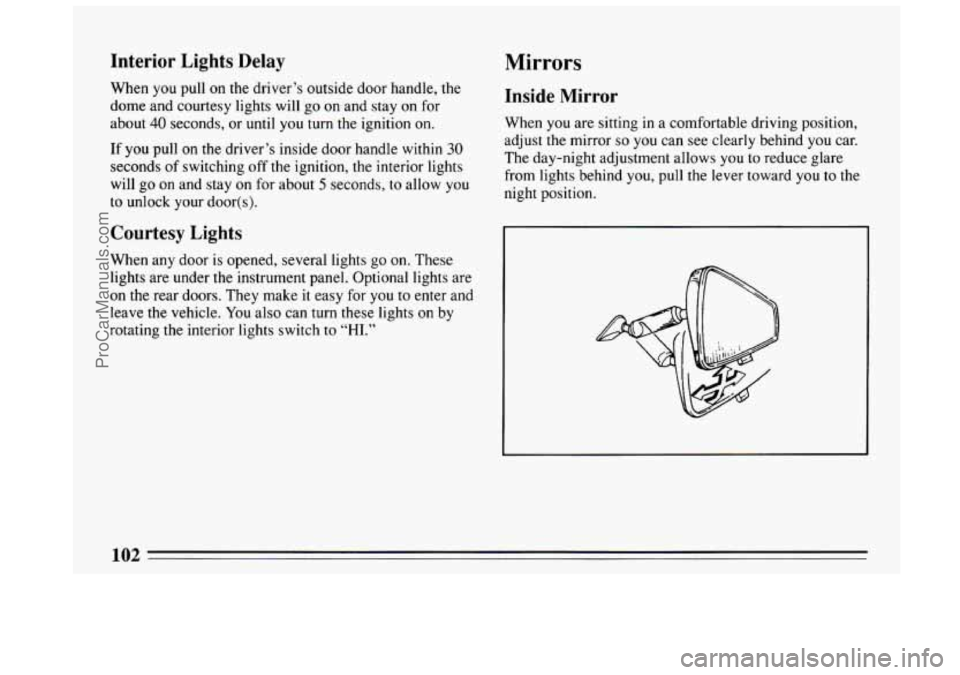
When you are sitting in a comfortable driving position,
adjust the mirror
so you can see clearly behind you car.
The day-night adjustment allows
you to reduce glare
from lights behind you, pull the lever toward
you to the
night position.
1 A3
ProCarManuals.com
Page 112 of 308
The Instrument Panel: Your
Information System
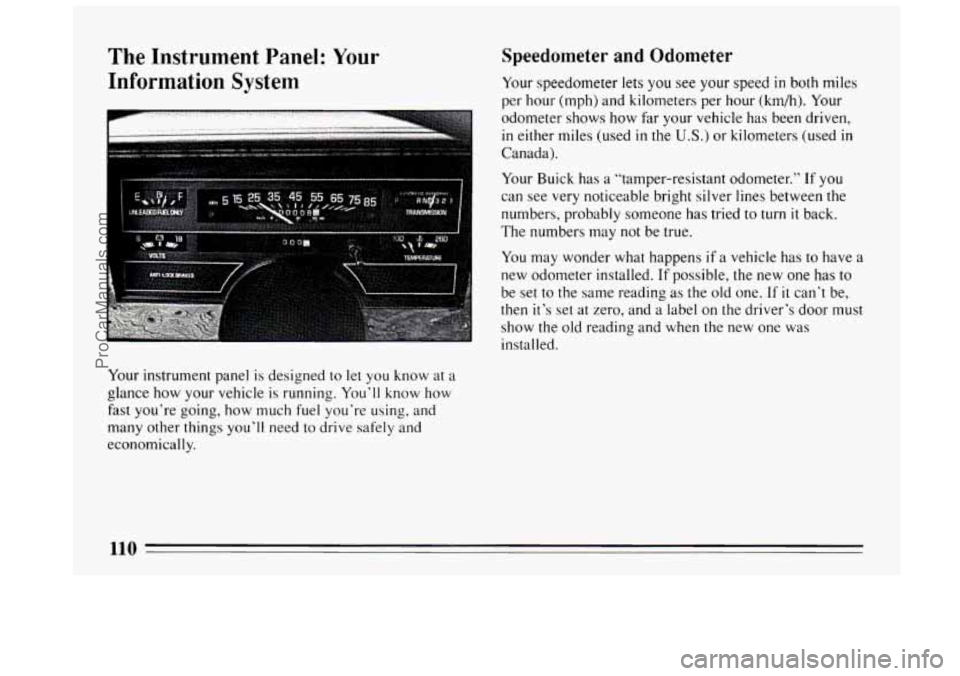
Your instrument panel is designed to let you know at a
glance how your vehicle is running. You’ll know how
fast you’re going, how much
fuel you’re using, and
many other things you’ll need to drive safely and
economically.
Speedometer and Odometer
Your speedometer lets you see your speed in both miles
per hour (mph) and kilometers per hour (km/h). Your
odometer shows how far your vehicle has been driven,
in either miles (used in the U.S.) or kilometers (used in
Canada).
Your Buick has a “tamper-resistant odometer.”
If you
can see very noticeable bright silver lines between the
numbers, probably someone has tried to turn
it back.
The numbers may not be true.
You may wonder what happens if a vehicle has
to have a
new odometer installed.
If possible, the new one has to
be set to the same reading as the old one.
If it can’t be,
then it’s set at zero, and a label on the driver’s door must
show the old reading and when the new one was
installed.
110
ProCarManuals.com
Page 121 of 308
Voltage Indicator
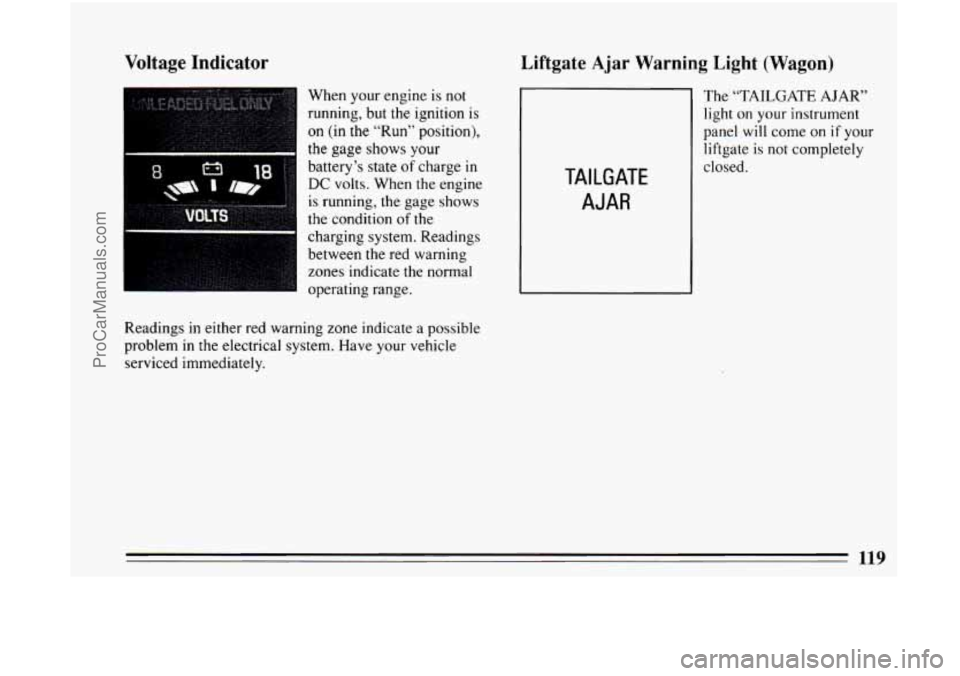
When your engine is not
running, but the ignition is
on (in the “Run” position),
the gage shows your
battery’s
state of charge in
DC volts. When the engine
is running, the gage shows
the condition
of the
charging system. Readings
between
the red warning
zones indicate the normal
operating range.
Readings
in either red warning zone indicate a possible
problem in the electrical system. Have your vehicle
serviced immediately.
Liftgate Ajar Warning Light (Wagon)
The “TAILGATE AJAR”
light on your instrument
panel
will come on if your
liftgate
is not completely
TAILGATE
AJAR
closed.
119
ProCarManuals.com
Page 124 of 308
Your Buick Comfort Control System
The air conditioner and heater work best if you keep
your windows closed while using them. Your vehicle
also has the flow-through ventilation system described
later in this section.
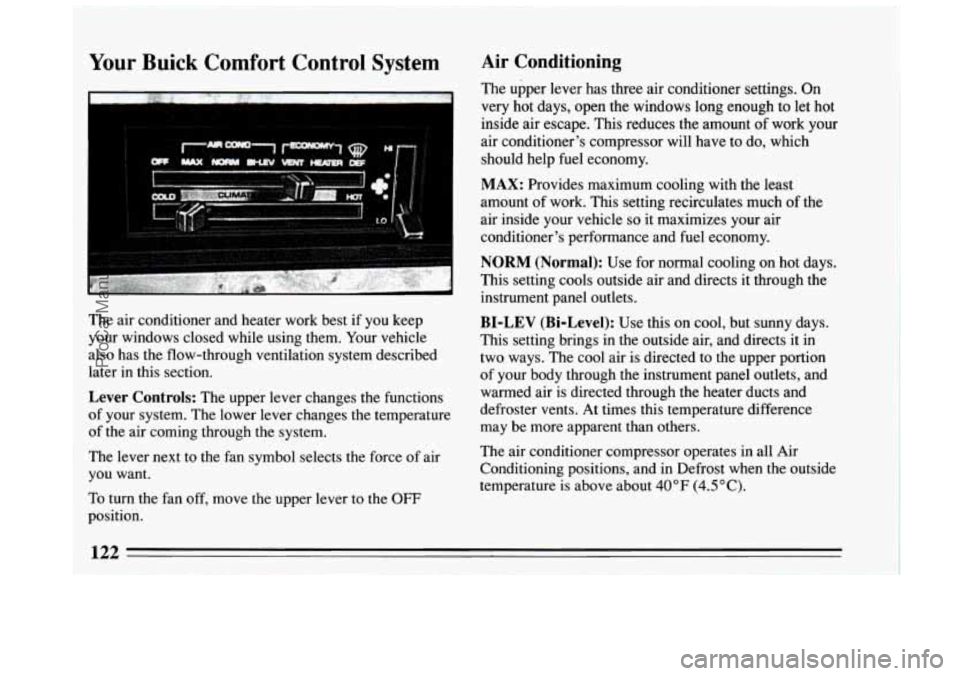
Lever Controls: The upper lever changes the functions
of your system. The lower lever changes the temperature
of the air coming through the system.
The lever next to the fan symbol selects the force of air
you want.
To turn the fan off, move the upper lever to the OFF
Air Conditioning
The upper lever has three air conditioner settings. On
very hot days, open the windows long enough to let hot
inside air escape. This reduces the amount of work your
air conditioner's compressor will have to do, which
should help fuel economy.
MAX: Provides maximum cooling with the least
amount of work. This setting recirculates much
of the
air inside your vehicle
so it maximizes your air
conditioner's performance and fuel economy.
NORM (Normal): Use for normal cooling on hot days.
This setting cools outside air and directs it through the
instrument panel outlets.
BI-LEV (Bi-Level): Use this on cool, but sunny days.
This setting brings in the outside air, and directs it in
two ways. The cool air is directed to the upper portion
of your body through the instrument panel outlets, and
warmed air is directed through the heater ducts and
defroster vents. At times this temperature difference
may be more apparent than others.
The air conditioner compressor operates in all Air
Conditioning positions, and in Defrost when the outside
temperature is above about 40°F (4.5"C).
position.
__
ProCarManuals.com
Page 125 of 308
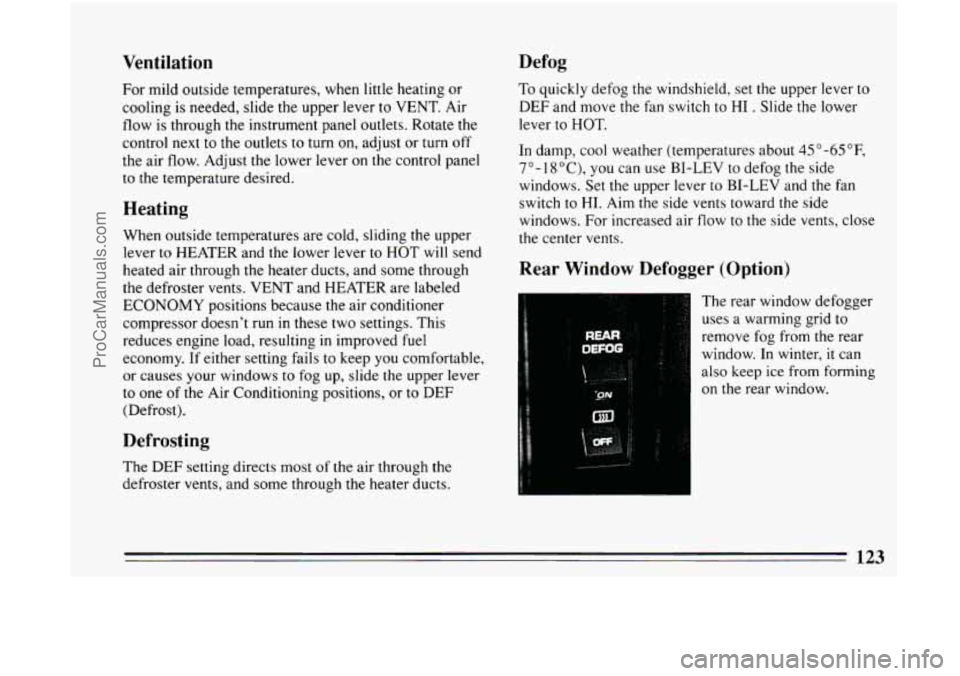
Ventilation
For mild outside temperatures, when little heating or
cooling is needed, slide the upper lever
to VENT. Air
flow is through the instrument panel outlets. Rotate the
control next to the outlets to turn on, adjust or
turn off
the air flow. Adjust the lower lever
on the control panel
to the temperature desired.
Heating
When outside temperatures are cold, sliding the upper
lever
to HEATER and the lower lever to HOT will send
heated air through the heater ducts, and some through
the defroster vents. VENT and HEATER are labeled
ECONOMY positions because the air conditioner
compressor doesn't run in these two settings. This
reduces engine load, resulting in improved fuel
economy. If either setting fails to keep you comfortable,
or causes your windows
to fog up, slide the upper lever
to one of the Air Conditioning positions, or to DEF
(Defrost).
Defrosting
The DEF setting directs most of the air through the
defroster vents, and some through the heater ducts.
Defog
To quickly defog the windshield, set the upper lever to
DEF and move the fan switch to HI . Slide the lower
lever to
HOT.
In damp, cool weather (temperatures about 45 "-65"F,
7"- 1 8"C), you can use BI-LEV to defog the side
windows. Set the upper lever to BI-LEV and the fan
switch to
HI. Aim the side vents toward the side
windows. For increased air flow to the side vents, close
the center vents.
Rear Window Defogger (Option)
The rear window defogger
uses a warming grid to
remove fog from the rear
window. In winter, it can
also keep ice from forming
on the rear window.
132
ProCarManuals.com
Page 147 of 308
And, of course, actual stopping distances vary greatly
with the surface of
the road (whether it’s pavement or
gravel); the condition
of the road (wet, dry, icy); tire
tread; and the condition
of your brakes.
Avoid needless heavy braking. Some people drive
in
spurts -- heavy acceleration followed by heavy braking
-- rather than keeping pace with traffic. This is a
mistake. Your brakes may not have time to cool between
hard stops. Your brakes will wear out much faster if you
do a
lot of heavy braking. If you keep pace with the
traffic and allow realistic following distances, you will
eliminate a lot
of unnecessary braking. That means
better braking and longer brake life.
If your engine ever stops while you’re driving, brake
normally but don’t pump your brakes.
If you do, the
pedal may get harder to push down. If your engine
stops,
you will still have some power brake assist. But
you will use it when you brake. Once the power assist is
used up, it may take longer
to stop and the brake pedal
will be harder to push.
Anti-Lock Brakes (ABS)
Your Buick has an advanced electronic braking system
that will help prevent skidding.
ANTI-
LOCK
This light on the
instrument panel will
go on when
you start
your vehicle.
When you start your vehicle, or when you begin to drive
away,
you may hear a momentary motor or clicking
noise. And you may even notice that your brake pedal
moves a little while this is going on. This
is the ABS
system testing itself. If there’s a problem with the
anti-lock brake system, the anti-lock brake system warning light
will stqy on or flash.
See “Anti-lock Brake System Warning Light” in
the
Index.
145
ProCarManuals.com
Page 171 of 308
Passing
You’ll need more passing distance up ahead when
you’re towing a trailer. And, because you’re a good deal
longer, you’ll need to go much farther beyond the
passed vehicle before you can return to
your lane.
Backing Up
Hold the bottom of the steering wheel with one hand.
Then, to move the trailer to the left, just move that hand
to the left.
To move the trailer to the right, move your
hand to the right. Always back up slowly and,
if
possible, have someone guide you.
Making Turns
When you’re turning with a trailer, make wider turns
than normal.
Do this so your trailer won’t strike soft
shoulders, curbs, road signs, trees, or other objects.
Avoid jerky
or sudden maneuvers. Signal well in
advance.
Turn Signals When Towing a Trailer
When you tow a trailer, your vehicle has to have a
different turn signal flasher and extra wiring. The green arrows
on your instrument panel
will flash whenever
you signal
a turn or lane change. Properly hooked up,
the trailer lights
will also flash, telling other drivers
you’re about to turn, change lanes or stop.
When towing a trailer, the green arrows on your
instrument panel
will flash for turns even if the bulbs on
the trailer are burned out. Thus, you may
think drivers
behind you are seeing your signal when they are not. It’s
important to check occasionally to be sure
the trailer
bulbs are still working.
Driving On Grades
Reduce speed and shift to a lower gear before you start
down a long or steep downgrade.
If you don’t shift
down, you might have
to use your brakes so much that
they would get hot and no longer work well.
On a long
uphill grade, shift down and reduce your
speed to around 45
mph (70 km/h) to reduce the
possibility
of engine and transaxle overheating.
If you are towing a trailer that weighs more than 1,000
pounds (450
kg) and you have an automatic transaxle
with Overdrive, you may prefer to drive in “D” instead
of Overdrive.
An overdrive transmission is required if
towing a trailer more than 1,000 pounds (450 kg).
ProCarManuals.com
Page 186 of 308
Engine Overheating
You will find a coolant temperature gage or the warning
light about a hot engine on
your Buick’s instrument
panel.
If Steam Is Coming From Your Engine
I NOTICE:
If your engine catches fire because you keep
driving with no coolant, your vehicle can be
badly damaged. The costly repairs would not be
covered by your warranty.
If No Steam Is Coming From Your Engine
If you get the overheat warning but see or hear no
steam, the problem may not be too serious. Sometimes
the engine can get a little too hot when
you:
Climb a long hill on a hot day.
Stop after high speed driving.
Idle for long periods in traffic.
Tow a trailer.
184
ProCarManuals.com
Page 214 of 308
When you put the cap back on, turn it to the right until
you hear at least three clicks.
NOTICE:
If you need a new cap, be sure to get the right
type. Your dealer can get one for you.
If you get
the wrong type, it may not fit or have proper
venting, and your fuel tank and emissions system might be damaged.
Checking Things Under the Hood
Hood Release
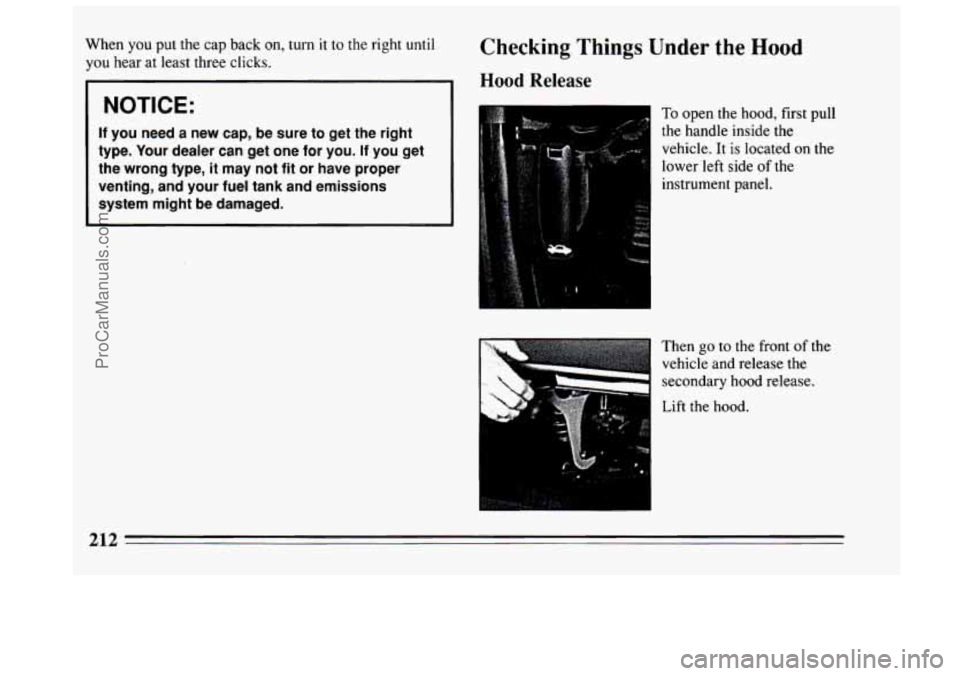
To open the hood, first pull
the handle inside the vehicle.
It is located on the
lower left side of the
instrument panel.
Then go
to the front of the
vehicle and release the
secondary hood release.
Lift the hood.
212
ProCarManuals.com
Page 250 of 308
Cleaning Leather
Use a soft cloth with lukewarm water and a mild soap or
saddle soap.
For stubborn stains, use a mild solution of 10%
isopropyl alcohol (rubbing alcohol) and
90% water.
Never use oils, varnishes, solvent-based or abrasive
cleaners, furniture polish or shoe polish on leather.
Soiled leather should be cleaned immediately. If dirt
is allowed to work into finish, it can harm the
leather.
Cleaning the Top of the Instrument Panel
Use only mild soap and water to clean the top surfaces
of the instrument panel. Sprays containing silicones or
waxes may cause annoying reflections in
the windshield
and even make it difficult to see through the windshield
under certain conditions.
Care of Safety Belts
Keep belts clean and dry.
Glass
Glass should be cleaned often. GM Glass Cleaner (GM
Part No. 1050427) or a liquid household glass cleaner
will remove normal tobacco smoke and
dust films.
Don’t use abrasive cleaners on glass, because they may
cause scratches. Avoid placing decals on the inside rear
window, since they may have to be scraped
off later. If
abrasive cleaners are used on the inside of the rear
window, an electric defogger element may be damaged.
Any temporary license should not be attached across the
defogger grid.
248
ProCarManuals.com