wheel BUICK CENTURY 2003 User Guide
[x] Cancel search | Manufacturer: BUICK, Model Year: 2003, Model line: CENTURY, Model: BUICK CENTURY 2003Pages: 344, PDF Size: 2.57 MB
Page 95 of 344
AUTOMATIC OVERDRIVE (X): This position is for
normal driving. If you need more power for passing,
and you're:
·Going less than 35 mph (55 km/h), push your
accelerator pedal about halfway down.
·Going about 35 mph (55 km/h) or more, push the
accelerator pedal all the way down.
You'll shift down to the next gear and have more power.
THIRD (3):: This position is also used for normal
driving, but it offers more power and lower fuel economy
than AUTOMATIC OVERDRIVE (
X).
Here are some times you might choose THIRD (3)
instead of AUTOMATIC OVERDRIVE (
X):
·When driving on hilly, winding roads.
·When towing a trailer, so there is less shifting
between gears.
·When going down a steep hill.
·When driving in no-highway scenarios
(i.e. city streets, etc.)
Notice:Don't drive in SECOND (2) for more than
25 miles (40 km), or at speeds over 55 mph
(90 km/h), or you can damage your transaxle. Use
THIRD (3) or AUTOMATIC OVERDRIVE (
X)as much
as possible. Don't shift into SECOND (2) unless
you are going slower than 65 mph (105 km/h) or you
can damage your engine.
SECOND (2): This position gives you more power than
THIRD (3) but lower fuel economy than THIRD (3). You
can use SECOND (2) on hills. It can help control your
speed as you go down steep mountain roads, but then
you would also want to use your brakes off and on.
FIRST (1):This position gives you even more power (but
lower fuel economy) than SECOND (2). You can use it on
very steep hills, or in deep snow or mud. If the shift lever
is put in FIRST (1), the transaxle won't shift into ®rst gear
until the vehicle is going slowly enough.
Notice:If your front wheels won't turn, don't try to
drive. This might happen if you were stuck in
very deep sand or mud or were up against a solid
object. You could damage your transaxle. Also,
if you stop when going uphill, don't hold your
vehicle there with only the accelerator pedal. This
could overheat and damage the transaxle. Use your
brakes to hold your vehicle in position on a hill.
2-25
Page 107 of 344
Instrument Panel Overview...............................3-2
Hazard Warning Flashers................................3-3
Other Warning Devices...................................3-4
Horn.............................................................3-4
Tilt Wheel.....................................................3-4
Turn Signal/Multifunction Lever.........................3-5
Exterior Lamps.............................................3-11
Interior Lamps..............................................3-14
Auxiliary Power Connection
(Power Drop)............................................3-16
Ashtrays and Cigarette Lighter........................3-16
Climate Controls............................................3-17
Dual Climate Control System..........................3-17
Outlet Adjustment.........................................3-20
Passenger Compartment Air Filter...................3-20
Warning Lights, Gages and Indicators.............3-22
Instrument Panel Cluster................................3-23
Speedometer and Odometer...........................3-24
Safety Belt Reminder Light.............................3-24
Air Bag Readiness Light................................3-25
Charging System Light..................................3-26
Brake System Warning Light..........................3-27
Anti-Lock Brake System Warning Light.............3-28
Enhanced Traction System Warning Light.........3-28
Low Traction Light........................................3-29Engine Coolant Temperature Warning Light......3-29
Engine Coolant Temperature Gage..................3-30
Tire Pressure Light.......................................3-30
Malfunction Indicator Lamp.............................3-31
Oil Pressure Light.........................................3-34
Low Oil Level Light.......................................3-35
Change Engine Oil Light................................3-35
Security Light...............................................3-36
Cruise Control Light......................................3-36
Low Washer Fluid Warning Light.....................3-36
Door/Trunk Ajar Warning Light........................3-36
Service Vehicle Soon Light............................3-37
Fuel Gage...................................................3-37
Low Fuel Warning Light.................................3-38
Audio System(s).............................................3-39
Setting the Time...........................................3-39
AM-FM Radio...............................................3-40
Radio with Cassette and CD..........................3-42
Theft-Deterrent Feature..................................3-48
Audio Steering Wheel Controls.......................3-50
Understanding Radio Reception......................3-50
Care of Your Cassette Tape Player.................3-51
Care of Your CDs.........................................3-52
Care of Your CD Player................................3-52
Fixed Mast Antenna......................................3-52
Section 3 Instrument Panel
3-1
Page 109 of 344
The main components of the instrument panel are the
following:
A. Exterior Lamps Control. See
Exterior Lamps on
page 3-11.
B. Turn Signal/Multifunction Lever. See
Turn
Signal/Multifunction Lever on page 3-5.
C. Instrument Panel Cluster. See
Instrument Panel
Cluster on page 3-23.
D. Audio Steering Wheel Controls. See
Audio Steering
Wheel Controls on page 3-50.
E. Gear Shift Lever. See
Automatic Transaxle
Operation on page 2-23.
F. Air Outlets. See
Outlet Adjustment on page 3-20.
G. Side Window Defogger Outlet.
H. Hood Release. See
Hood Release on page 5-11.
I. Tilt Wheel Lever. See
Tilt Wheel on page 3-4.
J. Horn. (See
Horn on page 3-4.
K. Audio System. See
Audio System(s) on page 3-39.
L. Ashtray. See
Ashtrays and Cigarette Lighter on
page 3-16.
M. Climate Control. See
Dual Climate Control System
on page 3-17.
N. Glove Box.
O. Instrument Panel Fuse Block. See
Fuses and Circuit
Breakers on page 5-89.
Hazard Warning Flashers
Your hazard warning ¯ashers let you warn others.
They also let police know you have a problem. Your
front and rear turn signal lamps will ¯ash on and off.
3-3
Page 110 of 344
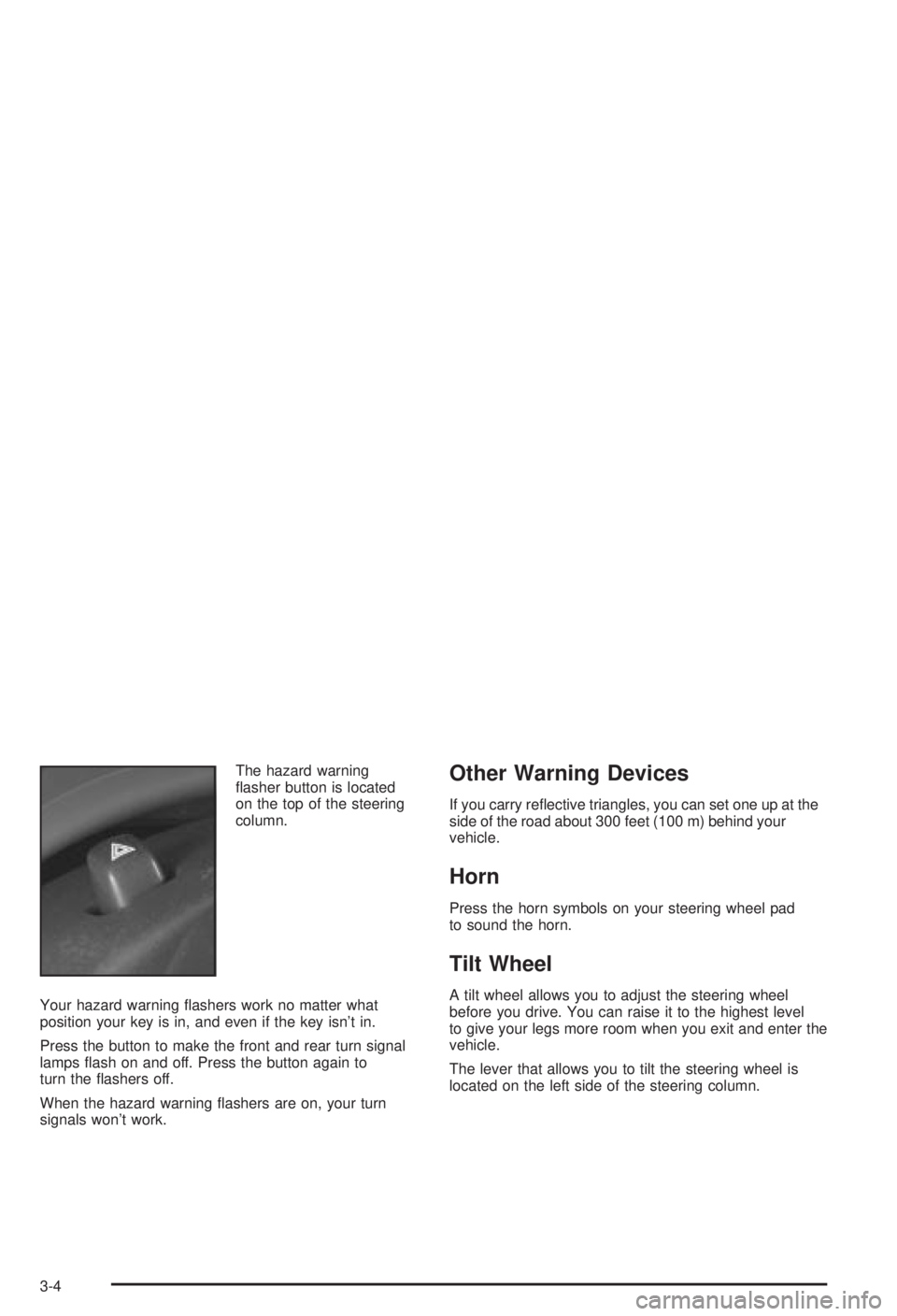
The hazard warning
¯asher button is located
on the top of the steering
column.
Your hazard warning ¯ashers work no matter what
position your key is in, and even if the key isn't in.
Press the button to make the front and rear turn signal
lamps ¯ash on and off. Press the button again to
turn the ¯ashers off.
When the hazard warning ¯ashers are on, your turn
signals won't work.Other Warning Devices
If you carry re¯ective triangles, you can set one up at the
side of the road about 300 feet (100 m) behind your
vehicle.
Horn
Press the horn symbols on your steering wheel pad
to sound the horn.
Tilt Wheel
A tilt wheel allows you to adjust the steering wheel
before you drive. You can raise it to the highest level
to give your legs more room when you exit and enter the
vehicle.
The lever that allows you to tilt the steering wheel is
located on the left side of the steering column.
3-4
Page 111 of 344
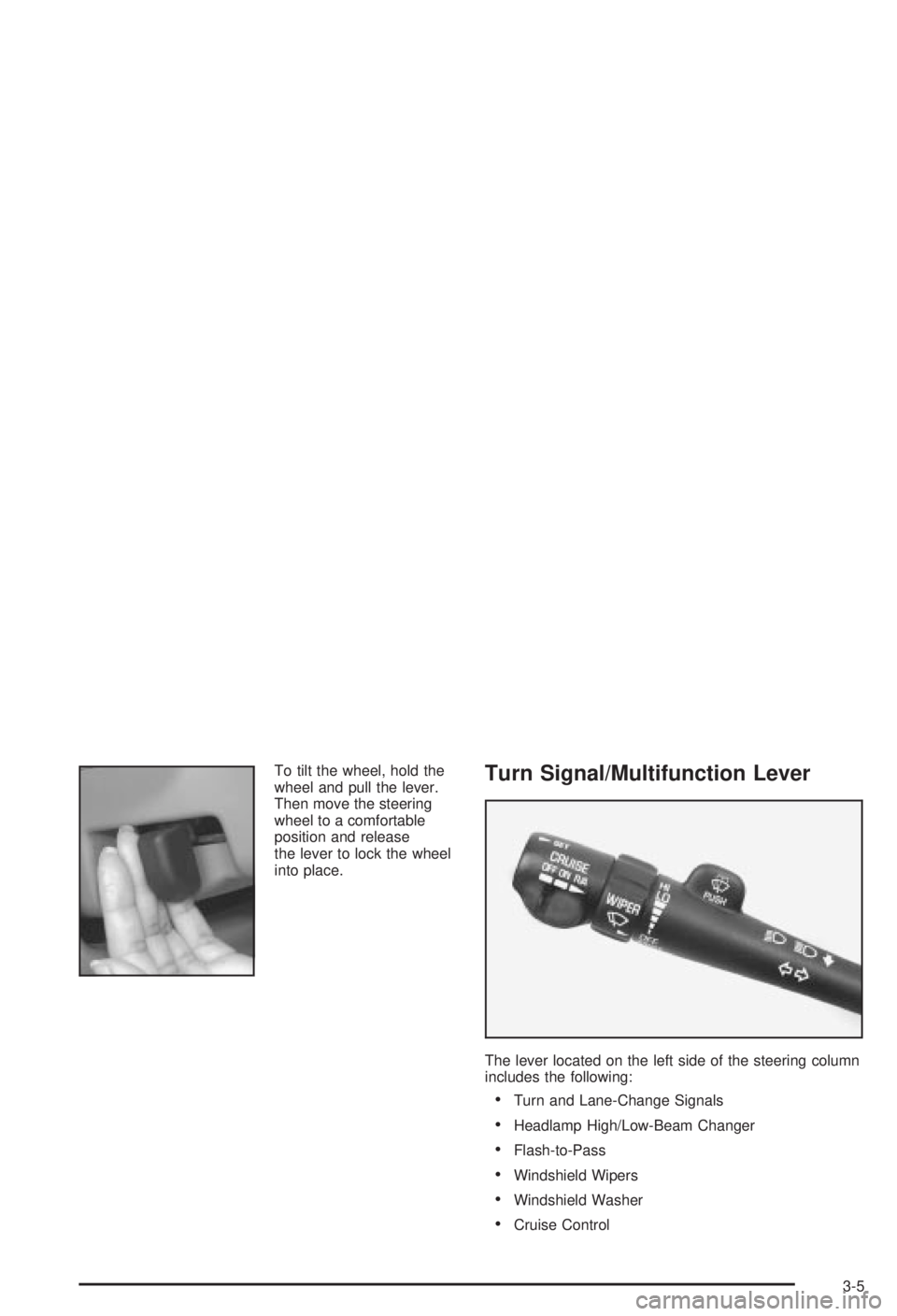
To tilt the wheel, hold the
wheel and pull the lever.
Then move the steering
wheel to a comfortable
position and release
the lever to lock the wheel
into place.Turn Signal/Multifunction Lever
The lever located on the left side of the steering column
includes the following:
·Turn and Lane-Change Signals
·Headlamp High/Low-Beam Changer
·Flash-to-Pass
·Windshield Wipers
·Windshield Washer
·Cruise Control
3-5
Page 114 of 344
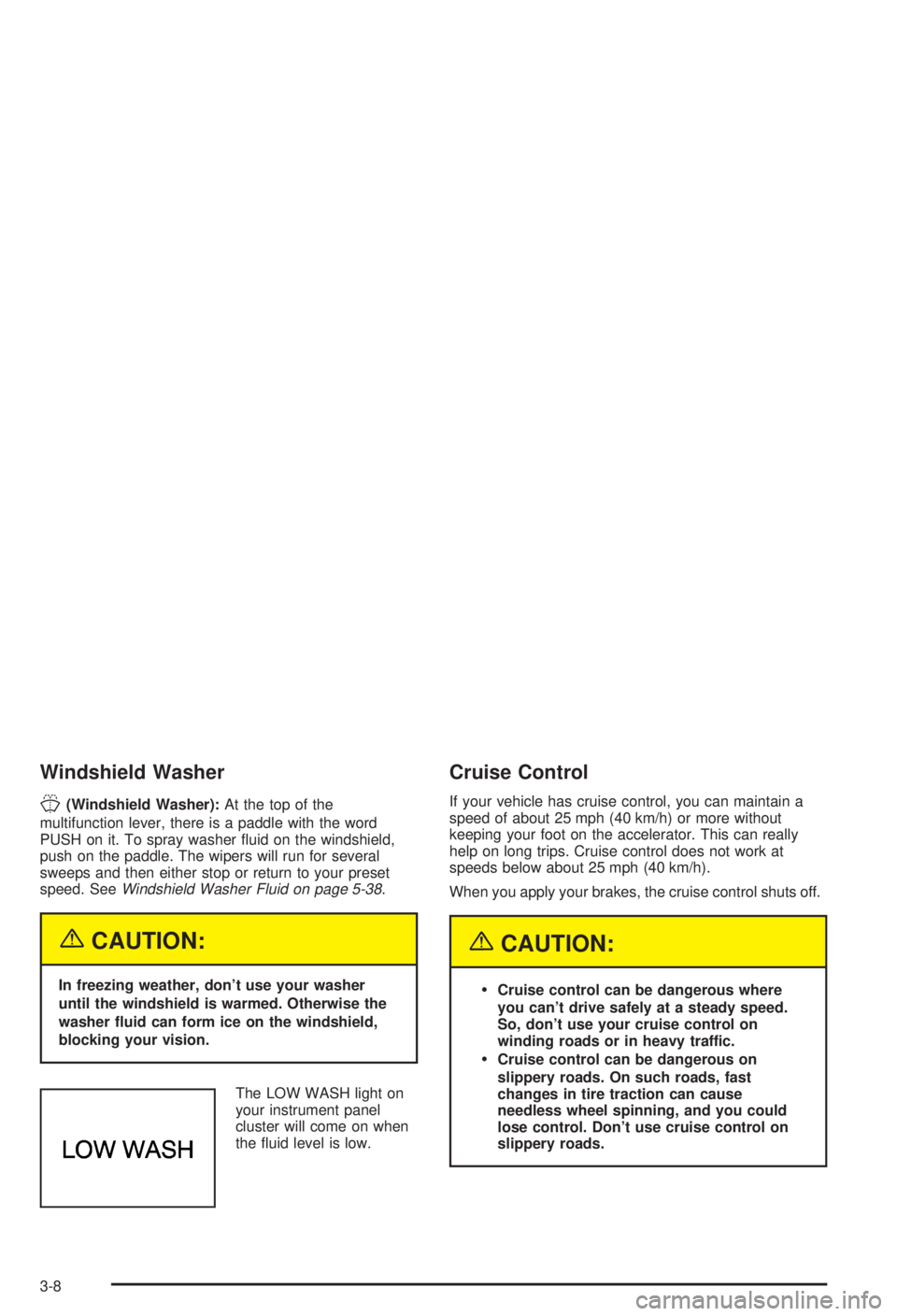
Windshield Washer
J
(Windshield Washer):At the top of the
multifunction lever, there is a paddle with the word
PUSH on it. To spray washer ¯uid on the windshield,
push on the paddle. The wipers will run for several
sweeps and then either stop or return to your preset
speed. See
Windshield Washer Fluid on page 5-38.
{CAUTION:
In freezing weather, don't use your washer
until the windshield is warmed. Otherwise the
washer ¯uid can form ice on the windshield,
blocking your vision.
The LOW WASH light on
your instrument panel
cluster will come on when
the ¯uid level is low.
Cruise Control
If your vehicle has cruise control, you can maintain a
speed of about 25 mph (40 km/h) or more without
keeping your foot on the accelerator. This can really
help on long trips. Cruise control does not work at
speeds below about 25 mph (40 km/h).
When you apply your brakes, the cruise control shuts off.
{CAUTION:
·Cruise control can be dangerous where
you can't drive safely at a steady speed.
So, don't use your cruise control on
winding roads or in heavy traffic.
·Cruise control can be dangerous on
slippery roads. On such roads, fast
changes in tire traction can cause
needless wheel spinning, and you could
lose control. Don't use cruise control on
slippery roads.
3-8
Page 115 of 344
If your vehicle is in cruise control when the enhanced
traction system begins to limit wheel spin, the cruise
control will automatically disengage. See
Enhanced
Traction System (ETS) on page 4-10. When road
conditions allow you to safely use it again, you may turn
the cruise control back on.
Setting Cruise Control
{CAUTION:
If you leave your cruise control on when you're
not using cruise, you might hit a button and go
into cruise when you don't want to. You could
be startled and even lose control. Keep the
cruise control switch off until you want to use
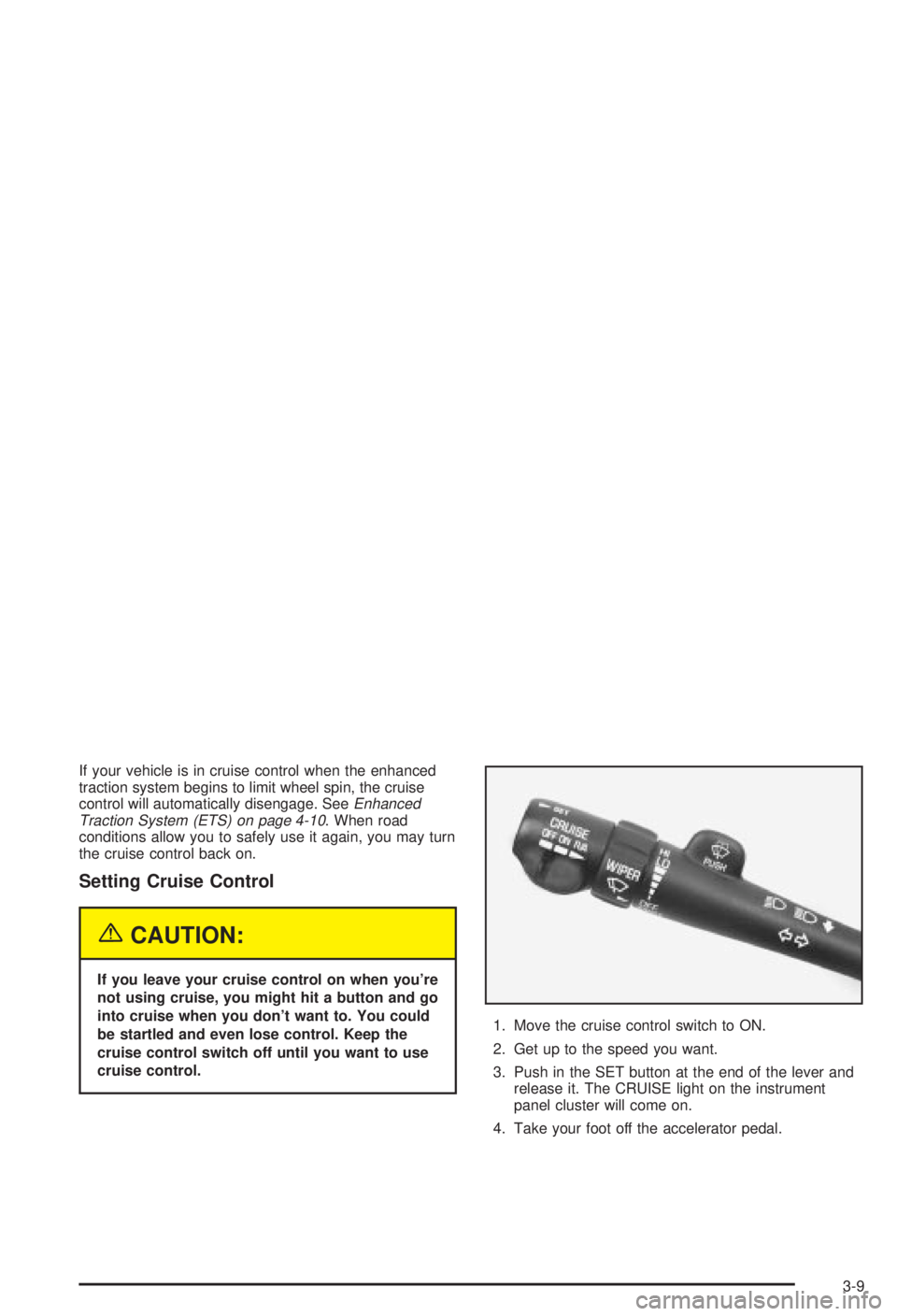
cruise control.1. Move the cruise control switch to ON.
2. Get up to the speed you want.
3. Push in the SET button at the end of the lever and
release it. The CRUISE light on the instrument
panel cluster will come on.
4. Take your foot off the accelerator pedal.
3-9
Page 135 of 344
If the transaxle shift lever is in any position other
than FIRST (1) or SECOND (2) and the warning
light stays on after your parking brake is fully
released, it means there's a problem with the
system.
·If the traction control system is affected by an
engine-related problem, the system will turn off
and the warning light will come on.
When this warning light is on, the system will not limit
wheel spin. Adjust your driving accordingly.
Low Traction Light
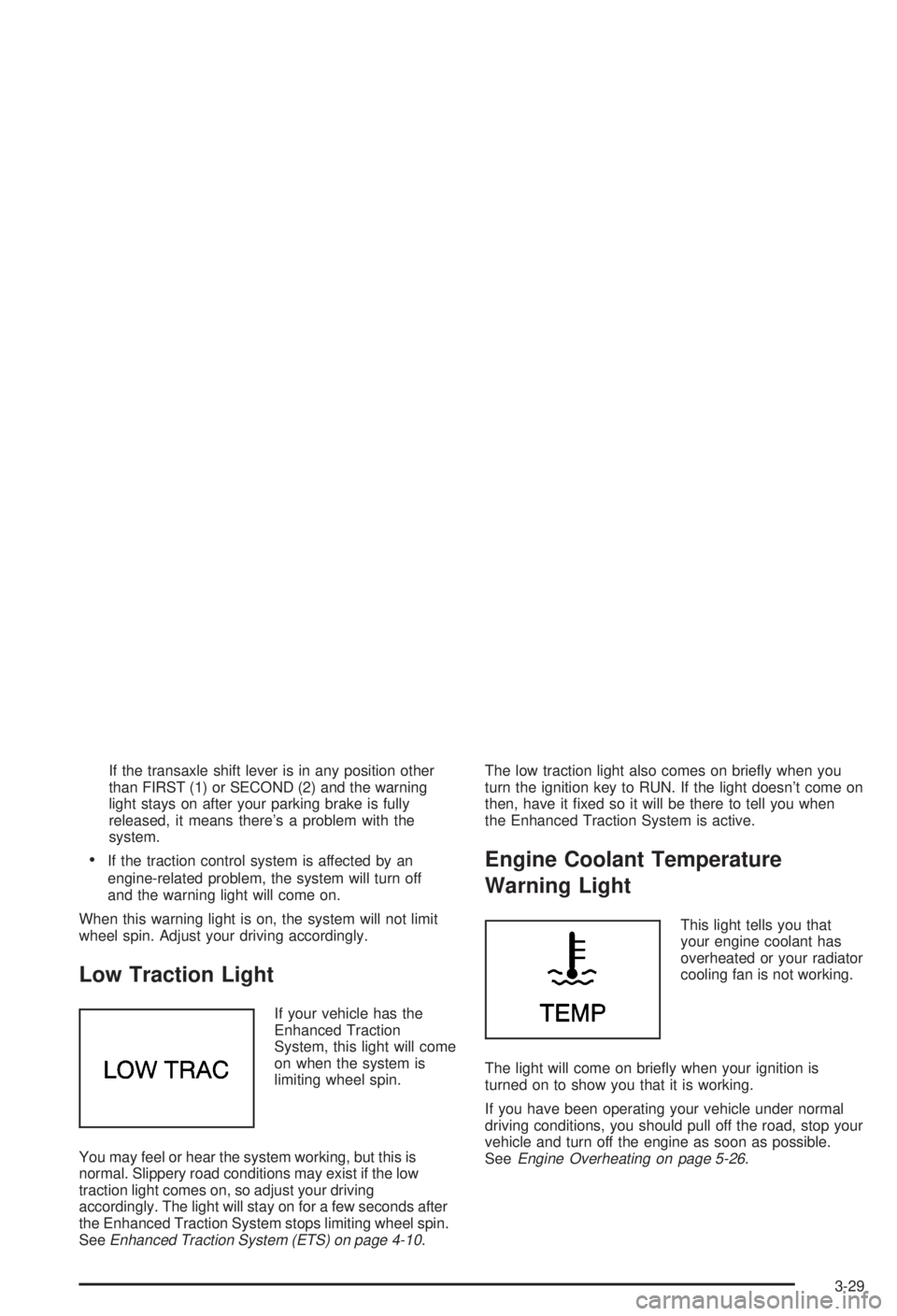
If your vehicle has the
Enhanced Traction
System, this light will come
on when the system is
limiting wheel spin.
You may feel or hear the system working, but this is
normal. Slippery road conditions may exist if the low
traction light comes on, so adjust your driving
accordingly. The light will stay on for a few seconds after
the Enhanced Traction System stops limiting wheel spin.
See
Enhanced Traction System (ETS) on page 4-10.The low traction light also comes on brie¯y when you
turn the ignition key to RUN. If the light doesn't come on
then, have it ®xed so it will be there to tell you when
the Enhanced Traction System is active.
Engine Coolant Temperature
Warning Light
This light tells you that
your engine coolant has
overheated or your radiator
cooling fan is not working.
The light will come on brie¯y when your ignition is
turned on to show you that it is working.
If you have been operating your vehicle under normal
driving conditions, you should pull off the road, stop your
vehicle and turn off the engine as soon as possible.
See
Engine Overheating on page 5-26.
3-29
Page 156 of 344
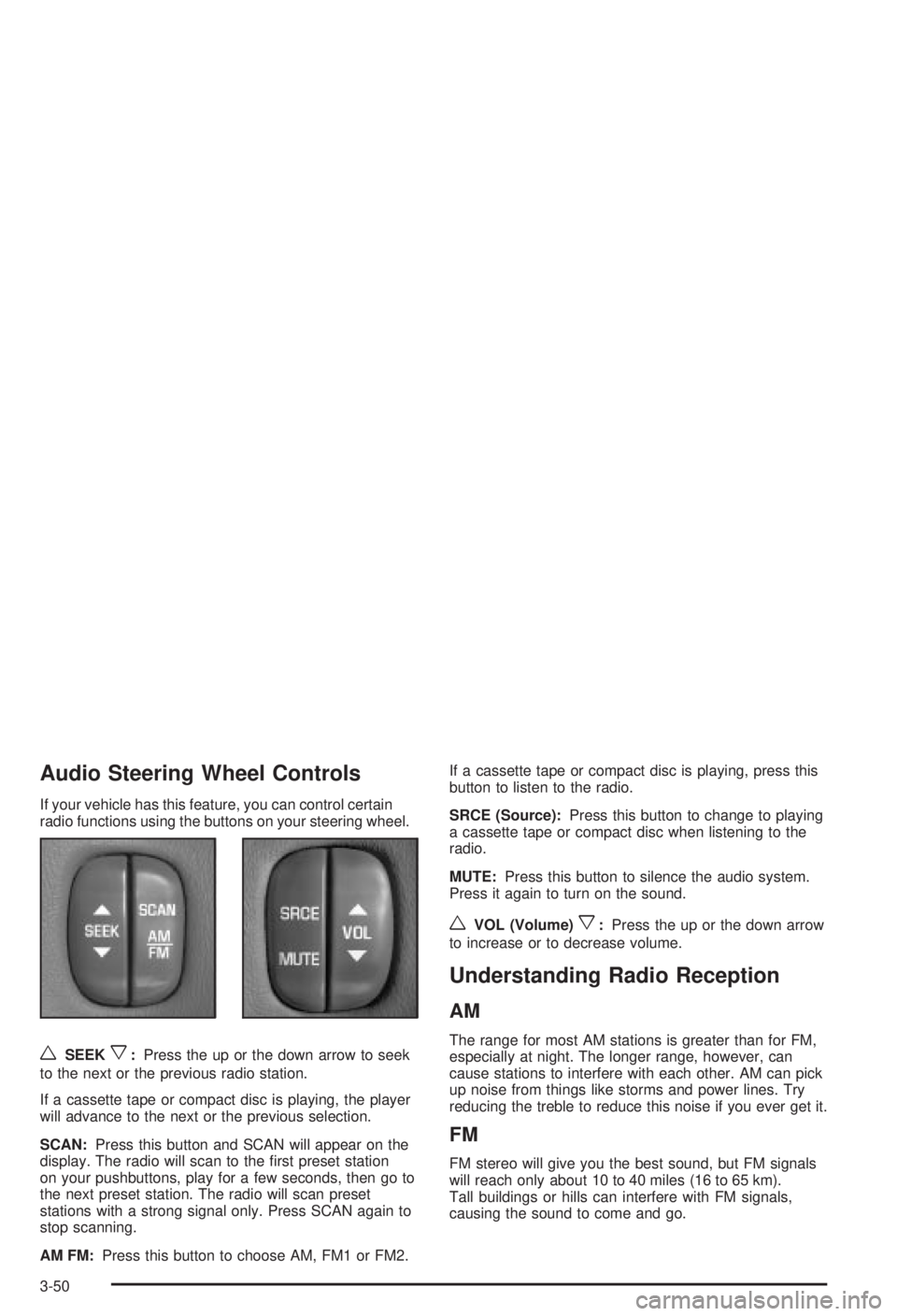
Audio Steering Wheel Controls
If your vehicle has this feature, you can control certain
radio functions using the buttons on your steering wheel.
wSEEKx:Press the up or the down arrow to seek
to the next or the previous radio station.
If a cassette tape or compact disc is playing, the player
will advance to the next or the previous selection.
SCAN:Press this button and SCAN will appear on the
display. The radio will scan to the ®rst preset station
on your pushbuttons, play for a few seconds, then go to
the next preset station. The radio will scan preset
stations with a strong signal only. Press SCAN again to
stop scanning.
AM FM:Press this button to choose AM, FM1 or FM2.If a cassette tape or compact disc is playing, press this
button to listen to the radio.
SRCE (Source):Press this button to change to playing
a cassette tape or compact disc when listening to the
radio.
MUTE:Press this button to silence the audio system.
Press it again to turn on the sound.
wVOL (Volume)x:Press the up or the down arrow
to increase or to decrease volume.
Understanding Radio Reception
AM
The range for most AM stations is greater than for FM,
especially at night. The longer range, however, can
cause stations to interfere with each other. AM can pick
up noise from things like storms and power lines. Try
reducing the treble to reduce this noise if you ever get it.
FM
FM stereo will give you the best sound, but FM signals
will reach only about 10 to 40 miles (16 to 65 km).
Tall buildings or hills can interfere with FM signals,
causing the sound to come and go.
3-50
Page 166 of 344
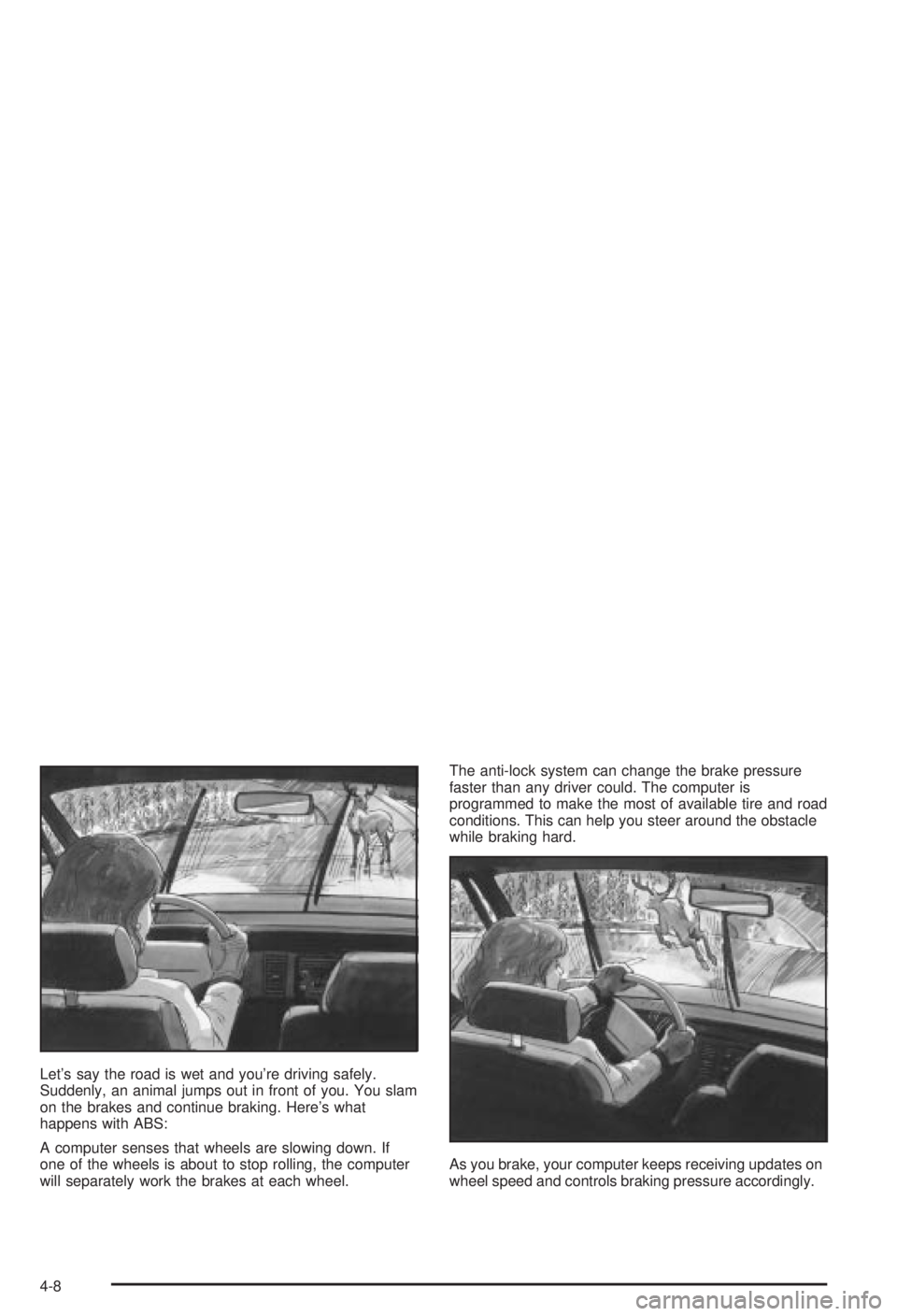
Let's say the road is wet and you're driving safely.
Suddenly, an animal jumps out in front of you. You slam
on the brakes and continue braking. Here's what
happens with ABS:
A computer senses that wheels are slowing down. If
one of the wheels is about to stop rolling, the computer
will separately work the brakes at each wheel.The anti-lock system can change the brake pressure
faster than any driver could. The computer is
programmed to make the most of available tire and road
conditions. This can help you steer around the obstacle
while braking hard.
As you brake, your computer keeps receiving updates on
wheel speed and controls braking pressure accordingly.
4-8