air condition BUICK ENCLAVE 2009 User Guide
[x] Cancel search | Manufacturer: BUICK, Model Year: 2009, Model line: ENCLAVE, Model: BUICK ENCLAVE 2009Pages: 412
Page 140 of 412
The PASS indicator will turn off.
When the passenger temperature
setting is different than the
driver setting, the PASS indicator
comes on.
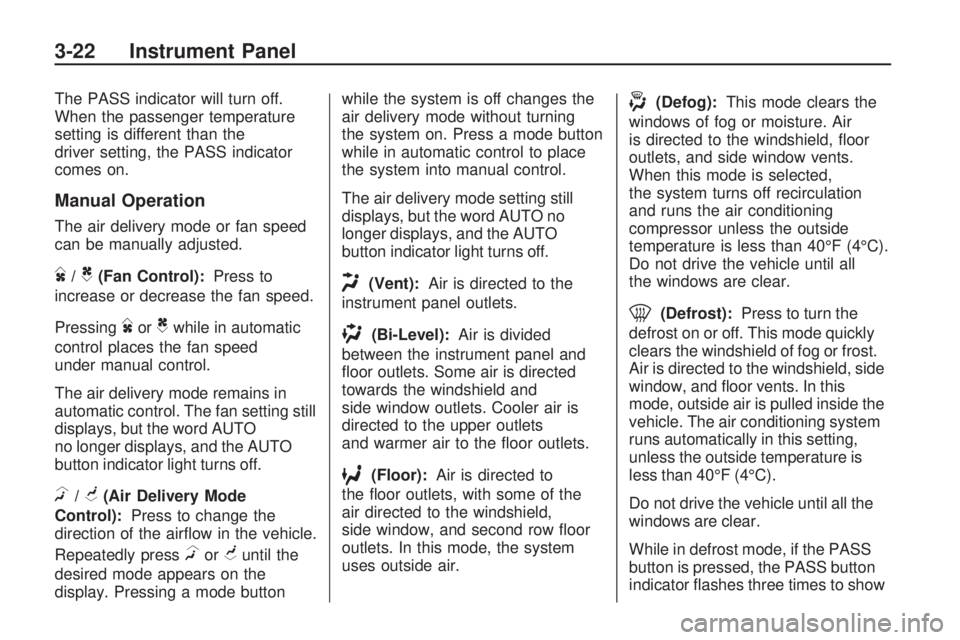
Manual Operation
The air delivery mode or fan speed
can be manually adjusted.
D/C(Fan Control):Press to
increase or decrease the fan speed.
Pressing
DorCwhile in automatic
control places the fan speed
under manual control.
The air delivery mode remains in
automatic control. The fan setting still
displays, but the word AUTO
no longer displays, and the AUTO
button indicator light turns off.
H/G(Air Delivery Mode
Control):Press to change the
direction of the airow in the vehicle.
Repeatedly press
HorGuntil the
desired mode appears on the
display. Pressing a mode buttonwhile the system is off changes the
air delivery mode without turning
the system on. Press a mode button
while in automatic control to place
the system into manual control.
The air delivery mode setting still
displays, but the word AUTO no
longer displays, and the AUTO
button indicator light turns off.
H(Vent):Air is directed to the
instrument panel outlets.
)(Bi-Level):Air is divided
between the instrument panel and
oor outlets. Some air is directed
towards the windshield and
side window outlets. Cooler air is
directed to the upper outlets
and warmer air to the oor outlets.
6(Floor):Air is directed to
the oor outlets, with some of the
air directed to the windshield,
side window, and second row oor
outlets. In this mode, the system
uses outside air.
-(Defog):This mode clears the
windows of fog or moisture. Air
is directed to the windshield, oor
outlets, and side window vents.
When this mode is selected,
the system turns off recirculation
and runs the air conditioning
compressor unless the outside
temperature is less than 40°F (4°C).
Do not drive the vehicle until all
the windows are clear.
0(Defrost):Press to turn the
defrost on or off. This mode quickly
clears the windshield of fog or frost.
Air is directed to the windshield, side
window, and oor vents. In this
mode, outside air is pulled inside the
vehicle. The air conditioning system
runs automatically in this setting,
unless the outside temperature is
less than 40°F (4°C).
Do not drive the vehicle until all the
windows are clear.
While in defrost mode, if the PASS
button is pressed, the PASS button
indicator ashes three times to show
3-22 Instrument Panel
Page 141 of 412

that the passenger climate control
system cannot be activated. If the
passenger temperature buttons are
adjusted while in defrost mode, the
driver temperature indicator will
change. The passenger temperature
will not be displayed.
@(Recirculation):Press to turn
the recirculation mode on or off.
An indicator light comes on
when recirculation is on. When the
engine is turned off, the recirculation
mode automatically turns off and
must be re-selected when the
engine is turned on again.
This mode recirculates and helps to
quickly cool the air inside the
vehicle. It can be used to prevent
outside air and odors from entering
the vehicle.
The recirculation mode cannot be
used with oor, defog, or defrosting
modes. If recirculation is selected
in these modes, the indicator ashes
three times and turns off. The air
conditioning compressor also comeson when this mode is activated.
While in recirculation mode
the windows can fog when the
weather is cold and damp. To clear
the fog, select either the defog
or defrost mode and increase the
fan speed.Air Conditioning
#(Air Conditioning):Press to
turn the air conditioning (A/C)
on and off. An indicator light comes
on when A/C is on.
The A/C does not work when the
outside temperature is below
40°F (4°C). If
#is pressed the
indicator ashes three times
and turns off to show that the
A/C mode is not available. If the
A/C is on and the outside
temperature drops below a
temperature which is too cool for air
conditioning to be effective, the
A/C indicator turns off to show that
the A/C mode has been canceled.On hot days, open the windows
briey to let hot inside air escape.
This helps reduce the time it
takes for the interior of the vehicle
to cool down.
The air conditioning system removes
moisture from the air, so a small
amount of water might drip under the
vehicle while idling or after turning off
the engine. This is normal.
Rear Window Defogger
The rear window defogger uses a
warming grid to remove fog from the
rear window.
<(Rear Window Defogger):
Press to turn the rear window
defogger on or off. The rear window
defogger stays on for about
10 minutes, before turning off. The
defogger also turns off when the
engine is turned off. Do not drive
the vehicle until all the windows
are clear.
Instrument Panel 3-23
Page 142 of 412
For vehicles with heated outside
rearview mirrors, fog or frost
is cleared from the surface of the
mirror when the rear window
defog button is pressed.
Notice:Do not use a razor blade
or sharp object to clear the
inside rear window. Do not adhere
anything to the defogger grid
lines in the rear glass. These
actions may damage the rear
defogger. Repairs would not be
covered by your warranty.
REAR:Press to turn the rear
heating and air conditioning on or
off. SeeRear Air Conditioning
and Heating System on page 3-26
orRear Air Conditioning and
Heating System and Electronic
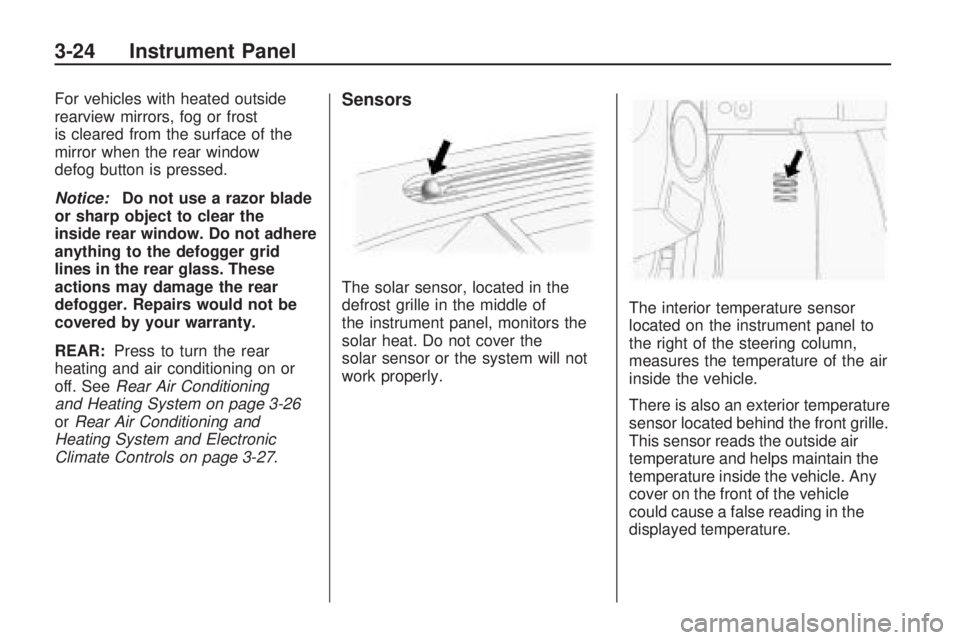
Climate Controls on page 3-27.Sensors
The solar sensor, located in the
defrost grille in the middle of
the instrument panel, monitors the
solar heat. Do not cover the
solar sensor or the system will not
work properly.The interior temperature sensor
located on the instrument panel to
the right of the steering column,
measures the temperature of the air
inside the vehicle.
There is also an exterior temperature
sensor located behind the front grille.
This sensor reads the outside air
temperature and helps maintain the
temperature inside the vehicle. Any
cover on the front of the vehicle
could cause a false reading in the
displayed temperature.
3-24 Instrument Panel
Page 143 of 412

The climate control system uses the
information from these sensors to
maintain comfort settings by
adjusting the temperature, fan
speed, and the air delivery mode.
The system may also supply cooler
air to the side of the vehicle
facing the sun. The recirculation
mode will also be used as needed
to maintain cool outlet temperatures.
Outlet Adjustment
Use the slider switch in the center
of the outlet, to change the direction
of the air ow. Use the thumbwheel
near the outlet to control the
amount of air ow or to shut off the
airow completely.
Keep all outlets open whenever
possible for best system
performance.
Operation Tips
Clear away any ice, snow, or
leaves from the air inlets at
the base of the windshield that
can block the ow of air into
the vehicle.
Use of non-GM approved hood
deectors can adversely affect
the performance of the system.
Keep the path under all seats
clear of objects to help circulate
the air inside the vehicle
more effectively.
If fogging reoccurs while in vent
or bi-level modes with mild
temperature throughout the
vehicle, turn on the air conditioner
to reduce windshield fogging.
Instrument Panel 3-25
Page 144 of 412

Rear Air Conditioning and Heating System
A. Fan Control
B. Temperature Control
C. Air Delivery Mode Control
For vehicles with the rear climate
control system, the controls
are located on the rear of the center
console. The system can also be
controlled with the front controls.
Press the REAR button on the front
climate control system to turn the
rear climate control system on or off.An indicator comes on when the
rear system is on. The system also
turns on if any of the rear controls
are adjusted.
Mimic Mode:
This mode matches
the rear climate control to the
front climate control settings. It
comes on when REAR is pressed.
Independent Mode: This mode
directs rear seating airow according
to the settings of the rear controls. It comes on when any rear control
is adjusted.
Fan Control:
Turn clockwise or
counterclockwise to increase
or decrease the fan speed. Turn the
knob to
9to turn the fan off.
Temperature Control: Turn
clockwise or counterclockwise to
increase or decrease the airow
temperature.
Air Delivery Mode Control: Turn
to the desired mode to change
the airow direction.
H(Vent): Air is directed through
the overhead outlets.
)(Bi-Level): Air is directed
through the rear oor outlets, as
well as the overhead outlets.
6(Floor): Air is directed through
the oor outlets. The rear system
oor outlets are located under
the third row seats.
3-26 Instrument Panel
Page 145 of 412

Rear Air Conditioning and Heating System and
Electronic Climate Controls
A. Fan Control
B. Air Delivery Mode Control
C. Temperature Control
For vehicles with the rear climate
control system, the controls
are located on the rear of the center
console.Press the REAR button on the front
climate control system to turn the
rear climate control system on or off.
The system also turns on if any of
the rear controls, except for the
Care pressed. An indicator comes
on when the rear system is on. The system can also be turned off,
by pressing and holding the
C
button.
Mimic Mode:
This mode matches
the rear climate control to the
front climate control settings. It
comes on when REAR is pressed.
Independent Mode: This mode
directs rear seating airow according
to the settings of the rear controls.
It comes on when any rear
control is adjusted.
DC(Fan Control): Press the fan
up or down buttons to increase
or decrease the fan speed.
Temperature Control: Press + or−
to increase or decrease the air
temperature. The temperature
settings will display in
0-12 increments, going from the
coolest (0) to the warmest (12)
setting.
Rear Climate Control with Rear Seat Audio Controls
Instrument Panel 3-27
Page 151 of 412

If a short distance must be driven
with the light on, be sure to turn off
all accessories, such as the
radio and air conditioner.
Voltmeter Gage
When the engine is not running, but
the ignition is on, this gage shows
the battery’s state of charge in
DC volts.
When the engine is running, this
gage shows the condition of
the charging system. The vehicle’s
charging system regulates
voltage based on the state of
charge of the battery. The voltmeter
may uctuate. This is normal.
Readings between the low and high
warning zones indicate the normal
operating range.Readings in the low warning zone
may occur when a large number
of electrical accessories are
operating in the vehicle and the
engine is left idling for an extended
period.
If there is a problem with the battery
charging system, a SERVICE
BATTERY CHARGING SYSTEM
message appears in the Driver
Information Center (DIC) and/or the
charging system light comes on.
SeeDIC Warnings and Messages
on page 3-48andCharging
System Light on page 3-32for more
information.
However, readings in either warning
zone can indicate a possible
problem in the electrical system.
Have the vehicle serviced as soon
as possible.
Brake System Warning
Light
This vehicle’s hydraulic brake
system is divided into two parts. If
one part is not working, the
other part can still work and stop
the vehicle. For good braking
both parts need to be working.
If the warning light comes on, there
is a brake problem. Have the
brake system inspected right away.
This light should come on briey
when the ignition key is turned
to ON/RUN. If it does not come on
then, have it xed so it will be
ready to warn if there is a problem.
This light may also come on due
to low brake uid. SeeBrakes
on page 5-24for more information.
United StatesCanada
Instrument Panel 3-33
Page 155 of 412

If the check engine light comes on
and stays on, while the engine
is running, this indicates that there
is an OBD II problem and service
is required.
Malfunctions often are indicated by
the system before any problem
is apparent. Being aware of the light
can prevent more serious damage
to the vehicle. This system
assists the service technician in
correctly diagnosing any
malfunction.
Notice:If the vehicle is
continually driven with this light
on, after a while, the emission
controls might not work as well,
the vehicle’s fuel economy
might not be as good, and the
engine might not run as
smoothly. This could lead to
costly repairs that might not be
covered by the vehicle warranty.Notice:Modications made to
the engine, transmission,
exhaust, intake, or fuel system of
the vehicle or the replacement
of the original tires with other
than those of the same Tire
Performance Criteria (TPC) can
affect the vehicle’s emission
controls and can cause this light
to come on. Modications to
these systems could lead
to costly repairs not covered by
the vehicle warranty. This
could also result in a failure to
pass a required Emission
Inspection/Maintenance test. See
Accessories and Modifications
on page 5-3.
This light comes on during a
malfunction in one of two ways:
Light Flashing:A misre condition
has been detected. A misre
increases vehicle emissions and
could damage the emission control
system on the vehicle. Diagnosis
and service might be required.The following can prevent more
serious damage to the vehicle:
Reduce vehicle speed.
Avoid hard accelerations.
Avoid steep uphill grades.
If towing a trailer, reduce the
amount of cargo being hauled
as soon as it is possible.
If the light continues to ash, when it
is safe to do so, stop the vehicle.
Find a safe place to park the vehicle.
Turn the key off, wait at least
10 seconds, and restart the engine. If
the light is still ashing, follow the
previous steps and see your dealer/
retailer for service as soon as
possible.
Light On Steady:An emission
control system malfunction has been
detected on the vehicle. Diagnosis
and service might be required.
Instrument Panel 3-37
Page 168 of 412

CRUISE SET TO XXX
This message displays whenever
the cruise control is set. SeeCruise
Control on page 3-10for more
information.
DRIVER DOOR OPEN
This message displays and a chime
sounds if the driver door is not
fully closed and the vehicle is shifted
out of P (Park). Stop and turn off
the vehicle, check the door for
obstructions, and close the door
again. Check to see if the message
still appears on the DIC.
ENGINE HOT A/C (Air
Conditioning) OFF
This message displays when the
engine coolant becomes hotter than
the normal operating temperature.
SeeEngine Coolant Temperature
Gage on page 3-35. To avoid added
strain on a hot engine, the air
conditioning compressor
automatically turns off. When the
coolant temperature returns tonormal, the air conditioning
compressor turns back on. You can
continue to drive your vehicle.
If this message continues to appear,
have the system repaired by your
dealer/retailer as soon as possible to
avoid damage to the engine.
ENGINE OVERHEATED IDLE
ENGINE
Notice:If you drive your vehicle
while the engine is overheating,
severe engine damage may occur.
If an overheat warning appears
on the instrument panel cluster
and/or DIC, stop the vehicle
as soon as possible. Do not
increase the engine speed above
normal idling speed. See
Engine Overheating on page 5-20
for more information.
This message displays when the
engine coolant temperature is
too hot. Stop and allow the vehicle
to idle until it cools down. See
Engine Coolant Temperature Gage
on page 3-35.SeeOverheated Engine Protection
Operating Mode on page 5-22
for information on driving to a safe
place in an emergency.
ENGINE OVERHEATED STOP
ENGINE
Notice:If you drive your vehicle
while the engine is overheating,
severe engine damage may occur.
If an overheat warning appears
on the instrument panel cluster
and/or DIC, stop the vehicle
as soon as possible. SeeEngine
Overheating on page 5-20for
more information.
This message displays and a
continuous chime sounds if the
engine cooling system reaches
unsafe temperatures for operation.
Stop and turn off the vehicle as
soon as it is safe to do so to avoid
severe damage. This message
clears when the engine has cooled
to a safe operating temperature.
3-50 Instrument Panel
Page 169 of 412

ENGINE POWER IS REDUCED
This message displays and a
chime sounds when the cooling
system temperature gets too hot and
the engine further enters the
engine coolant protection mode.
SeeEngine Overheating on
page 5-20for further information.
This message also displays when
the vehicle’s engine power is
reduced. Reduced engine power
can affect the vehicle’s ability to
accelerate. If this message is on, but
there is no reduction in performance,
proceed to your destination. The
performance may be reduced the
next time the vehicle is driven. The
vehicle may be driven at a reduced
speed while this message is on, but
acceleration and speed may be
reduced. Anytime this message
stays on, the vehicle should be taken
to your dealer/retailer for service as
soon as possible.
FUEL LEVEL LOW
This message displays and a chime
sounds if the fuel level is low.
Refuel as soon as possible. See
Fuel Gage on page 3-40and
Fuel on page 5-5for more
information.
HEATED WASH (Washer)
FLUID SYSTEM OFF
If your vehicle has this feature, this
message displays when you
manually turn off the heated
windshield washer uid system or
when the system automatically turns
off. See “Heated Windshield
Washer” underWindshield Washer
on page 3-8for more information.
This message clears itself after
10 seconds.
HEATING WASH (Washer)
FLUID WASH (Washer) WIPES
PENDING
If your vehicle has this feature, this
message displays when you turn
on the heated windshield washer
uid system. See “Heated
Windshield Washer” under
Windshield Washer on page 3-8for
more information.
HOOD OPEN
This message displays and a chime
sounds if the hood is not fully
closed. Stop and turn off the vehicle,
check the hood for obstructions,
and close the hood again. Check to
see if the message still appears
on the DIC.
ICE POSSIBLE DRIVE
WITH CARE
This message displays when the
outside air temperature is cold
enough to create icy road
conditions. Adjust your driving
accordingly.
Instrument Panel 3-51