brake BUICK ENCLAVE 2009 User Guide
[x] Cancel search | Manufacturer: BUICK, Model Year: 2009, Model line: ENCLAVE, Model: BUICK ENCLAVE 2009Pages: 412
Page 100 of 412

The following describes how the URPA display lights appear as the vehicle
gets closer to a detected object:
DescriptionEnglishMetric
amber light 8 ft2.5 m
amber/amber lights 40 in1.0 m
amber/amber/red lights 23 in0.6 m
amber/amber/red lights ashing 1 ft 0.3 m
The system can be disabled through
the Driver Information Center (DIC).
See “Park Assist” under DIC
Operation and Displays on
page 3-41 for more information.
When the System Does
Not Seem to Work Properly
If the URPA system will not activate
due to a temporary condition, the
message PARK ASSIST OFF will be
displayed on the DIC and a red light
will be shown on the rear URPA display when the shift lever is
moved into R (Reverse). This may
occur under the following
conditions:
The driver disables the system.
The parking brake pedal is
depressed.
The ultrasonic sensors are not
clean. Keep the vehicle’s rear
bumper free of mud, dirt,
snow, ice and slush. For cleaning
instructions, see
Washing Your
Vehicle on page 5-86 .
A trailer was attached to the
vehicle, or a bicycle or an
object was hanging out of the
liftgate during the last drive cycle,
the red light may illuminate in
the rear display. Once the
attached object is removed,
URPA will return to normal
operation.
A tow bar is attached to the
vehicle.
The vehicle’s bumper is
damaged. Take the vehicle to
your dealer/retailer to repair
the system.
Other conditions may affect
system performance, such
as vibrations from a jackhammer
or the compression of air
brakes on a very large truck.
If the system is still disabled, after
driving forward at least 15 mph
(25 km/h), take the vehicle to your
dealer/retailer.
2-36 Features and Controls
Page 119 of 412
Instrument Panel
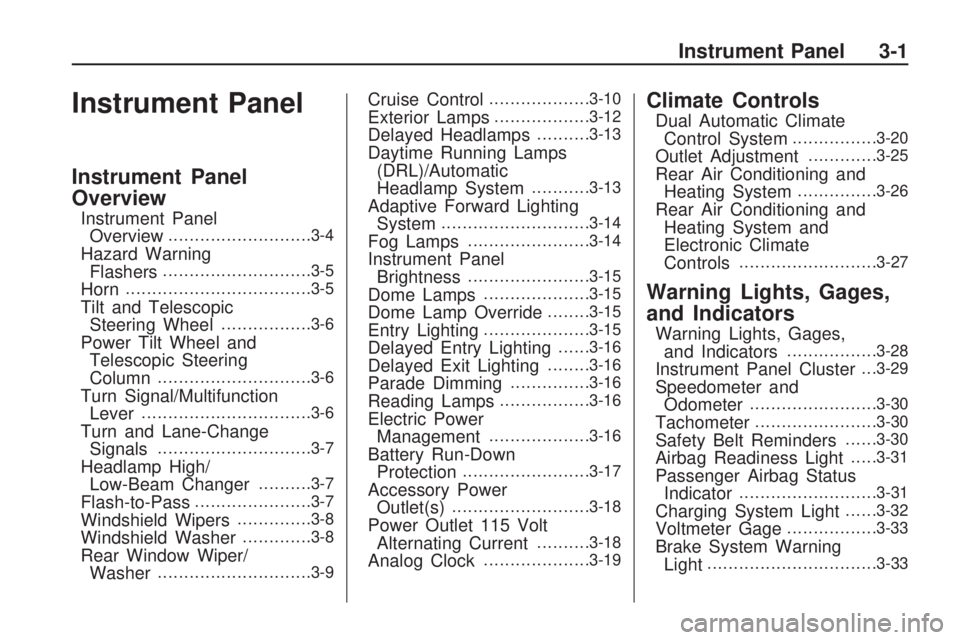
Instrument Panel
Overview
Instrument Panel
Overview...........................3-4
Hazard Warning
Flashers............................3-5
Horn...................................3-5
Tilt and Telescopic
Steering Wheel.................3-6
Power Tilt Wheel and
Telescopic Steering
Column
.............................3-6
Turn Signal/Multifunction
Lever................................3-6
Turn and Lane-Change
Signals.............................3-7
Headlamp High/
Low-Beam Changer..........3-7
Flash-to-Pass......................3-7
Windshield Wipers..............3-8
Windshield Washer.............3-8
Rear Window Wiper/
Washer.............................3-9
Cruise Control...................3-10
Exterior Lamps..................3-12
Delayed Headlamps..........3-13
Daytime Running Lamps
(DRL)/Automatic
Headlamp System
...........3-13
Adaptive Forward Lighting
System............................3-14
Fog Lamps.......................3-14
Instrument Panel
Brightness.......................3-15
Dome Lamps....................3-15
Dome Lamp Override........3-15
Entry Lighting....................3-15
Delayed Entry Lighting......3-16
Delayed Exit Lighting........3-16
Parade Dimming...............3-16
Reading Lamps.................3-16
Electric Power
Management...................3-16
Battery Run-Down
Protection........................3-17
Accessory Power
Outlet(s)..........................3-18
Power Outlet 115 Volt
Alternating Current..........3-18
Analog Clock....................3-19
Climate Controls
Dual Automatic Climate
Control System................3-20
Outlet Adjustment.............3-25
Rear Air Conditioning and
Heating System...............3-26
Rear Air Conditioning and
Heating System and
Electronic Climate
Controls
..........................3-27
Warning Lights, Gages,
and Indicators
Warning Lights, Gages,
and Indicators.................3-28
Instrument Panel Cluster. . .3-29
Speedometer and
Odometer........................3-30
Tachometer.......................3-30
Safety Belt Reminders......3-30
Airbag Readiness Light.....3-31
Passenger Airbag Status
Indicator..........................3-31
Charging System Light......3-32
Voltmeter Gage.................3-33
Brake System Warning
Light................................3-33
Instrument Panel 3-1
Page 120 of 412
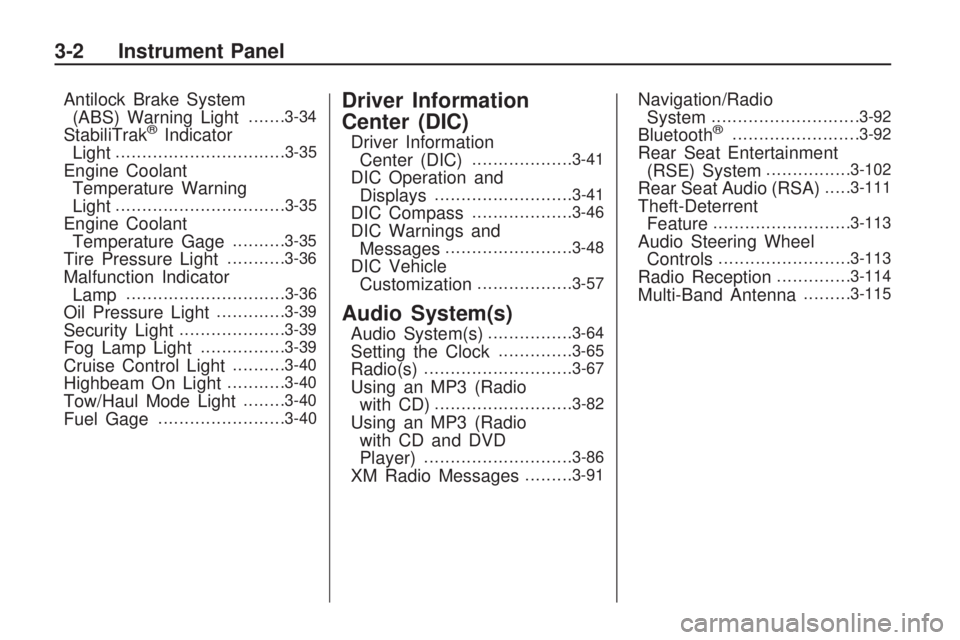
Antilock Brake System
(ABS) Warning Light.......3-34
StabiliTrak®Indicator
Light................................3-35
Engine Coolant
Temperature Warning
Light
................................3-35
Engine Coolant
Temperature Gage..........3-35
Tire Pressure Light...........3-36
Malfunction Indicator
Lamp..............................3-36
Oil Pressure Light.............3-39
Security Light....................3-39
Fog Lamp Light................3-39
Cruise Control Light..........3-40
Highbeam On Light...........3-40
Tow/Haul Mode Light........3-40
Fuel Gage........................3-40
Driver Information
Center (DIC)
Driver Information
Center (DIC)...................3-41
DIC Operation and
Displays..........................3-41
DIC Compass...................3-46
DIC Warnings and
Messages........................3-48
DIC Vehicle
Customization..................3-57
Audio System(s)
Audio System(s)................3-64
Setting the Clock..............3-65
Radio(s)............................3-67
Using an MP3 (Radio
with CD)..........................3-82
Using an MP3 (Radio
with CD and DVD
Player)
............................3-86
XM Radio Messages.........3-91
Navigation/Radio
System............................3-92
Bluetooth®........................3-92
Rear Seat Entertainment
(RSE) System................3-102
Rear Seat Audio (RSA).....3-111
Theft-Deterrent
Feature..........................3-113
Audio Steering Wheel
Controls.........................3-113
Radio Reception..............3-114
Multi-Band Antenna.........3-115
3-2 Instrument Panel
Page 128 of 412

Cruise Control
With cruise control, a speed of
about 25 mph (40 km/h) or more can
be maintained without keeping
your foot on the accelerator. Cruise
control does not work at speeds
below about 25 mph (40 km/h).
When the brakes are applied, the
cruise control is disengaged.
{CAUTION
Cruise control can be dangerous
where you cannot drive safely at
a steady speed. So, do not use
the cruise control on winding
roads or in heavy traffic.
Cruise control can be dangerous
on slippery roads. On such roads,
fast changes in tire traction can
cause excessive wheel slip, and
you could lose control. Do not use
cruise control on slippery roads.The cruise control buttons are
located on left side of the steering
wheel.
T(On/Off):Press to turn cruise
control on and off. The indicator
comes on when cruise control is on.
+ RES (Resume/Accelerate):
Press to make the vehicle
accelerate or resume to a previously
set speed.
SET–:Press to set the speed or
make the vehicle decelerate.
[(Cancel):Press to cancel cruise
control.Setting Cruise Control
Cruise control will not work if the
parking brake is set, or if the master
cylinder brake uid level is low.
The cruise control light on the
instrument panel cluster comes on
after the cruise control has been
set to the desired speed.
{CAUTION
If you leave your cruise control on
when you are not using cruise,
you might hit a button and go into
cruise when you do not want to.
You could be startled and even
lose control. Keep the cruise
control switch off until you want to
use cruise control.
1. Press the
Ibutton.
2. Get up to the speed desired.
3-10 Instrument Panel
Page 129 of 412

3. Press and release the
SET– button located on the
steering wheel.
4. Take your foot off the
accelerator.
Resuming a Set Speed
If the cruise control is set at a
desired speed and then the brakes
are applied, the cruise control is
disengaged. But it does not need to
be reset.
Once the vehicle speed is 25 mph
(40 km/h) or greater, press the +RES
button on the steering wheel. The
vehicle returns to the previously set
speed and stays there.Increasing Speed While Using
Cruise Control
There are two ways to increase the
vehicle speed while using cruise
control:
Press and hold the +RES button
on the steering wheel until the
desired speed is reached,
then release it.
To increase vehicle speed in
small increments, press the
+RES button briey. Each time
this is done, the vehicle goes
about 1 mph (1.6 km/h) faster.Reducing Speed While Using
Cruise Control
There are two ways to reduce the
vehicle speed while using cruise
control:
Press and hold the SET– button
on the steering wheel until the
lower speed desired is reached,
then release it.
To slow down in very small
amounts, press the SET– button
briey. Each time this is done,
the vehicle goes about 1 mph
(1.6 km/h) slower.
Passing Another Vehicle While
Using Cruise Control
Use the accelerator pedal to
increase vehicle speed. When you
take your foot off the pedal, the
vehicle will slow down to the
previously set cruise speed.
Instrument Panel 3-11
Page 130 of 412
Using Cruise Control on Hills
How well the cruise control will work
on hills depends upon the vehicle
speed, load, and the steepness
of the hills. When going up steep
hills, you might have to step on the
accelerator pedal to maintain the
vehicle speed. When going downhill,
you might have to brake or shift
to a lower gear to keep the vehicle
speed down. When the brakes
are applied the cruise control
is disengaged.
Ending Cruise Control
There are three ways to end cruise
control:
Step lightly on the brake pedal.
Press the[button.
Press theTbutton.
Erasing Speed Memory
The cruise control set speed memory
is erased when the cruise control or
the ignition is turned off.
Exterior Lamps
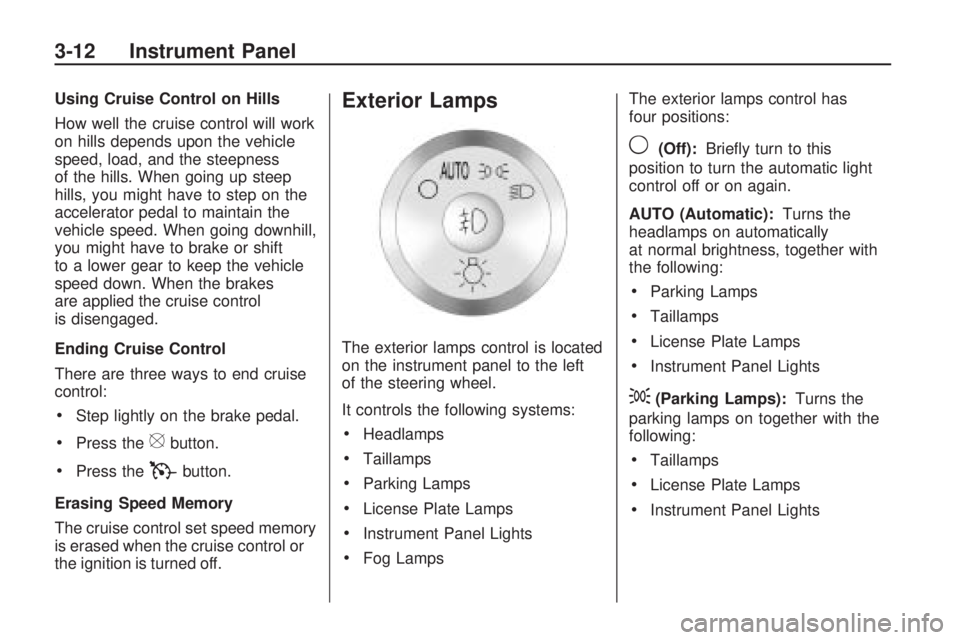
The exterior lamps control is located
on the instrument panel to the left
of the steering wheel.
It controls the following systems:
Headlamps
Taillamps
Parking Lamps
License Plate Lamps
Instrument Panel Lights
Fog LampsThe exterior lamps control has
four positions:
9(Off):Briey turn to this
position to turn the automatic light
control off or on again.
AUTO (Automatic):Turns the
headlamps on automatically
at normal brightness, together with
the following:
Parking Lamps
Taillamps
License Plate Lamps
Instrument Panel Lights
;(Parking Lamps):Turns the
parking lamps on together with the
following:
Taillamps
License Plate Lamps
Instrument Panel Lights
3-12 Instrument Panel
Page 151 of 412

If a short distance must be driven
with the light on, be sure to turn off
all accessories, such as the
radio and air conditioner.
Voltmeter Gage
When the engine is not running, but
the ignition is on, this gage shows
the battery’s state of charge in
DC volts.
When the engine is running, this
gage shows the condition of
the charging system. The vehicle’s
charging system regulates
voltage based on the state of
charge of the battery. The voltmeter
may uctuate. This is normal.
Readings between the low and high
warning zones indicate the normal
operating range.Readings in the low warning zone
may occur when a large number
of electrical accessories are
operating in the vehicle and the
engine is left idling for an extended
period.
If there is a problem with the battery
charging system, a SERVICE
BATTERY CHARGING SYSTEM
message appears in the Driver
Information Center (DIC) and/or the
charging system light comes on.
SeeDIC Warnings and Messages
on page 3-48andCharging
System Light on page 3-32for more
information.
However, readings in either warning
zone can indicate a possible
problem in the electrical system.
Have the vehicle serviced as soon
as possible.
Brake System Warning
Light
This vehicle’s hydraulic brake
system is divided into two parts. If
one part is not working, the
other part can still work and stop
the vehicle. For good braking
both parts need to be working.
If the warning light comes on, there
is a brake problem. Have the
brake system inspected right away.
This light should come on briey
when the ignition key is turned
to ON/RUN. If it does not come on
then, have it xed so it will be
ready to warn if there is a problem.
This light may also come on due
to low brake uid. SeeBrakes
on page 5-24for more information.
United StatesCanada
Instrument Panel 3-33
Page 152 of 412

When the ignition is on, the brake
system warning light will also
come on when the parking brake is
set. The light will stay on if the
parking brake does not release fully.
If it stays on after the parking
brake is fully released, it means
there is a brake problem.
If the light comes on while driving,
pull off the road and stop carefully.
Make sure the parking brake is
fully released. The pedal may be
harder to push or, the pedal may go
closer to the oor. It may take
longer to stop. If the light is still on,
have the vehicle towed for
service. SeeTowing Your Vehicle
on page 4-21.{CAUTION
The brake system might not be
working properly if the brake
system warning light is on. Driving
with the brake system warning
light on can lead to a crash. If the
light is still on after the vehicle
has been pulled off the road and
carefully stopped, have the
vehicle towed for service.
Antilock Brake System
(ABS) Warning Light
For vehicles with the Antilock Brake
System (ABS), this light comes
on briey when the engine is started.That is normal. If the light does not
come on then, have it xed so it
will be ready to warn if there
is a problem.
If the ABS light stays on, turn the
ignition off. If the light comes
on while driving, stop as soon as it
is safely possible and turn the
ignition off. A chime may also sound
when the light comes on steady.
Then start the engine again to reset
the system. If the ABS light stays
on, or comes on again while driving,
the vehicle needs service. If the
regular brake system warning light
is not on, the vehicle still has
brakes, but not antilock brakes. If
the regular brake system warning
light is also on, the vehicle does not
have antilock brakes and there is
a problem with the regular brakes.
SeeBrake System Warning Light on
page 3-33.
For vehicles with a Driver
Information Center (DIC), seeDIC
Warnings and Messages on
page 3-48for all brake related DIC
messages.
3-34 Instrument Panel
Page 166 of 412
To calibrate the compass, use the
following procedure:
Compass Calibration Procedure
1. Before calibrating the compass,
make sure the compass zone is
set to the variance zone in
which the vehicle is located. See
“Compass Variance (Zone)
Procedure” earlier in this section.
Do not operate any switches
such as window, sunroof, climate
controls, seats, etc. during the
calibration procedure.
2. Press the vehicle information
button until PRESS
VTO
CALIBRATE COMPASS
displays.
3. Press the set/reset button to start
the compass calibration.
4. The DIC will display
CALIBRATING: DRIVE IN
CIRCLES. Drive the vehicle in
tight circles at less than
5 mph (8 km/h) to complete the
calibration. The DIC willdisplay CALIBRATION
COMPLETE for a few seconds
when the calibration is complete.
The DIC display will then
return to the previous menu.
DIC Warnings and
Messages
Messages are displayed on the DIC
to notify the driver that the status
of the vehicle has changed and that
some action may be needed by
the driver to correct the condition.
Multiple messages may appear one
after another.
Some messages may not require
immediate action, but you can press
any of the DIC buttons on the
instrument panel to acknowledge
that you received the messages and
to clear them from the display.
Some messages cannot be cleared
from the DIC display because
they are more urgent. These
messages require action before they
can be cleared. You should take
any messages that appear onthe display seriously and remember
that clearing the messages will
only make the messages disappear,
not correct the problem.
The following are the possible
messages that can be displayed
and some information about them.ALL WHEEL DRIVE OFF
If your vehicle has the All-Wheel
Drive (AWD) system, this message
displays when there is a compact
spare tire on the vehicle, when
the Antilock Brake System (ABS)
warning light comes on, or when the
rear differential uid is overheating.
This message turns off when
the differential uid cools.
The AWD system is disabled until
the compact spare tire is replaced
by a full-size tire. If the warning
message is still on after putting on
the full-size tire, you need to
reset the warning message. To
reset the warning message, turn the
ignition off and then back on
again after 30 seconds. If the
3-48 Instrument Panel
Page 172 of 412

SERVICE BATTERY
CHARGING SYSTEM
On some vehicles, this message
displays if there is a problem
with the battery charging system.
Under certain conditions, the
charging system light may also turn
on in the instrument panel cluster.
SeeCharging System Light on
page 3-32. Driving with this problem
could drain the battery. Turn off
all unnecessary accessories. Have
the electrical system checked
as soon as possible. See your
dealer/retailer.
SERVICE BRAKE SYSTEM
This message displays along with
the brake system warning light
if there is a problem with the brake
system. SeeBrake System
Warning Light on page 3-33. If this
message appears, stop as soon
as possible and turn off the vehicle.
Restart the vehicle and check for
the message on the DIC display.If the message is still displayed or
appears again when you begin
driving, the brake system needs
service as soon as possible.
See your dealer/retailer.
SERVICE PARK ASSIST
If your vehicle has the Ultrasonic
Rear Parking Assist (URPA) system,
this message displays if there is a
problem with the URPA system.
Do not use this system to help you
park. SeeUltrasonic Rear Parking
Assist (URPA) on page 2-34
for more information. See your
dealer/retailer for service.
SERVICE POWER STEERING
This message displays when a
problem is detected with the power
steering system. When this
message is displayed, you may
notice that the effort required
to steer the vehicle increases or
feels heavier, but you will still
be able to steer the vehicle. Have
your vehicle serviced by your
dealer/retailer immediately.
SERVICE STABILITRAK
This message displays if there is a
problem with the StabiliTrak®
system. If this message appears, try
to reset the system. Stop; turn off
the engine for at least 15 seconds;
then start the engine again. If
this message still comes on, it
means there is a problem. See your
dealer/retailer for service. The
vehicle is safe to drive, however,
you do not have the benet of
StabiliTrak, so reduce your speed
and drive accordingly.
SERVICE THEFT DETERRENT
SYSTEM
This message displays when there
is a problem with the theft-deterrent
system. The vehicle may or may
not restart so you may want to take
the vehicle to your dealer/retailer
before turning off the engine.
SeePASS-Key
®III+ Electronic
Immobilizer Operation on page 2-18
for more information.
3-54 Instrument Panel