change time BUICK ENCLAVE 2009 User Guide
[x] Cancel search | Manufacturer: BUICK, Model Year: 2009, Model line: ENCLAVE, Model: BUICK ENCLAVE 2009Pages: 412
Page 140 of 412
The PASS indicator will turn off.
When the passenger temperature
setting is different than the
driver setting, the PASS indicator
comes on.
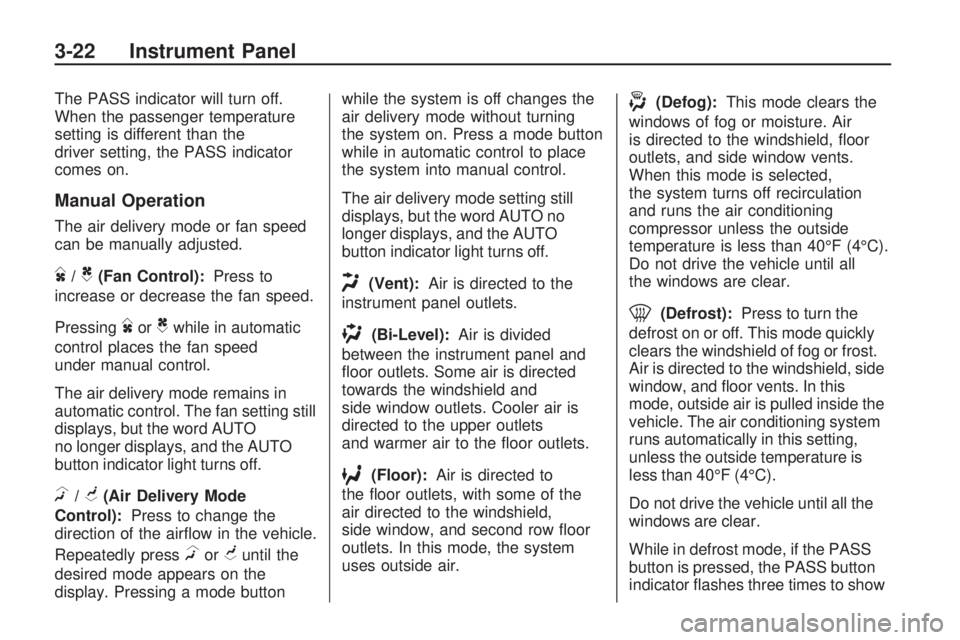
Manual Operation
The air delivery mode or fan speed
can be manually adjusted.
D/C(Fan Control):Press to
increase or decrease the fan speed.
Pressing
DorCwhile in automatic
control places the fan speed
under manual control.
The air delivery mode remains in
automatic control. The fan setting still
displays, but the word AUTO
no longer displays, and the AUTO
button indicator light turns off.
H/G(Air Delivery Mode
Control):Press to change the
direction of the airow in the vehicle.
Repeatedly press
HorGuntil the
desired mode appears on the
display. Pressing a mode buttonwhile the system is off changes the
air delivery mode without turning
the system on. Press a mode button
while in automatic control to place
the system into manual control.
The air delivery mode setting still
displays, but the word AUTO no
longer displays, and the AUTO
button indicator light turns off.
H(Vent):Air is directed to the
instrument panel outlets.
)(Bi-Level):Air is divided
between the instrument panel and
oor outlets. Some air is directed
towards the windshield and
side window outlets. Cooler air is
directed to the upper outlets
and warmer air to the oor outlets.
6(Floor):Air is directed to
the oor outlets, with some of the
air directed to the windshield,
side window, and second row oor
outlets. In this mode, the system
uses outside air.
-(Defog):This mode clears the
windows of fog or moisture. Air
is directed to the windshield, oor
outlets, and side window vents.
When this mode is selected,
the system turns off recirculation
and runs the air conditioning
compressor unless the outside
temperature is less than 40°F (4°C).
Do not drive the vehicle until all
the windows are clear.
0(Defrost):Press to turn the
defrost on or off. This mode quickly
clears the windshield of fog or frost.
Air is directed to the windshield, side
window, and oor vents. In this
mode, outside air is pulled inside the
vehicle. The air conditioning system
runs automatically in this setting,
unless the outside temperature is
less than 40°F (4°C).
Do not drive the vehicle until all the
windows are clear.
While in defrost mode, if the PASS
button is pressed, the PASS button
indicator ashes three times to show
3-22 Instrument Panel
Page 141 of 412

that the passenger climate control
system cannot be activated. If the
passenger temperature buttons are
adjusted while in defrost mode, the
driver temperature indicator will
change. The passenger temperature
will not be displayed.
@(Recirculation):Press to turn
the recirculation mode on or off.
An indicator light comes on
when recirculation is on. When the
engine is turned off, the recirculation
mode automatically turns off and
must be re-selected when the
engine is turned on again.
This mode recirculates and helps to
quickly cool the air inside the
vehicle. It can be used to prevent
outside air and odors from entering
the vehicle.
The recirculation mode cannot be
used with oor, defog, or defrosting
modes. If recirculation is selected
in these modes, the indicator ashes
three times and turns off. The air
conditioning compressor also comeson when this mode is activated.
While in recirculation mode
the windows can fog when the
weather is cold and damp. To clear
the fog, select either the defog
or defrost mode and increase the
fan speed.Air Conditioning
#(Air Conditioning):Press to
turn the air conditioning (A/C)
on and off. An indicator light comes
on when A/C is on.
The A/C does not work when the
outside temperature is below
40°F (4°C). If
#is pressed the
indicator ashes three times
and turns off to show that the
A/C mode is not available. If the
A/C is on and the outside
temperature drops below a
temperature which is too cool for air
conditioning to be effective, the
A/C indicator turns off to show that
the A/C mode has been canceled.On hot days, open the windows
briey to let hot inside air escape.
This helps reduce the time it
takes for the interior of the vehicle
to cool down.
The air conditioning system removes
moisture from the air, so a small
amount of water might drip under the
vehicle while idling or after turning off
the engine. This is normal.
Rear Window Defogger
The rear window defogger uses a
warming grid to remove fog from the
rear window.
<(Rear Window Defogger):
Press to turn the rear window
defogger on or off. The rear window
defogger stays on for about
10 minutes, before turning off. The
defogger also turns off when the
engine is turned off. Do not drive
the vehicle until all the windows
are clear.
Instrument Panel 3-23
Page 160 of 412

DIC Buttons
The buttons are the set/reset,
customization, vehicle information,
and trip/fuel buttons. The button
functions are detailed in the
following pages.
V(Set/Reset):Press this button to
set or reset certain functions and
to turn off or acknowledge
messages on the DIC.
U(Customization):Press this
button to customize the feature
settings on your vehicle. SeeDIC
Vehicle Customization on page 3-57
for more information.
T(Vehicle Information):Press
this button to display the oil life,
park assist on vehicles with
this feature, units, tire pressure
readings on vehicles with this
feature, Remote Keyless Entry
(RKE) transmitter programming, and
compass calibration and zone
setting on vehicles with this feature.
3(Trip/Fuel):Press this
button to display the odometer, trip
odometers, fuel range, average
economy, timer, fuel used,
and average speed.
Vehicle Information Menu
Items
T(Vehicle Information):Press
this button to scroll through the
following menu items:
OIL LIFE
Press the vehicle information button
until OIL LIFE REMAINING
displays. This display shows an
estimate of the oil’s remaining useful
life. If you see 99% OIL LIFE
REMAINING on the display, that
means 99% of the current oil
life remains. The engine oil life
system will alert you to change the
oil on a schedule consistent with
your driving conditions.
When the remaining oil life is low,
the CHANGE ENGINE OIL
SOON message will appear on the
display. See “CHANGE ENGINE
OIL SOON” underDIC Warnings
and Messages on page 3-48.
You should change the oil as soon
as you can. SeeEngine Oil on
page 5-11. In addition to the engine
3-42 Instrument Panel
Page 161 of 412

oil life system monitoring the oil life,
additional maintenance is
recommended in the Maintenance
Schedule in this manual. See
Scheduled Maintenance on page 6-3
for more information.
Remember, you must reset the OIL
LIFE display yourself after each
oil change. It will not reset
itself. Also, be careful not to reset
the OIL LIFE display accidentally at
any time other than when the oil
has just been changed. It cannot be
reset accurately until the next oil
change. To reset the engine oil life
system, seeEngine Oil Life
System on page 5-13.
PARK ASSIST
If your vehicle has the Ultrasonic
Rear Parking Assist (URPA) system,
press the vehicle information
button until PARK ASSIST displays.
This display allows the system to
be turned on or off. Once in
this display, press the set/reset
button to select between ON
or OFF. If you choose ON, thesystem will be turned on. If you
choose OFF, the system will
be turned off. The URPA system
automatically turns back on
after each vehicle start. When the
URPA system is turned off and
the vehicle is shifted out of P (Park),
the DIC will display the PARK
ASSIST OFF message as a
reminder that the system has been
turned off. SeeDIC Warnings
and Messages on page 3-48and
Ultrasonic Rear Parking Assist
(URPA) on page 2-34for more
information.
UNITS
Press the vehicle information button
until UNITS displays. This display
allows you to select between English
or Metric units of measurement.
Once in this display, press the
set/reset button to select between
ENGLISH or METRIC units. All
of the vehicle information will then
be displayed in the unit of
measurement selected.FRONT TIRES or REAR TIRES
On vehicles with the Tire Pressure
Monitor System (TPMS), the
pressure for each tire can be viewed
in the DIC. The tire pressure will
be shown in either pounds per
square inch (psi) or kilopascals
(kPa). Press the vehicle information
button until the DIC displays
FRONT TIRES PSI (kPa) LEFT ##
RIGHT ##. Press the vehicle
information button again until the
DIC displays REAR TIRES PSI
(kPa) LEFT ## RIGHT ##.
If a low or high tire pressure
condition is detected by the system
while driving, a message advising
you to check the pressure in a
specic tire will appear in the
display. SeeInflation - Tire Pressure
on page 5-42andDIC Warnings
and Messages on page 3-48
for more information.
Instrument Panel 3-43
Page 163 of 412
Each trip odometer can be reset to
zero separately by pressing the
set/reset button while the desired
trip odometer is displayed.
The trip odometer has a feature
called the retro-active reset.
This can be used to set the trip
odometer to the number of miles
(kilometers) driven since the ignition
was last turned on. This can be
used if the trip odometer is not reset
at the beginning of the trip.
To use the retro-active reset feature,
press and hold the set/reset button
for at least four seconds. The trip
odometer will display the number of
miles (mi) or kilometers (km) driven
since the ignition was last turned on
and the vehicle was moving. Once
the vehicle begins moving, the trip
odometer will accumulate mileage.
For example, if the vehicle was
driven 5 miles (8 km) before it is
started again, and then the
retro-active reset feature is activated,
the display will show 5 miles (8 km).As the vehicle begins moving, the
display will then increase to 5.1 miles
(8.2 km), 5.2 miles (8.4 km), etc.
If the retro-active reset feature is
activated after the vehicle is started,
but before it begins moving, the
display will show the number
of miles (mi) or kilometers (km)
that were driven during the
last ignition cycle.
RANGE
Press the trip/fuel button until
RANGE displays. This display
shows the approximate number
of remaining miles (mi) or
kilometers (km) the vehicle can be
driven without refueling. The display
will show LOW if the fuel level is low.
The fuel range estimate is based on
an average of the vehicle’s fuel
economy over recent driving history
and the amount of fuel remaining
in the fuel tank. This estimate
will change if driving conditions
change. For example, if driving in
traffic and making frequentstops, this display may read one
number, but if the vehicle is driven
on a freeway, the number may
change even though the same
amount of fuel is in the fuel tank.
This is because different driving
conditions produce different
fuel economies. Generally, freeway
driving produces better fuel
economy than city driving. Fuel
range cannot be reset.
AVG (Average) ECONOMY
Press the trip/fuel button until AVG
ECONOMY displays. This display
shows the approximate average
miles per gallon (mpg) or liters per
100 kilometers (L/100 km). This
number is calculated based on
the number of mpg (L/100 km)
recorded since the last time
this menu item was reset. To reset
AVG ECONOMY, press and
hold the set/reset button.
Instrument Panel 3-45
Page 167 of 412
message stays on, see your
dealer/retailer right away. See
All-Wheel Drive (AWD) System on
page 4-7for more information.
AUTOMATIC LIGHT
CONTROL OFF
This message displays when the
automatic headlamps are turned off.
This message clears itself after
10 seconds.
AUTOMATIC LIGHT
CONTROL ON
This message displays when the
automatic headlamps are turned on.
This message clears itself after
10 seconds.
BATTERY SAVER ACTIVE
This message displays when
the system detects that the battery
voltage is dropping below
expected levels. The battery saver
system starts reducing certain
features of the vehicle that you may
be able to notice. At the point
that the features are disabled, thismessage is displayed. It means that
the vehicle is trying to save the
charge in the battery.
Turn off all unnecessary accessories
to allow the battery to recharge.
The normal battery voltage range is
11.5 to 15.5 volts.
CHANGE ENGINE OIL SOON
This message displays when
the engine oil needs to be changed.
When you change the engine oil,
be sure to reset the CHANGE
ENGINE OIL SOON message. See
Engine Oil Life System on
page 5-13for information on how to
reset the message. SeeEngine
Oil on page 5-11andScheduled
Maintenance on page 6-3for more
information.
CHECK TIRE PRESSURE
On vehicles with the Tire Pressure
Monitor System (TPMS), this
message displays when the
pressure in one or more of the
vehicle’s tires needs to be checked.This message also displays LEFT
FRONT, RIGHT FRONT, LEFT
REAR, or RIGHT REAR to indicate
which tire needs to be checked.
You can receive more than one tire
pressure message at a time. To
read the other messages that may
have been sent at the same
time, press the set/reset button. If a
tire pressure message appears
on the DIC, stop as soon as
you can. Have the tire pressures
checked and set to those shown on
the Tire Loading Information
label. SeeTires on page 5-36,
Loading the Vehicle on page 4-16,
andInflation - Tire Pressure on
page 5-42. The DIC also shows the
tire pressure values. SeeDIC
Operation and Displays on
page 3-41. If the tire pressure is
low, the low tire pressure warning
light comes on. SeeTire Pressure
Light on page 3-36.
Instrument Panel 3-49
Page 178 of 412

NO CHANGE:No change will be
made to this feature. The current
setting will remain.
To select a setting, press the
set/reset button while the desired
setting is displayed on the DIC.
DELAY DOOR LOCK
This feature allows you to select
whether or not the locking of
the vehicle’s doors and liftgate will
be delayed. When locking the
doors and liftgate with the power
door lock switch and a door or
the liftgate is open, this feature will
delay locking the doors and
liftgate until ve seconds after the
last door is closed. You will
hear three chimes to signal that the
delayed locking feature is in use.
The key must be out of the ignition
for this feature to work. You can
temporarily override delayed locking
by pressing the power door lock
switch twice or the lock button
on the RKE transmitter twice. See
Delayed Locking on page 2-8
for more information.Press the customization button until
DELAY DOOR LOCK appears
on the DIC display. Press the
set/reset button once to access the
settings for this feature. Then
press the customization button to
scroll through the following settings:
OFF:There will be no delayed
locking of the vehicle’s doors.
ON (default):The doors will not
lock until ve seconds after the last
door or the liftgate is closed.
NO CHANGE:No change will be
made to this feature. The current
setting will remain.
To select a setting, press the
set/reset button while the desired
setting is displayed on the DIC.
EXIT LIGHTING
This feature allows you to select the
amount of time you want the exterior
lamps to remain on when it is dark
enough outside. This happens after
the key is turned from ON/RUN to
LOCK/OFF.Press the customization button until
EXIT LIGHTING appears on the
DIC display. Press the set/reset
button once to access the settings
for this feature. Then press the
customization button to scroll
through the following settings:
OFF:The exterior lamps will not
turn on.
30 SECONDS (default):The
exterior lamps will stay on for
30 seconds.
1 MINUTE:The exterior lamps will
stay on for one minute.
2 MINUTES:The exterior lamps will
stay on for two minutes.
NO CHANGE:No change will be
made to this feature. The current
setting will remain.
To select a setting, press the
set/reset button while the desired
setting is displayed on the DIC.
3-60 Instrument Panel
Page 180 of 412

Press the customization button until
PARK TILT MIRRORS appears
on the DIC display. Press the
set/reset button once to access the
settings for this feature. Then
press the customization button to
scroll through the following settings:
OFF (default):Neither outside
mirror will be tilted down when the
vehicle is shifted into R (Reverse).
DRIVER MIRROR:The driver’s
outside mirror will be tilted down
when the vehicle is shifted into
R (Reverse).
PASSENGER MIRROR:The
passenger’s outside mirror will be
tilted down when the vehicle is
shifted into R (Reverse).
BOTH MIRRORS:The driver’s and
passenger’s outside mirrors will
be tilted down when the vehicle is
shifted into R (Reverse).
NO CHANGE:No change will be
made to this feature. The current
setting will remain.To select a setting, press the
set/reset button while the desired
setting is displayed on the DIC.
EASY EXIT SEAT
If your vehicle has this feature, it
allows you to select your preference
for the automatic easy exit seat
feature. SeeMemory Seat and
Mirrors on page 1-5for more
information.
Press the customization button until
EASY EXIT SEAT appears on
the DIC display. Press the set/reset
button once to access the settings
for this feature. Then press the
customization button to scroll
through the following settings:
OFF (default):No automatic seat
exit recall will occur.
ON:The driver’s seat will move
back when the key is removed from
the ignition. The steering column
will also move up and forward
on vehicles with the power tilt and
telescopic steering feature. See
Power Tilt Wheel and TelescopicSteering Column on page 3-6for
more information.
The automatic easy exit seat
movement will only occur one time
after the key is removed from
the ignition. If the automatic
movement has already occurred,
and you put the key back in
the ignition and remove it again, the
seat and steering column will
stay in the original exit position,
unless a memory recall took place
prior to removing the key again.
NO CHANGE:No change will be
made to this feature. The current
setting will remain.
To select a setting, press the
set/reset button while the desired
setting is displayed on the DIC.
MEMORY SEAT RECALL
If your vehicle has this feature, it
allows you to select your preference
for the remote memory seat recall
feature. SeeMemory Seat and
Mirrors on page 1-5for more
information.
3-62 Instrument Panel
Page 183 of 412
For more information, seeDefensive
Driving on page 4-2.
Notice:Contact your
dealer/retailer before adding any
equipment.
Adding audio or communication
equipment could interfere
with the operation of the vehicle’s
engine, radio, or other systems,
and could damage them.
Follow federal rules covering
mobile radio and telephone
equipment.
The vehicle has Retained Accessory
Power (RAP). With RAP, the
audio system can be played even
after the ignition is turned off.
SeeRetained Accessory Power
(RAP) on page 2-22for more
information.
Setting the Clock
The vehicle has an analog clock
and a digital radio clock. The digital
radio clock can be enabled or
disabled.
Enabling/Disabling the Digital
Radio Clock
To enable or disable the radio clock
display:
1. Press
Huntil the clock and date
setting menus appear.
2. Press the pushbutton located
under the forward arrow label
until the menu for default
clock and date settings appear.
3. Press the pushbutton located
under the currently displayed
status of either ON or OFF
to toggle the radio clock display
on or off. The ON display
indicates the radio clock display
is disabled and the OFF
display indicates the radio clock
display is enabled.
If the radio clock display
is turned on, the screen
displays Radio Clock ON
for 10 seconds, then
returns to the original clock
display menu.
If the radio clock display
is turned off, the screen
displays Radio Clock OFF
for 10 seconds. The menus
for clock and date settings are
removed, and ON displays
as a current status indicating
that the clock display can
be turned on.
If the radio clock and analog clock
are not synchronized. Use the
procedure below to synchronize
both clocks.
Adjusting the Time and Date
1. Turn the ignition key to
ACC/ACCESSORY or ON/RUN,
then press
O, to turn the
radio on.
2. Press
Gto display HR, MIN,
MM, DD, YYYY (hour, minute,
month, day, and year).
3. Press the pushbutton located
under any one of the labels to
be changed.
Instrument Panel 3-65
Page 184 of 412
4. To increase the time or date, do
one of the following:
Press the pushbutton below
the selected label.
Press¨SEEK.
Press\FWD.
Turnfclockwise.
5. To decrease the time or date, do
one of the following:
Press©SEEK.
PresssREV.
Turnfcounter-clockwise.
Changing the Time and Date
Default Setting
To change the time default setting
from 12 hour to 24 hour or to
change the date default setting from
month/day/year to day/month/year:
1. Press
Gand then the
pushbutton located under the
forward arrow that displays
on the radio screen until the time
12H (hour) and 24H (hour),
and the date MM/DD (month and
day) and DD/MM (day and
month) displays.
2. Press the pushbutton located
under the desired option.
3. Press
Gagain to apply the
selected default, or let the screen
time out.
3-66 Instrument Panel