Eco BUICK ENCLAVE 2018 Owner's Guide
[x] Cancel search | Manufacturer: BUICK, Model Year: 2018, Model line: ENCLAVE, Model: BUICK ENCLAVE 2018Pages: 393, PDF Size: 5.68 MB
Page 47 of 393
Buick Enclave Owner Manual (GMNA-Localizing-U.S./Canada/Mexico-
10999311) - 2018 - crc - 11/20/17
46 Keys, Doors, and Windows
open. The liftgate will resume
operation when the battery is
reconnected and charged.
Hands-Free Operation
The liftgate may be operated with a
kicking motion under the left side of
the rear bumper. The RKE
transmitter must be within 1 m (3 ft).
The hands-free feature will not work
while the liftgate is moving. To stop
the liftgate while in motion use one
of the liftgate switches.
The hands-free feature can be
customized. SeeVehicle
Personalization 0154. Choose from
the following:
On-Open and Close : The kicking
motion is activated to both open and
close the liftgate.
On-Open Only : The kicking motion
is activated to only open the liftgate.
Off : The feature is disabled.
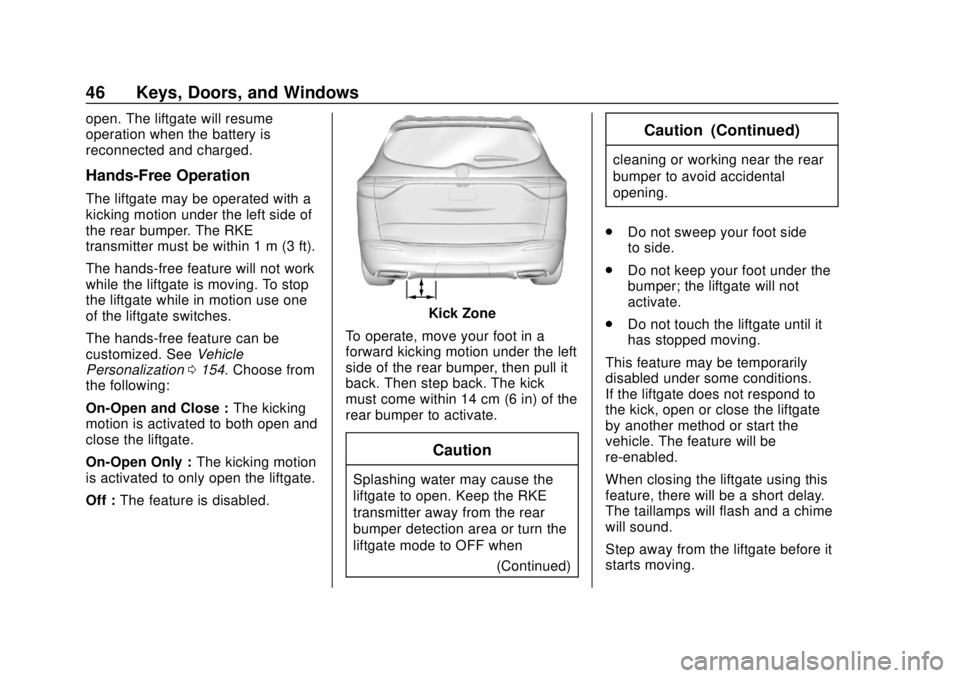
Kick Zone
To operate, move your foot in a
forward kicking motion under the left
side of the rear bumper, then pull it
back. Then step back. The kick
must come within 14 cm (6 in) of the
rear bumper to activate.
Caution
Splashing water may cause the
liftgate to open. Keep the RKE
transmitter away from the rear
bumper detection area or turn the
liftgate mode to OFF when (Continued)
Caution (Continued)
cleaning or working near the rear
bumper to avoid accidental
opening.
. Do not sweep your foot side
to side.
. Do not keep your foot under the
bumper; the liftgate will not
activate.
. Do not touch the liftgate until it
has stopped moving.
This feature may be temporarily
disabled under some conditions.
If the liftgate does not respond to
the kick, open or close the liftgate
by another method or start the
vehicle. The feature will be
re-enabled.
When closing the liftgate using this
feature, there will be a short delay.
The taillamps will flash and a chime
will sound.
Step away from the liftgate before it
starts moving.
Page 48 of 393
Buick Enclave Owner Manual (GMNA-Localizing-U.S./Canada/Mexico-
10999311) - 2018 - crc - 11/20/17
Keys, Doors, and Windows 47
Projected Logo
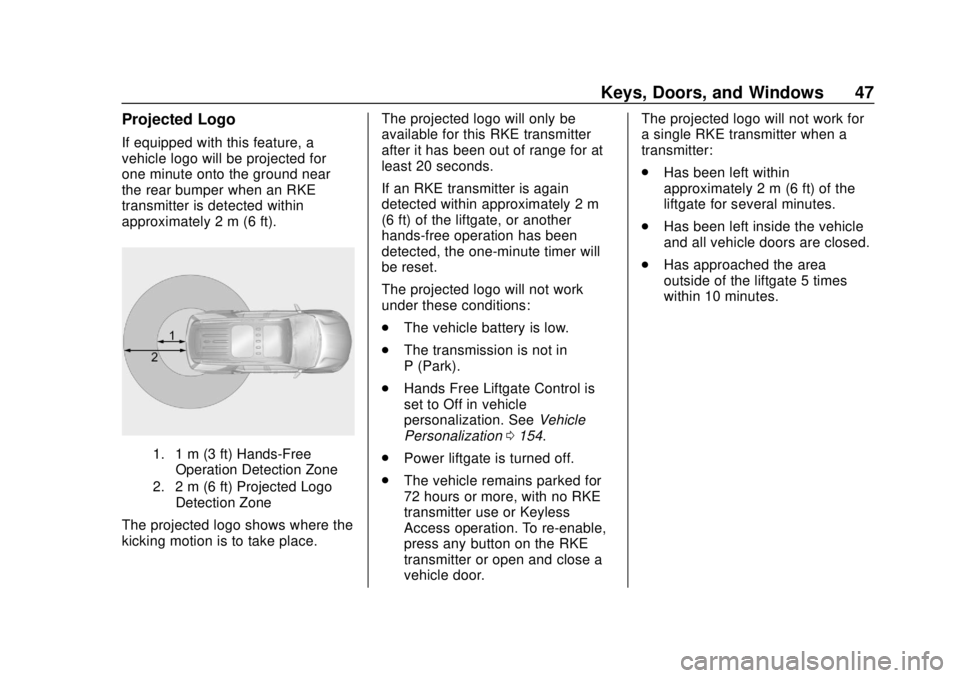
If equipped with this feature, a
vehicle logo will be projected for
one minute onto the ground near
the rear bumper when an RKE
transmitter is detected within
approximately 2 m (6 ft).
1. 1 m (3 ft) Hands-FreeOperation Detection Zone
2. 2 m (6 ft) Projected Logo Detection Zone
The projected logo shows where the
kicking motion is to take place. The projected logo will only be
available for this RKE transmitter
after it has been out of range for at
least 20 seconds.
If an RKE transmitter is again
detected within approximately 2 m
(6 ft) of the liftgate, or another
hands-free operation has been
detected, the one-minute timer will
be reset.
The projected logo will not work
under these conditions:
.
The vehicle battery is low.
. The transmission is not in
P (Park).
. Hands Free Liftgate Control is
set to Off in vehicle
personalization. See Vehicle
Personalization 0154.
. Power liftgate is turned off.
. The vehicle remains parked for
72 hours or more, with no RKE
transmitter use or Keyless
Access operation. To re-enable,
press any button on the RKE
transmitter or open and close a
vehicle door. The projected logo will not work for
a single RKE transmitter when a
transmitter:
.
Has been left within
approximately 2 m (6 ft) of the
liftgate for several minutes.
. Has been left inside the vehicle
and all vehicle doors are closed.
. Has approached the area
outside of the liftgate 5 times
within 10 minutes.
Page 50 of 393
Buick Enclave Owner Manual (GMNA-Localizing-U.S./Canada/Mexico-
10999311) - 2018 - crc - 11/20/17
Keys, Doors, and Windows 49
Vehicle Security
This vehicle has theft-deterrent
features; however, they do not make
the vehicle impossible to steal.
Vehicle Alarm System
This vehicle has an anti-theft alarm
system.
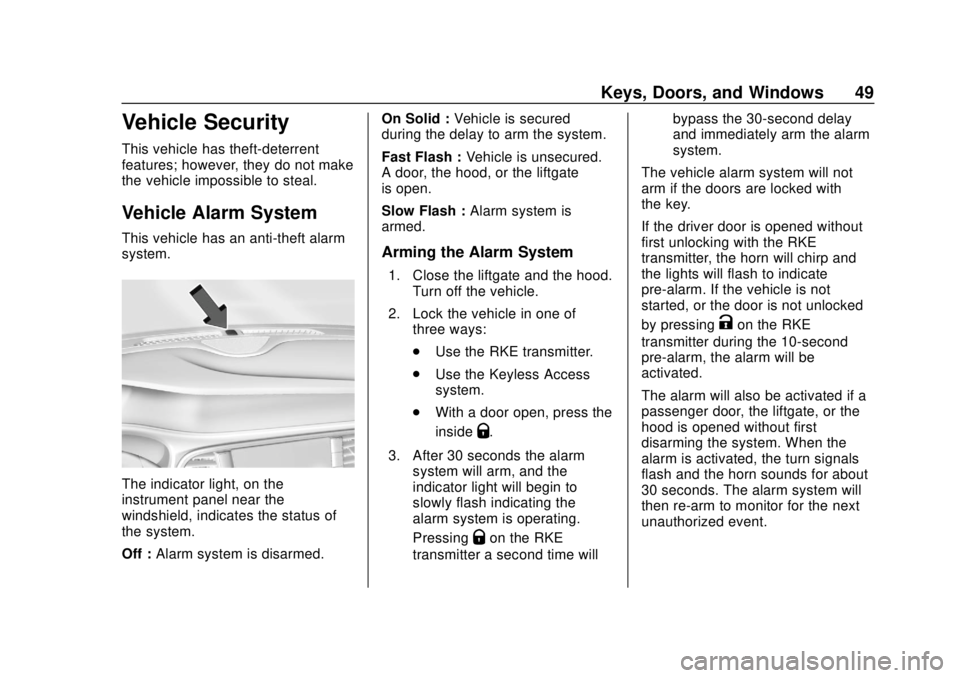
The indicator light, on the
instrument panel near the
windshield, indicates the status of
the system.
Off :Alarm system is disarmed. On Solid :
Vehicle is secured
during the delay to arm the system.
Fast Flash : Vehicle is unsecured.
A door, the hood, or the liftgate
is open.
Slow Flash : Alarm system is
armed.
Arming the Alarm System
1. Close the liftgate and the hood. Turn off the vehicle.
2. Lock the vehicle in one of three ways:
.Use the RKE transmitter.
. Use the Keyless Access
system.
. With a door open, press the
inside
Q.
3. After 30 seconds the alarm system will arm, and the
indicator light will begin to
slowly flash indicating the
alarm system is operating.
Pressing
Qon the RKE
transmitter a second time will bypass the 30-second delay
and immediately arm the alarm
system.
The vehicle alarm system will not
arm if the doors are locked with
the key.
If the driver door is opened without
first unlocking with the RKE
transmitter, the horn will chirp and
the lights will flash to indicate
pre-alarm. If the vehicle is not
started, or the door is not unlocked
by pressing
Kon the RKE
transmitter during the 10-second
pre-alarm, the alarm will be
activated.
The alarm will also be activated if a
passenger door, the liftgate, or the
hood is opened without first
disarming the system. When the
alarm is activated, the turn signals
flash and the horn sounds for about
30 seconds. The alarm system will
then re-arm to monitor for the next
unauthorized event.
Page 53 of 393
Buick Enclave Owner Manual (GMNA-Localizing-U.S./Canada/Mexico-
10999311) - 2018 - crc - 11/20/17
52 Keys, Doors, and Windows
automatic car wash. Push the mirror
outward to return it to the original
position.
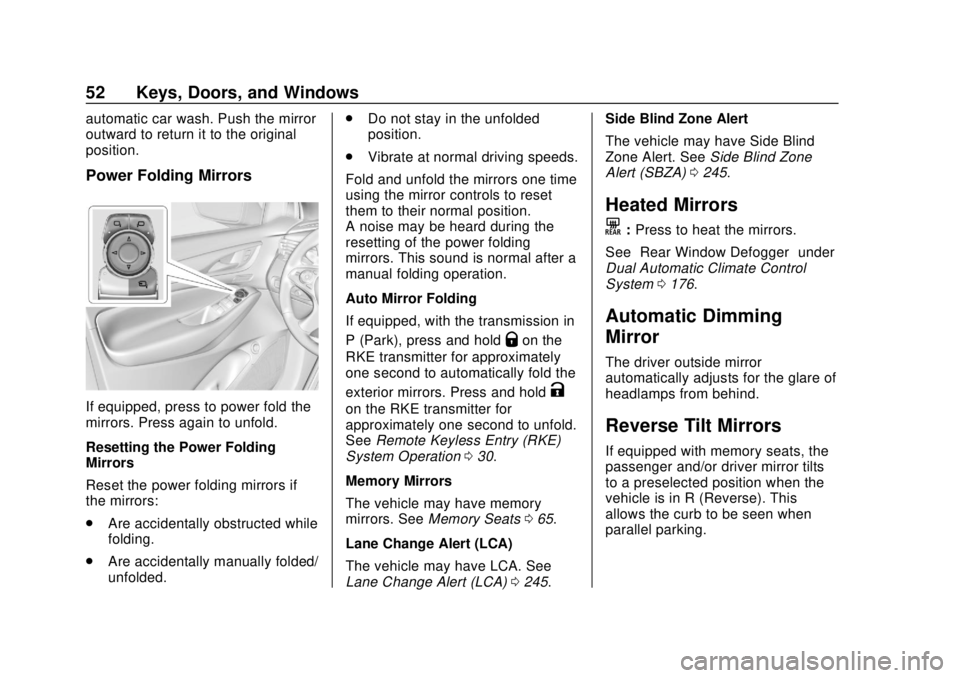
Power Folding Mirrors
If equipped, press to power fold the
mirrors. Press again to unfold.
Resetting the Power Folding
Mirrors
Reset the power folding mirrors if
the mirrors:
.Are accidentally obstructed while
folding.
. Are accidentally manually folded/
unfolded. .
Do not stay in the unfolded
position.
. Vibrate at normal driving speeds.
Fold and unfold the mirrors one time
using the mirror controls to reset
them to their normal position.
A noise may be heard during the
resetting of the power folding
mirrors. This sound is normal after a
manual folding operation.
Auto Mirror Folding
If equipped, with the transmission in
P (Park), press and hold
Qon the
RKE transmitter for approximately
one second to automatically fold the
exterior mirrors. Press and hold
K
on the RKE transmitter for
approximately one second to unfold.
See Remote Keyless Entry (RKE)
System Operation 030.
Memory Mirrors
The vehicle may have memory
mirrors. See Memory Seats 065.
Lane Change Alert (LCA)
The vehicle may have LCA. See
Lane Change Alert (LCA) 0245. Side Blind Zone Alert
The vehicle may have Side Blind
Zone Alert. See
Side Blind Zone
Alert (SBZA) 0245.
Heated Mirrors
K
:Press to heat the mirrors.
See “Rear Window Defogger” under
Dual Automatic Climate Control
System 0176.
Automatic Dimming
Mirror
The driver outside mirror
automatically adjusts for the glare of
headlamps from behind.
Reverse Tilt Mirrors
If equipped with memory seats, the
passenger and/or driver mirror tilts
to a preselected position when the
vehicle is in R (Reverse). This
allows the curb to be seen when
parallel parking.
Page 54 of 393
Buick Enclave Owner Manual (GMNA-Localizing-U.S./Canada/Mexico-
10999311) - 2018 - crc - 11/20/17
Keys, Doors, and Windows 53
The mirror(s) return to the original
position when:
.The vehicle is shifted out of
R (Reverse), or remains in
R (Reverse) for about
30 seconds.
. The ignition is turned off.
. The vehicle is driven in
R (Reverse) above a set speed.
To turn this feature on or off, see
Vehicle Personalization 0154.Interior Mirrors
Interior Rearview Mirrors
Adjust the rearview mirror for a clear
view of the area behind the vehicle.
Do not spray glass cleaner directly
on the mirror. Use a soft towel
dampened with water.
Automatic Dimming
Rearview Mirror
If equipped, automatic dimming
reduces the glare of headlamps
from behind. The dimming feature
comes on when the vehicle is
started.
Rear Camera Mirror
If equipped, this automatic dimming
mirror provides a wide angle camera
view of the area behind the vehicle.
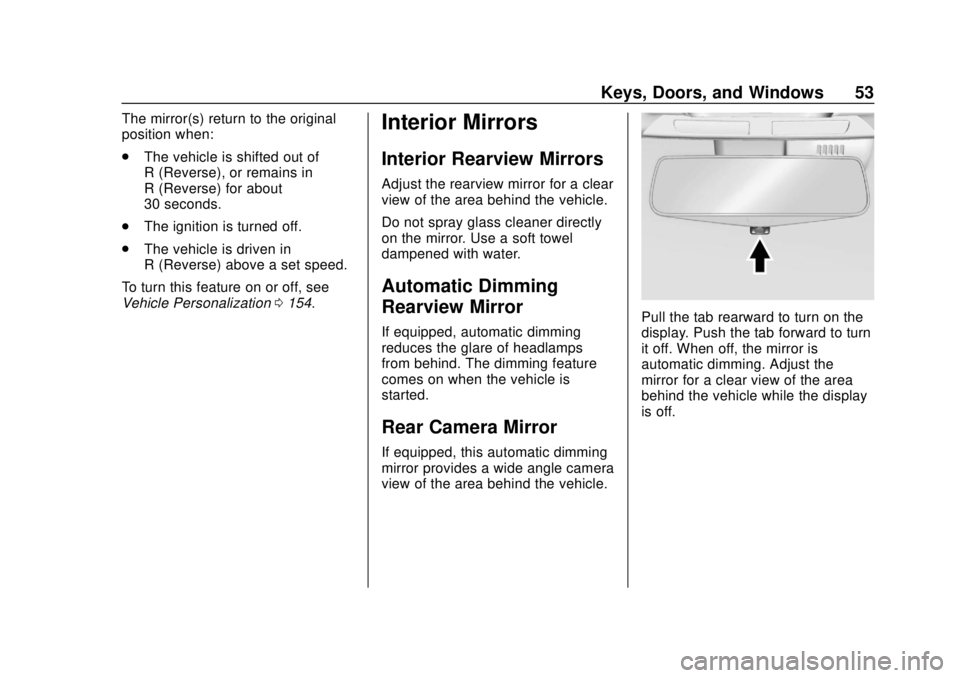
Pull the tab rearward to turn on the
display. Push the tab forward to turn
it off. When off, the mirror is
automatic dimming. Adjust the
mirror for a clear view of the area
behind the vehicle while the display
is off.
Page 56 of 393
Buick Enclave Owner Manual (GMNA-Localizing-U.S./Canada/Mexico-
10999311) - 2018 - crc - 11/20/17
Keys, Doors, and Windows 55
.Dirt, snow, or other debris blocks
the camera lens. Clean the lens
with a soft damp cloth.
. The back of the vehicle has
been damaged and the position
and mounting angle of the
camera has changed.Windows
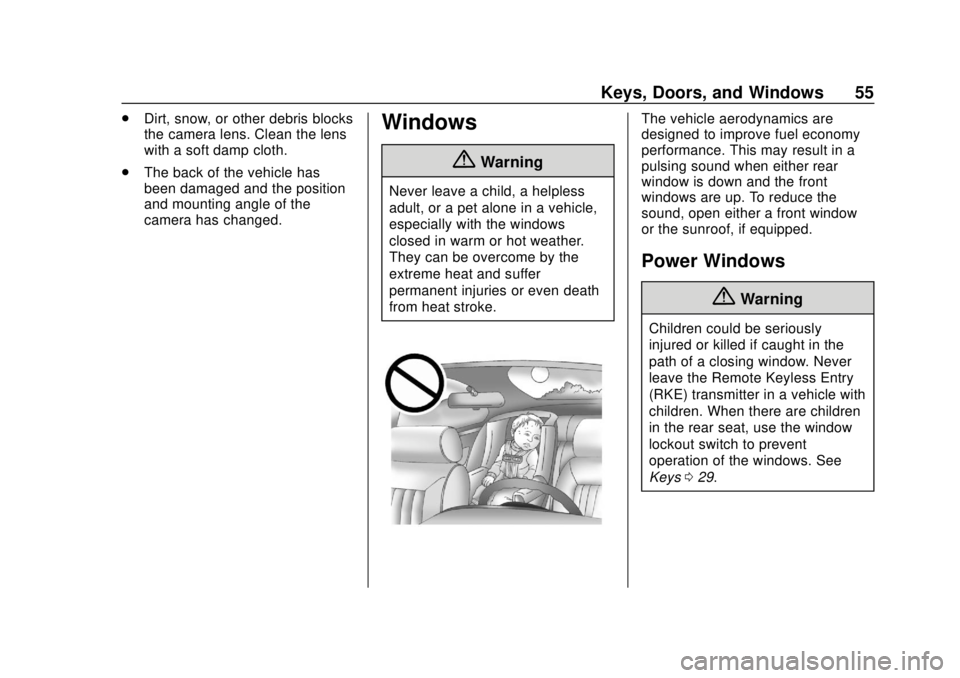
{Warning
Never leave a child, a helpless
adult, or a pet alone in a vehicle,
especially with the windows
closed in warm or hot weather.
They can be overcome by the
extreme heat and suffer
permanent injuries or even death
from heat stroke.
The vehicle aerodynamics are
designed to improve fuel economy
performance. This may result in a
pulsing sound when either rear
window is down and the front
windows are up. To reduce the
sound, open either a front window
or the sunroof, if equipped.
Power Windows
{Warning
Children could be seriously
injured or killed if caught in the
path of a closing window. Never
leave the Remote Keyless Entry
(RKE) transmitter in a vehicle with
children. When there are children
in the rear seat, use the window
lockout switch to prevent
operation of the windows. See
Keys 029.
Page 62 of 393

Buick Enclave Owner Manual (GMNA-Localizing-U.S./Canada/Mexico-
10999311) - 2018 - crc - 11/20/17
Seats and Restraints 61
Head Restraints
Front Seats
{Warning
With head restraints that are not
installed and adjusted properly,
there is a greater chance that
occupants will suffer a neck/
spinal injury in a crash. Do not
drive until the head restraints for
all occupants are installed and
adjusted properly.
The vehicle's front seats have
adjustable head restraints in the
outboard seating positions.
Adjust the head restraint so that the
top of the restraint is at the same
height as the top of the occupant's
head. This position reduces the
chance of a neck injury in a crash.
The height of the head restraint can
be adjusted.To raise or lower the head restraint,
press the button located on the side
of the head restraint, and pull up or
push the head restraint down, and
release the button. Pull and push on
the head restraint after the button is
released to make sure that it is
locked in place.
The front seat outboard head
restraints are not removable.
Rear Seats
Second Row Seats
The vehicle’s second row seats
have adjustable head restraints in
the outboard seating positions.
Page 63 of 393
Buick Enclave Owner Manual (GMNA-Localizing-U.S./Canada/Mexico-
10999311) - 2018 - crc - 11/20/17
62 Seats and Restraints
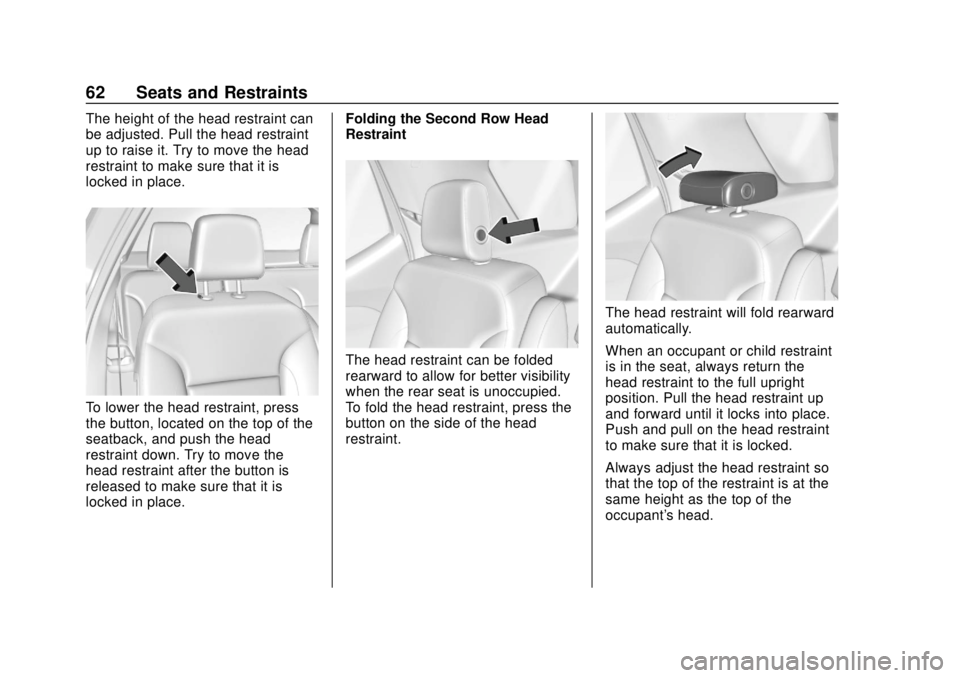
The height of the head restraint can
be adjusted. Pull the head restraint
up to raise it. Try to move the head
restraint to make sure that it is
locked in place.
To lower the head restraint, press
the button, located on the top of the
seatback, and push the head
restraint down. Try to move the
head restraint after the button is
released to make sure that it is
locked in place.Folding the Second Row Head
Restraint
The head restraint can be folded
rearward to allow for better visibility
when the rear seat is unoccupied.
To fold the head restraint, press the
button on the side of the head
restraint.
The head restraint will fold rearward
automatically.
When an occupant or child restraint
is in the seat, always return the
head restraint to the full upright
position. Pull the head restraint up
and forward until it locks into place.
Push and pull on the head restraint
to make sure that it is locked.
Always adjust the head restraint so
that the top of the restraint is at the
same height as the top of the
occupant's head.
Page 67 of 393
Buick Enclave Owner Manual (GMNA-Localizing-U.S./Canada/Mexico-
10999311) - 2018 - crc - 11/20/17
66 Seats and Restraints
Memory adjustments may not be
available upon delivery or after
service until steps in“Saving
Memory Positions” section are
performed.
Vehicle Personalization Settings
. To have the Auto Memory Recall
movement begin when the
vehicle is started, select the
Settings menu, then Vehicle,
then Comfort and Convenience,
and then Auto Memory Recall.
Select On or Off. See “Auto
Memory Recall” later in this
section.
. To begin Easy Exit Recall
movement when the ignition is
turned off and the driver door is
opened, or when the ignition is
turned off with the driver door
already opened, select the
Settings menu, then Vehicle,
then Comfort and Convenience,
and then Easy Exit Options.
Select On or Off. See “Easy Exit
Recall” later in this section. .
See Vehicle Personalization
0 154 for additional setting
information.
Identifying Driver Number
To identify the driver number: 1. Start the vehicle with a different key or RKE transmitter. The
DIC should display the driver
number; 1 or 2. Turn the
ignition off and remove the key
or RKE transmitter from the
vehicle.
2. Start the vehicle with the initial key or RKE transmitter. The
DIC should display the other
driver number not shown in
Step 1.
Saving Memory Positions
Read these instructions completely
before saving memory positions.
To save preferred driving positions
1 and 2: 1. Turn the ignition on or to ACC/ ACCESSORY.
A DIC welcome message may
indicate driver number 1 or 2. 2. Adjust all available memory
features to the desired driving
position.
3. Press and release SET; a beep will sound.
4. Immediately press and hold the 1 or 2 memory button matching
the above DIC welcome
message until two beeps
sound.
If too much time passes
between releasing SET and
pressing 1, the memory
position will not be saved and
two beeps will not sound.
Repeat Steps 3 and 4.
•1 or 2 corresponds to the
driver number. See “Identifying
Driver Number” previously in
this section.
5. Repeat Steps 1–4 for a second driver using 1 or 2.
To save the position for
Band
easy exit features, repeat Steps 1–4
using
B. This saves the position
for getting out of the vehicle.
Page 71 of 393

Buick Enclave Owner Manual (GMNA-Localizing-U.S./Canada/Mexico-
10999311) - 2018 - crc - 11/20/17
70 Seats and Restraints
Rear Seats
Rear Seat Reminder
If equipped, the message REAR
SEAT REMINDER LOOK IN REAR
SEAT displays under certain
conditions indicating there may be
an item or passenger in the rear
seat. Check before exiting the
vehicle.
This feature will activate when a
second row door is opened while
the vehicle is on or up to 10 minutes
before the vehicle is turned on.
There will be an alert when the
vehicle is turned off. The alert does
not directly detect objects in the rear
seat; instead, under certain
conditions, it detects when a rear
door is opened and closed,
indicating that there may be
something in the rear seat.
The feature is active only once each
time the vehicle is turned on and off,
and will require reactivation by
opening and closing the second row
doors. There may be an alert even
when there is nothing in the rear
seat; for example, if a child enteredthe vehicle through the rear door
and left the vehicle without the
vehicle being shut off.
The feature can be turned on or off.
See
Vehicle Personalization 0154.
Rear Seat Adjustment
The second row seats slide forward
for more room.
To adjust the seat position:
1. Remove objects on the floor in front of or on the second row
seat, or in the seat tracks on
the floor. 2. Lift the lever below the seat
cushion and slide the seat
forward or backward.
Entering and Exiting the
Third Row
{Warning
Using the third row seating
position while the second row is
folded could cause injury in a
sudden stop or crash. Be sure to
return the seat to the passenger
seating position. Push and pull on
the seat to make sure it is locked
into place.
{Warning
If the seatback and seat base are
not locked, the seat could move
forward in a sudden stop or crash
and injure the occupant. Always
push and pull on the seatbacks to
be sure the seatback and seat
base are locked.