change time BUICK ENCORE 2013 User Guide
[x] Cancel search | Manufacturer: BUICK, Model Year: 2013, Model line: ENCORE, Model: BUICK ENCORE 2013Pages: 368, PDF Size: 6.38 MB
Page 146 of 368

Black plate (4,1)Buick Encore Owner Manual - 2013 - crc - 1/8/13
6-4 Lighting
having trouble. Press and
momentarily hold again to turn the
flashers off.
Turn and Lane-Change
Signals
Move the lever all the way up or
down to signal a turn.
An arrow on the instrument cluster
will flash in the direction of the turn
or lane change.
Raise or lower the lever until the
arrow starts to flash to signal a lane
change. The turn signal flashes
three times.
The lever returns to its starting
position when it is released.If after signaling a turn or lane
change the arrow flashes rapidly or
does not come on, a signal bulb
may be burned out. Replace any
burned out bulbs. If a bulb is not
burned out, check the fuse. See
Fuses and Circuit Breakers on
page 10-27.
Front Fog Lamps
If the vehicle is equipped with front
fog lamps, the button is on the
outboard side of the instrument
panel.
The ignition must be on to turn on
the fog lamps.
#(Front Fog Lamps):
Press to
turn the fog lamps on or off. An
indicator light on the instrument
cluster comes on when the fog
lamps are on.
The fog lamps come on together
with the parking lamps.
If the high-beam headlamps are
turned on, the fog lamps will turn off.
If the high-beam headlamps are
turned off, the fog lamps will turn
back on again.
Some localities have laws that
require the headlamps to be on
along with the fog lamps.
Page 148 of 368
Black plate (6,1)Buick Encore Owner Manual - 2013 - crc - 1/8/13
6-6 Lighting
Lighting Features
Entry Lighting
The headlamps, parking lamps,
taillamps, back-up lamps, and most
of the interior lamps turn on briefly
when
Kis pressed on the Remote
Keyless Entry (RKE) transmitter.
After about 30 seconds the exterior
lamps turn off, and then the dome
and remaining interior lights will dim
to off. Entry lighting can be disabled
manually by changing the ignition
out of the OFF position, or by
pressing the RKE transmitter
Q
button.
This feature can be changed. See
“Vehicle Locator Lights” under
Vehicle Personalization on
page 5-31.
Exit Lighting
The headlamps, taillamps, parking
lamps, back‐up lamps, and license
plate lamps come on at night, or in
areas with limited lighting, when the
key is removed from the ignition.
The dome lamps also come on
when the key is removed from the
ignition. The exterior lamps and
dome lamps remain on after the
door is closed for a set amount of
time, then automatically turn off.
The exterior lamps turn off
immediately by turning the exterior
lamps control off.
The exit lighting feature can be
changed. See Vehicle
Personalization on page 5-31.
Battery Power Protection
The battery saver feature is
designed to protect the vehicle's
battery.
If some interior lamps are left on
and the ignition is turned off, the
battery rundown protection system
automatically turns the lamp off after
some time.
Page 157 of 368

Black plate (9,1)Buick Encore Owner Manual - 2013 - crc - 1/8/13
Infotainment System 7-9
Finding a Station
Select a band such as AM or FM.
Turn the TUNE/MENU knob to find
a radio station. To select a preset
station, press the corresponding
preset button.
Seeking a Station
Press
s©or¨\to search for a
station.
Storing a Station as a Favorite
Up to 36 preset stations can be
stored. Each page can store
six preset stations. The presets
within a page can be from different
radio bands.
To scroll through the pages, press
the FAV 1-2-3 (favorites) button. The
current page number displays above
the preset buttons. The stored
stations for each list display at the
bottom of the screen. The number of
preset FAV lists can be changed. To store a radio station to a
favorites page:
1. Press the RADIO/BAND button
until the desired band is
selected.
2. Turn the TUNE/MENU knob to the station.
3. Press the FAV 1-2-3 button to scroll the list.
4. Press and hold one of the preset buttons for more than
two seconds. The station
frequency appears on the preset
button at the bottom of the
display.
5. Repeat the steps for each preset in each page.
To recall a preset station from a
favorites page:
1. Press the FAV 1-2-3 button to scroll to the page.
2. Press the preset button. The stored preset station is recalled.
Autostore Stations
AS 1-2 (Autostore): Autostore
searches and stores six FM and
six AM stations with the strongest
signal. To use autostore:
1. Press RADIO/BAND to select FM or AM.
2. Press AS 1-2 for at least two seconds. An update window
will display on the screen, press
Cancel at any time to cancel the
updates.
3. The radio will automatically store the six strongest stations found
as autostore presets.
Press the AS 1-2 button to alternate
between the autostore page one
and two. Select the preset of the
desired station.
AS 1 or 2 will display on the radio
when listing to autostore preset
stations.
Autostore does not delete
previously stored favorite stations.
Page 165 of 368

Black plate (17,1)Buick Encore Owner Manual - 2013 - crc - 1/8/13
Infotainment System 7-17
$/i(Mute/End Call):Press to
end a call, reject a call, or to cancel
an operation.
To make outgoing calls using the
call list.
1. Press
borb/g.
2. Highlight the phone number by toggling the SRC switch up
or down.
3. Dial the highlighted number by pressing
borb/g.
Infotainment System Controls
5: Press to enter the Phone
main menu.
Voice Control (If Equipped)
The voice control system uses
commands to control the system
and dial phone numbers.
Noise: The system may not
recognize voice commands if there
is too much background noise. When to Speak:
A tone sounds to
indicate that the system is ready for
a voice command. Wait for the tone
and then speak.
How to Speak: Speak clearly in a
calm and natural voice.
Audio System
When using the UHP system, sound
comes through the vehicle's front
audio system speakers and
overrides the audio system. Use
the
O/ VOL knob during a call to
change the volume level. The
adjusted volume level remains in
memory for later calls. The system
maintains a minimum volume level.
Turning Bluetooth On or Off
1. Press the CONFIG button.
2. Select Phone Menu.
3. Select Bluetooth Settings.
4. Select Bluetooth.
5. Select Activation.
6. Select Yes or No. Changing Bluetooth Code
The default Bluetooth code should
work with most mobile phones.
If you are having difficulty pairing
your mobile phone, you can change
the code at any time.
1. Press the CONFIG button.
2. Select Phone Menu.
3. Select Bluetooth Settings.
4. Select Bluetooth.
5. Select Change Bluetooth Code.
6. Enter a new four-digit code, then
select OK.
Ring Volume
There are three different volumes
available for the UHP system.
To change the ring volume:
1. Press the CONFIG button.
2. Select Phone Menu.
3. Select Bluetooth Settings.
4. Select Sound & Signal.
5. Select Ring Volume.
Page 166 of 368

Black plate (18,1)Buick Encore Owner Manual - 2013 - crc - 1/8/13
7-18 Infotainment System
6. Select Ring Volume 1, 2, or 3.
Ring Tone
There are different ring tones
available for the UHP system.
To change the ring tone:
1. Press the CONFIG button.
2. Select Phone Menu.
3. Select Bluetooth Settings.
4. Select Sound & Signal.
5. Select Ring Tones.
6. Select the tone.
Pairing
A Bluetooth enabled mobile phone
must be paired to the UHP system
first and then connected to the
vehicle before it can be used. See
the mobile phone manufacturer's
user guide for Bluetooth functions
before pairing the mobile phone.
.Up to five mobile phones can be
paired to the UHP system.
.The pairing process is disabled
when the vehicle is moving.
.The UHP system connects with
the first available paired mobile
phone in the order the phone
was paired.
.Only one paired mobile phone
can be connected to the UHP
system at a time.
.Pairing should only need to be
completed once, unless changes
to the pairing information have
been made or the mobile phone
is deleted.
Using UHP with Infotainment
Controls
Pairing a Phone
If your mobile phone has simple
pairing or auto discovery features,
they need to be turned off before
the mobile phone can be paired to
the UHP system. See the mobile
phone manufacturer's user guide for
information on these features.
1. Press the CONFIG button.
2. Select Phone Menu.
3. Select Bluetooth Settings.4. Select Bluetooth.
5. Select Pair Device, then press
the MENU button. A four-digit
number appears on the display
and the UHP system goes into
discovery mode.
6. Start the pairing process on the mobile phone that will be paired
to the vehicle. Reference the
mobile phone manufacturer's
user guide for information on this
process.
Locate the device named UHP
followed by a four-digit number
in the list on the mobile phone
and follow the instructions on the
mobile phone. Enter the
four-digit code provided by the
system if necessary, then follow
the instructions on the
infotainment display screen.
7. Repeat Steps 1–5 to pair additional mobile phones.
Page 176 of 368
Black plate (28,1)Buick Encore Owner Manual - 2013 - crc - 1/8/13
7-28 Infotainment System
application to perform disc and/or
file identification and obtain
music-related information, including
name, artist, track, and title
information (“Gracenote Data”) from
online servers or embedded
databases (collectively,“Gracenote
Servers”) and to perform other
functions. You may use Gracenote
Data only by means of the intended
End-User functions of this
application or device. You agree that
you will use Gracenote Data, the
Gracenote Software, and Gracenote
Servers for your own personal
non-commercial use only. You agree
not to assign, copy, transfer or
transmit the Gracenote Software or
any Gracenote Data to any third
party.
YOU AGREE NOT TO USE OR
EXPLOIT GRACENOTE DATA, THE
GRACENOTE SOFTWARE, OR
GRACENOTE SERVERS, EXCEPT
AS EXPRESSLY PERMITTED
HEREIN. You agree that your
non-exclusive license to use the
Gracenote Data, the Gracenote Software, and Gracenote Servers
will terminate if you violate these
restrictions. If your license
terminates, you agree to cease any
and all use of the Gracenote Data,
the Gracenote Software, and
Gracenote Servers.
Gracenote reserves all rights in
Gracenote Data, the Gracenote
Software, and the Gracenote
Servers, including all ownership
rights.
Under no circumstances will
Gracenote become liable for any
payment to you for any information
that you provide. You agree that
Gracenote, Inc. may enforce its
rights under this Agreement against
you directly in its own name.
The Gracenote service uses a
unique identifier to track queries for
statistical purposes.
The purpose of a randomly
assigned numeric identifier is to
allow the Gracenote service to
count queries without knowing
anything about who you are. Formore information, see the web page
for the Gracenote Privacy Policy for
the Gracenote service.
The Gracenote Software and each
item of Gracenote Data are licensed
to you
“AS IS.” Gracenote makes no
representations or warranties,
express or implied, regarding the
accuracy of any Gracenote Data
from in the Gracenote Servers.
Gracenote reserves the right to
delete data from the Gracenote
Servers or to change data
categories for any cause that
Gracenote deems sufficient.
No warranty is made that the
Gracenote Software or Gracenote
Servers are error-free or that
functioning of Gracenote Software
or Gracenote Servers will be
uninterrupted.
Gracenote is not obligated to
provide you with new enhanced or
additional data types or categories
that Gracenote may provide in the
future and is free to discontinue its
services at any time.
Page 213 of 368
Black plate (27,1)Buick Encore Owner Manual - 2013 - crc - 1/8/13
Driving and Operating 9-27
Remember: ABS does not change
the time needed to get a foot up to
the brake pedal or always decrease
stopping distance. If you get too
close to the vehicle in front of you,
there will not be enough time to
apply the brakes if that vehicle
suddenly slows or stops. Always
leave enough room up ahead to
stop, even with ABS.
Using ABS
Do not pump the brakes. Just hold
the brake pedal down firmly and let
ABS work. You might hear the ABS
pump or motor operating and feel
the brake pedal pulsate, but this is
normal.
Braking in Emergencies
ABS allows you to steer and brake
at the same time. In many
emergencies, steering can help
more than even the very best
braking.
Parking Brake
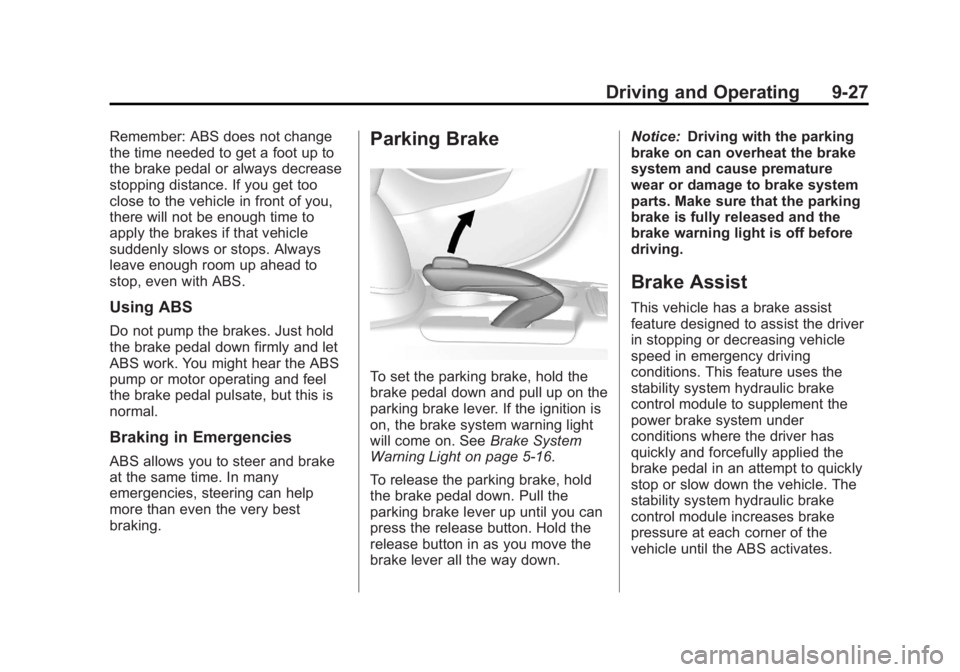
To set the parking brake, hold the
brake pedal down and pull up on the
parking brake lever. If the ignition is
on, the brake system warning light
will come on. SeeBrake System
Warning Light on page 5-16.
To release the parking brake, hold
the brake pedal down. Pull the
parking brake lever up until you can
press the release button. Hold the
release button in as you move the
brake lever all the way down. Notice:
Driving with the parking
brake on can overheat the brake
system and cause premature
wear or damage to brake system
parts. Make sure that the parking
brake is fully released and the
brake warning light is off before
driving.
Brake Assist
This vehicle has a brake assist
feature designed to assist the driver
in stopping or decreasing vehicle
speed in emergency driving
conditions. This feature uses the
stability system hydraulic brake
control module to supplement the
power brake system under
conditions where the driver has
quickly and forcefully applied the
brake pedal in an attempt to quickly
stop or slow down the vehicle. The
stability system hydraulic brake
control module increases brake
pressure at each corner of the
vehicle until the ABS activates.
Page 226 of 368

Black plate (40,1)Buick Encore Owner Manual - 2013 - crc - 1/8/13
9-40 Driving and Operating
camera and its position and
mounting angle checked at your
dealer.
.There are extreme temperature
changes.
Lane Departure
Warning (LDW)
The vehicle may have an LDW
system. Read this entire section
before using the system.
LDW may help avoid crashes due to
unintentional lane departures. It may
provide a warning if the vehicle is
crossing a lane without using a turn
signal. LDW uses a camera sensor
to detect the lane markings. It only
operates at speeds of 56 km/h
(35 mph) or greater.
When the vehicle crosses a
detected lane marking, the LDW
indicator will flash and either three
beeps will be sounded from the left
or right, depending on the lanedeparture direction. LDW will not
warn if the turn signal is on or if a
sharp maneuver is made.
{WARNING
The LDW system is an aid to help
the vehicle stay in the driving
lane. It does not steer the vehicle.
The LDW system may not:
.Provide enough time to avoid
a crash.
.Detect lane markings under
bad weather conditions or if
the windshield is dirty.
.Detect lane markings and will
not detect road edges.
.Warn that the vehicle is
crossing a lane marking if the
system does not detect the
lane marking.
If LDW only detects lane
markings on one side of the road,
it will only warn you when (Continued)
WARNING (Continued)
departing the lane on the side
where it has detected a lane
marker. Even with LDW, always
keep your attention on the road
and maintain proper vehicle
position within the lane, or vehicle
damage, injury, or death could
occur. Always keep the
windshield clean and do not use
LDW in bad weather conditions.
How the System Works
The LDW camera sensor is on the
windshield ahead of the rearview
mirror.
To turn LDW on and off, press
@on
the center stack, forward of the shift
lever. The control indicator will light
when LDW is on.
Page 241 of 368

Black plate (7,1)Buick Encore Owner Manual - 2013 - crc - 1/8/13
Vehicle Care 10-7
1.Engine Air Cleaner/Filter on
page 10-10.
2. Engine Oil Dipstick. See Engine
Oil on page 10-7.
3. Engine Cooling Fan (Out of View). See Cooling System on
page 10-11.
4. Engine Oil Fill Cap. See Engine
Oil on page 10-7.
5. Engine Coolant Surge Tank and Pressure Cap. See Cooling
System on page 10-11.
6. Brake Fluid Reservoir. See Brakes on page 10-17.
7. Auxiliary Fuse Block. See Engine Compartment Fuse
Block on page 10-28.
8. Battery on page 10-19.
9. Windshield Washer Fluid Reservoir. See Washer Fluid on
page 10-16.
10. Engine Compartment Fuse
Block on page 10-28.Engine Oil
To ensure proper engine
performance and long life, careful
attention must be paid to engine oil.
Following these simple, but
important steps will help protect
your investment:
.Always use engine oil approved
to the proper specification and of
the proper viscosity grade. See
“Selecting the Right Engine Oil”
in this section.
.Check the engine oil level
regularly and maintain the
proper oil level. See “Checking
Engine Oil” and“When to Add
Engine Oil” in this section.
.Change the engine oil at the
appropriate time. See Engine Oil
Life System on page 10-9.
.Always dispose of engine oil
properly. See “What to Do with
Used Oil” in this section.
Checking Engine Oil
It is a good idea to check the engine
oil level at each fuel fill. In order to
get an accurate reading, the vehicle
must be on level ground. The
engine oil dipstick handle is a loop.
SeeEngine Compartment Overview
on page 10-6 for the location of the
engine oil dipstick.
Obtaining an accurate oil level
reading is essential:
1. If the engine has been running recently, turn off the engine and
allow several minutes for the oil
to drain back into the oil pan.
Checking the oil level too soon
after engine shutoff will not
provide an accurate oil level
reading.
{WARNING
The engine oil dipstick handle
may be hot; it could burn you.
Use a towel or glove to touch the
dipstick handle.
Page 243 of 368
Black plate (9,1)Buick Encore Owner Manual - 2013 - crc - 1/8/13
Vehicle Care 10-9
Viscosity Grade
SAE 5W-30 is the best viscosity
grade for the vehicle. Do not use
other viscosity grade oils such as
SAE 10W-30, 10W-40, or 20W-50.
Cold Temperature Operation: In an
area of extreme cold, where the
temperature falls below−29°C
(−20°F), an SAE 0W-30 oil may be
used. An oil of this viscosity grade
will provide easier cold starting for
the engine at extremely low
temperatures. When selecting an oil
of the appropriate viscosity grade,
always select an oil of the correct
specification. See “Specification”
earlier in this section for more
information.
Engine Oil Additives/Engine
Oil Flushes
Do not add anything to the oil. The
recommended oils with the dexos
specification and displaying the
dexos certification mark are all that
is needed for good performance and
engine protection. Engine oil system flushes are not
recommended and could cause
engine damage not covered by the
vehicle warranty.
What to Do with Used Oil
Used engine oil contains certain
elements that can be unhealthy for
your skin and could even cause
cancer. Do not let used oil stay on
your skin for very long. Clean your
skin and nails with soap and water,
or a good hand cleaner. Wash or
properly dispose of clothing or rags
containing used engine oil. See the
manufacturer's warnings about the
use and disposal of oil products.
Used oil can be a threat to the
environment. If you change your
own oil, be sure to drain all the oil
from the filter before disposal. Never
dispose of oil by putting it in the
trash or pouring it on the ground,
into sewers, or into streams or
bodies of water. Recycle it by taking
it to a place that collects used oil.
Engine Oil Life System
When to Change Engine Oil
This vehicle has a computer system
that indicates when to change the
engine oil and filter. This is based
on a combination of factors which
include engine revolutions, engine
temperature, and miles driven.
Based on driving conditions, the
mileage at which an oil change is
indicated can vary considerably. For
the oil life system to work properly,
the system must be reset every time
the oil is changed.
When the system has calculated
that oil life has been diminished, it
indicates that an oil change is
necessary. A CHANGE ENGINE
OIL SOON DIC message comes on.
See
Vehicle Messages on
page 5-25. Change the oil as soon
as possible within the next 1 000 km
(600 mi). It is possible that, if driving
under the best conditions, the oil life
system might indicate that an oil
change is not necessary for up to a
year. The engine oil and filter must