radio BUICK ENCORE 2014 Owner's Manual
[x] Cancel search | Manufacturer: BUICK, Model Year: 2014, Model line: ENCORE, Model: BUICK ENCORE 2014Pages: 334, PDF Size: 3.89 MB
Page 22 of 334
Black plate (16,1)Buick Encore Owner Manual (GMNA-Localizing-U.S./Canada/Mexico-
6014813) - 2014 - crc - 10/22/13
1-16 In Brief
Infotainment System
See the infotainment manual for
information on the radio, audio
players, phone, navigation system,
and voice or speech recognition.
It also includes information on
settings.
Driver Information
Center (DIC)
The DIC display is in the instrument
cluster. It shows the status of many
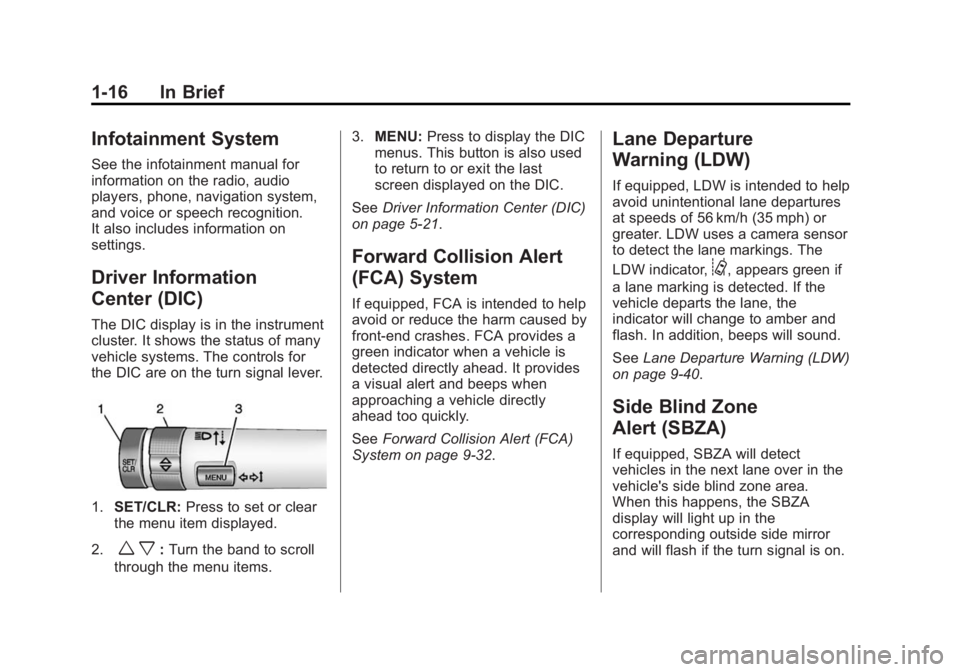
vehicle systems. The controls for
the DIC are on the turn signal lever.
1.SET/CLR: Press to set or clear
the menu item displayed.
2.
w x: Turn the band to scroll
through the menu items. 3.
MENU: Press to display the DIC
menus. This button is also used
to return to or exit the last
screen displayed on the DIC.
See Driver Information Center (DIC)
on page 5-21.
Forward Collision Alert
(FCA) System
If equipped, FCA is intended to help
avoid or reduce the harm caused by
front-end crashes. FCA provides a
green indicator when a vehicle is
detected directly ahead. It provides
a visual alert and beeps when
approaching a vehicle directly
ahead too quickly.
See Forward Collision Alert (FCA)
System on page 9-32.
Lane Departure
Warning (LDW)
If equipped, LDW is intended to help
avoid unintentional lane departures
at speeds of 56 km/h (35 mph) or
greater. LDW uses a camera sensor
to detect the lane markings. The
LDW indicator,
@, appears green if
a lane marking is detected. If the
vehicle departs the lane, the
indicator will change to amber and
flash. In addition, beeps will sound.
See Lane Departure Warning (LDW)
on page 9-40.
Side Blind Zone
Alert (SBZA)
If equipped, SBZA will detect
vehicles in the next lane over in the
vehicle's side blind zone area.
When this happens, the SBZA
display will light up in the
corresponding outside side mirror
and will flash if the turn signal is on.
Page 28 of 334
Black plate (2,1)Buick Encore Owner Manual (GMNA-Localizing-U.S./Canada/Mexico-
6014813) - 2014 - crc - 10/22/13
2-2 Keys, Doors, and Windows
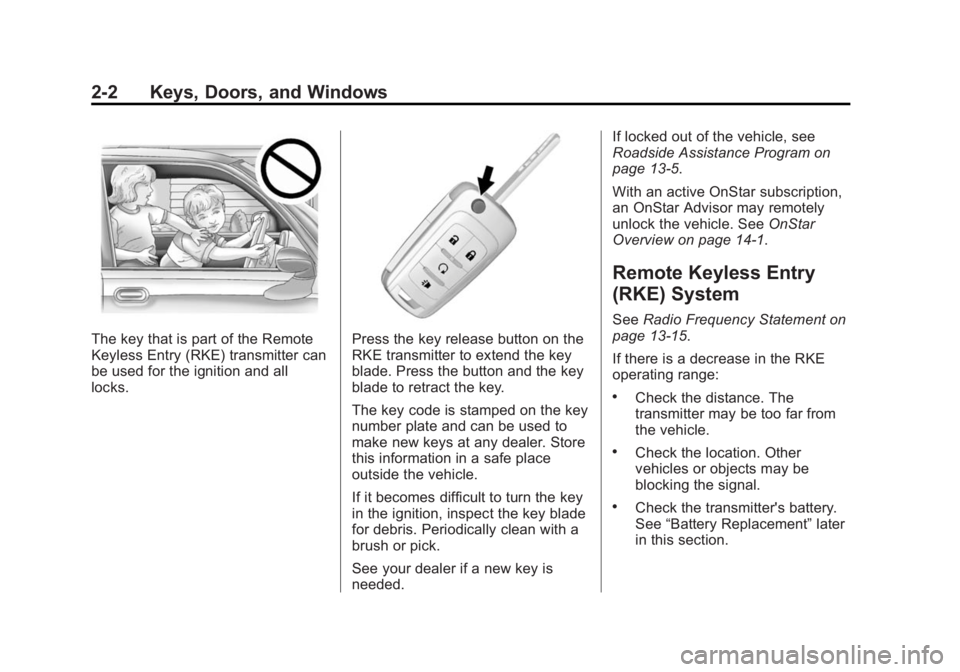
The key that is part of the Remote
Keyless Entry (RKE) transmitter can
be used for the ignition and all
locks.Press the key release button on the
RKE transmitter to extend the key
blade. Press the button and the key
blade to retract the key.
The key code is stamped on the key
number plate and can be used to
make new keys at any dealer. Store
this information in a safe place
outside the vehicle.
If it becomes difficult to turn the key
in the ignition, inspect the key blade
for debris. Periodically clean with a
brush or pick.
See your dealer if a new key is
needed.If locked out of the vehicle, see
Roadside Assistance Program on
page 13-5.
With an active OnStar subscription,
an OnStar Advisor may remotely
unlock the vehicle. See
OnStar
Overview on page 14-1.
Remote Keyless Entry
(RKE) System
See Radio Frequency Statement on
page 13-15.
If there is a decrease in the RKE
operating range:
.Check the distance. The
transmitter may be too far from
the vehicle.
.Check the location. Other
vehicles or objects may be
blocking the signal.
.Check the transmitter's battery.
See “Battery Replacement” later
in this section.
Page 38 of 334
Black plate (12,1)Buick Encore Owner Manual (GMNA-Localizing-U.S./Canada/Mexico-
6014813) - 2014 - crc - 10/22/13
2-12 Keys, Doors, and Windows
How to Detect a Tamper
Condition
IfKis pressed and the horn chirps
three times, an attempted break-in
has occurred while the system was
armed.
Immobilizer
See Radio Frequency Statement on
page 13-15.
Immobilizer Operation
This vehicle has a passive
theft-deterrent system.
The system does not have to be
manually armed or disarmed.
The vehicle is automatically
immobilized when the key is
removed from the ignition. The system is automatically
disarmed when the vehicle is
started with the correct key. The key
uses a transponder that matches an
immobilizer control unit in the
vehicle and automatically disarms
the system. Only an authorized key
starts the vehicle. The vehicle may
not start if the key is damaged.
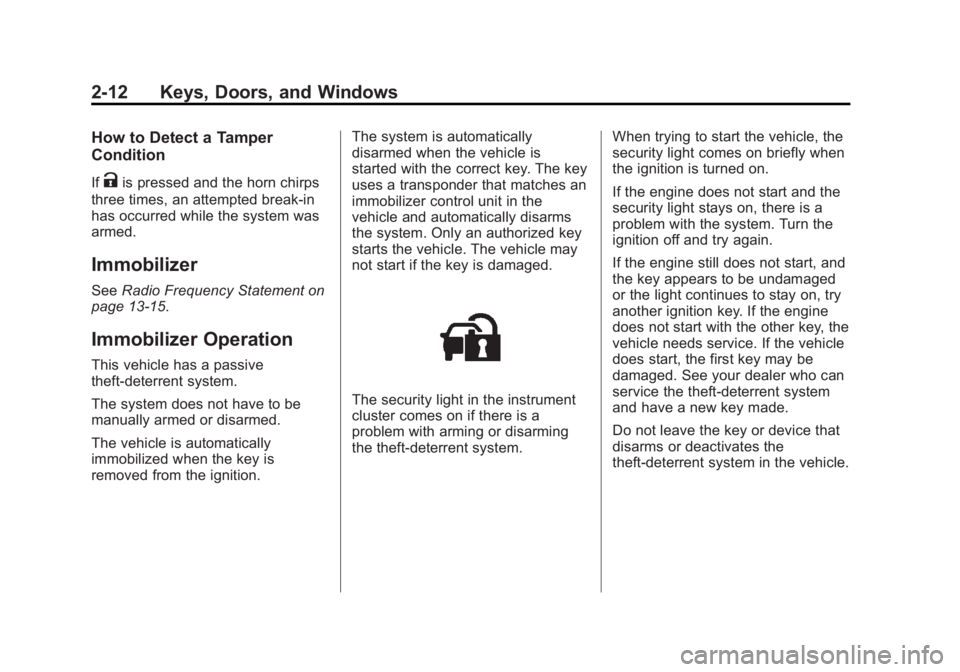
The security light in the instrument
cluster comes on if there is a
problem with arming or disarming
the theft-deterrent system.
When trying to start the vehicle, the
security light comes on briefly when
the ignition is turned on.
If the engine does not start and the
security light stays on, there is a
problem with the system. Turn the
ignition off and try again.
If the engine still does not start, and
the key appears to be undamaged
or the light continues to stay on, try
another ignition key. If the engine
does not start with the other key, the
vehicle needs service. If the vehicle
does start, the first key may be
damaged. See your dealer who can
service the theft-deterrent system
and have a new key made.
Do not leave the key or device that
disarms or deactivates the
theft-deterrent system in the vehicle.
Page 119 of 334
Black plate (13,1)Buick Encore Owner Manual (GMNA-Localizing-U.S./Canada/Mexico-
6014813) - 2014 - crc - 10/22/13
Instruments and Controls 5-13
It should go out when the engine is
started. If it stays on, or comes on
while driving, there may be a
problem with the electrical charging
system. Have it checked by your
dealer. Driving while this light is on
could drain the battery. If a short
distance must be driven with the
light on, turn off all accessories,
such as the radio and air
conditioner, to help reduce the drain
on the battery.
Malfunction
Indicator Lamp
A computer system called OBD II
(On-Board Diagnostics-Second
Generation) monitors the operation
of the vehicle to ensure emissions
are at acceptable levels, helping to
maintain a clean environment. The
malfunction indicator lamp comes
on when the vehicle is placed in
ON/RUN, as a check to show it is
working. If it does not, have the
vehicle serviced by your dealer. See
Ignition Positions on page 9-14for
more information.
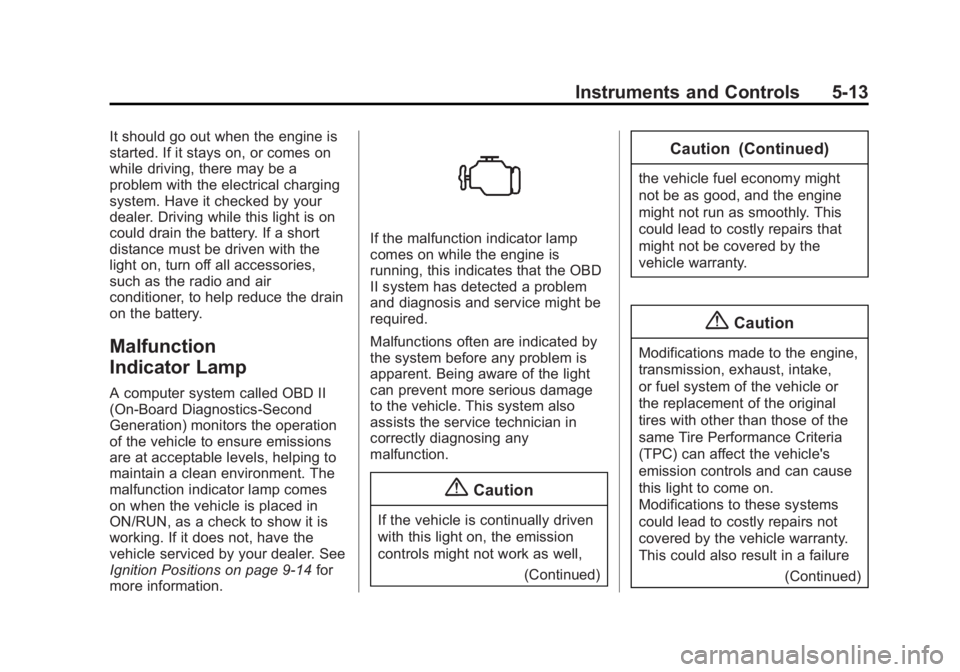
If the malfunction indicator lamp
comes on while the engine is
running, this indicates that the OBD
II system has detected a problem
and diagnosis and service might be
required.
Malfunctions often are indicated by
the system before any problem is
apparent. Being aware of the light
can prevent more serious damage
to the vehicle. This system also
assists the service technician in
correctly diagnosing any
malfunction.
{Caution
If the vehicle is continually driven
with this light on, the emission
controls might not work as well,
(Continued)
Caution (Continued)
the vehicle fuel economy might
not be as good, and the engine
might not run as smoothly. This
could lead to costly repairs that
might not be covered by the
vehicle warranty.
{Caution
Modifications made to the engine,
transmission, exhaust, intake,
or fuel system of the vehicle or
the replacement of the original
tires with other than those of the
same Tire Performance Criteria
(TPC) can affect the vehicle's
emission controls and can cause
this light to come on.
Modifications to these systems
could lead to costly repairs not
covered by the vehicle warranty.
This could also result in a failure(Continued)
Page 127 of 334
Black plate (21,1)Buick Encore Owner Manual (GMNA-Localizing-U.S./Canada/Mexico-
6014813) - 2014 - crc - 10/22/13
Instruments and Controls 5-21
Cruise Control Light
For vehicles with cruise control, the
cruise control light is white when the
cruise control is on and ready, and
turns green when the cruise control
is set and active.
The light turns off when the cruise
control is turned off. SeeCruise
Control on page 9-30.
Information Displays
Driver Information
Center (DIC)
The Driver Information Center (DIC)
displays information about the
vehicle. It also displays warning
messages if a system problem is
detected. See Vehicle Messages on
page 5-24. All messages appear in
the DIC display in the center of the
instrument cluster.
The vehicle may also have features
that can be customized through the
controls on the radio. See Vehicle
Personalization on page 5-29.
DIC Operation and Displays
The DIC has different displays
which can be accessed by using the
DIC buttons on the turn signal lever.
The DIC displays trip, fuel, and
vehicle system information, and
warning messages if a system
problem is detected. The bottom of the DIC display
shows the position of the shift lever
and the odometer. It may also show
the direction the vehicle is driving.
In cold weather the DIC display may
change slowly. This is normal and
will move more quickly as the
vehicle's interior temperature rises.
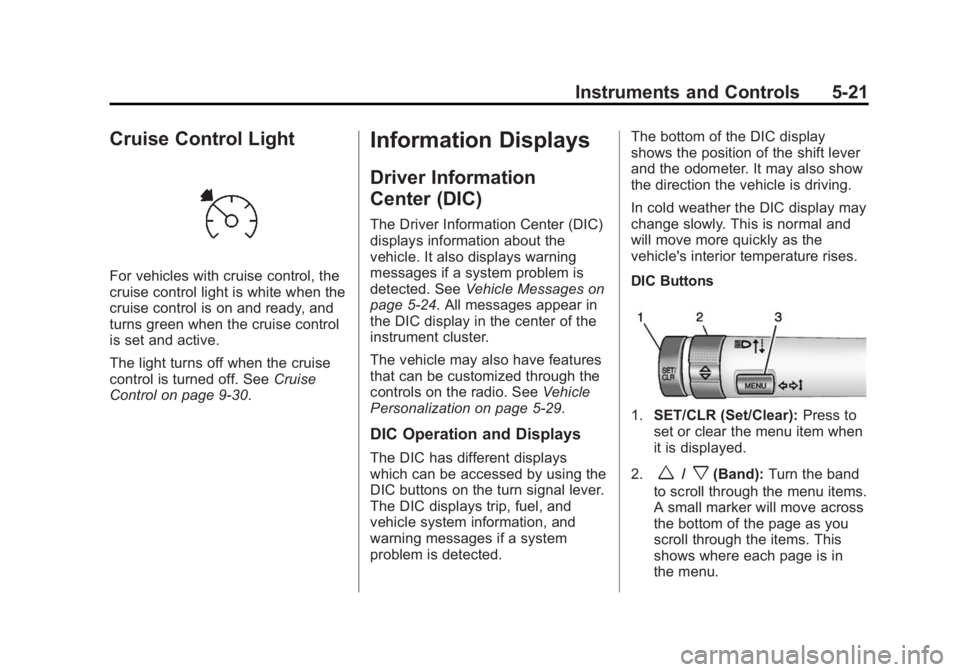
DIC Buttons
1.
SET/CLR (Set/Clear): Press to
set or clear the menu item when
it is displayed.
2.
w/x(Band): Turn the band
to scroll through the menu items.
A small marker will move across
the bottom of the page as you
scroll through the items. This
shows where each page is in
the menu.
Page 135 of 334
Black plate (29,1)Buick Encore Owner Manual (GMNA-Localizing-U.S./Canada/Mexico-
6014813) - 2014 - crc - 10/22/13
Instruments and Controls 5-29
More than one tire pressure
message can be received at a time.
The DIC also shows the tire
pressure values. SeeDriver
Information Center (DIC) on
page 5-21.
Transmission Messages
SERVICE TRANSMISSION
This message displays if there is a
problem with the transmission. See
your dealer.
TRANSMISSION HOT —IDLE
ENGINE
This message displays and a chime
sounds if the transmission fluid in
the vehicle gets hot. Driving with the
transmission fluid temperature high
can cause damage to the vehicle.
Stop the vehicle and let it idle to
allow the transmission to cool. This
message clears when the fluid
temperature reaches a safe level.
Vehicle
Personalization
Use the audio system controls to
access the personalization menus
for customizing vehicle features.
The following are all possible
personalization features. Depending
on the vehicle, some may not be
available
CONFIG (Configuration): Press to
access the Configuration
Settings menu.
TUNE/MENU: Press the center of
the knob or outer ring for radios with
navigation to enter the menus and
select menu items. Turn the knob or
outer ring to scroll through the
menus.
/BACK: Press to exit or move
backward in a menu. Entering the Personalization
Menus
1. Press CONFIG to access the
Configuration Settings menu.
The key must be in the ON/RUN
position.
2. Turn the TUNE/MENU knob or outer ring to highlight the Vehicle
Settings menu.
3. Press the TUNE/MENU knob or outer ring to select the menu.
4. Press
/BACK to confirm the
selection and move back to the
last menu.
The following list of menu items may
be available:
.Languages
.Time and Date
.Radio Settings
.Phone Settings
.Display Settings
.Vehicle Settings
Page 136 of 334
Black plate (30,1)Buick Encore Owner Manual (GMNA-Localizing-U.S./Canada/Mexico-
6014813) - 2014 - crc - 10/22/13
5-30 Instruments and Controls
Languages
Select Language, then select from
the available language(s).
Time and Date
Select the Time and Date menu and
the following may display:
.Set Time
.Set Date
.12 hr / 24 hr Format
Set Time
Select to manually set the time.
Turn TUNE/MENU knob or outer
ring to change the number, then
press the knob or outer ring to
confirm and go to the next number.
Set Date
Select to manually set the date.
Turn TUNE/MENU knob or outer
ring to change the number, then
press the knob or outer ring to
confirm and go to the next number. 12 hr / 24 hr Format
Select to set the 12/24 hour format.
Select 12 hr or 24 hr.
Radio Settings
Select Radio Settings and the
following may display:
.Auto Volume
.Maximum Startup Volume
.Radio Favorites
Auto Volume
The auto volume feature
automatically adjusts the radio
volume to compensate for road and
wind noise as the vehicle speeds up
or slows down, so that the volume
level is consistent.
Select Off, Low, Medium, or High.
Maximum Startup Volume
Select to manually set the startup
volume of the radio.
Turn the TUNE/MENU knob or outer
ring to increase or decrease the
value. Radio Favorites
Select to manually set the number
of favorite pages.
Select 1−6.
Phone Settings
Select Phone Settings and the
following may display:
.Bluetooth
.Return to Factory Settings
Bluetooth
The following list of menu items may
be available:
.Activation
.Device List
.Pair Device
.Change Bluetooth Code
Activation
When on, the system will allow a
Bluetooth device to connect.
Select On or Off.
Page 147 of 334
Black plate (1,1)Buick Encore Owner Manual (GMNA-Localizing-U.S./Canada/Mexico-
6014813) - 2014 - crc - 10/22/13
Infotainment System 7-1
Infotainment
System
Introduction
Infotainment . . . . . . . . . . . . . . . . . . . 7-1
Introduction
Infotainment
See the infotainment manual for
information on the radio, audio
players, phone, navigation system,
and voice or speech recognition.
It also includes information on
settings.
Page 153 of 334
Black plate (5,1)Buick Encore Owner Manual (GMNA-Localizing-U.S./Canada/Mexico-
6014813) - 2014 - crc - 10/22/13
Climate Controls 8-5
Rear Window Defogger
=(Rear Window Defogger):
Press to turn the rear window
defogger on or off.
The rear window defogger turns off
automatically after about
10 minutes. If turned on again it
runs for about five minutes before
turning off.
The rear window defogger can be
set to automatic operation; see
“Climate and Air Quality” under
Vehicle Personalization on
page 5-29. When auto rear defog is
selected, the rear window defogger
turns on automatically when the
interior temperature is cold and the
outside temperature is about 4°C
(40°F) and below. The auto rear
defogger turns off automatically
after about 10 minutes. At higher
speeds, the rear window defogger
may stay on continuously. For vehicles with heated outside
rearview mirrors, they turn on when
the rear window defogger button is
on and help to clear fog or frost from
the surface of the mirrors. See
Heated Mirrors on page 2-13.
{Caution
Do not try to clear frost or other
material from the inside of the
front windshield and rear window
with a razor blade or anything
else that is sharp. This may
damage the rear window
defogger grid and affect the
radio's ability to pick up stations
clearly. The repairs would not be
covered by the vehicle warranty.
MorL(Heated Seats, If
Equipped): Press to turn the
heated seats on or off. See Heated
Front Seats on page 3-8.
((Heated Steering Wheel, If
Equipped): Press to turn the
heated steering wheel on or off. See
Heated Steering Wheel on
page 5-2.
Remote Start Climate Control
Operation: For vehicles with the
remote vehicle start feature, the
climate control system may run
when the vehicle is started remotely.
The system uses the driver ’s
previous settings to heat or cool the
inside of the vehicle. The rear defog
may come on during remote start
based on cold ambient conditions.
The rear defog indicator light does
not come on during a remote start.
If the vehicle has front heated seats,
they may come on during a remote
start. The heated seat indicator
lights do not come on during a
remote start. See Remote Vehicle
Start on page 2-5 andHeated Front
Seats on page 3-8.
Page 159 of 334
Black plate (3,1)Buick Encore Owner Manual (GMNA-Localizing-U.S./Canada/Mexico-
6014813) - 2014 - crc - 10/22/13
Driving and Operating 9-3
.Do not use a phone in
demanding driving situations.
Use a hands-free method to
place or receive necessary
phone calls.
.Watch the road. Do not read,
take notes, or look up
information on phones or other
electronic devices.
.Designate a front seat
passenger to handle potential
distractions.
.Become familiar with vehicle
features before driving, such as
programming favorite radio
stations and adjusting climate
control and seat settings.
Program all trip information into
any navigation device prior to
driving.
.Wait until the vehicle is parked
to retrieve items that have fallen
to the floor.
.Stop or park the vehicle to tend
to children.
.Keep pets in an appropriate
carrier or restraint.
.Avoid stressful conversations
while driving, whether with a
passenger or on a cell phone.
{Warning
Taking your eyes off the road too
long or too often could cause a
crash resulting in injury or death.
Focus your attention on driving.
Refer to the infotainment section for
more information on using that
system. Refer to the infotainment
manual for more information on the
navigation system, if equipped,
including pairing and using a cell
phone.
Defensive Driving
Defensive driving means “always
expect the unexpected.” The first
step in driving defensively is to wear
the safety belt. See Safety Belts on
page 3-14.
.Assume that other road users
(pedestrians, bicyclists, and
other drivers) are going to be
careless and make mistakes.
Anticipate what they might do
and be ready.
.Allow enough following distance
between you and the driver in
front of you.
.Focus on the task of driving.
Drunk Driving
Death and injury associated with
drinking and driving is a global
tragedy.
{Warning
Drinking and then driving is very
dangerous. Your reflexes,
perceptions, attentiveness, and
judgment can be affected by even
a small amount of alcohol. You
(Continued)