Dis BUICK ENCORE 2016 Service Manual
[x] Cancel search | Manufacturer: BUICK, Model Year: 2016, Model line: ENCORE, Model: BUICK ENCORE 2016Pages: 320, PDF Size: 4.75 MB
Page 125 of 320
Buick Encore Owner Manual (GMNA-Localizing-U.S./Canada/Mexico-
9234779) - 2016 - CRC - 1/5/16
124 Instruments and Controls
Comfort and Convenience
If equipped, select the Comfort and
Convenience menu and the
following may display:
.Easy Exit Driver Seat
. Memory Remote Recall
. Chime Volume
. Button Volume
. Reverse Tilt Mirror
. Auto Reverse Gear Wiper
Easy Exit Driver Seat
This feature moves the seat
rearward allowing the driver more
room to exit the vehicle.
Select On or Off.
Memory Remote Recall
If equipped, this feature recalls the
driver seat and outside mirrors to
previously stored Remote Keyless
Entry (RKE) transmitter memory
positions when entering the vehicle.
See Memory Seats 045.
Select On or Off. Chime Volume
This allows the selection of the
chime volume level.
Select Normal or High.
Button Volume
This allows the selection of the
volume level when a button is
pressed.
Select Normal or High.
Reverse Tilt Mirror
This feature tilts the outside mirrors
when the vehicle is in R (Reverse)
allowing the driver to view the curb
for parallel parking.
Select On or Off.
Auto Reverse Gear Wiper
When selected, the rear wiper will
intermittent wipe when the vehicle is
shifted into R (Reverse). When
deselected, the rear wiper will
continuously wipe when the vehicle
is shifted into R (Reverse).
Select or Deselect.
Collision Detection System
Select the Collision Detection
System menu and the following may
display:
.
Side Blind Zone Alert
Side Blind Zone Alert
This allows this feature to be turned
on or off. See Side Blind Zone Alert
(SBZA) 0178.
Select On or Off.
Lighting
Select the Lighting menu and the
following may display:
. Exit Lighting
. Vehicle Locator Lights
Exit Lighting
This allows the selection of how
long the exterior lamps stay on
when leaving the vehicle when it is
dark outside.
Select Off, 30 Seconds, 1 Minute,
or 2 Minutes.
Page 126 of 320
Buick Encore Owner Manual (GMNA-Localizing-U.S./Canada/Mexico-
9234779) - 2016 - CRC - 1/5/16
Instruments and Controls 125
Vehicle Locator Lights
This allows the headlamps, parking
lamps, taillamps, and most of the
interior lamps to turn on briefly
when
Kis pressed.
Select or Deselect.
Power Door Locks
Select Power Door Locks and the
following may display:
. Open Door Anti Lock Out
. Auto Door Unlock
. Delayed Door Lock
Open Door Anti Lock Out
When selected, this feature will
keep the driver door from locking
when the door is open. When
deselected, the Delayed Door Lock
menu will be available and the door
will lock as programmed through
this menu.
Select or Deselect.
Auto Door Unlock
This allows selection of which of the
doors will automatically unlock when
the vehicle is shifted into P (Park). Select All Doors, Driver Door,
or OFF.
Delayed Door Lock
When selected, this feature will
delay the locking of the doors after
the last door is closed.
Select or Deselect.Remote Lock/Unlock/Start
Select Remote Lock/Unlock/Start
and the following may display:
.
Remote Unlock Feedback
. Remote Lock Feedback
. Remote Door Unlock
Remote Unlock Feedback
This allows selection of what type of
feedback is given when unlocking
the vehicle with the RKE transmitter.
Select Flash Lights or Off.
Remote Lock Feedback
This allows selection of what type of
feedback is given when locking the
vehicle with the RKE transmitter.
Select Lights and Horn, Lights Only,
Horn Only, or Off. Remote Door Unlock
This allows selection of which doors
will unlock when pressing
Kon the
RKE transmitter.
When set to Driver Door, the driver
door will unlock the first time
Kis
pressed and all doors will unlock
when
Kis pressed a second time.
When set to All Doors, all of the
doors will unlock at the first press
of
K.
Select Driver Door or All Doors.
Return to Factory Settings?
Select Return to Factory Settings?
to return all vehicle personalization
to the default settings.
Select Yes or No
Page 129 of 320
Buick Encore Owner Manual (GMNA-Localizing-U.S./Canada/Mexico-
9234779) - 2016 - CRC - 1/5/16
128 Lighting
Automatic Headlamp
System
When it is dark enough outside and
the exterior lamp control is in the
automatic position, the headlamps
come on automatically. SeeExterior
Lamp Controls 0126.
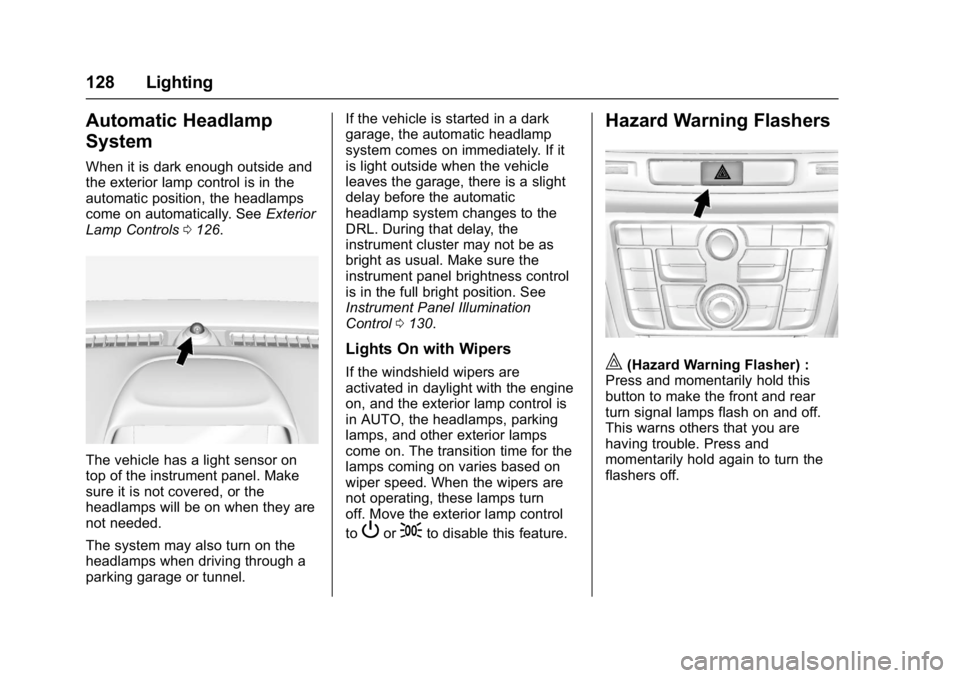
The vehicle has a light sensor on
top of the instrument panel. Make
sure it is not covered, or the
headlamps will be on when they are
not needed.
The system may also turn on the
headlamps when driving through a
parking garage or tunnel. If the vehicle is started in a dark
garage, the automatic headlamp
system comes on immediately. If it
is light outside when the vehicle
leaves the garage, there is a slight
delay before the automatic
headlamp system changes to the
DRL. During that delay, the
instrument cluster may not be as
bright as usual. Make sure the
instrument panel brightness control
is in the full bright position. See
Instrument Panel Illumination
Control
0130.
Lights On with Wipers
If the windshield wipers are
activated in daylight with the engine
on, and the exterior lamp control is
in AUTO, the headlamps, parking
lamps, and other exterior lamps
come on. The transition time for the
lamps coming on varies based on
wiper speed. When the wipers are
not operating, these lamps turn
off. Move the exterior lamp control
to
Por;to disable this feature.
Hazard Warning Flashers
|(Hazard Warning Flasher) :
Press and momentarily hold this
button to make the front and rear
turn signal lamps flash on and off.
This warns others that you are
having trouble. Press and
momentarily hold again to turn the
flashers off.
Page 131 of 320

Buick Encore Owner Manual (GMNA-Localizing-U.S./Canada/Mexico-
9234779) - 2016 - CRC - 1/5/16
130 Lighting
Interior Lighting
Instrument Panel
Illumination Control
This feature controls the brightness
of the instrument panel controls and
infotainment display screen. The
thumbwheel is to the left of the
steering column on the instrument
panel.
D(Instrument Panel
Brightness) : Move the
thumbwheel up or down and hold, to
brighten or dim the instrument panel
controls and infotainment display
screen.
Courtesy Lamps
The courtesy lamps come on
automatically when any door is
opened and the dome lamp is in the
door position.
Dome Lamps
Front and Rear Dome Lamps
The front dome lamp controls are in
the overhead console.
((Dome Lamp Override) : Press
to turn the lamps off, even when a
door is open.
H(Door) : When the button is
returned to the middle position, the
lamps turn on automatically when a
door is opened.
'(On) : Press to turn on the
dome lamps.
The rear dome lamp controls are in
the headliner above the rear seats.
9(Dome Lamp Override) : Press
to turn the lamps off, even when a
door is open.
Page 132 of 320

Buick Encore Owner Manual (GMNA-Localizing-U.S./Canada/Mexico-
9234779) - 2016 - CRC - 1/5/16
Lighting 131
H(Door) :When the button is
returned to the middle position, the
lamps turn on automatically when a
door is opened.
R(On) : Press to turn on the dome
lamps.
Reading Lamps
The front reading lamps are in the
overhead console.
#or$(Reading Lamps) : Press
to turn each lamp on or off.
Lighting Features
Entry Lighting
The headlamps, parking lamps,
taillamps, back-up lamps, and most
of the interior lamps turn on briefly
at night or in areas of limited lighting
when
Kis pressed on the Remote
Keyless Entry (RKE) transmitter.
After about 30 seconds the exterior
lamps turn off, and then the dome
and remaining interior lamps will dim
to off. Entry lighting can be disabled
manually by changing the ignition
out of the OFF position, or by
pressing the RKE transmitter
Q
button.
This feature can be changed. See
“Vehicle Locator Lights” under
Vehicle Personalization 0121.
Exit Lighting
The headlamps, taillamps, parking
lamps, back‐up lamps, and license
plate lamps come on at night, or in
areas with limited lighting, when the
key is removed from the ignition.
The dome lamps also come on
when the key is removed from the
ignition. The exterior lamps and
dome lamps remain on after the
door is closed for a set amount of
time, then automatically turn off.
The exterior lamps turn off
immediately by turning the exterior
lamps control off.
The exit lighting feature can be
changed. See Vehicle
Personalization 0121.
Page 139 of 320

Buick Encore Owner Manual (GMNA-Localizing-U.S./Canada/Mexico-
9234779) - 2016 - CRC - 1/5/16
138 Climate Controls
.Only use defrost to clear the
windows.
Automatic Operation
The system automatically controls
the fan speed, air delivery, air
conditioning, and recirculation in
order to heat or cool the vehicle to
the desired temperature.
When the AUTO indicator light is
on, the system is in full automatic
operation. If the air delivery mode or
fan setting is manually adjusted, the
auto indicator turns off and displays
will show the selected settings.
To place the system in automatic
mode do the following: 1. Press AUTO.
2. Set the temperature. Allow the system time to stabilize. Then
adjust the temperature as
needed for best comfort.
To improve fuel efficiency and
to cool the vehicle faster,
recirculation may be
automatically selected in warm
weather. The recirculation light will not come on. Presshto
select recirculation; press it
again to select outside air.
English units can be changed to
metric units through the Driver
Information Center (DIC). See
Driver Information Center
(DIC) 0113.
Manual Operation
9(Fan Control) : Press the
lower
9button to decrease the fan
speed. Pressing the lower button
longer turns the fan and cooling off.
Press the upper
9button to
increase the fan speed. The
selected fan speed is indicated by a
number on the display screen.
Press AUTO to return to automatic
operation.
Air Delivery Modes : Press
[,Y,
or
Xto change the direction of the
airflow. Air delivery mode settings
can be combined. An indicator light
comes on in the selected mode
button. Changing the mode cancels the
automatic operation and the system
goes into manual mode. Press
AUTO to return to automatic
operation.
[(Floor) :
Air is directed to the
floor outlets.
Y(Vent) : Air is directed to the
instrument panel outlets.
X(Defog) : Air is directed to the
windshield and side window vents.
0(Defrost) : Press to clear the
windshield of fog or frost more
quickly. Air is directed to the
windshield.
For best results, clear all snow and
ice from the windshield before
defrosting.
#(Air Conditioning) (For
Non-Stop/Start Vehicles) : Press
to turn the air conditioning on or off.
If the fan is turned off or the outside
temperature falls below freezing, the
air conditioner will not run and the
indicator light turns off.
Press AUTO to return to automatic
operation. When the indicator light
is on, the air conditioner runs
Page 142 of 320
Buick Encore Owner Manual (GMNA-Localizing-U.S./Canada/Mexico-
9234779) - 2016 - CRC - 1/5/16
Climate Controls 141
Air Vents
Use the louvers located on the air
vents to change the direction of the
airflow.
Use the thumbwheels near the air
vents to control the amount of
airflow or to shut off the airflow.
Operation Tips
.Keep all outlets open whenever
possible for best system
performance.
. Keep the paths under all seats
clear of objects to help circulate
the air inside the vehicle more
effectively.
. Use of non-GM approved hood
deflectors can adversely affect
the performance of the system.
Maintenance
Air Intake
Clear away any ice, snow, or leaves
from the air intake at the base of the
windshield that can block the flow of
air into the vehicle.
Passenger Compartment
Air Filter
The filter removes dust, pollen, and
other airborne irritants from outside
air that is pulled into the vehicle.
The filter should be replaced as part
of routine scheduled maintenance.
See Maintenance Schedule 0263.
To find out what type of filter to use,
see Maintenance Replacement
Parts 0273.
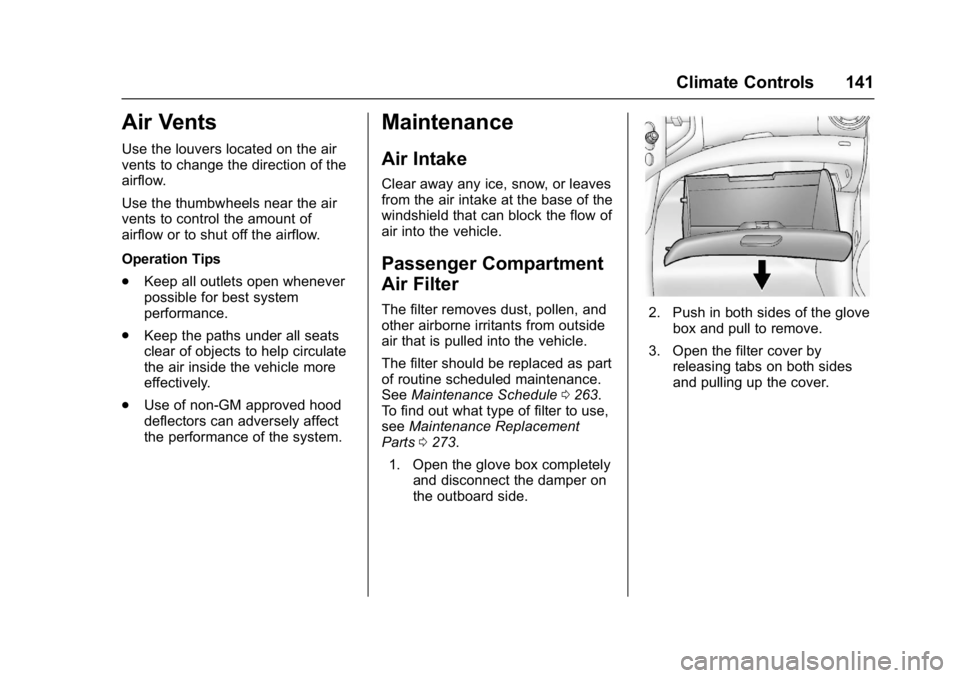
1. Open the glove box completely and disconnect the damper on
the outboard side.2. Push in both sides of the glovebox and pull to remove.
3. Open the filter cover by releasing tabs on both sides
and pulling up the cover.
Page 144 of 320
Buick Encore Owner Manual (GMNA-Localizing-U.S./Canada/Mexico-
9234779) - 2016 - CRC - 1/5/16
Driving and Operating 143
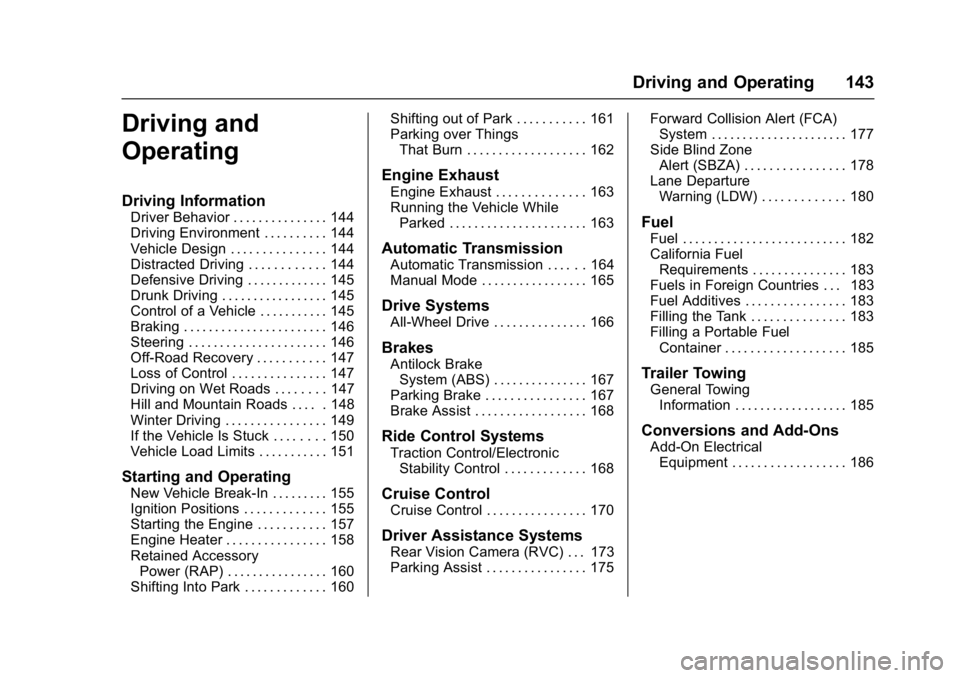
Driving and
Operating
Driving Information
Driver Behavior . . . . . . . . . . . . . . . 144
Driving Environment . . . . . . . . . . 144
Vehicle Design . . . . . . . . . . . . . . . 144
Distracted Driving . . . . . . . . . . . . 144
Defensive Driving . . . . . . . . . . . . . 145
Drunk Driving . . . . . . . . . . . . . . . . . 145
Control of a Vehicle . . . . . . . . . . . 145
Braking . . . . . . . . . . . . . . . . . . . . . . . 146
Steering . . . . . . . . . . . . . . . . . . . . . . 146
Off-Road Recovery . . . . . . . . . . . 147
Loss of Control . . . . . . . . . . . . . . . 147
Driving on Wet Roads . . . . . . . . 147
Hill and Mountain Roads . . . . . 148
Winter Driving . . . . . . . . . . . . . . . . 149
If the Vehicle Is Stuck . . . . . . . . 150
Vehicle Load Limits . . . . . . . . . . . 151
Starting and Operating
New Vehicle Break-In . . . . . . . . . 155
Ignition Positions . . . . . . . . . . . . . 155
Starting the Engine . . . . . . . . . . . 157
Engine Heater . . . . . . . . . . . . . . . . 158
Retained AccessoryPower (RAP) . . . . . . . . . . . . . . . . 160
Shifting Into Park . . . . . . . . . . . . . 160 Shifting out of Park . . . . . . . . . . . 161
Parking over Things
That Burn . . . . . . . . . . . . . . . . . . . 162
Engine Exhaust
Engine Exhaust . . . . . . . . . . . . . . 163
Running the Vehicle WhileParked . . . . . . . . . . . . . . . . . . . . . . 163
Automatic Transmission
Automatic Transmission . . . . . . 164
Manual Mode . . . . . . . . . . . . . . . . . 165
Drive Systems
All-Wheel Drive . . . . . . . . . . . . . . . 166
Brakes
Antilock BrakeSystem (ABS) . . . . . . . . . . . . . . . 167
Parking Brake . . . . . . . . . . . . . . . . 167
Brake Assist . . . . . . . . . . . . . . . . . . 168
Ride Control Systems
Traction Control/Electronic
Stability Control . . . . . . . . . . . . . 168
Cruise Control
Cruise Control . . . . . . . . . . . . . . . . 170
Driver Assistance Systems
Rear Vision Camera (RVC) . . . 173
Parking Assist . . . . . . . . . . . . . . . . 175 Forward Collision Alert (FCA)
System . . . . . . . . . . . . . . . . . . . . . . 177
Side Blind Zone Alert (SBZA) . . . . . . . . . . . . . . . . 178
Lane Departure
Warning (LDW) . . . . . . . . . . . . . 180
Fuel
Fuel . . . . . . . . . . . . . . . . . . . . . . . . . . 182
California FuelRequirements . . . . . . . . . . . . . . . 183
Fuels in Foreign Countries . . . 183
Fuel Additives . . . . . . . . . . . . . . . . 183
Filling the Tank . . . . . . . . . . . . . . . 183
Filling a Portable Fuel Container . . . . . . . . . . . . . . . . . . . 185
Trailer Towing
General TowingInformation . . . . . . . . . . . . . . . . . . 185
Conversions and Add-Ons
Add-On ElectricalEquipment . . . . . . . . . . . . . . . . . . 186
Page 145 of 320

Buick Encore Owner Manual (GMNA-Localizing-U.S./Canada/Mexico-
9234779) - 2016 - CRC - 1/5/16
144 Driving and Operating
Driving Information
Driver Behavior
Driving is an important
responsibility. Driver behavior, the
driving environment, and the
vehicle's design all affect how well a
vehicle performs.
Being aware of these factors can
help in understanding how the
vehicle handles and what can be
done to avoid many types of
crashes, including a rollover crash.
Most serious injuries and fatalities to
unbelted occupants can be reduced
or prevented by the use of safety
belts. In a rollover crash, an
unbelted person is significantly
more likely to die than a person
wearing a safety belt. In addition,
avoiding excessive speed, sudden
or abrupt turns, and drunken or
aggressive driving can help make
trips safer and avoid the possibility
of a crash.
Driving Environment
Be prepared for driving in inclement
weather, at night, or during other
times where visibility or traction may
be limited, such as on curves,
slippery roads, or hilly terrain.
Unfamiliar surroundings can also
have hidden hazards.
Vehicle Design
Utility vehicles have a significantly
higher rollover rate than other types
of vehicles. This is because they
have a higher ground clearance and
a narrower track or shorter
wheelbase than passenger cars,
which makes them more capable for
off-road driving. While these design
characteristics provide the driver
with a better view of the road, these
vehicles do have a higher center of
gravity than other types of vehicles.
A utility vehicle does not handle the
same as a vehicle with a lower
center of gravity, like a car, in similar
situations.Safe driver behavior and
understanding of the environment
can help avoid a rollover crash in
any type of vehicle, including utility
vehicles.
Distracted Driving
Distraction comes in many forms
and can take your focus from the
task of driving. Exercise good
judgment and do not let other
activities divert your attention away
from the road. Many local
governments have enacted laws
regarding driver distraction. Become
familiar with the local laws in
your area.
To avoid distracted driving, always
keep your eyes on the road, hands
on the wheel, and mind on the drive.
.
Do not use a phone in
demanding driving situations.
Use a hands-free method to
place or receive necessary
phone calls.
. Watch the road. Do not read,
take notes, or look up
information on phones or other
electronic devices.
Page 146 of 320
Buick Encore Owner Manual (GMNA-Localizing-U.S./Canada/Mexico-
9234779) - 2016 - CRC - 1/5/16
Driving and Operating 145
.Designate a front seat
passenger to handle potential
distractions.
. Become familiar with vehicle
features before driving, such as
programming favorite radio
stations and adjusting climate
control and seat settings.
Program all trip information into
any navigation device prior to
driving.
. Wait until the vehicle is parked
to retrieve items that have fallen
to the floor.
. Stop or park the vehicle to tend
to children.
. Keep pets in an appropriate
carrier or restraint.
. Avoid stressful conversations
while driving, whether with a
passenger or on a cell phone.
{Warning
Taking your eyes off the road too
long or too often could cause a
crash resulting in injury or death.
Focus your attention on driving. Refer to the infotainment section for
more information on using that
system. Refer to the infotainment
manual for more information on the
navigation system, if equipped,
including pairing and using a cell
phone.
Defensive Driving
Defensive driving means
“always
expect the unexpected.” The first
step in driving defensively is to wear
the safety belt. See Safety
Belts 053.
. Assume that other road users
(pedestrians, bicyclists, and
other drivers) are going to be
careless and make mistakes.
Anticipate what they might do
and be ready.
. Allow enough following distance
between you and the driver in
front of you.
. Focus on the task of driving.
Drunk Driving
Death and injury associated with
drinking and driving is a global
tragedy.
{Warning
Drinking and then driving is very
dangerous. Your reflexes,
perceptions, attentiveness, and
judgment can be affected by even
a small amount of alcohol. You
can have a serious —or even
fatal —collision if you drive after
drinking.
Do not drink and drive or ride with
a driver who has been drinking.
Ride home in a cab; or if you are
with a group, designate a driver
who will not drink.
Control of a Vehicle
Braking, steering, and accelerating
are important factors in helping to
control a vehicle while driving.