fuel system BUICK ENCORE 2019 User Guide
[x] Cancel search | Manufacturer: BUICK, Model Year: 2019, Model line: ENCORE, Model: BUICK ENCORE 2019Pages: 333, PDF Size: 5.37 MB
Page 125 of 333
Buick Encore Owner Manual (GMNA-Localizing-U.S./Canada/Mexico-
12163005) - 2019 - crc - 9/17/18
124 Instruments and Controls
could be low on oil and might have
some other system problem. See
your dealer.
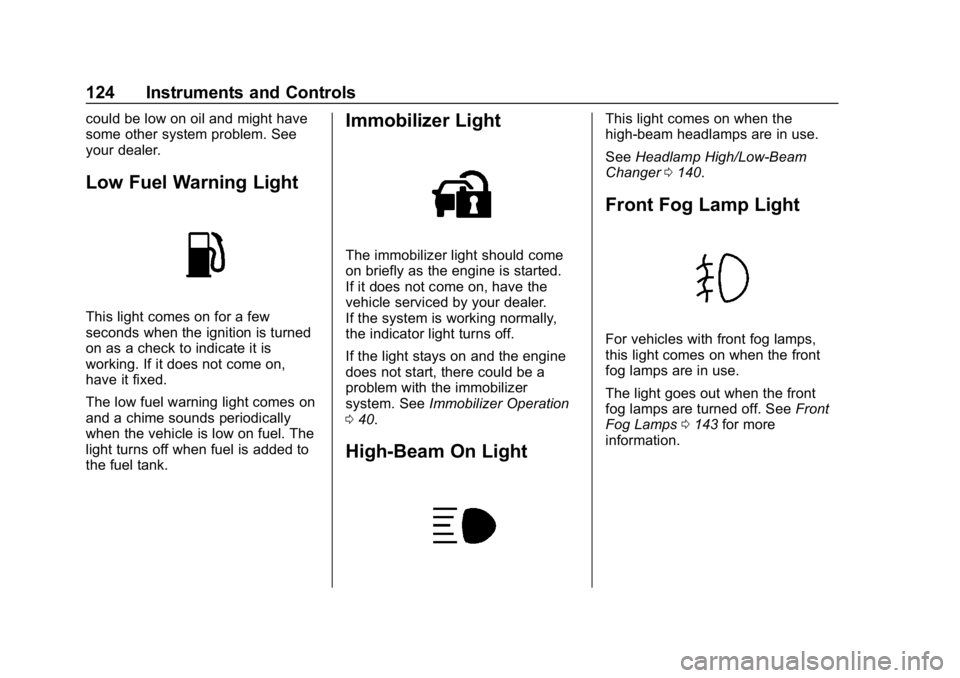
Low Fuel Warning Light
This light comes on for a few
seconds when the ignition is turned
on as a check to indicate it is
working. If it does not come on,
have it fixed.
The low fuel warning light comes on
and a chime sounds periodically
when the vehicle is low on fuel. The
light turns off when fuel is added to
the fuel tank.
Immobilizer Light
The immobilizer light should come
on briefly as the engine is started.
If it does not come on, have the
vehicle serviced by your dealer.
If the system is working normally,
the indicator light turns off.
If the light stays on and the engine
does not start, there could be a
problem with the immobilizer
system. SeeImmobilizer Operation
0 40.
High-Beam On Light
This light comes on when the
high-beam headlamps are in use.
See Headlamp High/Low-Beam
Changer 0140.
Front Fog Lamp Light
For vehicles with front fog lamps,
this light comes on when the front
fog lamps are in use.
The light goes out when the front
fog lamps are turned off. See Front
Fog Lamps 0143 for more
information.
Page 126 of 333
Buick Encore Owner Manual (GMNA-Localizing-U.S./Canada/Mexico-
12163005) - 2019 - crc - 9/17/18
Instruments and Controls 125
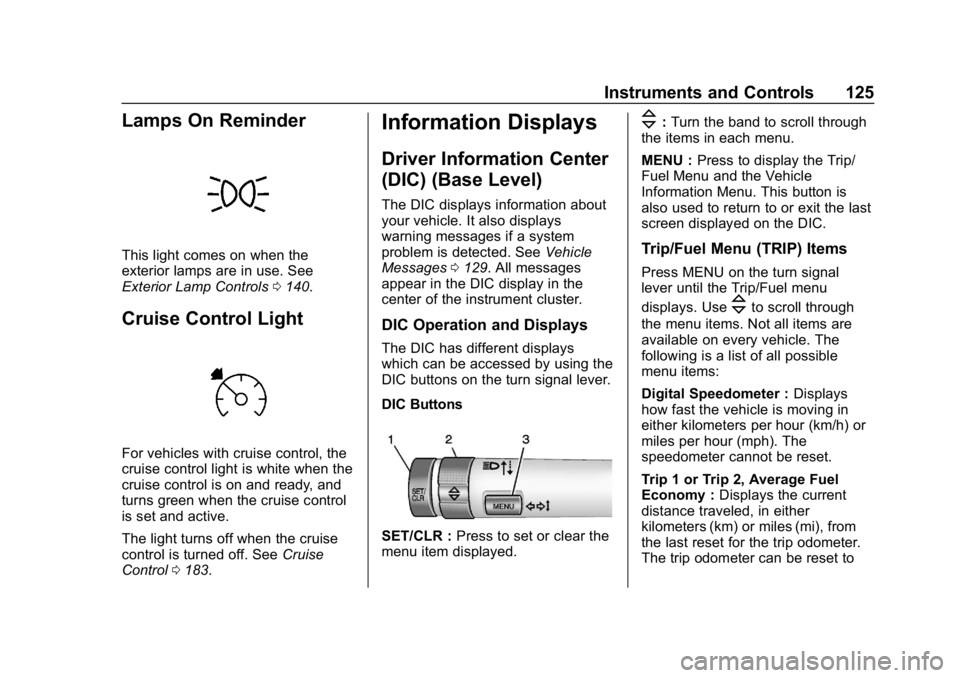
Lamps On Reminder
This light comes on when the
exterior lamps are in use. See
Exterior Lamp Controls0140.
Cruise Control Light
For vehicles with cruise control, the
cruise control light is white when the
cruise control is on and ready, and
turns green when the cruise control
is set and active.
The light turns off when the cruise
control is turned off. See Cruise
Control 0183.
Information Displays
Driver Information Center
(DIC) (Base Level)
The DIC displays information about
your vehicle. It also displays
warning messages if a system
problem is detected. See Vehicle
Messages 0129. All messages
appear in the DIC display in the
center of the instrument cluster.
DIC Operation and Displays
The DIC has different displays
which can be accessed by using the
DIC buttons on the turn signal lever.
DIC Buttons
SET/CLR : Press to set or clear the
menu item displayed.
\: Turn the band to scroll through
the items in each menu.
MENU : Press to display the Trip/
Fuel Menu and the Vehicle
Information Menu. This button is
also used to return to or exit the last
screen displayed on the DIC.
Trip/Fuel Menu (TRIP) Items
Press MENU on the turn signal
lever until the Trip/Fuel menu
displays. Use
\to scroll through
the menu items. Not all items are
available on every vehicle. The
following is a list of all possible
menu items:
Digital Speedometer : Displays
how fast the vehicle is moving in
either kilometers per hour (km/h) or
miles per hour (mph). The
speedometer cannot be reset.
Trip 1 or Trip 2, Average Fuel
Economy : Displays the current
distance traveled, in either
kilometers (km) or miles (mi), from
the last reset for the trip odometer.
The trip odometer can be reset to
Page 127 of 333
Buick Encore Owner Manual (GMNA-Localizing-U.S./Canada/Mexico-
12163005) - 2019 - crc - 9/17/18
126 Instruments and Controls
zero by pressing and holding the
SET/CLR button while the trip
odometer display is showing.
Also displays the approximate
average liters per 100 kilometers
(L/100 km) or miles per gallon
(mpg). This number is based on the
number of L/100 km (mpg) recorded
since the last time this menu item
was reset. This number reflects only
the approximate average fuel
economy that the vehicle has right
now, and will change as driving
conditions change. Reset the
average consumption by pressing
SET/CLR when it is displayed.
Fuel Range :Displays the
approximate distance the vehicle
can be driven without refueling. The
fuel range estimate is based on an
average of the vehicle's fuel
economy over recent driving history
and the amount of fuel remaining in
the fuel tank. Fuel range cannot be
reset.
Instantaneous Fuel Economy :
The center displays the approximate
instantaneous fuel economy. Navigation :
Used for the OnStar
Turn-by-Turn guidance. See OnStar
Overview 0309.
Vehicle Information Menu
(VEHICLE) Items
Press MENU on the turn signal
lever until the Vehicle menu is
displayed. Use
\to scroll through
the menu items. Not all items are
available on every vehicle. The
following is a list of all possible
menu items:
Remaining Oil Life : Displays an
estimate of the oil's remaining useful
life. If REMAINING OIL LIFE 99% is
displayed, that means 99% of the
current oil life remains.
When the remaining oil life is low,
the CHANGE ENGINE OIL SOON
message will appear on the display.
The oil should be changed as soon
as possible. See Engine Oil0209.
In addition to the engine oil life
system monitoring the oil life,
additional maintenance is
recommended in the Maintenance
Schedule in this manual. See
Maintenance Schedule 0281. The Oil Life display must be reset
after each oil change. Do not reset
the Oil Life display accidentally at
any time other than when the oil has
just been changed. It cannot be
reset accurately until the next oil
change. To reset the engine oil life
system, see
Engine Oil Life System
0 211.
Tire Pressure : Displays a vehicle
with the approximate pressures of
all four tires. Tire pressure is
displayed in either kilopascal (kPa)
or in pounds per square inch (psi).
See Tire Pressure Monitor System
0 247 andTire Pressure Monitor
Operation 0248.
Units : Move
\to change between
Metric or US when the Unit display
is active. Press SET/CLR to confirm
the setting. This will change the
displays on the DIC to the type of
measurements you select.
Page 128 of 333
Buick Encore Owner Manual (GMNA-Localizing-U.S./Canada/Mexico-
12163005) - 2019 - crc - 9/17/18
Instruments and Controls 127
Driver Information Center
(DIC) (Uplevel)
The Driver Information Center (DIC)
displays information about the
vehicle. It also displays warning
messages if a system problem is
detected. SeeVehicle Messages
0 129. All messages appear in the
DIC display in the center of the
instrument cluster.
The vehicle may also have features
that can be customized through the
controls on the radio. See Vehicle
Personalization 0130.
DIC Operation and Displays
The DIC has different displays
which can be accessed by using the
DIC buttons on the turn signal lever.
The DIC displays trip, fuel, and
vehicle system information, and
warning messages if a system
problem is detected.
The bottom of the DIC display
shows the position of the shift lever
and the odometer. It may also show
the direction the vehicle is driving. In cold weather the DIC display may
change slowly. This is normal and
will move more quickly as the
vehicle's interior temperature rises.
Use the controls to open and scroll
through the different items and
displays.
SET/CLR :
Press to set or clear the
menu item displayed.
\: Turn the band to scroll through
the items in each menu.
MENU : Press to display the Trip/
Fuel Menu and the Vehicle
Information Menu. This button is
also used to return to or exit the last
screen displayed on the DIC.
DIC Info Page Options
The info pages on the DIC can be
turned on or off through the
Options app. 1. Press MENU to access the
cluster applications.
2. Use
\to scroll to the Options
menu and press SET/CLR.
3. Use
\to choose the Info
pages. Press SET/CLR to
select.
4. Select Edit List.
5. Use
\to move through the list
of possible information
displays.
6. Press SET/CLR while an item is highlighted to select or
deselect that item. When an
item is selected, a checkmark
will appear next to it.
7. To exit, scroll to Exit and select.
DIC Menu Items
Press MENU on the turn signal
lever until the Info menu is
displayed. Use
\scroll through the
menu items. Not all items are
available on every vehicle.
. Digital Speedometer
Page 129 of 333
Buick Encore Owner Manual (GMNA-Localizing-U.S./Canada/Mexico-
12163005) - 2019 - crc - 9/17/18
128 Instruments and Controls
.Trip A or B, Average Fuel
Economy
. Fuel Range
. Oil Life
. Tire Pressure
. Fuel Economy
Digital Speedometer
The speedometer shows how fast
the vehicle is moving in either
kilometers per hour (km/h) or miles
per hour (mph). The speedometer
cannot be reset.
Trip A or Trip B, Average Fuel
Economy
Displays the current distance
traveled, in either kilometers (km) or
miles (mi), from the last reset for the
trip odometer. The trip odometer can
be reset to zero by pressing and
holding the reset stem in the cluster
while the trip odometer display is
showing.
Also displays the approximate
average liters per 100 kilometers (L/100 km) or miles per
gallon (mpg). This number is based on the number of L/100 km (mpg)
recorded since the last time this
menu item was reset. This number
reflects only the approximate
average fuel economy that the
vehicle has right now, and will
change as driving conditions
change. The average fuel economy
can be reset by pressing SET/CLR
while the Average Fuel Economy
display is showing.
Fuel Range
This display shows the approximate
distance the vehicle can be driven
without refueling. The fuel range
estimate is based on an average of
the vehicle’
s fuel economy over
recent driving history and the
amount of fuel remaining in the fuel
tank. Fuel range cannot be reset.
Oil Life
This display shows an estimate of
the oil's remaining useful life. If OIL
LIFE 99% REMAINING is displayed,
that means 99% of the current oil
life remains. When the remaining oil life is low,
the CHANGE ENGINE OIL SOON
message will appear on the display.
The oil should be changed as soon
as possible. See
Engine Oil0209.
In addition to the Engine Oil Life
System monitoring the oil life,
additional maintenance is
recommended in the Maintenance
Schedule in this manual. See
Maintenance Schedule 0281 for
more information.
Remember, the Oil Life display must
be reset after each oil change. It will
not reset itself. Also, be careful not
to reset the Oil Life display
accidentally at any time other than
when the oil has just been changed.
It cannot be reset accurately until
the next oil change. To reset the
Engine Oil Life System, press SET/
CLR while the Remaining Oil Life
display is active. See Engine Oil
Life System 0211.
Page 130 of 333

Buick Encore Owner Manual (GMNA-Localizing-U.S./Canada/Mexico-
12163005) - 2019 - crc - 9/17/18
Instruments and Controls 129
Tire Pressure
The display will show a vehicle with
the approximate pressures of all
four tires. Tire pressure is displayed
in either kilopascal (kPa) or pounds
per square inch (psi).
SeeTire Pressure Monitor System
0 247 andTire Pressure Monitor
Operation 0248 for more
information.
Fuel Economy
The center displays the approximate
instantaneous fuel economy as a
number and bar graph. Displayed
above the bar graph is a running
average of fuel economy for the
most recently travelled selected
distance. Displayed below the bar
graph is the best average fuel
economy that has been achieved for
the selected distance. The selected
distance is displayed at the top of
the page as “last xxx mi/km”.
Press SET/CLR to select the
distance or reset best value. Hold SET/CLR to reset the best
average fuel economy. After reset,
the best value displays until the
selected distance has been
travelled. The display provides
information on how current driving
behavior affects the running
average and how well recent driving
compares to the best that has been
achieved for the selected distance.
Compass
The vehicle has a compass display
in the DIC. See
Compass0108 for
more information.
Vehicle Messages
Messages displayed on the DIC
indicate the status of the vehicle or
some action that may be needed to
correct a condition. Multiple
messages may appear one after
another.
The messages that do not require
immediate action can be
acknowledged and cleared by
pressing SET/CLR. The messages
that require immediate action cannot
be cleared until that action is
performed.
All messages should be taken
seriously; clearing the message
does not correct the problem.
If a SERVICE message appears,
see your dealer.
Follow the instructions given in the
messages. The system displays
messages regarding the following
topics:
. Service Messages
. Fluid Levels
. Vehicle Security
Page 148 of 333
Buick Encore Owner Manual (GMNA-Localizing-U.S./Canada/Mexico-
12163005) - 2019 - crc - 9/17/18
Climate Controls 147
Climate Controls
Climate Control Systems
Climate Control Systems . . . . . 147
Dual Automatic ClimateControl System . . . . . . . . . . . . . 149
Air Vents
Air Vents . . . . . . . . . . . . . . . . . . . . . 152
Maintenance
Air Intake . . . . . . . . . . . . . . . . . . . . . 153
Passenger Compartment AirFilter . . . . . . . . . . . . . . . . . . . . . . . . 153
Service . . . . . . . . . . . . . . . . . . . . . . . 153
Climate Control Systems
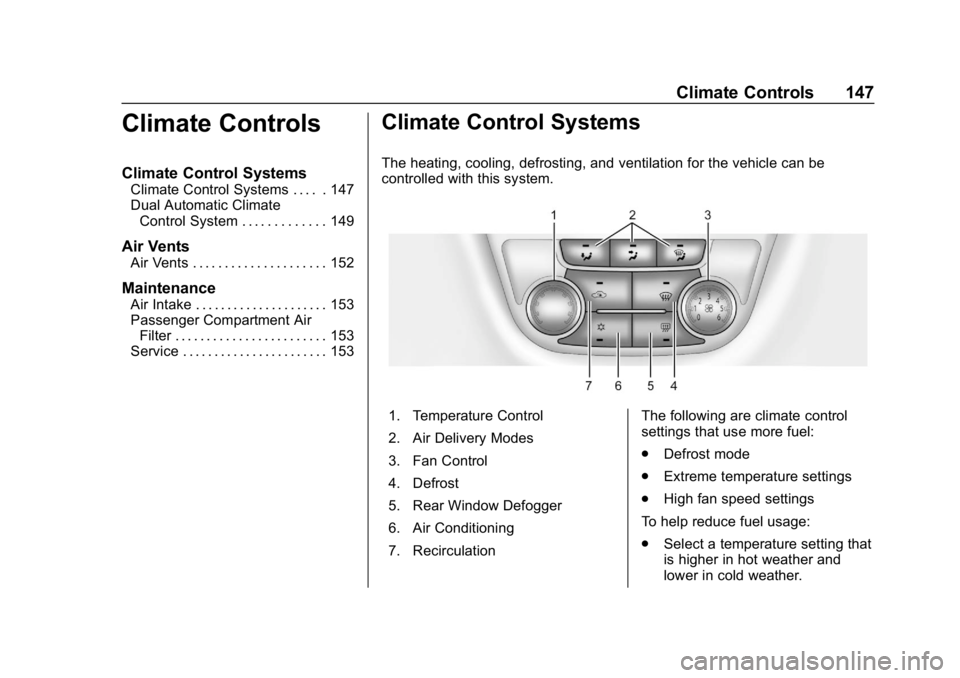
The heating, cooling, defrosting, and ventilation for the vehicle can be
controlled with this system.
1. Temperature Control
2. Air Delivery Modes
3. Fan Control
4. Defrost
5. Rear Window Defogger
6. Air Conditioning
7. Recirculation The following are climate control
settings that use more fuel:
.
Defrost mode
. Extreme temperature settings
. High fan speed settings
To help reduce fuel usage:
. Select a temperature setting that
is higher in hot weather and
lower in cold weather.
Page 150 of 333

Buick Encore Owner Manual (GMNA-Localizing-U.S./Canada/Mexico-
12163005) - 2019 - crc - 9/17/18
Climate Controls 149
Dual Automatic Climate Control System
The heating, cooling, and ventilation for the vehicle can be controlled with
this system.
1. Driver and Passenger HeatedSeats (If Equipped)
2. Driver and Passenger Temperature Controls
3. Air Delivery Modes
4. AUTO (Automatic Operation)
5. Defrost
6. Rear Window Defogger
7. Fan Controls 8. Air Conditioning
9. Recirculation
10. Heated Steering Wheel (If Equipped)
The following are climate control
settings that use more fuel:
. Defrost mode
. Extreme temperature settings
. High fan speed settings To help reduce fuel usage:
.
Use the full automatic control as
described under “Automatic
Operation” following.
. Select a temperature setting that
is higher in hot weather and
lower in cold weather.
. Turn off the air conditioning
when it is not needed.
. Only use defrost to clear the
windows.
Automatic Operation
The system automatically controls
the fan speed, air delivery, air
conditioning, and recirculation in
order to heat or cool the vehicle to
the desired temperature.
When AUTO is lit, all four functions
operate automatically. Each function
can also be manually set and the
selected setting is displayed.
Functions not manually set will
continue to be automatically
controlled, even if the AUTO
indicator is not lit.
Page 151 of 333

Buick Encore Owner Manual (GMNA-Localizing-U.S./Canada/Mexico-
12163005) - 2019 - crc - 9/17/18
150 Climate Controls
For automatic operation:1. Press AUTO.
2. Set the temperature. Allow the system time to stabilize. Then
adjust the temperature as
needed for best comfort.
To improve fuel efficiency and
to cool the vehicle faster,
recirculation may be
automatically selected in warm
weather. The recirculation light
will not come on. Press
hto
select recirculation; press it
again to select outside air.
Manual Operation
9: Press the lower9button to
decrease the fan speed. Pressing
the lower button longer turns the fan
and cooling off. Press the upper
9
button to increase the fan speed.
The selected fan speed is indicated
by a number on the display screen.
Press AUTO to return to automatic
operation. Air Delivery Modes :
Press
[,Y,
or
Xto change the direction of the
airflow. Air delivery mode settings
can be combined. An indicator light
comes on in the selected mode
button.
Changing the mode cancels the
automatic operation and the
direction of the airflow is manually
controlled. Press AUTO to return to
automatic operation.
[: Air is directed to the floor
outlets.
Y: Air is directed to the instrument
panel outlets.
X: Air is directed to the windshield
and side window vents.
0: Press to clear the windshield
of fog or frost more quickly. Air is
directed to the windshield.
For best results, clear all snow and
ice from the windshield before
defrosting.
Air Conditioning
#: Press to turn the air
conditioning on or off. If the fan is
turned off or the outside
temperature falls below freezing, the
air conditioner will not run and the
indicator light turns off.
Press AUTO to return to automatic
operation. When the indicator light
is on, the air conditioner runs
automatically to cool the air inside
the vehicle or to dry the air needed
to defog the windshield faster.
h: Press to turn on recirculation.
An indicator light comes on. Air is
recirculated to quickly cool the
inside of the vehicle or reduce entry
of outside air and odors.
Auto Defog : The climate control
system may have a sensor to
automatically detect high humidity
inside the vehicle. When high
humidity is detected, the climate
control system may adjust to
outside air supply and turn on the
air conditioner. If the climate control
system does not detect possible
window fogging, it returns to normal
Page 156 of 333
Buick Encore Owner Manual (GMNA-Localizing-U.S./Canada/Mexico-
12163005) - 2019 - crc - 9/17/18
Driving and Operating 155
Driving and
Operating
Driving Information
Driver Behavior . . . . . . . . . . . . . . . 156
Driving Environment . . . . . . . . . . 156
Vehicle Design . . . . . . . . . . . . . . . 156
Distracted Driving . . . . . . . . . . . . 156
Defensive Driving . . . . . . . . . . . . . 157
Drunk Driving . . . . . . . . . . . . . . . . . 157
Control of a Vehicle . . . . . . . . . . . 158
Braking . . . . . . . . . . . . . . . . . . . . . . . 158
Steering . . . . . . . . . . . . . . . . . . . . . . 158
Off-Road Recovery . . . . . . . . . . . 159
Loss of Control . . . . . . . . . . . . . . . 159
Driving on Wet Roads . . . . . . . . 160
Hill and Mountain Roads . . . . . 160
Winter Driving . . . . . . . . . . . . . . . . 161
If the Vehicle Is Stuck . . . . . . . . 162
Vehicle Load Limits . . . . . . . . . . . 163
Starting and Operating
New Vehicle Break-In . . . . . . . . . 167
Ignition Positions . . . . . . . . . . . . . 167
Starting the Engine . . . . . . . . . . . 169
Stop/Start System . . . . . . . . . . . . 170
Engine Heater . . . . . . . . . . . . . . . . 171Retained Accessory
Power (RAP) . . . . . . . . . . . . . . . . 172
Shifting Into Park . . . . . . . . . . . . . 172
Shifting out of Park . . . . . . . . . . . 173
Parking over Things That Burn . . . . . . . . . . . . . . . . . . . 174
Extended Parking . . . . . . . . . . . . 174
Engine Exhaust
Engine Exhaust . . . . . . . . . . . . . . 175
Running the Vehicle While Parked . . . . . . . . . . . . . . . . . . . . . . 176
Automatic Transmission
Automatic Transmission . . . . . . 176
Manual Mode . . . . . . . . . . . . . . . . . 178
Drive Systems
All-Wheel Drive . . . . . . . . . . . . . . . 179
Brakes
Antilock BrakeSystem (ABS) . . . . . . . . . . . . . . . 179
Parking Brake . . . . . . . . . . . . . . . . 180
Brake Assist . . . . . . . . . . . . . . . . . . 180
Hill Start Assist (HSA) . . . . . . . . 181
Ride Control Systems
Traction Control/Electronic Stability Control . . . . . . . . . . . . . 181
Cruise Control
Cruise Control . . . . . . . . . . . . . . . . 183
Driver Assistance Systems
Driver Assistance Systems . . . 186
Rear Vision Camera (RVC) . . . 187
Park Assist . . . . . . . . . . . . . . . . . . . 189
Forward Collision Alert (FCA)System . . . . . . . . . . . . . . . . . . . . . . 191
Side Blind Zone Alert (SBZA) . . . . . . . . . . . . . . . . 192
Lane Departure Warning (LDW) . . . . . . . . . . . . . 194
Fuel
Top Tier Fuel . . . . . . . . . . . . . . . . . 196
Recommended Fuel . . . . . . . . . . 196
Prohibited Fuels . . . . . . . . . . . . . . 196
Fuels in Foreign Countries . . . 197
Fuel Additives . . . . . . . . . . . . . . . . 197
Filling the Tank . . . . . . . . . . . . . . . 197
Filling a Portable FuelContainer . . . . . . . . . . . . . . . . . . . 199
Trailer Towing
General TowingInformation . . . . . . . . . . . . . . . . . . 199
Conversions and Add-Ons
Add-On ElectricalEquipment . . . . . . . . . . . . . . . . . . 200