elect BUICK ENCORE 2019 Workshop Manual
[x] Cancel search | Manufacturer: BUICK, Model Year: 2019, Model line: ENCORE, Model: BUICK ENCORE 2019Pages: 333, PDF Size: 5.37 MB
Page 180 of 333
Buick Encore Owner Manual (GMNA-Localizing-U.S./Canada/Mexico-
12163005) - 2019 - crc - 9/17/18
Driving and Operating 179
.The transmission will not allow
shifting to the next lower gear if
the vehicle speed or engine rpm
is too high.Drive Systems
All-Wheel Drive
If equipped, this feature transfers
engine power, as required, to all
four wheels. It is fully automatic, and
adjusts itself as needed for road
conditions.
When using a compact spare tire on
an All-Wheel Drive (AWD) vehicle,
the system automatically detects the
compact spare and disables AWD to
protect the system. A Driver
Information Center (DIC) message
will display on the instrument
cluster. See Vehicle Messages
0 129. To restore AWD operation
and prevent excessive wear on the
system, replace the compact spare
with a full-size tire as soon as
possible. See Compact Spare Tire
0 263.
AWD will be disabled and the
message will display if there is
excessive wheel spin. When the
system cools down, AWD will be
restored.
Brakes
Antilock Brake
System (ABS)
Antilock Brake System (ABS) (if
equipped) is an advanced electronic
braking system that helps prevent a
braking skid.
When the vehicle begins to drive
away, ABS checks itself.
A momentary motor or clicking noise
might be heard while this test is
going on, and it might even be
noticed that the brake pedal moves
a little. This is normal.
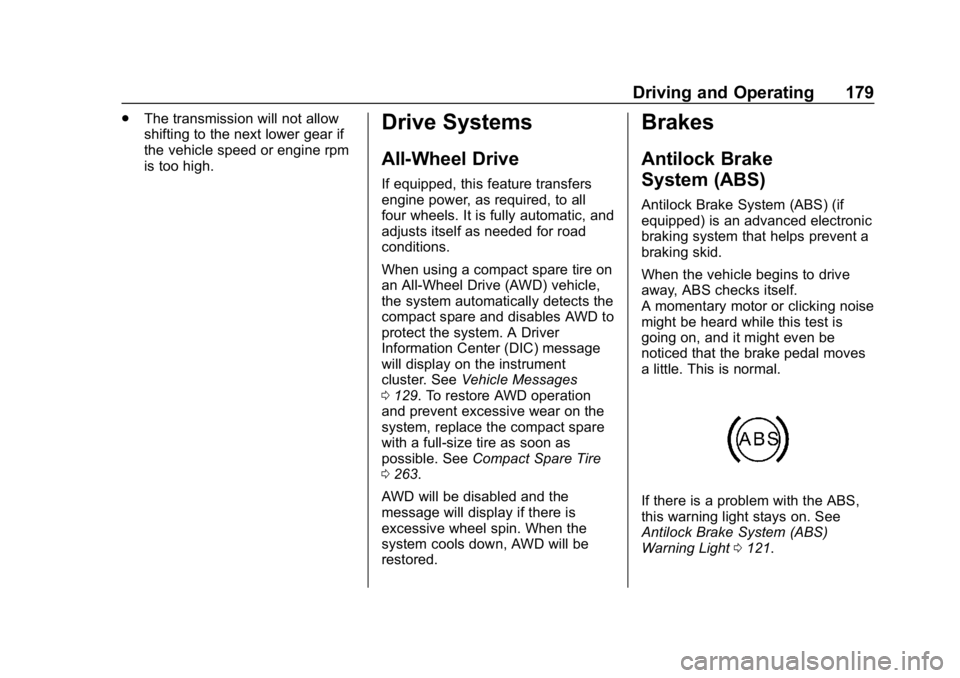
If there is a problem with the ABS,
this warning light stays on. See
Antilock Brake System (ABS)
Warning Light 0121.
Page 182 of 333
Buick Encore Owner Manual (GMNA-Localizing-U.S./Canada/Mexico-
12163005) - 2019 - crc - 9/17/18
Driving and Operating 181
feature uses the stability system
hydraulic brake control module to
supplement the power brake system
under conditions where the driver
has quickly and forcefully applied
the brake pedal in an attempt to
quickly stop or slow down the
vehicle. The stability system
hydraulic brake control module
increases brake pressure at each
corner of the vehicle until the ABS
activates. Minor brake pedal
pulsation or pedal movement during
this time is normal and the driver
should continue to apply the brake
pedal as the driving situation
dictates. The brake assist feature
will automatically disengage when
the brake pedal is released or brake
pedal pressure is quickly
decreased.Hill Start Assist (HSA)
If equipped, Hill Start Assist (HSA)
may be useful when the vehicle is
stopped on a grade. This feature is
designed to prevent the vehicle from
rolling, either forward or rearward,
during vehicle drive off. After the
driver completely stops and holds
the vehicle in a complete standstill
on a grade, HSA will be
automatically activated. During the
transition period between when the
driver releases the brake pedal and
starts to accelerate to drive off on a
grade, HSA holds the braking
pressure to ensure that there is no
rolling. The brakes will automatically
release when the accelerator pedal
is applied within the two-second
window. It will not activate if the
vehicle is in a drive gear and facing
downhill, or if the vehicle is facing
uphill and in R (Reverse).
Ride Control Systems
Traction Control/
Electronic Stability
Control
System Operation
The vehicle has a Traction Control
System (TCS) and StabiliTrak/
Electronic Stability Control (ESC),
an electronic stability control
system. These systems help limit
wheel slip and assist the driver in
maintaining control, especially on
slippery road conditions.
TCS activates if it senses that any
of the drive wheels are spinning or
beginning to lose traction. When this
happens, TCS applies the brakes to
the spinning wheels and reduces
engine power to limit wheel spin.
StabiliTrak/ESC activates when the
vehicle senses a difference between
the intended path and the direction
the vehicle is actually traveling.
StabiliTrak/ESC selectively applies
braking pressure to any one of the
Page 184 of 333
Buick Encore Owner Manual (GMNA-Localizing-U.S./Canada/Mexico-
12163005) - 2019 - crc - 9/17/18
Driving and Operating 183
Caution
Do not repeatedly brake or
accelerate heavily when TCS is
off. The vehicle driveline could be
damaged.
To turn off only TCS, press and
release
g. The Traction Off lighti
displays in the instrument cluster.
The appropriate message may
display in the DIC.
To turn TCS on again, press and
release
g. The Traction Off lighti
displayed in the instrument cluster
will turn off.
If TCS is limiting wheel spin when
g
is pressed, the system will not turn
off until the wheels stop spinning.
To turn off both TCS and StabiliTrak/
ESC, press and hold
guntil the
Traction Off light
iand StabiliTrak/
ESC Off light
gcome on and stay
on in the instrument cluster. The
appropriate message may display in
the DIC. To turn TCS and StabiliTrak/ESC on
again, press and release
g. The
Traction Off light
iand StabiliTrak/
ESC Off light
gin the instrument
cluster turn off.
Adding accessories can affect the
vehicle performance. See
Accessories and Modifications
0 203.
Cruise Control
The cruise control lets the vehicle
maintain a speed of about 40 km/h
(25 mph) or more without keeping
your foot on the accelerator. Cruise
control does not work at speeds
below 40 km/h (25 mph).
{Warning
Cruise control can be dangerous
where you cannot drive safely at
a steady speed. Do not use
cruise control on winding roads or
in heavy traffic.
Cruise control can be dangerous
on slippery roads. On such roads,
fast changes in tire traction can
cause excessive wheel slip, and
you could lose control. Do not use
cruise control on slippery roads.
The vehicle has a Traction Control
System (TCS) or StabiliTrak/
Electronic Stability Control (ESC)
system that begins to limit wheel
spin while using cruise control and
the cruise control will automatically
Page 185 of 333
Buick Encore Owner Manual (GMNA-Localizing-U.S./Canada/Mexico-
12163005) - 2019 - crc - 9/17/18
184 Driving and Operating
disengage. SeeTraction Control/
Electronic Stability Control 0181.
If a collision alert occurs when
cruise control is activated, cruise
control is disengaged. See Forward
Collision Alert (FCA) System 0191.
When road conditions allow you to
safely use it again, cruise control
can be turned back on.
If the brakes are applied, cruise
control disengages.
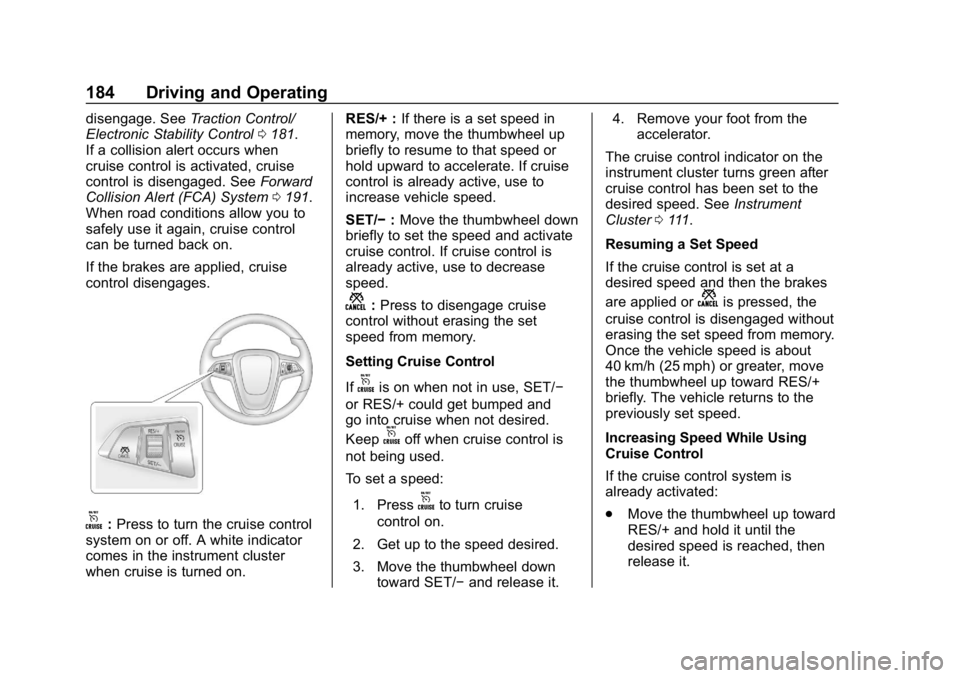
o: Press to turn the cruise control
system on or off. A white indicator
comes in the instrument cluster
when cruise is turned on. RES/+ :
If there is a set speed in
memory, move the thumbwheel up
briefly to resume to that speed or
hold upward to accelerate. If cruise
control is already active, use to
increase vehicle speed.
SET/− :Move the thumbwheel down
briefly to set the speed and activate
cruise control. If cruise control is
already active, use to decrease
speed.
n: Press to disengage cruise
control without erasing the set
speed from memory.
Setting Cruise Control
If
ois on when not in use, SET/−
or RES/+ could get bumped and
go into cruise when not desired.
Keep
ooff when cruise control is
not being used.
To set a speed:
1. Press
oto turn cruise
control on.
2. Get up to the speed desired.
3. Move the thumbwheel down toward SET/− and release it. 4. Remove your foot from the
accelerator.
The cruise control indicator on the
instrument cluster turns green after
cruise control has been set to the
desired speed. See Instrument
Cluster 0111.
Resuming a Set Speed
If the cruise control is set at a
desired speed and then the brakes
are applied or
nis pressed, the
cruise control is disengaged without
erasing the set speed from memory.
Once the vehicle speed is about
40 km/h (25 mph) or greater, move
the thumbwheel up toward RES/+
briefly. The vehicle returns to the
previously set speed.
Increasing Speed While Using
Cruise Control
If the cruise control system is
already activated:
. Move the thumbwheel up toward
RES/+ and hold it until the
desired speed is reached, then
release it.
Page 188 of 333

Buick Encore Owner Manual (GMNA-Localizing-U.S./Canada/Mexico-
12163005) - 2019 - crc - 9/17/18
Driving and Operating 187
.Front and rear bumpers and the
area below the bumpers
. Front grille and headlamps .
Front camera lens in the front
grille or near the front emblem
. Front side and rear side panels
. Outside of the windshield in front
of the rearview mirrors
. Side camera lens on the bottom
of the outside mirrors
. Rear side corner bumpers
. Rear Vision Camera above the
license plate
Rear Vision
Camera (RVC)
The RVC can assist when backing
up by displaying a view of the area
behind the vehicle.
{Warning
The camera(s) do not display
children, pedestrians, bicyclists,
crossing traffic, animals, or any
other object outside of the
cameras’ field of view, below the
bumper, or under the vehicle.
(Continued)
Warning (Continued)
Shown distances may be different
from actual distances. Do not
drive or park the vehicle using
only these camera(s). Always
check behind and around the
vehicle before driving. Failure to
use proper care may result in
injury, death, or vehicle damage.
An image appears on the
infotainment display when the
vehicle is shifted into R (Reverse).
The previous screen displays when
the vehicle is shifted out of
R (Reverse) after a short delay. To
return to the previous screen
sooner, press any button on the
infotainment display, shift into
P (Park), or reach a vehicle speed
of approximately 12 km/h (8 mph).
Symbols and Guidelines
The RVC may have a guideline
overlay that can help you align the
vehicle when backing into a parking
spot. Select the guidance lines
button on the camera screen to
Page 193 of 333
Buick Encore Owner Manual (GMNA-Localizing-U.S./Canada/Mexico-
12163005) - 2019 - crc - 9/17/18
192 Driving and Operating
Warning (Continued)
proper condition. Keep the
windshield, headlamps, and FCA
sensors clean and in good repair.
Collision Alert
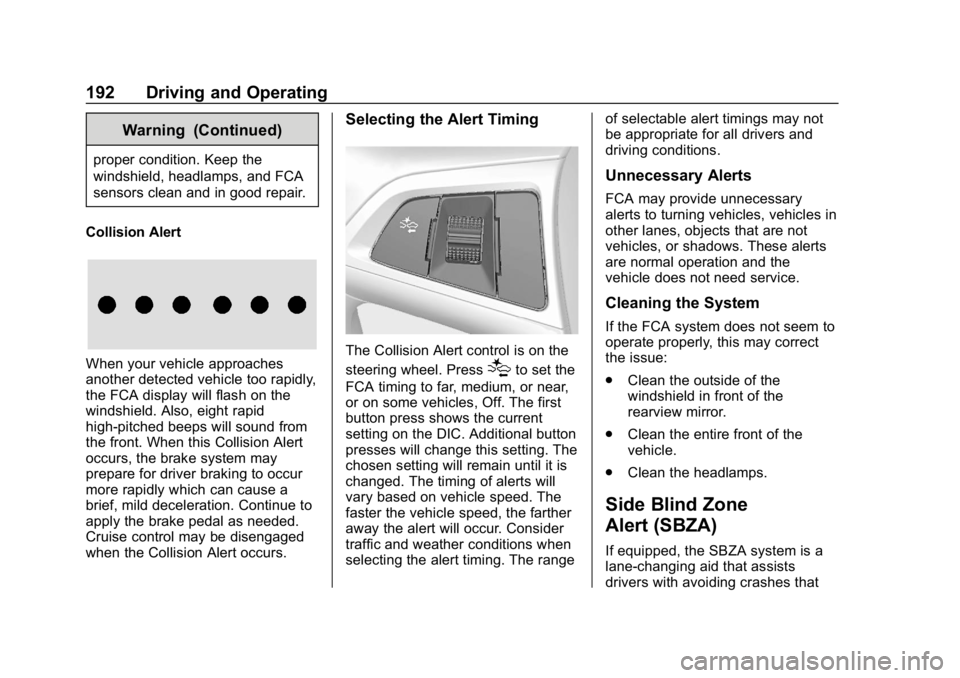
When your vehicle approaches
another detected vehicle too rapidly,
the FCA display will flash on the
windshield. Also, eight rapid
high-pitched beeps will sound from
the front. When this Collision Alert
occurs, the brake system may
prepare for driver braking to occur
more rapidly which can cause a
brief, mild deceleration. Continue to
apply the brake pedal as needed.
Cruise control may be disengaged
when the Collision Alert occurs.
Selecting the Alert Timing
The Collision Alert control is on the
steering wheel. Press
[to set the
FCA timing to far, medium, or near,
or on some vehicles, Off. The first
button press shows the current
setting on the DIC. Additional button
presses will change this setting. The
chosen setting will remain until it is
changed. The timing of alerts will
vary based on vehicle speed. The
faster the vehicle speed, the farther
away the alert will occur. Consider
traffic and weather conditions when
selecting the alert timing. The range of selectable alert timings may not
be appropriate for all drivers and
driving conditions.
Unnecessary Alerts
FCA may provide unnecessary
alerts to turning vehicles, vehicles in
other lanes, objects that are not
vehicles, or shadows. These alerts
are normal operation and the
vehicle does not need service.
Cleaning the System
If the FCA system does not seem to
operate properly, this may correct
the issue:
.
Clean the outside of the
windshield in front of the
rearview mirror.
. Clean the entire front of the
vehicle.
. Clean the headlamps.
Side Blind Zone
Alert (SBZA)
If equipped, the SBZA system is a
lane-changing aid that assists
drivers with avoiding crashes that
Page 198 of 333
Buick Encore Owner Manual (GMNA-Localizing-U.S./Canada/Mexico-
12163005) - 2019 - crc - 9/17/18
Driving and Operating 197
Fuels in Foreign
Countries
The U.S., Canada, and Mexico post
fuel octane ratings in anti-knock
index (AKI). For fuel not to use in a
foreign country, seeProhibited
Fuels 0196.
Fuel Additives
TOP TIER Detergent Gasoline is
highly recommended for use with
your vehicle. If your country does
not have TOP TIER Detergent
Gasoline, add ACDelco Fuel
System Treatment Plus−Gasoline to
the vehicle’ s gasoline fuel tank at
every oil change or 15,000 km
(9,000 mi), whichever occurs first.
TOP TIER Detergent Gasoline and
ACDelco Fuel System Treatment
Plus−Gasoline will help keep your
vehicle’s engine fuel deposit free
and performing optimally.
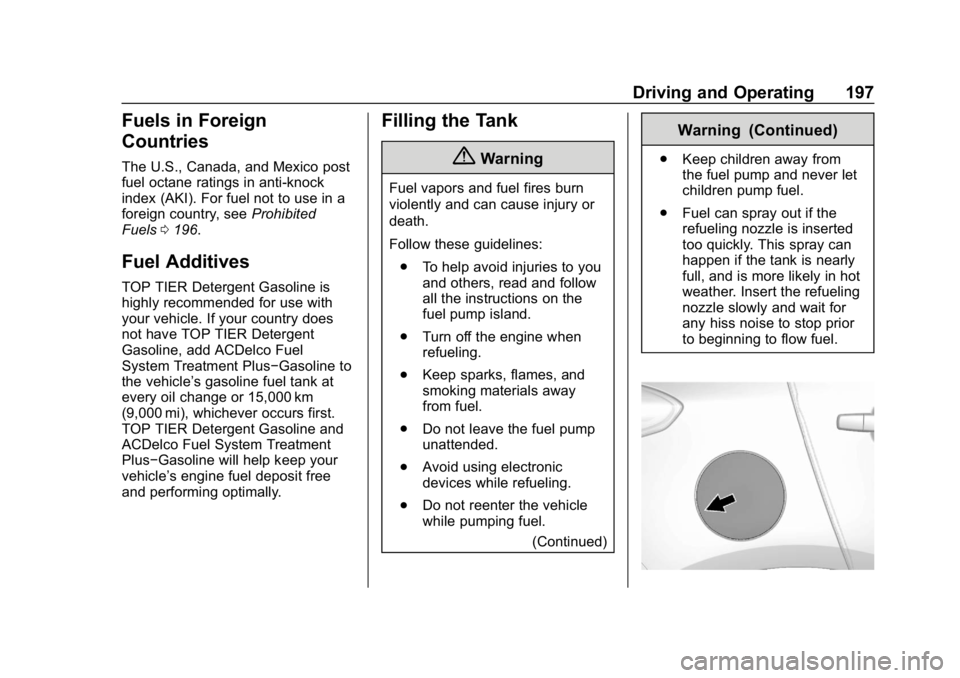
Filling the Tank
{Warning
Fuel vapors and fuel fires burn
violently and can cause injury or
death.
Follow these guidelines:
. To help avoid injuries to you
and others, read and follow
all the instructions on the
fuel pump island.
. Turn off the engine when
refueling.
. Keep sparks, flames, and
smoking materials away
from fuel.
. Do not leave the fuel pump
unattended.
. Avoid using electronic
devices while refueling.
. Do not reenter the vehicle
while pumping fuel.
(Continued)
Warning (Continued)
.Keep children away from
the fuel pump and never let
children pump fuel.
. Fuel can spray out if the
refueling nozzle is inserted
too quickly. This spray can
happen if the tank is nearly
full, and is more likely in hot
weather. Insert the refueling
nozzle slowly and wait for
any hiss noise to stop prior
to beginning to flow fuel.
Page 200 of 333
Buick Encore Owner Manual (GMNA-Localizing-U.S./Canada/Mexico-
12163005) - 2019 - crc - 9/17/18
Driving and Operating 199
Filling a Portable Fuel
Container
{Warning
Never fill a portable fuel container
while it is in the vehicle. Static
electricity discharge from the
container can ignite the fuel
vapor. You can be badly burned
and the vehicle damaged if this
occurs. To help avoid injury to you
and others:. Dispense fuel only into
approved containers.
. Do not fill a container while
it is inside a vehicle, in a
vehicle's trunk, pickup bed,
or on any surface other than
the ground.
. Bring the fill nozzle in
contact with the inside of
the fill opening before
operating the nozzle.
(Continued)
Warning (Continued)
Contact should be
maintained until the filling is
complete.
. Do not smoke while
pumping fuel.
. Avoid using electronic
devices.
Trailer Towing
General Towing
Information
{Warning
Never tow a trailer with your
vehicle. It was not designed or
intended to tow a trailer.
Page 201 of 333

Buick Encore Owner Manual (GMNA-Localizing-U.S./Canada/Mexico-
12163005) - 2019 - crc - 9/17/18
200 Driving and Operating
Conversions and
Add-Ons
Add-On Electrical
Equipment
{Warning
The Data Link Connector (DLC) is
used for vehicle service and
Emission Inspection/Maintenance
testing. SeeMalfunction Indicator
Lamp (Check Engine Light) 0118.
A device connected to the DLC —
such as an aftermarket fleet or
driver-behavior tracking device —
may interfere with vehicle
systems. This could affect vehicle
operation and cause a crash.
Such devices may also access
information stored in the vehicle’s
systems.
Caution
Some electrical equipment can
damage the vehicle or cause
components to not work and
would not be covered by the
vehicle warranty. Always check
with your dealer before adding
electrical equipment.
Add-on equipment can drain the
vehicle's 12-volt battery, even if the
vehicle is not operating.
The vehicle has an airbag system.
Before attempting to add anything
electrical to the vehicle, see
Servicing the Airbag-Equipped
Vehicle 078 and Adding Equipment
to the Airbag-Equipped Vehicle
0 79.
Page 202 of 333
Buick Encore Owner Manual (GMNA-Localizing-U.S./Canada/Mexico-
12163005) - 2019 - crc - 9/17/18
Vehicle Care 201
Vehicle Care
General Information
General Information . . . . . . . . . . 202
California Proposition65 Warning . . . . . . . . . . . . . . . . . 202
California Perchlorate Materials Requirements . . . . . 203
Accessories and Modifications . . . . . . . . . . . . . . . . 203
Vehicle Checks
Doing Your OwnService Work . . . . . . . . . . . . . . . 203
Hood . . . . . . . . . . . . . . . . . . . . . . . . . 204
Engine Compartment Overview . . . . . . . . . . . . . . . . . . . . 206
Engine Oil . . . . . . . . . . . . . . . . . . . . 209
Engine Oil Life System . . . . . . . 211
Automatic Transmission Fluid . . . . . . . . . . . . . . . . . . . . . . . . 212
Engine Air Cleaner/Filter . . . . . . 213
Cooling System . . . . . . . . . . . . . . 214
Engine Overheating . . . . . . . . . . 218
Washer Fluid . . . . . . . . . . . . . . . . . 219
Brakes . . . . . . . . . . . . . . . . . . . . . . . 220
Brake Fluid . . . . . . . . . . . . . . . . . . . 221
Battery - North America . . . . . . 222
All-Wheel Drive . . . . . . . . . . . . . . . 223 Starter Switch Check . . . . . . . . . 223
Automatic Transmission Shift
Lock Control Function
Check . . . . . . . . . . . . . . . . . . . . . . . 223
Park Brake and P (Park)
Mechanism Check . . . . . . . . . . 223
Wiper Blade Replacement . . . . 224
Windshield Replacement . . . . . 225
Gas Strut(s) . . . . . . . . . . . . . . . . . . 225
Headlamp Aiming
Headlamp Aiming . . . . . . . . . . . . 227
Bulb Replacement
Bulb Replacement . . . . . . . . . . . . 227
Halogen Bulbs . . . . . . . . . . . . . . . . 227
LED Lighting . . . . . . . . . . . . . . . . . 227
Headlamps, Front Turn Signal and Parking Lamps . . . . . . . . . 227
Taillamps, Turn Signal, Sidemarker, Stoplamps, and
Back-Up Lamps . . . . . . . . . . . . . 229
License Plate Lamp . . . . . . . . . . 230
Electrical System
Electrical System Overload . . . 231
Fuses and Circuit Breakers . . . 231
Engine Compartment Fuse Block . . . . . . . . . . . . . . . . . . . . . . . . 232
Instrument Panel Fuse Block . . . . . . . . . . . . . . . . . . . . . . . . 235 Rear Compartment Fuse
Block . . . . . . . . . . . . . . . . . . . . . . . . 237
Wheels and Tires
Tires . . . . . . . . . . . . . . . . . . . . . . . . . . 238
All-Season Tires . . . . . . . . . . . . . . 239
Winter Tires . . . . . . . . . . . . . . . . . . 239
Summer Tires . . . . . . . . . . . . . . . . 240
Tire Sidewall Labeling . . . . . . . . 240
Tire Designations . . . . . . . . . . . . . 242
Tire Terminology andDefinitions . . . . . . . . . . . . . . . . . . 243
Tire Pressure . . . . . . . . . . . . . . . . . 246
Tire Pressure Monitor System . . . . . . . . . . . . . . . . . . . . . . 247
Tire Pressure Monitor Operation . . . . . . . . . . . . . . . . . . . 248
Tire Inspection . . . . . . . . . . . . . . . . 251
Tire Rotation . . . . . . . . . . . . . . . . . 251
When It Is Time for New Tires . . . . . . . . . . . . . . . . . . . . . . . . 252
Buying New Tires . . . . . . . . . . . . . 253
Different Size Tires and Wheels . . . . . . . . . . . . . . . . . . . . . . 254
Uniform Tire Quality Grading . . . . . . . . . . . . . . . . . . . . . 255
Wheel Alignment and Tire Balance . . . . . . . . . . . . . . . . . . . . . 256
Wheel Replacement . . . . . . . . . . 257
Tire Chains . . . . . . . . . . . . . . . . . . . 257
If a Tire Goes Flat . . . . . . . . . . . . 258