park assist BUICK ENCORE 2019 Owner's Manual
[x] Cancel search | Manufacturer: BUICK, Model Year: 2019, Model line: ENCORE, Model: BUICK ENCORE 2019Pages: 333, PDF Size: 5.37 MB
Page 5 of 333
Buick Encore Owner Manual (GMNA-Localizing-U.S./Canada/Mexico-
12163005) - 2019 - crc - 9/17/18
4 Introduction
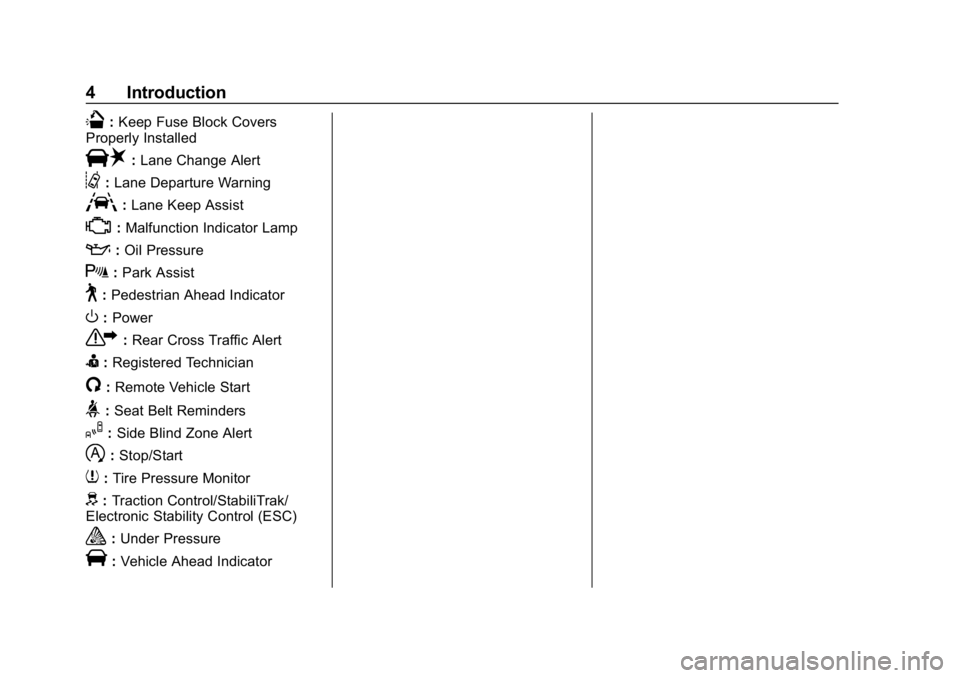
Q:Keep Fuse Block Covers
Properly Installed
|: Lane Change Alert
@:Lane Departure Warning
A:Lane Keep Assist
*:Malfunction Indicator Lamp
::Oil Pressure
X:Park Assist
~:Pedestrian Ahead Indicator
O:Power
7: Rear Cross Traffic Alert
I:Registered Technician
/:Remote Vehicle Start
>:Seat Belt Reminders
I: Side Blind Zone Alert
h:Stop/Start
7: Tire Pressure Monitor
d:Traction Control/StabiliTrak/
Electronic Stability Control (ESC)
a: Under Pressure
V:Vehicle Ahead Indicator
Page 6 of 333
Buick Encore Owner Manual (GMNA-Localizing-U.S./Canada/Mexico-
12163005) - 2019 - crc - 9/17/18
In Brief 5
In Brief
Instrument Panel
Instrument Panel . . . . . . . . . . . . . . . . 6
Initial Drive Information
Initial Drive Information . . . . . . . . . . 8
Stop/Start System . . . . . . . . . . . . . . . 8
Remote Keyless Entry (RKE)System . . . . . . . . . . . . . . . . . . . . . . . . 8
Remote Vehicle Start . . . . . . . . . . . 8
Door Locks . . . . . . . . . . . . . . . . . . . . . 9
Liftgate . . . . . . . . . . . . . . . . . . . . . . . . . . 9
Windows . . . . . . . . . . . . . . . . . . . . . . . 10
Seat Adjustment . . . . . . . . . . . . . . . 10
Memory Features . . . . . . . . . . . . . . 11
Second Row Seats . . . . . . . . . . . . 11
Heated Seats . . . . . . . . . . . . . . . . . . 12
Head Restraint Adjustment . . . . 12
Seat Belts . . . . . . . . . . . . . . . . . . . . . 12
Passenger Sensing System . . . 13
Mirror Adjustment . . . . . . . . . . . . . . 13
Steering Wheel Adjustment . . . . 14
Interior Lighting . . . . . . . . . . . . . . . . 14
Exterior Lighting . . . . . . . . . . . . . . . 15
Windshield Wiper/Washer . . . . . . 15
Climate Controls . . . . . . . . . . . . . . . 17
Transmission . . . . . . . . . . . . . . . . . . 18
Vehicle Features
Infotainment System . . . . . . . . . . . 19
Steering Wheel Controls . . . . . . . 19
Cruise Control . . . . . . . . . . . . . . . . . 19
Driver Information Center (DIC) . . . . . . . . . . . . . . . . . 20
Forward Collision Alert (FCA) System . . . . . . . . . . . . . . . . . . . . . . . 20
Lane Departure Warning (LDW) . . . . . . . . . . . . . . . 20
Side Blind Zone Alert (SBZA) . . . . . . . . . . . . . . . . . . 20
Rear Vision Camera (RVC) . . . . 21
Rear Cross Traffic Alert (RCTA) System . . . . . . . . . . . . . . . . . . . . . . . 21
Park Assist . . . . . . . . . . . . . . . . . . . . 21
Power Outlets . . . . . . . . . . . . . . . . . 21
Universal Remote System . . . . . 22
Sunroof . . . . . . . . . . . . . . . . . . . . . . . . 22
Performance and Maintenance
Traction Control/Electronic Stability Control . . . . . . . . . . . . . . 23
Tire Pressure Monitor . . . . . . . . . . 23
Fuel . . . . . . . . . . . . . . . . . . . . . . . . . . . 23
E85 or FlexFuel . . . . . . . . . . . . . . . . 24
Engine Oil Life System . . . . . . . . 24
Driving for Better Fuel Economy . . . . . . . . . . . . . . . . . . . . . 24 Roadside Assistance
Program . . . . . . . . . . . . . . . . . . . . . . 25
Page 8 of 333

Buick Encore Owner Manual (GMNA-Localizing-U.S./Canada/Mexico-
12163005) - 2019 - crc - 9/17/18
In Brief 7
1.Air Vents 0152.
2. Turn Signal Lever. See Turn
and Lane-Change Signals
0 142.
Headlamp High/Low-Beam
Changer 0140.
3. Instrument Cluster 0111.
4. Driver Information Center (DIC) Display.
See Driver Information Center
(DIC) (Uplevel) 0127 orDriver
Information Center (DIC) (Base
Level) 0125.
5. Windshield Wiper/Washer
0105.
Rear Window Wiper/Washer
0 107.
6. Light Sensor. See Automatic
Headlamp System 0141.
7. Infotainment 0146.
8. Climate Control Systems 0147
or Dual Automatic Climate
Control System 0149 (If
Equipped).
Heated Steering Wheel 0105
(If Equipped). 9.
Instrument Panel Storage
0100.
10. Shift Lever. See Automatic
Transmission 0176.
11. Traction Control/Electronic
Stability Control 0181.
Hazard Warning Flashers
0 142.
Passenger Airbag Status
Indicator. See Passenger
Sensing System 074.
12. Park Assist 0189 (If
Equipped).
13. Lane Departure Warning
(LDW) 0194 (If Equipped).
14. Ignition Positions 0167.
15. Steering Wheel Controls 0105.
16. Horn 0105.
17. Steering Wheel Adjustment
0105.
18. Cruise Control 0183.
Forward Collision Alert (FCA)
System 0191 (If Equipped). 19. Hood Release. See
Hood
0 204.
20. Instrument Panel Storage
0100.
21. Data Link Connector (DLC) (Out of View). See Malfunction
Indicator Lamp (Check Engine
Light) 0118.
22. Exterior Lamp Controls 0140.
Instrument Panel Illumination
Control 0143.
Front Fog Lamps 0143 (If
Equipped).
Page 22 of 333
Buick Encore Owner Manual (GMNA-Localizing-U.S./Canada/Mexico-
12163005) - 2019 - crc - 9/17/18
In Brief 21
Rear Vision
Camera (RVC)
If equipped, RVC displays a view of
the area behind the vehicle, on the
infotainment display, when the
vehicle is shifted into R (Reverse).
SeeRear Vision Camera (RVC)
0 187.
Rear Cross Traffic Alert
(RCTA) System
If equipped, the RCTA system uses
a triangle with an arrow on the
infotainment display to warn of
traffic behind your vehicle that may
cross your vehicle's path while in
R (Reverse). In addition, beeps will
sound.
See “Rear Cross Traffic Alert
(RCTA)” underRear Vision Camera
(RVC) 0187.
Park Assist
If available, Front and Rear Park
Assist (FRPA) uses sensors on the
front and rear bumpers to detect objects while parking the vehicle.
It operates at speeds less than
8 km/h (5 mph). FRPA uses audio
beeps to provide distance and
system information.
Keep the sensors on the vehicle's
front and rear bumpers clean to
ensure proper operation.
See
Park Assist 0189.
Power Outlets
Power Outlet 110/120 Volt
Alternating Current
If equipped, this power outlet is on
the rear of the center console. It can
be used to plug in electrical
equipment that uses a maximum
limit of 150 watts.
An indicator light on the outlet turns
on to show it is in use. The light
comes on when the ignition is on
and equipment requiring less than
150 watts is plugged into the outlet,
and no system fault is detected.
The indicator light does not come on
when the ignition is off or if the
equipment is not fully seated into
the outlet.
See Power Outlets 0109.
Page 121 of 333
Buick Encore Owner Manual (GMNA-Localizing-U.S./Canada/Mexico-
12163005) - 2019 - crc - 9/17/18
120 Instruments and Controls
If the light remains on, see your
dealer.
Emissions Inspection and
Maintenance Programs
If the vehicle requires an Emissions
Inspection/Maintenance test, the
test equipment will likely connect to
the vehicle's Data Link
Connector (DLC).
The DLC is under the instrument
panel to the left of the steering
wheel. Connecting devices that are
not used to perform an Emissions
Inspection/Maintenance test or to
service the vehicle may affect
vehicle operation. SeeAdd-On
Electrical Equipment 0200. See
your dealer if assistance is needed. The vehicle may not pass
inspection if:
.
The light is on when the engine
is running.
. The light does not come on
when the ignition is in
Service Mode.
. Critical emission control systems
have not been completely
diagnosed. If this happens, the
vehicle would not be ready for
inspection and might require
several days of routine driving
before the system is ready for
inspection. This can happen if
the 12-volt battery has recently
been replaced or run down, or if
the vehicle has been recently
serviced.
See your dealer if the vehicle will
not pass or cannot be made ready
for the test.
Brake System Warning
Light
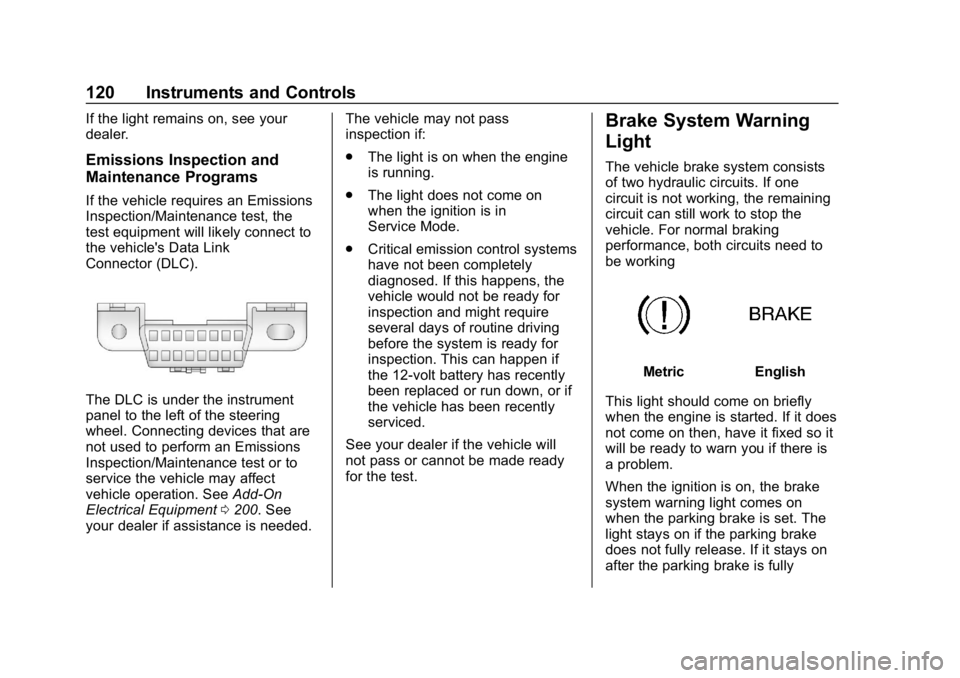
The vehicle brake system consists
of two hydraulic circuits. If one
circuit is not working, the remaining
circuit can still work to stop the
vehicle. For normal braking
performance, both circuits need to
be working
MetricEnglish
This light should come on briefly
when the engine is started. If it does
not come on then, have it fixed so it
will be ready to warn you if there is
a problem.
When the ignition is on, the brake
system warning light comes on
when the parking brake is set. The
light stays on if the parking brake
does not fully release. If it stays on
after the parking brake is fully
Page 136 of 333
Buick Encore Owner Manual (GMNA-Localizing-U.S./Canada/Mexico-
12163005) - 2019 - crc - 9/17/18
Instruments and Controls 135
Select Off or On.
Manage Apple CarPlay Devices
Select to manage Apple devices.
Apple CarPlay must be on for this
feature to be accessed.
Android Auto
Select and the following may
display:
.Android Auto
. Manage Android Auto Devices
Android Auto
This feature allows Android devices
to be connected to the infotainment
system through a USB port.
Select Off or On.
Manage Android Auto Devices
Select to manage Android devices.
Android Auto must be on for this
feature to be accessed.
Voice
Select and the following may be
displayed:
. Confidence Threshold .
Prompt Length
. Audio Feedback Speed
. Display “What Can I Say?” Tips
Confidence Threshold
This feature allows the adjustment
of the sensitivity of the speech
recognition system.
Select Confirm More or
Confirm Less.
Prompt Length
This feature adjusts the voice
prompt length.
Select Short or Long.
Audio Feedback Speed
This feature adjusts the audio
feedback speed.
Select Slow, Medium, or Fast.
Display “What Can I Say?” Tips
This feature gives tips on what to
say when using voice recognition.
Select Off or On.
Display
Select and the following may be
displayed:
. Calibrate Touchscreen
. Turn Display Off
Calibrate Touchscreen
Select to calibrate the touchscreen,
then follow the prompts.
Turn Display Off
Select to turn the display off. Touch
anywhere on the infotainment
display or press any infotainment
controls on the center stack to turn
the display on.
Rear Camera
Select and the following may be
displayed:
. Guidance Lines
. Rear Park Assist Symbols
Guidance Lines
Select to turn Off or On. See Rear
Vision Camera (RVC) 0187.
Page 137 of 333
Buick Encore Owner Manual (GMNA-Localizing-U.S./Canada/Mexico-
12163005) - 2019 - crc - 9/17/18
136 Instruments and Controls
Rear Park Assist Symbols
Select to turn Off or On.
Return to Factory Settings
Select and the following may be
displayed:
.Restore Vehicle Settings
. Clear All Private Data
. Restore Radio Settings
Restore Vehicle Settings
This allows selection of restoring
vehicle settings.
Select Restore or Cancel.
Clear All Private Data
This allows selection to clear all
private information from the vehicle.
Select Delete or Cancel.
Restore Radio Settings
This allows selection to restore
radio settings.
Select Restore or Cancel.
Software Information
Select to view or update the
infotainment system current
software information.
Wi-Fi
Select and the following may
display:
. Wi-Fi
. Manage Wi-Fi Networks
Wi-Fi
This feature allows Wi-Fi networks
to be turned off or on.
Select Off or On.
Manage Wi-Fi Networks
Select to manage Wi-Fi networks.
Wi-Fi must be on for this feature to
be accessed.
Universal Remote
System
See Radio Frequency Statement
0 305.
Universal Remote System
Programming
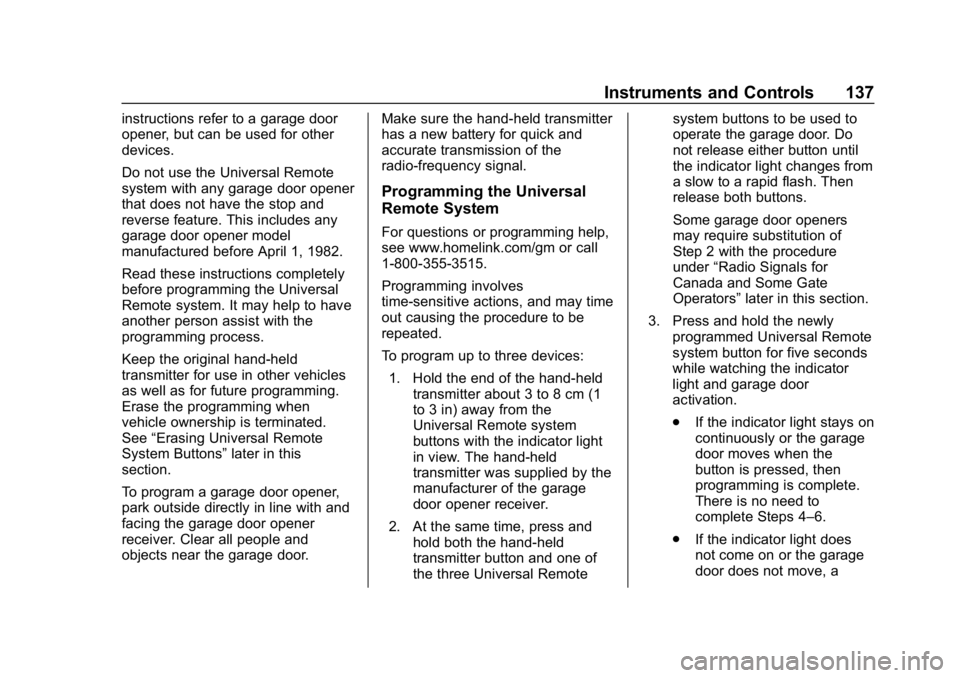
If equipped, these buttons are in the
overhead console.
This system can replace up to three
remote control transmitters used to
activate devices such as garage
door openers, security systems, and
home automation devices. These
Page 138 of 333
Buick Encore Owner Manual (GMNA-Localizing-U.S./Canada/Mexico-
12163005) - 2019 - crc - 9/17/18
Instruments and Controls 137
instructions refer to a garage door
opener, but can be used for other
devices.
Do not use the Universal Remote
system with any garage door opener
that does not have the stop and
reverse feature. This includes any
garage door opener model
manufactured before April 1, 1982.
Read these instructions completely
before programming the Universal
Remote system. It may help to have
another person assist with the
programming process.
Keep the original hand-held
transmitter for use in other vehicles
as well as for future programming.
Erase the programming when
vehicle ownership is terminated.
See“Erasing Universal Remote
System Buttons” later in this
section.
To program a garage door opener,
park outside directly in line with and
facing the garage door opener
receiver. Clear all people and
objects near the garage door. Make sure the hand-held transmitter
has a new battery for quick and
accurate transmission of the
radio-frequency signal.
Programming the Universal
Remote System
For questions or programming help,
see www.homelink.com/gm or call
1-800-355-3515.
Programming involves
time-sensitive actions, and may time
out causing the procedure to be
repeated.
To program up to three devices:
1. Hold the end of the hand-held transmitter about 3 to 8 cm (1
to 3 in) away from the
Universal Remote system
buttons with the indicator light
in view. The hand-held
transmitter was supplied by the
manufacturer of the garage
door opener receiver.
2. At the same time, press and hold both the hand-held
transmitter button and one of
the three Universal Remote system buttons to be used to
operate the garage door. Do
not release either button until
the indicator light changes from
a slow to a rapid flash. Then
release both buttons.
Some garage door openers
may require substitution of
Step 2 with the procedure
under
“Radio Signals for
Canada and Some Gate
Operators” later in this section.
3. Press and hold the newly programmed Universal Remote
system button for five seconds
while watching the indicator
light and garage door
activation.
.If the indicator light stays on
continuously or the garage
door moves when the
button is pressed, then
programming is complete.
There is no need to
complete Steps 4–6.
. If the indicator light does
not come on or the garage
door does not move, a
Page 156 of 333
Buick Encore Owner Manual (GMNA-Localizing-U.S./Canada/Mexico-
12163005) - 2019 - crc - 9/17/18
Driving and Operating 155
Driving and
Operating
Driving Information
Driver Behavior . . . . . . . . . . . . . . . 156
Driving Environment . . . . . . . . . . 156
Vehicle Design . . . . . . . . . . . . . . . 156
Distracted Driving . . . . . . . . . . . . 156
Defensive Driving . . . . . . . . . . . . . 157
Drunk Driving . . . . . . . . . . . . . . . . . 157
Control of a Vehicle . . . . . . . . . . . 158
Braking . . . . . . . . . . . . . . . . . . . . . . . 158
Steering . . . . . . . . . . . . . . . . . . . . . . 158
Off-Road Recovery . . . . . . . . . . . 159
Loss of Control . . . . . . . . . . . . . . . 159
Driving on Wet Roads . . . . . . . . 160
Hill and Mountain Roads . . . . . 160
Winter Driving . . . . . . . . . . . . . . . . 161
If the Vehicle Is Stuck . . . . . . . . 162
Vehicle Load Limits . . . . . . . . . . . 163
Starting and Operating
New Vehicle Break-In . . . . . . . . . 167
Ignition Positions . . . . . . . . . . . . . 167
Starting the Engine . . . . . . . . . . . 169
Stop/Start System . . . . . . . . . . . . 170
Engine Heater . . . . . . . . . . . . . . . . 171Retained Accessory
Power (RAP) . . . . . . . . . . . . . . . . 172
Shifting Into Park . . . . . . . . . . . . . 172
Shifting out of Park . . . . . . . . . . . 173
Parking over Things That Burn . . . . . . . . . . . . . . . . . . . 174
Extended Parking . . . . . . . . . . . . 174
Engine Exhaust
Engine Exhaust . . . . . . . . . . . . . . 175
Running the Vehicle While Parked . . . . . . . . . . . . . . . . . . . . . . 176
Automatic Transmission
Automatic Transmission . . . . . . 176
Manual Mode . . . . . . . . . . . . . . . . . 178
Drive Systems
All-Wheel Drive . . . . . . . . . . . . . . . 179
Brakes
Antilock BrakeSystem (ABS) . . . . . . . . . . . . . . . 179
Parking Brake . . . . . . . . . . . . . . . . 180
Brake Assist . . . . . . . . . . . . . . . . . . 180
Hill Start Assist (HSA) . . . . . . . . 181
Ride Control Systems
Traction Control/Electronic Stability Control . . . . . . . . . . . . . 181
Cruise Control
Cruise Control . . . . . . . . . . . . . . . . 183
Driver Assistance Systems
Driver Assistance Systems . . . 186
Rear Vision Camera (RVC) . . . 187
Park Assist . . . . . . . . . . . . . . . . . . . 189
Forward Collision Alert (FCA)System . . . . . . . . . . . . . . . . . . . . . . 191
Side Blind Zone Alert (SBZA) . . . . . . . . . . . . . . . . 192
Lane Departure Warning (LDW) . . . . . . . . . . . . . 194
Fuel
Top Tier Fuel . . . . . . . . . . . . . . . . . 196
Recommended Fuel . . . . . . . . . . 196
Prohibited Fuels . . . . . . . . . . . . . . 196
Fuels in Foreign Countries . . . 197
Fuel Additives . . . . . . . . . . . . . . . . 197
Filling the Tank . . . . . . . . . . . . . . . 197
Filling a Portable FuelContainer . . . . . . . . . . . . . . . . . . . 199
Trailer Towing
General TowingInformation . . . . . . . . . . . . . . . . . . 199
Conversions and Add-Ons
Add-On ElectricalEquipment . . . . . . . . . . . . . . . . . . 200
Page 169 of 333
Buick Encore Owner Manual (GMNA-Localizing-U.S./Canada/Mexico-
12163005) - 2019 - crc - 9/17/18
168 Driving and Operating
If the vehicle is not in P (Park), the
ignition will return to ACC/
ACCESSORY and the Driver
Information Center (DIC) will display
the message SHIFT TO PARK.
When the vehicle is shifted into
P (Park), the ignition system turn off.
Do not turn the ignition off when the
vehicle is moving. This will cause a
loss of power assist in the brake
and steering systems and disable
the airbags.
If the vehicle must be shut off in an
emergency:1. Brake using a firm steady pressure. Do not pump the
brakes repeatedly. This may
deplete power assist, requiring
increased brake pedal force.
2. Shift the vehicle to N (Neutral). This can be done while the
vehicle is moving. After shifting
to N (Neutral), firmly apply the
brakes and steer the vehicle to
a safe location. 3. Come to a complete stop, shift
to P (Park), and turn the
ignition off.
4. Set the parking brake. See Parking Brake 0180.
{Warning
Turning off the vehicle while
moving may cause loss of power
assist in the brake and steering
systems and disable the airbags.
While driving, only shut the
vehicle off in an emergency.
If the vehicle cannot be pulled over,
and must be shut off while driving,
press and hold ENGINE START/
STOP for longer than two seconds,
or press twice in five seconds.
ACC/ACCESSORY (Amber
Indicator Light) : This mode allows
you to use some electrical
accessories when the engine is off.
With the ignition off, pressing
ENGINE START/STOP one time without the brake pedal applied will
place the ignition system in ACC/
ACCESSORY.
The ignition will switch from ACC/
ACCESSORY to OFF after
five minutes to prevent battery
rundown.
ON/RUN/START (Green Indicator
Light) :
This mode is for driving and
starting. With the ignition off, and
the brake pedal applied, pressing
ENGINE START/STOP once will
place the ignition system in ON/
RUN/START.
Once engine cranking begins,
release ENGINE START/STOP.
Engine cranking will continue until
the engine starts. See Starting the
Engine 0169.
The engine will then remain in
ON/RUN.
Service Mode
This power mode is available for
service and diagnostics, and to
verify the proper operation of the