wheel BUICK ENCORE 2020 User Guide
[x] Cancel search | Manufacturer: BUICK, Model Year: 2020, Model line: ENCORE, Model: BUICK ENCORE 2020Pages: 314, PDF Size: 5.28 MB
Page 105 of 314
Buick Encore Owner Manual (GMNA-Localizing-U.S./Canada-13710474) -
2020 - CRC - 10/7/19
104 Instruments and Controls
If towing a trailer, reduce the
amount of cargo being hauled as
soon as possible.
If the light continues to flash, find a
safe place to park. Turn the vehicle
off and wait at least 10 seconds
before restarting the engine. If the
light is still flashing, follow the
previous guidelines and see your
dealer for service as soon as
possible.
If the light is on steady :A
malfunction has been detected.
Diagnosis and service may be
required.
Check the following:
. A loose or missing fuel cap
may cause the light to come on.
See Filling the Tank (Capless
Fuel Fill) 0181 or
Filling the Tank (Capped Fuel
Fill) 0182. A few driving trips
with the cap properly installed
may turn the light off.
. Poor fuel quality can cause
inefficient engine operation and
poor driveability, which may go
away once the engine is warmed up. If this occurs, change the
fuel brand. It may require at
least one full tank of the proper
fuel to turn the light off. See
Recommended Fuel
0180.
If the light remains on, see your
dealer.
Emissions Inspection and
Maintenance Programs
If the vehicle requires an Emissions
Inspection/Maintenance test, the
test equipment will likely connect to
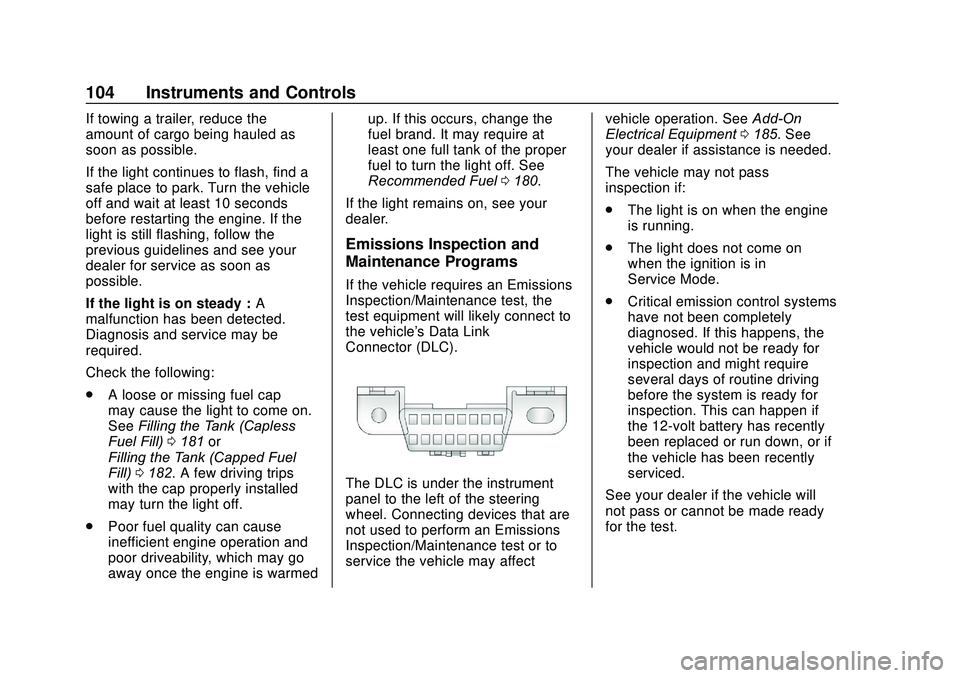
the vehicle's Data Link
Connector (DLC).
The DLC is under the instrument
panel to the left of the steering
wheel. Connecting devices that are
not used to perform an Emissions
Inspection/Maintenance test or to
service the vehicle may affect vehicle operation. See
Add-On
Electrical Equipment 0185. See
your dealer if assistance is needed.
The vehicle may not pass
inspection if:
. The light is on when the engine
is running.
. The light does not come on
when the ignition is in
Service Mode.
. Critical emission control systems
have not been completely
diagnosed. If this happens, the
vehicle would not be ready for
inspection and might require
several days of routine driving
before the system is ready for
inspection. This can happen if
the 12-volt battery has recently
been replaced or run down, or if
the vehicle has been recently
serviced.
See your dealer if the vehicle will
not pass or cannot be made ready
for the test.
Page 107 of 314
Buick Encore Owner Manual (GMNA-Localizing-U.S./Canada-13710474) -
2020 - CRC - 10/7/19
106 Instruments and Controls
Lane Departure Warning
(LDW) Light
This light is green if LDW is on and
ready to operate.
This light changes to amber and
flashes to indicate that the lane
marking has been crossed without
using a turn signal in that direction.
SeeLane Departure Warning (LDW)
0 178.
Vehicle Ahead Indicator
If equipped, this indicator will
display green when a vehicle is
detected ahead.
See Forward Collision Alert (FCA)
System 0174.
Traction Off Light
This light comes on briefly while
starting the engine. If it does not,
have the vehicle serviced by your
dealer. If the system is working
normally, the indicator light then
turns off.
The traction off light comes on when
the Traction Control System (TCS)
has been turned off by pressing and
releasing the TCS/StabiliTrak/ESC
button. This light and the StabiliTrak/ESC
OFF light come on when StabiliTrak/
Electronic Stability Control (ESC) is
turned off.
If the TCS is off, wheel spin is not
limited. Adjust driving accordingly.
See
Traction Control/Electronic
Stability Control 0165.
StabiliTrak OFF Light
This light comes on briefly while
starting the engine. If it does not,
have the vehicle serviced by your
dealer.
This light comes on when the
StabiliTrak/Electronic Stability
Control (ESC) system is turned off.
If StabiliTrak/ESC is off, the Traction
Control System (TCS) is also off.
Page 116 of 314
Buick Encore Owner Manual (GMNA-Localizing-U.S./Canada-13710474) -
2020 - CRC - 10/7/19
Instruments and Controls 115
Auto Defog
The front defog will automatically
react to temperature and humidity
conditions that may cause fogging.
Select Off or On.
Auto Rear Defog
This allows the Auto Rear Defog to
be turned on or off. This feature will
automatically turn on the rear
window defogger when it is cold
outside.
Select Off or On.
Ionizer
This allows the Ionizer to be turned
off or on.
Select Off or On.
Collision/Detection Systems
Select and the following may be
displayed:
.Rear Cross Traffic Alert
. Side Blind Zone Alert
Rear Cross Traffic Alert
Select Off or On. See Rear Vision
Camera (RVC) 0171. Side Blind Zone Alert
Select Off or On. See
Side Blind
Zone Alert (SBZA) 0176.
Comfort and Convenience
Select and the following may be
displayed:
.
Auto Memory Recall
. Easy Exit Driver Seat
. Chime Volume
. Reverse Tilt Mirror
. Auto Wipe in Reverse Gear
Auto Memory Recall
This feature automatically recalls
the previously stored RKE Memory
positions when entering the vehicle.
See Memory Seats 034.
Select Off or On.
Easy Exit Driver Seat
This feature moves the seat
rearward allowing the driver more
room to exit the vehicle.
See Memory Seats 034.
Select Off or On. Chime Volume
This allows the selection of the
chime volume level.
Touch + or
−to adjust the volume.
Reverse Tilt Mirror
When on, both the driver and
passenger outside mirrors will tilt
downward when the vehicle is
shifted to R (Reverse) to improve
visibility of the ground near the rear
wheels. They will return to their
previous driving position when the
vehicle is shifted out of R (Reverse)
or the engine is turned off.
Select Off or On.
Auto Wipe in Reverse Gear
When on and the front wiper is on,
the rear wiper will automatically
activate when the vehicle is shifted
to R (Reverse).
Select Off or On.
Lighting
Select and the following may be
displayed:
. Vehicle Locator Lights
Page 127 of 314
Buick Encore Owner Manual (GMNA-Localizing-U.S./Canada-13710474) -
2020 - CRC - 10/7/19
126 Lighting
burned out bulbs. If a bulb is not
burned out, check the fuse. See
Fuses and Circuit Breakers0213.
Front Fog Lamps
The fog lamps button is on the
instrument panel beside the steering
wheel.
To turn on the fog lamps, the ignition
and the headlamps or parking lamps
must be on.
#:If equipped, press to turn on or
off. An indicator light on the
instrument cluster comes on when
the fog lamps are on.
Some localities have laws that
require the headlamps to be on
along with the fog lamps.
Interior Lighting
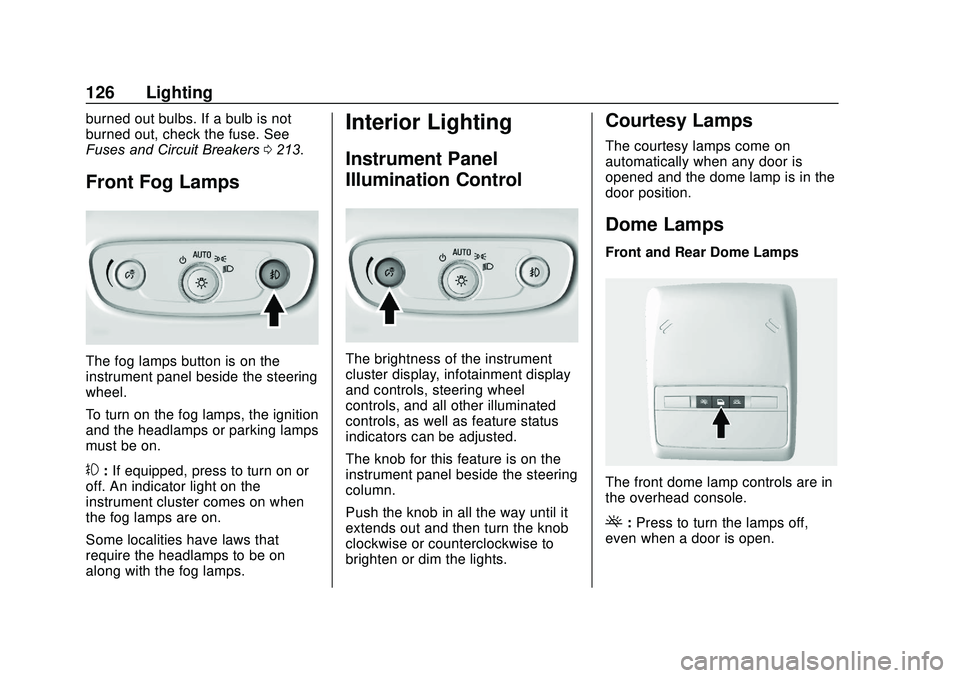
Instrument Panel
Illumination Control
The brightness of the instrument
cluster display, infotainment display
and controls, steering wheel
controls, and all other illuminated
controls, as well as feature status
indicators can be adjusted.
The knob for this feature is on the
instrument panel beside the steering
column.
Push the knob in all the way until it
extends out and then turn the knob
clockwise or counterclockwise to
brighten or dim the lights.
Courtesy Lamps
The courtesy lamps come on
automatically when any door is
opened and the dome lamp is in the
door position.
Dome Lamps
Front and Rear Dome Lamps
The front dome lamp controls are in
the overhead console.
(: Press to turn the lamps off,
even when a door is open.
Page 133 of 314

Buick Encore Owner Manual (GMNA-Localizing-U.S./Canada-13710474) -
2020 - CRC - 10/7/19
132 Climate Controls
Dual Automatic Climate Control System
The heating, cooling, and ventilation for the vehicle can be controlled with
this system.
1. Driver and Passenger HeatedSeats (If Equipped)
2. Driver and Passenger Temperature Controls
3. Air Delivery Modes
4. AUTO (Automatic Operation)
5. Defrost
6. Rear Window Defogger
7. Fan Controls
8. Air Conditioning 9. Recirculation
10. Heated Steering Wheel (If Equipped)
The following are climate control
settings that use more fuel:
. Defrost mode
. Extreme temperature settings
. High fan speed settings To help reduce fuel usage:
.
Use the full automatic control as
described under “Automatic
Operation” following.
. Select a temperature setting that
is higher in hot weather and
lower in cold weather.
. Turn off the air conditioning
when it is not needed.
. Only use defrost to clear the
windows.
Automatic Operation
The system automatically controls
the fan speed, air delivery, air
conditioning, and recirculation in
order to heat or cool the vehicle to
the desired temperature.
When AUTO is lit, all four functions
operate automatically. Each function
can also be manually set and the
selected setting is displayed.
Functions not manually set will
continue to be automatically
controlled, even if the AUTO
indicator is not lit.
Page 135 of 314
Buick Encore Owner Manual (GMNA-Localizing-U.S./Canada-13710474) -
2020 - CRC - 10/7/19
134 Climate Controls
Ionizer :If equipped with an ionizer,
this feature helps to clean the air
inside the vehicle and remove
contaminants such as pollen, odors,
and dust. To turn the ionizer on or
off, see “Climate and Air Quality”
under Vehicle Personalization
0 113.
Rear Window Defogger
=:Press to turn the rear window
defogger on or off. An indicator light
on the button comes on to show that
the rear window defogger is on.
The defogger only works when the
ignition is on. The defogger turns off
if the ignition is off or in ACC/
ACCESSORY.
The rear window defogger can be
set to automatic operation. See
“Climate and Air Quality” under
Vehicle Personalization 0113.
When Auto Rear Defog is turned on,
the rear window defogger turns on
automatically when the interior
temperature is cold and the outside
temperature is about 4 °C (40 °F)
and below. The auto rear defogger
turns off automatically after about 10 minutes. At higher speeds, the
rear window defogger may stay on
continuously.
If equipped with heated outside
mirrors, they turn on when the rear
window defogger button is on and
help to clear fog or frost from the
surface of the mirrors. See
Heated
Mirrors 023.Caution
Do not try to clear frost or other
material from the inside of the
front windshield and rear window
with a razor blade or anything
else that is sharp. This may
damage the rear window
defogger grid and affect the
radio's ability to pick up stations
clearly. The repairs would not be
covered by the vehicle warranty.
MorL:If equipped, press to turn
the heated seats on or off. See
Heated Front Seats 036.
(:If equipped, press to turn the
heated steering wheel on or off. See
Heated Steering Wheel 089.
Remote Start Climate Control
Operation : If equipped with the
remote vehicle start feature, the
climate control system may run
when the vehicle is started remotely.
The system uses the driver ’s
previous settings to heat or cool the
inside of the vehicle. The rear defog
may come on during remote start
based on cold ambient conditions.
The rear defog indicator light does
not come on during a remote start.
If equipped, the heated seats may
come on during a remote start. The
heated seat indicator lights do not
come on during a remote start. See
Remote Vehicle Start 015 and
Heated Front Seats 036.
Page 136 of 314
Buick Encore Owner Manual (GMNA-Localizing-U.S./Canada-13710474) -
2020 - CRC - 10/7/19
Climate Controls 135
Sensors
The solar sensor, on top of the
instrument panel near the
windshield, monitors the solar heat.
The climate control system uses the
sensor information to adjust the
temperature, fan speed,
recirculation, and air delivery mode
for best comfort.
If the sensor is covered, the
automatic climate control system
may not work properly.
Air Vents
Use the louvers located on the air
vents to change the direction of the
airflow.
Use the thumbwheels near the air
vents to control the amount of
airflow or to shut off the airflow.
Operation Tips
.Keep all outlets open whenever
possible for best system
performance.
. Keep the paths under all seats
clear of objects to help circulate
the air inside the vehicle more
effectively. .
Clear away any ice, snow,
or leaves from the air inlets at
the base of the windshield that
can block the flow of air into the
vehicle.
. Clear snow off the hood to
improve visibility and help
decrease moisture drawn into
the vehicle.
. Use of non-GM approved hood
deflectors can adversely affect
the performance of the system.
Page 139 of 314
Buick Encore Owner Manual (GMNA-Localizing-U.S./Canada-13710474) -
2020 - CRC - 10/7/19
138 Driving and Operating
Driving and
Operating
Driving Information
Driver Behavior . . . . . . . . . . . . . . . 139
Driving Environment . . . . . . . . . . 139
Vehicle Design . . . . . . . . . . . . . . . 139
Driving for Better FuelEconomy . . . . . . . . . . . . . . . . . . . . 140
Distracted Driving . . . . . . . . . . . . 140
Defensive Driving . . . . . . . . . . . . . 141
Drunk Driving . . . . . . . . . . . . . . . . . 141
Control of a Vehicle . . . . . . . . . . . 141
Braking . . . . . . . . . . . . . . . . . . . . . . . 141
Steering . . . . . . . . . . . . . . . . . . . . . . 142
Off-Road Recovery . . . . . . . . . . . 143
Loss of Control . . . . . . . . . . . . . . . 143
Driving on Wet Roads . . . . . . . . 144
Hill and Mountain Roads . . . . . 145
Winter Driving . . . . . . . . . . . . . . . . 145
If the Vehicle Is Stuck . . . . . . . . 146
Vehicle Load Limits . . . . . . . . . . . 147
Starting and Operating
New Vehicle Break-In . . . . . . . . . 151
Ignition Positions . . . . . . . . . . . . . 151
Starting the Engine . . . . . . . . . . . 153
Engine Heater . . . . . . . . . . . . . . . . 154 Retained Accessory
Power (RAP) . . . . . . . . . . . . . . . . 156
Shifting Into Park . . . . . . . . . . . . . 156
Shifting out of Park . . . . . . . . . . . 157
Parking over Things That Burn . . . . . . . . . . . . . . . . . . . 158
Extended Parking . . . . . . . . . . . . 158
Engine Exhaust
Engine Exhaust . . . . . . . . . . . . . . 159
Running the Vehicle While Parked . . . . . . . . . . . . . . . . . . . . . . 159
Automatic Transmission
Automatic Transmission . . . . . . 160
Manual Mode . . . . . . . . . . . . . . . . . 162
Drive Systems
All-Wheel Drive . . . . . . . . . . . . . . . 163
Brakes
Antilock BrakeSystem (ABS) . . . . . . . . . . . . . . . 163
Parking Brake . . . . . . . . . . . . . . . . 164
Brake Assist . . . . . . . . . . . . . . . . . . 164
Hill Start Assist (HSA) . . . . . . . . 164
Ride Control Systems
Traction Control/Electronic Stability Control . . . . . . . . . . . . . 165
Cruise Control
Cruise Control . . . . . . . . . . . . . . . . 167
Driver Assistance Systems
Driver Assistance Systems . . . 169
Rear Vision Camera (RVC) . . . 171
Park Assist . . . . . . . . . . . . . . . . . . . 173
Forward Collision Alert (FCA)System . . . . . . . . . . . . . . . . . . . . . . 174
Side Blind Zone Alert (SBZA) . . . . . . . . . . . . . . . . 176
Lane Departure Warning (LDW) . . . . . . . . . . . . . 178
Fuel
Top Tier Fuel . . . . . . . . . . . . . . . . . 179
Recommended Fuel . . . . . . . . . . 180
Prohibited Fuels . . . . . . . . . . . . . . 180
Fuels in Foreign Countries . . . 180
Fuel Additives . . . . . . . . . . . . . . . . 180
Filling the Tank (CaplessFuel Fill) . . . . . . . . . . . . . . . . . . . . 181
Filling the Tank (Capped Fuel Fill) . . . . . . . . . . . . . . . . . . . . 182
Filling a Portable Fuel Container . . . . . . . . . . . . . . . . . . . 184
Page 140 of 314
Buick Encore Owner Manual (GMNA-Localizing-U.S./Canada-13710474) -
2020 - CRC - 10/7/19
Driving and Operating 139
Trailer Towing
General TowingInformation . . . . . . . . . . . . . . . . . . 184
Conversions and Add-Ons
Add-On ElectricalEquipment . . . . . . . . . . . . . . . . . . 185
Driving Information
Driver Behavior
Driving is an important
responsibility. Driver behavior, the
driving environment, and the
vehicle's design all affect how well a
vehicle performs.
Being aware of these factors can
help in understanding how the
vehicle handles and what can be
done to avoid many types of
crashes, including a rollover crash.
Most serious injuries and fatalities to
unbelted occupants can be reduced
or prevented by the use of seat
belts. In a rollover crash, an
unbelted person is significantly
more likely to die than a person
wearing a seat belt. In addition,
avoiding excessive speed, sudden
or abrupt turns, and drunken or
aggressive driving can help make
trips safer and avoid the possibility
of a crash.
Driving Environment
Be prepared for driving in inclement
weather, at night, or during other
times where visibility or traction may
be limited, such as on curves,
slippery roads, or hilly terrain.
Unfamiliar surroundings can also
have hidden hazards.
Vehicle Design
Utility vehicles have a significantly
higher rollover rate than other types
of vehicles. This is because they
have a higher ground clearance and
a narrower track or shorter
wheelbase than passenger cars,
which makes them more capable for
off-road driving. While these design
characteristics provide the driver
with a better view of the road, these
vehicles do have a higher center of
gravity than other types of vehicles.
A utility vehicle does not handle the
same as a vehicle with a lower
center of gravity, like a car, in similar
situations.
Page 141 of 314

Buick Encore Owner Manual (GMNA-Localizing-U.S./Canada-13710474) -
2020 - CRC - 10/7/19
140 Driving and Operating
Safe driver behavior and
understanding of the environment
can help avoid a rollover crash in
any type of vehicle, including utility
vehicles.
Driving for Better Fuel
Economy
Driving habits can affect fuel
mileage. Here are some driving tips
to get the best fuel economy
possible:
.Set the climate controls to the
desired temperature after the
engine is started, or turn them
off when not required.
. Avoid fast starts and accelerate
smoothly.
. Brake gradually and avoid
abrupt stops.
. Avoid idling the engine for long
periods of time.
. When road and weather
conditions are appropriate, use
cruise control. .
Always follow posted speed
limits or drive more slowly when
conditions require.
. Keep vehicle tires properly
inflated.
. Combine several trips into a
single trip.
. Replace the vehicle's tires with
the same TPC Spec number
molded into the tire's sidewall
near the size.
. Follow recommended scheduled
maintenance.
Distracted Driving
Distraction comes in many forms
and can take your focus from the
task of driving. Exercise good
judgment and do not let other
activities divert your attention away
from the road. Many local
governments have enacted laws
regarding driver distraction. Become
familiar with the local laws in
your area. To avoid distracted driving, keep
your eyes on the road, keep your
hands on the steering wheel, and
focus your attention on driving.
.
Do not use a phone in
demanding driving situations.
Use a hands-free method to
place or receive necessary
phone calls.
. Watch the road. Do not read,
take notes, or look up
information on phones or other
electronic devices.
. Designate a front seat
passenger to handle potential
distractions.
. Become familiar with vehicle
features before driving, such as
programming favorite radio
stations and adjusting climate
control and seat settings.
Program all trip information into
any navigation device prior to
driving.
. Wait until the vehicle is parked
to retrieve items that have fallen
to the floor.