air condition BUICK ENCORE 2020 Owner's Manual
[x] Cancel search | Manufacturer: BUICK, Model Year: 2020, Model line: ENCORE, Model: BUICK ENCORE 2020Pages: 314, PDF Size: 5.28 MB
Page 4 of 314
Buick Encore Owner Manual (GMNA-Localizing-U.S./Canada-13710474) -
2020 - CRC - 10/7/19
Introduction 3
Danger, Warning, and
Caution
Warning messages found on vehicle
labels and in this manual describe
hazards and what to do to avoid or
reduce them.
{Danger
Danger indicates a hazard with a
high level of risk which will result
in serious injury or death.
{Warning
Warning indicates a hazard that
could result in injury or death.
Caution
Caution indicates a hazard that
could result in property or vehicle
damage.
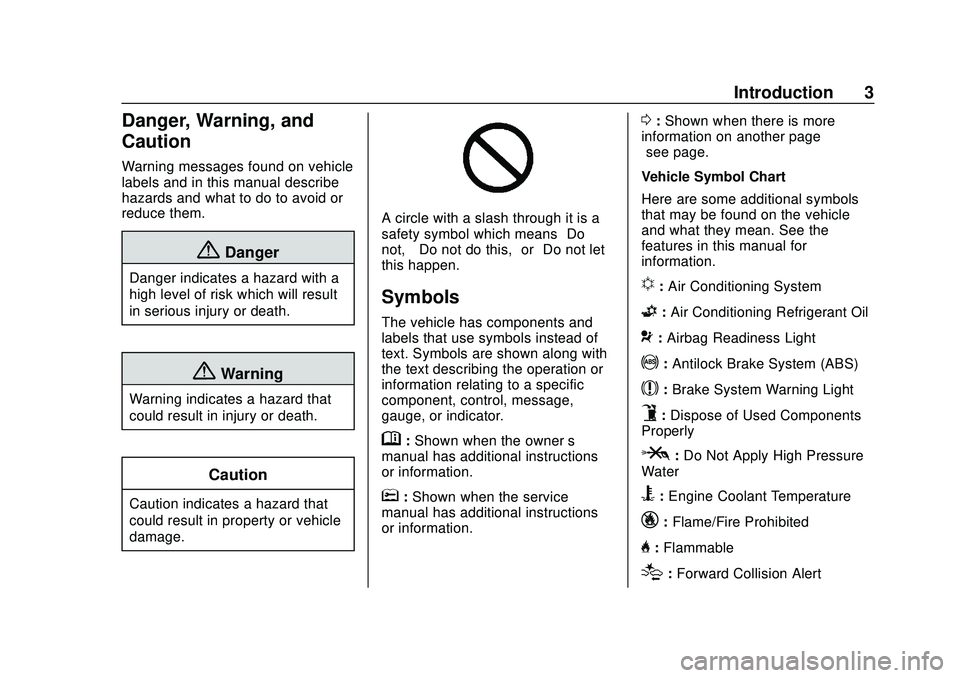
A circle with a slash through it is a
safety symbol which means“Do
not,” “Do not do this,” or“Do not let
this happen.”
Symbols
The vehicle has components and
labels that use symbols instead of
text. Symbols are shown along with
the text describing the operation or
information relating to a specific
component, control, message,
gauge, or indicator.
M: Shown when the owner ’s
manual has additional instructions
or information.
*: Shown when the service
manual has additional instructions
or information.
0: Shown when there is more
information on another page —
“see page.”
Vehicle Symbol Chart
Here are some additional symbols
that may be found on the vehicle
and what they mean. See the
features in this manual for
information.
u: Air Conditioning System
G: Air Conditioning Refrigerant Oil
9:Airbag Readiness Light
!: Antilock Brake System (ABS)
$:Brake System Warning Light
9:Dispose of Used Components
Properly
P: Do Not Apply High Pressure
Water
B: Engine Coolant Temperature
_: Flame/Fire Prohibited
H:Flammable
[:Forward Collision Alert
Page 58 of 314

Buick Encore Owner Manual (GMNA-Localizing-U.S./Canada-13710474) -
2020 - CRC - 10/7/19
Seats and Restraints 57
United States
Canada
The words ON and OFF, or the
symbols for on and off, will be
visible during the system check.
When the system check is
complete, either the word ON or
OFF, or the symbol for on or off, will
be visible. See Passenger Airbag
Status Indicator 0100.
The passenger sensing system
turns off the front outboard
passenger frontal airbag and knee
airbag (if equipped) under certain conditions. No other airbag is
affected by the passenger sensing
system.
The passenger sensing system
works with sensors that are part of
the front outboard passenger seat.
The sensors are designed to detect
the presence of a properly seated
occupant and determine if the front
outboard passenger frontal airbag
and knee airbag (if equipped)
should be allowed to inflate or not.
According to accident statistics,
children are safer when properly
secured in a rear seat in the correct
child restraint for their weight
and size.
Whenever possible, children aged
12 and under should be secured in
a rear seating position.
Never put a rear-facing child seat in
the front. This is because the risk to
the rear-facing child is so great if the
airbag inflates.
{Warning
A child in a rear-facing child
restraint can be seriously injured
or killed if the passenger frontal
airbag inflates. This is because
the back of the rear-facing child
restraint would be very close to
the inflating airbag. A child in a
forward-facing child restraint can
be seriously injured or killed if the
passenger frontal airbag inflates
and the passenger seat is in a
forward position.
Even if the passenger sensing
system has turned off the front
outboard passenger airbag(s), no
system is fail-safe. No one can
guarantee that an airbag will not
deploy under some unusual
circumstance, even though the
airbag(s) are off.
Never put a rear-facing child
restraint in the front seat, even if
the airbag is off. If securing a
forward-facing child restraint in
(Continued)
Page 81 of 314
Buick Encore Owner Manual (GMNA-Localizing-U.S./Canada-13710474) -
2020 - CRC - 10/7/19
80 Seats and Restraints
6. If the child restraint has a toptether, follow the child restraint
manufacturer's instructions
regarding the use of the top
tether. See Lower Anchors and
Tethers for Children (LATCH
System) 070.
7. Before placing a child in the child restraint, make sure it is
securely held in place. To
check, grasp the child restraint
at the seat belt path and
attempt to move it side to side
and back and forth. When the
child restraint is properly
installed, there should be no
more than 2.5 cm (1 in) of
movement.
To remove the child restraint,
unbuckle the vehicle seat belt and
let it return to the stowed position.
If the top tether is attached to a top
tether anchor, disconnect it.
If the head restraint was removed,
reinstall it before the seating
position is used. See "Head
Restraint Removal and Reinstallation" under
Lower Anchors
and Tethers for Children (LATCH
System) 070 for additional
information on installing the head
restraint properly.
Securing Child Restraints
(With the Seat Belt in the
Front Seat)
This vehicle has airbags. A rear
seat is a safer place to secure a
forward-facing child restraint. See
Where to Put the Restraint 068.
In addition, the vehicle has a
passenger sensing system which is
designed to turn off the front
outboard passenger frontal airbag
and knee airbag (if equipped) under
certain conditions. See Passenger
Sensing System 056 and
Passenger Airbag Status Indicator
0 100 for more information,
including important safety
information.
Never put a rear-facing child seat in
the front. This is because the risk to
the rear-facing child is so great if the
airbag deploys.
{Warning
A child in a rear-facing child
restraint can be seriously injured
or killed if the front outboard
passenger frontal airbag inflates.
This is because the back of the
rear-facing child restraint would
be very close to the inflating
airbag. A child in a forward-facing
child restraint can be seriously
injured or killed if the front
outboard passenger frontal airbag
inflates and the passenger seat is
in a forward position.
Even if the passenger sensing
system has turned off the front
outboard passenger airbag(s), no
system is fail-safe. No one can
guarantee that an airbag will not
deploy under some unusual
circumstance, even though the
airbag(s) are off.
Secure rear-facing child restraints
in a rear seat, even if the
airbag(s) are off. If you secure a
(Continued)
Page 102 of 314
Buick Encore Owner Manual (GMNA-Localizing-U.S./Canada-13710474) -
2020 - CRC - 10/7/19
Instruments and Controls 101
Warning (Continued)
away. SeeAirbag Readiness
Light 099 for more information,
including important safety
information.
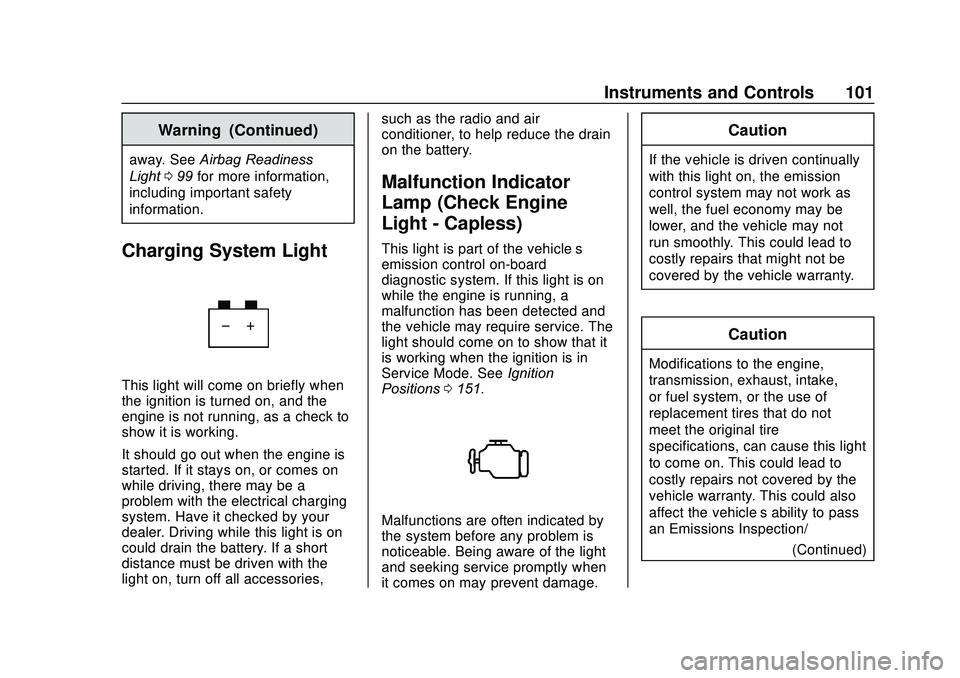
Charging System Light
This light will come on briefly when
the ignition is turned on, and the
engine is not running, as a check to
show it is working.
It should go out when the engine is
started. If it stays on, or comes on
while driving, there may be a
problem with the electrical charging
system. Have it checked by your
dealer. Driving while this light is on
could drain the battery. If a short
distance must be driven with the
light on, turn off all accessories, such as the radio and air
conditioner, to help reduce the drain
on the battery.
Malfunction Indicator
Lamp (Check Engine
Light - Capless)
This light is part of the vehicle’s
emission control on-board
diagnostic system. If this light is on
while the engine is running, a
malfunction has been detected and
the vehicle may require service. The
light should come on to show that it
is working when the ignition is in
Service Mode. See
Ignition
Positions 0151.
Malfunctions are often indicated by
the system before any problem is
noticeable. Being aware of the light
and seeking service promptly when
it comes on may prevent damage.
Caution
If the vehicle is driven continually
with this light on, the emission
control system may not work as
well, the fuel economy may be
lower, and the vehicle may not
run smoothly. This could lead to
costly repairs that might not be
covered by the vehicle warranty.
Caution
Modifications to the engine,
transmission, exhaust, intake,
or fuel system, or the use of
replacement tires that do not
meet the original tire
specifications, can cause this light
to come on. This could lead to
costly repairs not covered by the
vehicle warranty. This could also
affect the vehicle’s ability to pass
an Emissions Inspection/
(Continued)
Page 114 of 314
Buick Encore Owner Manual (GMNA-Localizing-U.S./Canada-13710474) -
2020 - CRC - 10/7/19
Instruments and Controls 113
.Brakes
. Ride Control Systems
. Driver Assistance Systems
. Cruise Control
. Lighting and Bulb Replacement
. Wiper/Washer Systems
. Doors and Windows
. Seat Belts
. Airbag Systems
. Engine and Transmission
. Tire Pressure
. Battery
Engine Power Messages
ENGINE POWER IS REDUCED
This message displays when the
vehicle's propulsion power is
reduced. A reduction in propulsion
power can affect the vehicle's ability
to accelerate. If this message is on,
but there is no observed reduction
in performance, proceed to your
destination. The performance may
be reduced the next time the vehicle is driven. The vehicle may be driven
while this message is on, but
maximum acceleration and speed
may be reduced. Anytime this
message stays on, or displays
repeatedly, the vehicle should be
taken to your dealer for service as
soon as possible.
Under certain operating conditions,
propulsion will be disabled. Try
restarting after the vehicle has been
off for 30 seconds.
Vehicle Speed Messages
SPEED LIMITED TO XXX
KM/H (MPH)
This message shows that the
vehicle speed has been limited to
the speed displayed. The limited
speed is a protection for various
propulsion and vehicle systems,
such as lubrication, brakes, thermal,
suspension, Teen Driver if
equipped, or tires.
Vehicle
Personalization
Use the audio system controls to
access the personalization menus
for customizing vehicle features.
The following are all possible
personalization features. Depending
on the vehicle, some may not be
available.
To access the personalization
menus:
1. Touch SETTINGS on the Home Page of the infotainment
display.
2. Touch the desired feature to display a list of available
options.
3. Touch to select the desired feature setting.
4. Press BACK on the center stack or touch
Son the
infotainment display to return to
the previous menu or exit.
Page 131 of 314
Buick Encore Owner Manual (GMNA-Localizing-U.S./Canada-13710474) -
2020 - CRC - 10/7/19
130 Climate Controls
Climate Controls
Climate Control Systems
Climate Control Systems . . . . . 130
Dual Automatic ClimateControl System . . . . . . . . . . . . . 132
Air Vents
Air Vents . . . . . . . . . . . . . . . . . . . . . 135
Maintenance
Air Intake . . . . . . . . . . . . . . . . . . . . . 136
Passenger Compartment AirFilter . . . . . . . . . . . . . . . . . . . . . . . . 136
Service . . . . . . . . . . . . . . . . . . . . . . . 136
Climate Control Systems
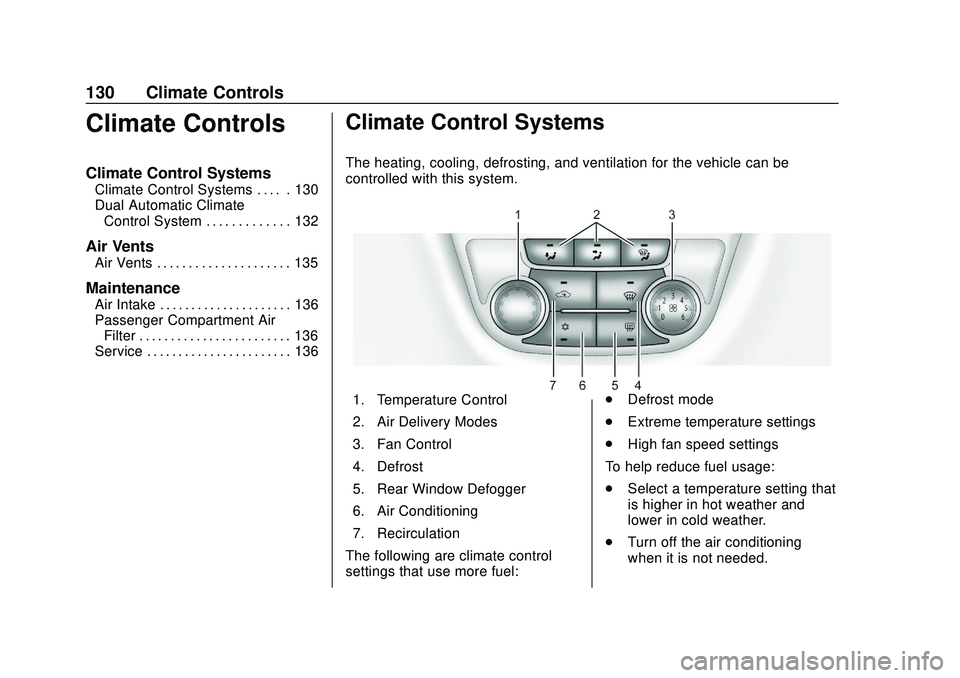
The heating, cooling, defrosting, and ventilation for the vehicle can be
controlled with this system.
1. Temperature Control
2. Air Delivery Modes
3. Fan Control
4. Defrost
5. Rear Window Defogger
6. Air Conditioning
7. Recirculation
The following are climate control
settings that use more fuel: .
Defrost mode
. Extreme temperature settings
. High fan speed settings
To help reduce fuel usage:
. Select a temperature setting that
is higher in hot weather and
lower in cold weather.
. Turn off the air conditioning
when it is not needed.
Page 132 of 314

Buick Encore Owner Manual (GMNA-Localizing-U.S./Canada-13710474) -
2020 - CRC - 10/7/19
Climate Controls 131
.Only use defrost to clear the
windows.
9:Turn the knob clockwise or
counterclockwise to increase or
decrease the fan speed. Turn the
knob completely to 0 to turn off the
fan and air conditioning compressor.
Temperature Control : Turn the
knob clockwise or counterclockwise
to increase or decrease the
temperature setting.
Air Delivery Mode Control : Press
[,Y, orXto change the direction
of the airflow. Air delivery mode
settings can be combined. An
indicator light comes on in the
selected mode button.
[: Air is directed to the floor
outlets.
Y: Air is directed to the instrument
panel outlets.
X: Air is directed to the windshield
and side window vents.
0: Press to clear the windshield of
fog or frost more quickly. Air is
directed to the windshield. For best results, clear all snow and
ice from the windshield before
defrosting.
Do not drive the vehicle until all the
windows are clear.
Air Conditioning
#:
Press to turn the air
conditioning on or off. If the fan is
turned off or the outside
temperature falls below freezing, the
air conditioner will not run and the
indicator light turns off.
h: Press to turn on the
recirculation. An indicator light
comes on. Air is recirculated inside
the vehicle. It helps to quickly cool
the air inside the vehicle or reduce
entry of outside air and odors. To
improve fuel efficiency and to cool
the vehicle faster, recirculation may
be automatically selected in warm
weather when the temperature is set
to the coldest setting. The
recirculation light will not come on.
Press
hto select recirculation;
press it again to select outside air.
Rear Window Defogger
1: Press to turn the rear window
defogger on or off. An indicator light
on the button comes on to show that
the rear window defogger is on.
The defogger only works when the
ignition is on. The defogger turns off
if the ignition is off or in ACC/
ACCESSORY.
Do not drive the vehicle until all the
windows are clear.
Caution
Do not use a razor blade or sharp
object to clear the inside rear
window. Do not adhere anything
to the defogger grid lines in the
rear glass. These actions may
damage the rear defogger.
Repairs would not be covered by
the vehicle warranty.
Page 133 of 314

Buick Encore Owner Manual (GMNA-Localizing-U.S./Canada-13710474) -
2020 - CRC - 10/7/19
132 Climate Controls
Dual Automatic Climate Control System
The heating, cooling, and ventilation for the vehicle can be controlled with
this system.
1. Driver and Passenger HeatedSeats (If Equipped)
2. Driver and Passenger Temperature Controls
3. Air Delivery Modes
4. AUTO (Automatic Operation)
5. Defrost
6. Rear Window Defogger
7. Fan Controls
8. Air Conditioning 9. Recirculation
10. Heated Steering Wheel (If Equipped)
The following are climate control
settings that use more fuel:
. Defrost mode
. Extreme temperature settings
. High fan speed settings To help reduce fuel usage:
.
Use the full automatic control as
described under “Automatic
Operation” following.
. Select a temperature setting that
is higher in hot weather and
lower in cold weather.
. Turn off the air conditioning
when it is not needed.
. Only use defrost to clear the
windows.
Automatic Operation
The system automatically controls
the fan speed, air delivery, air
conditioning, and recirculation in
order to heat or cool the vehicle to
the desired temperature.
When AUTO is lit, all four functions
operate automatically. Each function
can also be manually set and the
selected setting is displayed.
Functions not manually set will
continue to be automatically
controlled, even if the AUTO
indicator is not lit.
Page 134 of 314

Buick Encore Owner Manual (GMNA-Localizing-U.S./Canada-13710474) -
2020 - CRC - 10/7/19
Climate Controls 133
For automatic operation:1. Press AUTO.
2. Set the temperature. Allow the system time to stabilize. Then
adjust the temperature as
needed for best comfort.
To improve fuel efficiency and
to cool the vehicle faster,
recirculation may be
automatically selected in warm
weather. The recirculation light
will not come on. Press
hto
select recirculation; press it
again to select outside air.
Manual Operation
9: Press the lower9button to
decrease the fan speed. Pressing
the lower button longer turns the fan
and cooling off. Press the upper
9
button to increase the fan speed.
The selected fan speed is indicated
by a number on the display screen.
Press AUTO to return to automatic
operation.
Air Delivery Modes : Press
[,Y,
or
Xto change the direction of the
airflow. Air delivery mode settings can be combined. An indicator light
comes on in the selected mode
button.
Changing the mode cancels the
automatic operation and the
direction of the airflow is manually
controlled. Press AUTO to return to
automatic operation.
[:
Air is directed to the floor
outlets.
Y: Air is directed to the instrument
panel outlets.
X: Air is directed to the windshield
and side window vents.
0: Press to clear the windshield of
fog or frost more quickly. Air is
directed to the windshield.
For best results, clear all snow and
ice from the windshield before
defrosting.
Air Conditioning
#: Press to turn the air
conditioning on or off. If the fan is
turned off or the outside temperature falls below freezing, the
air conditioner will not run and the
indicator light turns off.
Press AUTO to return to automatic
operation. When the indicator light
is on, the air conditioner runs
automatically to cool the air inside
the vehicle or to dry the air needed
to defog the windshield faster.
h:
Press to turn on recirculation.
An indicator light comes on. Air is
recirculated to quickly cool the
inside of the vehicle or reduce entry
of outside air and odors.
Auto Defog : The climate control
system may have a sensor to
automatically detect high humidity
inside the vehicle. When high
humidity is detected, the climate
control system may adjust to
outside air supply and turn on the
air conditioner. If the climate control
system does not detect possible
window fogging, it returns to normal
operation. To turn Auto Defog off or
on, see "Climate and Air Quality"
under Vehicle Personalization
0 113.
Page 135 of 314
Buick Encore Owner Manual (GMNA-Localizing-U.S./Canada-13710474) -
2020 - CRC - 10/7/19
134 Climate Controls
Ionizer :If equipped with an ionizer,
this feature helps to clean the air
inside the vehicle and remove
contaminants such as pollen, odors,
and dust. To turn the ionizer on or
off, see “Climate and Air Quality”
under Vehicle Personalization
0 113.
Rear Window Defogger
=:Press to turn the rear window
defogger on or off. An indicator light
on the button comes on to show that
the rear window defogger is on.
The defogger only works when the
ignition is on. The defogger turns off
if the ignition is off or in ACC/
ACCESSORY.
The rear window defogger can be
set to automatic operation. See
“Climate and Air Quality” under
Vehicle Personalization 0113.
When Auto Rear Defog is turned on,
the rear window defogger turns on
automatically when the interior
temperature is cold and the outside
temperature is about 4 °C (40 °F)
and below. The auto rear defogger
turns off automatically after about 10 minutes. At higher speeds, the
rear window defogger may stay on
continuously.
If equipped with heated outside
mirrors, they turn on when the rear
window defogger button is on and
help to clear fog or frost from the
surface of the mirrors. See
Heated
Mirrors 023.Caution
Do not try to clear frost or other
material from the inside of the
front windshield and rear window
with a razor blade or anything
else that is sharp. This may
damage the rear window
defogger grid and affect the
radio's ability to pick up stations
clearly. The repairs would not be
covered by the vehicle warranty.
MorL:If equipped, press to turn
the heated seats on or off. See
Heated Front Seats 036.
(:If equipped, press to turn the
heated steering wheel on or off. See
Heated Steering Wheel 089.
Remote Start Climate Control
Operation : If equipped with the
remote vehicle start feature, the
climate control system may run
when the vehicle is started remotely.
The system uses the driver ’s
previous settings to heat or cool the
inside of the vehicle. The rear defog
may come on during remote start
based on cold ambient conditions.
The rear defog indicator light does
not come on during a remote start.
If equipped, the heated seats may
come on during a remote start. The
heated seat indicator lights do not
come on during a remote start. See
Remote Vehicle Start 015 and
Heated Front Seats 036.