instrument cluster BUICK ENCORE 2021 User Guide
[x] Cancel search | Manufacturer: BUICK, Model Year: 2021, Model line: ENCORE, Model: BUICK ENCORE 2021Pages: 313, PDF Size: 11.21 MB
Page 105 of 313
Buick Encore Owner Manual (GMNA-Localizing-U.S./Canada-14607636) -
2021 - CRC - 8/18/20
104 Infotainment System
Introduction
Read the following pages to become familiar
with the features.
{Warning
Taking your eyes off the road for too
long or too often while using any
infotainment feature can cause a crash.
You or others could be injured or killed.
Do not give extended attention to
infotainment tasks while driving. Limit
your glances at the vehicle displays and
focus your attention on driving. Use voice
commands whenever possible.
The infotainment system has built-in
features intended to help avoid distraction
by disabling some features when driving.
These features may gray out when they are
unavailable. Many infotainment features are
also available through the instrument cluster
and steering wheel controls. Before driving:
.Become familiar with the operation,
center stack controls, steering wheel
controls, and infotainment display.
.Set up the audio by presetting favorite
stations, setting the tone, and adjusting
the speakers.
.Set up phone numbers in advance so they
can be called easily by pressing a single
control or by using a single voice
command.
See Distracted Driving 0164.
Page 121 of 313
Buick Encore Owner Manual (GMNA-Localizing-U.S./Canada-14607636) -
2021 - CRC - 8/18/20
120 Infotainment System
There is no need to memorize specific
command words. Direct commands might be
more clearly understood by the system. An
example of a direct command would be“Call
555-1212.” Examples of these direct
commands are displayed on most of the
screens while a voice session is active.
If “Phone” or“Phone Commands,” is stated,
the system understands that a phone call is
requested and will respond with questions
until enough details are gathered.
If the phone number has been saved with a
name and a place, the direct command
should include both, for example “Call David
Smith at work.”
Using Voice Recognition for List Options
When a list is displayed, a voice prompt will
ask to confirm or select an option from that
list. A selection can be made by manually
selecting the item, or by speaking the line
number for the item to select.
When a screen contains a list, there may be
options that are available but not displayed.
The list on a voice recognition screen
functions the same as a list on other
screens. Scrolling or flinging can be used to
help display other entries from the list. Manually scrolling or paging the list on a
screen during a voice recognition session
suspends the current voice recognition event
and plays the prompt
“Make your selection
from the list using the manual controls,
press
qBACK orSBACK on the center
stack, or touch the Back icon on the
infotainment display to try again.”
If manual selection takes more than
15 seconds, the session terminates and
prompts that it has timed out. The screen
returns to the screen where voice
recognition was initiated.
The Back Command
Say “Back,” press
qBACK orSBACK on
the center stack, or touch the Back icon on
the infotainment display to go to the
previous menu.
If in voice recognition, and “Back”is stated
all the way through to the initial display,
then “Back” is stated one more time, the
voice recognition session will cancel.
Help
Say “Help” on any voice recognition menu
and the help prompt for the display is
played. Additionally, a pop-up displays a
text version of the help prompt. Depending on how voice recognition was initiated, the
Help pop-up will either display on the
instrument cluster or the infotainment
display. Touch Dismiss to make the pop-up
go away.
Pressing
gon the steering wheel controls
while the help prompt is playing will
terminate the prompt and a beep will be
heard. Doing this will stop the help prompt
so that a voice command can be used.
Voice Recognition for the Radio
All audio screens have a voice recognition
icon (
g) to launch audio voice recognition.
If the voice icon is touched in a radio
display, the voice commands for radio and
media features are available.
“Switch to AM” :Switch bands to AM and
tune to the last AM radio station.
“Switch to FM” :Switch bands to FM and
tune to the last FM radio station.
“Switch to SXM” :Switch bands to SiriusXM
and tune to the last SiriusXM channel.
“Tune to
the radio station whose frequency is
identified in the command (like “nine fifty”).
Page 130 of 313
Buick Encore Owner Manual (GMNA-Localizing-U.S./Canada-14607636) -
2021 - CRC - 8/18/20
Infotainment System 129
Features are subject to change. For further
information on how to set up Android Auto
and Apple CarPlay in the vehicle, see
my.buick.com.
Android Auto is provided by Google and is
subject to Google’s terms and privacy policy.
Apple CarPlay is provided by Apple and is
subject to Apple’s terms and privacy policy.
Data plan rates apply. For Android Auto
support see https://support.google.com/
androidauto. For Apple CarPlay support see
www.apple.com/ios/carplay/. Apple or
Google may change or suspend availability
at any time. Android Auto, Android, Google,
Google Play, and other marks are
trademarks of Google Inc.; Apple CarPlay is a
trademark of Apple Inc.
Settings
Settings (8 Inch Screen)
The Settings Menu allows adjustment of
different vehicle and radio features. The
menu may contain the following:
Time and Date
To set the time or date:1. Select Settings from the Home Page, then select Time and Date. 2. Select the desired function.
To set the time or date, touch
«orªto
change the hour, minutes, AM, PM, day,
month, or year.
To change the 12-24 Hr setting, touch
12-24 Hr.
To turn Auto Set on and off, touch Auto Set.
If auto timing is set, the time displayed on
the clock may not update immediately when
driving into a new time zone.
Auto set requires an active OnStar or
connected service plan.
Press
SBACK on the center stack to go to
the last menu and save the changes or
{
to return to the Home Page.
Language
This will set the display language in the
radio, instrument cluster, and voice
recognition. Touch Language and select the
appropriate language. Press
SBACK on the
center stack or touch the Back icon on the
infotainment display to go back to the
previous menu.
Valet Mode
If equipped, this will lock the infotainment
system and steering wheel controls. It may
also limit top speed, power, and access to
vehicle storage locations (if equipped).
To enable valet mode:
1. Enter a four-digit code on the keypad.
2. Touch Enter to go to the confirmation screen.
3. Re-enter the four-digit code.
Touch Lock or Unlock to lock or unlock the
system. Press
SBACK on the center stack
or touch the Back icon on the infotainment
display to go back to the previous menu.
Radio
Touch to display the Radio Menu and the
following may display:
.Manage Favorites: Touch to highlight a
favorite to edit. Touch Rename to rename
the favorite or Delete to delete it. Touch
and hold the station to drag it to a new
location. Touch Done to go back to the
previous menu.
.Number of Favorites Shown: Touch to set
the number of favorites to display. Select
Auto, 5, 10, 15, 20, 25, 30, 35, 40, 45, 50,
Page 133 of 313
Buick Encore Owner Manual (GMNA-Localizing-U.S./Canada-14607636) -
2021 - CRC - 8/18/20
132 Infotainment System
appropriate Wi-Fi network, and follow the
on-screen prompts. Download speeds
may vary.
On most mobile devices, activation of the
Wi-Fi hotspot is in the Settings menu under
Mobile Network Sharing, Personal Hotspot,
Mobile Hotspot, or similar.
Availability of Over-the-Air software updates
varies by vehicle and country. Features are
subject to change. For more information on
this feature, see my.buick.com/learn.
English and Metric Unit Conversion
To change the display units between English
and metric units, seeInstrument Cluster
0 76.
Trademarks and License
Agreements
FCC Information
See Radio Frequency Statement 0290.
"Made for iPod," and "Made for iPhone,"
mean that an electronic accessory has been
designed to connect specifically to iPod or
iPhone, respectively, and has been certified
by the developer to meet Apple
performance standards. Apple is not
responsible for the operation of this device
or its compliance with safety and regulatory
standards. Please note that the use of this
accessory with iPod or iPhone may affect
wireless performance. iPhone, iPod, iPod
classic, iPod nano, iPod shuffle, and iPod
touch are trademarks of Apple Inc.,
registered in the U.S. and other countries.
Fees and Taxes: Subscription fee, taxes, one
time activation fee, and other fees may
apply. Subscription fee is consumer only. All
fees and programming subject to change.
Subscriptions subject to Customer
Agreement available at www.siriusxm.com.
SiriusX service only available in the
48 contiguous United States and Canada.
In Canada: Some deterioration of service
may occur in extreme northern latitudes.
This is beyond the control of SiriusXM
Satellite Radio.
Explicit Language Notice: Channels with
frequent explicit language are indicated with
an “XL” preceding the channel name.
Channel blocking is available for SiriusXM
Satellite Radio receivers by notifying
SiriusXM:
.USA Customers —See www.siriusxm.com
or call 1-888-601–6296.
.Canadian Customers —See
www.siriusxm.ca or call 1-877-438-9677.
It is prohibited to copy, decompile,
disassemble, reverse engineer, hack,
manipulate, or otherwise make available any
technology or software incorporated in
receivers compatible with the SiriusXM
®
Satellite Radio System or that support the
SiriusXM website, the Online Service or any
Page 138 of 313
Buick Encore Owner Manual (GMNA-Localizing-U.S./Canada-14607636) -
2021 - CRC - 8/18/20
Infotainment System 137
{Warning
Taking your eyes off the road for too
long or too often while using any
infotainment feature can cause a crash.
You or others could be injured or killed.
Do not give extended attention to
infotainment tasks while driving. Limit
your glances at the vehicle displays and
focus your attention on driving. Use voice
commands whenever possible.
The infotainment system has built-in
features intended to help avoid distraction
by disabling some features when driving.
These features may gray out when they are
unavailable. Many infotainment features are
also available through the instrument cluster
and steering wheel controls. Before driving:.Become familiar with the operation,
center stack controls, steering wheel
controls, and infotainment display.
.Set up the audio by presetting favorite
stations, setting the tone, and adjusting
the speakers.
.Set up phone numbers in advance so they
can be called easily by pressing a single
control or by using a single voice
command.
See Distracted Driving 0164.
Active Noise Cancellation (ANC)
If equipped, ANC reduces engine noise in the
vehicle’s interior. ANC requires the
factory-installed audio system, radio,
speakers, amplifier (if equipped), induction
system, and exhaust system to work
properly. Deactivation is required by your
dealer if related aftermarket equipment is
installed.
Page 182 of 313

Buick Encore Owner Manual (GMNA-Localizing-U.S./Canada-14607636) -
2021 - CRC - 8/18/20
Driving and Operating 181
Warning (Continued)
.The vehicle exhaust system has been
modified, damaged, or improperly
repaired.
.There are holes or openings in the
vehicle body from damage or
aftermarket modifications that are not
completely sealed.
If unusual fumes are detected or if it is
suspected that exhaust is coming into the
vehicle:
.Drive it only with the windows
completely down.
.Have the vehicle repaired immediately.
Never park the vehicle with the engine
running in an enclosed area such as a
garage or a building that has no fresh air
ventilation.
Running the Vehicle While Parked
It is better not to park with the engine
running. If the vehicle is left with the engine running,
follow the proper steps to be sure the
vehicle will not move. See
Shifting Into Park
0 178 and
Engine Exhaust 0180.
Automatic Transmission
The selected gear is also shown in the
instrument cluster.
P : This position locks the drive wheels. Use
P (Park) when starting the engine because
the vehicle cannot move easily.
{Warning
It is dangerous to get out of the vehicle
if the shift lever is not fully in P (Park)
with the parking brake firmly set. The
vehicle can roll.
Do not leave the vehicle when the engine
is running. If you have left the engine
running, the vehicle can move suddenly.
You or others could be injured. To be
sure the vehicle will not move, even
when you are on fairly level ground,
always set the parking brake and move
the shift lever to P (Park). See Shifting
Into Park 0178.
Make sure the shift lever is fully in P (Park)
before starting the engine. The vehicle has
an automatic transmission shift lock control
system. The regular brake must be fully
applied first and then the shift lever button
must be pressed before shifting from
P (Park) when the ignition is on. If you
cannot shift out of P (Park), ease pressure on
the shift lever, then push the shift lever all
the way into P (Park) as you maintain brake
application. Then press the shift lever button
and move the shift lever into another gear.
See Shifting out of Park 0179.
Page 184 of 313
Buick Encore Owner Manual (GMNA-Localizing-U.S./Canada-14607636) -
2021 - CRC - 8/18/20
Driving and Operating 183
Manual Mode
Driver Shift Control (DSC)
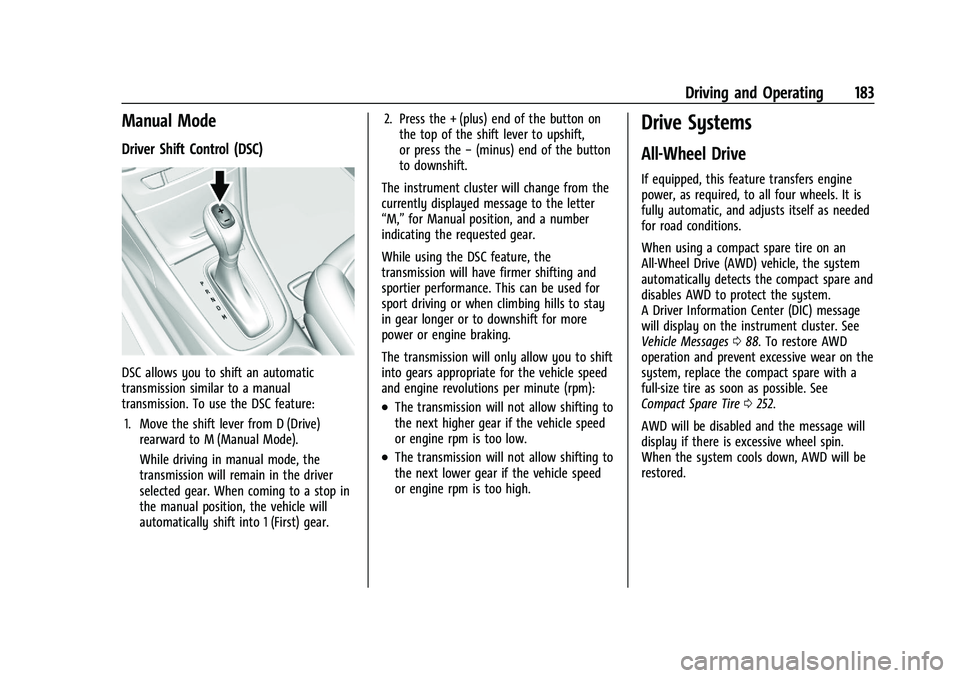
DSC allows you to shift an automatic
transmission similar to a manual
transmission. To use the DSC feature:1. Move the shift lever from D (Drive) rearward to M (Manual Mode).
While driving in manual mode, the
transmission will remain in the driver
selected gear. When coming to a stop in
the manual position, the vehicle will
automatically shift into 1 (First) gear. 2. Press the + (plus) end of the button on
the top of the shift lever to upshift,
or press the −(minus) end of the button
to downshift.
The instrument cluster will change from the
currently displayed message to the letter
“M,” for Manual position, and a number
indicating the requested gear.
While using the DSC feature, the
transmission will have firmer shifting and
sportier performance. This can be used for
sport driving or when climbing hills to stay
in gear longer or to downshift for more
power or engine braking.
The transmission will only allow you to shift
into gears appropriate for the vehicle speed
and engine revolutions per minute (rpm):
.The transmission will not allow shifting to
the next higher gear if the vehicle speed
or engine rpm is too low.
.The transmission will not allow shifting to
the next lower gear if the vehicle speed
or engine rpm is too high.
Drive Systems
All-Wheel Drive
If equipped, this feature transfers engine
power, as required, to all four wheels. It is
fully automatic, and adjusts itself as needed
for road conditions.
When using a compact spare tire on an
All-Wheel Drive (AWD) vehicle, the system
automatically detects the compact spare and
disables AWD to protect the system.
A Driver Information Center (DIC) message
will display on the instrument cluster. See
Vehicle Messages 088. To restore AWD
operation and prevent excessive wear on the
system, replace the compact spare with a
full-size tire as soon as possible. See
Compact Spare Tire 0252.
AWD will be disabled and the message will
display if there is excessive wheel spin.
When the system cools down, AWD will be
restored.
Page 187 of 313

Buick Encore Owner Manual (GMNA-Localizing-U.S./Canada-14607636) -
2021 - CRC - 8/18/20
186 Driving and Operating
The indicator light for both systems is in the
instrument cluster. This light will:
.Flash when TCS is limiting wheel spin.
.Flash when StabiliTrak/ESC is activated.
.Turn on and stay on when either system
is not working.
If either system fails to turn on or to
activate, a message displays in the Driver
Information Center (DIC), and
dcomes on
and stays on to indicate that the system is
inactive and is not assisting the driver in
maintaining control. The vehicle is safe to
drive, but driving should be adjusted
accordingly.
If
dcomes on and stays on:
1. Stop the vehicle.
2. Turn the engine off and wait 15 seconds.
3. Start the engine. Drive the vehicle. If
dcomes on and stays
on, the vehicle may need more time to
diagnose the problem. If the condition
persists, see your dealer.
Turning the Systems Off and On
Caution
Do not repeatedly brake or accelerate
heavily when TCS is off. The vehicle
driveline could be damaged.
To turn off only TCS, press and release
g.
The Traction Off light
idisplays in the
instrument cluster. The appropriate message
may display in the DIC. To turn TCS on again, press and release
g.
The Traction Off light
idisplayed in the
instrument cluster will turn off.
If TCS is limiting wheel spin when
gis
pressed, the system will not turn off until
the wheels stop spinning.
To turn off both TCS and StabiliTrak/ESC,
press and hold
guntil the Traction Off light
iand StabiliTrak/ESC Off lightgcome on
and stay on in the instrument cluster. The
appropriate message may display in the DIC.
To turn TCS and StabiliTrak/ESC on again,
press and release
g. The Traction Off light
iand StabiliTrak/ESC Off lightgin the
instrument cluster turn off.
Adding accessories can affect the vehicle
performance. See Accessories and
Modifications 0202.
Cruise Control
The cruise control lets the vehicle maintain a
speed of about 40 km/h (25 mph) or more
without keeping your foot on the
accelerator. Cruise control does not work at
speeds below 40 km/h (25 mph).
Page 188 of 313

Buick Encore Owner Manual (GMNA-Localizing-U.S./Canada-14607636) -
2021 - CRC - 8/18/20
Driving and Operating 187
{Warning
Cruise control can be dangerous where
you cannot drive safely at a steady
speed. Do not use cruise control on
winding roads or in heavy traffic.
Cruise control can be dangerous on
slippery roads. On such roads, fast
changes in tire traction can cause
excessive wheel slip, and you could lose
control. Do not use cruise control on
slippery roads.
The vehicle has a Traction Control System
(TCS) or StabiliTrak/Electronic Stability
Control (ESC) system that begins to limit
wheel spin while using cruise control and
the cruise control will automatically
disengage. See Traction Control/Electronic
Stability Control 0185. If a collision alert
occurs when cruise control is activated,
cruise control is disengaged. See Forward
Collision Alert (FCA) System 0192. When
road conditions allow you to safely use it
again, cruise control can be turned back on.
If the brakes are applied, cruise control
disengages.
o: Press to turn the cruise control system
on or off. A white indicator comes in the
instrument cluster when cruise is turned on.
RES/+ : If there is a set speed in memory,
move the thumbwheel up briefly to resume
to that speed or hold upward to accelerate.
If cruise control is already active, use to
increase vehicle speed.
SET/− :Move the thumbwheel down briefly
to set the speed and activate cruise control.
If cruise control is already active, use to
decrease speed.
n: Press to disengage cruise control
without erasing the set speed from memory. Setting Cruise Control
If
ois on when not in use, SET/−
or RES/+
could get bumped and go into cruise when
not desired. Keep
ooff when cruise control
is not being used.
To set a speed:
1. Press
oto turn cruise control on.
2. Get up to the speed desired.
3. Move the thumbwheel down toward SET/− and release it.
4. Remove your foot from the accelerator.
The cruise control indicator on the
instrument cluster turns green after cruise
control has been set to the desired speed.
See Instrument Cluster 076.
Resuming a Set Speed
If the cruise control is set at a desired speed
and then the brakes are applied or
nis
pressed, the cruise control is disengaged
without erasing the set speed from memory.
Once the vehicle speed is about 40 km/h
(25 mph) or greater, move the thumbwheel
up toward RES/+ briefly. The vehicle returns
to the previously set speed.
Page 232 of 313
Buick Encore Owner Manual (GMNA-Localizing-U.S./Canada-14607636) -
2021 - CRC - 8/18/20
Vehicle Care 231
FusesUsage
F19 Body control module/ Regulated voltage control
F20 Clock spring F21 A/C/Accessory power outlet
F22 Auxiliary power outlet/DC center
F23 –
F24 –
F25 OnStar module
F26 –
F27 Instrument cluster/ Auxiliary heater/Auxiliary
virtual image display
F28 –
F29 Infotainment system
F30 –
F31 Instrument cluster module battery
F32 Silver box audio module/ Navigation
F33 – Fuses
Usage
F34 Passive entry/Passive start
Midi Fuses Usage
MD01 Positive temperature coefficient
S/B Fuses Usage
S/B01 Passenger power seat
S/B02 –
S/B03 Front power windows
S/B04 Rear power windows S/B05 Logistic mode relay
S/B06 Driver power seat S/B07 –
S/B08 –
Relays Usage
RLY01 Accessory/Retained accessory power
RLY02 Liftgate
RLY03 – Relays
Usage
RLY04 –
RLY05 Logistic mode
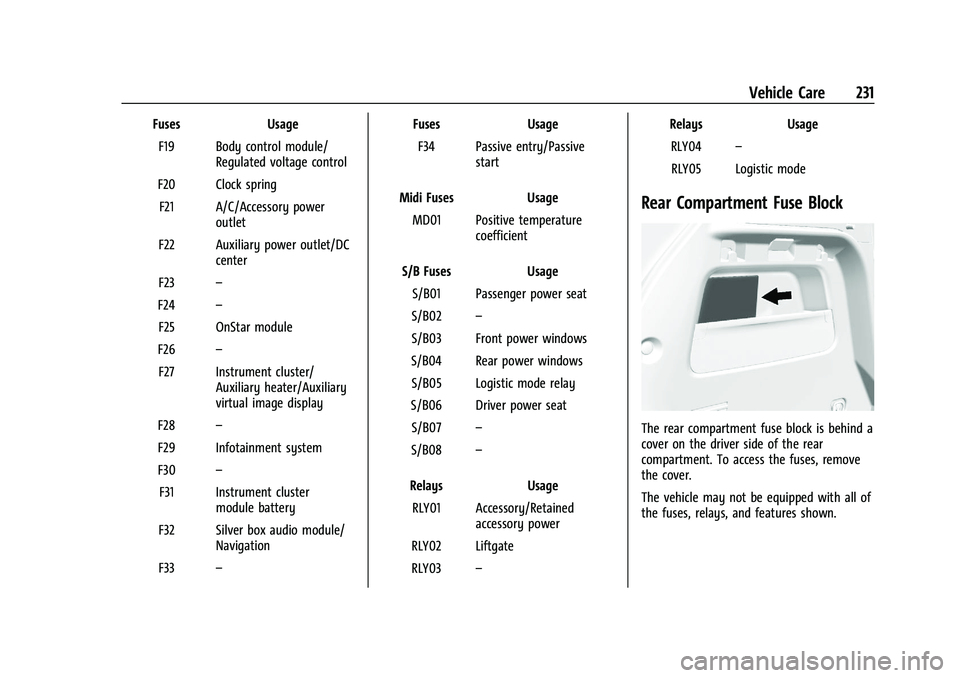
Rear Compartment Fuse Block
The rear compartment fuse block is behind a
cover on the driver side of the rear
compartment. To access the fuses, remove
the cover.
The vehicle may not be equipped with all of
the fuses, relays, and features shown.