instrument cluster BUICK ENVISION 2018 Owner's Guide
[x] Cancel search | Manufacturer: BUICK, Model Year: 2018, Model line: ENVISION, Model: BUICK ENVISION 2018Pages: 365, PDF Size: 5.56 MB
Page 206 of 365
Buick Envision Owner Manual (GMNA-Localizing-U.S./Canada/Mexico-
11434432) - 2018 - CRC - 10/25/17
Driving and Operating 205
or both sides of the Safety Alert
Seat will pulse five times. See
“Collision/Detection Systems”under
Vehicle Personalization 0143.
See Defensive Driving 0172.
Approaching and Following a
Vehicle
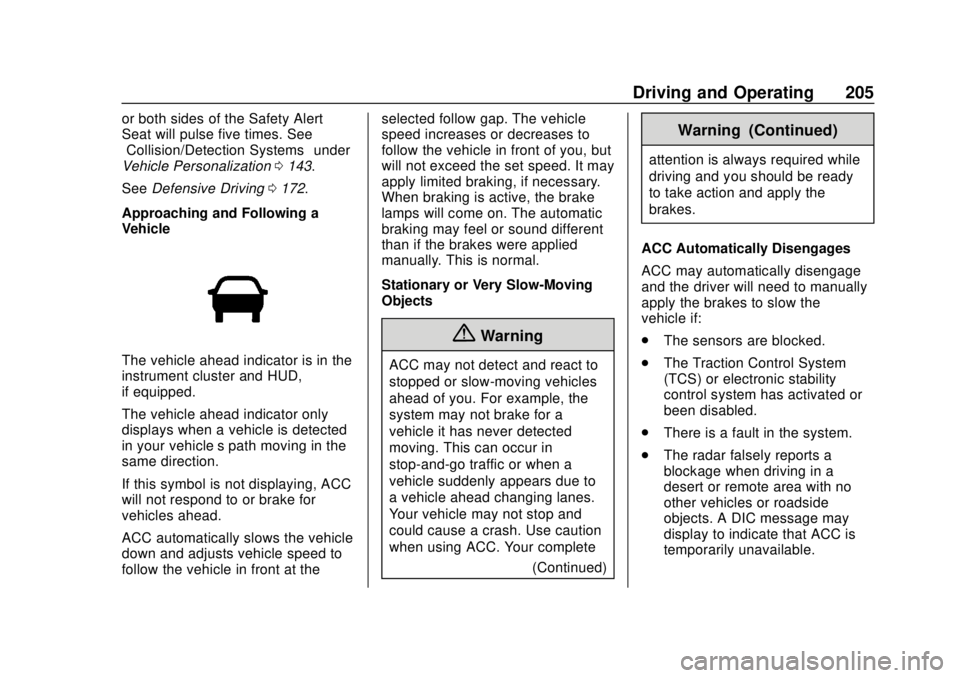
The vehicle ahead indicator is in the
instrument cluster and HUD,
if equipped.
The vehicle ahead indicator only
displays when a vehicle is detected
in your vehicle’s path moving in the
same direction.
If this symbol is not displaying, ACC
will not respond to or brake for
vehicles ahead.
ACC automatically slows the vehicle
down and adjusts vehicle speed to
follow the vehicle in front at the selected follow gap. The vehicle
speed increases or decreases to
follow the vehicle in front of you, but
will not exceed the set speed. It may
apply limited braking, if necessary.
When braking is active, the brake
lamps will come on. The automatic
braking may feel or sound different
than if the brakes were applied
manually. This is normal.
Stationary or Very Slow-Moving
Objects
{Warning
ACC may not detect and react to
stopped or slow-moving vehicles
ahead of you. For example, the
system may not brake for a
vehicle it has never detected
moving. This can occur in
stop-and-go traffic or when a
vehicle suddenly appears due to
a vehicle ahead changing lanes.
Your vehicle may not stop and
could cause a crash. Use caution
when using ACC. Your complete
(Continued)
Warning (Continued)
attention is always required while
driving and you should be ready
to take action and apply the
brakes.
ACC Automatically Disengages
ACC may automatically disengage
and the driver will need to manually
apply the brakes to slow the
vehicle if:
. The sensors are blocked.
. The Traction Control System
(TCS) or electronic stability
control system has activated or
been disabled.
. There is a fault in the system.
. The radar falsely reports a
blockage when driving in a
desert or remote area with no
other vehicles or roadside
objects. A DIC message may
display to indicate that ACC is
temporarily unavailable.
Page 213 of 365

Buick Envision Owner Manual (GMNA-Localizing-U.S./Canada/Mexico-
11434432) - 2018 - CRC - 10/25/17
212 Driving and Operating
sensors on the bumpers may detect
objects up to 1.8 m (6 ft) behind and
1.2 m (4 ft) in front of the vehicle
within a zone 25 cm (10 in) high off
the ground and below bumper level.
These detection distances may be
shorter during warmer or humid
weather. Blocked sensors will not
detect objects and can also cause
false detections. Keep the sensors
clean of mud, dirt, snow, ice, and
slush; and clean sensors after a car
wash in freezing temperatures.
{Warning
The Parking Assist system does
not detect children, pedestrians,
bicyclists, animals, or objects
located below the bumper or that
are too close or too far from the
vehicle. It is not available at
speeds greater than 8 km/h
(5 mph). To prevent injury, death,
or vehicle damage, even with
Parking Assist, always check the
area around the vehicle and
check all mirrors before moving
forward or backing.
The instrument cluster may have a
parking assist display with bars that
show“distance to object” and object
location information for RPA, and on
some vehicles, FPA. As the object
gets closer, more bars light up and
the bars change color from yellow to
amber to red.
When an object is first detected in
the rear, one beep will be heard
from the rear, or both sides of the
Safety Alert Seat will pulse two
times. When an object is very close
(<0.6 m (2 ft) in the vehicle rear,
or <0.3 m (1 ft) in the vehicle front),
five beeps will sound from the front
or rear depending on object location, or both sides of the Safety
Alert Seat will pulse five times.
Beeps for FPA are higher pitched
than for RPA.
Rear Cross Traffic Alert (RCTA)
If equipped, when the vehicle is
shifted into R (Reverse), RCTA
displays a red warning triangle with
a left or right pointing arrow on the
infotainment display to warn of
traffic coming from the left or right.
This system detects objects coming
from up to 20 m (65 ft) from the left
or right side of the vehicle. When an
object is detected, either three
beeps sound from the left or right,
or three Safety Alert Seat pulses
occur on the left or right side,
depending on the direction of the
detected vehicle.
Turning the Features On or Off
PressXon the center stack to
turn on or off the Front and Rear
Parking Assist and the Rear Cross
Traffic Alert (RCTA). The indicator
light in the button comes on when
Page 229 of 365
Buick Envision Owner Manual (GMNA-Localizing-U.S./Canada/Mexico-
11434432) - 2018 - CRC - 10/25/17
228 Driving and Operating
This can help to avoid situations
that require heavy braking and
sudden turns.
Passing
More passing distance is needed
when towing a trailer. Because the
rig is longer, it is necessary to go
farther beyond the passed vehicle
before returning to the lane.
Backing Up
Hold the bottom of the steering
wheel with one hand. To move the
trailer to the left, move your hand to
the left. To move the trailer to the
right, move your hand to the right.
Always back up slowly and,
if possible, have someone
guide you.
Making TurnsCaution
Making very sharp turns while
trailering could cause the trailer to
come in contact with the vehicle. (Continued)
Caution (Continued)
The vehicle could be damaged.
Avoid making very sharp turns
while trailering.
When turning with a trailer, make
wider turns than normal so the
trailer will not strike soft shoulders,
curbs, road signs, trees, or other
objects. Use the turn signal well in
advance and avoid jerky or sudden
maneuvers.
Turn Signals When Towing a
Trailer
The turn signal indicators on the
instrument cluster flash whenever
signaling a turn or lane change.
Properly hooked up, the trailer
lamps also flash, telling other
drivers the vehicle is turning,
changing lanes, or stopping.
When towing a trailer, the arrows on
the instrument cluster flash for turns
even if the bulbs on the trailer are burned out. Check occasionally to
be sure the trailer bulbs are still
working.
Driving on Grades
Reduce speed and shift to a lower
gear before starting down a long or
steep downgrade. If the
transmission is not shifted down, the
brakes might have to be used so
much that they would get hot and no
longer work well.
The vehicle can tow in D (Drive).
Use a lower gear if the transmission
shifts too often.
When towing at high altitude on
steep uphill grades, engine coolant
boils at a lower temperature than at
normal altitudes. If the engine is
turned off immediately after towing
at high altitude on steep uphill
grades, the vehicle could show
signs similar to engine overheating.
To avoid this, let the engine run
while parked, preferably on level
ground, with the transmission in
P (Park) for a few minutes before
Page 278 of 365

Buick Envision Owner Manual (GMNA-Localizing-U.S./Canada/Mexico-
11434432) - 2018 - CRC - 10/25/17
Vehicle Care 277
combined with the low tire pressure
telltale. When the system detects a
malfunction, the telltale will flash for
approximately one minute and then
remain continuously illuminated.
This sequence will continue upon
subsequent vehicle start-ups as
long as the malfunction exists.
When the malfunction indicator is
illuminated, the system may not be
able to detect or signal low tire
pressure as intended. TPMS
malfunctions may occur for a variety
of reasons, including the installation
of replacement or alternate tires or
wheels on the vehicle that prevent
the TPMS from functioning properly.
Always check the TPMS malfunction
telltale after replacing one or more
tires or wheels on your vehicle to
ensure that the replacement or
alternate tires and wheels allow the
TPMS to continue to function
properly.
SeeTire Pressure Monitor
Operation 0277.
See Radio Frequency Statement
0 337.Tire Pressure Monitor
Operation
This vehicle may have a Tire
Pressure Monitor System (TPMS).
The TPMS is designed to warn the
driver when a low tire pressure
condition exists. TPMS sensors are
mounted onto each tire and wheel
assembly, excluding the spare tire
and wheel assembly. The TPMS
sensors monitor the air pressure in
the tires and transmit the tire
pressure readings to a receiver
located in the vehicle.
When a low tire pressure condition
is detected, the TPMS illuminates
the low tire pressure warning light
located on the instrument cluster.
If the warning light comes on, stop
as soon as possible and inflate the tires to the recommended pressure
shown on the Tire and Loading
Information label. See
Vehicle Load
Limits 0178.
A message to check the pressure in
a specific tire displays in the Driver
Information Center (DIC). The low
tire pressure warning light and the
DIC warning message come on at
each ignition cycle until the tires are
inflated to the correct inflation
pressure. Using the DIC, tire
pressure levels can be viewed. For
additional information and details
about the DIC operation and
displays see Driver Information
Center (DIC) (Base Level) 0134 or
Driver Information Center (DIC)
(Uplevel) 0137.
The low tire pressure warning light
may come on in cool weather when
the vehicle is first started, and then
turn off as the vehicle is driven. This
could be an early indicator that the
air pressure is getting low and
needs to be inflated to the proper
pressure.
Page 307 of 365
Buick Envision Owner Manual (GMNA-Localizing-U.S./Canada/Mexico-
11434432) - 2018 - CRC - 10/25/17
306 Vehicle Care
Use a soft bristle brush to remove
dust from knobs and crevices on the
instrument cluster. Using a mild
soap solution, immediately remove
hand lotions, sunscreen, and insect
repellent from all interior surfaces or
permanent damage may result.
Use cleaners specifically designed
for the surfaces being cleaned to
prevent permanent damage. Apply
all cleaners directly to the cleaning
cloth. Do not spray cleaners on any
switches or controls. Remove
cleaners quickly.
Before using cleaners, read and
follow all safety instructions on the
label. While cleaning the interior,
open the doors and windows to get
proper ventilation.
To prevent damage, do not clean
the interior using the following
cleaners or techniques:
.Never use a razor or any other
sharp object to remove soil from
any interior surface.
. Never use a brush with stiff
bristles. .
Never rub any surface
aggressively or with too much
pressure.
. Do not use laundry detergents or
dishwashing soaps with
degreasers. For liquid cleaners,
use approximately 20 drops per
3.8 L (1 gal) of water.
A concentrated soap solution will
create streaks and attract dirt.
Do not use solutions that contain
strong or caustic soap.
. Do not heavily saturate the
upholstery when cleaning.
. Do not use solvents or cleaners
containing solvents.
Interior Glass
To clean, use a terry cloth fabric
dampened with water. Wipe droplets
left behind with a clean dry cloth.
If necessary, use a commercial
glass cleaner after cleaning with
plain water.
Caution
To prevent scratching, never use
abrasive cleaners on automotive
glass. Abrasive cleaners or
aggressive cleaning may damage
the rear window defogger.
Cleaning the windshield with water
during the first three to six months
of ownership will reduce tendency
to fog.
Speaker Covers
Vacuum around a speaker cover
gently, so that the speaker will not
be damaged. Clean spots with water
and mild soap.
Coated Moldings
Coated moldings should be cleaned.
. When lightly soiled, wipe with a
sponge or soft, lint-free cloth
dampened with water.
. When heavily soiled, use warm
soapy water.
Page 319 of 365
Buick Envision Owner Manual (GMNA-Localizing-U.S./Canada/Mexico-
11434432) - 2018 - CRC - 10/25/17
318 Service and Maintenance
Battery
The 12-volt battery supplies power
to start the engine and operate any
additional electrical accessories.
.To avoid break-down or failure to
start the vehicle, maintain a
battery with full cranking power.
. Trained dealer technicians have
the diagnostic equipment to test
the battery and ensure that the
connections and cables are
corrosion-free.
Belts
. Belts may need replacing if they
squeak or show signs of
cracking or splitting.
. Trained dealer technicians have
access to tools and equipment
to inspect the belts and
recommend adjustment or
replacement when necessary. Brakes
Brakes stop the vehicle and are
crucial to safe driving.
.
Signs of brake wear may include
chirping, grinding, or squealing
noises, or difficulty stopping.
. Trained dealer technicians have
access to tools and equipment
to inspect the brakes and
recommend quality parts
engineered for the vehicle.
Fluids
Proper fluid levels and approved
fluids protect the vehicle’s systems
and components. See
Recommended Fluids and
Lubricants 0320 for GM approved
fluids.
. Engine oil and windshield
washer fluid levels should be
checked at every fuel fill.
. Instrument cluster lights may
come on to indicate that fluids
may be low and need to be
filled. Hoses
Hoses transport fluids and should
be regularly inspected to ensure
that there are no cracks or leaks.
With a multi-point inspection, your
dealer can inspect the hoses and
advise if replacement is needed.
Lamps
Properly working headlamps,
taillamps, and brake lamps are
important to see and be seen on
the road.
.
Signs that the headlamps need
attention include dimming, failure
to light, cracking, or damage.
The brake lamps need to be
checked periodically to ensure
that they light when braking.
. With a multi-point inspection,
your dealer can check the lamps
and note any concerns.
Page 356 of 365

Buick Envision Owner Manual (GMNA-Localizing-U.S./Canada/Mexico-
11434432) - 2018 - CRC - 10/25/17
Index 355
Child Restraints (cont'd)Systems . . . . . . . . . . . . . . . . . . . . . . . . 88
Circuit Breakers . . . . . . . . . . . . . . . . 262
Cleaning Exterior Care . . . . . . . . . . . . . . . . . 301
Interior Care . . . . . . . . . . . . . . . . . . 305
Climate Control Systems Dual Automatic . . . . . . . . . . . . . . . 163
Rear . . . . . . . . . . . . . . . . . . . . . . . . . . 166
Clock . . . . . . . . . . . . . . . . . . . . . . . . . . . 113
Cluster, Instrument . . . . . . . . . . . . . 117
Collision Damage Repair . . . . . . . 334
Compact Spare Tire . . . . . . . . . . . . 293
Compartments Storage . . . . . . . . . . . . . . . . . . . . . . . 103
Compass . . . . . . . . . . . . . . . . . . . . . . . 113
Connections OnStar . . . . . . . . . . . . . . . . . . . . . . . 344
Control Traction and ElectronicStability . . . . . . . . . . . . . . . . . . . . . 197
Control of a Vehicle . . . . . . . . . . . . . 173
Convenience Net . . . . . . . . . . . . . . . 107
Convex Mirrors . . . . . . . . . . . . . . . . . . 47
Coolant Engine Temperature Gauge . . 122
Engine TemperatureWarning Light . . . . . . . . . . . . . . . 131 Cooling . . . . . . . . . . . . . . . . . . . . 163, 166
Cooling System . . . . . . . . . . . . . . . . . 247
Courtesy Lamps . . . . . . . . . . . . . . . . 159
Courtesy Transportation
Program . . . . . . . . . . . . . . . . . . . . . . . 333
Cover Cargo . . . . . . . . . . . . . . . . . . . . . . . . . 105
Cruise Control . . . . . . . . . . . . . . . . . . 199 Light . . . . . . . . . . . . . . . . . . . . . . . . . . 134
Cruise Control, Adaptive . . . . . . . . 201
Cupholders . . . . . . . . . . . . . . . . . . . . . 103
Customer Assistance . . . . . . . . . . . 330 Offices . . . . . . . . . . . . . . . . . . . . . . . . 329
Text Telephone (TTY)Users . . . . . . . . . . . . . . . . . . . . . . . 330
Customer Information
Service PublicationsOrdering Information . . . . . . . . 336
Customer Satisfaction Procedure . . . . . . . . . . . . . . . . . . . . . 327
D
Damage Repair, Collision . . . . . . . 334
Danger, Warning, and Caution . . . . 3
Data CollectionInfotainment System . . . . . . . . . . 340
OnStar . . . . . . . . . . . . . . . . . . . . . . . 340
Data Recorders, Event . . . . . . . . . 339 Daytime Running
Lamps (DRL) . . . . . . . . . . . . . . . . . . 156
Defensive Driving . . . . . . . . . . . . . . . 172
Delayed Locking . . . . . . . . . . . . . . . . . 38
Diagnostics OnStar . . . . . . . . . . . . . . . . . . . . . . . 346
Distracted Driving . . . . . . . . . . . . . . . 172
Dome Lamps . . . . . . . . . . . . . . . . . . . 159
Door
Ajar Light . . . . . . . . . . . . . . . . . . . . . 134
Delayed Locking . . . . . . . . . . . . . . . . 38
Locks . . . . . . . . . . . . . . . . . . . . . . . . . . . 36
Power Locks . . . . . . . . . . . . . . . . . . . . 38
Drive Belt Routing, Engine . . . . . . 326
Drive Systems All-Wheel Drive . . . . . . . . . . 194, 255
Driver Assistance Systems . . . . . 209
Driver Behavior . . . . . . . . . . . . . . . . . 171
Driver Information Center (DIC) . . . . . . . . . . . . . 134, 137
Driving
Assistance Systems . . . . . . . . . . 214
Characteristics andTowing Tips . . . . . . . . . . . . . . . . . 226
Defensive . . . . . . . . . . . . . . . . . . . . . 172
Drunk . . . . . . . . . . . . . . . . . . . . . . . . . 173
Environment . . . . . . . . . . . . . . . . . . 171
For Better Fuel Economy . . . . . . . 25
Page 359 of 365

Buick Envision Owner Manual (GMNA-Localizing-U.S./Canada/Mexico-
11434432) - 2018 - CRC - 10/25/17
358 Index
I
Ignition Positions . . . . . . . . . . . . . . . 183
Immobilizer . . . . . . . . . . . . . . . . . . . . . . 46
IndicatorVehicle Ahead . . . . . . . . . . . . . . . . 129
Infants and Young Children, Restraints . . . . . . . . . . . . . . . . . . . . . . 86
Infotainment . . . . . . . . . . . . . . . . . . . . 162
Infotainment System . . . . . . . . . . . . 340
Instrument Cluster . . . . . . . . . . . . . . 117
Instrument Panel Overview . . . . . . . 6
Interior Rearview Mirrors . . . . . . . . . 48
Introduction . . . . . . . . . . . . . . . . . . . . . . . 2
J
Jump Starting - North America . . . . . . . . . . . . . . . . . . . . . . . 294
K
Keyless EntryRemote (RKE) System . . . . . . . . . 28
Keys . . . . . . . . . . . . . . . . . . . . . . . . . . . . . 27
L
Labeling, Tire Sidewall . . . . . . . . . . 269
Lamps Courtesy . . . . . . . . . . . . . . . . . . . . . . 159
Daytime Running (DRL) . . . . . . 156
Dome . . . . . . . . . . . . . . . . . . . . . . . . . 159 Lamps (cont'd)
Exterior Controls . . . . . . . . . . . . . . 154
Exterior Lamps Off
Reminder . . . . . . . . . . . . . . . . . . . 156
Exterior Lighting Battery Saver . . . . . . . . . . . . . . . . . . . . . . . 161
License Plate . . . . . . . . . . . . . . . . . 261
Malfunction Indicator (Check Engine) . . . . . . . . . . . . . 125
On Reminder . . . . . . . . . . . . . . . . . 134
Reading . . . . . . . . . . . . . . . . . . . . . . 160
Lane Change Alert (LCA) . . . . . . . 218
Lane Departure Warning (LDW) . . . . . . . . . . . . . . . . 220
Lane Keep Assist (LKA) . . . . . . . . 221
Lane Keep Assist Light . . . . . . . . . 129
Lap-Shoulder Belt . . . . . . . . . . . . . . . 67
LATCH System Replacing Parts after aCrash . . . . . . . . . . . . . . . . . . . . . . . . . 97
LATCH, Lower Anchors and Tethers for Children . . . . . . . . . . . . 91
Leveling Control
Headlamp . . . . . . . . . . . . . . . . . . . . 158
Liftgate . . . . . . . . . . . . . . . . . . . . . . . . . . 40
Lighting Adaptive Forward . . . . . . . . . . . . . 157
Entry . . . . . . . . . . . . . . . . . . . . . . . . . 160 Lighting (cont'd)
Exit . . . . . . . . . . . . . . . . . . . . . . . . . . . 161
Illumination Control . . . . . . . . . . . 159
Lights
Adaptive Forward Lighting(AFL) Light . . . . . . . . . . . . . . . . . . 133
Airbag Readiness . . . . . . . . . . . . . 124
Antilock Brake System (ABS) Warning . . . . . . . . . . . . . . 128
Brake System Warning . . . . . . . 127
Charging System . . . . . . . . . . . . . 125
Check Engine (Malfunction Indicator) . . . . . . . . . . . . . . . . . . . . 125
Cruise Control . . . . . . . . . . . . . . . . 134
Door Ajar . . . . . . . . . . . . . . . . . . . . . 134
Electric Parking Brake . . . . . . . . 128
Engine Coolant Temperature Warning . . . . . . . 131
Engine Oil Pressure . . . . . . . . . . 132
Flash-to-Pass . . . . . . . . . . . . . . . . . 156
Front Fog Lamp . . . . . . . . . . . . . . 133
High-Beam On . . . . . . . . . . . . . . . . 133
High/Low Beam Changer . . . . . 156
Lane Keep Assist . . . . . . . . . . . . . 129
Low Fuel Warning . . . . . . . . . . . . 132
Seat Belt Reminders . . . . . . . . . . 123
Security . . . . . . . . . . . . . . . . . . . . . . 132