door unlock BUICK ENVISION 2018 Owner's Manual
[x] Cancel search | Manufacturer: BUICK, Model Year: 2018, Model line: ENVISION, Model: BUICK ENVISION 2018Pages: 365, PDF Size: 5.56 MB
Page 9 of 365
Buick Envision Owner Manual (GMNA-Localizing-U.S./Canada/Mexico-
11434432) - 2018 - CRC - 10/25/17
8 In Brief
Initial Drive
Information
This section provides a brief
overview about some of the
important features that may or may
not be on your specific vehicle.
For more detailed information, refer
to each of the features which can be
found later in this owner’s manual.
Stop/Start System
The vehicle may have a fuel saving
Stop/Start system to shut off the
engine and help conserve fuel.
When the brakes are applied and
the vehicle is at a complete stop,
the engine may turn off. When the
brake pedal is released or the
accelerator pedal is pushed, the
engine will restart. The engine may
restart even while the brake is
applied. SeeStarting the Engine
0 185.
Remote Keyless Entry
(RKE) System
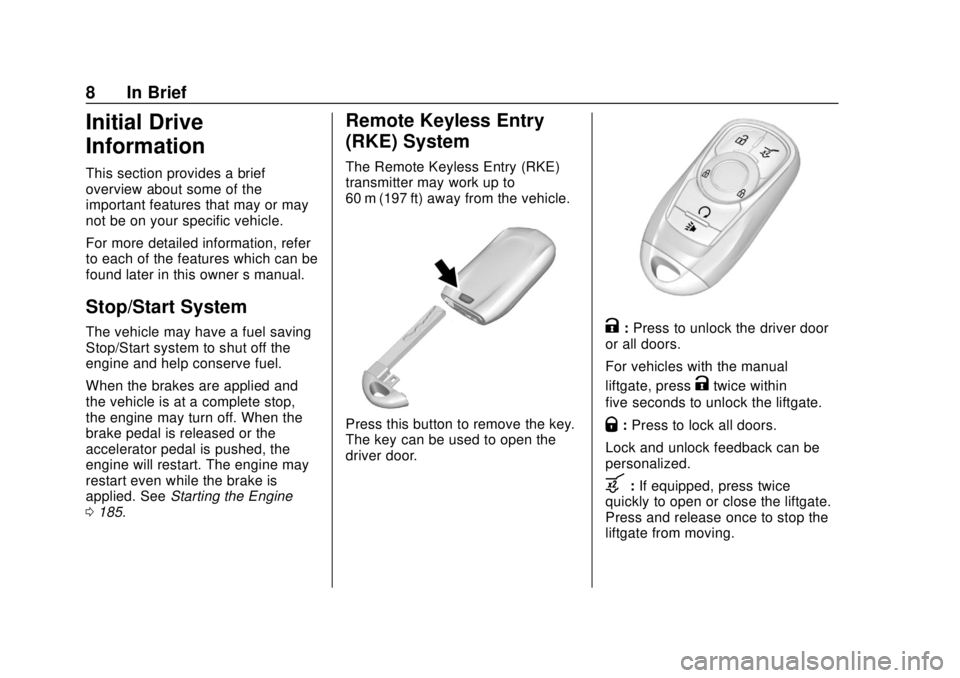
The Remote Keyless Entry (RKE)
transmitter may work up to
60 m (197 ft) away from the vehicle.
Press this button to remove the key.
The key can be used to open the
driver door.
K:Press to unlock the driver door
or all doors.
For vehicles with the manual
liftgate, press
Ktwice within
five seconds to unlock the liftgate.
Q: Press to lock all doors.
Lock and unlock feedback can be
personalized.
b: If equipped, press twice
quickly to open or close the liftgate.
Press and release once to stop the
liftgate from moving.
Page 10 of 365
Buick Envision Owner Manual (GMNA-Localizing-U.S./Canada/Mexico-
11434432) - 2018 - CRC - 10/25/17
In Brief 9
7:Press and release to initiate
vehicle locator. Press and hold for at
least three seconds to sound the
panic alarm. Press
7again to
cancel the panic alarm.
/: Press and releaseQand then
immediately press and hold
/for at
least four seconds to start the
engine from outside the vehicle
using the RKE transmitter.
See Keys 027 and Remote Keyless
Entry (RKE) System Operation 028.
Remote Vehicle Start
The engine can be started from
outside of the vehicle.
Starting the Vehicle
1. Press and releaseQon the
RKE transmitter.
2. Immediately press and hold
/
for at least four seconds or until
the turn signal lamps flash.
Start the vehicle normally after
entering. When the vehicle starts, the parking
lamps will turn on.
Remote start can be extended.
Canceling a Remote Start
To cancel a remote start, do one of
the following:
.
Press and hold
/until the
parking lamps turn off.
. Turn on the hazard warning
flashers.
. Turn the vehicle on and then off.
See Remote Vehicle Start 034.
Door Locks
To lock or unlock the doors from
outside the vehicle:
.
Press
QorKon the Remote
Keyless Entry (RKE) transmitter.
. Use the key in the driver door.
To lock or unlock the doors from
inside the vehicle:
. Press
QorKon the power door
lock switch. .
Pushing down the manual lock
knob on the driver door will lock
all doors. Pushing down the
manual lock knob on a
passenger door will lock only
that door.
. Pulling an interior door handle
will unlock the door. Pulling the
door handle again unlatches it.
See Door Locks 036.
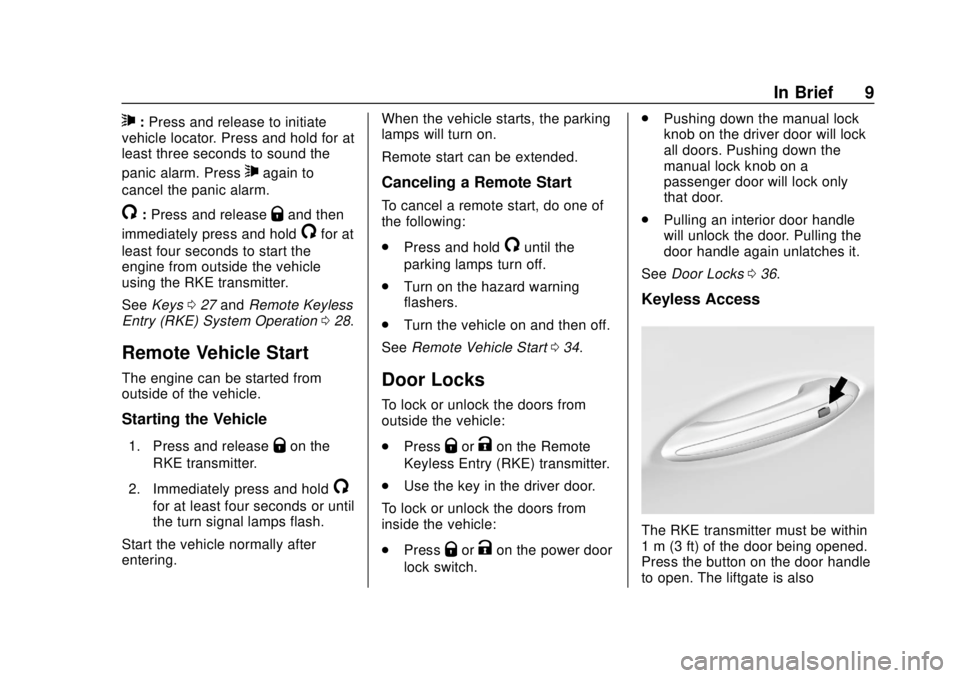
Keyless Access
The RKE transmitter must be within
1 m (3 ft) of the door being opened.
Press the button on the door handle
to open. The liftgate is also
Page 11 of 365
Buick Envision Owner Manual (GMNA-Localizing-U.S./Canada/Mexico-
11434432) - 2018 - CRC - 10/25/17
10 In Brief
unlocked when the RKE transmitter
is within range of the liftgate handle.
Press the touch pad underneath the
handle and lift.
See“Keyless Access Operation” in
Remote Keyless Entry (RKE)
System Operation 028.
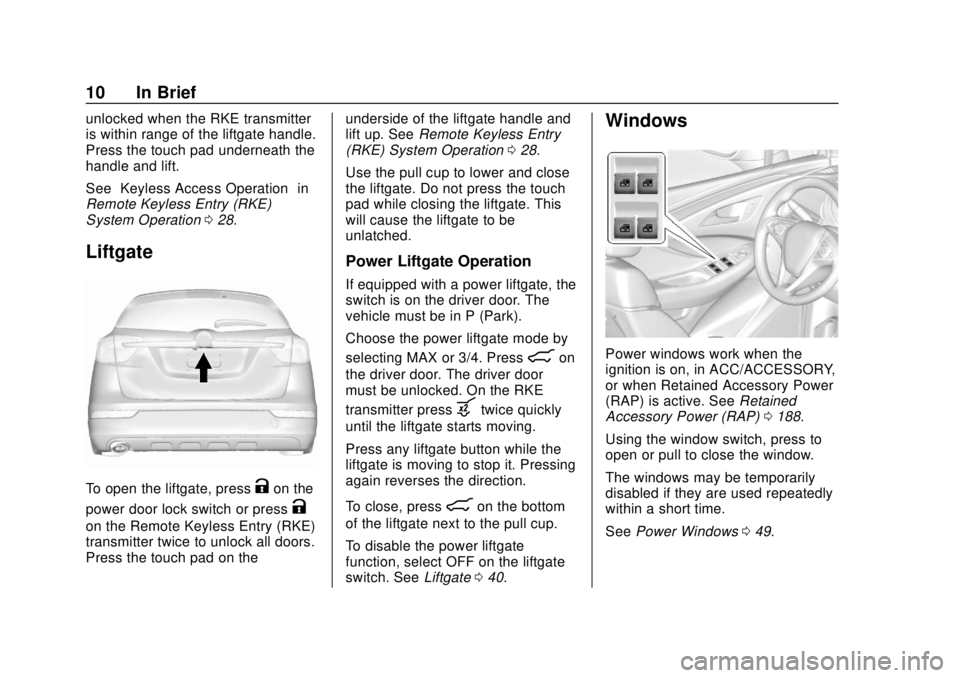
Liftgate
To open the liftgate, pressKon the
power door lock switch or press
K
on the Remote Keyless Entry (RKE)
transmitter twice to unlock all doors.
Press the touch pad on the underside of the liftgate handle and
lift up. See
Remote Keyless Entry
(RKE) System Operation 028.
Use the pull cup to lower and close
the liftgate. Do not press the touch
pad while closing the liftgate. This
will cause the liftgate to be
unlatched.
Power Liftgate Operation
If equipped with a power liftgate, the
switch is on the driver door. The
vehicle must be in P (Park).
Choose the power liftgate mode by
selecting MAX or 3/4. Press
8on
the driver door. The driver door
must be unlocked. On the RKE
transmitter press
btwice quickly
until the liftgate starts moving.
Press any liftgate button while the
liftgate is moving to stop it. Pressing
again reverses the direction.
To close, press
8on the bottom
of the liftgate next to the pull cup.
To disable the power liftgate
function, select OFF on the liftgate
switch. See Liftgate040.
Windows
Power windows work when the
ignition is on, in ACC/ACCESSORY,
or when Retained Accessory Power
(RAP) is active. See Retained
Accessory Power (RAP) 0188.
Using the window switch, press to
open or pull to close the window.
The windows may be temporarily
disabled if they are used repeatedly
within a short time.
See Power Windows 049.
Page 29 of 365
Buick Envision Owner Manual (GMNA-Localizing-U.S./Canada/Mexico-
11434432) - 2018 - CRC - 10/25/17
28 Keys, Doors, and Windows
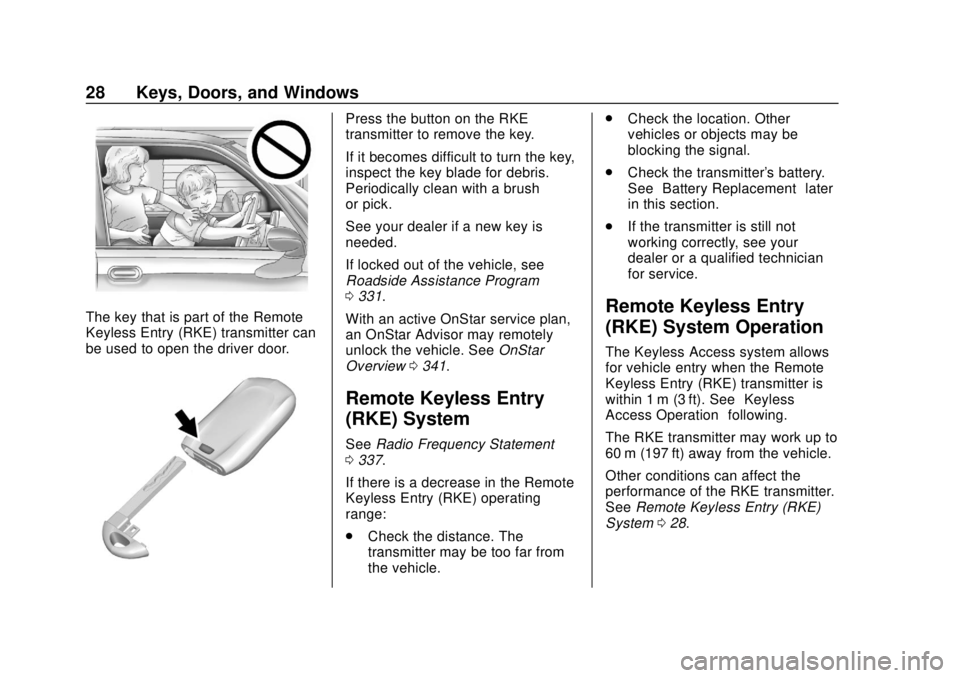
The key that is part of the Remote
Keyless Entry (RKE) transmitter can
be used to open the driver door.
Press the button on the RKE
transmitter to remove the key.
If it becomes difficult to turn the key,
inspect the key blade for debris.
Periodically clean with a brush
or pick.
See your dealer if a new key is
needed.
If locked out of the vehicle, see
Roadside Assistance Program
0331.
With an active OnStar service plan,
an OnStar Advisor may remotely
unlock the vehicle. See OnStar
Overview 0341.
Remote Keyless Entry
(RKE) System
See Radio Frequency Statement
0 337.
If there is a decrease in the Remote
Keyless Entry (RKE) operating
range:
. Check the distance. The
transmitter may be too far from
the vehicle. .
Check the location. Other
vehicles or objects may be
blocking the signal.
. Check the transmitter's battery.
See “Battery Replacement” later
in this section.
. If the transmitter is still not
working correctly, see your
dealer or a qualified technician
for service.
Remote Keyless Entry
(RKE) System Operation
The Keyless Access system allows
for vehicle entry when the Remote
Keyless Entry (RKE) transmitter is
within 1 m (3 ft). See “Keyless
Access Operation” following.
The RKE transmitter may work up to
60 m (197 ft) away from the vehicle.
Other conditions can affect the
performance of the RKE transmitter.
See Remote Keyless Entry (RKE)
System 028.
Page 30 of 365
Buick Envision Owner Manual (GMNA-Localizing-U.S./Canada/Mexico-
11434432) - 2018 - CRC - 10/25/17
Keys, Doors, and Windows 29
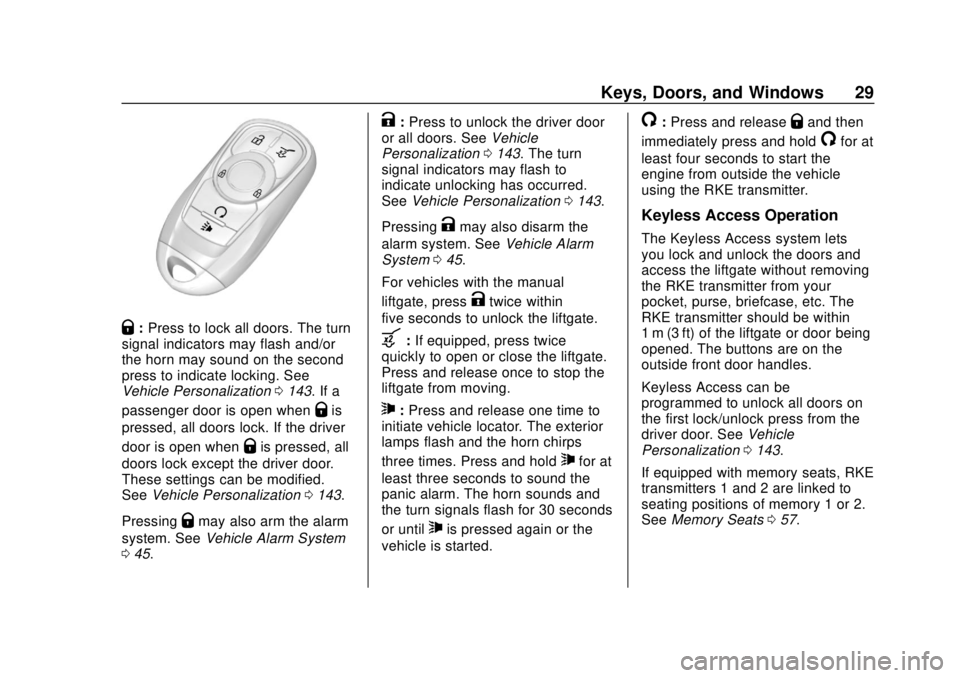
Q:Press to lock all doors. The turn
signal indicators may flash and/or
the horn may sound on the second
press to indicate locking. See
Vehicle Personalization 0143. If a
passenger door is open when
Qis
pressed, all doors lock. If the driver
door is open when
Qis pressed, all
doors lock except the driver door.
These settings can be modified.
See Vehicle Personalization 0143.
Pressing
Qmay also arm the alarm
system. See Vehicle Alarm System
0 45.
K:Press to unlock the driver door
or all doors. See Vehicle
Personalization 0143. The turn
signal indicators may flash to
indicate unlocking has occurred.
See Vehicle Personalization 0143.
Pressing
Kmay also disarm the
alarm system. See Vehicle Alarm
System 045.
For vehicles with the manual
liftgate, press
Ktwice within
five seconds to unlock the liftgate.
b: If equipped, press twice
quickly to open or close the liftgate.
Press and release once to stop the
liftgate from moving.
7: Press and release one time to
initiate vehicle locator. The exterior
lamps flash and the horn chirps
three times. Press and hold
7for at
least three seconds to sound the
panic alarm. The horn sounds and
the turn signals flash for 30 seconds
or until
7is pressed again or the
vehicle is started.
/: Press and releaseQand then
immediately press and hold
/for at
least four seconds to start the
engine from outside the vehicle
using the RKE transmitter.
Keyless Access Operation
The Keyless Access system lets
you lock and unlock the doors and
access the liftgate without removing
the RKE transmitter from your
pocket, purse, briefcase, etc. The
RKE transmitter should be within
1 m (3 ft) of the liftgate or door being
opened. The buttons are on the
outside front door handles.
Keyless Access can be
programmed to unlock all doors on
the first lock/unlock press from the
driver door. See Vehicle
Personalization 0143.
If equipped with memory seats, RKE
transmitters 1 and 2 are linked to
seating positions of memory 1 or 2.
See Memory Seats 057.
Page 31 of 365
Buick Envision Owner Manual (GMNA-Localizing-U.S./Canada/Mexico-
11434432) - 2018 - CRC - 10/25/17
30 Keys, Doors, and Windows
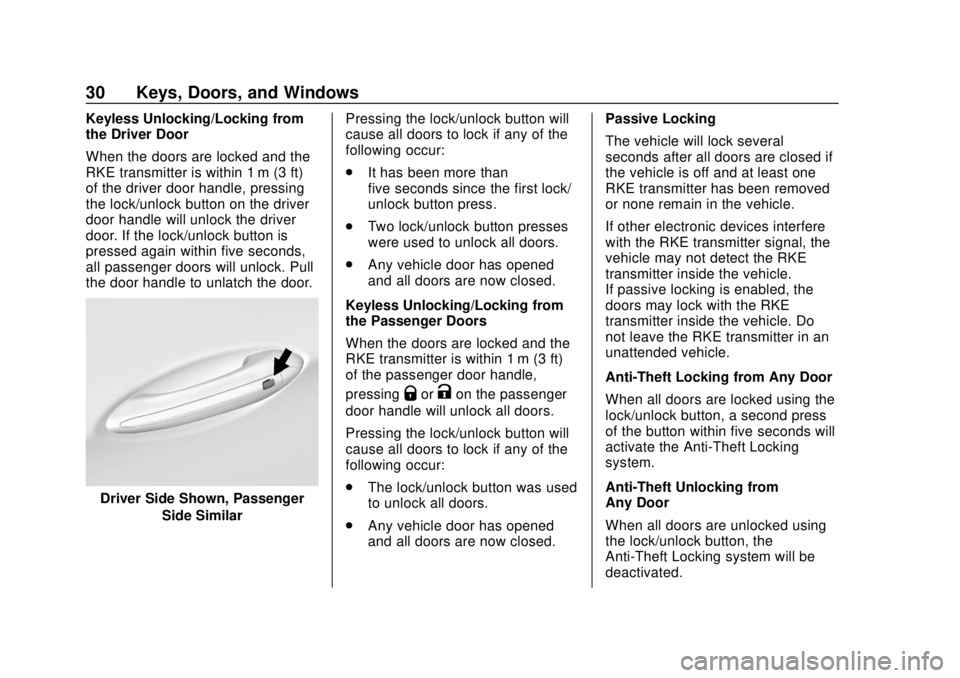
Keyless Unlocking/Locking from
the Driver Door
When the doors are locked and the
RKE transmitter is within 1 m (3 ft)
of the driver door handle, pressing
the lock/unlock button on the driver
door handle will unlock the driver
door. If the lock/unlock button is
pressed again within five seconds,
all passenger doors will unlock. Pull
the door handle to unlatch the door.
Driver Side Shown, PassengerSide Similar Pressing the lock/unlock button will
cause all doors to lock if any of the
following occur:
.
It has been more than
five seconds since the first lock/
unlock button press.
. Two lock/unlock button presses
were used to unlock all doors.
. Any vehicle door has opened
and all doors are now closed.
Keyless Unlocking/Locking from
the Passenger Doors
When the doors are locked and the
RKE transmitter is within 1 m (3 ft)
of the passenger door handle,
pressing
QorKon the passenger
door handle will unlock all doors.
Pressing the lock/unlock button will
cause all doors to lock if any of the
following occur:
. The lock/unlock button was used
to unlock all doors.
. Any vehicle door has opened
and all doors are now closed. Passive Locking
The vehicle will lock several
seconds after all doors are closed if
the vehicle is off and at least one
RKE transmitter has been removed
or none remain in the vehicle.
If other electronic devices interfere
with the RKE transmitter signal, the
vehicle may not detect the RKE
transmitter inside the vehicle.
If passive locking is enabled, the
doors may lock with the RKE
transmitter inside the vehicle. Do
not leave the RKE transmitter in an
unattended vehicle.
Anti-Theft Locking from Any Door
When all doors are locked using the
lock/unlock button, a second press
of the button within five seconds will
activate the Anti-Theft Locking
system.
Anti-Theft Unlocking from
Any Door
When all doors are unlocked using
the lock/unlock button, the
Anti-Theft Locking system will be
deactivated.
Page 33 of 365

Buick Envision Owner Manual (GMNA-Localizing-U.S./Canada/Mexico-
11434432) - 2018 - CRC - 10/25/17
32 Keys, Doors, and Windows
1. Place the two recognizedtransmitters in the front
cupholder.
2. Insert the vehicle key of the new transmitter into the key
lock cylinder on the outside of
the driver door and turn the key
to the unlock position five times
within 10 seconds.
The Driver Information Center
(DIC) displays READY FOR
REMOTE #2, 3, 4, or 5.
3. Place the new transmitter in the front cupholder.
4. Press ENGINE START/STOP. When the transmitter is
learned, the DIC will show that
it is ready to program the next
transmitter.
5. Remove the transmitter from the front cupholder and
press
K.
To program additional
transmitters, repeat Steps 3–5. When all additional transmitters
are programmed, press and
hold ENGINE START/STOP for
12 seconds to exit
programming mode.
Programming without Two
Recognized Transmitters
If two currently recognized
transmitters are not available, follow
this procedure to program up to
eight transmitters. This feature is
not available in Canada. This
procedure will take approximately
30 minutes to complete. The vehicle
must be off and all of the
transmitters to be programmed must
be with you. 1. Insert the vehicle key of the transmitter into the key lock
cylinder on the outside of the
driver door and turn the key to
the unlock position five times
within 10 seconds. The Driver Information Center
(DIC) displays REMOTE
LEARN PENDING,
PLEASE WAIT.
2. Wait for 10 minutes until the DIC displays PRESS ENGINE
START BUTTON TO LEARN
and then press ENGINE
START/STOP.
The DIC will again display
REMOTE LEARN PENDING,
PLEASE WAIT.
3. Repeat Step 2 two additional times. After the third time, all
previously known transmitters
will no longer work with the
vehicle. Remaining transmitters
can be relearned during the
next steps.
The DIC display should now
show READY FOR REMOTE
# 1.
Page 37 of 365
Buick Envision Owner Manual (GMNA-Localizing-U.S./Canada/Mexico-
11434432) - 2018 - CRC - 10/25/17
36 Keys, Doors, and Windows
Door Locks
{Warning
Unlocked doors can be
dangerous.. Passengers, especially
children, can easily open
the doors and fall out of a
moving vehicle. The doors
can be unlocked and
opened while the vehicle is
moving. The chance of
being thrown out of the
vehicle in a crash is
increased if the doors are
not locked. So, all
passengers should wear
seat belts properly and the
doors should be locked
whenever the vehicle is
driven.
. Young children who get into
unlocked vehicles may be
unable to get out. A child
can be overcome by
extreme heat and can suffer
(Continued)
Warning (Continued)
permanent injuries or even
death from heat stroke.
Always lock the vehicle
whenever leaving it.
. Outsiders can easily enter
through an unlocked door
when you slow down or stop
the vehicle. Locking the
doors can help prevent this
from happening.
To lock or unlock the doors from
outside the vehicle:
. Press
QorKon the Remote
Keyless Entry (RKE) transmitter.
. Use the key in the driver door.
The key cylinder is covered with
a cap. See “Driver Door Key
Lock Cylinder Access (In Case
of Dead Battery)” following.
To lock or unlock the doors from
inside the vehicle:
. Press
QorKon the power door
lock switch. .
Pushing down the manual lock
knob on the driver door will lock
all doors. Pushing down the
manual lock knob on a
passenger door will lock only
that door.
. Pulling an interior door handle
will unlock the door. Pulling the
door handle again unlatches it.
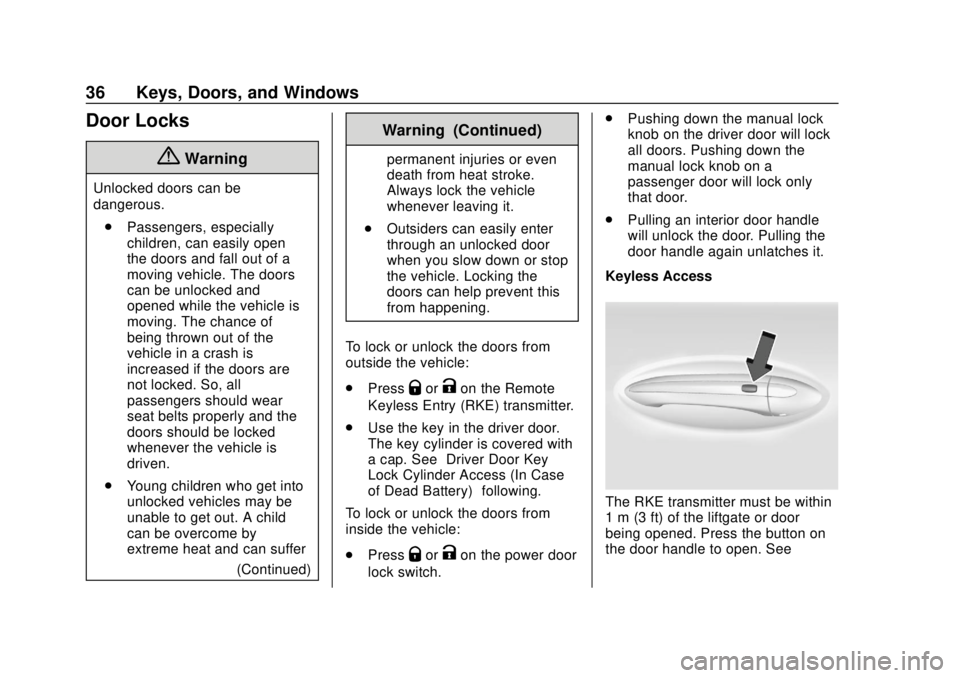
Keyless Access
The RKE transmitter must be within
1 m (3 ft) of the liftgate or door
being opened. Press the button on
the door handle to open. See
Page 38 of 365
Buick Envision Owner Manual (GMNA-Localizing-U.S./Canada/Mexico-
11434432) - 2018 - CRC - 10/25/17
Keys, Doors, and Windows 37
“Keyless Access Operation”in
Remote Keyless Entry (RKE)
System Operation 028.
Driver Door Key Lock Cylinder
Access (In Case of Dead
Battery)
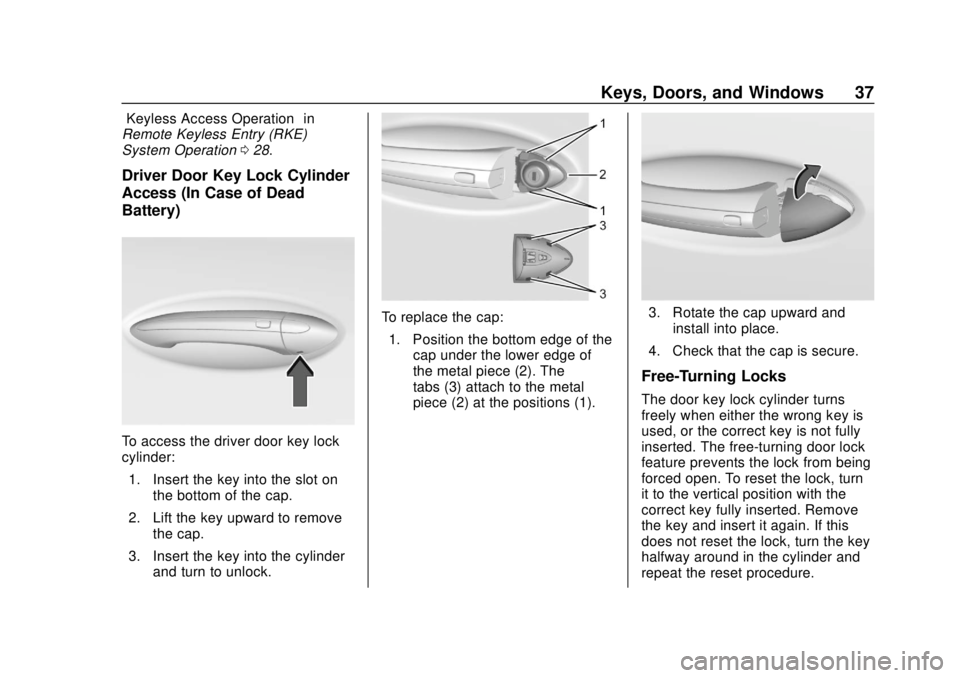
To access the driver door key lock
cylinder:
1. Insert the key into the slot on the bottom of the cap.
2. Lift the key upward to remove the cap.
3. Insert the key into the cylinder and turn to unlock.
To replace the cap:
1. Position the bottom edge of the cap under the lower edge of
the metal piece (2). The
tabs (3) attach to the metal
piece (2) at the positions (1).3. Rotate the cap upward and
install into place.
4. Check that the cap is secure.
Free-Turning Locks
The door key lock cylinder turns
freely when either the wrong key is
used, or the correct key is not fully
inserted. The free-turning door lock
feature prevents the lock from being
forced open. To reset the lock, turn
it to the vertical position with the
correct key fully inserted. Remove
the key and insert it again. If this
does not reset the lock, turn the key
halfway around in the cylinder and
repeat the reset procedure.
Page 39 of 365
Buick Envision Owner Manual (GMNA-Localizing-U.S./Canada/Mexico-
11434432) - 2018 - CRC - 10/25/17
38 Keys, Doors, and Windows
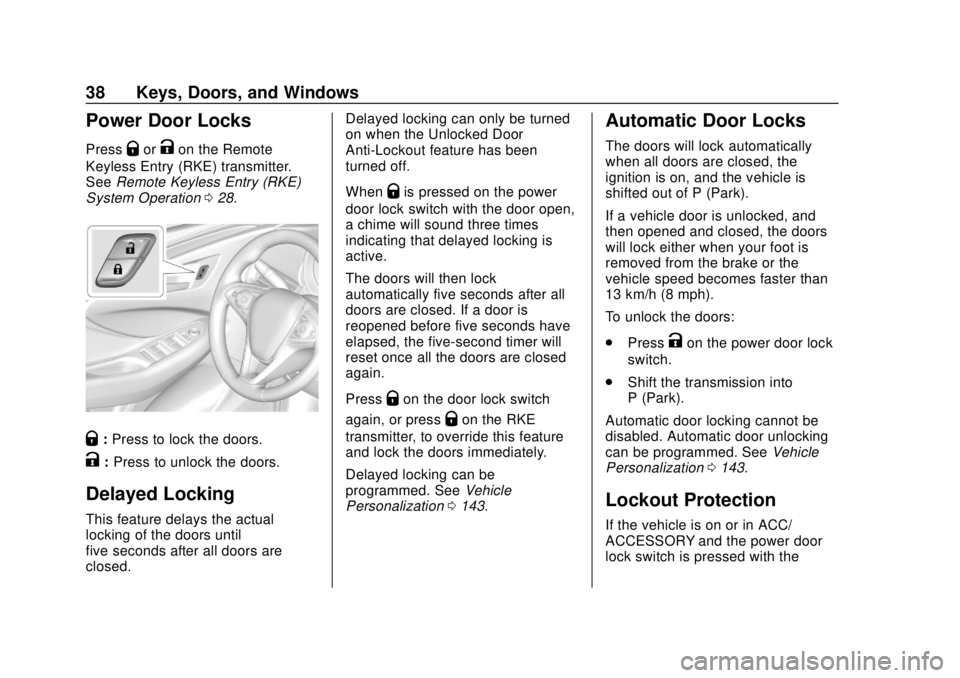
Power Door Locks
PressQorKon the Remote
Keyless Entry (RKE) transmitter.
See Remote Keyless Entry (RKE)
System Operation 028.
Q:Press to lock the doors.
K:Press to unlock the doors.
Delayed Locking
This feature delays the actual
locking of the doors until
five seconds after all doors are
closed. Delayed locking can only be turned
on when the Unlocked Door
Anti-Lockout feature has been
turned off.
When
Qis pressed on the power
door lock switch with the door open,
a chime will sound three times
indicating that delayed locking is
active.
The doors will then lock
automatically five seconds after all
doors are closed. If a door is
reopened before five seconds have
elapsed, the five-second timer will
reset once all the doors are closed
again.
Press
Qon the door lock switch
again, or press
Qon the RKE
transmitter, to override this feature
and lock the doors immediately.
Delayed locking can be
programmed. See Vehicle
Personalization 0143.
Automatic Door Locks
The doors will lock automatically
when all doors are closed, the
ignition is on, and the vehicle is
shifted out of P (Park).
If a vehicle door is unlocked, and
then opened and closed, the doors
will lock either when your foot is
removed from the brake or the
vehicle speed becomes faster than
13 km/h (8 mph).
To unlock the doors:
.
Press
Kon the power door lock
switch.
. Shift the transmission into
P (Park).
Automatic door locking cannot be
disabled. Automatic door unlocking
can be programmed. See Vehicle
Personalization 0143.
Lockout Protection
If the vehicle is on or in ACC/
ACCESSORY and the power door
lock switch is pressed with the