keyless BUICK ENVISION 2020 User Guide
[x] Cancel search | Manufacturer: BUICK, Model Year: 2020, Model line: ENVISION, Model: BUICK ENVISION 2020Pages: 363, PDF Size: 7.26 MB
Page 26 of 363

Buick Envision Owner Manual (GMNA-Localizing-U.S./Canada/Mexico-
13555857) - 2020 - CRC - 3/26/19
Keys, Doors, and Windows 25
Vehicle Security This vehicle has theft-deterrent
features; however, they do not make
the vehicle impossible to steal.
Vehicle Alarm System This vehicle has an anti-theft alarm
system.
The indicator light, on the
instrument panel near the
windshield, indicates the status of
the system:
Off : Alarm system is disarmed. On Solid : Vehicle is secured
during the delay to arm the system.
Fast Flash : Vehicle is unsecured.
A door, the hood, or the liftgate
is open.
Slow Flash : Alarm system is
armed.
Arming the Alarm System 1. Turn off the vehicle.
2. Lock the vehicle in one of
three ways:
.
Use the RKE transmitter.
.
Use the Keyless Access
system.
.
With a door open, press the
inside
Q .
3. After 30 seconds the alarm
system will arm, and the
indicator light will begin to
slowly flash indicating the
alarm system is operating.
Pressing
Q on the RKE
transmitter a second time will bypass the 30-second delay
and immediately arm the alarm
system.
If the driver door is opened without
first unlocking with the RKE
transmitter, the horn will chirp and
the lights will flash to indicate
pre-alarm. If the vehicle is not
started, or the door is not unlocked
by pressing
K on the RKE
transmitter during the 10-second
pre-alarm, the alarm will be
activated.
The aIarm will also be activated if a
door, the hood, or the liftgate is
opened without first disarming the
system. When the alarm is
activated, the turn signals will flash
and the horn will sound for about
30 seconds. The alarm system will
then re-arm to monitor for the next
unauthorized event.
Disarming the Alarm System
To disarm the alarm system or turn
off the alarm if it has been activated:
.
Press
K on the RKE transmitter.
Page 27 of 363

Buick Envision Owner Manual (GMNA-Localizing-U.S./Canada/Mexico-
13555857) - 2020 - CRC - 3/26/19
26 Keys, Doors, and Windows .
Unlock the vehicle using the
Keyless Access system.
.
Start the vehicle.
To avoid setting off the alarm by
accident:
.
Lock the vehicle after all
occupants have exited.
.
Always unlock the vehicle with
the RKE transmitter, or use the
Keyless Access system.
Unlocking the driver door with the
key will not disarm the system or
turn off the alarm.
How to Detect a Tamper
Condition If
K is pressed on the RKE
transmitter and the horn chirps and
the lights flash three times, an alarm
occurred previously while the alarm
system was armed.
If the alarm has been activated, a
message will appear on the Driver
Information Center (DIC). Immobilizer See Radio Frequency Statement
0 335 .
Immobilizer Operation This vehicle has a passive
theft-deterrent system.
The system does not have to be
manually armed or disarmed.
The vehicle is automatically
immobilized when the transmitter
leaves the vehicle.
The immobilization system is
disarmed when the ignition button is
pushed in and a valid transmitter is
found in the vehicle.
The security light in the instrument
cluster comes on when there is a
problem with arming or disarming
the theft-deterrent system. The system has one or more
transmitters matched to an
immobilizer control unit in your
vehicle. Only a correctly matched
transmitter will start the vehicle.
If the transmitter is ever damaged,
you may not be able to start your
vehicle.
When trying to start the vehicle, the
security light comes on briefly when
the ignition is turned on.
If the engine does not start and the
security light stays on, there is a
problem with the system. Turn the
vehicle off and try again.
If the RKE transmitter appears to be
undamaged, try another transmitter.
Or, you may try placing the
transmitter in the front cupholder.
See “ Starting the Vehicle with a Low
Transmitter Battery ” under Remote
Keyless Entry (RKE) System
Operation 0 8 .
If the engine does not start with the
other transmitter or when the
transmitter is in the front cupholder,
the vehicle needs service. See your
dealer who can service the
Page 30 of 363

Buick Envision Owner Manual (GMNA-Localizing-U.S./Canada/Mexico-
13555857) - 2020 - CRC - 3/26/19
Keys, Doors, and Windows 29
Windows
{ WarningNever leave a child, a helpless
adult, or a pet alone in a vehicle,
especially with the windows
closed in warm or hot weather.
They can be overcome by the
extreme heat and suffer
permanent injuries or even death
from heat stroke. The vehicle aerodynamics are
designed to improve fuel economy
performance. This may result in a
pulsing sound when either rear
window is down and the front
windows are up. To reduce the
sound, open either a front window
or the sunroof, if equipped.
Power Windows
{ WarningChildren could be seriously
injured or killed if caught in the
path of a closing window. Never
leave the Remote Keyless Entry
(RKE) transmitter in a vehicle with
children. When there are children
in the rear seat, use the window
lockout switch to prevent
operation of the windows. See
Keys 0 7 . Power windows work when the
ignition is on, in ACC/ACCESSORY,
or when Retained Accessory Power
(RAP) is active. See Retained
Accessory Power (RAP) 0 179 .
Using the window switch, press to
open or pull to close the window.
The windows may be temporarily
disabled if they are used repeatedly
within a short time.
Window Lockout
This feature stops the rear window
switches from working.
Page 39 of 363

Buick Envision Owner Manual (GMNA-Localizing-U.S./Canada/Mexico-
13555857) - 2020 - CRC - 3/25/19
38 Seats and Restraints To adjust a power seatback:
.
Tilt the top of the control
rearward to recline.
.
Tilt the top of the control forward
to raise.
Memory Seats
If equipped, memory seats allow two
drivers to save and recall their
unique seat positions for driving the
vehicle, and a shared exit position
for getting out of the vehicle. Other
feature positions may also be
saved, such as power mirrors and
power steering wheel, if equipped. Memory positions are linked to RKE
transmitter 1 or 2 for automatic
memory recalls.
Before saving, adjust all available
memory feature positions. Turn the
vehicle on and then press and
release SET; a beep will sound.
Then immediately press and hold 1,
2, or
B (Exit) until two beeps
sound. To manually recall these
positions, press and hold 1, 2, or
Buntil the saved position is reached.
Follow the instructions under
“ Saving Memory Positions. ”
The vehicle identifies the current
driver ’ s RKE transmitter number (1 –
8). See Remote Keyless Entry
(RKE) System Operation 0 8 . Only
RKE transmitters 1 and 2 can be
used for automatic memory recalls.
A Driver Information Center (DIC)
welcome message indicating the
transmitter number may display for
the first few ignition cycles following
a transmitter change. For Auto
Memory Recall to work properly,
save the positions to the memory
button (1 or 2) matching the RKE
transmitter number displayed in the DIC welcome message. Carry the
linked RKE transmitter when
entering the vehicle.
Vehicle Personalization Settings
.
To have the Auto Memory Recall
movement begin when the
vehicle is started, select the
Settings menu, then Vehicle,
then Comfort and Convenience,
and then Auto Memory Recall.
Select On or Off. See “ Auto
Memory Recall ” later in this
section.
.
To begin Easy Exit Recall
movement when the vehicle is
turned off and the driver door is
opened, or when the vehicle is
turned off with the driver door
already opened, select the
Settings menu, then Vehicle,
then Comfort and Convenience,
and then Easy Exit Options.
Select On or Off. See “ Easy Exit
Recall ” later in this section.
.
See Vehicle Personalization
0 133 for additional setting
information.
Page 41 of 363
Buick Envision Owner Manual (GMNA-Localizing-U.S./Canada/Mexico-
13555857) - 2020 - CRC - 3/25/19
40 Seats and Restraints Auto Memory Recall
The vehicle identifies the number of
the current driver ’ s RKE transmitter
(1 – 8). See Remote Keyless Entry
(RKE) System Operation 0 8 . If the
RKE transmitter is 1 or 2, and Auto
Memory Recall is enabled in vehicle
personalization, the positions saved
to the same memory button number
1 or 2 are automatically recalled
when the vehicle is turned on,
or turned from off to ACC/
ACCESSORY. RKE transmitters 3 – 8
will not provide automatic memory
recalls.
To turn Auto Memory Recall on or
off, see “ Vehicle Personalization
Settings ” previously in this section
and Vehicle Personalization 0 133 .
The shift lever must be in P (Park)
to start Auto Memory Recall. Auto
Memory Recall will complete if the
vehicle is shifted out of P (Park)
prior to reaching the saved memory
position.
To stop Auto Memory Recall
movement, turn the vehicle off or
press any of the following controls: .
Power seat
.
Memory SET, 1, 2, or
B.
Power mirror, with the driver or
passenger side mirror selected
.
Power steering wheel,
if equipped
If the saved memory seat position
does not automatically recall or
recalls to the wrong positions, the
driver ’ s RKE transmitter number (1
or 2) may not match the memory
button number that positions were
saved to. Try storing the position to
the other memory button or try the
other RKE transmitter.
Easy Exit Recall
Easy Exit Recall is not linked to an
RKE transmitter. The position saved
to
B is used for all drivers. To turn
Easy Exit Recall on or off, see
"Vehicle Personalization Settings"
previously in this section and
Vehicle Personalization 0 133 .
If turned on, the position saved to
B is automatically recalled when
one of the following occurs: .
The vehicle is turned off and the
driver door is opened within a
short time.
.
The vehicle is turned off with the
driver door open.
To stop Easy Exit Recall movement,
press any of the following memory
controls:
.
Power seat
.
Memory SET, 1, 2, or
B .
Power mirror, with the driver or
passenger side mirror selected
.
Power steering wheel,
if equipped
Obstructions
If something has blocked the driver
seat and/or power steering wheel
while recalling a memory position,
the recall may stop. Remove the
obstruction and try the recall again.
If the memory position still does not
recall, see your dealer.
Page 137 of 363
Buick Envision Owner Manual (GMNA-Localizing-U.S./Canada/Mexico-
13555857) - 2020 - CRC - 2/25/19
136 Instruments and Controls Comfort and Convenience Select and the following may
display:
.
Auto Memory Recall
.
Easy Exit Options
.
Chime Volume
.
Hands Free Liftgate Control
.
Reverse Tilt Mirror
.
Rainsense Wipers
.
Auto Wipe in Reverse Gear
.
Extended Hill Start Assist
Auto Memory Recall
This feature automatically recalls
the current driver ’ s previously stored
1 or 2 button positions when the
ignition is changed from off to on or
ACC/ACCESSORY. See Memory
Seats 0 38 .
Select Off or On.
Easy Exit Options
This feature automatically recalls
the previously stored exit button
position when exiting the vehicle.
See Memory Seats 0 38 . Select Off or On.
Chime Volume
This allows the selection of the
chime volume level.
Touch + or − to adjust the volume.
Hands Free Liftgate Control
The liftgate may be operated with a
kicking motion under the rear
bumper. See Liftgate 0 20 .
Select Off, On-Open and Close,
or On-Open Only.
Reverse Tilt Mirror
When on, the driver, passenger,
or both driver and passenger mirrors
will tilt downward when the vehicle
is shifted to R (Reverse). See
Reverse Tilt Mirrors 0 28 .
Select Off, On-Driver and
Passenger, On-Driver,
or On-Passenger.
Rainsense Wipers
This allows the Rainsense Wipers
feature to be disabled or enabled.
Select On or Off. Auto Wipe in Reverse Gear
This allows this feature to be turned
on or off. When on and the front
wipers are on, the rear window
wiper will turn on automatically
when the vehicle is shifted into
R (Reverse).
Select Off or On.
Extended Hill Start Assist
This allows the duration of the Hill
Start Assist to be changed.
Select Extended Hold or
Standard Hold.
Lighting Select and the following may
display:
.
Vehicle Locator Lights
.
Exit Lighting
Vehicle Locator Lights
This feature will flash the exterior
lamps when
K on the Remote
Keyless Entry (RKE) transmitter is
pressed to locate the vehicle.
Select Off or On.
Page 139 of 363
Buick Envision Owner Manual (GMNA-Localizing-U.S./Canada/Mexico-
13555857) - 2020 - CRC - 2/25/19
138 Instruments and Controls Passive Door Unlock
This allows selection of which doors
will unlock when using the button on
the driver door to unlock the vehicle.
Select All Doors or Driver Door.
Passive Door Lock
This feature can be turned on or off,
or can be used to select feedback.
See Remote Keyless Entry (RKE)
System Operation 0 8 .
Select Off, On with Horn
Chirp, or On.
Remote Left in Vehicle Alert
This feature sounds an alert when
the RKE transmitter is left in the
vehicle. This menu also enables
Remote No Longer in Vehicle Alert.
Select Off or On.
Bluetooth
Select and the following may
display:
.
Pair New Device
.
Device Management
.
Ringtones .
Voice Mail Numbers
.
Text Message Alerts
Pair New Device
Select to pair a new device. See
“ Pairing ” under “ Bluetooth ” in the
infotainment manual.
Device Management
Select to connect to a different
phone source, disconnect a phone,
or delete a phone.
Ringtones
Press to change the ring tone for
the specific phone. The phone does
not need to be connected to change
the ring tone.
Voice Mail Numbers
This feature displays the voice mail
number for all connected phones.
To change the voice mail number,
select EDIT or press the EDIT
button. Type a new number, then
select SAVE or press the SAVE
button. Text Message Alerts
This feature allows text messages
to be received. See “ Text
Messaging ” under “ Phone ” in the
infotainment manual.
Select Off or On.
Apple CarPlay Select and the following may
display:
.
Apple CarPlay
.
Manage Apple CarPlay Devices
Apple CarPlay
This feature allows Apple devices to
be connected to the infotainment
system through a USB port. See
“ Apple CarPlay and Android Auto ” in
the infotainment manual.
Select Off or On.
Manage Apple CarPlay Devices
Select to manage Apple devices.
Apple CarPlay must be on for this
feature to be accessed. See “ Apple
CarPlay and Android Auto ” in the
infotainment manual.
Page 151 of 363

Buick Envision Owner Manual (GMNA-Localizing-U.S./Canada/Mexico-
13555857) - 2020 - CRC - 2/25/19
150 Lighting
Rear Reading Lamps
Press the lamp lens to turn the rear
passenger reading lamps on or off.
Lighting Features Entry Lighting Some exterior lamps and most of
the interior lights turn on briefly at
night, or in areas of limited lighting
when
K is pressed on the Remote
Keyless Entry (RKE) transmitter.
See Remote Keyless Entry (RKE)
System Operation 0 8 . When the
driver door is opened, all control
lights, Driver Information Center
(DIC) lights, and door pocket lights
turn on. After about 30 seconds the
exterior lamps turn off, then the
remaining interior lights dim to off.
Entry lighting can be disabled
manually by turning the ignition on
or to ACC/ACCESSORY, or by
pressing
Q on the RKE transmitter.
This feature can be changed. See
“ Vehicle Locator Lights ” under
Vehicle Personalization 0 133 .Exit Lighting Some exterior lamps and interior
lights come on at night, or in areas
with limited lighting, when the driver
door is opened after the ignition is
turned off. The dome lamp comes
on after the ignition is turned off.
The exterior lamps and dome lamp
remain on for a set amount of time,
then automatically turn off.
The exterior lamps turn off
immediately by turning the exterior
lamp control off.
This feature can be changed. See
Vehicle Personalization 0 133 .
Battery Load
Management The vehicle has Electric Power
Management (EPM), which
estimates the battery's temperature
and state of charge. It then adjusts
the voltage for best performance
and extended life of the battery.
When the battery's state of charge
is low, the voltage is raised slightly
to quickly bring the charge back up.
Page 175 of 363
Buick Envision Owner Manual (GMNA-Localizing-U.S./Canada/Mexico-
13555857) - 2020 - CRC - 2/25/19
174 Driving and Operating Caution (Continued) breaking-in guideline every
time you get new brake
linings.
Following break-in, engine speed
and load can be gradually
increased.
Ignition Positions
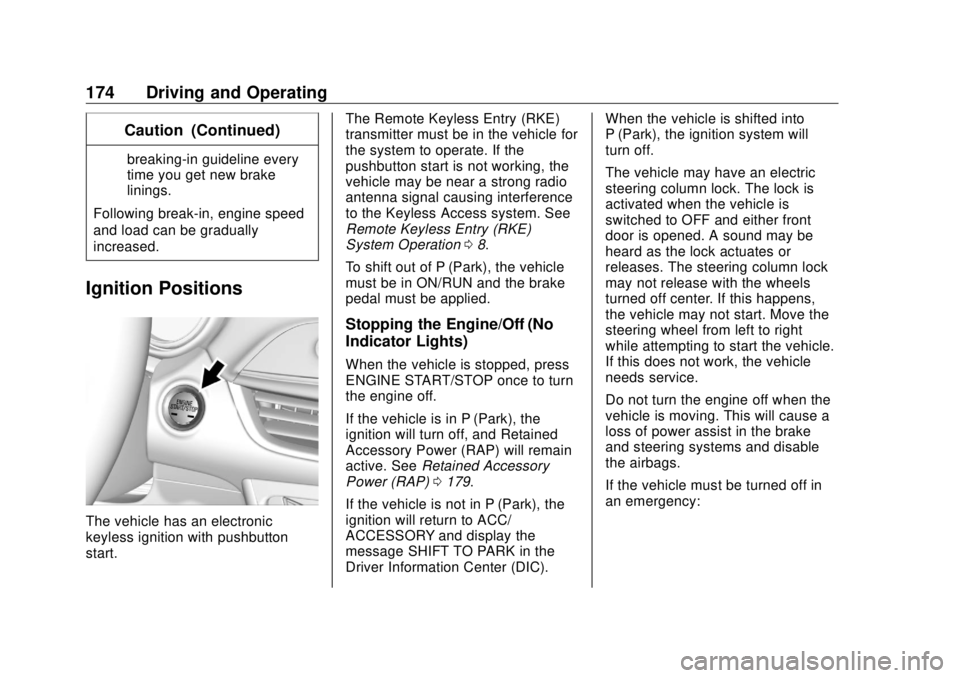
The vehicle has an electronic
keyless ignition with pushbutton
start. The Remote Keyless Entry (RKE)
transmitter must be in the vehicle for
the system to operate. If the
pushbutton start is not working, the
vehicle may be near a strong radio
antenna signal causing interference
to the Keyless Access system. See
Remote Keyless Entry (RKE)
System Operation 0 8 .
To shift out of P (Park), the vehicle
must be in ON/RUN and the brake
pedal must be applied.
Stopping the Engine/Off (No
Indicator Lights) When the vehicle is stopped, press
ENGINE START/STOP once to turn
the engine off.
If the vehicle is in P (Park), the
ignition will turn off, and Retained
Accessory Power (RAP) will remain
active. See Retained Accessory
Power (RAP) 0 179 .
If the vehicle is not in P (Park), the
ignition will return to ACC/
ACCESSORY and display the
message SHIFT TO PARK in the
Driver Information Center (DIC). When the vehicle is shifted into
P (Park), the ignition system will
turn off.
The vehicle may have an electric
steering column lock. The lock is
activated when the vehicle is
switched to OFF and either front
door is opened. A sound may be
heard as the lock actuates or
releases. The steering column lock
may not release with the wheels
turned off center. If this happens,
the vehicle may not start. Move the
steering wheel from left to right
while attempting to start the vehicle.
If this does not work, the vehicle
needs service.
Do not turn the engine off when the
vehicle is moving. This will cause a
loss of power assist in the brake
and steering systems and disable
the airbags.
If the vehicle must be turned off in
an emergency:
Page 177 of 363
Buick Envision Owner Manual (GMNA-Localizing-U.S./Canada/Mexico-
13555857) - 2020 - CRC - 2/25/19
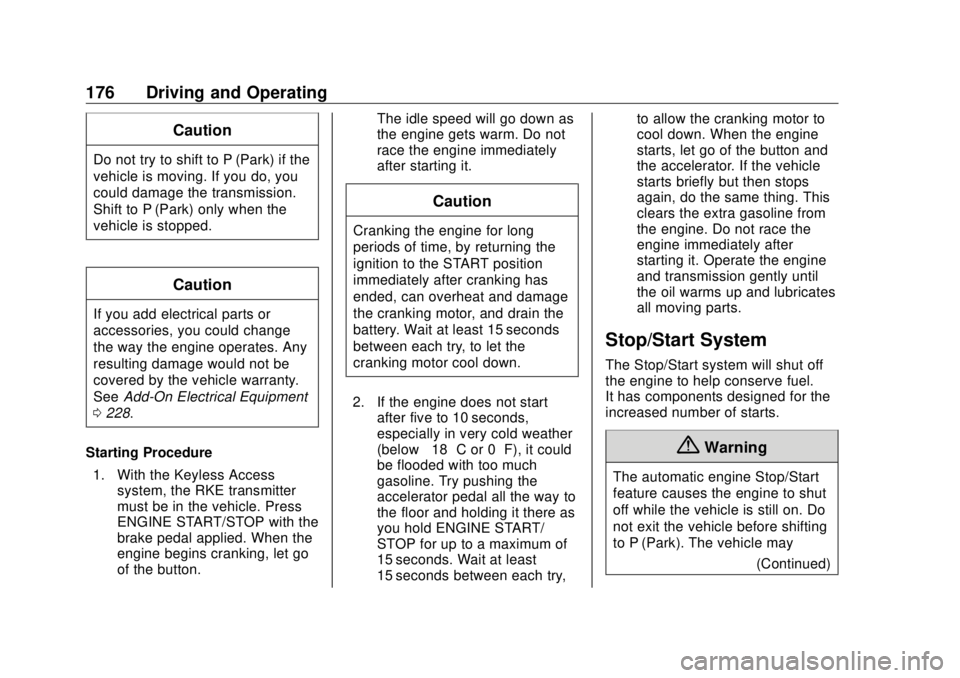
176 Driving and Operating CautionDo not try to shift to P (Park) if the
vehicle is moving. If you do, you
could damage the transmission.
Shift to P (Park) only when the
vehicle is stopped.
CautionIf you add electrical parts or
accessories, you could change
the way the engine operates. Any
resulting damage would not be
covered by the vehicle warranty.
See Add-On Electrical Equipment
0 228 .
Starting Procedure
1. With the Keyless Access
system, the RKE transmitter
must be in the vehicle. Press
ENGINE START/STOP with the
brake pedal applied. When the
engine begins cranking, let go
of the button. The idle speed will go down as
the engine gets warm. Do not
race the engine immediately
after starting it.
CautionCranking the engine for long
periods of time, by returning the
ignition to the START position
immediately after cranking has
ended, can overheat and damage
the cranking motor, and drain the
battery. Wait at least 15 seconds
between each try, to let the
cranking motor cool down.
2. If the engine does not start
after five to 10 seconds,
especially in very cold weather
(below − 18 °C or 0 °F), it could
be flooded with too much
gasoline. Try pushing the
accelerator pedal all the way to
the floor and holding it there as
you hold ENGINE START/
STOP for up to a maximum of
15 seconds. Wait at least
15 seconds between each try, to allow the cranking motor to
cool down. When the engine
starts, let go of the button and
the accelerator. If the vehicle
starts briefly but then stops
again, do the same thing. This
clears the extra gasoline from
the engine. Do not race the
engine immediately after
starting it. Operate the engine
and transmission gently until
the oil warms up and lubricates
all moving parts.
Stop/Start System The Stop/Start system will shut off
the engine to help conserve fuel.
It has components designed for the
increased number of starts.
{ Warning
The automatic engine Stop/Start
feature causes the engine to shut
off while the vehicle is still on. Do
not exit the vehicle before shifting
to P (Park). The vehicle may
(Continued)