oil change BUICK ENVISION 2022 User Guide
[x] Cancel search | Manufacturer: BUICK, Model Year: 2022, Model line: ENVISION, Model: BUICK ENVISION 2022Pages: 369, PDF Size: 14.04 MB
Page 317 of 369

Buick Envision Owner Manual (GMNA-Localizing-U.S./Canada/Mexico-
15218978) - 2022 - CRC - 5/12/21
316 Vehicle Care
Caution (Continued)
.Never rub any surface aggressively or
with too much pressure.
.Do not get any exposed electrical
components wet.
.Do not use laundry detergents or
dishwashing soaps with degreasers. Do
not use solutions that contain strong
or caustic soap.
.Do not heavily saturate the upholstery
when cleaning.
.Do not use solvents or cleaners
containing solvents.
.Do not use disinfecting wipes that are
scented or contain bleach. Do not use
wipes or cleaners that show a color
transfer to the wipe or change the
appearance of the interior surface
when used.
.Do not use scented or gel-type hand
sanitizers. If hand sanitizer comes in
contact with interior surfaces of the
vehicle, blot immediately and clean
with a soft cloth dampened with a
mild soap and water solution.
Interior Glass
To clean, use a microfiber cloth fabric
dampened with water. Wipe droplets left
behind with a clean dry cloth. If necessary,
use a commercial glass cleaner after
cleaning with plain water.
Caution
To prevent scratching, never use abrasive
cleaners on automotive glass. Abrasive
cleaners or aggressive cleaning may
damage the rear window defogger.
Cleaning the windshield with water during
the first three to six months of ownership
will reduce tendency to fog.
Speaker Covers
Vacuum around a speaker cover gently, so
that the speaker will not be damaged. Clean
spots with water and mild soap.
Coated Moldings
Coated moldings should be cleaned.
.When lightly soiled, wipe with a sponge
or soft, lint-free cloth dampened with
water.
.When heavily soiled, use warm soapy
water.
Vinyl/Rubber
If equipped with vinyl floor and rubber floor
mats, use a soft cloth and/or brush
dampened with water to remove dust and
loose dirt. For more thorough cleaning, use
a mild soap and water solution.
{Warning
Do not use cleaners that contain silicone,
wax-based products, or cleaners that
increase gloss on vinyl/rubber floor and
mats. These cleaners can permanently
change the appearance and feel of the
vinyl/rubber and can make the floor
slippery. Your foot could slip while
operating the vehicle, and you could lose
control, resulting in a crash. You or
others could be injured.
Fabric/Carpet/Suede
Start by vacuuming the surface using a soft
brush attachment. If a rotating vacuum
brush attachment is being used, only use it
on the floor carpet. Before cleaning, gently
remove as much of the soil as possible:
.Gently blot liquids with a paper towel.
Continue blotting until no more soil can
be removed.
Page 318 of 369

Buick Envision Owner Manual (GMNA-Localizing-U.S./Canada/Mexico-
15218978) - 2022 - CRC - 5/12/21
Vehicle Care 317
.For solid soils, remove as much as
possible prior to vacuuming.
To clean: 1. Saturate a clean, lint-free colorfast cloth with water. Microfiber cloth is
recommended to prevent lint transfer to
the fabric or carpet.
2. Remove excess moisture by gently wringing until water does not drip from
the cleaning cloth.
3. Start on the outside edge of the soil and gently rub toward the center. Fold the
cleaning cloth to a clean area frequently
to prevent forcing the soil into the
fabric.
4. Continue gently rubbing the soiled area until there is no longer any color
transfer from the soil to the cleaning
cloth.
5. If the soil is not completely removed, use a mild soap solution followed only
by plain water.
If the soil is not completely removed, it may
be necessary to use a commercial upholstery
cleaner or spot lifter. Test a small hidden
area for colorfastness before using a commercial upholstery cleaner or spot lifter.
If ring formation occurs, clean the entire
fabric or carpet.
After cleaning, use a paper towel to blot
excess moisture.
Cleaning High Gloss Surfaces and Vehicle
Information and Radio Displays
Use a microfiber cloth on high gloss surfaces
or vehicle displays. First, use a soft bristle
brush to remove dirt that can scratch the
surface. Then gently clean by rubbing with a
microfiber cloth. Never use window cleaners
or solvents. Periodically hand wash the
microfiber cloth separately, using mild soap.
Do not use bleach or fabric softener. Rinse
thoroughly and air dry before next use.
Caution
Do not attach a device with a suction cup
to the display. This may cause damage
and would not be covered by the vehicle
warranty.
Instrument Panel, Leather, Vinyl, Other
Plastic Surfaces, Low Gloss Paint
Surfaces, and Natural Open Pore Wood
Surfaces
Use a soft bristle brush to remove dust from
knobs and crevices on the instrument
cluster. Use a soft microfiber cloth
dampened with water to remove dust and
loose dirt. For a more thorough cleaning,
use a soft microfiber cloth dampened with a
mild soap and water solution.
Caution
Soaking or saturating leather, especially
perforated leather, as well as other
interior surfaces, may cause permanent
damage. Wipe excess moisture from
these surfaces after cleaning and allow
them to dry naturally. Never use heat,
steam, or spot removers. Do not use
liquids that contain alcohol or solvents on
leather seats. Do not use cleaners that
contain silicone or wax-based products.
Cleaners containing these solvents can
permanently change the appearance and
feel of leather or soft trim, and are not
recommended.
Page 321 of 369
Buick Envision Owner Manual (GMNA-Localizing-U.S./Canada/Mexico-
15218978) - 2022 - CRC - 5/12/21
320 Service and Maintenance
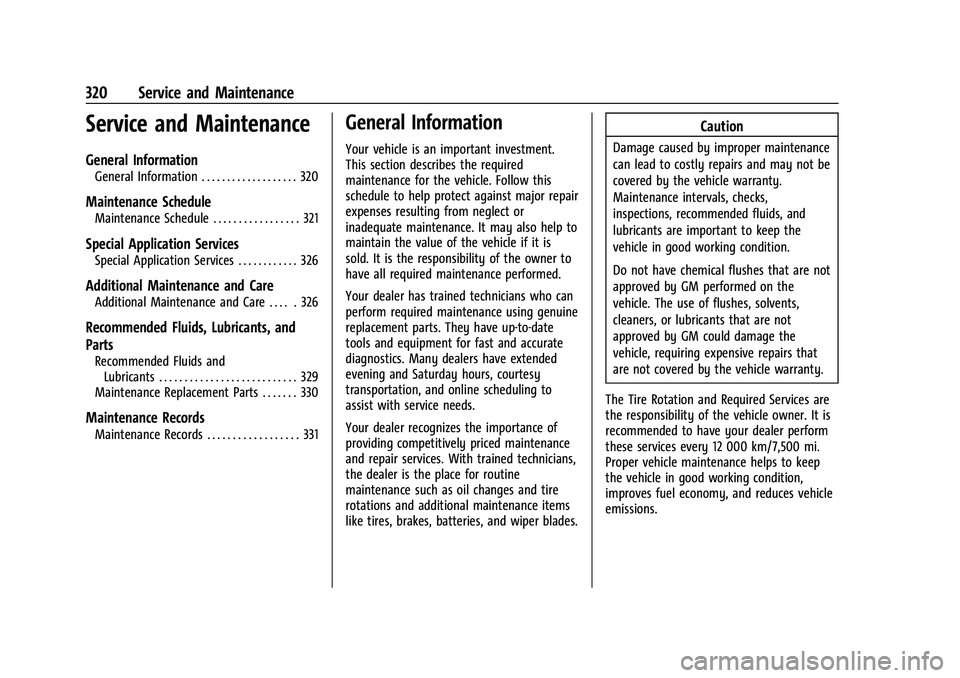
Service and Maintenance
General Information
General Information . . . . . . . . . . . . . . . . . . . 320
Maintenance Schedule
Maintenance Schedule . . . . . . . . . . . . . . . . . 321
Special Application Services
Special Application Services . . . . . . . . . . . . 326
Additional Maintenance and Care
Additional Maintenance and Care . . . . . 326
Recommended Fluids, Lubricants, and
Parts
Recommended Fluids andLubricants . . . . . . . . . . . . . . . . . . . . . . . . . . . 329
Maintenance Replacement Parts . . . . . . . 330
Maintenance Records
Maintenance Records . . . . . . . . . . . . . . . . . . 331
General Information
Your vehicle is an important investment.
This section describes the required
maintenance for the vehicle. Follow this
schedule to help protect against major repair
expenses resulting from neglect or
inadequate maintenance. It may also help to
maintain the value of the vehicle if it is
sold. It is the responsibility of the owner to
have all required maintenance performed.
Your dealer has trained technicians who can
perform required maintenance using genuine
replacement parts. They have up-to-date
tools and equipment for fast and accurate
diagnostics. Many dealers have extended
evening and Saturday hours, courtesy
transportation, and online scheduling to
assist with service needs.
Your dealer recognizes the importance of
providing competitively priced maintenance
and repair services. With trained technicians,
the dealer is the place for routine
maintenance such as oil changes and tire
rotations and additional maintenance items
like tires, brakes, batteries, and wiper blades.
Caution
Damage caused by improper maintenance
can lead to costly repairs and may not be
covered by the vehicle warranty.
Maintenance intervals, checks,
inspections, recommended fluids, and
lubricants are important to keep the
vehicle in good working condition.
Do not have chemical flushes that are not
approved by GM performed on the
vehicle. The use of flushes, solvents,
cleaners, or lubricants that are not
approved by GM could damage the
vehicle, requiring expensive repairs that
are not covered by the vehicle warranty.
The Tire Rotation and Required Services are
the responsibility of the vehicle owner. It is
recommended to have your dealer perform
these services every 12 000 km/7,500 mi.
Proper vehicle maintenance helps to keep
the vehicle in good working condition,
improves fuel economy, and reduces vehicle
emissions.
Page 322 of 369

Buick Envision Owner Manual (GMNA-Localizing-U.S./Canada/Mexico-
15218978) - 2022 - CRC - 5/12/21
Service and Maintenance 321
Because of the way people use vehicles,
maintenance needs vary. There may need to
be more frequent checks and services. The
Additional Required Services - Normal are for
vehicles that:
.Carry passengers and cargo within
recommended limits on the Tire and
Loading Information label. SeeVehicle
Load Limits 0196.
.Are driven on reasonable road surfaces
within legal driving limits.
.Use the recommended fuel. See
Recommended Fuel 0246.
Refer to the information in the Maintenance
Schedule Additional Required Services -
Normal chart.
The Additional Required Services - Severe are
for vehicles that are:
.Mainly driven in heavy city traffic in hot
weather.
.Mainly driven in hilly or mountainous
terrain.
.Frequently towing a trailer.
.Used for high speed or competitive
driving.
.Used for taxi, police, or delivery service. Refer to the information in the Maintenance
Schedule Additional Required Services -
Severe chart.
{Warning
Performing maintenance work can be
dangerous and can cause serious injury.
Perform maintenance work only if the
required information, proper tools, and
equipment are available. If they are not,
see your dealer to have a trained
technician do the work. See
Doing Your
Own Service Work 0259.
Maintenance Schedule
Owner Checks and Services
Check the engine oil level. See Engine Oil
0 262.
Once a Month
.Check the tire inflation pressures. See Tire
Pressure 0290.
.Inspect the tires for wear. See Tire
Inspection 0295.
.Check the windshield washer fluid level.
See Washer Fluid 0270.
Engine Oil Change
When the CHANGE ENGINE OIL SOON
message displays, have the engine oil
and filter changed within the next
1 000 km/600 mi. If driven under the best
conditions, the engine oil life system may
not indicate the need for vehicle service for
up to a year. The engine oil and filter must
be changed at least once a year and the oil
life system must be reset. Your trained
dealer technician can perform this work.
If the engine oil life system is reset
accidentally, service the vehicle within
5 000 km/3,000 mi since the last service.
Reset the oil life system when the oil is
changed. See Engine Oil Life System 0264.
Engine Air Filter Change
When the REPLACE AT NEXT OIL CHANGE
message displays, the engine air filter
should be replaced at the next engine oil
change. When the REPLACE ENGINE AIR
FILTER SOON message displays, the engine
air filter should be replaced at the earliest
convenience. Reset the engine air filter life
system after the engine air filter is replaced.
See Engine Air Filter Life System 0265.
Page 323 of 369

Buick Envision Owner Manual (GMNA-Localizing-U.S./Canada/Mexico-
15218978) - 2022 - CRC - 5/12/21
322 Service and Maintenance
Air Conditioning Desiccant (Replace Every
Seven Years)
The air conditioning system requires
maintenance every seven years. This service
requires replacement of the desiccant to
help the longevity and efficient operation of
the air conditioning system. This service can
be complex. See your dealer.
Tire Rotation and Required Services
Every 12 000 km/7,500 mi
Rotate the tires, if recommended for the
vehicle, and perform the following services.
SeeTire Rotation 0295.
.Check engine oil level and oil
life percentage. If needed, change engine
oil and filter, and reset oil life system.
See Engine Oil 0262 and
Engine Oil Life System 0264.
.Check the air filter life percentage.
If necessary, replace the engine air filter
and reset the engine air filter life system.
See Engine Air Filter Life System 0265.
.Check engine coolant level. See Cooling
System 0266.
.Check windshield washer fluid level. See
Washer Fluid 0270.
.Check tire inflation pressures. See Tire
Pressure 0290.
.Inspect tire wear. See Tire Inspection
0 295.
.Visually check for fluid leaks.
.Inspect brake system. See Exterior Care
0 311.
.Visually inspect steering, suspension, and
chassis components for damage, including
cracks or tears in the rubber boots, loose
or missing parts, or signs of wear at least
once a year. See Exterior Care0311.
.Inspect power steering for proper
attachment, connections, binding, leaks,
cracks, chafing, etc.
.Visually inspect halfshafts and drive
shafts for excessive wear, lubricant leaks,
and/or damage including: tube dents or
cracks, constant velocity joint or universal
joint looseness, cracked or missing boots,
loose or missing boot clamps, center
bearing excessive looseness, loose or
missing fasteners, and axle seal leaks.
.Check restraint system components. See
Safety System Check 048.
.Visually inspect the fuel system, including
the evaporative (EVAP) system, for
damage or leaks. Visually check all fuel
pipes, vapor lines, and hoses for proper
attachment, connection, routing, and
condition.
.Visually inspect exhaust system and
nearby heat shields for loose or damaged
parts.
.Lubricate body components. See Exterior
Care 0311.
.Check parking brake and automatic
transmission park mechanism. See Park
Brake and P (Park) Mechanism Check
0 273.
.Check accelerator pedal for damage, high
effort, or binding. Replace if needed.
.Visually inspect gas strut for signs of
wear, cracks, or other damage. Check the
hold open ability of the strut. If the hold
open is low, service the gas strut. See Gas
Strut(s) 0275.
.Inspect sunroof track and seal,
if equipped. See Sunroof030.
Page 324 of 369

Buick Envision Owner Manual (GMNA-Localizing-U.S./Canada/Mexico-
15218978) - 2022 - CRC - 5/12/21
Service and Maintenance 323
Maintenance Schedule Additional
Required Services - Normal12 000 km/7,500 mi
24 000 km/15,000 mi
36 000 km/22,500 mi
48 000 km/30,000 mi 60 000 km/37,500 mi
72 000 km/45,000 mi84 000 km/52,500 mi
96 000 km/60,000 mi
108 000 km/67,500 mi 120 000 km/75,000 mi 132 000 km/82,500 mi
144 000 km/90,000 mi 156 000 km/97,500 mi
168 000 km/105,000 mi 180 000 km/112,500 mi
192 000 km/120,000 mi 204 000 km/127,500 mi 216 000 km/135,000 mi
228 000 km/142,500 mi
240 000 km/150,000 mi
Rotate tires, if recommended for the vehicle, and perform
Required Services. (1) Check engine oil level and oil life per-
centage. Change engine oil and filter, if needed.
Check engine air filter life percentage and status. Change
engine air filter, if needed.
@ @ @ @ @ @ @ @ @ @ @ @ @ @ @ @ @ @ @ @
Replace passenger compartment air filter. (2)@ @@@@@
Replace spark plugs. Inspect spark plug wires and/or boots.@ @
Change rear axle fluid, if equipped with AWD. (3)@
Drain and fill engine cooling system. (4)@
Visually inspect accessory drive belts. (5)@
Replace brake fluid. (6)
Replace front and rear wiper blades. (7)
@ @ @ @ @ @ @ @ @ @
Replace hood and/or body lift support gas struts. (8)@ @
Replace air conditioning desiccant. (9)
Page 326 of 369

Buick Envision Owner Manual (GMNA-Localizing-U.S./Canada/Mexico-
15218978) - 2022 - CRC - 5/12/21
Service and Maintenance 325
Maintenance Schedule Additional
Required Services - Severe12 000 km/7,500 mi
24 000 km/15,000 mi
36 000 km/22,500 mi
48 000 km/30,000 mi 60 000 km/37,500 mi
72 000 km/45,000 mi84 000 km/52,500 mi
96 000 km/60,000 mi
108 000 km/67,500 mi 120 000 km/75,000 mi 132 000 km/82,500 mi
144 000 km/90,000 mi 156 000 km/97,500 mi
168 000 km/105,000 mi 180 000 km/112,500 mi
192 000 km/120,000 mi 204 000 km/127,500 mi 216 000 km/135,000 mi
228 000 km/142,500 mi
240 000 km/150,000 mi
Rotate tires, if recommended for the vehicle, and perform
Required Services. (1) Check engine oil level and oil life per-
centage. Change engine oil and filter, if needed.
Check engine air filter life percentage and status. Change
engine air filter, if needed.
@ @ @ @ @ @ @ @ @ @ @ @ @ @ @ @ @ @ @ @
Replace passenger compartment air filter. (2)@ @@@@@
Replace spark plugs. Inspect spark plug wires and/or boots.@ @
Change rear axle fluid, if equipped with AWD. (3)@ @
Change automatic transmission fluid.@@@
Drain and fill engine cooling system. (4)@
Visually inspect accessory drive belts. (5)@
Replace brake fluid. (6)
Replace front and rear wiper blades. (7)
@ @ @ @ @ @ @ @ @ @
Replace hood and/or body lift support gas struts. (8)@ @
Replace air conditioning desiccant. (9)
Page 327 of 369

Buick Envision Owner Manual (GMNA-Localizing-U.S./Canada/Mexico-
15218978) - 2022 - CRC - 5/12/21
326 Service and Maintenance
Footnotes—Maintenance Schedule
Additional Required Services - Severe
(1) Vehicles with different size front and rear
tires do not have tire rotation. See Tire
Rotation 0295.
(2) Or every two years, whichever comes
first. More frequent passenger compartment
air filter replacement may be needed if
driving in areas with heavy traffic, poor air
quality, high dust levels, or environmental
allergens. Passenger compartment air filter
replacement may also be needed if there is
reduced airflow, window fogging, or odors.
Your GM dealer can help determine when to
replace the filter.
(3) Do not directly power wash the transfer
case and/or front/rear axle output seals.
High pressure water can overcome the seals
and contaminate the transfer case fluid.
Contaminated fluid will decrease the life of
the transfer case and/or axles and should be
replaced.
(4) Or every five years, whichever comes
first. See Cooling System 0266. (5)
Or every 10 years, whichever comes first.
Inspect for fraying, excessive cracking,
or damage; replace, if needed.
(6) Replace brake fluid every five years. See
Brake Fluid 0272.
(7) Or every 12 months, whichever comes
first. See Wiper Blade Replacement 0274.
(8) Or every 10 years, whichever comes first.
See Gas Strut(s) 0275.
(9) Replace air conditioning desiccant every
seven years.
Special Application Services
.Severe Commercial Use Vehicles Only:
Lubricate chassis components every oil
change.
.Have underbody flushing service
performed. See "Underbody Maintenance"
in Exterior Care 0311.
Additional Maintenance
and Care
Your vehicle is an important investment and
caring for it properly may help to avoid
future costly repairs. To maintain vehicle
performance, additional maintenance
services may be required.
It is recommended that your dealer perform
these services —their trained dealer
technicians know your vehicle best. Your
dealer can also perform a thorough
assessment with a multi-point inspection to
recommend when your vehicle may need
attention.
The following list is intended to explain the
services and conditions to look for that may
indicate services are required.
Battery
The 12-volt battery supplies power to start
the engine and operate any additional
electrical accessories.
.To avoid break-down or failure to start
the vehicle, maintain a battery with full
cranking power.
Page 355 of 369
Buick Envision Owner Manual (GMNA-Localizing-U.S./Canada/Mexico-
15218978) - 2022 - CRC - 5/12/21
354 Connected Services
Ensuring Security
.Change the default passwords for the
Wi-Fi hotspot and myBuick mobile
application. Make these passwords
different from each other and use a
combination of letters and numbers to
increase the security.
.Change the default name of the SSID
(Service Set Identifier). This is your
network’s name that is visible to other
wireless devices. Choose a unique name
and avoid family names or vehicle
descriptions.
Wi-Fi Hotspot (If Equipped)
The vehicle may have a built-in Wi-Fi
hotspot that provides access to the Internet
and web content at 4G LTE speed. Up to
seven mobile devices can be connected.
A data plan is required. Use the in-vehicle
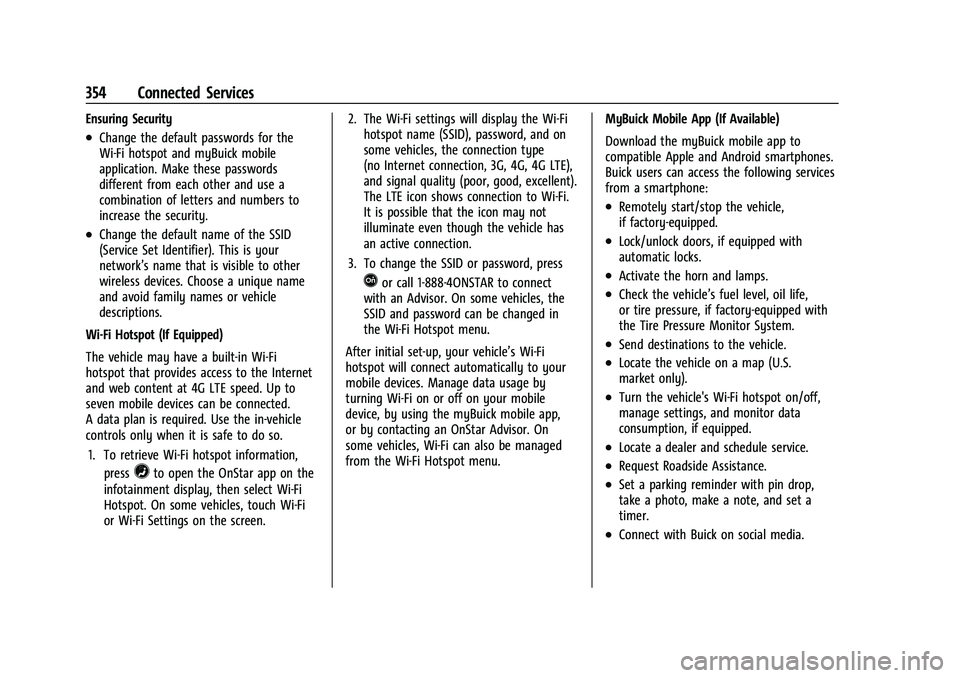
controls only when it is safe to do so. 1. To retrieve Wi-Fi hotspot information, press
=to open the OnStar app on the
infotainment display, then select Wi-Fi
Hotspot. On some vehicles, touch Wi-Fi
or Wi-Fi Settings on the screen. 2. The Wi-Fi settings will display the Wi-Fi
hotspot name (SSID), password, and on
some vehicles, the connection type
(no Internet connection, 3G, 4G, 4G LTE),
and signal quality (poor, good, excellent).
The LTE icon shows connection to Wi-Fi.
It is possible that the icon may not
illuminate even though the vehicle has
an active connection.
3. To change the SSID or password, press
Qor call 1-888-4ONSTAR to connect
with an Advisor. On some vehicles, the
SSID and password can be changed in
the Wi-Fi Hotspot menu.
After initial set-up, your vehicle’s Wi-Fi
hotspot will connect automatically to your
mobile devices. Manage data usage by
turning Wi-Fi on or off on your mobile
device, by using the myBuick mobile app,
or by contacting an OnStar Advisor. On
some vehicles, Wi-Fi can also be managed
from the Wi-Fi Hotspot menu. MyBuick Mobile App (If Available)
Download the myBuick mobile app to
compatible Apple and Android smartphones.
Buick users can access the following services
from a smartphone:
.Remotely start/stop the vehicle,
if factory-equipped.
.Lock/unlock doors, if equipped with
automatic locks.
.Activate the horn and lamps.
.Check the vehicle’s fuel level, oil life,
or tire pressure, if factory-equipped with
the Tire Pressure Monitor System.
.Send destinations to the vehicle.
.Locate the vehicle on a map (U.S.
market only).
.Turn the vehicle's Wi-Fi hotspot on/off,
manage settings, and monitor data
consumption, if equipped.
.Locate a dealer and schedule service.
.Request Roadside Assistance.
.Set a parking reminder with pin drop,
take a photo, make a note, and set a
timer.
.Connect with Buick on social media.
Page 362 of 369
Buick Envision Owner Manual (GMNA-Localizing-U.S./Canada/Mexico-
15218978) - 2022 - CRC - 5/12/21
Index 361
I
If the System Needs Service . . . . . . . . . . . . . 150
Ignition Positions . . . . . . . . . . . . . . . . . . . . . . . . 199
IndicatorPedestrian Ahead . . . . . . . . . . . . . . . . . . . . . . 100
Vehicle Ahead . . . . . . . . . . . . . . . . . . . . . . . . . 100
Infants and Young Children, Restraints . . . . .61
Information Publication Ordering . . . . . . . . . . . . . . . . . . . 343
Infotainment System . . . . . . . . . . . . . . . . . . . . 347
Instrument Cluster . . . . . . . . . . . . . . . . . . . . . . . . 90
Instrument Panel Overview . . . . . . . . . . . . . . . . 4
Interior Rearview Mirrors . . . . . . . . . . . . . . . . . 26
Introduction . . . . . . . . . . . . . . . . . . . . . . . . . . . .1, 127
J
Jump Starting - North America . . . . . . . . . . . 308
K
Keyless Entry Remote (RKE) System . . . . . . . . . . . . . . . . . . . . 7
Keys . . . . . . . . . . . . . . . . . . . . . . . . . . . . . . . . . . . . . . . 6
L
Labeling, Tire Sidewall . . . . . . . . . . . . . . . . . . . 286
Lamps Courtesy . . . . . . . . . . . . . . . . . . . . . . . . . . . . . . . 124
Daytime Running (DRL) . . . . . . . . . . . . . . . . . 121
Dome . . . . . . . . . . . . . . . . . . . . . . . . . . . . . . . . . . 124 Lamps (cont'd)
Exterior Controls . . . . . . . . . . . . . . . . . . . . . . . . 118
Exterior Lamps Off Reminder . . . . . . . . . . . 121
Exterior Lighting Battery Saver . . . . . . . . 126
Malfunction Indicator (Check
Engine) . . . . . . . . . . . . . . . . . . . . . . . . . . . . . . . 96
On Reminder . . . . . . . . . . . . . . . . . . . . . . . . . . 103
Reading . . . . . . . . . . . . . . . . . . . . . . . . . . . . . . . . 124
Lane Change Alert (LCA) . . . . . . . . . . . . . . . . . 242
Lane Keep Assist (LKA) . . . . . . . . . . . . . . . . . . . 244
Lane Keep Assist Light . . . . . . . . . . . . . . . . . . . . 99
Lap-Shoulder Belt . . . . . . . . . . . . . . . . . . . . . . . . . 45
LATCH System Replacing Parts after a Crash . . . . . . . . . . . . 71
LATCH, Lower Anchors and Tethers for Children . . . . . . . . . . . . . . . . . . . . . . . . . . . . . . . . . 65
LED Lighting . . . . . . . . . . . . . . . . . . . . . . . . . . . . . 276
Liftgate . . . . . . . . . . . . . . . . . . . . . . . . . . . . . . . . . . . . 17
Lighting Adaptive Forward . . . . . . . . . . . . . . . . . . . . . . 122
Entry . . . . . . . . . . . . . . . . . . . . . . . . . . . . . . . . . . 125
Exit . . . . . . . . . . . . . . . . . . . . . . . . . . . . . . . . . . . . 125
Illumination Control . . . . . . . . . . . . . . . . . . . 123
LED . . . . . . . . . . . . . . . . . . . . . . . . . . . . . . . . . . . . 276
Lights Airbag Readiness . . . . . . . . . . . . . . . . . . . . . . . 95
All-Wheel Drive . . . . . . . . . . . . . . . . . . . . . . . . . 99 Lights (cont'd)
Antilock Brake System (ABS)
Warning . . . . . . . . . . . . . . . . . . . . . . . . . . . . . . 98
Brake System Warning . . . . . . . . . . . . . . . . . 97
Charging System . . . . . . . . . . . . . . . . . . . . . . . 96
Check Engine (Malfunction Indicator) . . . . . . . . . . . . . . . . . . . . . . . . . . . . . 96
Cruise Control . . . . . . . . . . . . . . . . . . . . . . . . . 103
Door Ajar . . . . . . . . . . . . . . . . . . . . . . . . . . . . . . 104
Driver Mode Control . . . . . . . . . . . . . . . . . . . 101
Electric Parking Brake . . . . . . . . . . . . . . . . . . . 98
Engine Coolant Temperature Warning . . . . . . . . . . . . . . . . . . . . . . . . . . . . . 101
Engine Oil Pressure . . . . . . . . . . . . . . . . . . . . 102
Flash-to-Pass . . . . . . . . . . . . . . . . . . . . . . . . . . . . 121
High-Beam On . . . . . . . . . . . . . . . . . . . . . . . . . 103
High/Low Beam Changer . . . . . . . . . . . . . . . 121
Hill Descent Control . . . . . . . . . . . . . . . . . . . . 99
Lane Keep Assist . . . . . . . . . . . . . . . . . . . . . . . . 99
Low Fuel Warning . . . . . . . . . . . . . . . . . . . . . 103
Seat Belt Reminders . . . . . . . . . . . . . . . . . . . . 94
Security . . . . . . . . . . . . . . . . . . . . . . . . . . . . . . . . 103
Service Electric Parking Brake . . . . . . . . . . . 98
StabiliTrak OFF . . . . . . . . . . . . . . . . . . . . . . . . . 100
Tire Pressure . . . . . . . . . . . . . . . . . . . . . . . . . . . 102
Traction Control System (TCS)/StabiliTrak . . . . . . . . . . . . . . . . . . . . . 101
Traction Off . . . . . . . . . . . . . . . . . . . . . . . . . . . . 100