battery BUICK LACROSSE 2005 User Guide
[x] Cancel search | Manufacturer: BUICK, Model Year: 2005, Model line: LACROSSE, Model: BUICK LACROSSE 2005Pages: 410, PDF Size: 2.59 MB
Page 132 of 410
Perimeter Lighting
Perimeter lighting provides a period of exterior vehicle
lighting. Perimeter lighting activates when the key
is removed from the ignition or the vehicle is unlocked
using the remote keyless entry transmitter. The
amount of time the exterior lamps will remain on can be
programmed using the Driver Information Center
(DIC). See “EXIT LIGHT DELAY” underDIC Vehicle
Personalization on page 3-71for additional information.
Overhead Console Reading
Lamps
Your vehicle may have reading lamps located on the
overhead console. Press the lens to turn them on
and off.
Rear Assist Handle Reading Lamps
Your vehicle may have reading lamps located near
the rear assist handles. Press the lens to turn them on
and off.
Battery Run-Down Protection
This helps prevent the vehicle’s battery from draining in
case the interior courtesy lamps, reading lamps,
trunk lamp, underhood lamp, glove box lamps, or sun
visor vanity lamps, if equipped, are accidently left on. If
any of these lamps are left on while the ignition is
off, they will automatically turn off after 10 minutes. The
lamps will not come back on again until one of the
following occurs:
The ignition is turned on.
The interior lamps control is turned off, then to
door or on.
Ultrasonic Rear Parking
Assist (URPA)
Your vehicle may be equipped with Ultrasonic Rear
Parking Assist (URPA). URPA is designed to help you
park while in REVERSE (R) and operates only at speeds
less than 3 mph (5 km/h). URPA can help you avoid
colliding with objects such as parked vehicles. The
system can detect objects 5 feet (1.5 m) behind your
vehicle and tell you how close those objects are to your
rear bumper.
3-18
Page 135 of 410
Notice:Improper use of the power outlet can cause
damage not covered by your warranty. Do not
hang any type of accessory or accessory bracket
from the plug because the power outlets are
designed for accessory power plugs only.
Notice:Leaving electrical equipment on for
extended periods will drain the battery. Always turn
off electrical equipment when not in use and do
not plug in equipment that exceeds the maximum
amperage rating.
When adding electrical equipment, be sure to follow
the proper installation instructions included with
the equipment.Climate Controls
Climate Control System
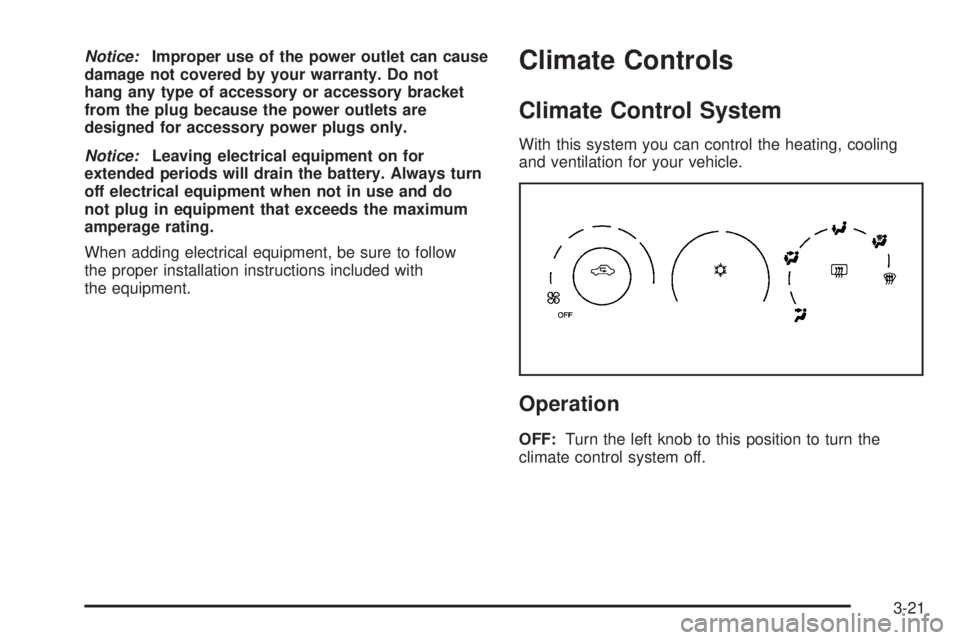
With this system you can control the heating, cooling
and ventilation for your vehicle.
Operation
OFF:Turn the left knob to this position to turn the
climate control system off.
3-21
Page 149 of 410
If the word OFF is lit on the airbag status indicator, it
means that the passenger sensing system has turned off
the right front passenger’s frontal airbag. SeePassenger
Sensing System on page 1-60for more on this,
including important safety information.
If, after several seconds, all status indicator lights
remain on, or if there are no lights at all, there may be a
problem with the lights or the passenger sensing
system. See your dealer for service.
{CAUTION:
If the off indicator and the airbag readiness
light ever come on together, it means that
something may be wrong with the airbag
system. If this ever happens, have the vehicle
serviced promptly, because an adult-size
person sitting in the right front passenger seat
may not have the protection of the frontal
airbag. SeeAirbag Readiness Light on
page 3-33.
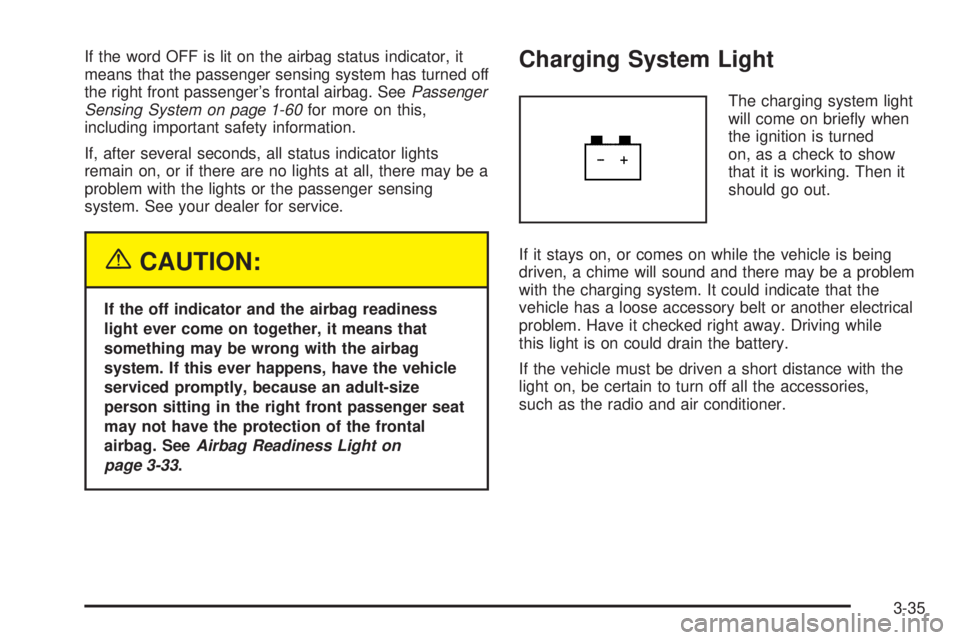
Charging System Light
The charging system light
will come on briey when
the ignition is turned
on, as a check to show
that it is working. Then it
should go out.
If it stays on, or comes on while the vehicle is being
driven, a chime will sound and there may be a problem
with the charging system. It could indicate that the
vehicle has a loose accessory belt or another electrical
problem. Have it checked right away. Driving while
this light is on could drain the battery.
If the vehicle must be driven a short distance with the
light on, be certain to turn off all the accessories,
such as the radio and air conditioner.
3-35
Page 155 of 410
Did you just drive through a deep puddle of water?
If so, your electrical system may be wet. The condition
will usually be corrected when the electrical system
dries out. A few driving trips should turn the light off.
Have you recently changed brands of fuel?
If so, be sure to fuel your vehicle with quality fuel. See
Gasoline Octane on page 5-5. Poor fuel quality will
cause your engine not to run as efficiently as designed.
You may notice this as stalling after start-up, stalling
when you put the vehicle into gear, misring, hesitation
on acceleration, or stumbling on acceleration. (These
conditions may go away once the engine is warmed up.)
This will be detected by the system and cause the
light to turn on.
If you experience one or more of these conditions,
change the fuel brand you use. It will require at least
one full tank of the proper fuel to turn the light off.
If none of the above steps have made the light turn off,
your dealer can check the vehicle. Your dealer has
the proper test equipment and diagnostic tools to x any
mechanical or electrical problems that may have
developed.Emissions Inspection and
Maintenance Programs
Some state/provincial and local governments have or
may begin programs to inspect the emission control
equipment on your vehicle. Failure to pass this
inspection could prevent you from getting a vehicle
registration.
Here are some things you need to know to help your
vehicle pass an inspection:
Your vehicle will not pass this inspection if the check
engine light is on or not working properly.
Your vehicle will not pass this inspection if the OBD
(on-board diagnostic) system determines that critical
emission control systems have not been completely
diagnosed by the system. The vehicle would be
considered not ready for inspection. This can happen if
you have recently replaced your battery or if your
battery has run down. The diagnostic system is
designed to evaluate critical emission control systems
during normal driving. This may take several days
of routine driving. If you have done this and your vehicle
still does not pass the inspection for lack of OBD
system readiness, your GM dealer can prepare the
vehicle for inspection.
3-41
Page 162 of 410
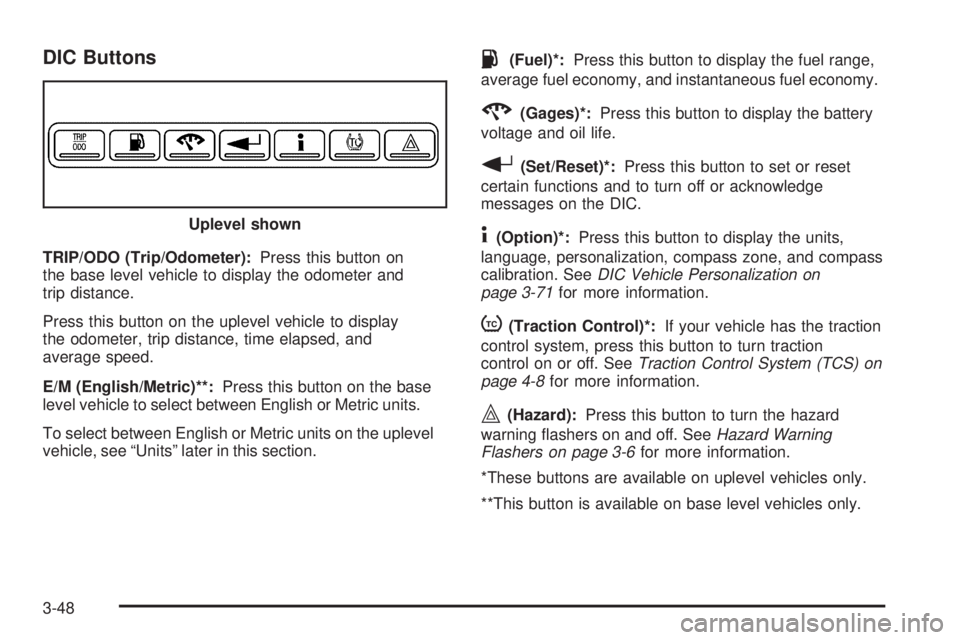
DIC Buttons
TRIP/ODO (Trip/Odometer):Press this button on
the base level vehicle to display the odometer and
trip distance.
Press this button on the uplevel vehicle to display
the odometer, trip distance, time elapsed, and
average speed.
E/M (English/Metric)**:Press this button on the base
level vehicle to select between English or Metric units.
To select between English or Metric units on the uplevel
vehicle, see “Units” later in this section.
.(Fuel)*:Press this button to display the fuel range,
average fuel economy, and instantaneous fuel economy.
2(Gages)*:Press this button to display the battery
voltage and oil life.
r(Set/Reset)*:Press this button to set or reset
certain functions and to turn off or acknowledge
messages on the DIC.
4(Option)*:Press this button to display the units,
language, personalization, compass zone, and compass
calibration. SeeDIC Vehicle Personalization on
page 3-71for more information.
t(Traction Control)*:If your vehicle has the traction
control system, press this button to turn traction
control on or off. SeeTraction Control System (TCS) on
page 4-8for more information.
|(Hazard):Press this button to turn the hazard
warning ashers on and off. SeeHazard Warning
Flashers on page 3-6for more information.
*These buttons are available on uplevel vehicles only.
**This button is available on base level vehicles only. Uplevel shown
3-48
Page 164 of 410
Fuel Menu Items (Uplevel Only)
.
(Fuel):Press this button to scroll through the
following menu items:
Fuel Range
Press the fuel button until FUEL RANGE displays.
This mode shows the approximate number of
remaining miles or kilometers the vehicle can be
driven without refueling.
Fuel range is based on several factors, including
distance travelled, fuel used, fuel capacity, etc. This
estimate will change if driving conditions change.
For example, if driving in traffic and making frequent
stops, this mode may read one number, but if the vehicle
is driven on a freeway, the number may change even
though the same amount of fuel is in the fuel tank. This
is because different driving conditions produce
different fuel economies. Generally, freeway driving
produces better fuel economy than city driving.
Fuel range cannot be reset.
If your vehicle is low on fuel, FUEL RANGE LOW will
display followed by the LOW FUEL message. See “LOW
FUEL” underDIC Warnings and Messages on
page 3-53for more information.
Average Fuel Economy
Press the fuel button until AVG ECONOMY displays.
This mode shows the approximate average miles per
gallon (mpg) or liters per 100 kilometers (L/100 km). This
number is calculated based on the number of mpg
(L/100 km) recorded since the last time this menu item
was reset. To reset AVG ECONOMY, press and hold the
set/reset button. The display will return to zero.
Instantaneous Fuel Economy
Press the fuel button until INST ECONOMY displays.
This mode shows the current fuel economy at a
particular moment and will change frequently as driving
conditions change. This mode shows the instantaneous
fuel economy in miles per gallon (mpg) or liters per
100 kilometers (L/100 km). Unlike average fuel
economy, this screen cannot be reset.
Gages Menu Items (Uplevel Only)
2
(Gages):Press this button to scroll through the
following menu items:
Battery
Press the gages button until BATTERY displays. This
mode shows the current battery voltage.
3-50
Page 165 of 410
If there is a problem with the battery charging system, a
DIC message will display. SeeDIC Warnings and
Messages on page 3-53for more information.
Your vehicle’s charging system regulates voltage based
on the state of the battery. The battery voltage may
uctuate when viewing this information on the DIC. This
is normal.
Oil Life
Press the gages button until OIL LIFE displays. This
mode shows an estimate of the oil’s remaining useful
life. If you see OIL LIFE 99% on the display, that means
99% of the current oil life remains. The engine oil life
system will alert you to change your oil on a schedule
consistent with your driving conditions.
When the remaining oil life is low, the CHANGE OIL
SOON message will appear on the display. You should
change your oil as soon as possible. SeeEngine Oil
on page 5-15. In addition to the engine oil life system
monitoring the oil life, additional maintenance is
recommended in the Maintenance Schedule in this
manual. SeeScheduled Maintenance on page 6-4for
more information.
Remember, you must reset the OIL LIFE yourself after
each oil change. It will not reset itself. Also, be
careful not to reset the OIL LIFE accidentally at any
time other than when the oil has just been changed. It
cannot be reset accurately until the next oil change.To reset the engine oil life system, press and hold the
set/reset button while OIL LIFE is displayed. The display
will show 100% when the system is reset. SeeEngine
Oil Life System on page 5-18for more information.
Option Menu Items (Uplevel Only)
4
(Option):Press this button to scroll through the
following menu items:
Units
Press the option button until UNITS displays. This mode
allows you to select between English or Metric units
of measurement. Once in this mode, press the set/reset
button to select between ENGLISH or METRIC units.
Language
Press the option button until the language screen
displays. This mode allows you to select the language
in which the DIC messages will appear. Once in
this mode, press the set/reset button to select among
the following choices:
English
Francais (French)
Espanol (Spanish)
3-51
Page 168 of 410
A/C OFF FOR ENGINE PROTECTION
This message will display when the engine coolant
becomes hotter than the normal operating temperature.
SeeEngine Coolant Temperature Gage on page 3-38.
To avoid added strain on a hot engine, the air
conditioning compressor is automatically turned off.
When the coolant temperature returns to normal, the air
conditioning compressor will turn back on. You can
continue to drive your vehicle.
This message will come on while the ignition is in RUN.
Press any of the DIC buttons to acknowledge this
warning message and to clear it from the screen.
This message will continue to display for two seconds if
it has not been acknowledged when the engine is
turned off. It will also re-display for two seconds if the
message has been acknowledged, but the condition still
exists when the engine is turned off.
If the condition still exists, the message will re-appear
when the engine is turned on. If this message continues
to appear, have the system repaired by your GM dealer
as soon as possible to avoid damage to your engine.
BATTERY SAVER ACTIVE
This message will display when the system detects that
the battery voltage is dropping beyond a reasonable
level. The battery saver system will start reducing certain
features of the vehicle that you may be able to notice.At the point that the features are disabled, this message
is displayed. It means that the vehicle is trying to
save the charge in the battery.
Turn off all unnecessary accessories to allow the battery
to recharge.
The normal battery voltage range is 11.5 to 15.5 volts. If
you have an uplevel DIC, you can monitor the battery
voltage by pressing the gages button until BATTERY
displays.
CHANGE OIL SOON
This message will display when service is required for
the vehicle. See your GM dealer. SeeEngine Oil
on page 5-15andScheduled Maintenance on page 6-4
for more information.
The CHANGE OIL SOON message is reset by
acknowledging the message. The OIL LIFE screen
under the gages menu on the DIC must also be reset.
See “Oil Life” underDIC Operation and Displays on
page 3-47andEngine Oil Life System on page 5-18.
This message will display while the ignition is in
RUN. Press any of the DIC buttons to acknowledge this
message and to clear it from the screen.
3-54
Page 169 of 410
This message will continue to display for two seconds if
it has not been acknowledged when the engine is
turned off. It will also re-display for two seconds if the
message has been acknowledged, but the condition still
exists when the engine is turned off.
If the condition still exists, the message will re-appear
when the engine is turned on.
CHARGING SYSTEM FAILURE
This message will display when there is a problem with
the generator and battery charging systems. Driving
with this problem could drain your battery. Turn off all
unnecessary accessories. Stop and turn off the
vehicle as soon as it is safe to do so. Have the electrical
system checked by your GM dealer immediately.
This message will display and a chime will sound while
the ignition is in RUN. Press any of the DIC buttons
to acknowledge this message and to clear it from
the screen.
This message will continue to display for two seconds if
it has not been acknowledged when the engine is
turned off. It will also re-display for two seconds if the
message has been acknowledged, but the condition still
exists when the engine is turned off.
If the condition still exists, the message will re-appear
when the engine is turned on.
CHECK GAS CAP
This message may be displayed if the gas cap is not
on, or is not fully tightened. Check the gas cap to ensure
that it is on properly. The diagnostic system can
determine if the fuel cap has been left off or improperly
installed. A loose or missing fuel cap will allow fuel
to evaporate into the atmosphere. A few driving trips
with the cap properly installed should turn this message
off. SeeFilling the Tank on page 5-8for more
information.
This message will display while the ignition is in RUN.
Press any of the DIC buttons to acknowledge this
message and to clear it from the screen.
This message will continue to display for two seconds if
it has not been acknowledged when the engine is
turned off. It will also re-display for two seconds if the
message has been acknowledged, but the condition still
exists when the engine is turned off.
If the condition still exists, the message will re-appear
when the engine is turned on.
3-55
Page 172 of 410
HOOD AJAR
This message will display when the hood is not closed
properly. When this message appears, you should
make sure that the hood is closed completely. SeeHood
Release on page 5-11.
This message will display while the ignition is in RUN.
Press any of the DIC buttons to acknowledge this
message and to clear it from the screen.
This message will continue to display for two seconds if
it has not been acknowledged when the engine is
turned off. It will also re-display for two seconds if the
message has been acknowledged, but the condition still
exists when the engine is turned off.
If the condition still exists, the message will re-appear
when the engine is turned on.
HOT TRANS FLUID
This message will display when the transaxle uid in
your vehicle is too hot. Stop the vehicle and allow it to
idle until it cools down. If the warning message
continues to display, have the vehicle serviced by your
GM dealer as soon as possible.
This message will display and a chime will sound only
while the ignition is in RUN. Press any of the DIC
buttons to acknowledge this message and to clear it
from the screen.This message will continue to display for two seconds if
it has not been acknowledged when the engine is
turned off. It will also re-display for two seconds if the
message has been acknowledged, but the condition still
exists when the engine is turned off.
If the condition still exists, the message will re-appear
when the engine is turned on.
KEY FOB BATTERY LOW
This message will display when the battery in the
remote keyless entry transmitter needs to be replaced.
To replace the battery, see “Battery Replacement”
underRemote Keyless Entry System Operation
on page 2-4.
This message will display while the ignition is in RUN.
Press any of the DIC buttons to acknowledge this
message and to clear it from the screen.
This message will continue to display for two seconds if
it has not been acknowledged when the engine is
turned off. It will also re-display for two seconds if the
message has been acknowledged, but the condition still
exists when the engine is turned off.
If the condition still exists, the message will re-appear
when the engine is turned on.
3-58