light BUICK LACROSSE 2005 Repair Manual
[x] Cancel search | Manufacturer: BUICK, Model Year: 2005, Model line: LACROSSE, Model: BUICK LACROSSE 2005Pages: 410, PDF Size: 2.59 MB
Page 160 of 410
Fuel Gage
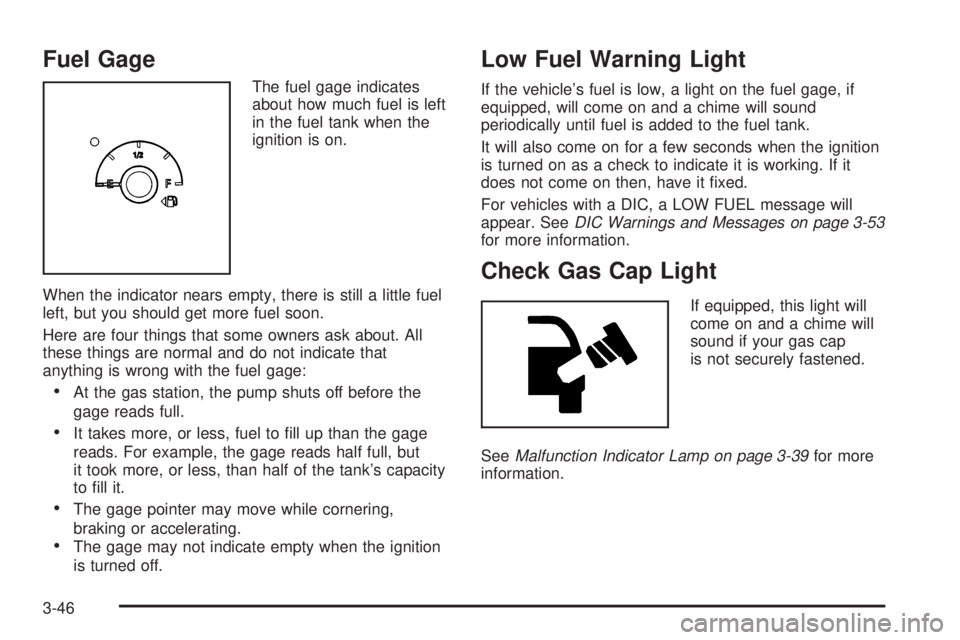
The fuel gage indicates
about how much fuel is left
in the fuel tank when the
ignition is on.
When the indicator nears empty, there is still a little fuel
left, but you should get more fuel soon.
Here are four things that some owners ask about. All
these things are normal and do not indicate that
anything is wrong with the fuel gage:
At the gas station, the pump shuts off before the
gage reads full.
It takes more, or less, fuel to ll up than the gage
reads. For example, the gage reads half full, but
it took more, or less, than half of the tank’s capacity
to ll it.
The gage pointer may move while cornering,
braking or accelerating.
The gage may not indicate empty when the ignition
is turned off.
Low Fuel Warning Light
If the vehicle’s fuel is low, a light on the fuel gage, if
equipped, will come on and a chime will sound
periodically until fuel is added to the fuel tank.
It will also come on for a few seconds when the ignition
is turned on as a check to indicate it is working. If it
does not come on then, have it xed.
For vehicles with a DIC, a LOW FUEL message will
appear. SeeDIC Warnings and Messages on page 3-53
for more information.
Check Gas Cap Light
If equipped, this light will
come on and a chime will
sound if your gas cap
is not securely fastened.
SeeMalfunction Indicator Lamp on page 3-39for more
information.
3-46
Page 171 of 410
ENGINE COOLANT HOT
Notice:If you drive your vehicle while the engine is
overheating, severe engine damage may occur. If
an overheat warning appears on the instrument
panel cluster and/or DIC, stop the vehicle as soon
as possible. Do not increase the engine speed above
normal idling speed. SeeEngine Overheating on
page 5-24for more information.
This message will display when the engine coolant
temperature is too hot. The engine coolant temperature
warning light will also appear on the instrument panel
cluster. SeeEngine Coolant Temperature Warning Light
on page 3-38andEngine Coolant Temperature Gage
on page 3-38for more information.
To avoid added strain on the engine, turn off the air
conditioner if it is on. When the coolant temperature
returns to normal, the air conditioner can be turned
back on.
This message will display only when the ignition is in
RUN. A chime will sound continuously when this
message is displayed. Press any of the DIC buttons
to acknowledge this message and to clear it from
the screen.This message will continue to display for two seconds if
it has not been acknowledged when the engine is
turned off. It will also re-display for two seconds if the
message has been acknowledged, but the condition still
exists when the engine is turned off.
If the condition still exists, the message will re-appear
when the engine is turned on.
HEADLAMPS SUGGESTED
This message will display when the amount of available
light outside of the vehicle is low, or the windshield
wipers have been on for approximately 30 seconds, and
the exterior lamps control is off or in the park lamps
position. This message informs the driver that turning on
the exterior lamps is recommended. SeeExterior
Lamps on page 3-13for more information.
This message will display while the ignition is in RUN.
Press any of the DIC buttons to acknowledge this
message and to clear it from the screen.
This message will continue to display for two seconds if
it has not been acknowledged when the engine is
turned off. It will also re-display for two seconds if the
message has been acknowledged, but the condition still
exists when the engine is turned off.
If the condition still exists, the message will re-appear
when the engine is turned on.
3-57
Page 174 of 410
The brake system warning light will also appear on the
instrument panel cluster when this message appears
on the DIC. SeeBrake System Warning Light on
page 3-36.
This message will display and a chime will sound only
while the ignition is in RUN. Press any of the DIC
buttons to acknowledge this message and to clear it
from the screen.
This message will continue to display for two seconds if
it has not been acknowledged when the engine is
turned off. It will also re-display for two seconds if the
message has been acknowledged, but the condition still
exists when the engine is turned off.
If the condition still exists, the message will re-appear
when the engine is turned on.
LOW FUEL
This message will display when your vehicle is low on
fuel. You should rell the tank as soon as possible. See
Fuel Gage on page 3-46andFilling the Tank on
page 5-8for more information.
The message will display and a chime will sound while
the ignition is in RUN. Press any of the DIC buttons
to acknowledge this message and to clear it from
the screen.
If the condition still exists, the message will re-appear
when the engine is turned on.
LOW OIL LEVEL
This message will display when the vehicle’s engine oil
is low. Fill the oil to the proper level as soon as
possible. SeeEngine Compartment Overview on
page 5-12for the engine oil ll location. Also, see
Engine Oil on page 5-15for information on the kind of
oil to use and the proper oil level.
The message will display and a chime will sound while
the ignition is in RUN. Press any of the DIC buttons
to acknowledge this message and to clear it from
the screen.
This message will continue to display for two seconds if
it has not been acknowledged when the engine is
turned off. It will also re-display for two seconds if the
message has been acknowledged, but the condition still
exists when the engine is turned off.
If the condition still exists, the message will re-appear
when the engine is turned on.
3-60
Page 175 of 410
LOW OIL PRESSURE
Notice:If the LOW OIL PRESSURE warning
message appears on the DIC display, stop the
vehicle immediately. Do not drive the vehicle until
the cause of the low oil pressure is corrected.
Severe engine damage can result from driving a
vehicle with low oil pressure. SeeEngine Oil
on page 5-15for more information.
This message will display when the vehicle’s engine oil
pressure is low. The oil pressure light will also appear
on the instrument panel cluster. SeeOil Pressure Light
on page 3-42.
Stop the vehicle immediately, as engine damage can
result from driving a vehicle with low oil pressure. Have
the vehicle serviced by your GM dealer as soon as
possible when this message is displayed.
This message will display only when the ignition is in
RUN. A chime will sound continuously when this
message is displayed.
This message cannot be acknowledged and cleared
from the screen. This message will re-display for a few
seconds if the condition still exists when the engine
is turned off.
If the condition still exists, the message will re-appear
when the engine is turned on.
LOW WASHER FLUID
This message will display when the windshield washer
uid is low. Fill the windshield washer reservoir as
soon as possible. SeeEngine Compartment Overview
on page 5-12for the location of the windshield
washer reservoir. Also, seeWindshield Washer Fluid on
page 5-34for more information.
This message will display and a chime will sound only
when the ignition is in RUN. Press any of the DIC
buttons to acknowledge this message and to clear it
from the screen.
This message will continue to display for two seconds if
it has not been acknowledged when the engine is
turned off. It will also re-display for two seconds if the
message has been acknowledged, but the condition still
exists when the engine is turned off.
If the condition still exists, the message will re-appear
when the engine is turned on.
3-61
Page 176 of 410
PARKING BRAKE ON
This message will display to alert the driver when the
vehicle’s parking brake is on, the ignition is in RUN, and
the vehicle speed is greater than 5 mph (8 km/h).
Release the parking brake before driving. SeeParking
Brake on page 2-27for more information.
The brake light will also appear on the instrument panel
cluster when this message appears on the DIC. See
Brake System Warning Light on page 3-36.
A chime will sound continuously while this message is
displayed if driving above 5 mph (8 km/h). Press
any of the DIC buttons to acknowledge this message
and to clear it from the screen.
This message will continue to display for two seconds if
it has not been acknowledged when the engine is
turned off. It will also re-display for two seconds if the
message has been acknowledged, but the condition still
exists when the engine is turned off.
If the condition still exists, the message will re-appear
when the engine is turned on.
PARK LAMPS ON
This message will display to alert the driver when the
headlamps or parking lamps are on while the ignition is
off and the driver’s door is opened. SeeExterior
Lamps on page 3-13for more information.
A chime will sound continuously while this message is
displayed. Press any of the DIC buttons to acknowledge
this message and to clear it from the screen.
PASSENGER’S DOOR AJAR
This message will display when the front passenger’s
door is not closed properly. When this message
appears, you should make sure that the front
passenger’s door is closed completely.
This message will display while the ignition is in RUN. A
chime will sound when the ignition is shifted out of
PARK (P). Press any of the DIC buttons to acknowledge
this message and to clear it from the screen.
This message will continue to display for two seconds if
it has not been acknowledged when the engine is
turned off. It will also re-display for two seconds if the
message has been acknowledged, but the condition still
exists when the engine is turned off.
If the condition still exists, the message will re-appear
when the engine is turned on.
3-62
Page 179 of 410
RIGHT FRONT TURN LAMP OUT
This message will display when the right front turn
signal bulb needs to be replaced. SeeFront Turn Signal
and Parking Lamps on page 5-47.
This message will display while the ignition is in RUN.
Press any of the DIC buttons to acknowledge this
message and to clear it from the screen.
This message will continue to display for two seconds if
it has not been acknowledged when the engine is
turned off. It will also re-display for two seconds if the
message has been acknowledged, but the condition still
exists when the engine is turned off.
If the condition still exists, the message will re-appear
when the engine is turned on.
RIGHT REAR TURN LAMP OUT
This message will display when the right rear turn signal
bulb needs to be replaced. SeeTaillamps, Turn
Signal, Sidemarker, Stoplamps and Back-up Lamps on
page 5-48.
This message will display while the ignition is in RUN.
Press any of the DIC buttons to acknowledge this
message and to clear it from the screen.This message will continue to display for two seconds if
it has not been acknowledged when the engine is
turned off. It will also re-display for two seconds if the
message has been acknowledged, but the condition still
exists when the engine is turned off.
If the condition still exists, the message will re-appear
when the engine is turned on.
SERVICE ABS SYSTEM
If the vehicle has the Anti-Lock Brake System (ABS),
this message will display when the system is not
functioning properly. Have the brake system serviced by
your GM dealer as soon as possible.
The anti-lock brake system warning light will also
appear on the instrument panel cluster when this
message appears on the DIC. SeeAnti-Lock Brake
System Warning Light on page 3-37.
This message will only display while the ignition is in
RUN. Press any of the DIC buttons to acknowledge this
message and to clear it from the screen.
This message will continue to display for two seconds if
it has not been acknowledged when the engine is
turned off. It will also re-display for two seconds if the
message has been acknowledged, but the condition still
exists when the engine is turned off.
If the condition still exists, the message will re-appear
when the engine is turned on.
3-65
Page 180 of 410

SERVICE BRAKE APPLY SENSOR
This message will come on when the brake apply
sensor is not functioning properly. The vehicle still has
brakes when this warning message displays, but you
should have the vehicle serviced by your GM dealer as
soon as possible.
This message will display only while the ignition is in
RUN. A chime will sound for two seconds while this
message is displayed. Press any of the DIC buttons
to acknowledge this message and to clear it from
the screen.
This message will continue to display if it has not been
acknowledged when the engine is turned off. It will
also re-display for two seconds if the message has been
acknowledged, but the condition still exists when the
engine is turned off.
If the condition still exists, the message will re-appear
when the engine is turned on.
SERVICE BRAKE SYSTEM
This message will display when a problem with the
brake system has been detected. Have your vehicle
serviced by your GM dealer as soon as possible.
The brake system warning light will also appear on the
instrument panel cluster when this message appears
on the DIC. SeeBrake System Warning Light on
page 3-36.This message will only display while the ignition is in
RUN. Press any of the DIC buttons to acknowledge this
message and to clear it from the screen.
This message will continue to display for two seconds if
it has not been acknowledged when the engine is
turned off. It will also re-display for two seconds if the
message has been acknowledged, but the condition still
exists when the engine is turned off.
If the condition still exists, the message will re-appear
when the engine is turned on.
SERVICE PARK LAMPS
This message will display when there is a problem with
the park lamps. Check to see if the park lamp fuse
is blown and replace the fuse if necessary. SeeFuses
and Circuit Breakers on page 5-88andInstrument
Panel Fuse Block on page 5-88for more information. If
changing the fuse does not correct the problem, see
your GM dealer.
This message will only display while the ignition is in
RUN. Press any of the DIC buttons to acknowledge this
message and to clear it from the screen.
This message will continue to display for two seconds if
it has not been acknowledged when the engine is
turned off. It will also re-display for two seconds if the
message has been acknowledged, but the condition still
exists when the engine is turned off.
If the condition still exists, the message will re-appear
when the engine is turned on.
3-66
Page 181 of 410
SERVICE STABILITY SYSTEM
If your vehicle has StabiliTrak®, this message will
display if there has been a problem detected with
StabiliTrak
®. A warning light will also appear on
the instrument panel cluster. SeeTraction Control
System (TCS) Warning Light on page 3-37. See
StabiliTrak
®System on page 4-9for more information.
If this message turns on while you are driving, pull
off the road as soon as possible and stop carefully. Try
resetting the system by turning the ignition off and
then back on. If this message still stays on or turns back
on again while you are driving, your vehicle needs
service. Have the StabiliTrak
®System inspected by your
GM dealer as soon as possible.
This message will display only while the ignition is in
RUN. Press any of the DIC buttons to acknowledge this
message and to clear it from the screen.
This message will continue to display for two seconds if
it has not been acknowledged when the engine is
turned off. It will also re-display for two seconds if the
message has been acknowledged, but the condition still
exists when the engine is turned off.
If the condition still exists, the message will re-appear
when the engine is turned on.
SERVICE THEFT SYSTEM
This message will display when there is a problem with
the theft-deterrent system programmed in the key. A
fault has been detected in the system which means that
the system is disabled and it is not protecting the
vehicle. The vehicle usually restarts; however, you may
want to take the vehicle to your GM dealer before
turning off the engine. SeePASS-Key
®III Operation on
page 2-19for more information.
This message will display and a chime will sound only
while the ignition is in RUN. Press any of the DIC
buttons to acknowledge this message and to clear it
from the screen.
This message will continue to display for two seconds if
it has not been acknowledged when the engine is
turned off. It will also re-display for two seconds if the
message has been acknowledged, but the condition still
exists when the engine is turned off.
If the condition still exists, the message will re-appear
when the engine is turned on.
3-67
Page 182 of 410
SERVICE TRACTION SYSTEM
If your vehicle has the traction control system, this
message will display when the system is not functioning
properly. A warning light will also appear on the
instrument panel cluster. SeeTraction Control System
(TCS) Warning Light on page 3-37. SeeTraction Control
System (TCS) on page 4-8for more information.
Have the traction control system serviced by your
GM dealer as soon as possible.
This message will display only while the ignition is in
RUN. Press any of the DIC buttons to acknowledge this
message and to clear it from the screen.
This message will continue to display for two seconds if
it has not been acknowledged when the engine is
turned off. It will also re-display for two seconds if the
message has been acknowledged, but the condition still
exists when the engine is turned off.
If the condition still exists, the message will re-appear
when the engine is turned on.
SERVICE VARIABLE EFFORT
STEERING
If your vehicle has variable effort steering, this message
will display when if this system is not functioning
properly. SeeSteering on page 4-10for more
information. Have your system serviced by your
GM dealer as soon as possible.This message will display only while the ignition is in
RUN. Press any of the DIC buttons to acknowledge this
message and to clear it from the screen.
This message will continue to display for two seconds if
it has not been acknowledged when the engine is
turned off. It will also re-display for two seconds if the
message has been acknowledged, but the condition still
exists when the engine is turned off.
If the condition still exists, the message will re-appear
when the engine is turned on.
SERVICE VEHICLE SOON
This message will display when a non-emissions related
malfunction occurs. Have the vehicle serviced by your
GM dealer as soon as possible.
This message will display only while the ignition is in
RUN. Press any of the DIC buttons to acknowledge this
message and to clear it from the screen.
This message will continue to display for two seconds if
it has not been acknowledged when the engine is
turned off. It will also re-display for two seconds if the
message has been acknowledged, but the condition still
exists when the engine is turned off.
If the condition still exists, the message will re-appear
when the engine is turned on.
3-68
Page 185 of 410
DIC Vehicle Personalization
Your vehicle may have customization capabilities that
allow you to program certain features to one preferred
setting. Customization features can only be programmed
to one setting on the vehicle and cannot be programmed
to a preferred setting for two different drivers. The
customization features include the following:
Exterior lighting delay
Interior lighting delay
Delayed locking
Content theft
Remote keyless entry feedback
Remote start
Your vehicle may also have personalization capabilities
that allow you to program certain features to a
preferred setting for up to two drivers. The rst
personalized key corresponds to driver 1 and the second
personalized key corresponds to driver 2. The
personalization features include the following:
Radio station presets
Auto door lock preferences
Auto door unlock preferences
Remote keyless entry unlock preferencesAll of the customization and personalization options may
not be available on your vehicle. Only the options
available will be displayed on your DIC.
The default settings for the customization and
personalization features were set when your vehicle left
the factory, but may have been changed from their
default state since then.
The customization preferences are automatically
recalled.
The driver’s personalization preferences are recalled by
using the key programmed for driver 1 or 2.
To change customization and personalization
preferences, use the following procedure.
Entering the Personal Program Menu
1. Turn the ignition on and place the vehicle in
PARK (P).
2. Press the option button until PERSONAL
PROGRAM displays.
If the vehicle is not in PARK (P), PERSONAL
PROGRAM ONLY IN PARK will display.
If the vehicle is not able to enter the personal
program menu, PERSONAL PROGRAM NOT
AVAILABLE will display.
3-71