driver information center BUICK LACROSSE 2005 Owner's Manual
[x] Cancel search | Manufacturer: BUICK, Model Year: 2005, Model line: LACROSSE, Model: BUICK LACROSSE 2005Pages: 410, PDF Size: 2.59 MB
Page 1 of 410
Seats and Restraint Systems........................... 1-1
Front Seats
............................................... 1-3
Rear Seats
............................................... 1-8
Safety Belts
.............................................1-10
Child Restraints
.......................................1-31
Airbag System
.........................................1-51
Restraint System Check
............................1-65
Features and Controls..................................... 2-1
Keys
........................................................ 2-2
Doors and Locks
......................................2-10
Windows
.................................................2-15
Theft-Deterrent Systems
............................2-17
Starting and Operating Your Vehicle
...........2-21
Mirrors
....................................................2-32
OnStar
®System
......................................2-34
HomeLink®Transmitter
.............................2-36
Storage Areas
.........................................2-40
Sunroof
..................................................2-42
Instrument Panel............................................. 3-1
Instrument Panel Overview
.......................... 3-4
Climate Controls
......................................3-21
Warning Lights, Gages, and Indicators
........3-30
Driver Information Center (DIC)
..................3-47
Audio System(s)
.......................................3-79Driving Your Vehicle....................................... 4-1
Your Driving, the Road, and Your Vehicle
..... 4-2
Towing
...................................................4-34
Service and Appearance Care.......................... 5-1
Service
..................................................... 5-3
Fuel
......................................................... 5-5
Checking Things Under the Hood
...............5-10
Headlamp Aiming
.....................................5-43
Bulb Replacement
....................................5-45
Windshield Wiper Blade Replacement
.........5-51
Tires
......................................................5-52
Appearance Care
.....................................5-78
Vehicle Identication
.................................5-86
Electrical System
......................................5-87
Capacities and Specications
.....................5-92
Maintenance Schedule..................................... 6-1
Maintenance Schedule
................................ 6-2
Customer Assistance and Information.............. 7-1
Customer Assistance and Information
........... 7-2
Reporting Safety Defects
...........................7-10
Index................................................................ 1
2005 Buick LaCrosse Owner ManualM
Page 77 of 410
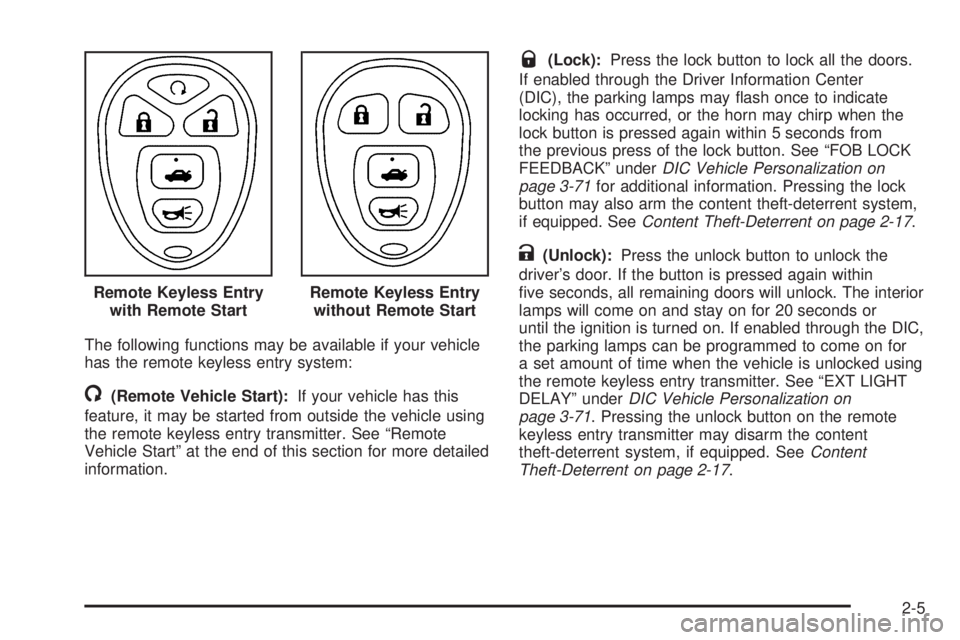
The following functions may be available if your vehicle
has the remote keyless entry system:
/(Remote Vehicle Start):If your vehicle has this
feature, it may be started from outside the vehicle using
the remote keyless entry transmitter. See “Remote
Vehicle Start” at the end of this section for more detailed
information.
Q(Lock):Press the lock button to lock all the doors.
If enabled through the Driver Information Center
(DIC), the parking lamps may ash once to indicate
locking has occurred, or the horn may chirp when the
lock button is pressed again within 5 seconds from
the previous press of the lock button. See “FOB LOCK
FEEDBACK” underDIC Vehicle Personalization on
page 3-71for additional information. Pressing the lock
button may also arm the content theft-deterrent system,
if equipped. SeeContent Theft-Deterrent on page 2-17.
K(Unlock):Press the unlock button to unlock the
driver’s door. If the button is pressed again within
ve seconds, all remaining doors will unlock. The interior
lamps will come on and stay on for 20 seconds or
until the ignition is turned on. If enabled through the DIC,
the parking lamps can be programmed to come on for
a set amount of time when the vehicle is unlocked using
the remote keyless entry transmitter. See “EXT LIGHT
DELAY” underDIC Vehicle Personalization on
page 3-71. Pressing the unlock button on the remote
keyless entry transmitter may disarm the content
theft-deterrent system, if equipped. SeeContent
Theft-Deterrent on page 2-17. Remote Keyless Entry
with Remote Start
Remote Keyless Entry
without Remote Start
2-5
Page 81 of 410
If you enter the vehicle after a remote start, and the
engine is still running, insert the key into the ignition lock
cylinder and turn it to the RUN position to drive the
vehicle.
Your vehicle’s engine can be started two times using
the transmitter’s remote start feature.
If only one remote start procedure has been done, since
last driving the vehicle or resetting the remote start
system, the engine may be started again remotely
following the remote start procedure a second time.
If the remote start procedure is used again before the
rst ten minute time frame has ended, 10 minutes will be
added to the remaining minutes. The added
10 minutes are considered a second remote start.
The remote vehicle start feature will not operate if:
The remote start system is disabled.
The vehicle’s key is in the ignition.
A door is open or the vehicle’s hood is not closed.
The hazard warning ashers are on.
There is an emission control system malfunction.
The engine coolant temperature is too high.
The oil pressure is low.
Two remote vehicle starts have already been
provided. The maximum number of remote starts or
remote start attempts between ignition cycles
with the key is two.
If a remote start is attempted and is unsuccessful, the
Driver Information Center (DIC) will display REMOTE
START DISABLED.
Vehicles equipped with the remote vehicle start feature
are shipped from the factory with the remote vehicle
start system enabled. The system may be disabled
through the DIC. See “REMOTE START” under
DIC Vehicle Personalization on page 3-71for additional
information.
2-9
Page 83 of 410
Power Door Locks
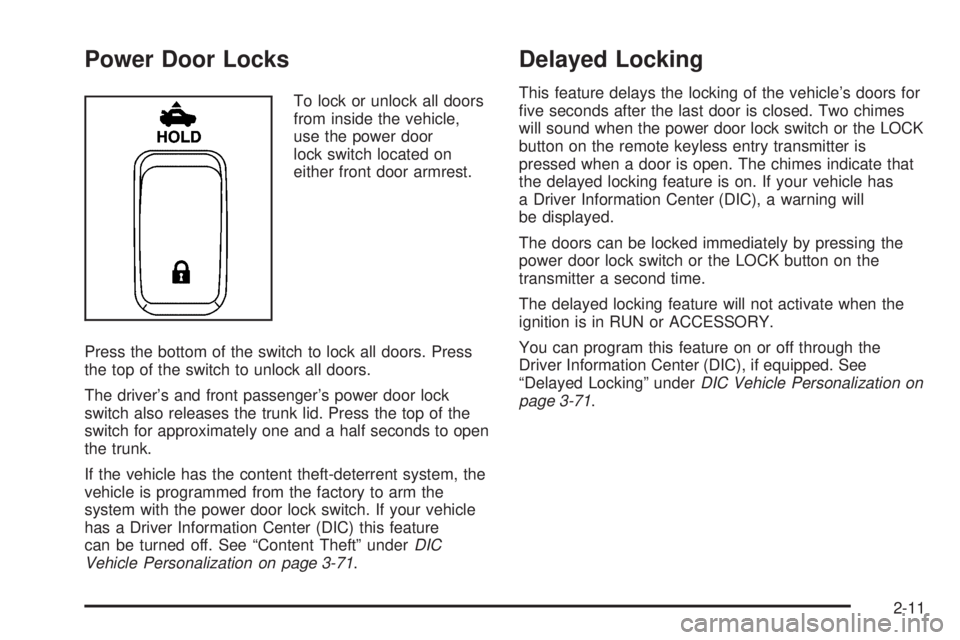
To lock or unlock all doors
from inside the vehicle,
use the power door
lock switch located on
either front door armrest.
Press the bottom of the switch to lock all doors. Press
the top of the switch to unlock all doors.
The driver’s and front passenger’s power door lock
switch also releases the trunk lid. Press the top of the
switch for approximately one and a half seconds to open
the trunk.
If the vehicle has the content theft-deterrent system, the
vehicle is programmed from the factory to arm the
system with the power door lock switch. If your vehicle
has a Driver Information Center (DIC) this feature
can be turned off. See “Content Theft” underDIC
Vehicle Personalization on page 3-71.
Delayed Locking
This feature delays the locking of the vehicle’s doors for
ve seconds after the last door is closed. Two chimes
will sound when the power door lock switch or the LOCK
button on the remote keyless entry transmitter is
pressed when a door is open. The chimes indicate that
the delayed locking feature is on. If your vehicle has
a Driver Information Center (DIC), a warning will
be displayed.
The doors can be locked immediately by pressing the
power door lock switch or the LOCK button on the
transmitter a second time.
The delayed locking feature will not activate when the
ignition is in RUN or ACCESSORY.
You can program this feature on or off through the
Driver Information Center (DIC), if equipped. See
“Delayed Locking” underDIC Vehicle Personalization on
page 3-71.
2-11
Page 84 of 410
Automatic Door Locks
The vehicle’s doors are programmed from the factory to
lock when the shift lever is moved into a forward
gear, and to unlock when the shift lever is moved into
PARK (P).
If someone needs to get in or out of the vehicle after
the doors have been locked, place the shift lever
into PARK (P). You may also unlock all doors using the
power door lock switch or unlock one door using the
inside manual door lock.
If your vehicle has a Driver Information Center (DIC),
there are different programming options for locking and
unlocking the doors automatically. SeeDIC Vehicle
Personalization on page 3-71.
Lockout Protection
The lockout protection feature makes it more difficult to
lock the key in the vehicle. If the driver’s door is
open while the key is in the ignition, the door cannot be
locked with the power door lock switch.
This feature cannot guarantee that you will never be
locked out of the vehicle. If the key is not left in
the ignition, or, if the manual door lock pin is used, the
key could still be locked inside the vehicle. Always
remember to take the key with you.
2-12
Page 89 of 410
Sun Visors
To block out glare, you can swing down the visors and
slide them along the rod to cover different areas of
the front window. You can also move them to cover the
side windows.
Visor Vanity Mirror
Swing down the sun visors and lift the cover to expose
the vanity mirror. If your vehicle has lighted vanity
mirrors, the light will come on when you lift the cover.
Theft-Deterrent Systems
Vehicle theft is big business, especially in some cities.
Although your vehicle has a number of theft-deterrent
features, we know that nothing we put on it can make it
impossible to steal.
Content Theft-Deterrent
Your vehicle may have a content theft-deterrent
alarm system.
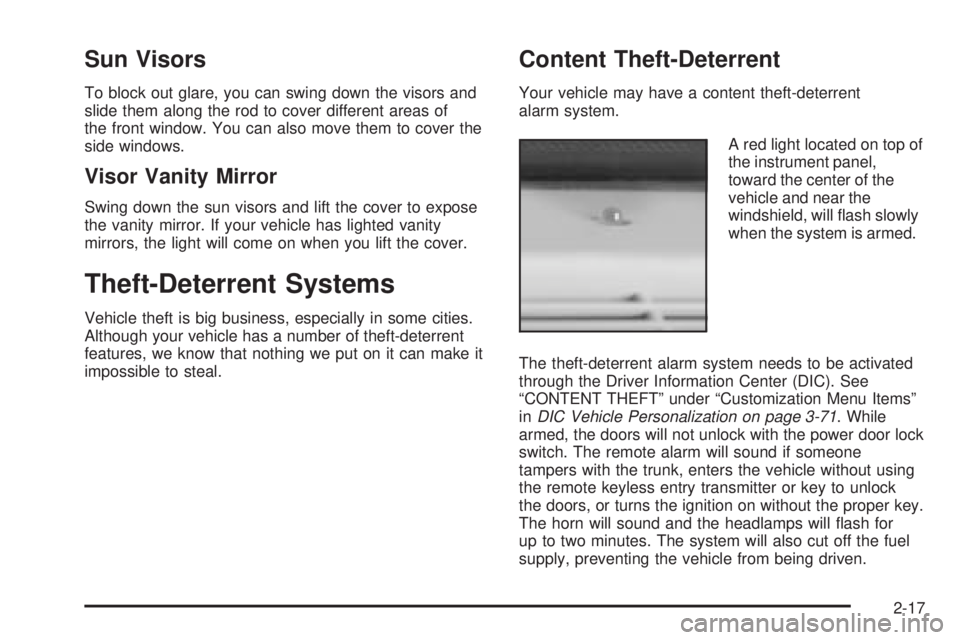
A red light located on top of
the instrument panel,
toward the center of the
vehicle and near the
windshield, will ash slowly
when the system is armed.
The theft-deterrent alarm system needs to be activated
through the Driver Information Center (DIC). See
“CONTENT THEFT” under “Customization Menu Items”
inDIC Vehicle Personalization on page 3-71. While
armed, the doors will not unlock with the power door lock
switch. The remote alarm will sound if someone
tampers with the trunk, enters the vehicle without using
the remote keyless entry transmitter or key to unlock
the doors, or turns the ignition on without the proper key.
The horn will sound and the headlamps will ash for
up to two minutes. The system will also cut off the fuel
supply, preventing the vehicle from being driven.
2-17
Page 90 of 410
Arming with the Power Lock Switch
The vehicle’s content theft-deterrent alarm system can
be activated when the key is removed from the
ignition and the power door lock switch of either the
driver’s or front passenger’s door is used to lock
the vehicle. The door needs to be in the open position
when pressing the power door lock switch. The
alarm system will not activate if the door is closed when
the power door lock switch is pressed. This system
can be activated through the Driver Information
Center (DIC). See “CONTENT THEFT” under
“Customization Menu Items” inDIC Vehicle
Personalization on page 3-71.
When the doors are locked using the power door lock
switch of either front door, the red light on top of
the instrument panel will start ashing at a fast rate,
indicating that the system is arming. After all the doors
are locked there will be a time delay and then the
red light will begin to ash at a very slow rate, indicating
the system is armed.
Arming with the Remote Keyless Entry
Transmitter
The alarm system will arm when the remote keyless
entry transmitter is used to lock the doors after the key
is removed from the ignition. The red light will comeon to indicate that the system is arming. After all doors
are closed and locked, and after a time delay, the
red light will begin ashing at a very slow rate to show
the system is armed.
Arming Conrmation
A red light located on top of the instrument panel,
towards the center of the vehicle and near the
windshield, will ash slowly to conrm when the system
is armed.
Disarming with the Remote Keyless
Entry Transmitter
The alarm system will disarm when the remote keyless
entry transmitter is used to unlock the doors. The
red light will go out to show that the system is disarmed.
Disarming with Your Key
The alarm system will disarm when the key is used to
unlock the doors. The red light will stop ashing
when the system is disarmed. If you would like the key
to disarm the alarm system, see “CONTENT THEFT”
underDIC Vehicle Personalization on page 3-71
for more information.
2-18
Page 92 of 410

When trying to start the vehicle, if the engine does not
start and the STARTING DISABLED warning message
on the Driver Information Center (DIC) comes on,
the key may have a damaged transponder. Turn the
ignition off and try again.
If the engine still does not start, and the key appears to
be undamaged, try another ignition key. At this time,
you may also want to check the fuse. SeeFuses
and Circuit Breakers on page 5-88. If the engine still
does not start with the other key, the vehicle needs
service. If the vehicle does start, the rst key may be
faulty. See your dealer who can service the
PASS-Key
®III to have a new key made. In an
emergency, contact Roadside Assistance. SeeRoadside
Assistance Program on page 7-6for more information.
It is possible for the PASS-Key
®III decoder to accept
the transponder value of a new or replacement key. Up
to 10 keys may be programmed for the vehicle. The
following procedure is for programming additional keys
only. If all the programmed keys are lost or do not
operate, see your dealer or a locksmith who can service
PASS-Key
®III to have keys made and programmed
to the system.To program the new key do the following:
1. Verify that the new key has PK3 stamped on it.
2. Insert the master key in the ignition and start
the engine. If the engine will not start, see your
dealer for service.
3. After the engine has started, turn the key to OFF,
and remove the key.
4. Insert the key to be programmed and turn it to RUN
within ve seconds of removing the original key.
5. The STARTING DISABLED warning message on
the DIC will turn off, once the key has been
programmed. It may not be apparent that the
STARTING DISABLED warning message went on
due to how quickly the key is programmed.
6. Repeat Steps 1 through 5 if additional keys are to
be programmed.
If the STARTING DISABLED warning message appears
and stays on the DIC while the vehicle is being
driven, the engine will be able to be restarted if it is
turned off. Your PASS-Key®III system, however, is not
working properly and must be serviced by your
dealer. The vehicle is not protected by the
PASS-Key
®III system at this time.
If the PASS-Key
®III key is lost or stolen, see your
dealer or a locksmith who can service PASS-Key®III to
have a new key made.
2-20
Page 94 of 410
C (RUN):This position is where the key returns to after
the vehicle is started. This position displays some of
the warning and indicator lights.
D (START):This position starts the engine.
A warning chime will sound and the Driver Information
Center will display a warning message when the driver’s
door is opened if the ignition is in OFF, LOCK or
ACCESSORY and the key is in the ignition. SeeDIC
Warnings and Messages on page 3-53for more
information.
Retained Accessory Power (RAP)
If the vehicle has Retained Accessory Power (RAP),
certain features will continue to operate for up to
10 minutes after the ignition key is turned to OFF unless
a door is opened.
Starting the Engine
Move your shift lever to PARK (P) or NEUTRAL (N).
The engine will not start in any other position — that is
a safety feature. To restart when you are already
moving, use NEUTRAL (N) only.
Notice:Shifting into PARK (P) with the vehicle
moving could damage the transaxle. Shift into
PARK (P) only when your vehicle is stopped.
1. With your foot off the accelerator pedal, turn the
ignition key to START. When the engine starts,
let go of the key. The idle speed will go down as the
engine gets warm.
Notice:Holding your key in START for longer than
15 seconds at a time will cause your battery to
be drained much sooner. And the excessive heat
can damage your starter motor. Wait about
15 seconds between each try to help avoid draining
your battery or damaging your starter.
2-22
Page 105 of 410
Automatic Dimming Rearview Mirror
with OnStar
®
While sitting in a comfortable driving position, adjust the
mirror so you can see clearly behind your vehicle.
Grip the mirror in the center to move it up or down and
side to side.
The vehicle may have an automatic dimming rearview
mirror with the OnStar
®System.
The automatic dimming feature is turned on or off by
pressing the left button, located on the lower part of the
mirror, for up to three seconds. When turned on, this
mirror functions like the automatic dimming rearview
mirror described previously. SeeAutomatic Dimming
Rearview Mirror on page 2-32.
There are also three OnStar
®buttons located at the
bottom of the mirror. See your dealer for more
information on the system and how to subscribe to
OnStar
®. SeeOnStar®System on page 2-34for more
information about the services OnStar®provides.
Outside Power Mirrors
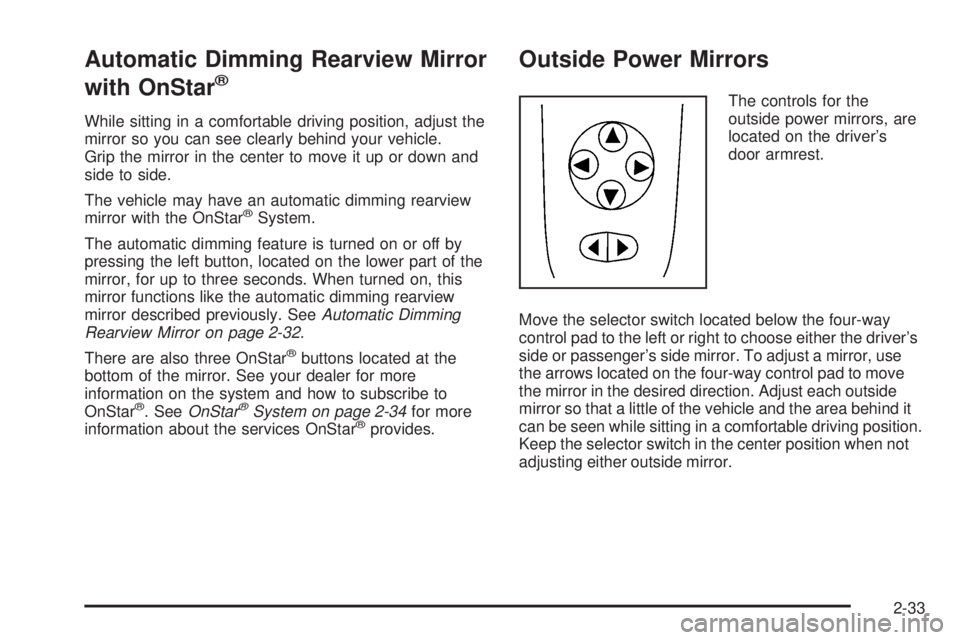
The controls for the
outside power mirrors, are
located on the driver’s
door armrest.
Move the selector switch located below the four-way
control pad to the left or right to choose either the driver’s
side or passenger’s side mirror. To adjust a mirror, use
the arrows located on the four-way control pad to move
the mirror in the desired direction. Adjust each outside
mirror so that a little of the vehicle and the area behind it
can be seen while sitting in a comfortable driving position.
Keep the selector switch in the center position when not
adjusting either outside mirror.
2-33