remote start BUICK LACROSSE 2007 User Guide
[x] Cancel search | Manufacturer: BUICK, Model Year: 2007, Model line: LACROSSE, Model: BUICK LACROSSE 2007Pages: 512
Page 174 of 512
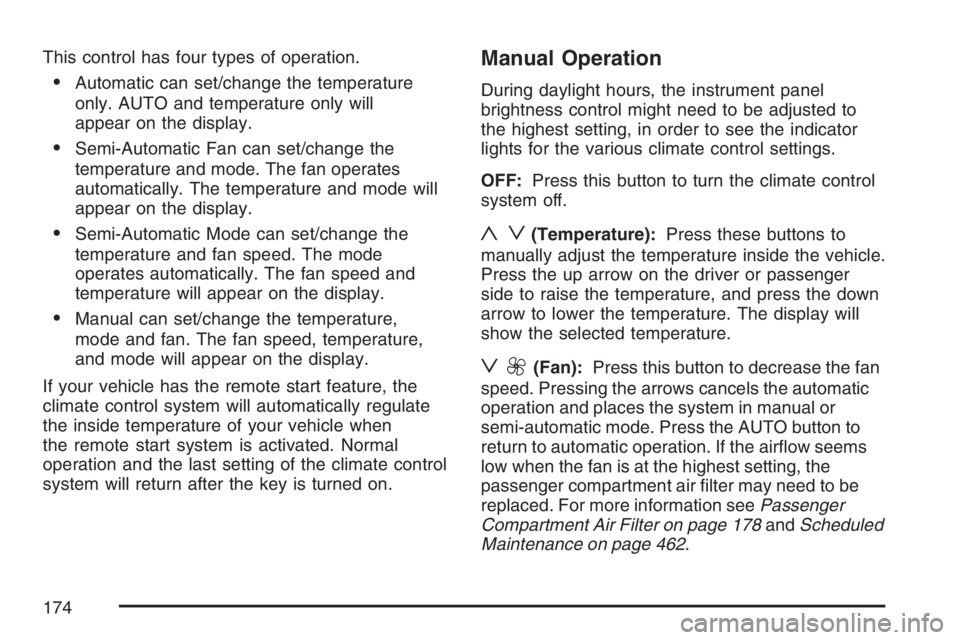
This control has four types of operation.
Automatic can set/change the temperature
only. AUTO and temperature only will
appear on the display.
Semi-Automatic Fan can set/change the
temperature and mode. The fan operates
automatically. The temperature and mode will
appear on the display.
Semi-Automatic Mode can set/change the
temperature and fan speed. The mode
operates automatically. The fan speed and
temperature will appear on the display.
Manual can set/change the temperature,
mode and fan. The fan speed, temperature,
and mode will appear on the display.
If your vehicle has the remote start feature, the
climate control system will automatically regulate
the inside temperature of your vehicle when
the remote start system is activated. Normal
operation and the last setting of the climate control
system will return after the key is turned on.
Manual Operation
During daylight hours, the instrument panel
brightness control might need to be adjusted to
the highest setting, in order to see the indicator
lights for the various climate control settings.
OFF:Press this button to turn the climate control
system off.
yz(Temperature):Press these buttons to
manually adjust the temperature inside the vehicle.
Press the up arrow on the driver or passenger
side to raise the temperature, and press the down
arrow to lower the temperature. The display will
show the selected temperature.
z9(Fan):Press this button to decrease the fan
speed. Pressing the arrows cancels the automatic
operation and places the system in manual or
semi-automatic mode. Press the AUTO button to
return to automatic operation. If the airow seems
low when the fan is at the highest setting, the
passenger compartment air lter may need to be
replaced. For more information seePassenger
Compartment Air Filter on page 178andScheduled
Maintenance on page 462.
174
Page 183 of 512
If the airbag readiness light stays on after the
vehicle is started, or comes on as the vehicle is
being driven, there may be an electrical problem
and the airbag system may not work properly.
Have the vehicle serviced right away.
{CAUTION:
If the airbag readiness light stays on after
you start your vehicle, it means the airbag
system may not be working properly. The
airbags in your vehicle may not inate in
a crash, or they could even inate without
a crash. To help avoid injury to yourself
or others, have your vehicle serviced right
away if the airbag readiness light stays on
after you start your vehicle.
The airbag readiness light should ash for a few
seconds when you turn the ignition key to RUN. If
the light does not come on then, have it xed
so it will be ready to warn you if there is a problem.
Passenger Airbag Status Indicator
Your vehicle has a passenger sensing system. The
passenger airbag status indicator on the instrument
panel will be visible when you turn your ignition key
to RUN or START. SeePassenger Sensing System
on page 75for more information.
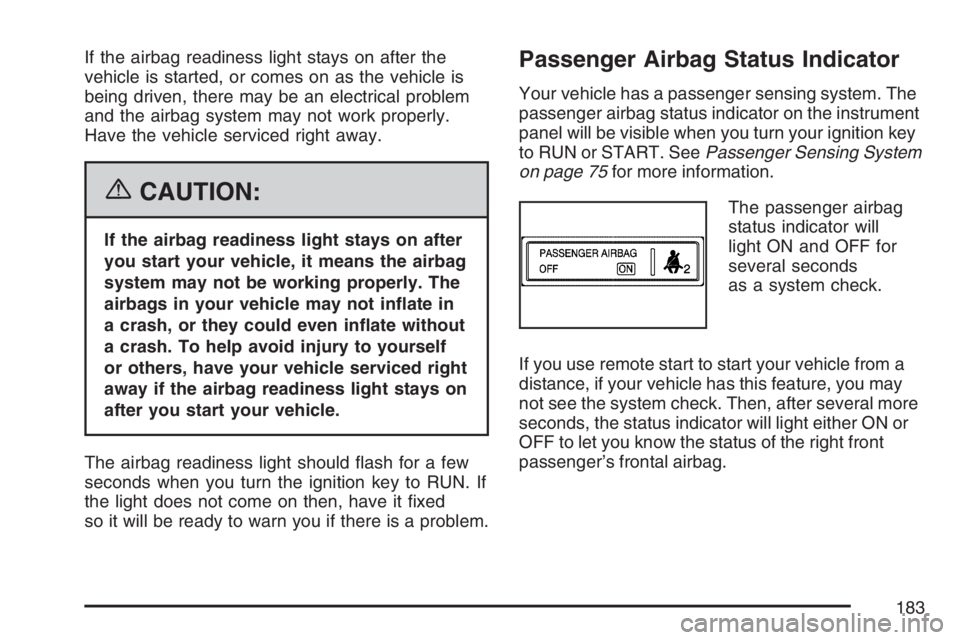
The passenger airbag
status indicator will
light ON and OFF for
several seconds
as a system check.
If you use remote start to start your vehicle from a
distance, if your vehicle has this feature, you may
not see the system check. Then, after several more
seconds, the status indicator will light either ON or
OFF to let you know the status of the right front
passenger’s frontal airbag.
183
Page 214 of 512
This message continues to display for two seconds
if it has not been acknowledged when the engine is
turned off. It also re-displays for two seconds if the
message has been acknowledged, but the
condition still exists when the engine is turned off.
If the condition still exists, the message re-appears
when the engine is turned on.
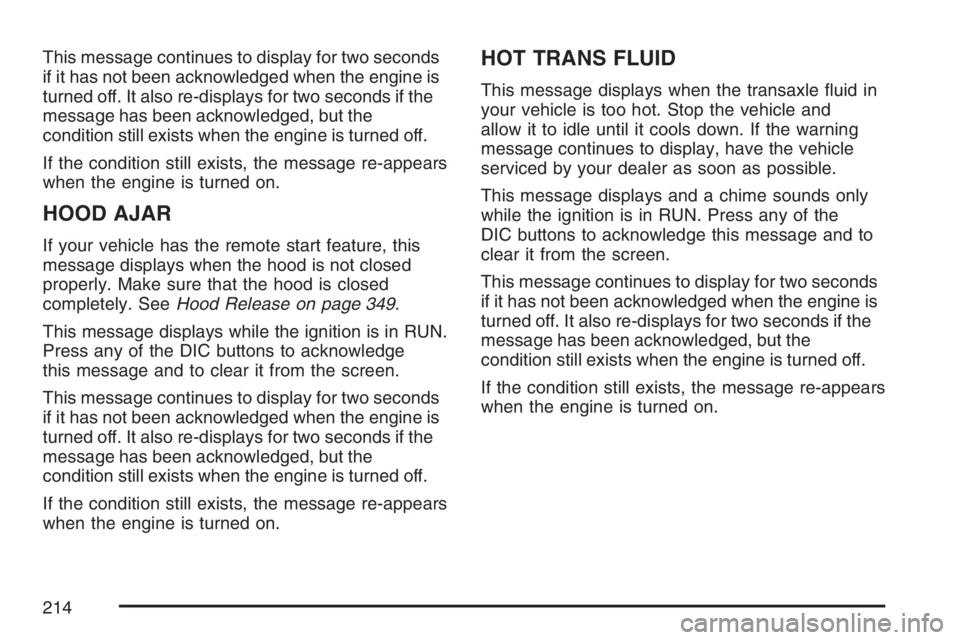
HOOD AJAR
If your vehicle has the remote start feature, this
message displays when the hood is not closed
properly. Make sure that the hood is closed
completely. SeeHood Release on page 349.
This message displays while the ignition is in RUN.
Press any of the DIC buttons to acknowledge
this message and to clear it from the screen.
This message continues to display for two seconds
if it has not been acknowledged when the engine is
turned off. It also re-displays for two seconds if the
message has been acknowledged, but the
condition still exists when the engine is turned off.
If the condition still exists, the message re-appears
when the engine is turned on.
HOT TRANS FLUID
This message displays when the transaxle uid in
your vehicle is too hot. Stop the vehicle and
allow it to idle until it cools down. If the warning
message continues to display, have the vehicle
serviced by your dealer as soon as possible.
This message displays and a chime sounds only
while the ignition is in RUN. Press any of the
DIC buttons to acknowledge this message and to
clear it from the screen.
This message continues to display for two seconds
if it has not been acknowledged when the engine is
turned off. It also re-displays for two seconds if the
message has been acknowledged, but the
condition still exists when the engine is turned off.
If the condition still exists, the message re-appears
when the engine is turned on.
214
Page 221 of 512
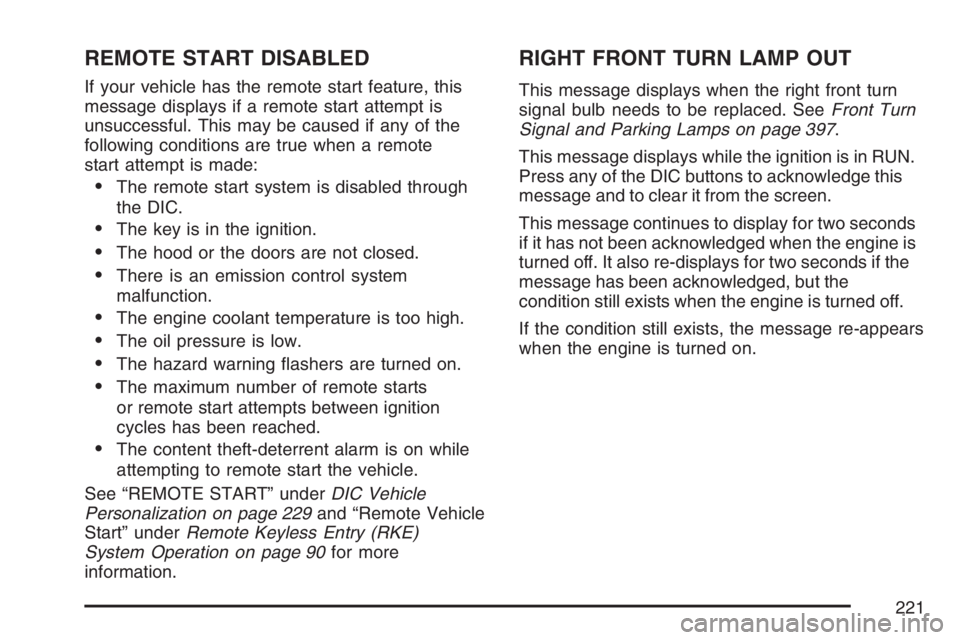
REMOTE START DISABLED
If your vehicle has the remote start feature, this
message displays if a remote start attempt is
unsuccessful. This may be caused if any of the
following conditions are true when a remote
start attempt is made:
The remote start system is disabled through
the DIC.
The key is in the ignition.
The hood or the doors are not closed.
There is an emission control system
malfunction.
The engine coolant temperature is too high.
The oil pressure is low.
The hazard warning ashers are turned on.
The maximum number of remote starts
or remote start attempts between ignition
cycles has been reached.
The content theft-deterrent alarm is on while
attempting to remote start the vehicle.
See “REMOTE START” underDIC Vehicle
Personalization on page 229and “Remote Vehicle
Start” underRemote Keyless Entry (RKE)
System Operation on page 90for more
information.
RIGHT FRONT TURN LAMP OUT
This message displays when the right front turn
signal bulb needs to be replaced. SeeFront Turn
Signal and Parking Lamps on page 397.
This message displays while the ignition is in RUN.
Press any of the DIC buttons to acknowledge this
message and to clear it from the screen.
This message continues to display for two seconds
if it has not been acknowledged when the engine is
turned off. It also re-displays for two seconds if the
message has been acknowledged, but the
condition still exists when the engine is turned off.
If the condition still exists, the message re-appears
when the engine is turned on.
221
Page 229 of 512
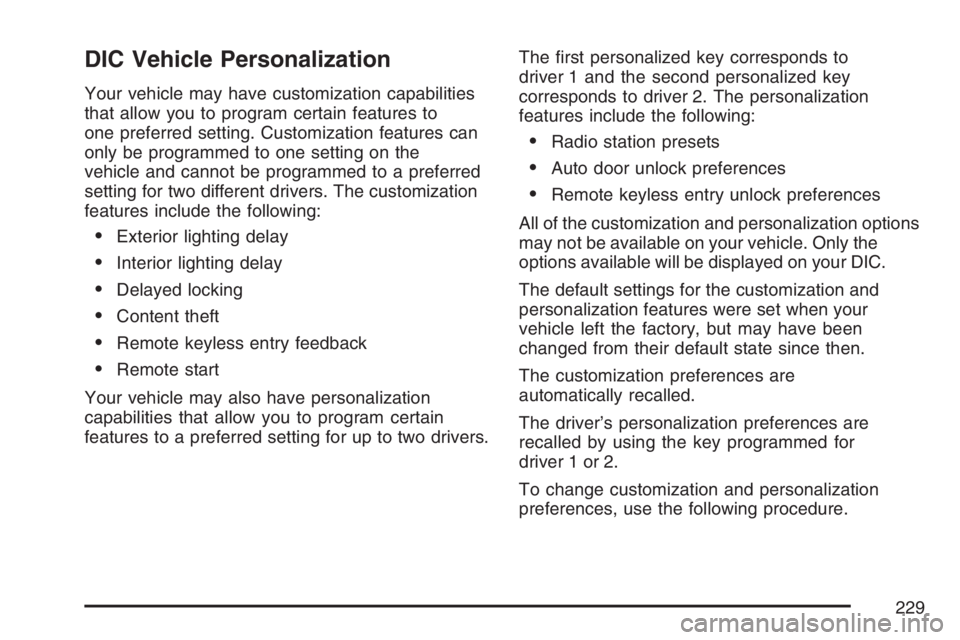
DIC Vehicle Personalization
Your vehicle may have customization capabilities
that allow you to program certain features to
one preferred setting. Customization features can
only be programmed to one setting on the
vehicle and cannot be programmed to a preferred
setting for two different drivers. The customization
features include the following:
Exterior lighting delay
Interior lighting delay
Delayed locking
Content theft
Remote keyless entry feedback
Remote start
Your vehicle may also have personalization
capabilities that allow you to program certain
features to a preferred setting for up to two drivers.The rst personalized key corresponds to
driver 1 and the second personalized key
corresponds to driver 2. The personalization
features include the following:
Radio station presets
Auto door unlock preferences
Remote keyless entry unlock preferences
All of the customization and personalization options
may not be available on your vehicle. Only the
options available will be displayed on your DIC.
The default settings for the customization and
personalization features were set when your
vehicle left the factory, but may have been
changed from their default state since then.
The customization preferences are
automatically recalled.
The driver’s personalization preferences are
recalled by using the key programmed for
driver 1 or 2.
To change customization and personalization
preferences, use the following procedure.
229
Page 234 of 512
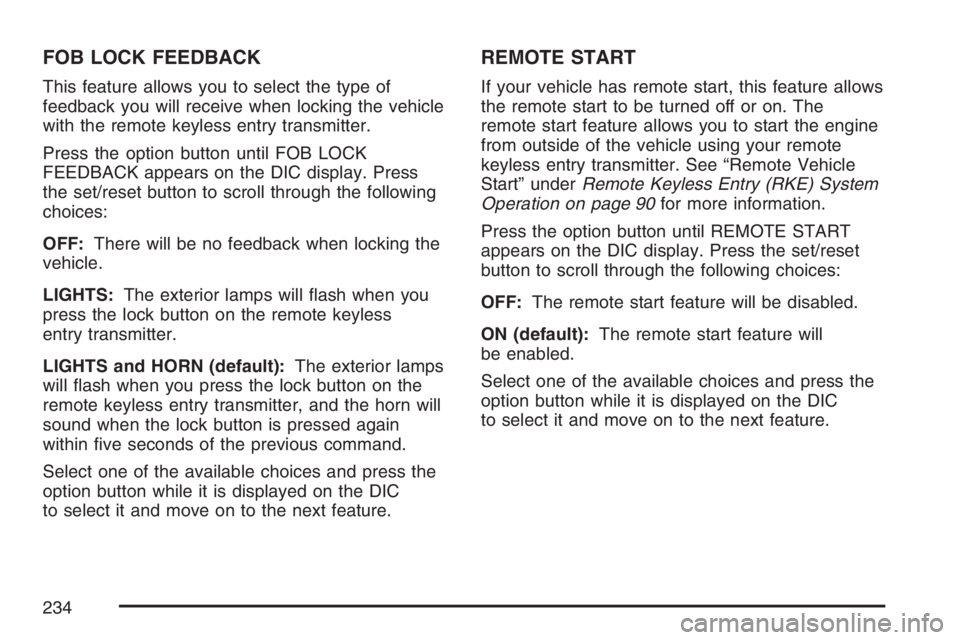
FOB LOCK FEEDBACK
This feature allows you to select the type of
feedback you will receive when locking the vehicle
with the remote keyless entry transmitter.
Press the option button until FOB LOCK
FEEDBACK appears on the DIC display. Press
the set/reset button to scroll through the following
choices:
OFF:There will be no feedback when locking the
vehicle.
LIGHTS:The exterior lamps will ash when you
press the lock button on the remote keyless
entry transmitter.
LIGHTS and HORN (default):The exterior lamps
will ash when you press the lock button on the
remote keyless entry transmitter, and the horn will
sound when the lock button is pressed again
within ve seconds of the previous command.
Select one of the available choices and press the
option button while it is displayed on the DIC
to select it and move on to the next feature.
REMOTE START
If your vehicle has remote start, this feature allows
the remote start to be turned off or on. The
remote start feature allows you to start the engine
from outside of the vehicle using your remote
keyless entry transmitter. See “Remote Vehicle
Start” underRemote Keyless Entry (RKE) System
Operation on page 90for more information.
Press the option button until REMOTE START
appears on the DIC display. Press the set/reset
button to scroll through the following choices:
OFF:The remote start feature will be disabled.
ON (default):The remote start feature will
be enabled.
Select one of the available choices and press the
option button while it is displayed on the DIC
to select it and move on to the next feature.
234
Page 351 of 512
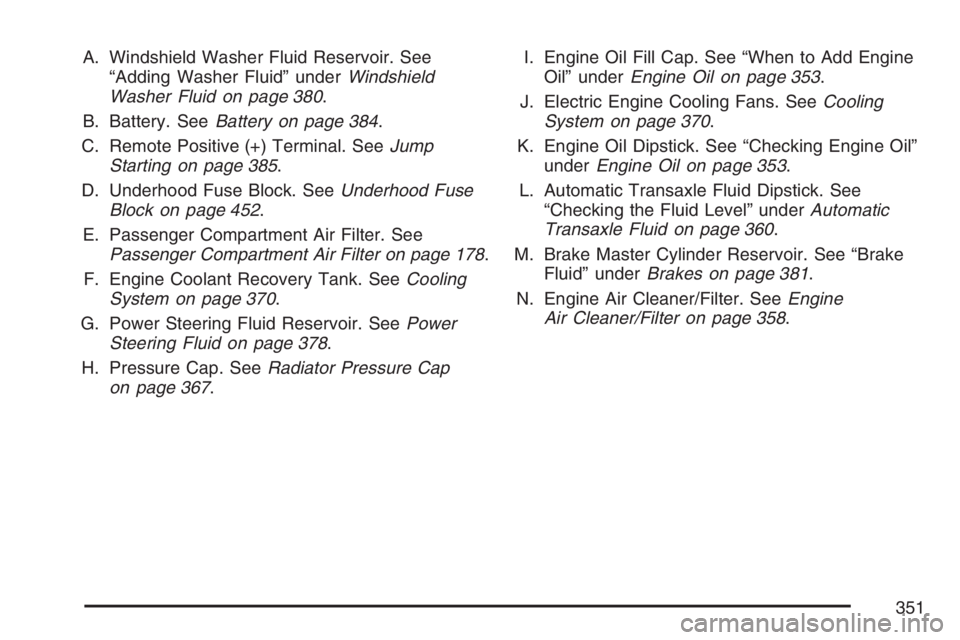
A. Windshield Washer Fluid Reservoir. See
“Adding Washer Fluid” underWindshield
Washer Fluid on page 380.
B. Battery. SeeBattery on page 384.
C. Remote Positive (+) Terminal. SeeJump
Starting on page 385.
D. Underhood Fuse Block. SeeUnderhood Fuse
Block on page 452.
E. Passenger Compartment Air Filter. See
Passenger Compartment Air Filter on page 178.
F. Engine Coolant Recovery Tank. SeeCooling
System on page 370.
G. Power Steering Fluid Reservoir. SeePower
Steering Fluid on page 378.
H. Pressure Cap. SeeRadiator Pressure Cap
on page 367.I. Engine Oil Fill Cap. See “When to Add Engine
Oil” underEngine Oil on page 353.
J. Electric Engine Cooling Fans. SeeCooling
System on page 370.
K. Engine Oil Dipstick. See “Checking Engine Oil”
underEngine Oil on page 353.
L. Automatic Transaxle Fluid Dipstick. See
“Checking the Fluid Level” underAutomatic
Transaxle Fluid on page 360.
M. Brake Master Cylinder Reservoir. See “Brake
Fluid” underBrakes on page 381.
N. Engine Air Cleaner/Filter. SeeEngine
Air Cleaner/Filter on page 358.
351
Page 353 of 512
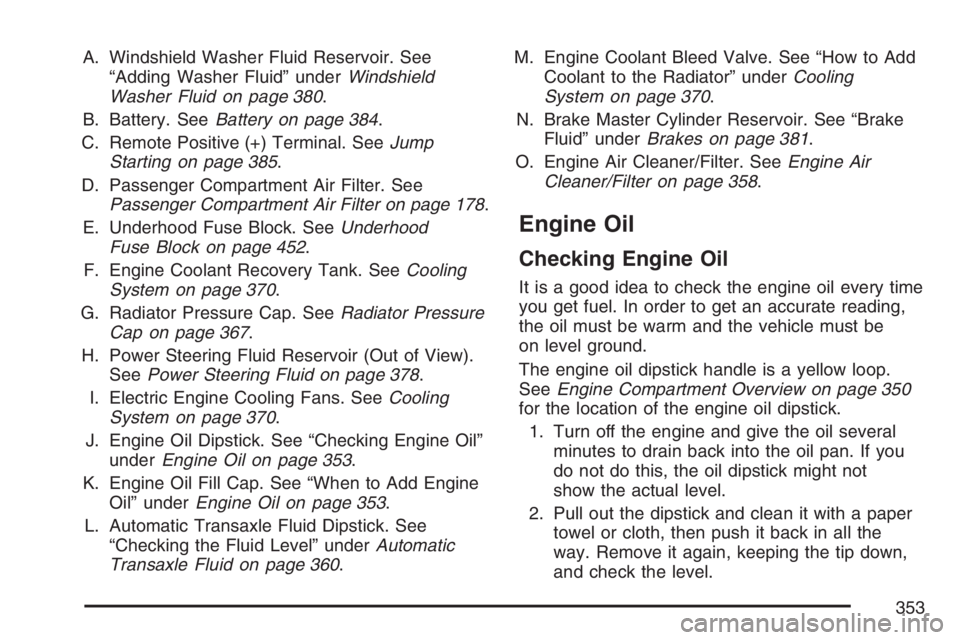
A. Windshield Washer Fluid Reservoir. See
“Adding Washer Fluid” underWindshield
Washer Fluid on page 380.
B. Battery. SeeBattery on page 384.
C. Remote Positive (+) Terminal. SeeJump
Starting on page 385.
D. Passenger Compartment Air Filter. See
Passenger Compartment Air Filter on page 178.
E. Underhood Fuse Block. SeeUnderhood
Fuse Block on page 452.
F. Engine Coolant Recovery Tank. SeeCooling
System on page 370.
G. Radiator Pressure Cap. SeeRadiator Pressure
Cap on page 367.
H. Power Steering Fluid Reservoir (Out of View).
SeePower Steering Fluid on page 378.
I. Electric Engine Cooling Fans. SeeCooling
System on page 370.
J. Engine Oil Dipstick. See “Checking Engine Oil”
underEngine Oil on page 353.
K. Engine Oil Fill Cap. See “When to Add Engine
Oil” underEngine Oil on page 353.
L. Automatic Transaxle Fluid Dipstick. See
“Checking the Fluid Level” underAutomatic
Transaxle Fluid on page 360.M. Engine Coolant Bleed Valve. See “How to Add
Coolant to the Radiator” underCooling
System on page 370.
N. Brake Master Cylinder Reservoir. See “Brake
Fluid” underBrakes on page 381.
O. Engine Air Cleaner/Filter. SeeEngine Air
Cleaner/Filter on page 358.
Engine Oil
Checking Engine Oil
It is a good idea to check the engine oil every time
you get fuel. In order to get an accurate reading,
the oil must be warm and the vehicle must be
on level ground.
The engine oil dipstick handle is a yellow loop.
SeeEngine Compartment Overview on page 350
for the location of the engine oil dipstick.
1. Turn off the engine and give the oil several
minutes to drain back into the oil pan. If you
do not do this, the oil dipstick might not
show the actual level.
2. Pull out the dipstick and clean it with a paper
towel or cloth, then push it back in all the
way. Remove it again, keeping the tip down,
and check the level.
353
Page 386 of 512
Notice:If you leave your radio or other
accessories on during the jump starting
procedure, they could be damaged. The repairs
would not be covered by your warranty.
Always turn off your radio and other
accessories when jump starting your vehicle.
3. Turn off the ignition on both vehicles.
Unplug unnecessary accessories plugged into
the cigarette lighter or the accessory power
outlets. Turn off the radio and all lamps
that are not needed. This will avoid sparks
and help save both batteries. And it could
save the radio!
4. Open the hood on the other vehicle and
locate the positive (+) and negative (−)
terminal locations on that vehicle.
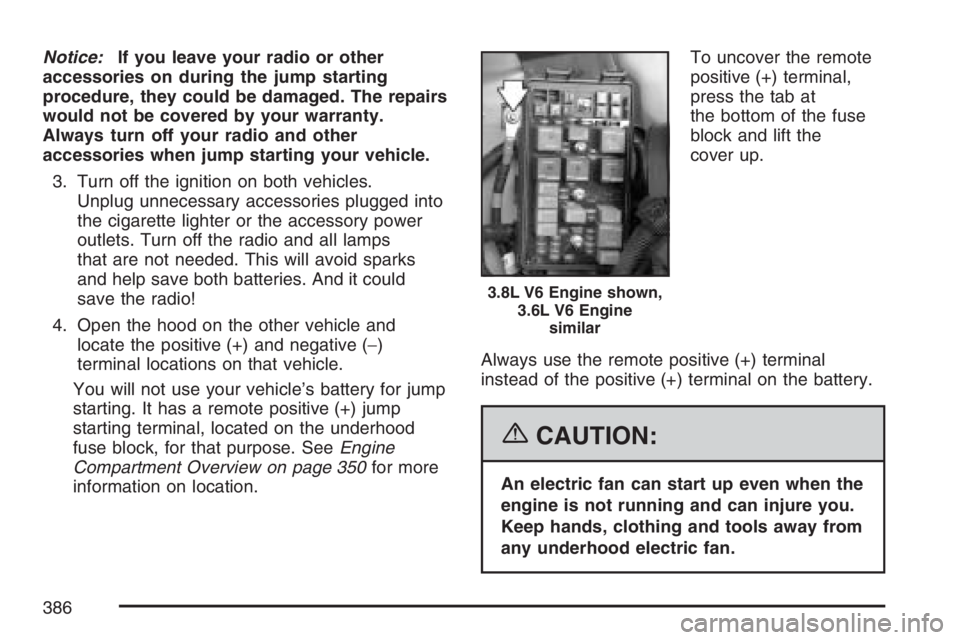
You will not use your vehicle’s battery for jump
starting. It has a remote positive (+) jump
starting terminal, located on the underhood
fuse block, for that purpose. SeeEngine
Compartment Overview on page 350for more
information on location.To uncover the remote
positive (+) terminal,
press the tab at
the bottom of the fuse
block and lift the
cover up.
Always use the remote positive (+) terminal
instead of the positive (+) terminal on the battery.
{CAUTION:
An electric fan can start up even when the
engine is not running and can injure you.
Keep hands, clothing and tools away from
any underhood electric fan.
3.8L V6 Engine shown,
3.6L V6 Engine
similar
386
Page 389 of 512
7. Do not let the other end touch metal. Connect
it to the positive (+) terminal location on
the vehicle with the good battery. Use a
remote positive (+) terminal if the vehicle
has one.
8. Now connect the black negative (−) cable to
the negative (−) terminal location on the
vehicle with the good battery. Use a remote
negative (−) terminal if the vehicle has one.
Do not let the other end touch anything
until the next step. The other end of the
negative (−) cable does not go to the dead
battery. It goes to a heavy, unpainted
metal engine part or to a remote negative (–)
terminal on the vehicle with the dead
battery.9. Connect the other end of the negative (−)
cable at least 18 inches (45 cm) away from
the dead battery, but not near engine
parts that move. The electrical connection
is just as good there, and the chance of
sparks getting back to the battery is
much less.
10. Now start the vehicle with the good battery
and run the engine for a while.
11. Try to start the vehicle that had the dead
battery. If it will not start after a few tries,
it probably needs service.
389