light BUICK LACROSSE 2009 Manual PDF
[x] Cancel search | Manufacturer: BUICK, Model Year: 2009, Model line: LACROSSE, Model: BUICK LACROSSE 2009Pages: 428
Page 193 of 428
SERVICE TRACTION SYSTEM
This message displays when the traction system is not
functioning properly. A warning light also appears on the
instrument panel cluster. SeeTraction Control System
(TCS) Warning Light on page 3-37. SeeTraction Control
System (TCS) on page 4-7orEnhanced Traction System
(ETS) on page 4-8for more information. Have the system
serviced by your dealer/retailer as soon as possible.
This message displays only while the ignition is in
ON/RUN. Press any of the DIC buttons to acknowledge
this message and to clear it from the screen.
This message continues to display for two seconds
if it has not been acknowledged when the engine
is turned off. It also re-displays for two seconds if the
message has been acknowledged, but the condition
still exists when the engine is turned off.
If the condition still exists, the message re-appears
when the engine is turned on.
SERVICE VARIABLE EFFORT
STEERING
If your vehicle has variable effort steering, this message
displays when if this system is not functioning properly.
SeeSteering on page 4-10for more information.
Have the system serviced by your dealer/retailer
as soon as possible.This message displays only while the ignition is in
ON/RUN. Press any of the DIC buttons to acknowledge
this message and to clear it from the screen.
This message continues to display for two seconds
if it has not been acknowledged when the engine
is turned off. It also re-displays for two seconds if the
message has been acknowledged, but the condition
still exists when the engine is turned off.
If the condition still exists, the message re-appears
when the engine is turned on.
SERVICE VEHICLE SOON
This message displays when a non-emissions related
malfunction occurs. Have the vehicle serviced by
your dealer/retailer as soon as possible.
This message displays only while the ignition is in
ON/RUN. Press any of the DIC buttons to acknowledge
this message and to clear it from the screen.
This message continues to display for two seconds
if it has not been acknowledged when the engine
is turned off. It also re-displays for two seconds if the
message has been acknowledged, but the condition
still exists when the engine is turned off.
If the condition still exists, the message re-appears
when the engine is turned on.
3-71
Page 196 of 428
TURN SIGNAL ON
This message displays as a reminder to turn off the
turn signal if you drive your vehicle for more than about
0.75 mile (1.2 km) with a turn signal on. SeeTurn
Signal/Multifunction Lever on page 3-7.
This message displays and a chime sounds only when
the ignition is in ON/RUN. This message clears from
the DIC if the turn signal is manually turned off, a turn
is completed, or the message is acknowledged.
DIC Vehicle Personalization
Your vehicle may have customization capabilities that
allow you to program certain features to one preferred
setting. Customization features can only be programmed
to one setting on the vehicle and cannot be programmed
to a preferred setting for two different drivers. The
customization features include the following:
Exterior lighting delay
Interior lighting delay
Delayed locking
Content theft
Remote keyless entry feedback
Remote startYour vehicle may also have personalization capabilities
that allow you to program certain features to a preferred
setting for up to two drivers. The rst personalized key
corresponds to driver 1 and the second personalized key
corresponds to driver 2. The personalization features
include the following:
Radio station presets
Auto door unlock preferences
Remote keyless entry unlock preferences
All of the customization and personalization options
may not be available on your vehicle. Only the options
available will be displayed on the DIC.
The default settings for the customization and
personalization features were set when your vehicle
left the factory, but may have been changed from their
default state since then.
The customization preferences are automatically
recalled.
The driver’s personalization preferences are recalled by
using the key programmed for driver 1 or 2.
3-74
Page 198 of 428
ALL KEYS WILL BE RESET
This screen will only display if YES was selected on the
FACTORY DEFAULTS screen.
Press the set/reset button to scroll through the following
settings:
CANCEL (default):The features will not be set to their
factory default settings and the DIC will return to the
PERSONAL PROGRAM menu.
OK:The features will be set to their factory default
settings, the DIC will exit the personal program menu,
and PERSONAL OPTIONS SAVED will display.
EXT (Exterior) LIGHT DELAY
This feature allows you to set the amount of time the
exterior lamps remain on after the key is removed from
the ignition or the vehicle is unlocked using the Remote
Keyless Entry (RKE) transmitter.
Press the option button until EXT LIGHT DELAY
appears on the DIC display. Press the set/reset button
to scroll through the following settings:
OFF:The exterior lamps will not turn on.
15 seconds:The exterior lamps will stay on for
15 seconds.
30 seconds (default):The exterior lamps will stay on
for 30 seconds.60 seconds:The exterior lamps will stay on for
60 seconds.
90 seconds:The exterior lamps will stay on for
90 seconds.
To select a setting and move on to the next feature,
press the option button while the desired setting
is displayed on the DIC.
INT (Interior) LIGHTS KEYS REMOVED
This feature enables the interior lamps in the vehicle to
turn on for about 25 seconds after the key is removed
from the ignition.
Press the option button until INT LIGHTS KEYS
REMOVED appears on the DIC display. Press the
set/reset button to scroll through the following settings:
OFF:Removing the key from the ignition will not
cause the interior lamps to turn on.
ON (default):Removing the key from the ignition will
cause the interior lamps to be turned on for about
25 seconds.
To select a setting and move on to the next feature,
press the option button while the desired setting
is displayed on the DIC.
3-76
Page 200 of 428
CONTENT THEFT
If your vehicle has the content theft-deterrent system,
once this feature is turned on, the system will activate
if someone tries to enter the vehicle without using
the Remote Keyless Entry (RKE) transmitter or the
correct key.
Press the option button until CONTENT THEFT appears
on the DIC display. Press the set/reset button to scroll
through the following settings:
OFF:The content theft-deterrent system will be
turned off.
ON (default):The content theft-deterrent system will be
turned on.
When ON is selected, the content theft-deterrent system
will be armed when the vehicle is locked by pressing
the lock button on the RKE transmitter or by pressing the
power door lock switch. SeeContent Theft-Deterrent
on page 2-17andPower Door Locks on page 2-9
for more information.
To select a setting and move on to the next feature,
press the option button while the desired setting
is displayed on the DIC.
FOB LOCK FEEDBACK
This feature allows you to select the type of feedback
you will receive when locking the vehicle with the
Remote Keyless Entry (RKE) transmitter.
Press the option button until FOB LOCK FEEDBACK
appears on the DIC display. Press the set/reset button
to scroll through the following settings:
OFF:There will be no feedback when locking the
vehicle.
LIGHTS:The exterior lamps will ash when you press
the lock button on the RKE transmitter.
LIGHTS and HORN (default):The exterior lamps
will ash when you press the lock button on the RKE
transmitter, and the horn will sound when the lock button
is pressed again within ve seconds of the previous
command.
To select a setting and move on to the next feature,
press the option button while the desired setting
is displayed on the DIC.
3-78
Page 211 of 428
Playing a CD
Insert a CD partway into the slot, label side up. The
player pulls it in and the CD begins playing. To insert a
CD while the ignition is off, rst press the
Zbutton
or the DISP knob.
If the ignition or radio is turned off while a CD is in
the player, it stays in the player. While the ignition
or radio is turned on, the CD starts to play where it
stopped, if it was the last selected audio source.
When the CD is inserted, the CD symbol displays. As
each new track starts to play, the track number displays.
The CD player can play the smaller 3 inch (8 cm)
single CDs with an adapter ring. Full-size CDs and
the smaller CDs are loaded in the same manner.
For vehicles that have a radio with a Six-Disc CD player:
LOAD:Press to load CDs into the CD player.
This CD player holds up to six CDs.
To insert one CD:
1. Turn the ignition on.
2. Press and release the LOAD button.3. Wait for the indicator light, located to the right of the
slot, to turn green.
4. Load a CD. Insert the CD partway into the slot,
label side up. The player pulls the CD in.
To insert multiple CDs:
1. Turn the ignition on.
2. Press and hold the LOAD button for two seconds.
The radio beeps once and the indicator light,
located to the right of the slot, begins to ash
and MULTI LOAD # displays.
3. Once the light stops ashing and turns green,
INSERT CD # displays, load a CD. Insert the CD
partway into the slot, label side up. The player pulls
the CD in.
Once the CD is loaded, the indicator light begins
ashing again. Once the light stops ashing and turns
green, another CD can be loaded. The CD player takes
up to six CDs.
To load more than one CD but less than six, complete
Steps 1 through 3. When nished loading CDs, press the
LOAD button to cancel the loading function. The radio
begins to play the last CD loaded.
If more than one CD has been loaded, a number for
each CD displays.
3-89
Page 212 of 428
Playing a Specic Loaded CD
For every CD loaded, a number displays. To play a
specic CD, press the numbered pushbutton that
corresponds to the CD. A small bar appears under
the CD number that is playing and the track number
displays.
Z(Eject):Press to eject CD(s).
To eject the CD that is currently playing, press and
release.
To eject multiple CDs:
1. Press and hold the
Zbutton for two seconds.
The radio beeps once and the indicator light,
located to the right of the slot, begins to ash
and EJECT ALL displays.
2. Once the light stops ashing, REMOVE CD #
displays. The CD ejects and can be removed.
Once the CD is removed, the indicator light begins
ashing again and another CD ejects.
To stop ejecting the CDs, press the LOAD or
the
Zbutton.If the CD is not removed, after 25 seconds, the CD is
automatically pulled back into the player. If a CD is
pushed back into the player, before the 25 second time
period is complete, the player senses an error and
tries to eject the CD several times before stopping.
Do not repeatedly press the
Zbutton to eject a CD
after trying to push it in manually. The player’s 25-second
eject timer resets at each press of the eject button,
causing the player to not eject the CD until the 25-second
time period has elapsed.
1
s(Reverse):Press to reverse within the current
track.
2
\(Fast Forward):Press to fast forward within the
current track.
3
N(Repeat):Depending on the radio, press to
hear a track over again. REPEAT TRACK displays.
The current track continues to repeat.
For the radio with a Six-Disc CD player, press to repeat
one track or an entire CD.
3-90
Page 216 of 428
CD Messages
CHECK CD:If this message displays and/or the CD
comes out, it could be for one of the following reasons:
It is very hot. When the temperature returns to
normal, the CD should play.
The road is very rough. When the road becomes
smoother, the CD should play.
The CD is dirty, scratched, wet, or upside down.
The air is very humid. If so, wait about an hour and
try again.
The format of the CD might not be compatible.
Depending on the radio, see “MP3 Format”
later in this section.
There could have been a problem while burning
the CD.
The label could be caught in the CD player.
If the CD is not playing correctly, for any other reason,
try a known good CD.
If any error occurs repeatedly or if an error cannot
be corrected, contact your dealer/retailer. If the radio
displays an error message, write it down and provide
it to your dealer/retailer when reporting the problem.
Care of CDs
CD sound quality can be reduced due to CD quality,
the method of recording, the quality of the music that has
been recorded, and the way the CD has been handled.
Handle them carefully. Store CD(s) in their original cases
or other protective cases and away from direct sunlight
and dust. The CD player scans the bottom surface of the
disc. If the surface of a CD is damaged, such as cracked,
broken, or scratched, the CD does not play properly or
not at all. Do not touch the bottom side of a CD while
handling it; this could damage the surface. Pick up CDs
by grasping the outer edges or the edge of the hole and
the outer edge.
If the surface of a CD is soiled, take a soft, lint free
cloth or dampen a clean, soft cloth in a mild, neutral
detergent solution mixed with water, and clean it.
Make sure the wiping process starts from the center
to the edge.
3-94
Page 240 of 428
Braking
SeeBrake System Warning Light on page 3-35.
Braking action involves perception time and reaction
time. Deciding to push the brake pedal is perception
time. Actually doing it is reaction time.
Average reaction time is about three-fourths of a
second. But that is only an average. It might be less
with one driver and as long as two or three seconds or
more with another. Age, physical condition, alertness,
coordination, and eyesight all play a part. So do alcohol,
drugs, and frustration. But even in three-fourths of a
second, a vehicle moving at 60 mph (100 km/h) travels
66 feet (20 m). That could be a lot of distance in an
emergency, so keeping enough space between
the vehicle and others is important.
And, of course, actual stopping distances vary greatly
with the surface of the road, whether it is pavement
or gravel; the condition of the road, whether it is
wet, dry, or icy; tire tread; the condition of the brakes;
the weight of the vehicle; and the amount of brake force
applied.Avoid needless heavy braking. Some people drive
in spurts — heavy acceleration followed by heavy
braking — rather than keeping pace with traffic. This is a
mistake. The brakes might not have time to cool between
hard stops. The brakes will wear out much faster with a
lot of heavy braking. Keeping pace with the traffic and
allowing realistic following distances eliminates a lot of
unnecessary braking. That means better braking and
longer brake life.
If the engine ever stops while the vehicle is being driven,
brake normally but do not pump the brakes. If the brakes
are pumped, the pedal could get harder to push down. If
the engine stops, there will still be some power brake
assist but it will be used when the brake is applied. Once
the power assist is used up, it can take longer to stop and
the brake pedal will be harder to push.
Adding non-dealer/non-retailer accessories can affect
vehicle performance. SeeAccessories and Modifications
on page 5-3.
4-4
Page 241 of 428
Antilock Brake System (ABS)
This vehicle has the Antilock Brake System (ABS), an
advanced electronic braking system that will help
prevent a braking skid.
When the engine is started and the vehicle begins to
drive away, ABS checks itself. A momentary motor
or clicking noise might be heard while this test is going
on, and it might even be noticed that the brake pedal
moves a little. This is normal.
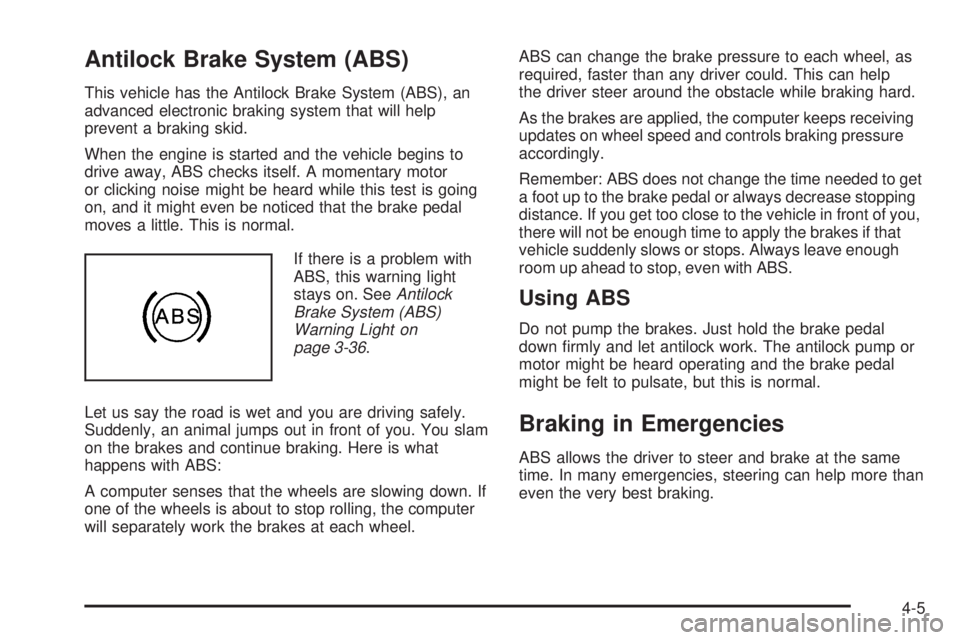
If there is a problem with
ABS, this warning light
stays on. SeeAntilock
Brake System (ABS)
Warning Light on
page 3-36.
Let us say the road is wet and you are driving safely.
Suddenly, an animal jumps out in front of you. You slam
on the brakes and continue braking. Here is what
happens with ABS:
A computer senses that the wheels are slowing down. If
one of the wheels is about to stop rolling, the computer
will separately work the brakes at each wheel.ABS can change the brake pressure to each wheel, as
required, faster than any driver could. This can help
the driver steer around the obstacle while braking hard.
As the brakes are applied, the computer keeps receiving
updates on wheel speed and controls braking pressure
accordingly.
Remember: ABS does not change the time needed to get
a foot up to the brake pedal or always decrease stopping
distance. If you get too close to the vehicle in front of you,
there will not be enough time to apply the brakes if that
vehicle suddenly slows or stops. Always leave enough
room up ahead to stop, even with ABS.
Using ABS
Do not pump the brakes. Just hold the brake pedal
down rmly and let antilock work. The antilock pump or
motor might be heard operating and the brake pedal
might be felt to pulsate, but this is normal.
Braking in Emergencies
ABS allows the driver to steer and brake at the same
time. In many emergencies, steering can help more than
even the very best braking.
4-5
Page 242 of 428
StabiliTrak®System
The vehicle may be equipped with a vehicle stability
enhancement system called StabiliTrak. It is an
advanced computer controlled system that assists with
directional control of the vehicle in difficult driving
conditions.
StabiliTrak activates when the computer senses a
discrepancy between the intended path and the direction
the vehicle is actually traveling. StabiliTrak selectively
applies braking pressure at any one of the vehicle’s
brakes to assist the driver with keeping the vehicle on
the intended path.
When the system activates, STABILITY CONTROL
ACTIVE comes on the Driver Information Center (DIC).
SeeDIC Warnings and Messages on page 3-56.
The system may be heard or felt while it is working.
This is normal. Continue to steer the vehicle in the
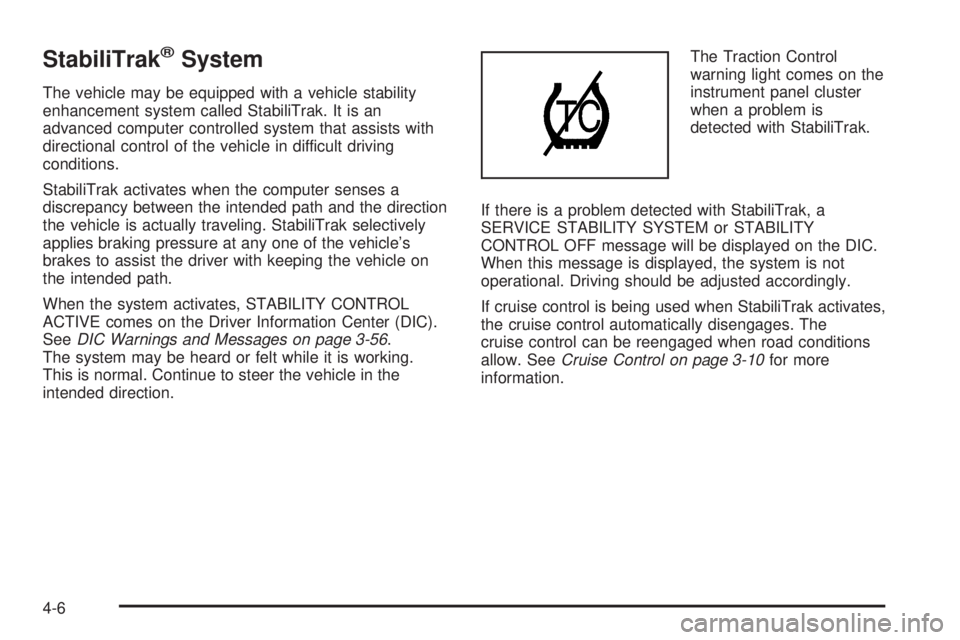
intended direction.The Traction Control
warning light comes on the
instrument panel cluster
when a problem is
detected with StabiliTrak.
If there is a problem detected with StabiliTrak, a
SERVICE STABILITY SYSTEM or STABILITY
CONTROL OFF message will be displayed on the DIC.
When this message is displayed, the system is not
operational. Driving should be adjusted accordingly.
If cruise control is being used when StabiliTrak activates,
the cruise control automatically disengages. The
cruise control can be reengaged when road conditions
allow. SeeCruise Control on page 3-10for more
information.
4-6