lock BUICK LACROSSE 2010 User Guide
[x] Cancel search | Manufacturer: BUICK, Model Year: 2010, Model line: LACROSSE, Model: BUICK LACROSSE 2010Pages: 414
Page 16 of 414
1-10 Keys, Doors and Windows
Door Locks
{WARNING
Unlocked doors can be
dangerous.
.Passengers, especially
children, can easily open the
doors and fall out of a moving
vehicle. The chance of being
thrown out of the vehicle in a
crash is increased if the
doors are not locked. So, all
passengers should wear
safety belts properly and the
doors should be locked
whenever the vehicle is
driven.
.Young children who get into
unlocked vehicles may be
unable to get out. A child can
be overcome by extreme heat
and can suffer permanent
injuries or even death from
heat stroke. Always lock the
vehicle whenever leaving it.(Continued)
WARNING (Continued)
.Outsiders can easily enter
through an unlocked door
when you slow down or stop
your vehicle. Locking your
doors can help prevent this
from happening.
To lock and unlock the door, use the
Remote Keyless Entry (RKE)
transmitter or the key from the
outside and the door lock knob or
switch from the inside.
From inside the vehicle with the
doors locked, pull once on the door
handle to unlock it, and a second
time to open it.
Manually locking the driver door will
also automatically lock all other
doors.
If the driver door is open or the key
is in the ignition, the driver door may
unlock. See Vehicle Personalization
on page 4‑38for more information. See
Remote Keyless Entry (RKE)
System Operation (Key Access)
on
page 1‑3or Remote Keyless Entry
(RKE) System Operation (Keyless
Access)
on page 1‑5and Power
Door Lockson page 1‑10for more
information.
Power Door Locks
The power door lock switches are
located on the center of the
instrument panel.
K(Unlock): Press to unlock
the doors.
Q(Lock): Press to lock the doors.
See Vehicle Personalization
on
page 4‑38for more information.
Page 17 of 414
Keys, Doors and Windows 1-11
Safety Locks
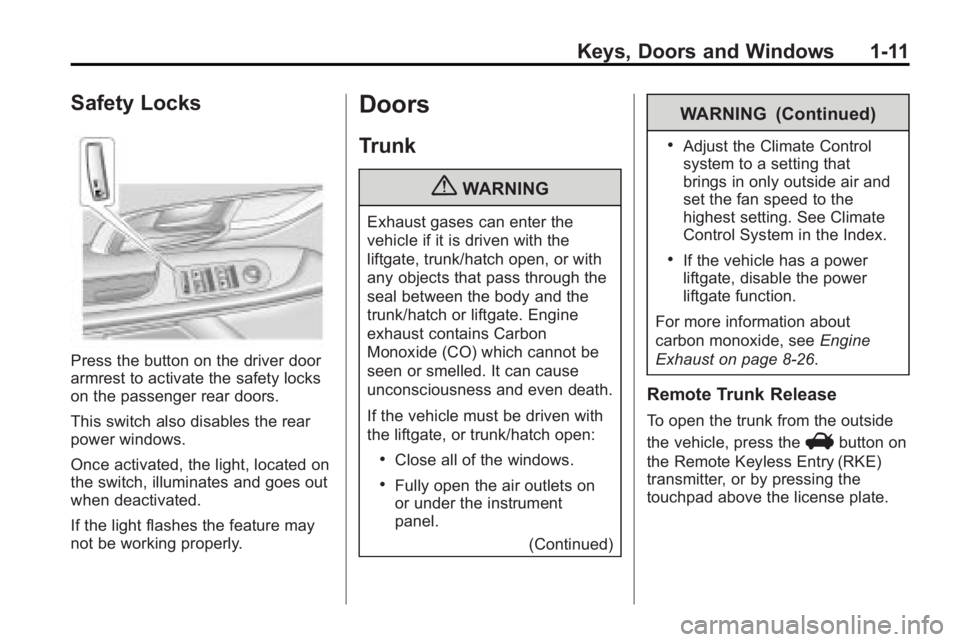
Press the button on the driver door
armrest to activate the safety locks
on the passenger rear doors.
This switch also disables the rear
power windows.
Once activated, the light, located on
the switch, illuminates and goes out
when deactivated.
If the light flashes the feature may
not be working properly.
Doors
Trunk
{WARNING
Exhaust gases can enter the
vehicle if it is driven with the
liftgate, trunk/hatch open, or with
any objects that pass through the
seal between the body and the
trunk/hatch or liftgate. Engine
exhaust contains Carbon
Monoxide (CO) which cannot be
seen or smelled. It can cause
unconsciousness and even death.
If the vehicle must be driven with
the liftgate, or trunk/hatch open:
.Close all of the windows.
.Fully open the air outlets on
or under the instrument
panel.(Continued)
WARNING (Continued)
.Adjust the Climate Control
system to a setting that
brings in only outside air and
set the fan speed to the
highest setting. See Climate
Control System in the Index.
.If the vehicle has a power
liftgate, disable the power
liftgate function.
For more information about
carbon monoxide, see Engine
Exhaust on page 8‑26.
Remote Trunk Release
To open the trunk from the outside
the vehicle, press the
Vbutton on
the Remote Keyless Entry (RKE)
transmitter, or by pressing the
touchpad above the license plate.
Page 19 of 414
Keys, Doors and Windows 1-13
Vehicle Security
Vehicle theft is big business,
especially in some cities. This
vehicle has theft-deterrent features,
however, they do not make it
impossible to steal.
Anti-Theft Alarm System
This vehicle has an anti-theft alarm
system.
Arming the System
To arm the system, pressQon the
RKE transmitter.
The alarm automatically arms after
about 30 seconds. The security
light, located on the instrument
panel, flashes.
Press
Von the RKE transmitter to
open the trunk without setting off the
alarm. The system rearms when the
trunk is closed.
Disarming the System
To disarm the system, do one of the
following:
.PressKon the RKE transmitter.
.Approach the vehicle with the
RKE transmitter (Keyless
Access).
.Start the engine.
The alarm automatically disarms.
How to Detect a Tamper
Condition
IfKis pressed and the horn
sounds, an attempted break-in has
occurred while the system was
armed.
If the alarm has been activated, the
Theft Attempted message will
appear on the DIC. See Key and
Lock Messages
on page 4‑36for
additional information.
Immobilizer
See Radio Frequency Statement
(US, Can)on page 12‑16for
information regarding Part 15 of
the Federal Communications
Commission (FCC) Rules and
RSS-210/211 of Industry and
Science Canada.
Immobilizer Operation
(Key Access)
This vehicle has a passive
theft-deterrent system.
The system does not have to be
manually armed or disarmed.
The vehicle is automatically
immobilized when the key is
removed from the ignition.
The system is automatically
disarmed when the vehicle is
started with the correct key. The key
uses a transponder that matches an
immobilizer control unit in the
vehicle and automatically disarms
Page 21 of 414
Keys, Doors and Windows 1-15
If the keyless access transmitter
appears to be undamaged, try
another keyless access transmitter.
Or, you may try placing the
transmitter in the transmitter pocket
located in the center console. See
“No Remote Detected”underKey
and Lock Messages on page 4‑36.
If the engine does not start with the
other transmitter or when the
transmitter is on the pocket in the
center console, your vehicle needs
service. See your dealer/retailer
who can service the theft-deterrent
system and have a new transmitter
programmed to the vehicle.
Do not leave the key or device that
disarms or deactivates the theft
deterrent system in the vehicle.Exterior Mirrors
Power Mirrors
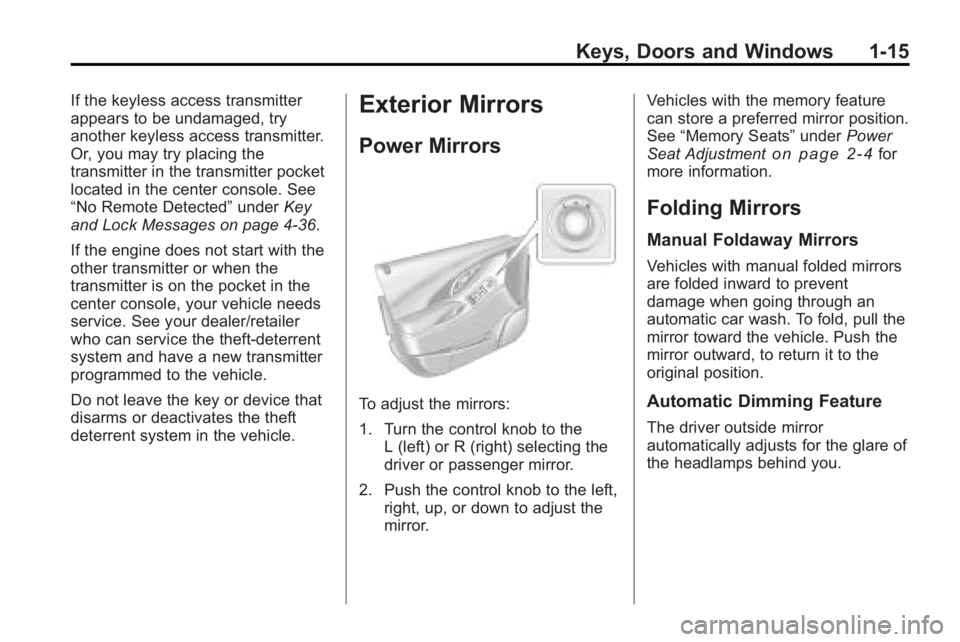
To adjust the mirrors:
1. Turn the control knob to the L (left) or R (right) selecting the
driver or passenger mirror.
2. Push the control knob to the left, right, up, or down to adjust the
mirror. Vehicles with the memory feature
can store a preferred mirror position.
See
“Memory Seats” underPower
Seat Adjustment
on page 2‑4for
more information.
Folding Mirrors
Manual Foldaway Mirrors
Vehicles with manual folded mirrors
are folded inward to prevent
damage when going through an
automatic car wash. To fold, pull the
mirror toward the vehicle. Push the
mirror outward, to return it to the
original position.
Automatic Dimming Feature
The driver outside mirror
automatically adjusts for the glare of
the headlamps behind you.
Page 22 of 414
1-16 Keys, Doors and Windows
Turn Signal Indicator
The vehicle might have a turn signal
indicator lamp that is built into the
mirror housing. The turn signal lamp
flashes with the use of the vehicle's
turn signal and hazard flashers.
Heated Mirrors
For vehicles with heated mirrors:
<(Rear Window Defogger):
Press to heat the mirrors.
See “Rear Window Defogger” under
Automatic Climate Control System
on page 7‑1for more information.
Park Tilt Mirrors
If the vehicle has the memory
package, the outside mirrors have a
park tilt feature. This feature tilts the
outside mirrors to a preselected
position when the vehicle is in
R (Reverse). This allows the driver
to view the curb for parallel parking.
The passenger and driver mirror
returns to its original position when
the vehicle is shifted out of
R (Reverse), or the ignition is turned
off or to OFF/LOCK.
This feature can be turned on or off
through the Driver Information
Center (DIC). See Vehicle
Personalization
on page 4‑38for
more information.
Interior Mirrors
Manual Rearview Mirror
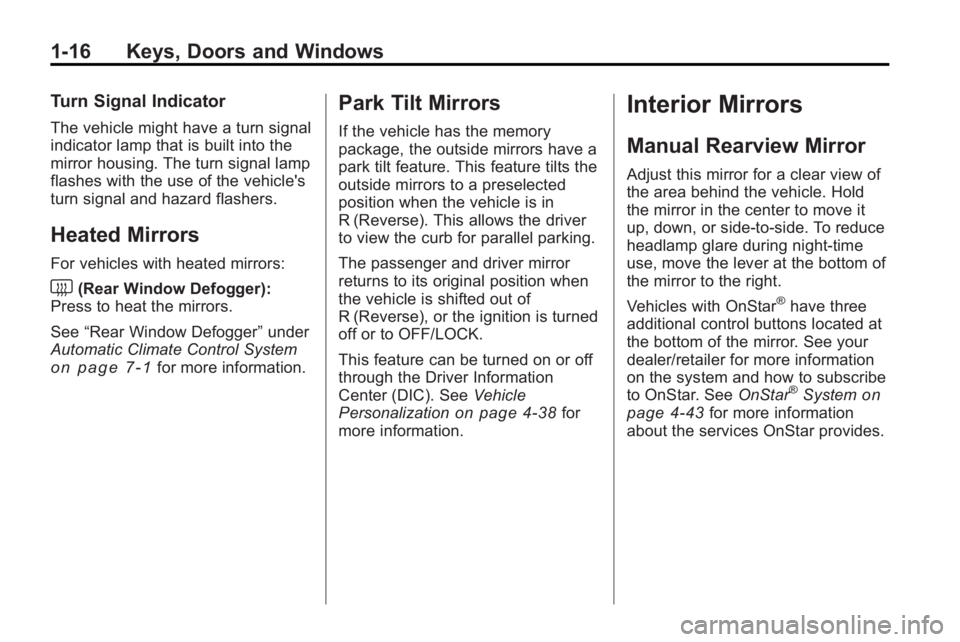
Adjust this mirror for a clear view of
the area behind the vehicle. Hold
the mirror in the center to move it
up, down, or side-to-side. To reduce
headlamp glare during night-time
use, move the lever at the bottom of
the mirror to the right.
Vehicles with OnStar
®have three
additional control buttons located at
the bottom of the mirror. See your
dealer/retailer for more information
on the system and how to subscribe
to OnStar. See OnStar
®Systemon
page 4‑43for more information
about the services OnStar provides.
Page 24 of 414
1-18 Keys, Doors and Windows
Express Window Operation
Windows with an express-up or
down feature allow the window to be
lowered or raised without holding
the switch. Rear windows only have
express down. Pull a window switch
up or push it down all the way,
release it, and the window goes
down or up automatically. Stop the
window by pushing or pulling the
switch.
Rear Window Lockout
The rear window lockout buttonv
is located on the driver door near
the window switches. Press the
button to disable the rear window
controls. The light on the button
illuminates, indicating the feature is
in use. The rear windows still can beraised or lowered using the driver
window switches when the lockout
feature is active. To restore power to
the rear windows, press the button
again. The light on the button will go
out. If the light flashes, the feature
may not be working properly.
This switch also activates the Safety
Locks. See
Power Door Locks
on
page 1‑10for more information.
Programming the Power
Windows
If the battery on the vehicle has
been recharged, disconnected, or is
not working, you will need to
reprogram each front power window
for the express-up feature to work.
Before reprogramming, replace or
recharge the vehicle's battery. To program each front window,
follow these steps:
1. With the ignition in ACC/
ACCESSORY, ON/RUN,
or when Retained Accessory
Power (RAP) is active, close
all doors.
2. Press and hold the power window switch until the window
is fully open.
3. Pull the power window switch up until the window is fully closed.
4. Continue holding the switch up for approximately two seconds
after the window is completely
closed.
The window is now reprogrammed.
Repeat the process for the other
windows.
Page 28 of 414
2-2 Seats and Restraints
Head Restraints
The vehicle's front seats have
adjustable head restraints in the
outboard seating positions.
The vehicle's rear seats have
adjustable head rests in the
outboard seating positions.
{WARNING
With head restraints that are not
installed and adjusted properly,
there is a greater chance that
occupants will suffer a neck/
spinal injury in a crash. Do not
drive until the head restraints for
all occupants are installed and
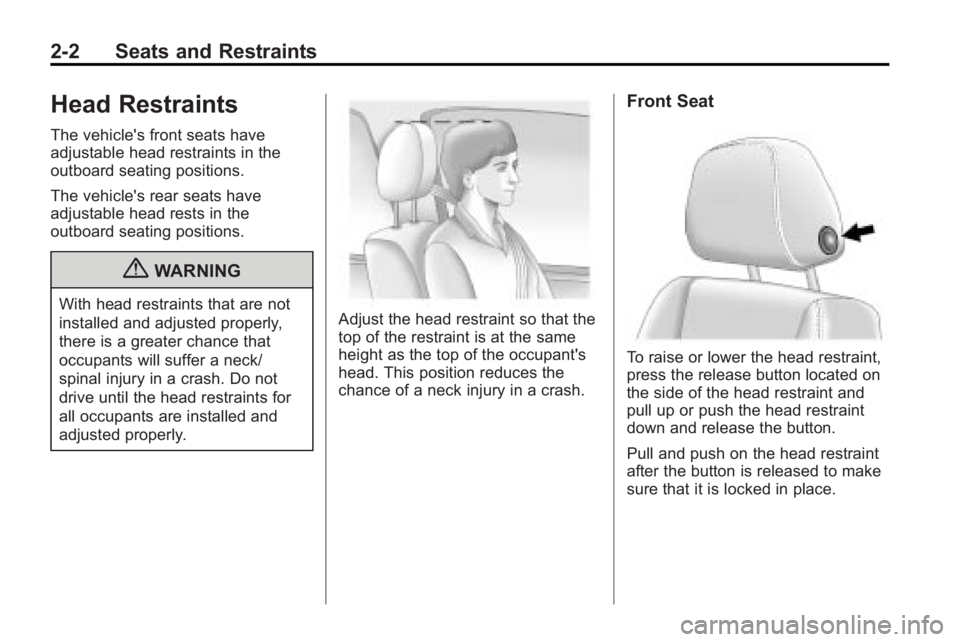
adjusted properly.Adjust the head restraint so that the
top of the restraint is at the same
height as the top of the occupant's
head. This position reduces the
chance of a neck injury in a crash.
Front Seat
To raise or lower the head restraint,
press the release button located on
the side of the head restraint and
pull up or push the head restraint
down and release the button.
Pull and push on the head restraint
after the button is released to make
sure that it is locked in place.
Page 29 of 414
Seats and Restraints 2-3
Rear Seat
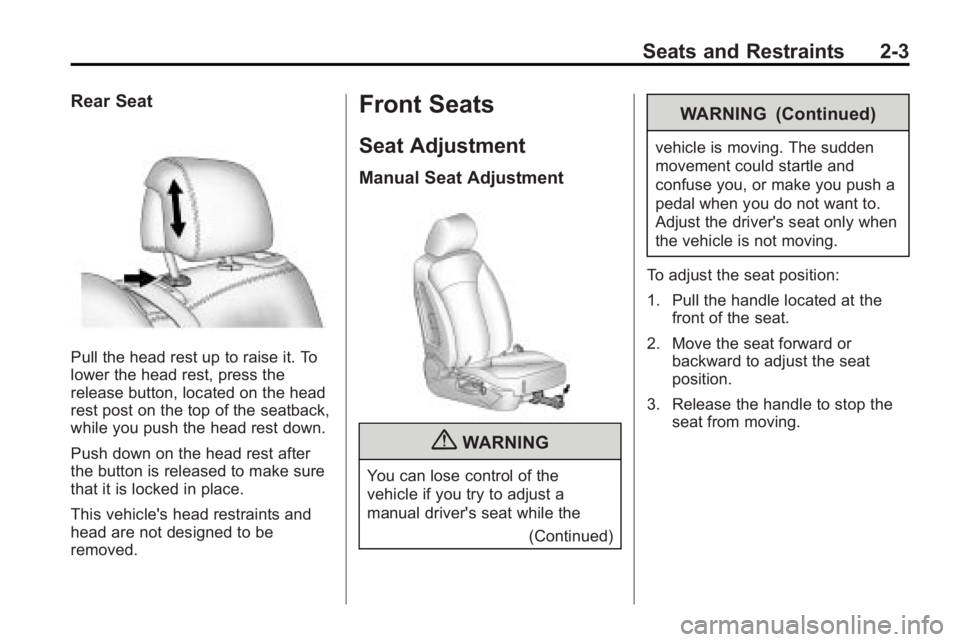
Pull the head rest up to raise it. To
lower the head rest, press the
release button, located on the head
rest post on the top of the seatback,
while you push the head rest down.
Push down on the head rest after
the button is released to make sure
that it is locked in place.
This vehicle's head restraints and
head are not designed to be
removed.
Front Seats
Seat Adjustment
Manual Seat Adjustment
{WARNING
You can lose control of the
vehicle if you try to adjust a
manual driver's seat while the(Continued)
WARNING (Continued)
vehicle is moving. The sudden
movement could startle and
confuse you, or make you push a
pedal when you do not want to.
Adjust the driver's seat only when
the vehicle is not moving.
To adjust the seat position:
1. Pull the handle located at the front of the seat.
2. Move the seat forward or backward to adjust the seat
position.
3. Release the handle to stop the seat from moving.
Page 31 of 414
Seats and Restraints 2-5
Using the Remote Keyless Entry
(RKE) transmitter to enter the
vehicle with the remote recall
memory feature on causes
automatic seat and mirror
adjustment associated with that
transmitter. There is no adjustment
when the position has not been
changed by another seating
position.
To stop recall movement of the
memory feature at any time, press
one of the power seat controls,
memory buttons, or power mirror
buttons.
If something has blocked the driver
seat while recalling a memory
position, the driver seat recall may
stop working. If this happens, press
the appropriate control for the area
that is not recalling for two seconds,
after the obstruction is removed.Then try recalling the memory
position again by pressing the
appropriate memory button. If the
memory position is still not being
recalled, see your dealer/retailer for
service.
Easy Exit Seat
With this feature, the driver seat
automatically moves back to give
the driver more room to exit when
the ignition is turned to OFF and the
driver door is opened.
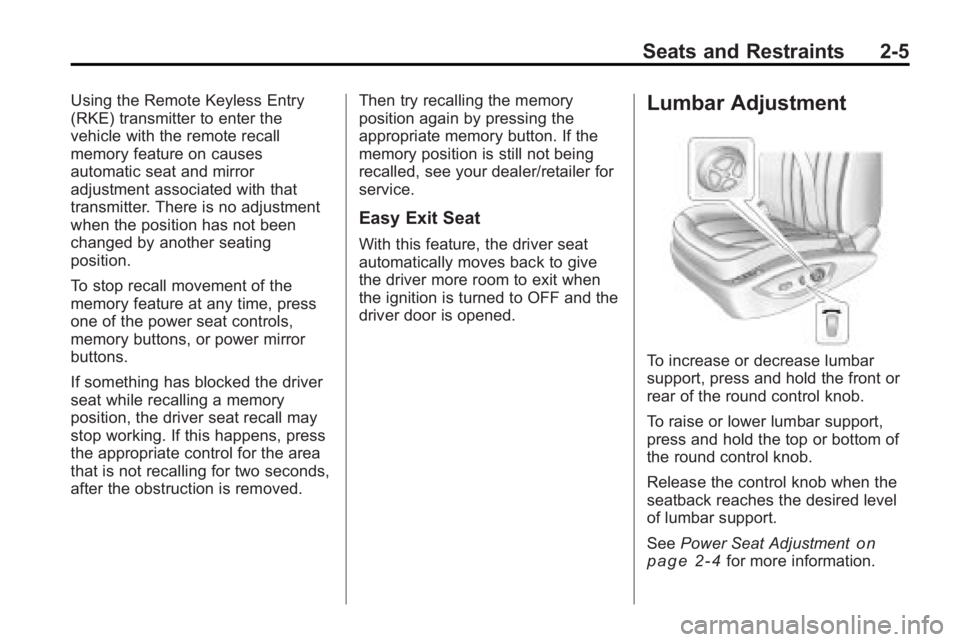
Lumbar Adjustment
To increase or decrease lumbar
support, press and hold the front or
rear of the round control knob.
To raise or lower lumbar support,
press and hold the top or bottom of
the round control knob.
Release the control knob when the
seatback reaches the desired level
of lumbar support.
See
Power Seat Adjustment
on
page 2‑4for more information.
Page 33 of 414
Seats and Restraints 2-7
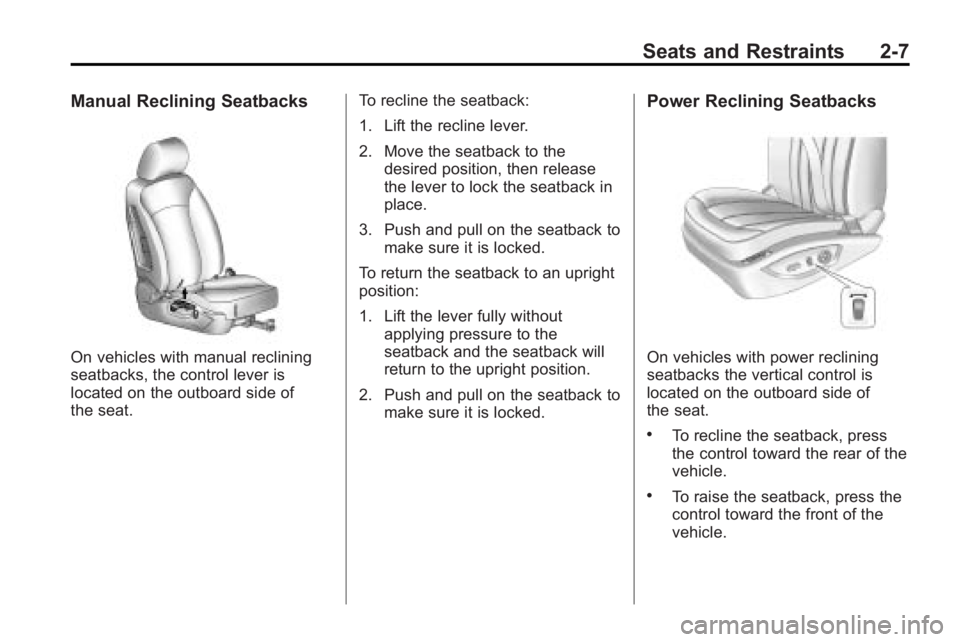
Manual Reclining Seatbacks
On vehicles with manual reclining
seatbacks, the control lever is
located on the outboard side of
the seat.To recline the seatback:
1. Lift the recline lever.
2. Move the seatback to the
desired position, then release
the lever to lock the seatback in
place.
3. Push and pull on the seatback to make sure it is locked.
To return the seatback to an upright
position:
1. Lift the lever fully without applying pressure to the
seatback and the seatback will
return to the upright position.
2. Push and pull on the seatback to make sure it is locked.
Power Reclining Seatbacks
On vehicles with power reclining
seatbacks the vertical control is
located on the outboard side of
the seat.
.To recline the seatback, press
the control toward the rear of the
vehicle.
.To raise the seatback, press the
control toward the front of the
vehicle.