service BUICK LACROSSE 2010 Owner's Guide
[x] Cancel search | Manufacturer: BUICK, Model Year: 2010, Model line: LACROSSE, Model: BUICK LACROSSE 2010Pages: 414
Page 119 of 414
Instruments and Controls 4-31
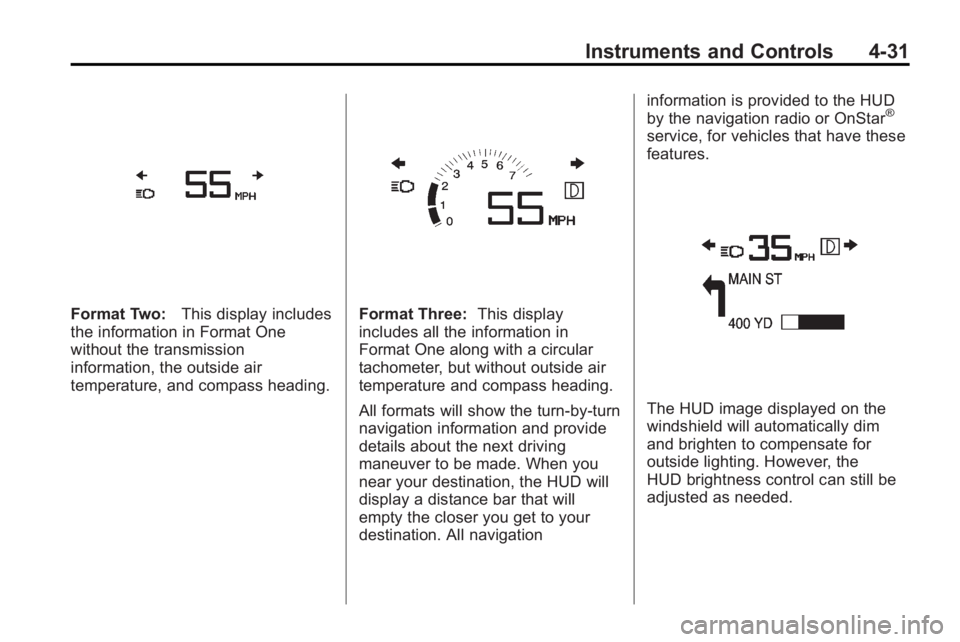
Format Two:This display includes
the information in Format One
without the transmission
information, the outside air
temperature, and compass heading.Format Three: This display
includes all the information in
Format One along with a circular
tachometer, but without outside air
temperature and compass heading.
All formats will show the turn-by-turn
navigation information and provide
details about the next driving
maneuver to be made. When you
near your destination, the HUD will
display a distance bar that will
empty the closer you get to your
destination. All navigation information is provided to the HUD
by the navigation radio or OnStar
®
service, for vehicles that have these
features.
The HUD image displayed on the
windshield will automatically dim
and brighten to compensate for
outside lighting. However, the
HUD brightness control can still be
adjusted as needed.
Page 121 of 414
Instruments and Controls 4-33
Battery Voltage and
Charging Messages
Battery Saver Active
This message displays when the
vehicle has detected that the battery
voltage is dropping beyond a
reasonable point. The battery saver
system starts reducing certain
features of the vehicle that you may
be able to notice. At the point that
features are disabled, this message
is displayed. It means that the
vehicle is trying to save the charge
in the battery. Turn off unnecessary
accessories to allow the battery to
recharge.
Low Battery
This message is displayed when the
battery voltage is low. SeeBattery
on page 9‑26for more information.
Service Battery Charging
System
This message is displayed when
there is a fault in the battery
charging system. Take the vehicle to
your dealer/retailer for service.
Brake System Messages
Brake Fluid Low
This message is displayed when the
brake fluid level is low. See Brake
Fluid on page 9‑25.
Press Brake Pedal To Release
Park Brake
This message is displayed if you
attempt to release the electric
parking brake without the brake
pedal applied. See Parking Brake
on page 8‑32for more information.
Release Park Brake Switch
This message is displayed if the
electric parking brake is on while the
vehicle is in motion. Release it before you attempt to
drive. See
Parking Brake
on
page 8‑32for more information.
Service Parking Brake
This message is displayed when
there is a problem with the electric
parking brake. See Parking Brake
on page 8‑32for more information.
Take the vehicle to your dealer/
retailer.
Compass Messages
CAL
This message is displayed when the
compass needs to be calibrated.
See Compass on page 4‑8.
– – –
Three dashes will be displayed if the
compass needs service. See your
dealer/retailer for service.
Page 123 of 414
Instruments and Controls 4-35
Engine Overheated—Idle
Engine
This message displays when the
engine coolant temperature is too
hot. Stop and allow the vehicle to
idle until it cools down.
Engine Overheated —Stop
Engine
This message displays and a
continuous chime sounds if the
engine cooling system reaches
unsafe temperatures for operation.
Stop and turn off the vehicle as
soon as it is safe to do so to avoid
severe damage. This message
clears when the engine has cooled
to a safe operating temperature.
High Coolant Temperature
This message displays if the coolant
temperature is hot, see Engine
Overheating on page 9‑20.
Engine Oil Messages
Change Engine Oil Soon
This message displays when the
engine oil needs to be changed.
When you change the engine oil, be
sure to reset the CHANGE ENGINE
OIL SOON message. See Engine
Oil Life System
on page 9‑13and
Driver Information Center (DIC)on
page 4‑25for information on how to
reset the message. See Engine Oil
on page 9‑11andScheduled
Maintenanceon page 10‑2for
more information.
Engine Oil Hot, Idle Engine
This message displays when the
engine oil temperature is too hot.
Stop and allow the vehicle to idle
until it cools down.
Engine Oil Low –Add Oil
This message displays when the
engine oil level is too low. Check the
oil level. See Engine Oil
on
page 9‑11.
Oil Pressure Low –Stop
Engine
This message displays if low oil
pressure levels occur. Stop the
vehicle as soon as safely possible
and do not operate it until the cause
of the low oil pressure has been
corrected. Check the oil as soon as
possible and have your vehicle
serviced by your dealer/retailer.
Engine Power Messages
Engine Power Is Reduced
This message displays when the
vehicle's engine power is reduced.
Reduced engine power can affect
the vehicle's ability to accelerate.
If this message is on, but there is no
reduction in performance, proceed
to your destination. The
performance may be reduced the
next time the vehicle is driven. The
vehicle may be driven at a reduced
speed while this message is on, but
maximum acceleration and speed
may be reduced. Anytime this
Page 124 of 414
4-36 Instruments and Controls
message stays on, the vehicle
should be taken to your dealer/
retailer for service as soon as
possible.
Fuel System Messages
Fuel Level Low
This message displays when the
vehicle is low on fuel. Refuel as
soon as possible.
Tighten Gas Cap
This message displays when the
fuel cap is not on tight. Tighten the
fuel cap.
Key and Lock Messages
No Remote Detected
This message displays when the
transmitter battery is weak on
vehicles with Keyless Access. See
“Starting the Vehicle with a Low
Battery”under“Remote Keyless
Transmitter Operation (Keyless
Access)” for more information.
Replace Battery In Remote Key
This message displays when the
battery in the Remote Keyless Entry
(RKE) transmitter needs to be
replaced.
Lamp Messages
AFL (Adaptive Forward
Lighting) Lamps Need Service
This message displays when the
Adaptive Forward Lighting (AFL)
system is disabled and needs
service. See your dealer/retailer.
SeeAdaptive Forward Lighting
(AFL)
on page 5‑3for more
information.
Ride Control System
Messages
Service Rear Axle
This message displays when there
is a problem with the All-Wheel
Drive (AWD) System. See your
dealer/retailer for service.
Service Traction Control
This message displays when there
is a problem with the Traction
Control System (TCS). When this
message is displayed, the system
will not limit wheel spin. Adjust your
driving accordingly. See your dealer/
retailer for service.
Service Stabilitrak
This message displays if there is a
problem with the StabiliTrak®
system. If this message appears, try
to reset the system. Stop; turn off
the engine for at least 15 seconds;
then start the engine again. If this
message still comes on, it means
there is a problem. See your dealer/
retailer for service. The vehicle is
safe to drive, however, you do not
have the benefit of StabiliTrak, so
reduce your speed and drive
accordingly.
Page 125 of 414
Instruments and Controls 4-37
Sport Mode On
This message displays when using
the selective ride control. See
Selective Ride Control
on
page 8‑36for more information.
Traction Control Off
This message displays when the
Traction Control System (TCS) is
turned off. Adjust your driving
accordingly.
Anti-Theft Alarm System
Messages
Theft Attempted
This message displays if the vehicle
detects a tamper condition.
Tire Messages
Check XXX Tire Pressure or
Add Air To Tire
This message displays if the vehicle
detects low pressure in one or more
tires. The tire with the low pressure
will be shown in the message.
Check the tire pressures.
Service Tire Monitor System
This message displays if there is a
problem with the Tire Pressure
Monitor System (TPMS). See Tire
Pressure Monitor Operation
on
page 9‑55for more information.
Tire Learning Active
This message displays when the
system is learning new tires. See
Tire Pressure Monitor Operation
on
page 9‑55for more information.
Transmission Messages
Service Transmission
This message displays if there is a
problem with the transmission. See
your dealer/retailer.
Shift To Park
This message displays when the
transmission needs to be shifted to
park. This may appear when
attempting to remove the key from
the ignition if the vehicle is not in
P (Park).
Transmission Hot –Idle
Engine
This message displays and a chime
sounds if the transmission fluid in
the vehicle gets hot. Driving with the
transmission fluid temperature high
can cause damage to the vehicle.
Stop the vehicle and let it idle to
allow the transmission to cool. This
message clears when the fluid
temperature reaches a safe level.
Page 131 of 414
Instruments and Controls 4-43
Remote Recall
This allows the Remote Recall
feature to be turned on or off.
Remote Recall is when the
memorized settings will be recalled
as you unlock and enter the vehicle.
Press the MENU / SELECT knob
when Remote Recall is highlighted.
Turn the knob to select On or Off.
Press the knob to confirm and go
back to the last menu.
Return to Factory Settings
Select Return to Factory Settings to
return all of the vehicle
personalization to the default
settings. Turn the knob to select
Yes or No. Press the knob to
confirm and go back to the
last menu.
OnStar System®
OnStar®System
OnStar®uses several innovative
technologies and live advisors to
provide a wide range of safety,
security, navigation, diagnostics,
and calling services.
Automatic Crash Response
In a crash, built in sensors can
automatically alert an OnStar
advisor who is immediately
connected to the vehicle to see if
you need help.
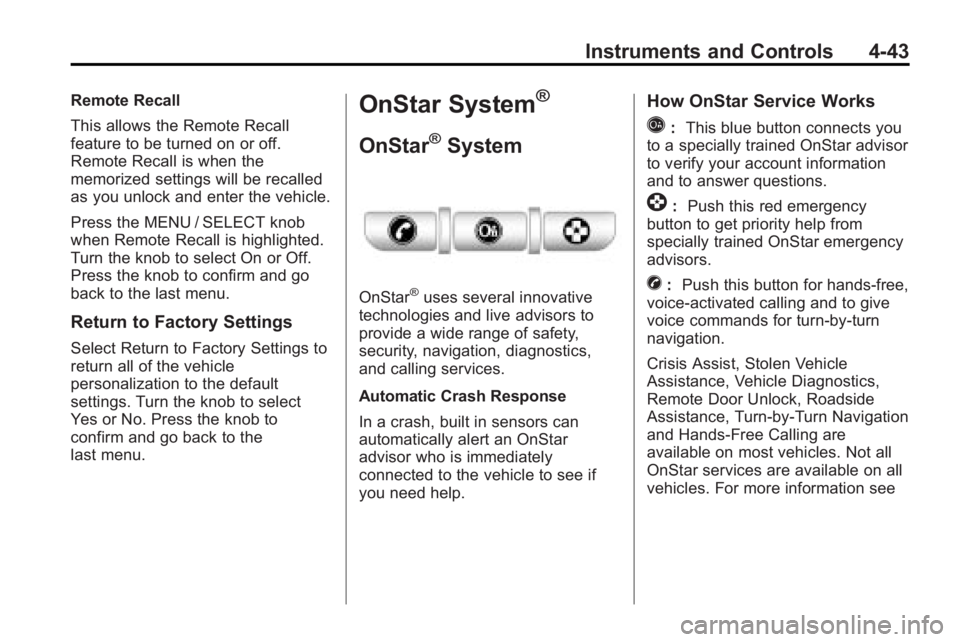
How OnStar Service Works
Q: This blue button connects you
to a specially trained OnStar advisor
to verify your account information
and to answer questions.
]: Push this red emergency
button to get priority help from
specially trained OnStar emergency
advisors.
X: Push this button for hands-free,
voice-activated calling and to give
voice commands for turn-by-turn
navigation.
Crisis Assist, Stolen Vehicle
Assistance, Vehicle Diagnostics,
Remote Door Unlock, Roadside
Assistance, Turn-by-Turn Navigation
and Hands-Free Calling are
available on most vehicles. Not all
OnStar services are available on all
vehicles. For more information see
Page 132 of 414
4-44 Instruments and Controls
the OnStar Owner's Guide or visit
www.onstar.com (U.S.) or
www.onstar.ca (Canada), contact
OnStar at 1-888-4-ONSTAR
(1-888-466-7827) or TTY
1-877-248-2080, or press
Qto
speak with an OnStar advisor
24 hours a day, 7 days a week.
For a full description of OnStar
services and system limitations, see
the OnStar Owner's Guide in the
glove box.
OnStar service is subject to the
OnStar terms and conditions
included in the OnStar Subscriber
Information.
OnStar service cannot work unless
the vehicle is in a place where
OnStar has an agreement with a
wireless service provider for service
in that area. OnStar service also
cannot work unless the vehicle is in
a place where the wireless service
provider OnStar has hired for that
area has coverage, network
capacity and reception when the
service is needed, and technology that is compatible with the OnStar
service. Not all services are
available everywhere, particularly in
remote or enclosed areas, or at all
times.
The OnStar system can record and
transmit vehicle information. This
information is automatically sent to
an OnStar call center when
Qis
pressed,
]is pressed, or if the
airbags or ACR system deploy. This
information usually includes the
vehicle's GPS location and, in the
event of a crash, additional
information regarding the crash that
the vehicle was involved in (e.g. the
direction from which the vehicle was
hit). When the virtual advisor feature
of OnStar hands-free calling is
used, the vehicle also sends OnStar
the vehicle's GPS location so they
can provide services where it is
located.
Location information about the
vehicle is only available if the GPS
satellite signals are unobstructed
and available. The vehicle must have a working
electrical system, including
adequate battery power, for the
OnStar equipment to operate. There
are other problems OnStar cannot
control that may prevent OnStar
from providing OnStar service at
any particular time or place. Some
examples are damage to important
parts of the vehicle in a crash, hills,
tall buildings, tunnels, weather or
wireless phone network congestion.
OnStar Steering Wheel
Controls
This vehicle may have a Talk/Mute
button that can be used to interact
with OnStar hands-free calling. See
Steering Wheel Controls
on
page 4‑6for more information.
On some vehicles, the mute button
can be used to dial numbers into
voice mail systems, or to dial phone
extensions. See the OnStar Owner's
Guide for more information.
Page 133 of 414
Instruments and Controls 4-45
Your Responsibility
Increase the volume of the radio if
the OnStar advisor cannot be heard.
If the light next to the OnStar
buttons is red, the system may not
be functioning properly. Press
Q
and request a vehicle diagnostic.
If the light appears clear (no light is
appearing), your OnStar
subscription has expired and all
services have been deactivated.
Press
Qto confirm that the OnStar
equipment is active.
Universal Remote
System
See Radio Frequency Statement
(US, Can)on page 12‑16for
information regarding Part 15 of
the Federal Communications
Commission (FCC) Rules and
RSS-210/211 of Industry and
Science Canada.
Universal Remote System
Programming
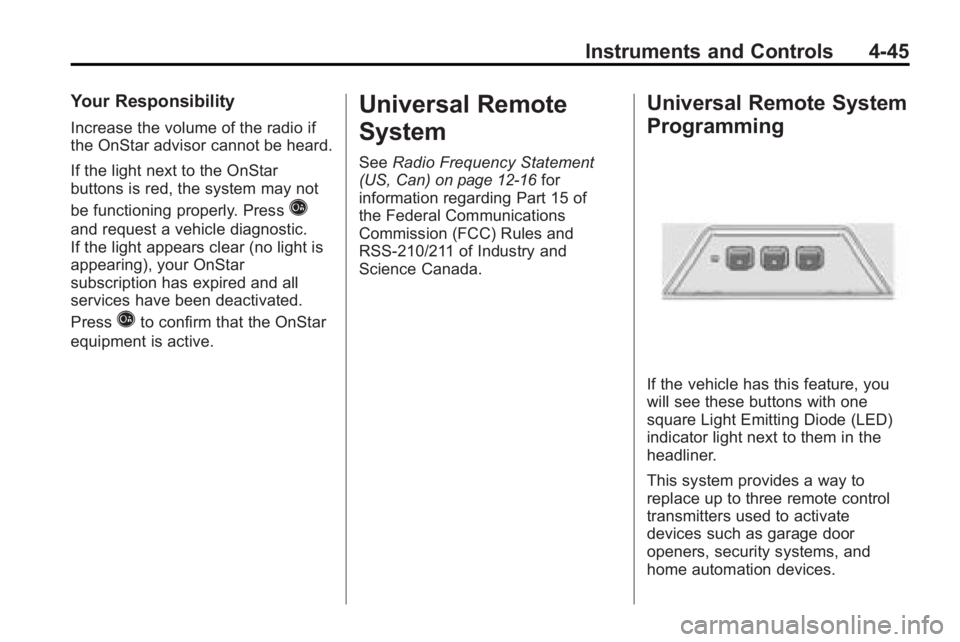
If the vehicle has this feature, you
will see these buttons with one
square Light Emitting Diode (LED)
indicator light next to them in the
headliner.
This system provides a way to
replace up to three remote control
transmitters used to activate
devices such as garage door
openers, security systems, and
home automation devices.
Page 160 of 414
6-14 Infotainment System
Time Shifting (Radio with CD/
DVD and MEM)
The radio with MEM time shift
feature can rewind 20 minutes of
FM/AM content. While listening to
the radio, the content from the
current station is always being
buffered.
Press the
kbutton to pause the
radio. The radio displays the time
shift status bar. The status bar
shows the amount of content that is
stored in the buffer and the current
pause point.
To resume playback from the
current pause point, press
the
kbutton again. The radio is no
longer live, but played from the time
shift buffer. A status bar displays
below the station number.
Press and hold the
lorg
buttons to fast forward or
rewind through the time shift buffer. Hold
luntil the end of the
recorded buffer resumes live
playback.
Press and release the
lorg
buttons to jump forward or back
30 seconds in the time shift buffer.
When the radio station is changed,
the buffer is cleared and
automatically restarted for the
current station. Content from a
previously tuned station is no longer
available.
The time shift feature is not
available while recording or with
other sources of playback.
Pausing AM/FM with the Vehicle
Turned Off
If AM/FM is paused when the
vehicle is turned off, the radio
continues to buffer the current radio
station for up to 20 minutes. If the
vehicle is turned back on within
20 minutes, the radio resumes
playback from the paused point.
Satellite Radio
Vehicles with an XM™ Satellite
Radio tuner and a valid XM Satellite
Radio subscription can receive
XM programming.
XM Satellite Radio Service
XM is a satellite radio service that is
based in the 48 contiguous United
States and 10 Canadian provinces.
XM Satellite Radio has a wide
variety of programming and
commercial-free music,
coast-to-coast, and in digital-quality
sound. A service fee is required to
receive the XM service. For more
information, contact XM at
www.xmradio.com or call
1-800-929-2100 in the U.S. and
www.xmradio.ca or call
1-877-438-9677 in Canada.
Page 163 of 414
Infotainment System 6-17
Pausing XM with the Vehicle
Turned Off
If XM is paused when the vehicle is
turned off, the radio continues to
buffer the current radio station for
up to 20 minutes. If the vehicle is
turned back on within 20 minutes,
the radio resumes playback from the
paused point.
XM Messages
XL (Explicit Language
Channels):These channels, or any
others, can be blocked by request,
by calling 1-800-852-XMXM (9696).
XM Updating: The encryption code
in the receiver is being updated, no
action is required. This process
should take no longer than
30 seconds. Loading XM:
The audio system is
acquiring and processing audio and
text data, no action is needed. This
message should disappear shortly.
Channel Off Air: This channel is
not currently in service. Tune in to
another channel.
Channel Unauth: This channel is
blocked or cannot be received with
your XM Subscription package.
Channel Unavailable: This
previously assigned channel is no
longer assigned. Tune to another
station.
No Artist Info: The system is
working properly. No artist
information is available at this time
on this channel. No Title Info:
The system is
working properly. No song title
information is available at this time
on this channel.
No CAT Info: The system is
working properly. No category
information is available at this time
on this channel.
No Information: The system is
working properly. No text or
informational messages are
available at this time on this
channel.
No XM Signal: The system is
working properly. The vehicle may
be in a location that where the XM
signal is being blocked. When the
vehicle is moved into an open area,
the signal should return.