service BUICK LACROSSE 2010 Service Manual
[x] Cancel search | Manufacturer: BUICK, Model Year: 2010, Model line: LACROSSE, Model: BUICK LACROSSE 2010Pages: 414
Page 250 of 414
8-28 Driving and Operating
lever button pressed before shifting
from P (Park) when the ignition key
is in ON/RUN. If you cannot shift out
of P (Park), ease pressure on the
shift lever, then push the shift lever
all the way into P (Park) as you
maintain brake application. Then
press the shift lever button and
move the shift lever into another
gear. SeeShifting Out of Park
on
page 8‑25.
R (Reverse): Use this gear to
back up.
Notice: Shifting to R (Reverse)
while the vehicle is moving
forward could damage the
transmission. The repairs would
not be covered by the vehicle
warranty. Shift to R (Reverse) only
after the vehicle is stopped.
To rock the vehicle back and forth to
get out of snow, ice or sand without
damaging the transmission, see If
the Vehicle is Stuck on page 8‑11.
N (Neutral): In this position, the
engine does not connect with the
wheels. To restart the engine when the vehicle is already moving, use
N (Neutral) only. Also, use
N (Neutral) when the vehicle is
being towed.
{WARNING
Shifting into a drive gear while the
engine is running at high speed is
dangerous. Unless your foot is
firmly on the brake pedal, the
vehicle could move very rapidly.
You could lose control and hit
people or objects. Do not shift
into a drive gear while the engine
is running at high speed.
Notice: Shifting out of P (Park) or
N (Neutral) with the engine
running at high speed may
damage the transmission. The
repairs would not be covered by
the vehicle warranty. Be sure the
engine is not running at high
speed when shifting the vehicle. D (Drive):
This position is for
normal driving. It provides the best
fuel economy. If more power is
needed for passing, and the
vehicle is:
.Going less than 35 mph
(56 km/h), push the accelerator
pedal about halfway down.
.Going about 35 mph (56 km/h) or
more, push the accelerator all
the way down.
Notice: If the vehicle seems to
accelerate slowly or not shift
gears when you go faster, and
you continue to drive the vehicle
that way, you could damage the
transmission. Have the vehicle
serviced right away. You can
drive in L (Low) when you are
driving less than 56 km/h (35 mph)
and D (Drive) for higher speeds
until then.
Page 254 of 414
8-32 Driving and Operating
Parking Brake
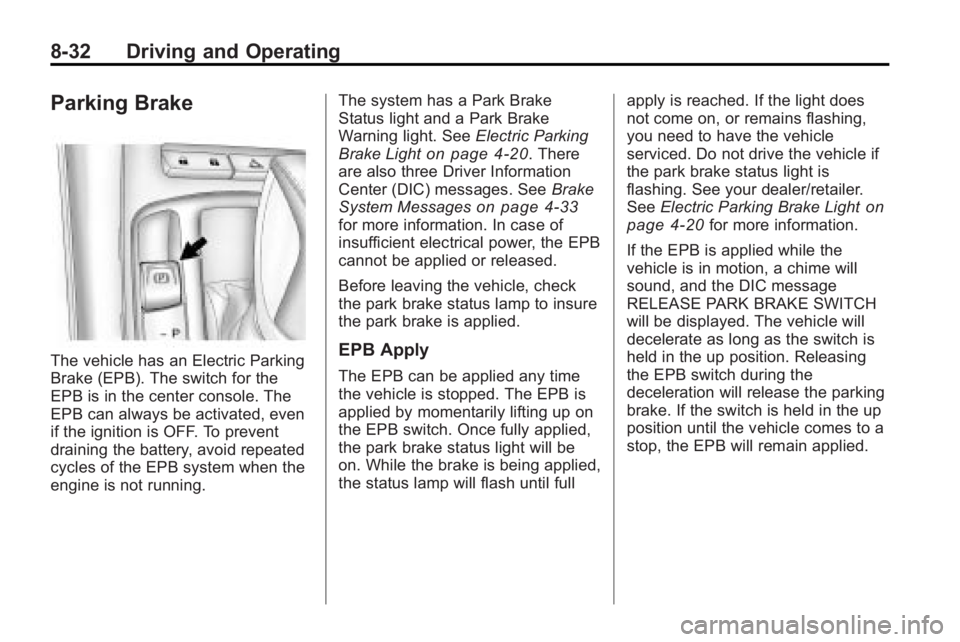
The vehicle has an Electric Parking
Brake (EPB). The switch for the
EPB is in the center console. The
EPB can always be activated, even
if the ignition is OFF. To prevent
draining the battery, avoid repeated
cycles of the EPB system when the
engine is not running.The system has a Park Brake
Status light and a Park Brake
Warning light. See
Electric Parking
Brake Light
on page 4‑20. There
are also three Driver Information
Center (DIC) messages. See Brake
System Messages
on page 4‑33for more information. In case of
insufficient electrical power, the EPB
cannot be applied or released.
Before leaving the vehicle, check
the park brake status lamp to insure
the park brake is applied.
EPB Apply
The EPB can be applied any time
the vehicle is stopped. The EPB is
applied by momentarily lifting up on
the EPB switch. Once fully applied,
the park brake status light will be
on. While the brake is being applied,
the status lamp will flash until full apply is reached. If the light does
not come on, or remains flashing,
you need to have the vehicle
serviced. Do not drive the vehicle if
the park brake status light is
flashing. See your dealer/retailer.
See
Electric Parking Brake Light
on
page 4‑20for more information.
If the EPB is applied while the
vehicle is in motion, a chime will
sound, and the DIC message
RELEASE PARK BRAKE SWITCH
will be displayed. The vehicle will
decelerate as long as the switch is
held in the up position. Releasing
the EPB switch during the
deceleration will release the parking
brake. If the switch is held in the up
position until the vehicle comes to a
stop, the EPB will remain applied.
Page 255 of 414
Driving and Operating 8-33
If the park brake status light flashes
continuously, the EPB is only
partially applied or released,
or there is a problem with the EPB.
The DIC message SERVICE PARK
BRAKE will be displayed. If this light
flashes continuously, release the
EPB, and attempt to apply it again.
If this light continues to flash, do not
drive the vehicle. See your dealer/
retailer.
If the park brake warning light is on,
the EPB has detected an error in
another system and is operating
with reduced functionality. To apply
the EPB when this light is on, lift up
on the EPB switch and hold it in the
up position. Full application of the
parking brake by the EPB system
may take a longer period of time
than normal when this light is on.
Continue to hold the switch until the
park brake status light remains on.
If the park brake warning light is on,
see your dealer/retailer.
If the EPB fails to apply, the rear
wheels should be blocked to
prevent vehicle movement.EPB Release
To release the EPB, place the
ignition in the ON/RUN position,
apply and hold the brake pedal, and
push down momentarily on the EPB
switch. If you attempt to release the
EPB without the brake pedal
applied, a chime will sound, and the
DIC message PRESS BRAKE
PEDAL TO RELEASE PARK
BRAKE will be displayed. The EPB
is released when the park brake
status light is off.
If the park brake warning light is on,
the EPB has detected an error in
another system and is operating
with reduced functionality. To
release the EPB when this light is
on, push down on the EPB switch
and hold it in the down position.
EPB release may take a longer
period of time than normal when this
light is on. Continue to hold the
switch until the park brake status
light is off. If the light is on, see your
dealer/retailer.Notice:
Driving with the parking
brake on can overheat the brake
system and cause premature
wear or damage to brake system
parts. Make sure that the parking
brake is fully released and the
brake warning light is off before
driving.
Automatic EPB Release
The EPB will automatically release if
the vehicle is running, placed into
gear and an attempt is made to
drive away. Avoid rapid acceleration
when the EPB is applied, to
preserve park brake lining life.
For maximum EPB force when
towing a trailer or parking on a hill,
pull the EPB switch twice. If you are
towing a trailer and parking on a hill,
see Driving Characteristics and
Towing Tips
on page 8‑54for more
information.
Page 267 of 414
Driving and Operating 8-45
When the System Does Not Seem
To Work Properly
Occasional missed alerts can occur
under normal circumstances and will
increase in wet conditions. The
system does not need to be
serviced due to an occasional
missed alert. The number of missed
alerts will increase with increased
rainfall or road spray.
If the SBZA displays do not light up
when the system is on and vehicles
are in the blind zone, the system
may need service. Take the vehicle
to your dealer/retailer.
SBZA is designed to ignore
stationary objects; however, the
system may occasionally light up
due to guard rails, signs, trees,
shrubs, and other stationary objects.
This is normal system operation, the
vehicle does not need service.SBZA does not operate when the
left or right corners of the rear
bumper are covered with mud, dirt,
snow, ice, slush, or in heavy
rainstorms. For cleaning
instructions, see
Exterior Care
on
page 9‑82. If the infotainment
display still shows the SIDE BLIND
ZONE SYS. UNAVAILABLE
message after cleaning the bumper,
see your dealer/retailer.
The SBZA displays may remain on
if a trailer is attached to the vehicle,
or a bicycle or object is extending
out to either side of the vehicle.
When SBZA is disabled for any
reason other than the driver turning
it off, the driver will not be able to
turn SBZA back on using Vehicle
Personalization. The SIDE BLIND
ZONE ALERT ON option will not be
selectable if the conditions for
normal system operation are not
met. Until normal operating
conditions for SBZA are met, you
should not rely upon SBZA while
driving. SBZA Error Messages
The following messages may
appear on the infotainment display:
SIDE BLIND ZONE ALERT
SYSTEM OFF:
This message
indicates that the driver has turned
the system off.
SIDE BLIND ZONE SYS.
UNAVAILABLE: This message
indicates that the SBZA system is
disabled because the sensor is
blocked and cannot detect vehicles
in the blind zone. The sensor may
be blocked by mud, dirt, snow, ice,
slush, or even heavy rainstorms.
This message may also activate
during heavy rain or due to road
spray. The vehicle does not need
service. For cleaning, see Exterior
Care on page 9‑82.
Page 268 of 414
8-46 Driving and Operating
SERVICE SIDE BLIND ZONE
ALERT SYSTEM:If this message
appears, both SBZA displays will
remain on indicating there is a
problem with the SBZA system.
If these displays remain on after
continued driving, the system needs
service. Take the vehicle to your
dealer/retailer.
FCC Information
See Radio Frequency Statement
(US, Can)on page 12‑16for FCC
information.
Rear Vision
Camera (RVC)
This vehicle may have an RVC
system. Read this entire section
before using it.
The RVC system can assist
the driver when backing up by
displaying a view of the area
behind the vehicle.
{WARNING
The Rear Vision Camera (RVC)
system does not replace driver
vision. RVC does not:
.Detect objects that are
outside the camera's field of
view, below the bumper,
or underneath the vehicle.
.Detect children, pedestrians,
bicyclists, or pets.
Do not back the vehicle by only
looking at the RVC screen, or use
the screen during longer, higher
speed backing maneuvers or
where there could be cross-traffic.
Your judged distances using the
screen will differ from actual
distances. (Continued)
WARNING (Continued)
So if you do not use proper care
before backing up, you could hit a
vehicle, child, pedestrian,
bicyclist, or pet, resulting in
vehicle damage, injury, or death.
Even though the vehicle has the
RVC system, always check
carefully before backing up by
checking behind and around the
vehicle.
An image appears on the navigation
screen with the message Check
Surroundings for Safety when the
vehicle is shifted into R (Reverse).
The navigation screen goes to the
previous screen after approximately
10 seconds once the vehicle is
shifted out of R (Reverse).
Page 270 of 414
8-48 Driving and Operating
The symbols appear and may cover
an object when viewing the
navigation screen when an object is
detected by the URPA system.
To turn the symbols on or off:
1. Shift into P (Park).
2. Press the CONFIG button toenter the configure menu
options.
3. Select Display
4. Select Rear Camera Options.
5. Select Symbols. When a check mark appears next to the
Symbols option, symbols will
appear.
Guidelines
The RVC system has a guideline
overlay that can help the driver align
the vehicle when backing into a
parking spot. To turn the guidelines on or off:
1. Shift into P (Park).
2. Press the CONFIG button to
enter the configure menu
options.
3. Select Display
4. Select Rear Camera Options.
5. Select Guidelines. When a check mark appears next to the
Guidelines option, guidelines will
appear.
Rear Vision Camera Error
Messages
Service Rear Vision Camera
System: This message can display
when the system is not receiving
information it requires from other
vehicle systems.
If any other problem occurs or if a
problem persists, see your dealer/
retailer.Rear Vision Camera Location
The camera is located above the
license plate.
The area displayed by the camera is
limited, it does not display objects
that are close to either corner or
under the bumper and can vary
depending on vehicle orientation or
road conditions. The distance of the
image that appears on the screen is
different from the actual distance.
The following illustration shows the
field of view that the camera
provides.
Page 272 of 414
8-50 Driving and Operating
The 8th digit of the Vehicle
Identification Number (VIN) shows
the code letter or number that
identifies the vehicle's engine.The VIN is at the top left of the
instrument panel. See
Vehicle
Identification Number (VIN)
on
page 11‑1.
Recommended Fuel
If the vehicle has a 2.4L L4 engine
(VIN Code C) or the 3.0L V6 engine
(VIN Code G), use regular unleaded
gasoline with a posted octane rating
of 87 or higher. If the octane rating
is less than 87, you might notice an
audible knocking noise when you
drive, commonly referred to as
spark knock. If this occurs, use a
gasoline rated at 87 octane or
higher as soon as possible. If you
are using gasoline rated at
87 octane or higher and you hear
heavy knocking, the engine needs
service.
If the vehicle has the 3.6L V6 engine
(VIN Code V), use premium
unleaded gasoline with a posted
octane rating of 91 or higher. You
can also use regular unleaded
gasoline rated at 87 octane or higher, but the vehicle's acceleration
could be slightly reduced, and you
might notice a slight audible
knocking noise, commonly referred
to as spark knock. If the octane is
less than 87, you might notice a
heavy knocking noise when you
drive. If this occurs, use a gasoline
rated at 87 octane or higher as soon
as possible. Otherwise, you could
damage the engine. If you are using
gasoline rated at 87 octane or
higher and you hear heavy
knocking, the engine needs service.
Gasoline Specifications
At a minimum, gasoline should meet
ASTM specification D 4814 in the
United States or CAN/CGSB-3.5
or 3.511 in Canada. Some
gasolines contain an
octane-enhancing additive called
methylcyclopentadienyl manganese
tricarbonyl (MMT). We recommend
against the use of gasolines
containing MMT. See
Fuel Additives
on page 8‑51for additional
information.
Page 274 of 414
8-52 Driving and Operating
Gasolines containing oxygenates,
such as ethers and ethanol, and
reformulated gasolines might be
available in your area. We
recommend that you use these
gasolines, if they comply with the
specifications described earlier.
However, E85 (85% ethanol) and
other fuels containing more than
10% ethanol must not be used in
vehicles that were not designed for
those fuels.
Notice:This vehicle was not
designed for fuel that contains
methanol. Do not use fuel
containing methanol. It can
corrode metal parts in the fuel
system and also damage plastic
and rubber parts. That damage
would not be covered under the
vehicle warranty.
Some gasolines that are
not reformulated for low
emissions can contain an
octane-enhancing additive called
methylcyclopentadienyl manganese tricarbonyl (MMT); ask the attendant
where you buy gasoline whether the
fuel contains MMT. We recommend
against the use of such gasolines.
Fuels containing MMT can reduce
the life of spark plugs and the
performance of the emission control
system could be affected. The
malfunction indicator lamp might
turn on. If this occurs, return to your
dealer/retailer for service.
Filling the Tank
{WARNING
Fuel vapor burns violently and a
fuel fire can cause bad injuries.
To help avoid injuries to you and
others, read and follow all the
instructions on the fuel pump
island. Turn off the engine when
refueling. Do not smoke near fuel
or when refueling the vehicle.
Do not use cellular phones. Keep
(Continued)
WARNING (Continued)
sparks, flames, and smoking
materials away from fuel. Do not
leave the fuel pump unattended
when refueling the vehicle. This is
against the law in some places.
Do not re-enter the vehicle while
pumping fuel. Keep children away
from the fuel pump; never let
children pump fuel.
The tethered fuel cap is behind the
fuel door on the vehicle's passenger
side. Turn the fuel cap
counterclockwise to remove. While
refueling, hang the tethered fuel cap
from the disk on the end of the fuel
cap to the mating feature on the fuel
door hinge. Reinstall the cap by
turning it clockwise until it clicks.
Page 279 of 414
Driving and Operating 8-57
If parking the rig on a hill:
1. Press the brake pedal, but donot shift into P (Park) yet. Turn
the wheels into the curb if facing
downhill or into traffic if facing
uphill.
2. Have someone place chocks under the trailer wheels.
3. When the wheel chocks are in place, release the brake pedal
until the chocks absorb the load.
4. Reapply the brake pedal. Then apply the parking brake and shift
into P (Park).
5. Release the brake pedal.Leaving After Parking on a Hill
1. Apply and hold the brake pedal while you:
.Start the engine.
.Shift into a gear.
.Release the parking brake.
2. Let up on the brake pedal.
3. Drive slowly until the trailer is clear of the chocks.
4. Stop and have someone pick up and store the chocks.
Maintenance When Trailer
Towing
The vehicle needs service more
often when pulling a trailer. See this
manual's Maintenance Schedule or
Index for more information. Things
that are especially important in
trailer operation are automatic
transmission fluid, engine oil, axle
lubricant, belts, cooling system and
brake system. Inspect these before
and during the trip.
Check periodically to see that all
hitch nuts and bolts are tight.
Page 283 of 414
Vehicle Care 9-1
Vehicle Care
General Information
General Information . . . . . . . . . . . 9-2
California Proposition65 Warning . . . . . . . . . . . . . . . . . . 9-2
California Perchlorate Materials Requirements . . . . . . . . . . . . . . . 9-3
Accessories and Modifications . . . . . . . . . . . . . . . . 9-3
Vehicle Checks
Doing Your OwnService Work . . . . . . . . . . . . . . . . 9-4
Hood . . . . . . . . . . . . . . . . . . . . . . . . . . 9-5
Engine Compartment Overview . . . . . . . . . . . . . . . . . . . . 9-6
Engine Oil . . . . . . . . . . . . . . . . . . . 9-11
Engine Oil Life System . . . . . . 9-13
Automatic Transmission Fluid . . . . . . . . . . . . . . . . . . . . . . . 9-15
Engine Air Cleaner/Filter . . . . . 9-15
Cooling System . . . . . . . . . . . . . . 9-17
Engine Coolant . . . . . . . . . . . . . . 9-18
Engine Overheating . . . . . . . . . 9-20
Overheated Engine Protection Operating Mode . . . . . . . . . . . . 9-21
Power Steering Fluid . . . . . . . . 9-22 Washer Fluid . . . . . . . . . . . . . . . . 9-23
Brakes . . . . . . . . . . . . . . . . . . . . . . . 9-24
Brake Fluid . . . . . . . . . . . . . . . . . . 9-25
Battery . . . . . . . . . . . . . . . . . . . . . . . 9-26
Starter Switch Check . . . . . . . . 9-27
Automatic Transmission Shift
Lock Control System
Check . . . . . . . . . . . . . . . . . . . . . . 9-27
Ignition Transmission Lock Check . . . . . . . . . . . . . . . . . . . . . . 9-28
Park Brake and P (Park) Mechanism Check . . . . . . . . . 9-28
Wiper Blade Replacement . . . 9-29Headlamp Aiming
Headlamp Aiming . . . . . . . . . . . . 9-30
Bulb Replacement
Bulb Replacement . . . . . . . . . . . 9-33
Halogen Bulbs . . . . . . . . . . . . . . . 9-33
High Intensity Discharge (HID) Lighting . . . . . . . . . . . . . . . . . . . . 9-33
Headlamps, Front Turn Signal and Parking Lamps . . . . . . . . . 9-33
Fog Lamps . . . . . . . . . . . . . . . . . . 9-35 Taillamps, Turn Signal,
Stoplamps, and Back-Up
Lamps . . . . . . . . . . . . . . . . . . . . . . 9-35
License Plate Lamp . . . . . . . . . . 9-36
Replacement Bulbs . . . . . . . . . . 9-37
Electrical System
Electrical System Overload . . . . . . . . . . . . . . . . . . . 9-38
Fuses and Circuit Breakers . . . . . . . . . . . . . . . . . . . 9-38
Engine Compartment Fuse Block . . . . . . . . . . . . . . . . . . . . . . . 9-39
Instrument Panel Fuse Block . . . . . . . . . . . . . . . . . . . . . . . 9-41
Rear Compartment Fuse Block . . . . . . . . . . . . . . . . . . . . . . . 9-43
Wheels and Tires
Tires . . . . . . . . . . . . . . . . . . . . . . . . . 9-46
Winter Tires . . . . . . . . . . . . . . . . . . 9-46
Tire Sidewall Labeling . . . . . . . 9-47
Tire Designations . . . . . . . . . . . . 9-49
Tire Terminology and
Definitions . . . . . . . . . . . . . . . . . . 9-50
Tire Pressure . . . . . . . . . . . . . . . . 9-53
Tire Pressure Monitor System . . . . . . . . . . . . . . . . . . . . . 9-54