ECO mode BUICK LACROSSE 2011 User Guide
[x] Cancel search | Manufacturer: BUICK, Model Year: 2011, Model line: LACROSSE, Model: BUICK LACROSSE 2011Pages: 462, PDF Size: 5.73 MB
Page 225 of 462
Black plate (45,1)Buick LaCrosse Owner Manual - 2011
Infotainment System 7-45
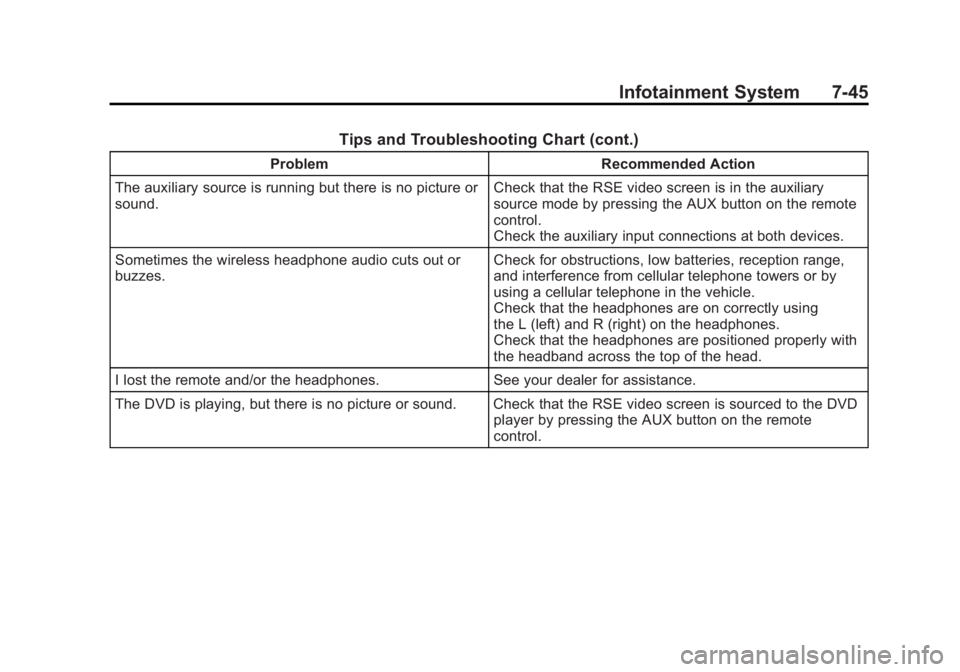
Tips and Troubleshooting Chart (cont.)
ProblemRecommended Action
The auxiliary source is running but there is no picture or
sound. Check that the RSE video screen is in the auxiliary
source mode by pressing the AUX button on the remote
control.
Check the auxiliary input connections at both devices.
Sometimes the wireless headphone audio cuts out or
buzzes. Check for obstructions, low batteries, reception range,
and interference from cellular telephone towers or by
using a cellular telephone in the vehicle.
Check that the headphones are on correctly using
the L (left) and R (right) on the headphones.
Check that the headphones are positioned properly with
the headband across the top of the head.
I lost the remote and/or the headphones. See your dealer for assistance.
The DVD is playing, but there is no picture or sound. Check that the RSE video screen is sourced to the DVD player by pressing the AUX button on the remote
control.
Page 226 of 462
Black plate (46,1)Buick LaCrosse Owner Manual - 2011
7-46 Infotainment System
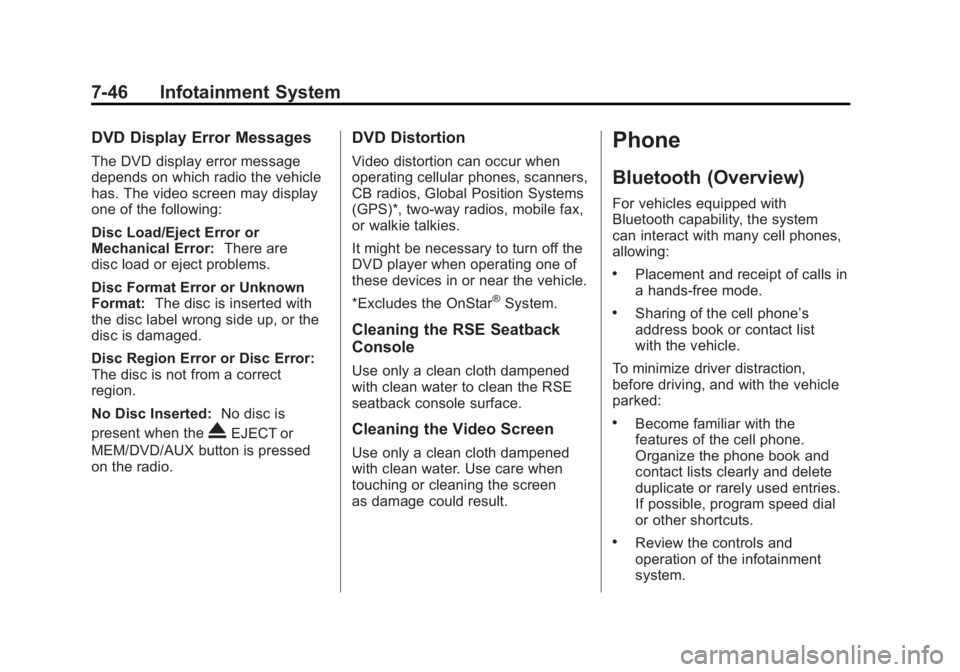
DVD Display Error Messages
The DVD display error message
depends on which radio the vehicle
has. The video screen may display
one of the following:
Disc Load/Eject Error or
Mechanical Error:There are
disc load or eject problems.
Disc Format Error or Unknown
Format: The disc is inserted with
the disc label wrong side up, or the
disc is damaged.
Disc Region Error or Disc Error:
The disc is not from a correct
region.
No Disc Inserted: No disc is
present when the
XEJECT or
MEM/DVD/AUX button is pressed
on the radio.
DVD Distortion
Video distortion can occur when
operating cellular phones, scanners,
CB radios, Global Position Systems
(GPS)*, two-way radios, mobile fax,
or walkie talkies.
It might be necessary to turn off the
DVD player when operating one of
these devices in or near the vehicle.
*Excludes the OnStar
®System.
Cleaning the RSE Seatback
Console
Use only a clean cloth dampened
with clean water to clean the RSE
seatback console surface.
Cleaning the Video Screen
Use only a clean cloth dampened
with clean water. Use care when
touching or cleaning the screen
as damage could result.
Phone
Bluetooth (Overview)
For vehicles equipped with
Bluetooth capability, the system
can interact with many cell phones,
allowing:
.Placement and receipt of calls in
a hands-free mode.
.Sharing of the cell phone’s
address book or contact list
with the vehicle.
To minimize driver distraction,
before driving, and with the vehicle
parked:
.Become familiar with the
features of the cell phone.
Organize the phone book and
contact lists clearly and delete
duplicate or rarely used entries.
If possible, program speed dial
or other shortcuts.
.Review the controls and
operation of the infotainment
system.
Page 251 of 462
Black plate (1,1)Buick LaCrosse Owner Manual - 2011
Driving and Operating 9-1
Driving and
Operating
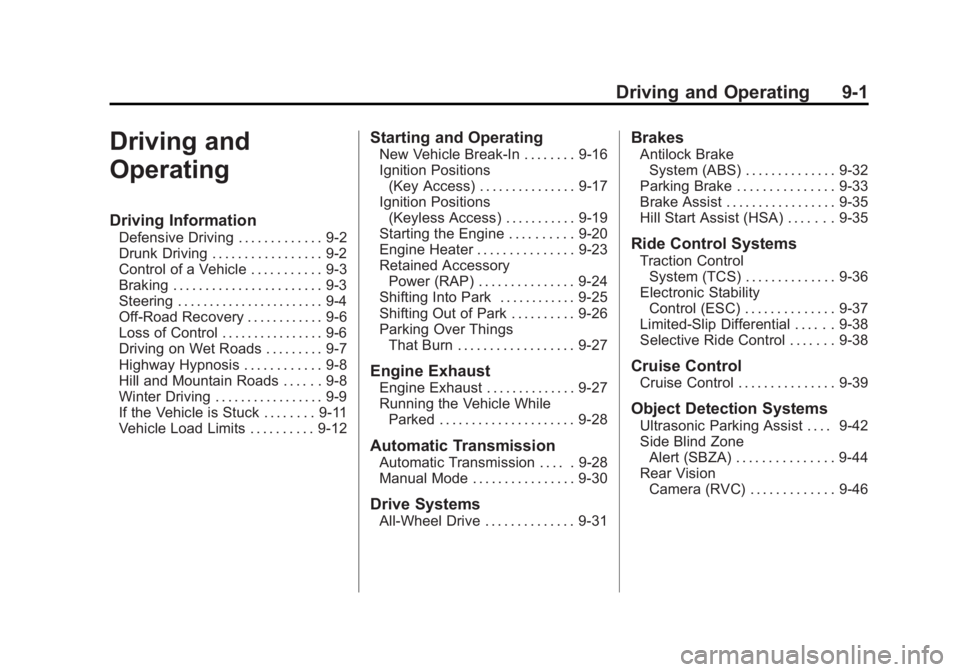
Driving Information
Defensive Driving . . . . . . . . . . . . . 9-2
Drunk Driving . . . . . . . . . . . . . . . . . 9-2
Control of a Vehicle . . . . . . . . . . . 9-3
Braking . . . . . . . . . . . . . . . . . . . . . . . 9-3
Steering . . . . . . . . . . . . . . . . . . . . . . . 9-4
Off-Road Recovery . . . . . . . . . . . . 9-6
Loss of Control . . . . . . . . . . . . . . . . 9-6
Driving on Wet Roads . . . . . . . . . 9-7
Highway Hypnosis . . . . . . . . . . . . 9-8
Hill and Mountain Roads . . . . . . 9-8
Winter Driving . . . . . . . . . . . . . . . . . 9-9
If the Vehicle is Stuck . . . . . . . . 9-11
Vehicle Load Limits . . . . . . . . . . 9-12
Starting and Operating
New Vehicle Break-In . . . . . . . . 9-16
Ignition Positions(Key Access) . . . . . . . . . . . . . . . 9-17
Ignition Positions (Keyless Access) . . . . . . . . . . . 9-19
Starting the Engine . . . . . . . . . . 9-20
Engine Heater . . . . . . . . . . . . . . . 9-23
Retained Accessory Power (RAP) . . . . . . . . . . . . . . . 9-24
Shifting Into Park . . . . . . . . . . . . 9-25
Shifting Out of Park . . . . . . . . . . 9-26
Parking Over Things That Burn . . . . . . . . . . . . . . . . . . 9-27
Engine Exhaust
Engine Exhaust . . . . . . . . . . . . . . 9-27
Running the Vehicle WhileParked . . . . . . . . . . . . . . . . . . . . . 9-28
Automatic Transmission
Automatic Transmission . . . . . 9-28
Manual Mode . . . . . . . . . . . . . . . . 9-30
Drive Systems
All-Wheel Drive . . . . . . . . . . . . . . 9-31
Brakes
Antilock BrakeSystem (ABS) . . . . . . . . . . . . . . 9-32
Parking Brake . . . . . . . . . . . . . . . 9-33
Brake Assist . . . . . . . . . . . . . . . . . 9-35
Hill Start Assist (HSA) . . . . . . . 9-35
Ride Control Systems
Traction Control System (TCS) . . . . . . . . . . . . . . 9-36
Electronic Stability Control (ESC) . . . . . . . . . . . . . . 9-37
Limited-Slip Differential . . . . . . 9-38
Selective Ride Control . . . . . . . 9-38
Cruise Control
Cruise Control . . . . . . . . . . . . . . . 9-39
Object Detection Systems
Ultrasonic Parking Assist . . . . 9-42
Side Blind Zone Alert (SBZA) . . . . . . . . . . . . . . . 9-44
Rear Vision Camera (RVC) . . . . . . . . . . . . . 9-46
Page 280 of 462
Black plate (30,1)Buick LaCrosse Owner Manual - 2011
9-30 Driving and Operating
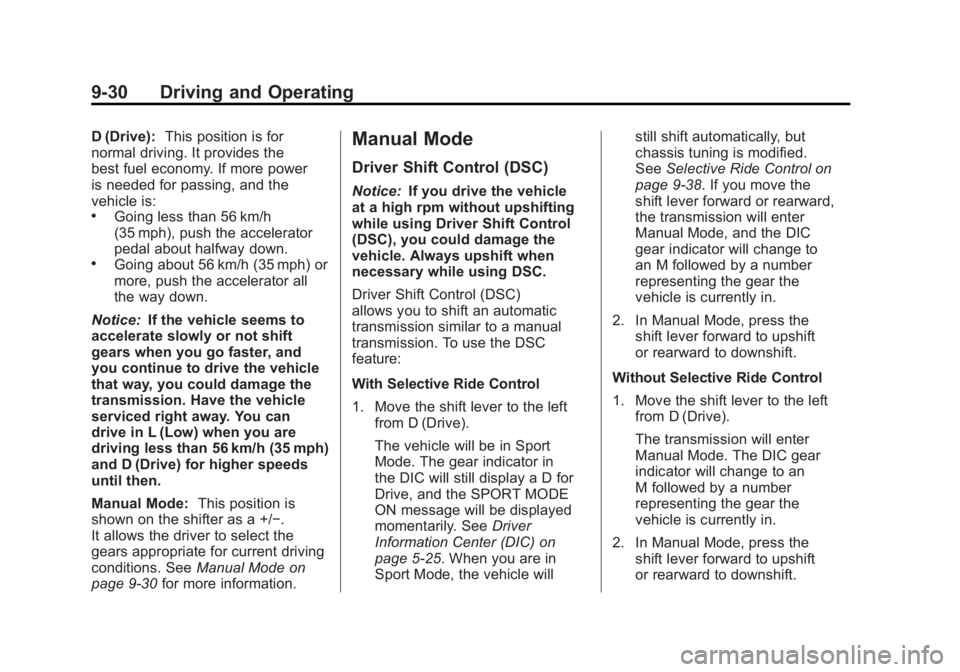
D (Drive):This position is for
normal driving. It provides the
best fuel economy. If more power
is needed for passing, and the
vehicle is:
.Going less than 56 km/h
(35 mph), push the accelerator
pedal about halfway down.
.Going about 56 km/h (35 mph) or
more, push the accelerator all
the way down.
Notice: If the vehicle seems to
accelerate slowly or not shift
gears when you go faster, and
you continue to drive the vehicle
that way, you could damage the
transmission. Have the vehicle
serviced right away. You can
drive in L (Low) when you are
driving less than 56 km/h (35 mph)
and D (Drive) for higher speeds
until then.
Manual Mode: This position is
shown on the shifter as a +/−.
It allows the driver to select the
gears appropriate for current driving
conditions. See Manual Mode on
page 9‑30 for more information.
Manual Mode
Driver Shift Control (DSC)
Notice:If you drive the vehicle
at a high rpm without upshifting
while using Driver Shift Control
(DSC), you could damage the
vehicle. Always upshift when
necessary while using DSC.
Driver Shift Control (DSC)
allows you to shift an automatic
transmission similar to a manual
transmission. To use the DSC
feature:
With Selective Ride Control
1. Move the shift lever to the left from D (Drive).
The vehicle will be in Sport
Mode. The gear indicator in
the DIC will still display a D for
Drive, and the SPORT MODE
ON message will be displayed
momentarily. See Driver
Information Center (DIC) on
page 5‑25. When you are in
Sport Mode, the vehicle will still shift automatically, but
chassis tuning is modified.
See
Selective Ride Control on
page 9‑38. If you move the
shift lever forward or rearward,
the transmission will enter
Manual Mode, and the DIC
gear indicator will change to
an M followed by a number
representing the gear the
vehicle is currently in.
2. In Manual Mode, press the shift lever forward to upshift
or rearward to downshift.
Without Selective Ride Control
1. Move the shift lever to the left from D (Drive).
The transmission will enter
Manual Mode. The DIC gear
indicator will change to an
M followed by a number
representing the gear the
vehicle is currently in.
2. In Manual Mode, press the shift lever forward to upshift
or rearward to downshift.
Page 281 of 462
Black plate (31,1)Buick LaCrosse Owner Manual - 2011
Driving and Operating 9-31
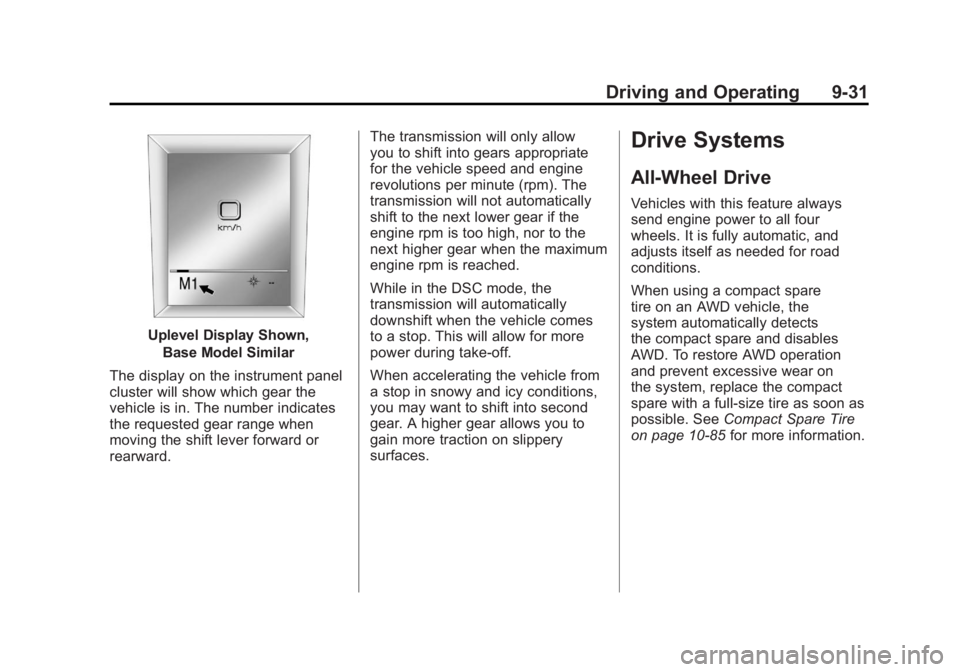
Uplevel Display Shown,Base Model Similar
The display on the instrument panel
cluster will show which gear the
vehicle is in. The number indicates
the requested gear range when
moving the shift lever forward or
rearward. The transmission will only allow
you to shift into gears appropriate
for the vehicle speed and engine
revolutions per minute (rpm). The
transmission will not automatically
shift to the next lower gear if the
engine rpm is too high, nor to the
next higher gear when the maximum
engine rpm is reached.
While in the DSC mode, the
transmission will automatically
downshift when the vehicle comes
to a stop. This will allow for more
power during take-off.
When accelerating the vehicle from
a stop in snowy and icy conditions,
you may want to shift into second
gear. A higher gear allows you to
gain more traction on slippery
surfaces.
Drive Systems
All-Wheel Drive
Vehicles with this feature always
send engine power to all four
wheels. It is fully automatic, and
adjusts itself as needed for road
conditions.
When using a compact spare
tire on an AWD vehicle, the
system automatically detects
the compact spare and disables
AWD. To restore AWD operation
and prevent excessive wear on
the system, replace the compact
spare with a full-size tire as soon as
possible. See
Compact Spare Tire
on page 10‑85 for more information.
Page 365 of 462
Black plate (53,1)Buick LaCrosse Owner Manual - 2011
Vehicle Care 10-53
Outward Facing Sidewall:
The side of an asymmetrical
tire that has a particular side
that faces outward when
mounted on a vehicle. The
side of the tire that contains a
whitewall, bears white lettering,
or bears manufacturer, brand,
and/or model name molding
that is higher or deeper than
the same moldings on the
other sidewall of the tire.
Passenger (P-Metric) Tire
:
A tire used on passenger cars
and some light duty trucks and
multipurpose vehicles.
Recommended Inflation
Pressure
:Vehicle
manufacturer's recommended
tire inflation pressure as
shown on the tire placard.
See Tire Pressure on
page 10‑54 andVehicle
Load Limits on page 9‑12. Radial Ply Tire
:A pneumatic
tire in which the ply cords that
extend to the beads are laid at
90 degrees to the centerline of
the tread.
Rim
:A metal support for a tire
and upon which the tire beads
are seated.
Sidewall
:The portion of a tire
between the tread and the bead.
Speed Rating
:An
alphanumeric code assigned to
a tire indicating the maximum
speed at which a tire can
operate.
Traction
:The friction between
the tire and the road surface.
The amount of grip provided.
Tread
:The portion of a tire
that comes into contact with
the road. Treadwear Indicators
:Narrow
bands, sometimes called wear
bars, that show across the
tread of a tire when only 1.6 mm
(1/16 in) of tread remains.
See When It Is Time for New
Tires on page 10‑63.
UTQGS (Uniform Tire
Quality Grading Standards)
:
A tire information system that
provides consumers with
ratings for a tire's traction,
temperature, and treadwear.
Ratings are determined by
tire manufacturers using
government testing procedures.
The ratings are molded into
the sidewall of the tire.
See Uniform Tire Quality
Grading on page 10‑66.
Page 372 of 462
Black plate (60,1)Buick LaCrosse Owner Manual - 2011
10-60 Vehicle Care
5. Press the SET/CLR button tobegin the sensor matching
process.
A message asking if the process
should begin should appear.
6. Press the SET/CLR button again to confirm the selection.
The horn sounds twice to
signal the receiver is in relearn
mode and the TIRE LEARNING
ACTIVE message displays on
the DIC screen.
7. Start with the driver side front tire. 8. Place the relearn tool against
the tire sidewall, near the valve
stem. Then press the button
to activate the TPMS sensor.
A horn chirp confirms that the
sensor identification code has
been matched to this tire and
wheel position.
9. Proceed to the passenger side front tire, and repeat the
procedure in Step 8.
10. Proceed to the passenger side rear tire, and repeat the
procedure in Step 8. 11. Proceed to the driver side rear
tire, and repeat the procedure
in Step 8. The horn sounds
two times to indicate the
sensor identification code has
been matched to the driver
side rear tire, and the TPMS
sensor matching process is
no longer active. The TIRE
LEARNING ACTIVE message
on the DIC display screen
goes off.
12. Turn the ignition to LOCK/OFF.
13. Set all four tires to the recommended air pressure
level as indicated on the Tire
and Loading Information label.
Page 432 of 462
Black plate (4,1)Buick LaCrosse Owner Manual - 2011
13-4 Customer Information
Customer Assistance
Procedure
Owner satisfaction and goodwill are
very important to your dealer and
General Motors.
Normally, any problem with
the transaction, sale, or usage
of the vehicle must be handled
by your dealer sales or service
departments. However, we
recognize that despite the good
intentions of all parties involved,
sometimes a misunderstanding
may occur.
If you have a problem that has not
been satisfactorily handled through
the normal means, we suggest the
following steps:
STEP ONE
Explain your case to the dealer
service agent, service manager,
dealer sales agent, or sales
manager, depending on your case.Make sure that they have all
necessary information. They are
interested in your continual
satisfaction.
STEP TWO
If you are not satisfied, please
contact the general manager or the
dealership owner to ask for their
help. If they are not able to resolve
your case, ask them to contact the
right people at General Motors for
support, if needed.
STEP THREE
If your case is not resolved
in a reasonable amount of time
by your dealer, please call the
General Motors Customer
Assistance Center (CAC) and
provide the following information:
.Name
.Address
.Phone number
.Model year
.Brand
.Vehicle Identification
Number (VIN)
.Mileage
.Delivery date
.Description of the problem
.Dealership name
.Dealership address
See Customer Assistance Offices
(U.S. and Canada) on page 13‑5
or Customer Assistance Offices
(Mexico) on page 13‑6 for more
information.
Page 442 of 462
Black plate (14,1)Buick LaCrosse Owner Manual - 2011
13-14 Customer Information
Insuring The Vehicle
Protect your investment in the
GM vehicle with comprehensive
and collision insurance coverage.
There are significant differences
in the quality of coverage afforded
by various insurance policy terms.
Many insurance policies provide
reduced protection to the GM
vehicle by limiting compensation
for damage repairs by using
aftermarket collision parts.
Some insurance companies
will not specify aftermarket collision
parts. When purchasing insurance,
we recommend that you ensure
that the vehicle will be repaired with
GM original equipment collision
parts. If such insurance coverage
is not available from your current
insurance carrier, consider switching
to another insurance carrier.If the vehicle is leased, the leasing
company may require you to have
insurance that ensures repairs with
Genuine GM Original Equipment
Manufacturer (OEM) parts or
Genuine Manufacturer replacement
parts. Read the lease carefully, as
you may be charged at the end of
the lease for poor quality repairs.
If a Crash Occurs
If there has been an injury, call
emergency services for help.
Do not leave the scene of a crash
until all matters have been taken
care of. Move the vehicle only if its
position puts you in danger, or you
are instructed to move it by a police
officer.
Give only the necessary information
to police and other parties involved
in the crash.
For emergency towing see
Roadside Assistance Program
(U.S. and Canada) on page 13‑8
or
Roadside Assistance Program
(Mexico) on page 13‑10. Gather the following information:
.Driver name, address, and
telephone number.
.Driver license number.
.Owner name, address, and
telephone number.
.Vehicle license plate number.
.Vehicle make, model, and
model year.
.Vehicle Identification
Number (VIN).
.Insurance company and policy
number.
.General description of the
damage to the other vehicle.
Choose a reputable repair facility
that uses quality replacement parts.
See “Collision Parts” earlier in this
section.
If the airbag has inflated, see What
Will You See After an Airbag
Inflates? on page 3‑35.
Page 453 of 462
Black plate (5,1)Buick LaCrosse Owner Manual - 2011
INDEX i-5
Electronic Stability ControlIndicator Light . . . . . . . . . . . . . . . . 5-22
Engine Air Cleaner/Filter . . . . . . . . . . . 10-15
Check and Service EngineSoon Light . . . . . . . . . . . . . . . . . . 5-17
Compartment Overview . . . . . . . 10-6
Coolant . . . . . . . . . . . . . . . . . . . . . 10-18
Coolant Temperature
Gauge . . . . . . . . . . . . . . . . . . . . . . 5-13
Cooling System . . . . . . . . . . . . . 10-17
Cooling System Messages . . . 5-35
Drive Belt Routing . . . . . . . . . . . . 12-4
Exhaust . . . . . . . . . . . . . . . . . . . . . . 9-27
Heater . . . . . . . . . . . . . . . . . . . . . . . . 9-23
Overheated Protection
Operating Mode . . . . . . . . . . . 10-22
Overheating . . . . . . . . . . . . . . . . 10-21
Power Messages . . . . . . . . . . . . . 5-36
Pressure Light . . . . . . . . . . . . . . . . 5-23
Running While Parked . . . . . . . . 9-28
Starting . . . . . . . . . . . . . . . . . . . . . . . 9-20 Engine Oil
Life System . . . . . . . . . . . . . . . . . 10-13
Messages . . . . . . . . . . . . . . . . . . . . 5-35
Entry Lighting . . . . . . . . . . . . . . . . . . . 6-6
Equipment, Towing . . . . . . . . . . . . 9-61
Event Data Recorders . . . . . . . . 13-18
Exit Lighting . . . . . . . . . . . . . . . . . . . . 6-6
Extender, Safety Belt . . . . . . . . . . 3-27
Exterior Lamp Controls . . . . . . . . . 6-1
Exterior Lamps Off Reminder . . . 6-2
F
Features Memory . . . . . . . . . . . . . . . . . . . . . . . . 1-7
Filter, Engine Air Cleaner . . . . . . . . . 10-15
Flash-to-Pass . . . . . . . . . . . . . . . . . . . 6-2
Flashers, Hazard Warning . . . . . . 6-4
Flat Tire . . . . . . . . . . . . . . . . . . . . . . 10-70 Changing . . . . . . . . . . . . . . . . . . . 10-79
Floor Mats . . . . . . . . . . . . . . . . . . .10-100 Fluid
Automatic Transmission . . . . 10-15
Brakes . . . . . . . . . . . . . . . . . . . . . . 10-25
Power Steering . . . . . . . . . . . . . 10-23
Washer . . . . . . . . . . . . . . . . . . . . . 10-24
Fog Lamps Bulb Replacement . . . . . . . . . . . . . 6-5
Folding Mirrors . . . . . . . . . . . . . . . . 2-17
Front Fog Lamps Light . . . . . . . . . . . . . . . . . . . . . . . . . . 5-25
Front Seats
Adjustment . . . . . . . . . . . . . . . . . . . . 3-4
Heated and Ventilated . . . . . . . . 3-10
Front Storage . . . . . . . . . . . . . . . . . . . 4-1
Fuel . . . . . . . . . . . . . . . . . . . . . . . . . . . 9-50 Additives . . . . . . . . . . . . . . . . . . . . . 9-52
Filling a Portable Fuel
Container . . . . . . . . . . . . . . . . . . . 9-54
Filling the Tank . . . . . . . . . . . . . . . 9-53
Fuels in Foreign Countries . . . . 9-52
Gasoline Specifications . . . . . . . 9-51