bluetooth BUICK LACROSSE 2011 User Guide
[x] Cancel search | Manufacturer: BUICK, Model Year: 2011, Model line: LACROSSE, Model: BUICK LACROSSE 2011Pages: 462, PDF Size: 5.73 MB
Page 230 of 462
Black plate (50,1)Buick LaCrosse Owner Manual - 2011
7-50 Infotainment System
Listing All Paired and Connected
Phones
1. Press the CONFIG button.
2. Select Phone Settings.
3. Select Bluetooth.
4. Select Device List.
Deleting a Paired Phone
1. Press the CONFIG button.
2. Select Phone Settings.
3. Select Bluetooth.
4. Select Device List.
5. Select the phone to delete andfollow the on‐screen prompts. Linking to a Different Phone
To link to a different phone, the
new phone must be in the vehicle
and available to be connected to
the Bluetooth system before the
process is started.
1. Press the CONFIG button.
2. Select Phone Settings.
3. Select Bluetooth.
4. Select Device List.
5. Select the new phone to link
to and follow the on‐screen
prompts.
If delete is selected, the
highlighted phone will be
deleted.Making a Call Using
Phone Book
For cell phones that support the
phone book feature, the Bluetooth
system can use the contacts stored
on your cell phone to make calls.
See your cell phone's owner's guide
or contact your wireless provider to
find out if this feature is supported
by your phone.
When a cell phone supports the
phone book feature, the Phone
Book and Call Lists menus are
automatically available.
The Phone Book menu allows you
to access the phone book stored
in the cell phone to make a call.
The Call Lists menu allows you to
access the phone numbers from the
Incoming Calls, Outgoing Calls, and
Missed Calls menus on your cell
phone to make a call.
Page 232 of 462
Black plate (52,1)Buick LaCrosse Owner Manual - 2011
7-52 Infotainment System
Accepting or Declining a Call
When a call is received, the
infotainment system mutes and a
ring tone is heard in the vehicle.
Accepting a Call
Turn the menu knob to Answer and
press the SELECT button.
Declining a Call
Turn the menu knob to Decline and
press the SELECT button.
Call Waiting
Call waiting must be supported on
the Bluetooth phone and enabled by
the wireless service carrier to work.
Accepting a Call
Turn the menu knob to Answer and
press the SELECT button.Declining a Call
Turn the menu knob to Decline and
press the SELECT button.
Switching Between Calls
(Call Waiting Calls Only)
To switch between calls:
1. Turn the menu knob.
2. Select Switch Call from
the menu.
Conference Calling
Conference calling and three‐way
calling must be supported on the
Bluetooth phone and enabled by
the wireless service carrier to work. To start a conference while in a
current call:
1. Turn the menu knob.
2. Select Enter Number.
3. Enter the character sequence
then select Call. See “Entering
a Character Sequence” in
Operation on page 7‑7 for
more information.
4. After the call has been placed, turn the Menu knob and choose
Merge Calls.
5. To add more callers to the conference call, repeat Steps 1
through 4. The number of callers
that can be added is limited by
your wireless service carrier.
Page 233 of 462
Black plate (53,1)Buick LaCrosse Owner Manual - 2011
Infotainment System 7-53
Ending a Call
Turn the Menu knob and select
Hang Up.
Muting a Call
To Mute a Call
Turn the Menu knob and select
Mute Call.
To Cancel Mute
Turn the Menu knob and select
Mute Call.
Dual Tone Multi-Frequency
(DTMF) Tones
The in‐vehicle Bluetooth system can
send numbers during a call. This is
used when calling a menu‐driven
phone system.
1. Turn the Menu knob and selectEnter Number.
2. Enter the character sequence. See “Entering a Character
Sequence” inOperation on
page 7‑7 for more information.
Bluetooth (Voice
Recognition)
Using Voice Recognition
To use voice recognition, pressbg
located on the steering wheel.
The system responds differently
depending on what kind of
infotainment system the vehicle
has installed.
For vehicles without a navigation
system, the system responds
“Ready,” followed by a tone.
After the tone, say a command.
For vehicles with a navigation
system, the system responds with
a tone. After the tone say “Hands
Free” to use the Bluetooth voice
recognition system. The system
then responds with “Ready,”
followed by a tone. After the
tone, say a command.
For additional information say
“Help” while you are in a voice
recognition menu.
Pairing
A Bluetooth cell phone must be
paired to the Bluetooth system
and then connected to the vehicle
before it can be used. See your cell
phone manufacturer's user guide for
Bluetooth functions before pairing
the cell phone. If a Bluetooth phone
is not connected, calls will be made
using OnStar Hands‐Free Calling,
if available. Refer to the OnStar
owner's guide for more information.
Pairing Information
.Up to five cell phones can be
paired to the Bluetooth system.
.The pairing process is disabled
when the vehicle is moving.
.Pairing only needs to be
completed once, unless the
pairing information on the cell
phone changes or the cell phone
is deleted from the system.
Page 234 of 462
Black plate (54,1)Buick LaCrosse Owner Manual - 2011
7-54 Infotainment System
.Only one paired cell phone can
be connected to the Bluetooth
system at a time.
.If multiple paired cell phones
are within range of the system,
the system connects to the first
available paired cell phone in
the order that they were first
paired to the system. To link
to a different paired phone, see
“Linking to a Different Phone”
later in this section.
Pairing a Phone
1. Press
b g. For vehicles with a
navigation system, say “Hands
Free” after the tone.
2. Say “Bluetooth.”
3. Say “Pair.”The system responds
with instructions and a four‐digit
PIN. The PIN is used in Step 5. 4. Start the pairing process on the
cell phone that you want to pair.
For help with this process, see
your cell phone manufacturer's
user guide.
5. Locate the device named “Your
Vehicle” in the list on the cell
phone. Follow the instructions
on the cell phone to enter the
PIN that was provided in Step 3.
After the PIN is successfully
entered, the system prompts you
to provide a name for the paired
cell phone. This name will be
used to indicate which phones
are paired and connected to the
vehicle. See “Listing All Paired
and Connected Phones” later in
this section for more information.
6. Repeat Steps 1 through 5 to pair additional phones. Listing All Paired and Connected
Phones
The system can list all cell phones
paired to it. If a paired cell phone is
also connected to the vehicle, the
system responds with
“is connected”
after that phone name.
1. Press
b g. For vehicles with a
navigation system, say “Hands
Free” after the tone.
2. Say “Bluetooth.”
3. Say “List.”
Deleting a Paired Phone
If the phone name you want to
delete is unknown, see “Listing All
Paired and Connected Phones.”
1. Press
b g. For vehicles with a
navigation system, say “Hands
Free” after the tone.
2. Say “Bluetooth.”
3. Say “Delete.” The system asks
for which phone to delete.
4. Say the name of the phone you want to delete.
Page 235 of 462
Black plate (55,1)Buick LaCrosse Owner Manual - 2011
Infotainment System 7-55
Connecting to a Different Phone
To connect to a different cell phone,
the Bluetooth system looks for the
next available cell phone in the
order in which all the available cell
phones were paired. Depending
on which cell phone you want to
connect to, you may have to use
this command several times.
1. Press
bg. For vehicles with a
navigation system, say “Hands
Free” after the tone.
2. Say “Bluetooth.”
3. Say “Change phone.”
.If another cell phone is
found, the response will
be“
connected.”
.If another cell phone is not
found, the original phone
remains connected.
Storing and Deleting Phone
Numbers
The system can store up to
30 phone numbers as name tags
in the Hands‐Free Directory that is
shared between the Bluetooth and
OnStar systems.
The following commands are used
to delete and store phone numbers.
Store: This command will store
a phone number or a group of
numbers as a name tag.
Digit Store: This command allows
a phone number to be stored as a
name tag by entering the digits one
at a time.
Delete: This command is used to
delete individual name tags.
Delete All Name Tags: This
command deletes all stored
name tags in the Hands‐Free
Calling Directory and the OnStar
Turn‐by‐Turn Destinations Directory. Using the
“Store”Command
1. Pressb g. For vehicles with a
navigation system, say “Hands
Free” after the tone.
2. Say “Store.”
3. Say the phone number or group of numbers you want to store
all at once with no pauses, then
follow the directions given by the
system to save a name tag for
this number.
Using the “Digit Store” Command
If an unwanted number is
recognized by the system, say
“Clear” at any time to clear the
last number.
To hear all of the numbers
recognized by the system,
say “Verify” at any time.
1. Press
b g. For vehicles with a
navigation system, say “Hands
Free” after the tone.
2. Say “Digit Store.”
Page 238 of 462
Black plate (58,1)Buick LaCrosse Owner Manual - 2011
7-58 Infotainment System
Three‐Way Calling
Three‐way calling must be
supported on the cell phone and
enabled by the wireless service
carrier.
1. While on a call, press
bg.
2. Say “Three‐way call.”
3. Use the dial or call command to dial the number of the third party
to be called.
4. Once the call is connected, press
bgto link all the callers
together.
Ending a Call
Press$ ito end a call.
Muting a Call
During a call, all sounds from inside
the vehicle can be muted so that the
person on the other end of the call
cannot hear them.
To mute a call, press
bg, and then
say “Mute Call.”
To cancel mute, press
b g, and
then say “Un‐mute Call.”
Transferring a Call
Audio can be transferred between
the Bluetooth system and the cell
phone.
The cell phone must be paired
and connected with the Bluetooth
system before a call can be
transferred. The connection process
can take up to two minutes after
the ignition is turned to ON/RUN. To Transfer Audio from the
Bluetooth System to a Cell Phone
During a call with the audio in the
vehicle:
1. Press
b
g.
2. Say “Transfer Call.”
To Transfer Audio to the Bluetooth
System from a Cell Phone
During a call with the audio on the
cell phone, press
b g. The audio
transfers to the vehicle. If the audio
does not transfer to the vehicle,
use the audio transfer feature on
the cell phone. See your cell phone
manufacturer's user guide for more
information.
Page 239 of 462
Black plate (59,1)Buick LaCrosse Owner Manual - 2011
Infotainment System 7-59
Voice Pass-Thru
Voice pass‐thru allows access to
the voice recognition commands on
the cell phone. See your cell phone
manufacturer's user guide to see if
the cell phone supports this feature.
To access contacts stored in the cell
phone:
1. Press
bg. For vehicles with a
navigation system, say “Hands
Free” after the tone.
2. Say “Bluetooth.” The system
responds “Bluetooth ready,”
followed by a tone.
3. Say “Voice.” The system
responds “OK, accessing
.The cell phone's normal
prompt messages will
go through their cycle
according to the phone's
operating instructions.
Dual Tone Multi-Frequency
(DTMF) Tones
The Bluetooth system can send
numbers and the numbers stored
as name tags during a call.
You can use this feature when
calling a menu‐driven phone
system. Account numbers can
also be stored for use.
Sending a Number or Name Tag
During a Call
1. Press
b g. The system
responds “Ready,”followed
by a tone.
2. Say “Dial.”
3. Say the number or name tag to send.
Clearing the System
Unless information is deleted out
of the in‐vehicle Bluetooth system,
it will be retained indefinitely.
This includes all saved name tags
in the phone book and phone
pairing information. For information
on how to delete this information,
see “Deleting a Paired Phone”
and “Storing and Deleting Phone
Numbers.”
Page 450 of 462
Black plate (2,1)Buick LaCrosse Owner Manual - 2011
i-2 INDEX
B
Battery . . . . . . . . . . . . . . . . . . . . . . . 10-27Jump Starting . . . . . . . . . . . . . . . 10-86
Load Management . . . . . . . . . . . . . 6-6
Power Protection . . . . . . . . . . . . . . 6-7
Voltage and ChargingMessages . . . . . . . . . . . . . . . . . . . 5-33
Blade Replacement, Wiper . . . 10-29
Bluetooth . . . . . . . . . . 7-46, 7-48, 7-53
Brake System Warning Light . . . 5-19
Brakes . . . . . . . . . . . . . . . . . . . . . . . . 10-24 Antilock . . . . . . . . . . . . . . . . . . . . . . . 9-32
Assist . . . . . . . . . . . . . . . . . . . . . . . . . 9-35
Fluid . . . . . . . . . . . . . . . . . . . . . . . . 10-25
Parking . . . . . . . . . . . . . . . . . . . . . . . 9-33
System Messages . . . . . . . . . . . . 5-33
Braking . . . . . . . . . . . . . . . . . . . . . . . . . 9-3 Break-In, New Vehicle . . . . . . . . . 9-16
Bulb Replacement . . . . . . . . . . . . 10-37
Fog Lamps . . . . . . . . . . . . . . . . . . . . 6-5
Halogen Bulbs . . . . . . . . . . . . . . 10-33
Headlamp Aiming . . . . . . . . . . . 10-30
Headlamps . . . . . . . . . . . . . . . . . 10-33
Headlamps, Front TurnSignal and Parking
Lamps . . . . . . . . . . . . . . . . . . . . 10-34
High Intensity Discharge (HID) Lighting . . . . . . . . . . . . . 10-33
License Plate Lamps . . . . . . . 10-36
Taillamps, Turn Signal, Stoplamps, and
Back-Up Lamps . . . . . . . . . . . 10-35
Buying New Tires . . . . . . . . . . . . . 10-64
C
Calibration . . . . . . . . . . . . . . . . . . . . . . 5-5
California
Fuel Requirements . . . . . . . . . . . 9-51
Perchlorate MaterialsRequirements . . . . . . . . . . . . . . . 10-3
Warning . . . . . . . . . . . . . . . . . . . . . . 10-3
Camera, Rear Vision . . . . . . . . . . 9-46
Canadian Vehicle Owners . . . . . . . . iv
Capacities and Specifications . . . . . . . . . . . . . . . . 12-2
Carbon Monoxide Engine Exhaust . . . . . . . . . . . . . . . 9-27
Trunk . . . . . . . . . . . . . . . . . . . . . . . . . 2-12
Winter Driving . . . . . . . . . . . . . . . . . 9-9
Cautions, Danger, and
Warnings . . . . . . . . . . . . . . . . . . . . . . . . .v
Page 457 of 462
Black plate (9,1)Buick LaCrosse Owner Manual - 2011
INDEX i-9
Messages (cont.)Lamp . . . . . . . . . . . . . . . . . . . . . . . . . 5-37
Object Detection System . . . . . 5-37
Ride Control System . . . . . . . . . . 5-37
Tire . . . . . . . . . . . . . . . . . . . . . . . . . . . 5-38
Transmission . . . . . . . . . . . . . . . . . 5-38
Vehicle . . . . . . . . . . . . . . . . . . . . . . . 5-33
Window . . . . . . . . . . . . . . . . . . . . . . . 5-39
Mirrors
Folding . . . . . . . . . . . . . . . . . . . . . . . 2-17
Heated . . . . . . . . . . . . . . . . . . . . . . . 2-17
Manual Rearview . . . . . . . . . . . . . 2-18
Park Tilt . . . . . . . . . . . . . . . . . . . . . . 2-17
Power . . . . . . . . . . . . . . . . . . . . . . . . 2-16
Monitor System, Tire Pressure . . . . . . . . . . . . . . . . . . . . 10-56
N
NavigationVehicle Data Recording
and Privacy . . . . . . . . . . . . . . . 13-19
Net, Convenience . . . . . . . . . . . . . . 4-2
New Vehicle Break-In . . . . . . . . . . 9-16
O
Object Detection System Messages . . . . . . . . . . . . . . . . . . . . 5-37
Object Detection, Side Blind Zone Alert (SBZA) . . . . . . . . . . . 9-44
Odometer . . . . . . . . . . . . . . . . . . . . . . 5-11
Off-Road Recovery . . . . . . . . . . . . . . . . . . . . . . 9-6
Oil Engine . . . . . . . . . . . . . . . . . . . . . . . . 10-9
Engine Oil Life System . . . . . 10-13
Messages . . . . . . . . . . . . . . . . . . . . 5-35
Pressure Light . . . . . . . . . . . . . . . . 5-23
Older Children, Restraints . . . . . 3-44
Online Owner Center . . . . . . . . . . 13-7
OnStar
®System . . . . . . . . . . . . . . . 1-24
Operation, Infotainment System . . . . . . . . . . . . . . . . . . . . . . . . 7-7
Outlets Power . . . . . . . . . . . . . . . . . . . . . . . . . 5-7
Overheated Engine Protection
Operating Mode . . . . . . . . . . . . . 10-22
Overheating, Engine . . . . . . . . . . 10-21
Overview, Infotainment System . . . . . . . . . . . . . . . . . . . . 7-3, 7-5
P
ParkShifting Into . . . . . . . . . . . . . . . . . . . 9-25
Shifting Out of . . . . . . . . . . . . . . . . 9-26
Park Tilt Mirrors . . . . . . . . . . . . . . . . 2-17
Parking Assist, Ultrasonic . . . . . . . . . . . . . 9-42
Brake . . . . . . . . . . . . . . . . . . . . . . . . . 9-33
Brake and P (Park)
Mechanism Check . . . . . . . . 10-29
Over Things That Burn . . . . . . . 9-27
Passenger Airbag Status Indicator . . . . . . . . . . . . . . . . . . . . . 5-15
Passenger Compartment Air Filter . . . . . . . . . . . . . . . . . . . . . . . . . . 8-8
Passenger Sensing System . . . 3-37
Perchlorate Materials
Requirements, California . . . . . 10-3
Personalization Vehicle . . . . . . . . . . . . . . . . . . . . . . . 5-39
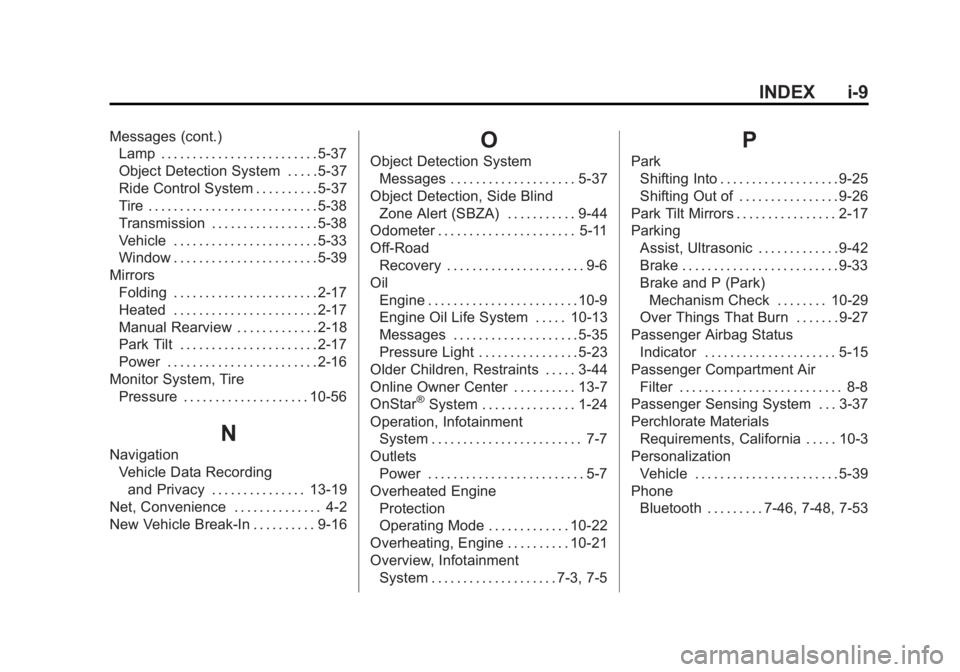
Phone Bluetooth . . . . . . . . . 7-46, 7-48, 7-53