change time BUICK LACROSSE 2011 User Guide
[x] Cancel search | Manufacturer: BUICK, Model Year: 2011, Model line: LACROSSE, Model: BUICK LACROSSE 2011Pages: 462, PDF Size: 5.73 MB
Page 176 of 462
Black plate (4,1)Buick LaCrosse Owner Manual - 2011
6-4 Lighting
Adaptive Forward
Lighting (AFL)
The Adaptive Forward Lighting
System (AFL) pivots the headlamps
horizontally to provide greater
road illumination while turning.
To enable AFL, set the exterior
lamp switch to the AUTO position.
Moving the switch out of the AUTO
position deactivates the system.
AFL operates when the vehicle
speed is greater than 3 km/h
(2 mph). AFL does not operate
when the transmission is in
R (Reverse). AFL is not immediately
operable after starting the vehicle;
driving a short distance is required
to calibrate the AFL. SeeExterior
Lamp Controls on page 6‑1.
Hazard Warning Flashers
|
Hazard Warning Flasher:
Press this button located on the
instrument panel below the climate
control system, to make the front
and rear turn signal lamps flash
on and off. Press again to turn the
flashers off.
The hazard warning flashers turn on
automatically if the airbags deploy.
Turn and Lane-Change
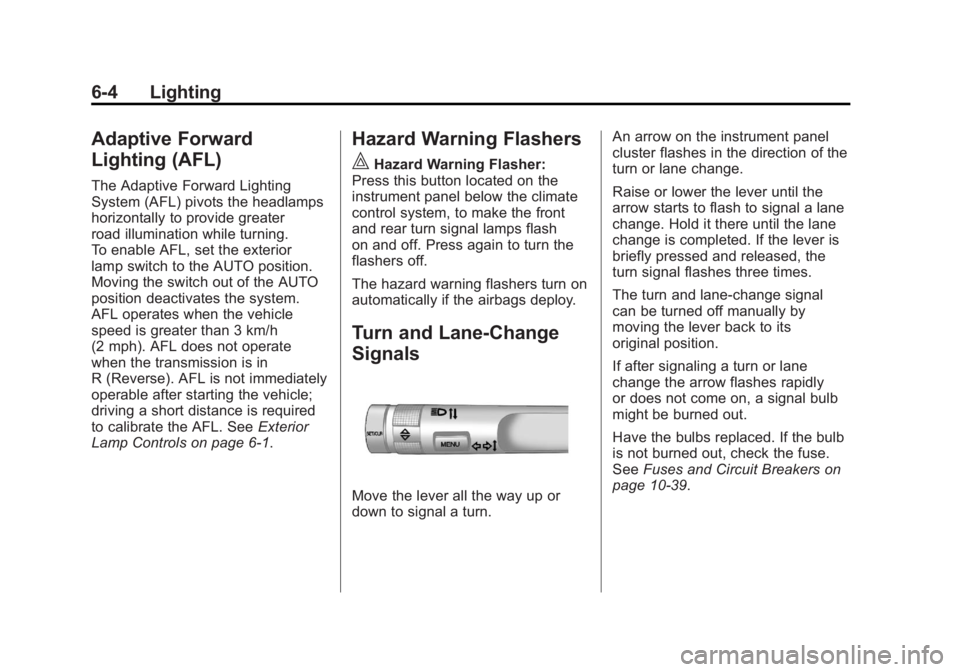
Signals
Move the lever all the way up or
down to signal a turn. An arrow on the instrument panel
cluster flashes in the direction of the
turn or lane change.
Raise or lower the lever until the
arrow starts to flash to signal a lane
change. Hold it there until the lane
change is completed. If the lever is
briefly pressed and released, the
turn signal flashes three times.
The turn and lane‐change signal
can be turned off manually by
moving the lever back to its
original position.
If after signaling a turn or lane
change the arrow flashes rapidly
or does not come on, a signal bulb
might be burned out.
Have the bulbs replaced. If the bulb
is not burned out, check the fuse.
See
Fuses and Circuit Breakers on
page 10‑39.
Page 178 of 462

Black plate (6,1)Buick LaCrosse Owner Manual - 2011
6-6 Lighting
Lighting Features
Entry Lighting
The headlamps, taillamps, license
plate lamps, back‐up lamps, dome
lamps, and most of the interior lights
turn on briefly, when the Remote
Keyless Entry (RKE)
Kbutton is
pressed, or when the door handle is
pulled on a keyless access vehicle.
See Ignition Positions (Key Access)
on page 9‑17 orIgnition Positions
(Keyless Access) on page 9‑19.
After about 30 seconds the exterior
lamps turn off, and then the dome
lamps and remaining interior lights
will dim to off. Entry lighting can be
disabled manually by changing the
ignition out of the OFF position,
or by pressing the RKE
Qbutton.
This feature can be changed.
See Vehicle Personalization on
page 5‑39.
Exit Lighting
The headlamps, taillamps, parking
lamps, back‐up lamps, and license
plate lamps come on at night, or in
areas with limited lighting, when the
key is removed from the ignition.
The dome lamps also come on
when the key is removed from the
ignition. The exterior lights and
dome lamps remain on after the
door is closed for a set amount of
time, then automatically turn off.
For a vehicle with keyless access,
the exterior lights and dome lamps
automatically turn on when a door
is opened after the ignition is turned
off. See Ignition Positions (Key
Access) on page 9‑17 orIgnition
Positions (Keyless Access) on
page 9‑19.
The exterior lights turn off
immediately by turning the
exterior lamps control to OFF.
This feature can be changed.
See Vehicle Personalization on
page 5‑39.
Battery Load
Management
The vehicle has Electric Power
Management (EPM) that estimates
the battery's temperature and state
of charge. It then adjusts the voltage
for best performance and extended
life of the battery.
When the battery's state of charge
is low, the voltage is raised slightly
to quickly bring the charge back up.
When the state of charge is high,
the voltage is lowered slightly to
prevent overcharging. If the vehicle
has a voltmeter gauge or a voltage
display on the Driver Information
Center (DIC), you may see the
voltage move up or down. This is
normal. If there is a problem, an
alert will be displayed.
Page 186 of 462
Black plate (6,1)Buick LaCrosse Owner Manual - 2011
7-6 Infotainment System
E. TUNE/k
.Manually selects radio
stations and pauses time
shifted content.
.CD/DVD: Select tracks,
pauses playback, and
stops playback.
.MEM: Select tracks and
pauses playback.
F. RADIO/BAND
.Changes the band while
listening to the radio.
.Selects the radio when
listening to a different
audio source.
G.
g
.Radio: Seeks the previous
station.
.CD: Selects the previous
track or rewinds within a
track.
.MEM: Selects the previous
track or rewinds within a
track. H.
XCD Eject
.Removes a disc from the
CD slot.
I. REC
O
.AUX: Records content
from audio CDs,
MP3/WMA CDs, and
USB mass storage
devices.
J. DEL
.MEM: Deletes the current
track from MEM.
K.
l
.Radio: Seeks the next
station.
.CD: Selects the next track
or fast forwards within a
track.
.MEM: Selects the next
track or fast forwards
within a track. L. SELECT
.Selects menu items.
M. Menu Knob
.Opens menus, highlights
menu items, or sets
numeric values while
in a menu.
N.
0BACK
.Menu: Moves one
level back.
.Character Input: Deletes
the last character.
O. TONE
.Opens the Tone menu.
P.
H
.Opens the Clock menu.
Q. CONFIG
.Opens the Settings menu.
Page 194 of 462
Black plate (14,1)Buick LaCrosse Owner Manual - 2011
7-14 Infotainment System
Storing Stations
To store the station to a position
in the list, press the corresponding
button 1 to 6 until a beep is heard.
Retrieving Stations
Press the FAV button to open a
favorite page or to switch to another
favorite page. Briefly press one of
the 1 to 6 buttons to retrieve the
station.
Time Shifting (Radio with
CD/DVD and MEM)
The radio with MEM time shift
feature can rewind 20 minutes of
FM/AM content. While listening
to the radio, the content from the
current station is always being
buffered.Press
kto pause the radio.
The radio displays the time shift
status bar. The status bar shows
the amount of content stored in the
buffer and the current pause point.
To resume playback from the
current pause point, press
kagain.
The radio is no longer live, but
played from the time shift buffer.
A status bar displays below the
station number.
Press and hold
lorgto fast
forward or rewind through the time
shift buffer. Hold
luntil the end
of the recorded buffer resumes
live playback.
Press and release
lorgto jump
forward or back 30 seconds in the
time shift buffer. When the radio station is
changed, the buffer is cleared
and automatically restarted for
the current station. Content from
a previously tuned station is no
longer available.
The time shift feature is not
available while recording or
with other sources of playback.
Pausing AM/FM with the Vehicle
Turned Off
If AM/FM is paused when the
vehicle is turned off, the radio
continues to buffer the current
radio station for up to 20 minutes.
If the vehicle is turned back on
within 20 minutes, the radio
resumes playback from the
paused point.
Page 197 of 462
Black plate (17,1)Buick LaCrosse Owner Manual - 2011
Infotainment System 7-17
Time Shifting (Radio with
CD/DVD and MEM)
The radio with MEM time shift
feature can rewind 20 minutes of
XM content. While listening to the
radio, the content from the current
channel is always being buffered.
Press
kto pause the radio.
The radio displays the time shift
status bar. The status bar shows
the amount of content stored in the
buffer and the current pause point.
To resume playback from the
current pause point, press
kagain.
The radio is no longer live, but
played from the time shift buffer.
A status bar displays below the
channel number.
Press and hold
lorgto fast
forward or rewind through the time
shift buffer. Hold
luntil the end
of the recorded buffer resumes
live playback. Press and release
lorgto go to
the next or previous song in the time
shift buffer.
When the channel is changed, the
buffer is cleared and automatically
restarted for the current channel.
Content from a previously tuned
station is no longer available.
The time shift feature is not
available while recording or
with other sources of playback.
Pausing XM with the Vehicle
Turned Off
If XM is paused when the vehicle is
turned off, the radio continues to
buffer the current radio station for
up to 20 minutes. If the vehicle is
turned back on within 20 minutes,
the radio resumes playback from
the paused point.XM Messages
XL (Explicit Language
Channels): These channels, or any
others, can be blocked by request,
by calling 1-800-929-2100 in the
U.S. and 1-877-438-9677 in
Canada.
XM Updating: The encryption code
in the receiver is being updated.
No action is required. This process
should take no longer than
30 seconds.
Loading XM: The audio system is
acquiring and processing audio and
text data. No action is needed. This
message should disappear shortly.
Channel Off Air: This channel is
not currently in service. Tune in to
another channel.
Page 218 of 462
Black plate (38,1)Buick LaCrosse Owner Manual - 2011
7-38 Infotainment System
The headphones are used to listen
to various multi‐media. The wireless
headphones have an On/Off button,
channel 1/2 switch, and a volume
control. Turn the headphones off
when not in use.
Push the On/Off button to turn
on the headphones. A light on
the headphones comes on. If the
light does not come on, check the
batteries. Intermittent sound or static
can also indicate weak batteries.
See“Battery Replacement” later in
this section for more information.
Infrared transmitters are on the
top of the left seatback video
screen. The headphones shut off
automatically to save the battery
power if the RSE system is shut
off or if the headphones are out
of range of the transmitters for
more than three minutes. Moving
too far forward or stepping out of the
vehicle can cause the headphones
to lose the signal or have static. To adjust the volume on the
headphones, use the volume
control.
For optimal audio performance, the
headphones must be worn correctly.
Headphones should be worn with
the headband over the top of the
head for best audio reception.
The symbol L (Left) appears on the
outside bottom edge of the ear cup
and should be positioned on the left
ear. The symbol R (Right) appears
on the outside bottom edge of the
ear cup and should be positioned
on the right ear.
Notice:
Do not store the
headphones in heat or direct
sunlight. This could damage
the headphones and repairs will
not be covered by the warranty.
Storage in extreme cold can
weaken the batteries. Keep the
headphones stored in a cool,
dry place. If the foam ear pads attached to
the headphones become worn or
damaged, the pads can be replaced
separately from the headphone set.
To purchase replacement ear pads,
call 1‐888‐293‐3332, then prompt
zero (0), or contact your dealer.
Battery Replacement
To change the batteries:
1. Loosen the screw to the battery
door located on the left side of
the headphones.
2. Slide the battery door open.
3. Replace the two AAA batteries.
4. Replace the battery door and tighten the screw.
Remove the batteries if the
headphones are not going to be
used for a long period of time.
Page 219 of 462
Black plate (39,1)Buick LaCrosse Owner Manual - 2011
Infotainment System 7-39
Audio/Video (A/V) Jacks
If available, the A/V jacks are
located on the rear of the floor
console. They allow audio or
video cables to be connected
from an auxiliary device such as
a camcorder or a video game
system.
The A/V jacks are color coded:
.Yellow for video input.
.White for left audio input.
.Red for right audio input.
Power for auxiliary devices is not
supplied by the radio system.
To use the auxiliary inputs of the
RSE system:
1. Connect the auxiliary device cables to the A/V jacks.
2. Power on both the auxiliary device and the RSE video
screen. Changing the Source on the Video
Display Screens
The image from the auxiliary device
can be switched between the video
display screens.
To change the display:
1. Press the AUX button on the
remote control to change the
source of both video screens
from the DVD player to the
auxiliary device.
2. Press the AUX button a second time to change the left video
screen source to the DVD player
and the right video screen to the
auxiliary device. 3. Press the AUX button a third
time to change the left video
screen source to the auxiliary
device and the right video
screen to the DVD player.
4. Press the AUX button a fourth time to change the source of
both video screens to the DVD
player.
Changing the RSE Video Screen
Settings
The screen display mode,
brightness, and language can
be changed from the setup menu
using the remote control. To change
a setting:
1. Press
z.
2. Use
n,q,p,o, andrto
select the settings.
3. Press
zagain to exit the
setup menu.
Page 223 of 462
Black plate (43,1)Buick LaCrosse Owner Manual - 2011
Infotainment System 7-43
The AUX button also controls the
source display between the left and
right video screens as described in
the table below:Aux
Button
Press Left
Screen Right
Screen
Default
State (No
Press) DVD
Media DVD
Media
First
Press Aux Video
Source Aux Video
Source
Second Press DVD
Media Aux Video
Source
Third
Press Aux Video
Source DVD
Media
Fourth Press Return to
DefaultState Return to
DefaultState2(Camera): Press to change
the camera angle on DVDs that
have this feature when the DVD
is playing.
\(Clear) (If Available): Press
this button within three seconds
after inputting a numeric selection,
to clear all numeric inputs.
}10 (Double Digit Entries)
(If Available): Press this button
to select chapter or track numbers
greater than 9. Press this button
before inputting the number.
1 through 0 (Numeric Keypad):
The numbered keypad provides the
capability of direct chapter or track
number selection. Replacing the Remote Control
If the remote control becomes
lost or damaged, a new universal
remote control can be purchased.
Use a Toshiba
®code set for
replacement universal remote
controls.
Battery Replacement
To change the remote control
batteries:
1. Slide back the rear cover on the remote control.
2. Replace the two batteries in the compartment.
3. Replace the battery cover.
Remove the batteries from the
remote control if unused for an
extended period of time.
Page 229 of 462
Black plate (49,1)Buick LaCrosse Owner Manual - 2011
Infotainment System 7-49
The pairing process can be started
by using the voice recognition
system or the controls on the
infotainment system.
Pairing Information:
.Up to five cell phones can be
paired to the Bluetooth system.
.The pairing process is disabled
when the vehicle is moving.
.The Bluetooth system links with
the first available paired cell
phone in the order the phone
was paired.
.Only one paired cell phone can
be connected to the Bluetooth
system at a time.
.Pairing should only need to be
completed once, unless changes
to the pairing information have
been made or the phone is
deleted.
To link to a different paired phone,
see “Linking to a Different Phone”
later in this section. Pairing a Phone
1. Press the CONFIG button.
2. Select Phone Settings.
3. Select Bluetooth.
4. Select Pair Device (Phone).
A four‐digit Personal
Identification Number (PIN)
appears on the display.
If the “Add new GPS device”
option is selected, the system
will start a search for Bluetooth
“Handsfree” profile devices just
like if “Add new Phone” was
selected. The additional GPS
location feature which would
provide the vehicle's GPS
location through the Bluetooth
Serial Port Profile is not
available. 5. Start the pairing process on the
cell phone that will be paired to
the vehicle. Reference the cell
phone manufacturer's user guide
for information on this process.
Locate the device named “Your
Vehicle” in the list on the cell
phone and follow the instructions
on the cell phone to enter the
four‐digit PIN provided by the
system.
6. The system prompts for a name for the phone and confirms the
name provided. This name is
used to indicate which phone
is connected.
7. The system responds with “
successfully paired” after the
pairing process is complete.
8. Repeat Steps 1 through 7 to pair additional phones.
Page 235 of 462
Black plate (55,1)Buick LaCrosse Owner Manual - 2011
Infotainment System 7-55
Connecting to a Different Phone
To connect to a different cell phone,
the Bluetooth system looks for the
next available cell phone in the
order in which all the available cell
phones were paired. Depending
on which cell phone you want to
connect to, you may have to use
this command several times.
1. Press
bg. For vehicles with a
navigation system, say “Hands
Free” after the tone.
2. Say “Bluetooth.”
3. Say “Change phone.”
.If another cell phone is
found, the response will
be“
connected.”
.If another cell phone is not
found, the original phone
remains connected.
Storing and Deleting Phone
Numbers
The system can store up to
30 phone numbers as name tags
in the Hands‐Free Directory that is
shared between the Bluetooth and
OnStar systems.
The following commands are used
to delete and store phone numbers.
Store: This command will store
a phone number or a group of
numbers as a name tag.
Digit Store: This command allows
a phone number to be stored as a
name tag by entering the digits one
at a time.
Delete: This command is used to
delete individual name tags.
Delete All Name Tags: This
command deletes all stored
name tags in the Hands‐Free
Calling Directory and the OnStar
Turn‐by‐Turn Destinations Directory. Using the
“Store”Command
1. Pressb g. For vehicles with a
navigation system, say “Hands
Free” after the tone.
2. Say “Store.”
3. Say the phone number or group of numbers you want to store
all at once with no pauses, then
follow the directions given by the
system to save a name tag for
this number.
Using the “Digit Store” Command
If an unwanted number is
recognized by the system, say
“Clear” at any time to clear the
last number.
To hear all of the numbers
recognized by the system,
say “Verify” at any time.
1. Press
b g. For vehicles with a
navigation system, say “Hands
Free” after the tone.
2. Say “Digit Store.”