remote start BUICK LACROSSE 2011 User Guide
[x] Cancel search | Manufacturer: BUICK, Model Year: 2011, Model line: LACROSSE, Model: BUICK LACROSSE 2011Pages: 462, PDF Size: 5.73 MB
Page 40 of 462
Black plate (8,1)Buick LaCrosse Owner Manual - 2011
2-8 Keys, Doors and Windows
Starting the Vehicle with a Low
Transmitter Battery
If the transmitter battery is weak,
the DIC may display NO REMOTE
DETECTED when you try to
start the vehicle. The REPLACE
BATTERY IN REMOTE KEY
message may also be displayed
at this time.
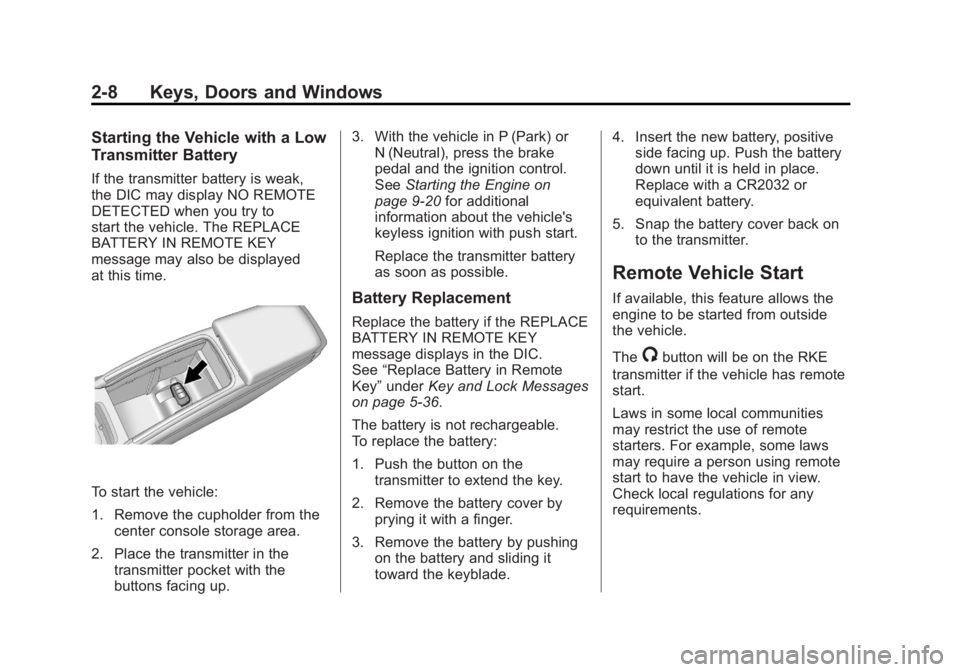
To start the vehicle:
1. Remove the cupholder from thecenter console storage area.
2. Place the transmitter in the transmitter pocket with the
buttons facing up. 3. With the vehicle in P (Park) or
N (Neutral), press the brake
pedal and the ignition control.
See Starting the Engine on
page 9‑20 for additional
information about the vehicle's
keyless ignition with push start.
Replace the transmitter battery
as soon as possible.
Battery Replacement
Replace the battery if the REPLACE
BATTERY IN REMOTE KEY
message displays in the DIC.
See “Replace Battery in Remote
Key” under Key and Lock Messages
on page 5‑36.
The battery is not rechargeable.
To replace the battery:
1. Push the button on the transmitter to extend the key.
2. Remove the battery cover by prying it with a finger.
3. Remove the battery by pushing on the battery and sliding it
toward the keyblade. 4. Insert the new battery, positive
side facing up. Push the battery
down until it is held in place.
Replace with a CR2032 or
equivalent battery.
5. Snap the battery cover back on to the transmitter.
Remote Vehicle Start
If available, this feature allows the
engine to be started from outside
the vehicle.
The
/button will be on the RKE
transmitter if the vehicle has remote
start.
Laws in some local communities
may restrict the use of remote
starters. For example, some laws
may require a person using remote
start to have the vehicle in view.
Check local regulations for any
requirements.
Page 41 of 462
Black plate (9,1)Buick LaCrosse Owner Manual - 2011
Keys, Doors and Windows 2-9
Starting the Engine Using Remote
Start
To start the engine using the remote
start feature:
1. Aim the Remote Keyless Entrytransmitter at the vehicle.
2. Press
Q.
3. Immediately after completing Step 2, press and hold
/until
the turn signal lamps flash, or for
about 2 seconds if the vehicle is
not in view.
Once the vehicle is started, the
parking lamps will turn on and
remain on as long as the engine
is running.
Turn the ignition to ON/RUN
(key access), or select the
ON/RUN/START ignition position
(keyless access), to drive the
vehicle. The engine will shut off after
10 minutes unless a time
extension is done or the ignition
is put in ON/RUN (key access) or
ON/RUN/START (keyless access).
Vehicles with an automatic climate
control system will default to a
heating or cooling mode depending
on the outside temperature during a
remote start. When the key is turned
to ON/RUN (key access), or the
ON/RUN/START ignition position
is selected (keyless access), the
climate control system will turn on
at the setting the vehicle was set to
when the vehicle was last turned off.
Vehicles with heated or heated and
ventilated front seats can have this
feature turn on automatically during
a remote start. See
“Remote Start
Heated Seats” and“Remote Start
Vented Seats” underVehicle
Personalization on page 5‑39
for more information. Extending Engine Run Time
For a 10-minute extension, repeat
Steps 1 and 2 while the engine is
still running. The remote start can
only be extended once.
When the remote start is extended,
the second 10 minutes will start
immediately.
For example, if the vehicle has
been running for five minutes, and
10 minutes are added, the engine
will run for a total of 15 minutes.
A maximum of two remote starts or
remote start attempts are allowed
between ignition cycles.
The vehicle's ignition must be
turned on and then back off before
the remote start procedure can be
used again.
Page 42 of 462
Black plate (10,1)Buick LaCrosse Owner Manual - 2011
2-10 Keys, Doors and Windows
Canceling a Remote Start
To cancel a remote start, do any of
the following:
.Aim the RKE transmitter at the
vehicle and press and hold
/
until the parking lamps turn off.
.Turn on the hazard warning
flashers.
.Turn the vehicle on and then off.
Conditions in Which Remote Start
Will Not Work
The remote start will not operate if:
.The key is in the ignition (key
access) or the ignition is in any
position other than OFF (keyless
access).
.The transmitter is in the vehicle
(keyless access).
.The hood is not closed.
.The hazard warning flashers
are on.
.There is an emission control
system malfunction.
.The engine coolant temperature
is too high.
.The oil pressure is low.
.Two remote vehicle starts have
already been used.
.The vehicle is not in P (Park).
Door Locks
{WARNING
Unlocked doors can be
dangerous.
.Passengers, especially
children, can easily open
the doors and fall out
of a moving vehicle.
The chance of being thrown
out of the vehicle in a crash
is increased if the doors
are not locked. So, all
passengers should wear
safety belts properly and
the doors should be locked
whenever the vehicle is
driven. (Continued)
Page 48 of 462
Black plate (16,1)Buick LaCrosse Owner Manual - 2011
2-16 Keys, Doors and Windows
The system has one or more
transmitters that are matched to
an immobilizer control unit in your
vehicle. Only a correctly matched
transmitter will start the vehicle.
If the transmitter is ever damaged,
you may not be able to start your
vehicle.
When trying to start the vehicle, the
security light comes on briefly when
the ignition is turned on.
If the engine does not start and the
security light stays on, there is a
problem with the system. Turn the
ignition off and try again.If the RKE appears to be
undamaged, try another
transmitter. Or, you may try
placing the transmitter in the
transmitter pocket located in the
center console. See
“No Remote
Detected” underKey and Lock
Messages on page 5‑36.
If the engine does not start with
the other transmitter or when the
transmitter is on the pocket in the
center console, your vehicle needs
service. See your dealer who can
service the theft-deterrent system
and have a new transmitter
programmed to the vehicle.
Do not leave the key or device
that disarms or deactivates the
theft-deterrent system in the vehicle.Exterior Mirrors
Power Mirrors
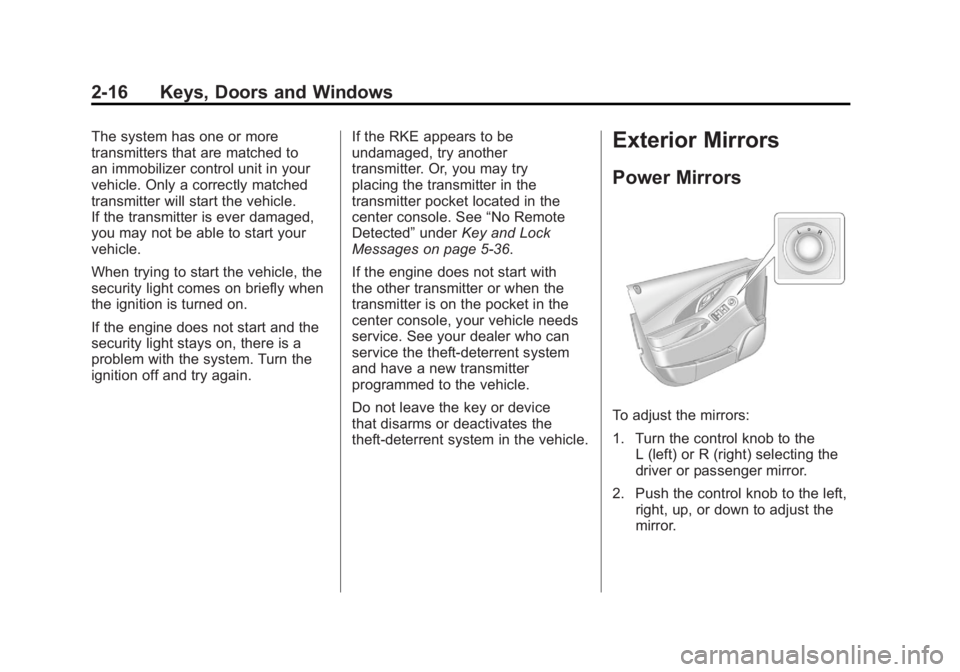
To adjust the mirrors:
1. Turn the control knob to the L (left) or R (right) selecting the
driver or passenger mirror.
2. Push the control knob to the left, right, up, or down to adjust the
mirror.
Page 60 of 462
Black plate (6,1)Buick LaCrosse Owner Manual - 2011
3-6 Seats and Restraints
Recalling Button Memory
Positions
To recall the manually saved
Button Memory positions, press
and hold“1”or“2.” The driver seat
and outside mirrors move to the
positions stored to those buttons
when pressed. Releasing “1”or“2”
before the stored positions are
reached stops the recall.
If something has blocked the
driver seat while recalling a
memory position, the recall may
stop. Remove the obstruction;
then press and hold the appropriate
manual control for the memory item
that is not recalling for two seconds.
Try recalling the memory position
again by pressing the appropriate
memory button. If the memory
position is still not recalling,
see your dealer for service. Recalling RKE Memory Positions
(Memory Remote Recall)
The Memory Remote Recall
feature can recall the driver seat
and outside mirrors to previously
stored RKE Memory positions
when entering the vehicle.
Every time the ignition is placed
in OFF, the positions of the driver
seat and outside mirrors are
automatically stored to the RKE
transmitter that was used to start
the vehicle. These positions are
called RKE Memory positions and
may be different than the previously
mentioned Button Memory positions
saved to the
“1”or“2” buttons. To automatically recall RKE
Memory positions, unlock
the driver door with the RKE
transmitter, and open the driver
door. On vehicles with Keyless
Access, opening the driver door
when an RKE transmitter is
present will activate the RKE
Memory recall. If the driver door
is already open, pressing the
RKE transmitter
Kbutton will also
activate the RKE Memory recall.
The driver seat and outside mirrors
will move to the previously saved
RKE Memory positions.
Page 65 of 462
Black plate (11,1)Buick LaCrosse Owner Manual - 2011
Seats and Restraints 3-11
Remote Start Heated and
Ventilated Seats
During a remote start, the heated
or ventilated seats, if equipped,
can be turned on automatically.
They are canceled when the ignition
is turned on. Press the button to use
the heated or ventilated seats after
the vehicle is started.
The heated or ventilated seat
indicator lights on the button do
not turn on during a remote start.
The heated seat temperature
performance of an unoccupied seat
may be reduced. This is normal.
The heated or ventilated seats
will not turn on during a remote
start unless they are enabled in
the vehicle personalization menu.
SeeRemote Vehicle Start on
page 2‑8 and“Remote Start
Heated Seats” or“Remote Start
Cooled Seats” underVehicle
Personalization on page 5‑39
for more information.Rear Seats
Folding the Seatback
Either side of the seatback can be
folded down for more cargo space.
Fold a seatback only when the
vehicle is not moving.
Notice: Folding a rear seat with
the safety belts still fastened may
cause damage to the seat or the
safety belts. Always unbuckle the
safety belts and return them to
their normal stowed position
before folding a rear seat. To fold the seatback down:
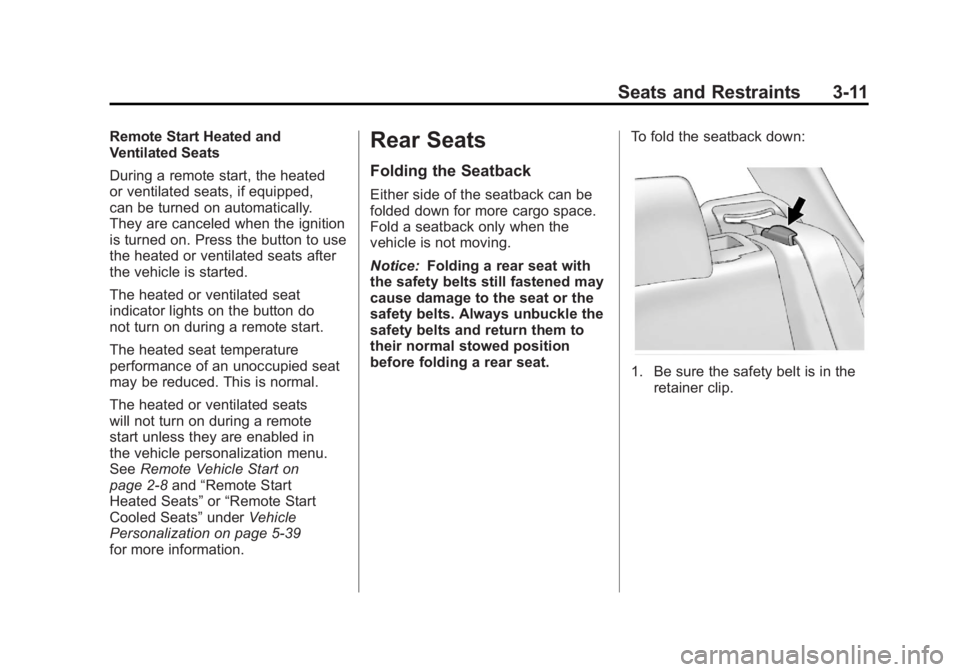
1. Be sure the safety belt is in the
retainer clip.
Page 91 of 462
Black plate (37,1)Buick LaCrosse Owner Manual - 2011
Seats and Restraints 3-37
Passenger Sensing
System
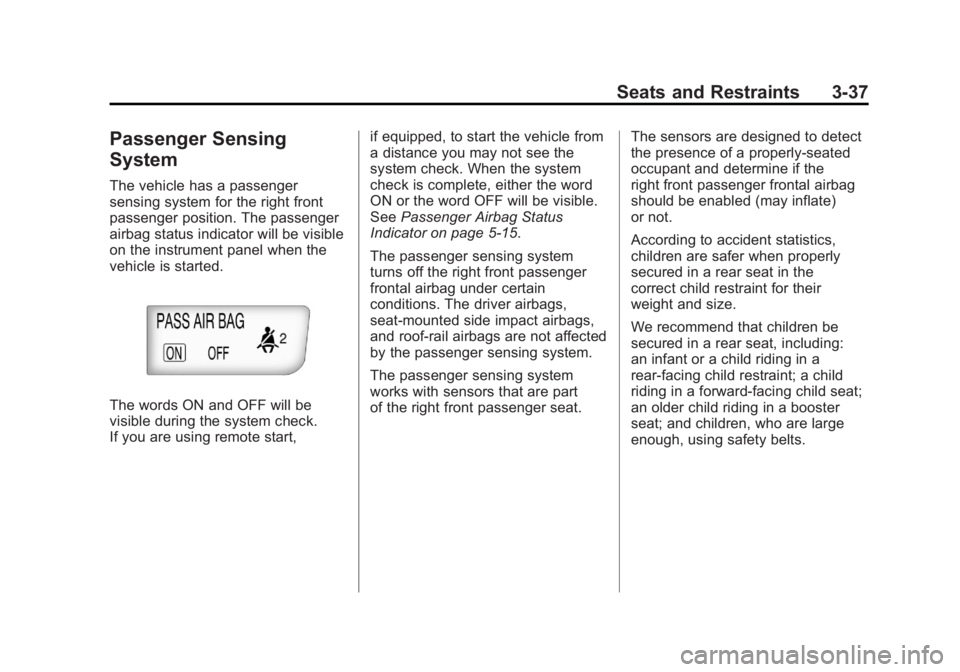
The vehicle has a passenger
sensing system for the right front
passenger position. The passenger
airbag status indicator will be visible
on the instrument panel when the
vehicle is started.
The words ON and OFF will be
visible during the system check.
If you are using remote start,if equipped, to start the vehicle from
a distance you may not see the
system check. When the system
check is complete, either the word
ON or the word OFF will be visible.
See
Passenger Airbag Status
Indicator on page 5‑15.
The passenger sensing system
turns off the right front passenger
frontal airbag under certain
conditions. The driver airbags,
seat‐mounted side impact airbags,
and roof‐rail airbags are not affected
by the passenger sensing system.
The passenger sensing system
works with sensors that are part
of the right front passenger seat. The sensors are designed to detect
the presence of a properly-seated
occupant and determine if the
right front passenger frontal airbag
should be enabled (may inflate)
or not.
According to accident statistics,
children are safer when properly
secured in a rear seat in the
correct child restraint for their
weight and size.
We recommend that children be
secured in a rear seat, including:
an infant or a child riding in a
rear-facing child restraint; a child
riding in a forward-facing child seat;
an older child riding in a booster
seat; and children, who are large
enough, using safety belts.
Page 138 of 462
Black plate (16,1)Buick LaCrosse Owner Manual - 2011
5-16 Instruments and Controls
If you are using remote start,
if equipped, to start the vehicle
from a distance, you may not see
the system check. Then, after
several more seconds, the status
indicator will light either the word
ON or OFF to let you know the
status of the right front passenger
frontal airbag.
If the word ON is lit on the
passenger airbag status indicator,
it means that the right front
passenger frontal airbag is
enabled (may inflate).
If the word OFF is lit on the airbag
status indicator, it means that the
passenger sensing system has
turned off the right front passenger
frontal airbag.If, after several seconds, both
status indicator lights remain on,
or if there are no lights at all, there
may be a problem with the lights
or the passenger sensing system.
See your dealer for service.
{WARNING
If the airbag readiness light
ever comes on and stays on,
it means that something may be
wrong with the airbag system.
To help avoid injury to yourself or
others, have the vehicle serviced
right away. See
Airbag Readiness
Light on page 5‑14 for more
information, including important
safety information.
Charging System Light
The charging system light comes
on briefly when the ignition is turned
on, but the engine is not running, as
a check to show the light is working.
The light turns off when the engine
is started. If it does not, have the
vehicle serviced by your dealer.
If the light stays on, or comes on
while driving, there could be a
problem with the electrical charging
system. Have it checked by your
dealer. Driving while this light is
on could drain the battery.
If a short distance must be driven
with the light on, be sure to turn off
all accessories, such as the radio
and air conditioner.
Page 158 of 462
Black plate (36,1)Buick LaCrosse Owner Manual - 2011
5-36 Instruments and Controls
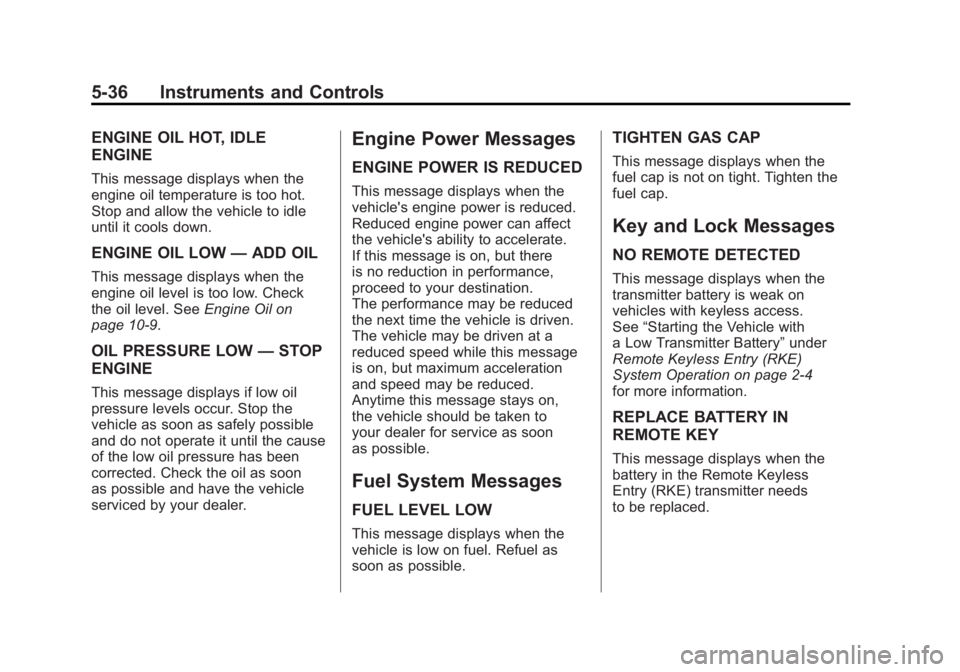
ENGINE OIL HOT, IDLE
ENGINE
This message displays when the
engine oil temperature is too hot.
Stop and allow the vehicle to idle
until it cools down.
ENGINE OIL LOW—ADD OIL
This message displays when the
engine oil level is too low. Check
the oil level. See Engine Oil on
page 10‑9.
OIL PRESSURE LOW —STOP
ENGINE
This message displays if low oil
pressure levels occur. Stop the
vehicle as soon as safely possible
and do not operate it until the cause
of the low oil pressure has been
corrected. Check the oil as soon
as possible and have the vehicle
serviced by your dealer.
Engine Power Messages
ENGINE POWER IS REDUCED
This message displays when the
vehicle's engine power is reduced.
Reduced engine power can affect
the vehicle's ability to accelerate.
If this message is on, but there
is no reduction in performance,
proceed to your destination.
The performance may be reduced
the next time the vehicle is driven.
The vehicle may be driven at a
reduced speed while this message
is on, but maximum acceleration
and speed may be reduced.
Anytime this message stays on,
the vehicle should be taken to
your dealer for service as soon
as possible.
Fuel System Messages
FUEL LEVEL LOW
This message displays when the
vehicle is low on fuel. Refuel as
soon as possible.
TIGHTEN GAS CAP
This message displays when the
fuel cap is not on tight. Tighten the
fuel cap.
Key and Lock Messages
NO REMOTE DETECTED
This message displays when the
transmitter battery is weak on
vehicles with keyless access.
See “Starting the Vehicle with
a Low Transmitter Battery” under
Remote Keyless Entry (RKE)
System Operation on page 2‑4
for more information.
REPLACE BATTERY IN
REMOTE KEY
This message displays when the
battery in the Remote Keyless
Entry (RKE) transmitter needs
to be replaced.
Page 161 of 462
Black plate (39,1)Buick LaCrosse Owner Manual - 2011
Instruments and Controls 5-39
Window Messages
OPEN, THEN CLOSE DRIVER
WINDOW
This message is displayed when the
window needs to be reprogrammed.
If the vehicle's battery has been
recharged or disconnected, you
will need to reprogram each front
window for the express-up feature
to work. SeePower Windows on
page 2‑19 for more information.
OPEN, THEN CLOSE
PASSENGER WINDOW
This message is displayed when the
window needs to be reprogrammed.
If the vehicle's battery has been
recharged or disconnected, you
will need to reprogram each front
window for the express-up feature
to work. See Power Windows on
page 2‑19 for more information.
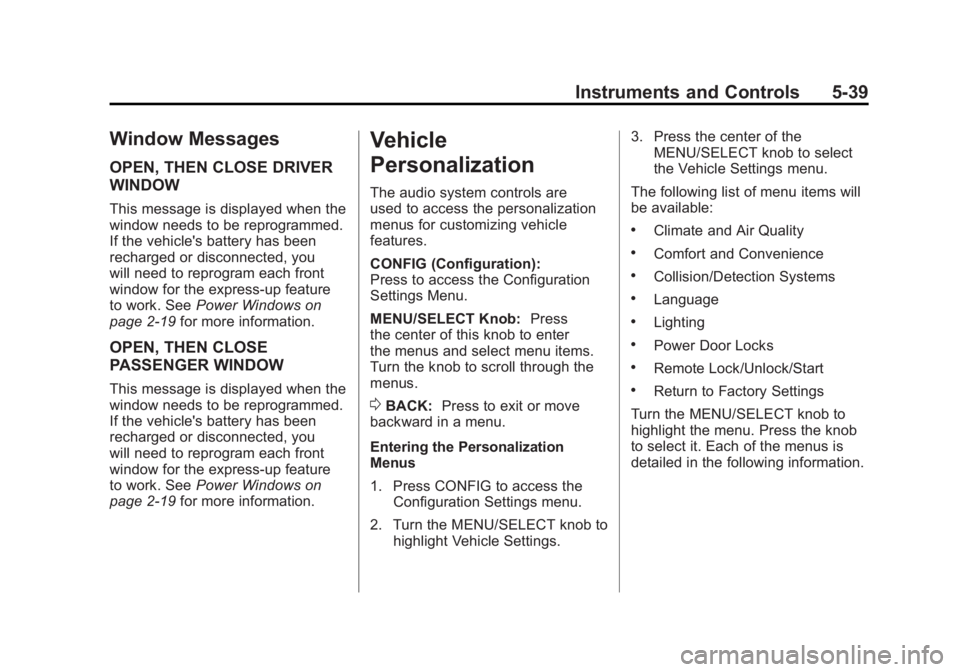
Vehicle
Personalization
The audio system controls are
used to access the personalization
menus for customizing vehicle
features.
CONFIG (Configuration):
Press to access the Configuration
Settings Menu.
MENU/SELECT Knob: Press
the center of this knob to enter
the menus and select menu items.
Turn the knob to scroll through the
menus.
0BACK: Press to exit or move
backward in a menu.
Entering the Personalization
Menus
1. Press CONFIG to access the Configuration Settings menu.
2. Turn the MENU/SELECT knob to highlight Vehicle Settings. 3. Press the center of the
MENU/SELECT knob to select
the Vehicle Settings menu.
The following list of menu items will
be available:
.Climate and Air Quality
.Comfort and Convenience
.Collision/Detection Systems
.Language
.Lighting
.Power Door Locks
.Remote Lock/Unlock/Start
.Return to Factory Settings
Turn the MENU/SELECT knob to
highlight the menu. Press the knob
to select it. Each of the menus is
detailed in the following information.