infotainment BUICK LACROSSE 2011 Repair Manual
[x] Cancel search | Manufacturer: BUICK, Model Year: 2011, Model line: LACROSSE, Model: BUICK LACROSSE 2011Pages: 462, PDF Size: 5.73 MB
Page 235 of 462
Black plate (55,1)Buick LaCrosse Owner Manual - 2011
Infotainment System 7-55
Connecting to a Different Phone
To connect to a different cell phone,
the Bluetooth system looks for the
next available cell phone in the
order in which all the available cell
phones were paired. Depending
on which cell phone you want to
connect to, you may have to use
this command several times.
1. Press
bg. For vehicles with a
navigation system, say “Hands
Free” after the tone.
2. Say “Bluetooth.”
3. Say “Change phone.”
.If another cell phone is
found, the response will
be“
connected.”
.If another cell phone is not
found, the original phone
remains connected.
Storing and Deleting Phone
Numbers
The system can store up to
30 phone numbers as name tags
in the Hands‐Free Directory that is
shared between the Bluetooth and
OnStar systems.
The following commands are used
to delete and store phone numbers.
Store: This command will store
a phone number or a group of
numbers as a name tag.
Digit Store: This command allows
a phone number to be stored as a
name tag by entering the digits one
at a time.
Delete: This command is used to
delete individual name tags.
Delete All Name Tags: This
command deletes all stored
name tags in the Hands‐Free
Calling Directory and the OnStar
Turn‐by‐Turn Destinations Directory. Using the
“Store”Command
1. Pressb g. For vehicles with a
navigation system, say “Hands
Free” after the tone.
2. Say “Store.”
3. Say the phone number or group of numbers you want to store
all at once with no pauses, then
follow the directions given by the
system to save a name tag for
this number.
Using the “Digit Store” Command
If an unwanted number is
recognized by the system, say
“Clear” at any time to clear the
last number.
To hear all of the numbers
recognized by the system,
say “Verify” at any time.
1. Press
b g. For vehicles with a
navigation system, say “Hands
Free” after the tone.
2. Say “Digit Store.”
Page 236 of 462
Black plate (56,1)Buick LaCrosse Owner Manual - 2011
7-56 Infotainment System
3. Say each digit, one at atime, that you want to store.
After each digit is entered, the
system repeats back the digit it
heard followed by a tone. After
the last digit has been entered,
say “Store,” and then follow the
directions given by the system to
save a name tag for this number.
Using the “Delete”Command
1. Press
b g. For vehicles with a
navigation system, say “Hands
Free” after the tone.
2. Say “Delete.”
3. Say the name tag you want to delete. Using the
“Delete All Name Tags”
Command
This command deletes all stored
name tags in the Hands Free
Calling Directory and the OnStar
Turn‐by‐Turn Destinations Directory.
To delete all name tags:
1. Press
b g. For vehicles with a
navigation system, say “Hands
Free” after the tone.
2. Say “Delete all name tags.”
Listing Stored Numbers
The List command will list all the
stored numbers and name tags.
Using the “List”Command
1. Press
b g. For vehicles with a
navigation system, say “Hands
Free” after the tone.
2. Say “Directory.”
3. Say “Hands Free Calling.”
4. Say “List.”
Making a Call
Calls can be made using the
following commands.
Dial or Call: The dial or
call command can be used
interchangeably to dial a phone
number or a stored name tag.
Digit Dial: This command allows
a phone number to be dialed by
entering the digits one at a time.
Re‐dial: This command is used to
dial the last number used on the cell
phone.
Using the “Dial”or“Call”
Command
1. Press
b g. For vehicles with a
navigation system, say “Hands
Free” after the tone.
2. Say “Dial”or“Call.”
3. Say the entire number without pausing or say the name tag.
Once connected, the person called
will be heard through the audio
speakers.
Page 237 of 462
Black plate (57,1)Buick LaCrosse Owner Manual - 2011
Infotainment System 7-57
Using the“Digit Dial” Command
The digit dial command allows a
phone number to be dialed by
entering the digits one at a time.
After each digit is entered, the
system repeats back the digit it
heard followed by a tone.
If an unwanted number is
recognized by the system, say
“Clear” at any time to clear the
last number.
To hear all of the numbers
recognized by the system,
say “Verify” at any time.
1. Press
b g. For vehicles with a
navigation system, say “Hands
Free” after the tone.
2. Say “Digit Dial.”
3. Say each digit, one at a time, that you want to dial. After each
digit is entered, the system
repeats back the digit it heard
followed by a tone. After the
last digit has been entered,
say “Dial.” Once connected, the person called
will be heard through the audio
speakers.
Using the
“Re‐dial”Command
1. Press
b g. For vehicles with a
navigation system, say “Hands
Free” after the tone.
2. After the tone, say “Re‐dial.”
Once connected, the person called
will be heard through the audio
speakers.
Receiving a Call
When an incoming call is received,
the audio system mutes and a ring
tone is heard in the vehicle.
.Pressb gto answer the call.
.Press$ ito ignore a call.
Call Waiting
Call waiting must be supported on
the cell phone and enabled by the
wireless service carrier.
.Pressbgto answer an
incoming call when another
call is active. The original
call is placed on hold.
.Pressb gagain to return to the
original call.
.To ignore the incoming call,
no action is required.
.Press$ ito disconnect the
current call and switch to the call
on hold.
Page 238 of 462
Black plate (58,1)Buick LaCrosse Owner Manual - 2011
7-58 Infotainment System
Three‐Way Calling
Three‐way calling must be
supported on the cell phone and
enabled by the wireless service
carrier.
1. While on a call, press
bg.
2. Say “Three‐way call.”
3. Use the dial or call command to dial the number of the third party
to be called.
4. Once the call is connected, press
bgto link all the callers
together.
Ending a Call
Press$ ito end a call.
Muting a Call
During a call, all sounds from inside
the vehicle can be muted so that the
person on the other end of the call
cannot hear them.
To mute a call, press
bg, and then
say “Mute Call.”
To cancel mute, press
b g, and
then say “Un‐mute Call.”
Transferring a Call
Audio can be transferred between
the Bluetooth system and the cell
phone.
The cell phone must be paired
and connected with the Bluetooth
system before a call can be
transferred. The connection process
can take up to two minutes after
the ignition is turned to ON/RUN. To Transfer Audio from the
Bluetooth System to a Cell Phone
During a call with the audio in the
vehicle:
1. Press
b
g.
2. Say “Transfer Call.”
To Transfer Audio to the Bluetooth
System from a Cell Phone
During a call with the audio on the
cell phone, press
b g. The audio
transfers to the vehicle. If the audio
does not transfer to the vehicle,
use the audio transfer feature on
the cell phone. See your cell phone
manufacturer's user guide for more
information.
Page 239 of 462
Black plate (59,1)Buick LaCrosse Owner Manual - 2011
Infotainment System 7-59
Voice Pass-Thru
Voice pass‐thru allows access to
the voice recognition commands on
the cell phone. See your cell phone
manufacturer's user guide to see if
the cell phone supports this feature.
To access contacts stored in the cell
phone:
1. Press
bg. For vehicles with a
navigation system, say “Hands
Free” after the tone.
2. Say “Bluetooth.” The system
responds “Bluetooth ready,”
followed by a tone.
3. Say “Voice.” The system
responds “OK, accessing
.The cell phone's normal
prompt messages will
go through their cycle
according to the phone's
operating instructions.
Dual Tone Multi-Frequency
(DTMF) Tones
The Bluetooth system can send
numbers and the numbers stored
as name tags during a call.
You can use this feature when
calling a menu‐driven phone
system. Account numbers can
also be stored for use.
Sending a Number or Name Tag
During a Call
1. Press
b g. The system
responds “Ready,”followed
by a tone.
2. Say “Dial.”
3. Say the number or name tag to send.
Clearing the System
Unless information is deleted out
of the in‐vehicle Bluetooth system,
it will be retained indefinitely.
This includes all saved name tags
in the phone book and phone
pairing information. For information
on how to delete this information,
see “Deleting a Paired Phone”
and “Storing and Deleting Phone
Numbers.”
Page 240 of 462

Black plate (60,1)Buick LaCrosse Owner Manual - 2011
7-60 Infotainment System
2NOTES
Page 295 of 462
Black plate (45,1)Buick LaCrosse Owner Manual - 2011
Driving and Operating 9-45
SBZA displays do not come on
while the vehicle is approaching or
passing other vehicles. At speeds
greater than 32 km/h (20 mph),
SBZA displays may come on
when a vehicle you have passed
remains in or drops back into the
detection zone.
SBZA can be disabled through
Vehicle Personalization.
SeeVehicle Personalization on
page 5‑39 for more information.
If the SBZA is disabled by the
driver, the SBZA mirror displays will
not light up during normal driving.
When the System Does Not Seem
To Work Properly
Occasional missed alerts can
occur under normal circumstances
and will increase in wet conditions.
The system does not need to be
serviced due to an occasional
missed alert. The number of missed
alerts will increase with increased
rainfall or road spray. If the SBZA displays do not light up
when the system is on and vehicles
are in the blind zone, the system
may need service. Take the vehicle
to your dealer.
SBZA is designed to ignore
stationary objects; however, the
system may occasionally light up
due to guard rails, signs, trees,
shrubs, and other stationary objects.
This is normal system operation;
the vehicle does not need service.
SBZA does not operate when the
left or right corners of the rear
bumper are covered with mud,
dirt, snow, ice, or slush, or in
heavy rainstorms. For cleaning
instructions, see
Exterior Care on
page 10‑92. If the infotainment
display still shows the SIDE
BLIND ZONE SYS. UNAVAILABLE
message after cleaning the bumper,
see your dealer. The SBZA displays may remain on
if a trailer is attached to the vehicle,
or a bicycle or object is extending
out to either side of the vehicle.
When SBZA is disabled for any
reason other than the driver turning
it off, the driver will not be able to
turn SBZA back on using Vehicle
Personalization. The SIDE BLIND
ZONE ALERT ON option will not
be selectable if the conditions
for normal system operation are
not met. Until normal operating
conditions for SBZA are met, you
should not rely upon SBZA while
driving.
Page 296 of 462
Black plate (46,1)Buick LaCrosse Owner Manual - 2011
9-46 Driving and Operating
SBZA Error Messages
The following messages may
appear on the infotainment display:
SIDE BLIND ZONE ALERT
SYSTEM OFF:This message
indicates that the driver has turned
the system off.
SIDE BLIND ZONE SYS.
UNAVAILABLE: This message
indicates that the SBZA system
is disabled because the sensor is
blocked and cannot detect vehicles
in the blind zone. The sensor may
be blocked by mud, dirt, snow, ice,
or slush. This message may also
activate during heavy rain or due to
road spray. The vehicle does not
need service. For cleaning, see
Exterior Care on page 10‑92. SERVICE SIDE BLIND ZONE
ALERT SYSTEM:
If this message
appears, both SBZA displays will
remain on indicating there is a
problem with the SBZA system.
If these displays remain on after
continued driving, the system needs
service. Take the vehicle to your
dealer.
FCC Information
See Radio Frequency Statement on
page 13‑20 for FCC information.
Rear Vision
Camera (RVC)
This vehicle may have an RVC
system. Read this entire section
before using it.
The RVC system can assist
the driver when backing up by
displaying a view of the area
behind the vehicle.
{WARNING
The Rear Vision Camera (RVC)
system does not replace driver
vision. RVC does not:
.Detect objects that are
outside the camera's field
of view, below the bumper,
or underneath the vehicle.
.Detect children, pedestrians,
bicyclists, or pets.
(Continued)
Page 358 of 462
Black plate (46,1)Buick LaCrosse Owner Manual - 2011
10-46 Vehicle Care
Mini Fuses Usage31 Electronic
Suspension Control
32 Rear Seat
Infotainment
33 All‐Wheel Drive
J‐Case Fuses Usage
1 Not Used
2 Not Used
3 Not Used
4 Not Used
9 Not Used
10 Not Used
11 Not Used J‐Case
Fuses Usage
13 Not Used
14 Not Used
34 Not Used
35 PEPS
36 Not Used
37 Not Used
Relays Usage
K1 Not Used
K2 Seat Ventilation,
Sunshade
K3 Heated Steering
Wheel
K4 Not UsedWheels and Tires
Tires
Every new GM vehicle has
high-quality tires made by
a leading tire manufacturer.
See the warranty manual
for information regarding
the tire warranty and where
to get service. For additional
information refer to the tire
manufacturer.
{WARNING
.Poorly maintained and
improperly used tires are
dangerous.
.Overloading the tires can
cause overheating as a
result of too much flexing.
There could be a blowout and
a serious crash. See Vehicle
Load Limits on page 9‑12.
(Continued)
Page 455 of 462
Black plate (7,1)Buick LaCrosse Owner Manual - 2011
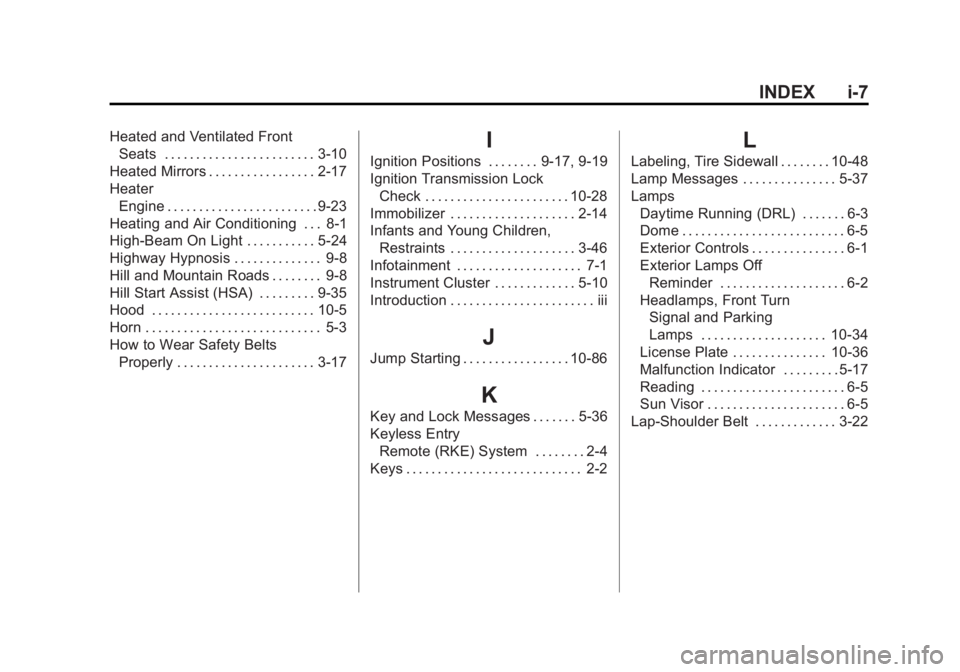
INDEX i-7
Heated and Ventilated FrontSeats . . . . . . . . . . . . . . . . . . . . . . . . 3-10
Heated Mirrors . . . . . . . . . . . . . . . . . 2-17
Heater Engine . . . . . . . . . . . . . . . . . . . . . . . . 9-23
Heating and Air Conditioning . . . 8-1
High-Beam On Light . . . . . . . . . . . 5-24
Highway Hypnosis . . . . . . . . . . . . . . 9-8
Hill and Mountain Roads . . . . . . . . 9-8
Hill Start Assist (HSA) . . . . . . . . . 9-35
Hood . . . . . . . . . . . . . . . . . . . . . . . . . . 10-5
Horn . . . . . . . . . . . . . . . . . . . . . . . . . . . . 5-3
How to Wear Safety Belts Properly . . . . . . . . . . . . . . . . . . . . . . 3-17I
Ignition Positions . . . . . . . . 9-17, 9-19
Ignition Transmission LockCheck . . . . . . . . . . . . . . . . . . . . . . . 10-28
Immobilizer . . . . . . . . . . . . . . . . . . . . 2-14
Infants and Young Children, Restraints . . . . . . . . . . . . . . . . . . . . 3-46
Infotainment . . . . . . . . . . . . . . . . . . . . 7-1
Instrument Cluster . . . . . . . . . . . . . 5-10
Introduction . . . . . . . . . . . . . . . . . . . . . . . iii
J
Jump Starting . . . . . . . . . . . . . . . . . 10-86
K
Key and Lock Messages . . . . . . . 5-36
Keyless Entry Remote (RKE) System . . . . . . . . 2-4
Keys . . . . . . . . . . . . . . . . . . . . . . . . . . . . 2-2
L
Labeling, Tire Sidewall . . . . . . . . 10-48
Lamp Messages . . . . . . . . . . . . . . . 5-37
Lamps Daytime Running (DRL) . . . . . . . 6-3
Dome . . . . . . . . . . . . . . . . . . . . . . . . . . 6-5
Exterior Controls . . . . . . . . . . . . . . . 6-1
Exterior Lamps OffReminder . . . . . . . . . . . . . . . . . . . . 6-2
Headlamps, Front Turn Signal and Parking
Lamps . . . . . . . . . . . . . . . . . . . . 10-34
License Plate . . . . . . . . . . . . . . . 10-36
Malfunction Indicator . . . . . . . . . 5-17
Reading . . . . . . . . . . . . . . . . . . . . . . . 6-5
Sun Visor . . . . . . . . . . . . . . . . . . . . . . 6-5
Lap-Shoulder Belt . . . . . . . . . . . . . 3-22