lock BUICK LACROSSE 2011 Repair Manual
[x] Cancel search | Manufacturer: BUICK, Model Year: 2011, Model line: LACROSSE, Model: BUICK LACROSSE 2011Pages: 462, PDF Size: 5.73 MB
Page 166 of 462
Black plate (44,1)Buick LaCrosse Owner Manual - 2011
5-44 Instruments and Controls
Locking Feedback
This allows selection of what type of
feedback is given when locking the
vehicle with the RKE transmitter.
Press the MENU/SELECT
knob when Locking Feedback
is highlighted. Turn the knob to
select Lights and Horn, Lights Only,
Horn Only, or Off. Press the knob
to confirm and go back to the
last menu.
Door Unlock Options
This allows selection of which doors
will unlock when pressing the unlock
button on the RKE transmitter.
Press the MENU/SELECT knob
when Door Unlock Options is
highlighted. Turn the knob to
select All Doors or Driver Door Only.
When set to Driver Door Only, thedriver door will unlock the first time
the unlock button is pressed and all
doors will unlock when the button is
pressed a second time. When set
to All Doors, all of the doors will
unlock at the first press of the
unlock button. Press the knob
to confirm and go back to the
last menu.
Remote Recall
When on, this feature will recall the
current driver's last seat and outside
mirror positions upon unlocking
the driver door with the RKE, and
opening that door. The current driver
is identified when the RKE is used
to unlock the driver door. If keyless
access equipped, the recall will
occur upon opening the driver door.
See
“Memory Remote Recall” under
Power Seat Adjustment on page 3‑5
for more information. This allows the Remote Recall
feature to be turned on or off.
Remote Recall is when the
memorized settings will be
recalled as you unlock and
enter the vehicle.
Press the MENU/SELECT knob
when Remote Recall is highlighted.
Turn the knob to select On or Off.
Press the knob to confirm and go
back to the last menu.
Passive Entry
This allows the Passive Entry
feature to be turned on or off.
Press the MENU/SELECT knob
when Passive Entry is highlighted.
Turn the knob to select On or Off.
Press the knob to confirm and go
back to the last menu.
Page 184 of 462
Black plate (4,1)Buick LaCrosse Owner Manual - 2011
7-4 Infotainment System
F. CD/AUX
.Selects the CD player or
an external audio source.
G.
g
.Radio: Seeks the previous
station.
.CD: Select the previous
track or rewinds within a
track.
H.
XCD Eject
.Removes a disc from the
CD slot.
I.
l
.Radio: Seeks the next
station.
.CD: Select the next track
or fast forwards within a
track. J. RADIO/BAND
.Changes the band while
listening to the radio.
.Selects the radio when
listening to a different
audio source.
K. Menu Knob
.Opens menus, highlights
menu items, or sets
numeric values while
in a menu.
L. SELECT
.Selects menu items.
M. CONFIG
.Opens the Settings menu. N.
0BACK
.Menu: Moves one
level back.
.Character Input: Deletes
the last character.
O.
H
.Opens the Clock menu.
P. TONE
.Opens the Tone menu.
Q.
5
.Opens the Phone
main menu.
.Mutes the audio system.
Page 186 of 462
Black plate (6,1)Buick LaCrosse Owner Manual - 2011
7-6 Infotainment System
E. TUNE/k
.Manually selects radio
stations and pauses time
shifted content.
.CD/DVD: Select tracks,
pauses playback, and
stops playback.
.MEM: Select tracks and
pauses playback.
F. RADIO/BAND
.Changes the band while
listening to the radio.
.Selects the radio when
listening to a different
audio source.
G.
g
.Radio: Seeks the previous
station.
.CD: Selects the previous
track or rewinds within a
track.
.MEM: Selects the previous
track or rewinds within a
track. H.
XCD Eject
.Removes a disc from the
CD slot.
I. REC
O
.AUX: Records content
from audio CDs,
MP3/WMA CDs, and
USB mass storage
devices.
J. DEL
.MEM: Deletes the current
track from MEM.
K.
l
.Radio: Seeks the next
station.
.CD: Selects the next track
or fast forwards within a
track.
.MEM: Selects the next
track or fast forwards
within a track. L. SELECT
.Selects menu items.
M. Menu Knob
.Opens menus, highlights
menu items, or sets
numeric values while
in a menu.
N.
0BACK
.Menu: Moves one
level back.
.Character Input: Deletes
the last character.
O. TONE
.Opens the Tone menu.
P.
H
.Opens the Clock menu.
Q. CONFIG
.Opens the Settings menu.
Page 197 of 462
Black plate (17,1)Buick LaCrosse Owner Manual - 2011
Infotainment System 7-17
Time Shifting (Radio with
CD/DVD and MEM)
The radio with MEM time shift
feature can rewind 20 minutes of
XM content. While listening to the
radio, the content from the current
channel is always being buffered.
Press
kto pause the radio.
The radio displays the time shift
status bar. The status bar shows
the amount of content stored in the
buffer and the current pause point.
To resume playback from the
current pause point, press
kagain.
The radio is no longer live, but
played from the time shift buffer.
A status bar displays below the
channel number.
Press and hold
lorgto fast
forward or rewind through the time
shift buffer. Hold
luntil the end
of the recorded buffer resumes
live playback. Press and release
lorgto go to
the next or previous song in the time
shift buffer.
When the channel is changed, the
buffer is cleared and automatically
restarted for the current channel.
Content from a previously tuned
station is no longer available.
The time shift feature is not
available while recording or
with other sources of playback.
Pausing XM with the Vehicle
Turned Off
If XM is paused when the vehicle is
turned off, the radio continues to
buffer the current radio station for
up to 20 minutes. If the vehicle is
turned back on within 20 minutes,
the radio resumes playback from
the paused point.XM Messages
XL (Explicit Language
Channels): These channels, or any
others, can be blocked by request,
by calling 1-800-929-2100 in the
U.S. and 1-877-438-9677 in
Canada.
XM Updating: The encryption code
in the receiver is being updated.
No action is required. This process
should take no longer than
30 seconds.
Loading XM: The audio system is
acquiring and processing audio and
text data. No action is needed. This
message should disappear shortly.
Channel Off Air: This channel is
not currently in service. Tune in to
another channel.
Page 198 of 462
Black plate (18,1)Buick LaCrosse Owner Manual - 2011
7-18 Infotainment System
Channel Unauth:This channel is
blocked or cannot be received with
your XM Subscription package.
Channel Unavailable: This
previously assigned channel is no
longer assigned. Tune to another
station.
No Artist Info: The system
is working properly. No artist
information is available at this
time on this channel.
No Title Info: The system is
working properly. No song title
information is available at this
time on this channel.
No CAT Info: The system is
working properly. No category
information is available at this
time on this channel. No Information:
The system
is working properly. No text or
informational messages are
available at this time on this
channel.
No Subscription Please Renew:
XM subscription needs to be
reactivated. Contact XM at
www.xmradio.com or call
1-800-929-2100 in the U.S.
and www.xmradio.ca or call
1-877-438-9677 in Canada.
No XM Signal: The system is
working properly. The vehicle may
be in a location that where the XM
signal is being blocked. When the
vehicle is moved into an open area,
the signal should return.
CAT Not Found: The system is
working properly. There are no
channels available for the selected
category. XM Radio ID:
If tuned to channel 0,
this message alternates with the
XM Radio eight‐digit radio ID label.
This label is needed to activate the
service.
Unknown: If this message is
received when tuned to channel 0,
there could be a receiver fault.
Consult with your dealer.
Check Antenna: If this message
does not clear within a short period
of time, the receiver could have a
fault. Consult with your dealer.
XM Not Available: If this message
does not clear within a short period
of time, the receiver could have a
fault. Consult with your dealer.
Page 220 of 462
Black plate (40,1)Buick LaCrosse Owner Manual - 2011
7-40 Infotainment System
Audio Output
Audio from the DVD player or
auxiliary inputs can be heard
through the following:
.Wireless Headphones
.Vehicle Speakers
The RSE system transmits
the audio signal to the wireless
headphones if an audio signal is
available. See “Headphones” earlier
in this section for more information.
The front seat passengers are able
to listen to playback from the A/V
jacks through the vehicle speakers
by selecting Rear A/V as the source
on the radio.
Video Screens
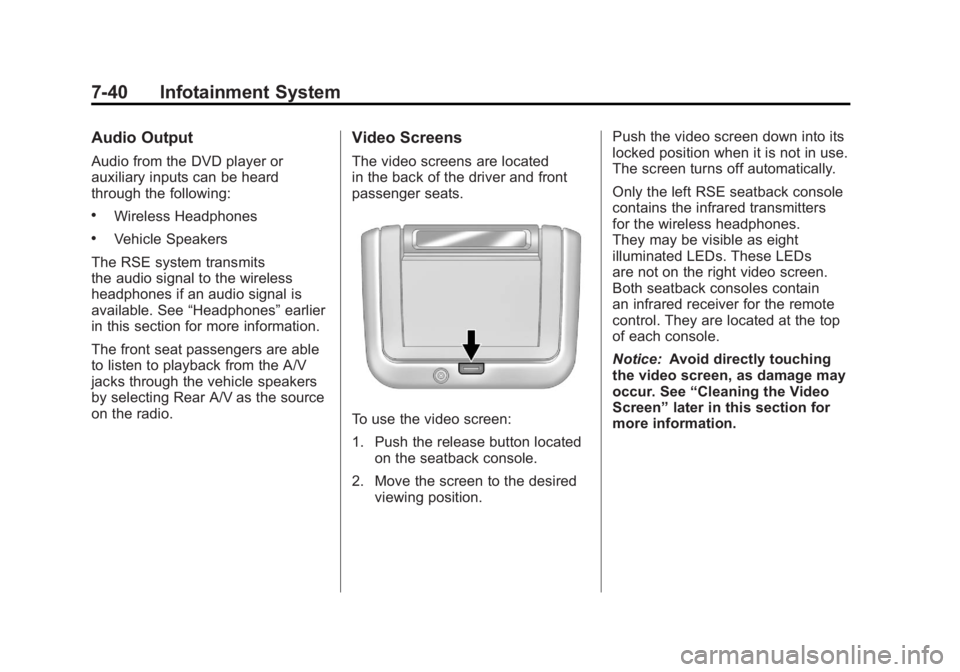
The video screens are located
in the back of the driver and front
passenger seats.
To use the video screen:
1. Push the release button located
on the seatback console.
2. Move the screen to the desired viewing position. Push the video screen down into its
locked position when it is not in use.
The screen turns off automatically.
Only the left RSE seatback console
contains the infrared transmitters
for the wireless headphones.
They may be visible as eight
illuminated LEDs. These LEDs
are not on the right video screen.
Both seatback consoles contain
an infrared receiver for the remote
control. They are located at the top
of each console.
Notice:
Avoid directly touching
the video screen, as damage may
occur. See “Cleaning the Video
Screen” later in this section for
more information.
Page 221 of 462
Black plate (41,1)Buick LaCrosse Owner Manual - 2011
Infotainment System 7-41
Video Screen Input Jack
Each video screen is equipped
with a video input jack to allow
video cables to be connected
from an auxiliary device such as
a camcorder or a video game
system. This signal will override
any video provided by the RSE
system; either the DVD or auxiliary
A/V jack source. The RSE system
must be on for this input to operate.
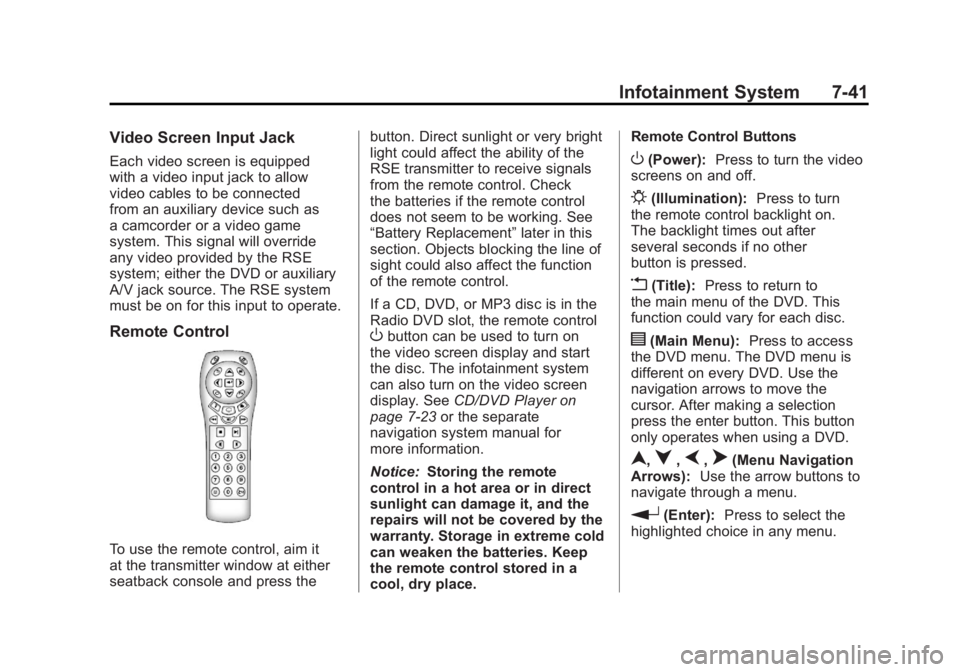
Remote Control
To use the remote control, aim it
at the transmitter window at either
seatback console and press thebutton. Direct sunlight or very bright
light could affect the ability of the
RSE transmitter to receive signals
from the remote control. Check
the batteries if the remote control
does not seem to be working. See
“Battery Replacement”
later in this
section. Objects blocking the line of
sight could also affect the function
of the remote control.
If a CD, DVD, or MP3 disc is in the
Radio DVD slot, the remote control
Obutton can be used to turn on
the video screen display and start
the disc. The infotainment system
can also turn on the video screen
display. See CD/DVD Player on
page 7‑23 or the separate
navigation system manual for
more information.
Notice: Storing the remote
control in a hot area or in direct
sunlight can damage it, and the
repairs will not be covered by the
warranty. Storage in extreme cold
can weaken the batteries. Keep
the remote control stored in a
cool, dry place. Remote Control Buttons
O(Power):
Press to turn the video
screens on and off.
P(Illumination): Press to turn
the remote control backlight on.
The backlight times out after
several seconds if no other
button is pressed.
v(Title): Press to return to
the main menu of the DVD. This
function could vary for each disc.
y(Main Menu): Press to access
the DVD menu. The DVD menu is
different on every DVD. Use the
navigation arrows to move the
cursor. After making a selection
press the enter button. This button
only operates when using a DVD.
n,q,p,o(Menu Navigation
Arrows): Use the arrow buttons to
navigate through a menu.
r(Enter): Press to select the
highlighted choice in any menu.
Page 243 of 462
Black plate (3,1)Buick LaCrosse Owner Manual - 2011
Climate Controls 8-3
Pressing this button cancels
automatic air conditioning and
turns off the air conditioner.
Press AUTO to return to automatic
operation and the air conditioner
runs automatically as needed.
When the indicator light is on, the
air conditioner runs automatically
to cool the air inside the vehicle or
to dry the air needed to defog the
windshield faster.
>(Recirculation):Press to
alternate between recirculating
air inside the vehicle or pulling in
outside air. When the indicator light
is on, air is being recirculated inside
the vehicle. This helps to quickly
cool the air inside the vehicle or
prevent outside air and odors from
entering.
Pressing this button cancels
automatic recirculation. Press AUTO
to return to automatic operation and
recirculation runs automatically as
needed.
Rear Window Defogger
=(Rear Window Defogger):
Press to turn the rear window
defogger on or off.
The rear window defogger
turns off automatically after
about 10 minutes. If turned on
again it runs for about five minutes
before turning off. The defogger
can also be turned off by turning
the ignition to ACC/ACCESSORY
or LOCK/OFF.
The rear window defogger can
be set to automatic operation.
See “Climate and Air Quality”
under Vehicle Personalization on
page 5‑39. When auto rear defog is
selected, the rear window defogger
turns on automatically when the
interior temperature is cold and
the outside temperature is about
4°C (40°F) and below. The auto
rear defogger turns off automatically
after about 10 minutes, or after
five minutes if the outside
temperature is not as cold. For vehicles with heated outside
rearview mirrors, they turn on when
the rear window defogger button
is on and help to clear fog or frost
from the surface of the mirror.
See
Heated Mirrors on page 2‑17.
Notice: Do not try to clear frost
or other material from the inside
of the front windshield and rear
window with a razor blade or
anything else that is sharp. This
may damage the rear window
defogger grid and affect your
radio's ability to pick up stations
clearly. The repairs wouldn't be
covered by your warranty.
Remote Start Climate Control
Operation: For vehicles with the
remote vehicle start feature, the
climate control system may run
when the vehicle is started remotely.
The system uses the driver's
previous settings to heat or cool the
inside of the vehicle. See Remote
Vehicle Start on page 2‑8.
The rear window defogger turns on
if it is cold outside.
Page 247 of 462
Black plate (7,1)Buick LaCrosse Owner Manual - 2011
Climate Controls 8-7
Rear Window Defogger
=(Rear Window Defogger):
Press to turn the rear window
defogger on or off.
The rear window defogger
turns off automatically after
about 10 minutes. If turned on
again it runs for about five minutes
before turning off. The defogger
can also be turned off by turning
the ignition to ACC/ACCESSORY
or LOCK/OFF.
The rear window defogger can
be set to automatic operation.
See “Climate and Air Quality”
under Vehicle Personalization on
page 5‑39. When auto rear defog is
selected, the rear window defogger
turns on automatically when the
interior temperature is cold and
the outside temperature is about
4°C (40°F) and below. The auto
rear defogger turns off automatically after about 10 minutes, or after
five minutes if the outside
temperature is not as cold.
For vehicles with heated outside
rearview mirrors, they turn on when
the rear window defogger button
is on and help to clear fog or frost
from the surface of the mirror.
See
Heated Mirrors on page 2‑17.
Notice: Do not try to clear frost
or other material from the inside
of the front windshield and rear
window with a razor blade or
anything else that is sharp. This
may damage the rear window
defogger grid and affect your
radio's ability to pick up stations
clearly. The repairs wouldn't be
covered by your warranty.
((Heated Steering Wheel): For
vehicles with this feature, press to
turn on or off. See Heated Steering
Wheel on page 5‑3. Remote Start Climate Control
Operation:
For vehicles with
the remote vehicle start feature,
the climate control system may
run when the vehicle is started
remotely. The system uses the
driver's previous settings to heat
or cool the inside of the vehicle.
See Remote Vehicle Start on
page 2‑8.
The rear window defogger turns on
if it is cold outside.
Sensor
The solar sensor, located on top
of the instrument panel near the
windshield, monitors the solar heat.
The climate control system
uses the sensor information to
adjust the temperature, fan speed,
recirculation, and air delivery mode
for best comfort.
Do not cover the sensor or the
automatic climate control system
may not work properly.
Page 248 of 462
Black plate (8,1)Buick LaCrosse Owner Manual - 2011
8-8 Climate Controls
Air Vents
Use the louvers located on the air
vents to change the direction of the
airflow.
To open the vent, move the
thumbwheel to
R. To close the vent,
move the thumbwheel to
(.
Operation Tips
.Keep all outlets open whenever
possible for best system
performance.
.Keep the path under all seats
clear of objects to help circulate
the air inside the vehicle more
effectively.
.Use of non-GM approved hood
deflectors can adversely affect
the performance of the system.
Maintenance
Air Intake
Clear away any ice, snow, or leaves
from the air intake at the base of the
windshield that can block the flow of
air into the vehicle.
Passenger Compartment
Air Filter
The filter removes dust, pollen, and
other airborne irritants from outside
air that is pulled into the vehicle.
The filter should be replaced as part
of routine scheduled maintenance.
See Scheduled Maintenance on
page 11‑2 for replacement intervals.
To find out what type of filter to use,
see Maintenance Replacement
Parts on page 11‑9. The passenger compartment air
filter can be accessed by removing
the entire glove box.
1. Open the passenger side door.
Remove the end cover located
on the side of the instrument
panel in the top right corner.
Remove the screw affixed to
the side of the glove box.
2. Open the glove box door and remove the attached screws
from around the glove box.
3. Lower the loosened glove box housing.
4. Unplug both wire cables and remove the glove box.