lock BUICK LACROSSE 2011 Workshop Manual
[x] Cancel search | Manufacturer: BUICK, Model Year: 2011, Model line: LACROSSE, Model: BUICK LACROSSE 2011Pages: 462, PDF Size: 5.73 MB
Page 128 of 462
Black plate (6,1)Buick LaCrosse Owner Manual - 2011
5-6 Instruments and Controls
3. Turn the Menu knob to adjustthe highlighted value.
4. Press the SELECT button to select the next value.
5. To save the time and return to the Time Settings menu, press
the
0BACK button at any time
or press the SELECT button
after adjusting the minutes.
Setting the 12/24 Hour Format
1. Press the CONFIG button and select Time Settings,
or press
H.
2. Highlight 12/24 Hour Format.
3. Press the SELECT button to select the 12 hour or 24 hour
display format.
Clock (With Date Display)
The infotainment system controls
are used to access the time and
date settings through the menu
system. See Operation on page 7‑7
for information about how to use
the menu system.
Setting the Time and Date
1. Press the CONFIG button and select Time and Date Settings,
or press
H.
2. Select Set Time or Set Date.
3. Turn the Menu knob to adjust the highlighted value. 4. Press the SELECT button to
select the next value.
5. To save the time or date and return to the Time and
Date Settings menu, press
the
0BACK button at any time
or press the SELECT button
after adjusting the minutes
or year.
Setting the 12/24 Hour Format
1. Press the CONFIG button and select Time and Date Settings,
or press
H.
2. Highlight Set Time Format.
3. Press the SELECT button to select the 12 hour or 24 hour
display format.
Page 141 of 462
Black plate (19,1)Buick LaCrosse Owner Manual - 2011
Instruments and Controls 5-19
Emissions Inspection and
Maintenance Programs
Some state/provincial and
local governments may have
programs to inspect the on-vehicle
emission control equipment.
For the inspection, the emission
system test equipment is connected
to the vehicle’s Data Link
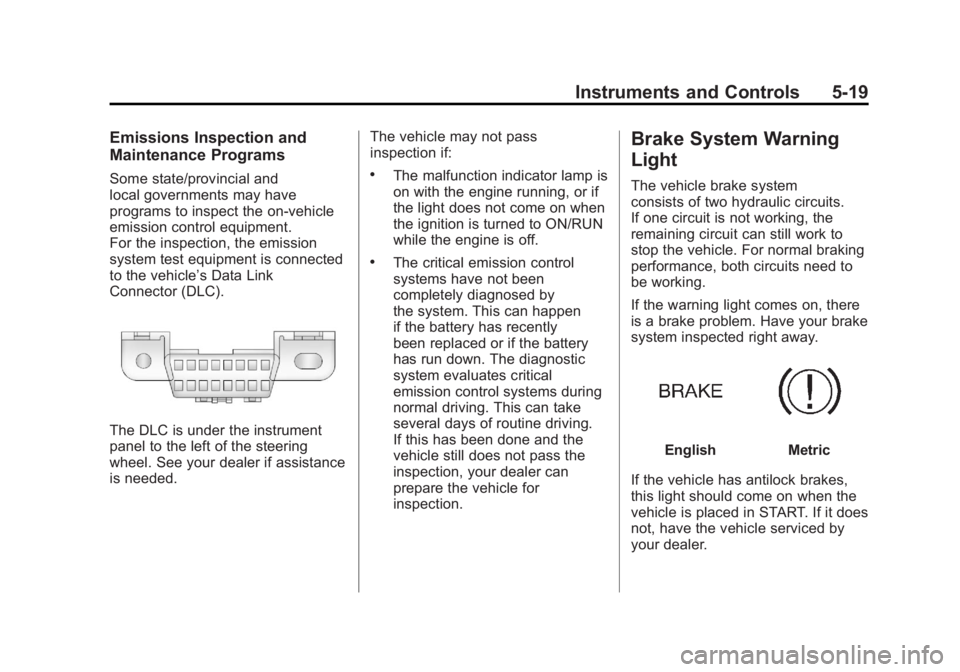
Connector (DLC).
The DLC is under the instrument
panel to the left of the steering
wheel. See your dealer if assistance
is needed.The vehicle may not pass
inspection if:
.The malfunction indicator lamp is
on with the engine running, or if
the light does not come on when
the ignition is turned to ON/RUN
while the engine is off.
.The critical emission control
systems have not been
completely diagnosed by
the system. This can happen
if the battery has recently
been replaced or if the battery
has run down. The diagnostic
system evaluates critical
emission control systems during
normal driving. This can take
several days of routine driving.
If this has been done and the
vehicle still does not pass the
inspection, your dealer can
prepare the vehicle for
inspection.
Brake System Warning
Light
The vehicle brake system
consists of two hydraulic circuits.
If one circuit is not working, the
remaining circuit can still work to
stop the vehicle. For normal braking
performance, both circuits need to
be working.
If the warning light comes on, there
is a brake problem. Have your brake
system inspected right away.
EnglishMetric
If the vehicle has antilock brakes,
this light should come on when the
vehicle is placed in START. If it does
not, have the vehicle serviced by
your dealer.
Page 142 of 462
Black plate (20,1)Buick LaCrosse Owner Manual - 2011
5-20 Instruments and Controls
If the light comes on while driving,
pull off the road and stop carefully.
The pedal may be harder to push or
it can go closer to the floor. It may
take longer to stop. Try turning off
and restarting the vehicle one or
two times. If the light is still on,
have the vehicle towed for service.
SeeAntilock Brake System (ABS)
Warning Light on page 5‑21 and
Towing the Vehicle on page 10‑89.
{WARNING
The brake system might not be
working properly if the brake
system warning light is on.
Driving with the brake system
warning light on can lead to a
crash. If the light is still on after
the vehicle has been pulled off
the road and carefully stopped,
have the vehicle towed for
service.
Electric Parking Brake
Light
EnglishMetric
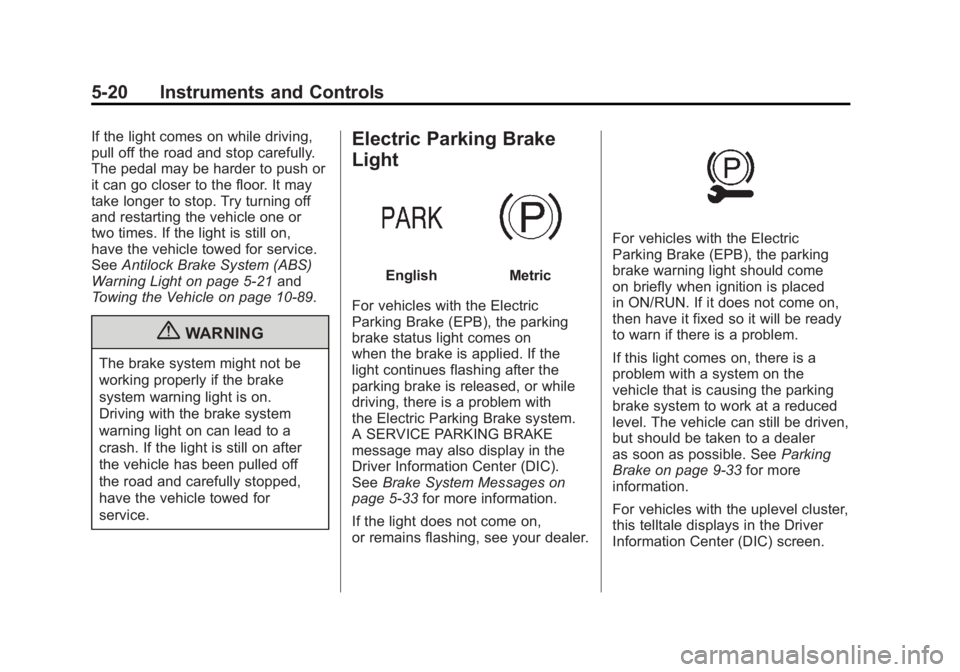
For vehicles with the Electric
Parking Brake (EPB), the parking
brake status light comes on
when the brake is applied. If the
light continues flashing after the
parking brake is released, or while
driving, there is a problem with
the Electric Parking Brake system.
A SERVICE PARKING BRAKE
message may also display in the
Driver Information Center (DIC).
See Brake System Messages on
page 5‑33 for more information.
If the light does not come on,
or remains flashing, see your dealer.
For vehicles with the Electric
Parking Brake (EPB), the parking
brake warning light should come
on briefly when ignition is placed
in ON/RUN. If it does not come on,
then have it fixed so it will be ready
to warn if there is a problem.
If this light comes on, there is a
problem with a system on the
vehicle that is causing the parking
brake system to work at a reduced
level. The vehicle can still be driven,
but should be taken to a dealer
as soon as possible. See Parking
Brake on page 9‑33 for more
information.
For vehicles with the uplevel cluster,
this telltale displays in the Driver
Information Center (DIC) screen.
Page 143 of 462
Black plate (21,1)Buick LaCrosse Owner Manual - 2011
Instruments and Controls 5-21
Antilock Brake System
(ABS) Warning Light
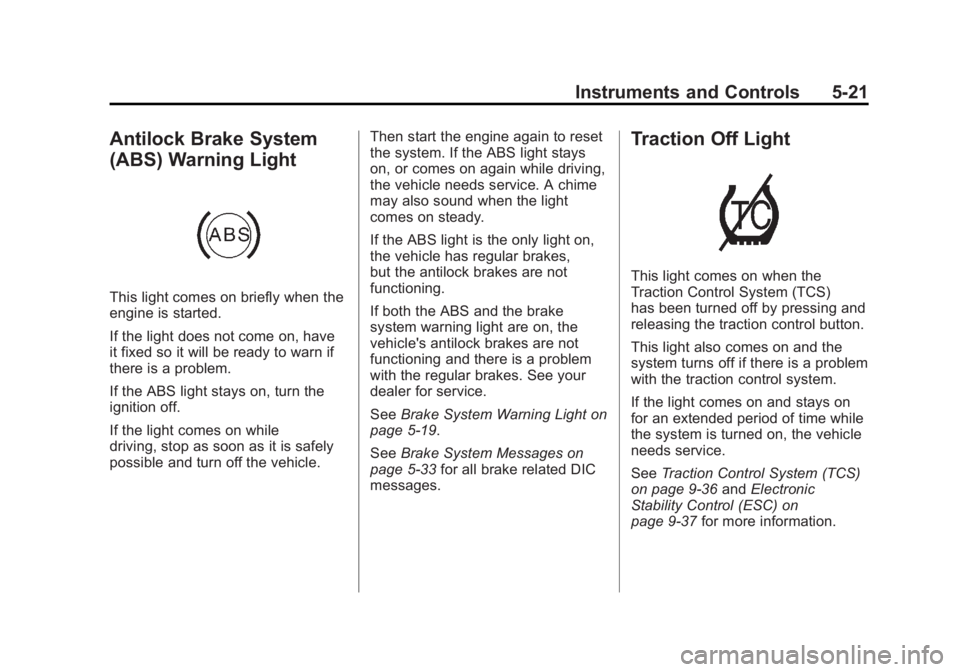
This light comes on briefly when the
engine is started.
If the light does not come on, have
it fixed so it will be ready to warn if
there is a problem.
If the ABS light stays on, turn the
ignition off.
If the light comes on while
driving, stop as soon as it is safely
possible and turn off the vehicle.Then start the engine again to reset
the system. If the ABS light stays
on, or comes on again while driving,
the vehicle needs service. A chime
may also sound when the light
comes on steady.
If the ABS light is the only light on,
the vehicle has regular brakes,
but the antilock brakes are not
functioning.
If both the ABS and the brake
system warning light are on, the
vehicle's antilock brakes are not
functioning and there is a problem
with the regular brakes. See your
dealer for service.
See
Brake System Warning Light on
page 5‑19.
See Brake System Messages on
page 5‑33 for all brake related DIC
messages.
Traction Off Light
This light comes on when the
Traction Control System (TCS)
has been turned off by pressing and
releasing the traction control button.
This light also comes on and the
system turns off if there is a problem
with the traction control system.
If the light comes on and stays on
for an extended period of time while
the system is turned on, the vehicle
needs service.
See Traction Control System (TCS)
on page 9‑36 andElectronic
Stability Control (ESC) on
page 9‑37 for more information.
Page 153 of 462
Black plate (31,1)Buick LaCrosse Owner Manual - 2011
Instruments and Controls 5-31
To adjust the HUD image so that
items are properly displayed, do the
following:
1. Adjust the driver seat to acomfortable position.
2. Start the engine.
3. Adjust the HUD controls.
Use the following settings to adjust
the HUD.
OFF: To turn HUD off, turn the HUD
dimming knob fully counterclockwise
until the HUD display turns off.
Brightness: Turn the dimming knob
clockwise or counterclockwise to
brighten or dim the display.
«(Up):ª(Down): Press the up
or down arrows to center the HUD
image in your view. The HUD image
can only be adjusted up and down,
not side to side. PAGE:
Press to select the display
formats. Release the PAGE button
when the format number with the
desired display is shown on the
HUD. If vehicle messages are
displayed, pressing PAGE may
clear the message.
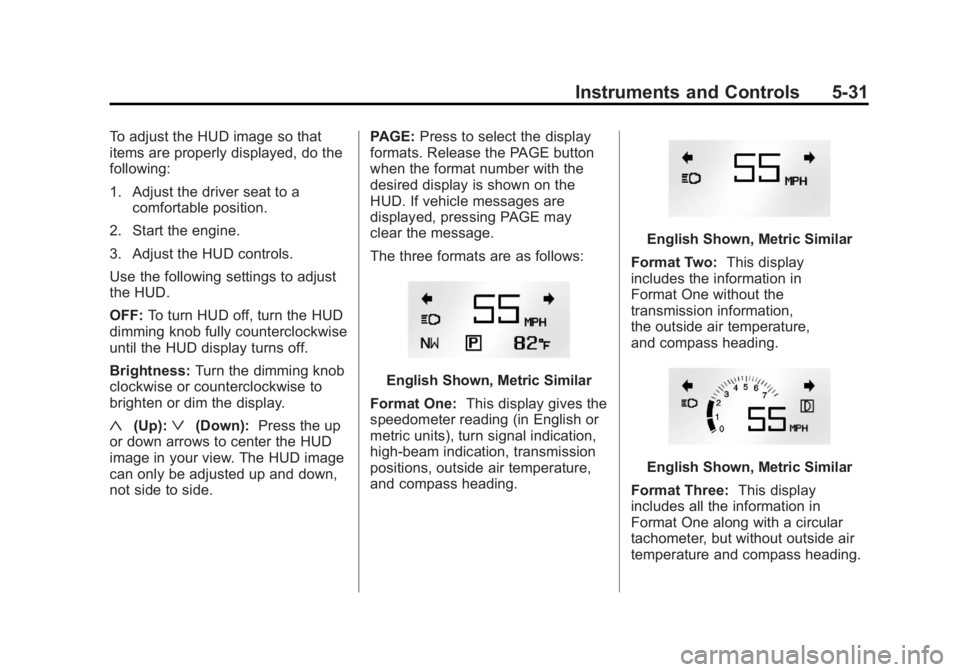
The three formats are as follows:
English Shown, Metric Similar
Format One: This display gives the
speedometer reading (in English or
metric units), turn signal indication,
high‐beam indication, transmission
positions, outside air temperature,
and compass heading.
English Shown, Metric Similar
Format Two: This display
includes the information in
Format One without the
transmission information,
the outside air temperature,
and compass heading.
English Shown, Metric Similar
Format Three: This display
includes all the information in
Format One along with a circular
tachometer, but without outside air
temperature and compass heading.
Page 154 of 462
Black plate (32,1)Buick LaCrosse Owner Manual - 2011
5-32 Instruments and Controls
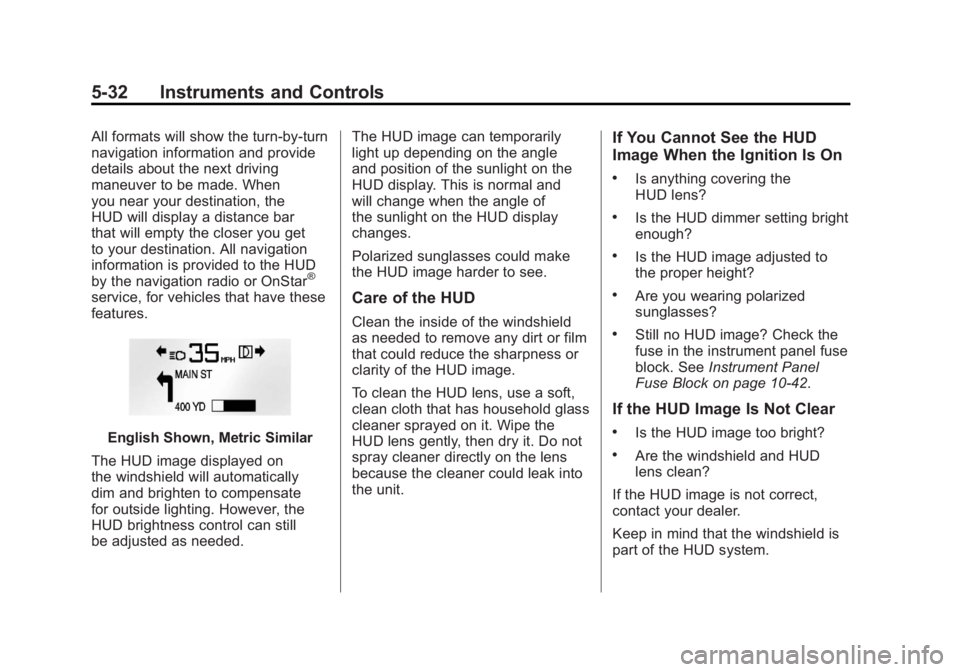
All formats will show the turn-by-turn
navigation information and provide
details about the next driving
maneuver to be made. When
you near your destination, the
HUD will display a distance bar
that will empty the closer you get
to your destination. All navigation
information is provided to the HUD
by the navigation radio or OnStar
®
service, for vehicles that have these
features.
English Shown, Metric Similar
The HUD image displayed on
the windshield will automatically
dim and brighten to compensate
for outside lighting. However, the
HUD brightness control can still
be adjusted as needed. The HUD image can temporarily
light up depending on the angle
and position of the sunlight on the
HUD display. This is normal and
will change when the angle of
the sunlight on the HUD display
changes.
Polarized sunglasses could make
the HUD image harder to see.
Care of the HUD
Clean the inside of the windshield
as needed to remove any dirt or film
that could reduce the sharpness or
clarity of the HUD image.
To clean the HUD lens, use a soft,
clean cloth that has household glass
cleaner sprayed on it. Wipe the
HUD lens gently, then dry it. Do not
spray cleaner directly on the lens
because the cleaner could leak into
the unit.
If You Cannot See the HUD
Image When the Ignition Is On
.Is anything covering the
HUD lens?
.Is the HUD dimmer setting bright
enough?
.Is the HUD image adjusted to
the proper height?
.Are you wearing polarized
sunglasses?
.Still no HUD image? Check the
fuse in the instrument panel fuse
block. See
Instrument Panel
Fuse Block on page 10‑42.
If the HUD Image Is Not Clear
.Is the HUD image too bright?
.Are the windshield and HUD
lens clean?
If the HUD image is not correct,
contact your dealer.
Keep in mind that the windshield is
part of the HUD system.
Page 158 of 462
Black plate (36,1)Buick LaCrosse Owner Manual - 2011
5-36 Instruments and Controls
ENGINE OIL HOT, IDLE
ENGINE
This message displays when the
engine oil temperature is too hot.
Stop and allow the vehicle to idle
until it cools down.
ENGINE OIL LOW—ADD OIL
This message displays when the
engine oil level is too low. Check
the oil level. See Engine Oil on
page 10‑9.
OIL PRESSURE LOW —STOP
ENGINE
This message displays if low oil
pressure levels occur. Stop the
vehicle as soon as safely possible
and do not operate it until the cause
of the low oil pressure has been
corrected. Check the oil as soon
as possible and have the vehicle
serviced by your dealer.
Engine Power Messages
ENGINE POWER IS REDUCED
This message displays when the
vehicle's engine power is reduced.
Reduced engine power can affect
the vehicle's ability to accelerate.
If this message is on, but there
is no reduction in performance,
proceed to your destination.
The performance may be reduced
the next time the vehicle is driven.
The vehicle may be driven at a
reduced speed while this message
is on, but maximum acceleration
and speed may be reduced.
Anytime this message stays on,
the vehicle should be taken to
your dealer for service as soon
as possible.
Fuel System Messages
FUEL LEVEL LOW
This message displays when the
vehicle is low on fuel. Refuel as
soon as possible.
TIGHTEN GAS CAP
This message displays when the
fuel cap is not on tight. Tighten the
fuel cap.
Key and Lock Messages
NO REMOTE DETECTED
This message displays when the
transmitter battery is weak on
vehicles with keyless access.
See “Starting the Vehicle with
a Low Transmitter Battery” under
Remote Keyless Entry (RKE)
System Operation on page 2‑4
for more information.
REPLACE BATTERY IN
REMOTE KEY
This message displays when the
battery in the Remote Keyless
Entry (RKE) transmitter needs
to be replaced.
Page 161 of 462
Black plate (39,1)Buick LaCrosse Owner Manual - 2011
Instruments and Controls 5-39
Window Messages
OPEN, THEN CLOSE DRIVER
WINDOW
This message is displayed when the
window needs to be reprogrammed.
If the vehicle's battery has been
recharged or disconnected, you
will need to reprogram each front
window for the express-up feature
to work. SeePower Windows on
page 2‑19 for more information.
OPEN, THEN CLOSE
PASSENGER WINDOW
This message is displayed when the
window needs to be reprogrammed.
If the vehicle's battery has been
recharged or disconnected, you
will need to reprogram each front
window for the express-up feature
to work. See Power Windows on
page 2‑19 for more information.
Vehicle
Personalization
The audio system controls are
used to access the personalization
menus for customizing vehicle
features.
CONFIG (Configuration):
Press to access the Configuration
Settings Menu.
MENU/SELECT Knob: Press
the center of this knob to enter
the menus and select menu items.
Turn the knob to scroll through the
menus.
0BACK: Press to exit or move
backward in a menu.
Entering the Personalization
Menus
1. Press CONFIG to access the Configuration Settings menu.
2. Turn the MENU/SELECT knob to highlight Vehicle Settings. 3. Press the center of the
MENU/SELECT knob to select
the Vehicle Settings menu.
The following list of menu items will
be available:
.Climate and Air Quality
.Comfort and Convenience
.Collision/Detection Systems
.Language
.Lighting
.Power Door Locks
.Remote Lock/Unlock/Start
.Return to Factory Settings
Turn the MENU/SELECT knob to
highlight the menu. Press the knob
to select it. Each of the menus is
detailed in the following information.
Page 164 of 462
Black plate (42,1)Buick LaCrosse Owner Manual - 2011
5-42 Instruments and Controls
Collision/Detection Systems
Select the Collision/Detection
Systems menu and the following
will be displayed:
.Side Blind Zone Alert System
Side Blind Zone Alert System
This allows the Side Blind Zone
Alert System feature to be turned
on or off.
Press the MENU/SELECT knob
when Park Assist is highlighted.
Turn the knob to select On or Off.
Press the knob to confirm and go
back to the last menu.
Language
Select the Language menu and the
following will be displayed:
.English
.French
.Spanish Turn the MENU/SELECT knob
to select the language. Press the
knob to confirm and go back to the
last menu.
Lighting
Select the Lighting menu and the
following will be displayed:
.Exit Lighting
.Vehicle Locator Lights
Exit Lighting
This allows the selection of how
long the exterior lamps stay on
when leaving the vehicle when
it is dark outside.
Press the MENU/SELECT knob
when Exit Lighting is highlighted.
Turn the knob to select Off,
30 Seconds, 1 Minute, or 2 Minutes.
Press the knob to confirm and go
back to the last menu. Vehicle Locator Lights
This allows the vehicle locator
lights to be turned on or off. The
vehicle locator lights come on when
unlocking the vehicle with the RKE
transmitter.
Press the MENU/SELECT knob
when Vehicle Locator Lights is
highlighted. Turn the knob to select
On or Off. Press the knob to confirm
and go back to the last menu.
Power Door Locks
Select Power Door Locks and the
following will be displayed:
.Unlocked Door Anti Lock Out
.Delayed Door Lock
.Auto Door Unlock
Page 165 of 462
Black plate (43,1)Buick LaCrosse Owner Manual - 2011
Instruments and Controls 5-43
Unlocked Door Anti Lock Out
When on, this feature will keep the
driver door from locking when the
door is open. If off is selected, the
Delayed Door Lock menu will be
available and the door will lock as
programmed through this menu.
Press the MENU/SELECT
knob when Auto Door Unlock is
highlighted. Turn the knob to select
On or Off. Press the knob to confirm
and go back to the last menu.
Delayed Door Lock
When on, this feature will delay
the locking of the doors until
five seconds after the last door is
closed. You will hear three chimes
to signal delayed locking is in use.Pressing either the power lock
button or the lock button on the
RKE transmitter twice will override
the delayed locking feature and
immediately lock all of the doors.
Press the MENU/SELECT knob
when Delayed Door Lock is
highlighted. Turn the knob to select
On or Off. Press the knob to confirm
and go back to the last menu.
Auto Door Unlock
This allows selection of which of the
doors will automatically unlock when
the vehicle is shifted into P (Park).
Press the MENU/SELECT
knob when Auto Door Unlock
is highlighted. Turn the knob to
select All Doors, Driver Door, or Off.
Press the knob to confirm and go
back to the last menu.Remote Lock/Unlock/Start
Select Remote Lock/Unlock/Start
and the following will be displayed:
.Unlock Feedback (Lights)
.Locking Feedback
.Door Unlock Options
.Remote Recall
.Passive Entry
.Remote Left In Vehicle
Unlock Feedback (Lights)
When on, the exterior lamps will
flash when unlocking the vehicle
with the RKE transmitter.
Press the MENU/SELECT knob
when Unlock Feedback (Lights) is
highlighted. Turn the knob to select
On or Off. Press the knob to confirm
and go back to the last menu.