light BUICK LACROSSE 2011 Manual Online
[x] Cancel search | Manufacturer: BUICK, Model Year: 2011, Model line: LACROSSE, Model: BUICK LACROSSE 2011Pages: 462, PDF Size: 5.73 MB
Page 218 of 462
Black plate (38,1)Buick LaCrosse Owner Manual - 2011
7-38 Infotainment System
The headphones are used to listen
to various multi‐media. The wireless
headphones have an On/Off button,
channel 1/2 switch, and a volume
control. Turn the headphones off
when not in use.
Push the On/Off button to turn
on the headphones. A light on
the headphones comes on. If the
light does not come on, check the
batteries. Intermittent sound or static
can also indicate weak batteries.
See“Battery Replacement” later in
this section for more information.
Infrared transmitters are on the
top of the left seatback video
screen. The headphones shut off
automatically to save the battery
power if the RSE system is shut
off or if the headphones are out
of range of the transmitters for
more than three minutes. Moving
too far forward or stepping out of the
vehicle can cause the headphones
to lose the signal or have static. To adjust the volume on the
headphones, use the volume
control.
For optimal audio performance, the
headphones must be worn correctly.
Headphones should be worn with
the headband over the top of the
head for best audio reception.
The symbol L (Left) appears on the
outside bottom edge of the ear cup
and should be positioned on the left
ear. The symbol R (Right) appears
on the outside bottom edge of the
ear cup and should be positioned
on the right ear.
Notice:
Do not store the
headphones in heat or direct
sunlight. This could damage
the headphones and repairs will
not be covered by the warranty.
Storage in extreme cold can
weaken the batteries. Keep the
headphones stored in a cool,
dry place. If the foam ear pads attached to
the headphones become worn or
damaged, the pads can be replaced
separately from the headphone set.
To purchase replacement ear pads,
call 1‐888‐293‐3332, then prompt
zero (0), or contact your dealer.
Battery Replacement
To change the batteries:
1. Loosen the screw to the battery
door located on the left side of
the headphones.
2. Slide the battery door open.
3. Replace the two AAA batteries.
4. Replace the battery door and tighten the screw.
Remove the batteries if the
headphones are not going to be
used for a long period of time.
Page 221 of 462
Black plate (41,1)Buick LaCrosse Owner Manual - 2011
Infotainment System 7-41
Video Screen Input Jack
Each video screen is equipped
with a video input jack to allow
video cables to be connected
from an auxiliary device such as
a camcorder or a video game
system. This signal will override
any video provided by the RSE
system; either the DVD or auxiliary
A/V jack source. The RSE system
must be on for this input to operate.
Remote Control
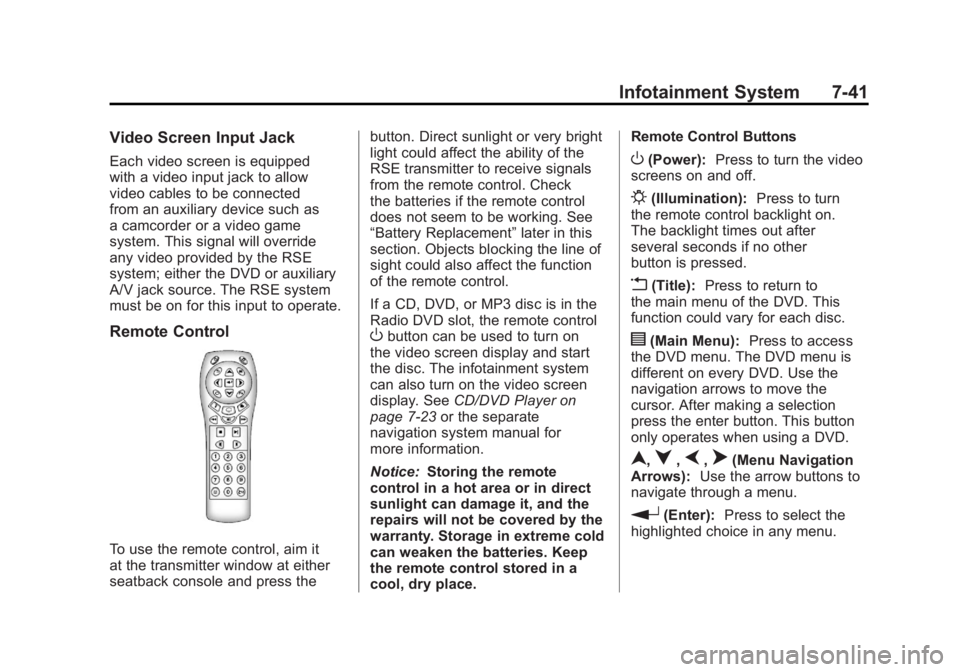
To use the remote control, aim it
at the transmitter window at either
seatback console and press thebutton. Direct sunlight or very bright
light could affect the ability of the
RSE transmitter to receive signals
from the remote control. Check
the batteries if the remote control
does not seem to be working. See
“Battery Replacement”
later in this
section. Objects blocking the line of
sight could also affect the function
of the remote control.
If a CD, DVD, or MP3 disc is in the
Radio DVD slot, the remote control
Obutton can be used to turn on
the video screen display and start
the disc. The infotainment system
can also turn on the video screen
display. See CD/DVD Player on
page 7‑23 or the separate
navigation system manual for
more information.
Notice: Storing the remote
control in a hot area or in direct
sunlight can damage it, and the
repairs will not be covered by the
warranty. Storage in extreme cold
can weaken the batteries. Keep
the remote control stored in a
cool, dry place. Remote Control Buttons
O(Power):
Press to turn the video
screens on and off.
P(Illumination): Press to turn
the remote control backlight on.
The backlight times out after
several seconds if no other
button is pressed.
v(Title): Press to return to
the main menu of the DVD. This
function could vary for each disc.
y(Main Menu): Press to access
the DVD menu. The DVD menu is
different on every DVD. Use the
navigation arrows to move the
cursor. After making a selection
press the enter button. This button
only operates when using a DVD.
n,q,p,o(Menu Navigation
Arrows): Use the arrow buttons to
navigate through a menu.
r(Enter): Press to select the
highlighted choice in any menu.
Page 230 of 462
Black plate (50,1)Buick LaCrosse Owner Manual - 2011
7-50 Infotainment System
Listing All Paired and Connected
Phones
1. Press the CONFIG button.
2. Select Phone Settings.
3. Select Bluetooth.
4. Select Device List.
Deleting a Paired Phone
1. Press the CONFIG button.
2. Select Phone Settings.
3. Select Bluetooth.
4. Select Device List.
5. Select the phone to delete andfollow the on‐screen prompts. Linking to a Different Phone
To link to a different phone, the
new phone must be in the vehicle
and available to be connected to
the Bluetooth system before the
process is started.
1. Press the CONFIG button.
2. Select Phone Settings.
3. Select Bluetooth.
4. Select Device List.
5. Select the new phone to link
to and follow the on‐screen
prompts.
If delete is selected, the
highlighted phone will be
deleted.Making a Call Using
Phone Book
For cell phones that support the
phone book feature, the Bluetooth
system can use the contacts stored
on your cell phone to make calls.
See your cell phone's owner's guide
or contact your wireless provider to
find out if this feature is supported
by your phone.
When a cell phone supports the
phone book feature, the Phone
Book and Call Lists menus are
automatically available.
The Phone Book menu allows you
to access the phone book stored
in the cell phone to make a call.
The Call Lists menu allows you to
access the phone numbers from the
Incoming Calls, Outgoing Calls, and
Missed Calls menus on your cell
phone to make a call.
Page 242 of 462
Black plate (2,1)Buick LaCrosse Owner Manual - 2011
8-2 Climate Controls
Automatic Operation
The system automatically controls
the fan speed, air delivery, air
conditioning, and recirculation in
order to heat or cool the vehicle
to the desired temperature.
When the AUTO indicator light is
on, the system is in full automatic
operation. If the air delivery mode,
fan speed, recirculation, or air
conditioning setting is adjusted,
the AUTO indicator turns off and
the selected settings will appear
on the display.
To place the system in automatic
mode do the following:
1. Press AUTO.
2. Set the temperature. Allow thesystem time to stabilize. Adjust
the temperature as needed for
best comfort.
Q/R(Temperature Control):
Press to increase or decrease the
temperature. Manual Operation
O(Power):
Press to turn the fan
on or off.
D C(Fan Control): Press to
increase or decrease the fan speed.
The fan speed setting appears
on the main display. Pressing
either button cancels automatic
fan control and the fan can be
controlled manually. Press AUTO
to return to automatic operation.
e *(Air Delivery Mode
Control): Press to change the
direction of the airflow. The current
mode appears in the display screen.
Pressing either button cancels
automatic air delivery control and
the direction of the airflow can be
controlled manually. Press AUTO
to return to automatic operation.
To change the current mode, select
one of the following:
Y(Vent): Air is directed to the
instrument panel outlets.
\(Bi-Level): Air is divided
between the instrument panel
outlets and the floor outlets.
C(Tri‐Level): Air is divided
between the windshield, instrument
panel, and floor outlets.
[(Floor): Air is directed to the
floor outlets.
-(Defog): Clears the windows of
fog or moisture. Air is directed to the
windshield and floor outlets.
0(Defrost): Clears the
windshield of fog or frost more
quickly. Air is directed to the
windshield. Selecting defrost
will disable automatic control.
For best results, clear all snow
and ice from the windshield before
defrosting.
#(Air Conditioning): Press to
turn the air conditioning system
on or off. If the fan is turned off or
the outside temperature falls below
freezing, the air conditioning system
will not run.
Page 243 of 462
Black plate (3,1)Buick LaCrosse Owner Manual - 2011
Climate Controls 8-3
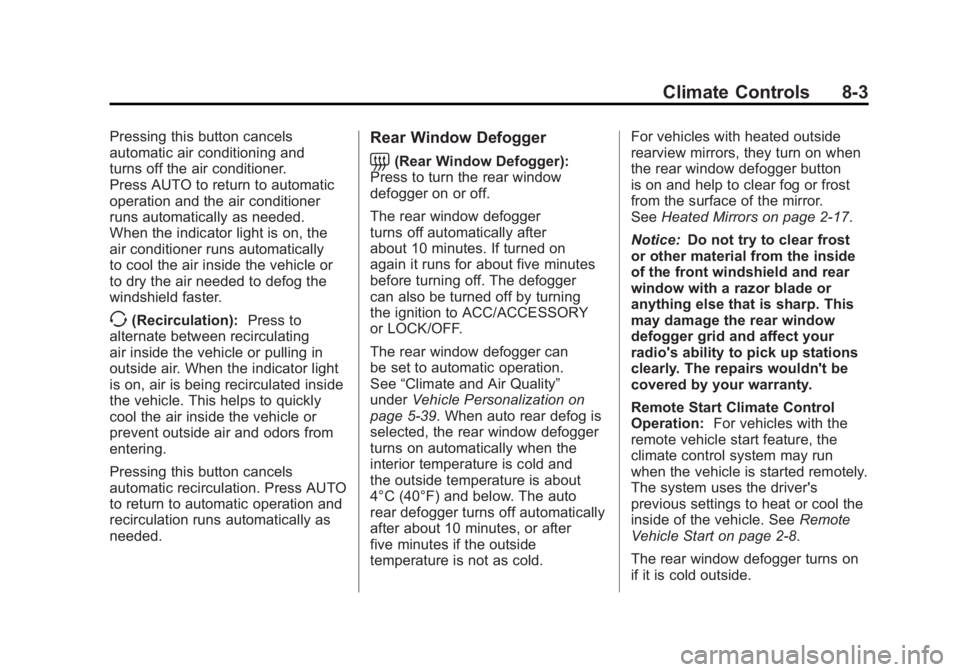
Pressing this button cancels
automatic air conditioning and
turns off the air conditioner.
Press AUTO to return to automatic
operation and the air conditioner
runs automatically as needed.
When the indicator light is on, the
air conditioner runs automatically
to cool the air inside the vehicle or
to dry the air needed to defog the
windshield faster.
>(Recirculation):Press to
alternate between recirculating
air inside the vehicle or pulling in
outside air. When the indicator light
is on, air is being recirculated inside
the vehicle. This helps to quickly
cool the air inside the vehicle or
prevent outside air and odors from
entering.
Pressing this button cancels
automatic recirculation. Press AUTO
to return to automatic operation and
recirculation runs automatically as
needed.
Rear Window Defogger
=(Rear Window Defogger):
Press to turn the rear window
defogger on or off.
The rear window defogger
turns off automatically after
about 10 minutes. If turned on
again it runs for about five minutes
before turning off. The defogger
can also be turned off by turning
the ignition to ACC/ACCESSORY
or LOCK/OFF.
The rear window defogger can
be set to automatic operation.
See “Climate and Air Quality”
under Vehicle Personalization on
page 5‑39. When auto rear defog is
selected, the rear window defogger
turns on automatically when the
interior temperature is cold and
the outside temperature is about
4°C (40°F) and below. The auto
rear defogger turns off automatically
after about 10 minutes, or after
five minutes if the outside
temperature is not as cold. For vehicles with heated outside
rearview mirrors, they turn on when
the rear window defogger button
is on and help to clear fog or frost
from the surface of the mirror.
See
Heated Mirrors on page 2‑17.
Notice: Do not try to clear frost
or other material from the inside
of the front windshield and rear
window with a razor blade or
anything else that is sharp. This
may damage the rear window
defogger grid and affect your
radio's ability to pick up stations
clearly. The repairs wouldn't be
covered by your warranty.
Remote Start Climate Control
Operation: For vehicles with the
remote vehicle start feature, the
climate control system may run
when the vehicle is started remotely.
The system uses the driver's
previous settings to heat or cool the
inside of the vehicle. See Remote
Vehicle Start on page 2‑8.
The rear window defogger turns on
if it is cold outside.
Page 245 of 462
Black plate (5,1)Buick LaCrosse Owner Manual - 2011
Climate Controls 8-5
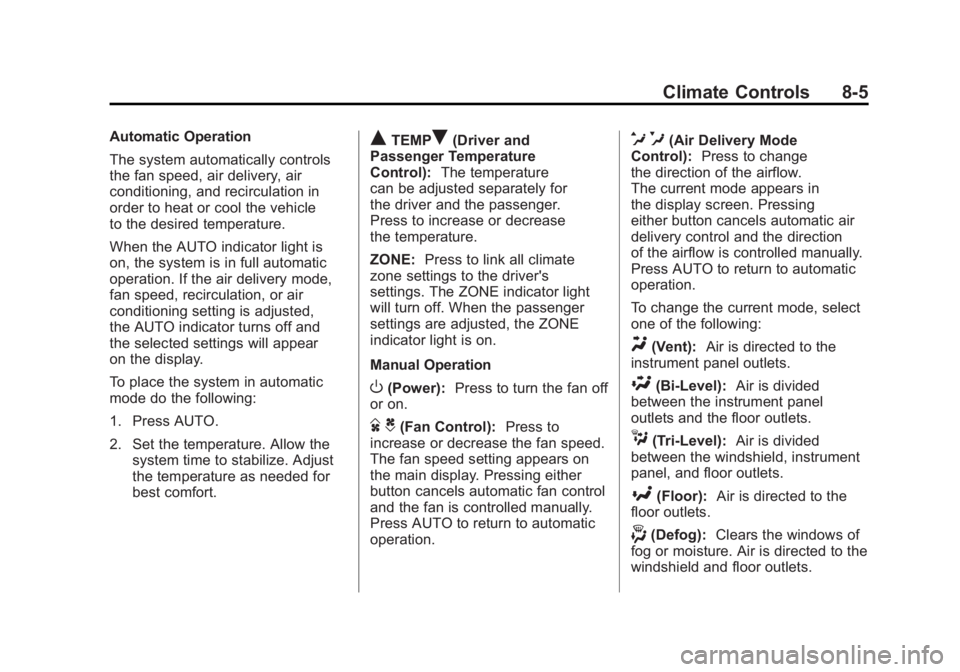
Automatic Operation
The system automatically controls
the fan speed, air delivery, air
conditioning, and recirculation in
order to heat or cool the vehicle
to the desired temperature.
When the AUTO indicator light is
on, the system is in full automatic
operation. If the air delivery mode,
fan speed, recirculation, or air
conditioning setting is adjusted,
the AUTO indicator turns off and
the selected settings will appear
on the display.
To place the system in automatic
mode do the following:
1. Press AUTO.
2. Set the temperature. Allow thesystem time to stabilize. Adjust
the temperature as needed for
best comfort.QTEMPR(Driver and
Passenger Temperature
Control): The temperature
can be adjusted separately for
the driver and the passenger.
Press to increase or decrease
the temperature.
ZONE: Press to link all climate
zone settings to the driver's
settings. The ZONE indicator light
will turn off. When the passenger
settings are adjusted, the ZONE
indicator light is on.
Manual Operation
O(Power): Press to turn the fan off
or on.
D C(Fan Control): Press to
increase or decrease the fan speed.
The fan speed setting appears on
the main display. Pressing either
button cancels automatic fan control
and the fan is controlled manually.
Press AUTO to return to automatic
operation.
e *(Air Delivery Mode
Control): Press to change
the direction of the airflow.
The current mode appears in
the display screen. Pressing
either button cancels automatic air
delivery control and the direction
of the airflow is controlled manually.
Press AUTO to return to automatic
operation.
To change the current mode, select
one of the following:
Y(Vent): Air is directed to the
instrument panel outlets.
\(Bi-Level): Air is divided
between the instrument panel
outlets and the floor outlets.
C(Tri‐Level): Air is divided
between the windshield, instrument
panel, and floor outlets.
[(Floor): Air is directed to the
floor outlets.
-(Defog): Clears the windows of
fog or moisture. Air is directed to the
windshield and floor outlets.
Page 246 of 462
Black plate (6,1)Buick LaCrosse Owner Manual - 2011
8-6 Climate Controls
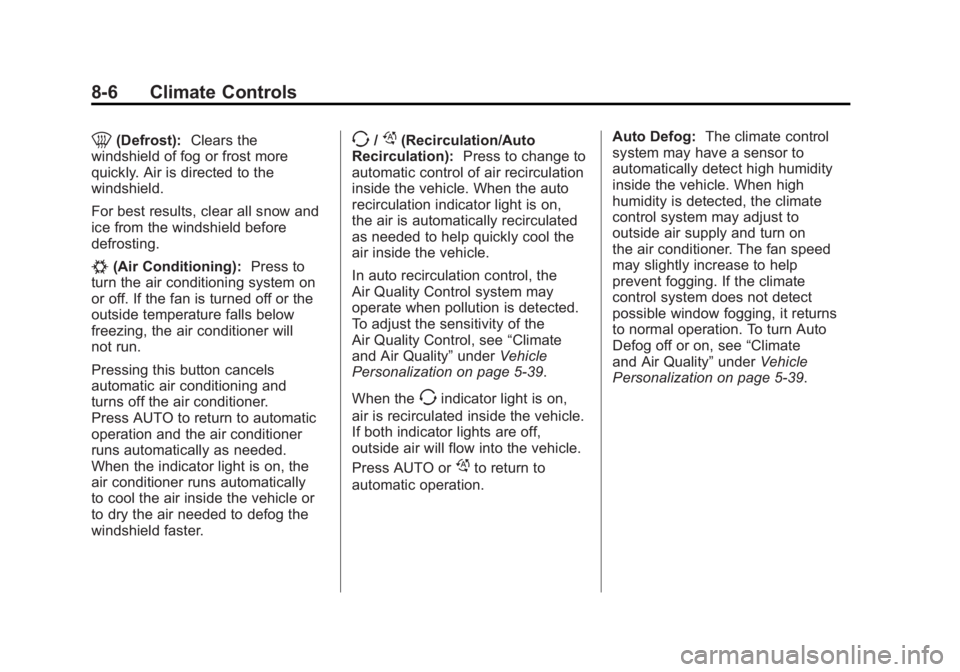
0(Defrost):Clears the
windshield of fog or frost more
quickly. Air is directed to the
windshield.
For best results, clear all snow and
ice from the windshield before
defrosting.
#(Air Conditioning): Press to
turn the air conditioning system on
or off. If the fan is turned off or the
outside temperature falls below
freezing, the air conditioner will
not run.
Pressing this button cancels
automatic air conditioning and
turns off the air conditioner.
Press AUTO to return to automatic
operation and the air conditioner
runs automatically as needed.
When the indicator light is on, the
air conditioner runs automatically
to cool the air inside the vehicle or
to dry the air needed to defog the
windshield faster.
>//(Recirculation/Auto
Recirculation): Press to change to
automatic control of air recirculation
inside the vehicle. When the auto
recirculation indicator light is on,
the air is automatically recirculated
as needed to help quickly cool the
air inside the vehicle.
In auto recirculation control, the
Air Quality Control system may
operate when pollution is detected.
To adjust the sensitivity of the
Air Quality Control, see “Climate
and Air Quality” underVehicle
Personalization on page 5‑39.
When the
>indicator light is on,
air is recirculated inside the vehicle.
If both indicator lights are off,
outside air will flow into the vehicle.
Press AUTO or
/to return to
automatic operation. Auto Defog:
The climate control
system may have a sensor to
automatically detect high humidity
inside the vehicle. When high
humidity is detected, the climate
control system may adjust to
outside air supply and turn on
the air conditioner. The fan speed
may slightly increase to help
prevent fogging. If the climate
control system does not detect
possible window fogging, it returns
to normal operation. To turn Auto
Defog off or on, see “Climate
and Air Quality” underVehicle
Personalization on page 5‑39.
Page 253 of 462
Black plate (3,1)Buick LaCrosse Owner Manual - 2011
Driving and Operating 9-3
Death and injury associated with
drinking and driving is a global
tragedy.
Alcohol affects four things that
anyone needs to drive a vehicle:
judgment, muscular coordination,
vision, and attentiveness.
Police records show that
almost 40 percent of all motor
vehicle-related deaths involve
alcohol. In most cases, these
deaths are the result of someone
who was drinking and driving.
In recent years, more than
17,000 annual motor vehicle-related
deaths have been associated with
the use of alcohol, with about
250,000 people injured.
For persons under 21, it is against
the law in every U.S. state to drink
alcohol. There are good medical,
psychological, and developmental
reasons for these laws.
The obvious way to eliminate the
leading highway safety problem is
for people never to drink alcohol
and then drive.Medical research shows that
alcohol in a person's system
can make crash injuries worse,
especially injuries to the brain,
spinal cord, or heart. This means
that when anyone who has been
drinking
—driver or passenger —is
in a crash, that person's chance of
being killed or permanently disabled
is higher than if the person had not
been drinking.
Control of a Vehicle
The following three systems
help to control the vehicle while
driving —brakes, steering, and
accelerator. At times, as when
driving on snow or ice, it is easy to
ask more of those control systems
than the tires and road can provide.
Meaning, you can lose control of
the vehicle. See Traction Control
System (TCS) on page 9‑36.
Adding non‐dealer accessories
can affect vehicle performance.
See Accessories and Modifications
on page 10‑3.
Braking
See Brake System Warning Light on
page 5‑19.
Braking action involves perception
time and reaction time. Deciding
to push the brake pedal is
perception time. Actually doing
it is reaction time.
Average reaction time is about
three‐fourths of a second.
But that is only an average.
It might be less with one driver
and as long as two or three seconds
or more with another. Age, physical
condition, alertness, coordination,
and eyesight all play a part. So do
alcohol, drugs, and frustration.
But even in three‐fourths of a
second, a vehicle moving at
100 km/h (60 mph) travels 20 m
(66 ft). That could be a lot of
distance in an emergency, so
keeping enough space between
the vehicle and others is important.
Page 256 of 462
Black plate (6,1)Buick LaCrosse Owner Manual - 2011
9-6 Driving and Operating
Off-Road Recovery
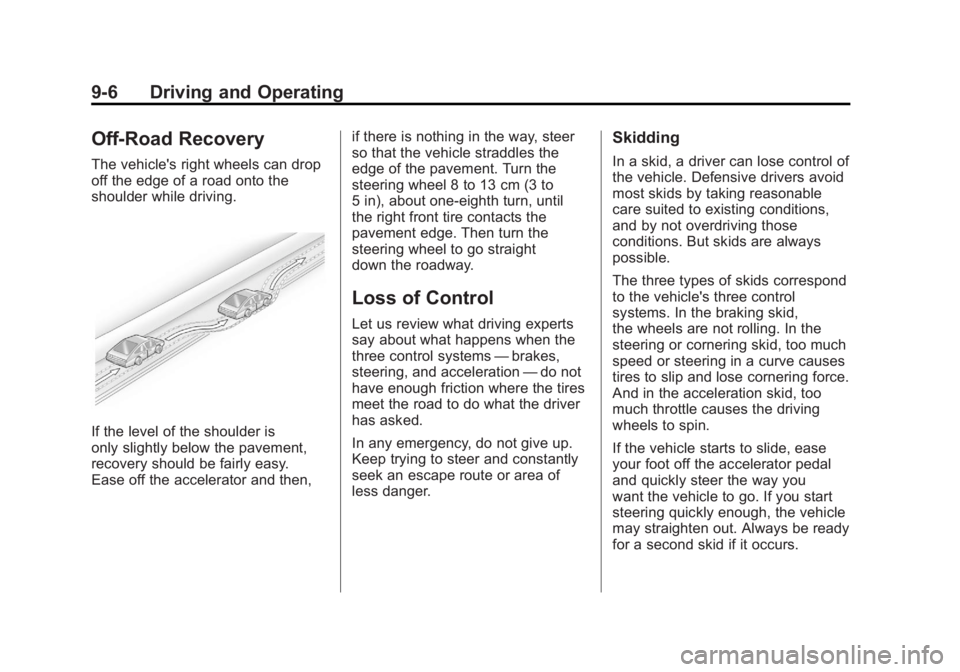
The vehicle's right wheels can drop
off the edge of a road onto the
shoulder while driving.
If the level of the shoulder is
only slightly below the pavement,
recovery should be fairly easy.
Ease off the accelerator and then,if there is nothing in the way, steer
so that the vehicle straddles the
edge of the pavement. Turn the
steering wheel 8 to 13 cm (3 to
5 in), about one-eighth turn, until
the right front tire contacts the
pavement edge. Then turn the
steering wheel to go straight
down the roadway.
Loss of Control
Let us review what driving experts
say about what happens when the
three control systems
—brakes,
steering, and acceleration —do not
have enough friction where the tires
meet the road to do what the driver
has asked.
In any emergency, do not give up.
Keep trying to steer and constantly
seek an escape route or area of
less danger.
Skidding
In a skid, a driver can lose control of
the vehicle. Defensive drivers avoid
most skids by taking reasonable
care suited to existing conditions,
and by not overdriving those
conditions. But skids are always
possible.
The three types of skids correspond
to the vehicle's three control
systems. In the braking skid,
the wheels are not rolling. In the
steering or cornering skid, too much
speed or steering in a curve causes
tires to slip and lose cornering force.
And in the acceleration skid, too
much throttle causes the driving
wheels to spin.
If the vehicle starts to slide, ease
your foot off the accelerator pedal
and quickly steer the way you
want the vehicle to go. If you start
steering quickly enough, the vehicle
may straighten out. Always be ready
for a second skid if it occurs.
Page 257 of 462
Black plate (7,1)Buick LaCrosse Owner Manual - 2011
Driving and Operating 9-7
Of course, traction is reduced when
water, snow, ice, gravel, or other
material is on the road. For safety,
slow down and adjust your driving
to these conditions. It is important
to slow down on slippery surfaces
because stopping distance is longer
and vehicle control more limited.
While driving on a surface with
reduced traction, try to avoid
sudden steering, acceleration,
or braking, including reducing
vehicle speed by shifting to a lower
gear. Any sudden changes could
cause the tires to slide. You might
not realize the surface is slippery
until the vehicle is skidding. Learn to
recognize warning clues—such as
enough water, ice, or packed snow
on the road to make a mirrored
surface —and slow down when
you have any doubt.
Remember: Antilock brakes help
avoid only the braking skid.Driving on Wet Roads
Rain and wet roads can reduce
vehicle traction and affect your
ability to stop and accelerate.
Always drive slower in these types
of driving conditions and avoid
driving through large puddles and
deep‐standing or flowing water.
{WARNING
Wet brakes can cause crashes.
They might not work as well in
a quick stop and could cause
pulling to one side. You could
lose control of the vehicle.
After driving through a large
puddle of water or a car/vehicle
wash, lightly apply the brake
pedal until the brakes work
normally.
(Continued)
WARNING (Continued)
Flowing or rushing water creates
strong forces. Driving through
flowing water could cause the
vehicle to be carried away. If this
happens, you and other vehicle
occupants could drown. Do not
ignore police warnings and be
very cautious about trying to
drive through flowing water.
Hydroplaning
Hydroplaning is dangerous. Water
can build up under the vehicle's
tires so they actually ride on the
water. This can happen if the road
is wet enough and you are going
fast enough. When the vehicle is
hydroplaning, it has little or no
contact with the road.
There is no hard and fast rule about
hydroplaning. The best advice is to
slow down when the road is wet.