lock BUICK LACROSSE 2013 Workshop Manual
[x] Cancel search | Manufacturer: BUICK, Model Year: 2013, Model line: LACROSSE, Model: BUICK LACROSSE 2013Pages: 422, PDF Size: 5.74 MB
Page 110 of 422
Black plate (6,1)Buick LaCrosse Owner Manual - 2013 - crc - 9/7/12
5-6 Instruments and Controls
3. Press SELECT to select the12 hour or 24 hour display
format.
Setting the Month and Day Format
1. Press the CONFIG button and select Time and Date Settings,
or press
H.
2. Highlight Set Date Format.
3. Press SELECT to select MM/ DD/YY (month/day/year) or DD/
MM/YY (day/month/year).
Setting the Auto Time Adjust
1. Press the CONFIG button and select Time and Date Settings,
or press
H.
2. Highlight Auto Time Adjust.
3. Press SELECT to turn Auto Time Adjust on or off.
4. Press SELECT button to select Time Zone, and then select the
Time Zone.
5. Press SELECT to turn Daylight Savings on or off.
Setting the Time and Date
(Radio with CD and
Touchscreen)
To set the time:
1. Press the CONFIG button toenter the menu options. Turn the
Multifunction knob to scroll
through the available setup
features. Press the SELECT
knob or press the Time screen
button to display other options
within that feature.
2. Press + or −to decrease or
increase the Hours and Minutes
displayed on the clock.
12/24 HR Format: Press the 12 HR
screen button for standard time;
press the 24 HR screen button for
military time.
Day + or Day −:Press the Day +
or Day −display buttons to increase
or decrease the day.
Display: Press Display to turn the
display of the time on the screen on
or off.
Power Outlets
The accessory power outlets can be
used to plug in electrical equipment,
such as a cell phone or MP3 player.
There are two accessory power
outlets. One is located under the
armrest inside the center console
storage and the other is on the rear
of the center floor console.
The outlet is powered when the
ignition is in ON/RUN or ACC/
ACCESSORY, or until the driver
door is opened within 10 minutes of
turning off the vehicle. See Retained
Accessory Power (RAP) on
page 9‑24.
Open the protective cover to use the
accessory power outlet.
Certain electrical accessories may
not be compatible with the
accessory power outlet and could
overload vehicle or adapter fuses.
If there is a problem, see your
dealer.
Page 111 of 422
Black plate (7,1)Buick LaCrosse Owner Manual - 2013 - crc - 9/7/12
Instruments and Controls 5-7
When adding electrical equipment,
be sure to follow the installation
instructions included with the
equipment. SeeAdd-On Electrical
Equipment on page 9‑57.
Notice: Hanging heavy
equipment from the power outlet
can cause damage not covered
by the vehicle warranty. The
power outlets are designed for
accessory power plugs only, such
as cell phone charge cords.
Power Outlet 110 Volt Alternating
Current
The vehicle may have a power
outlet that can be used to plug in
electrical equipment with a
maximum limit of 150 watts.
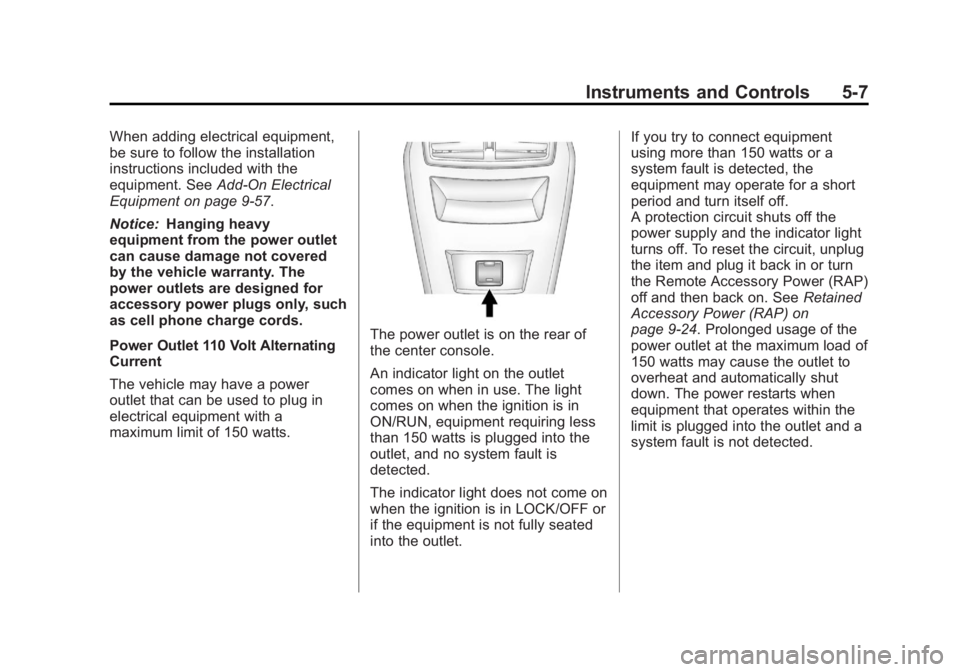
The power outlet is on the rear of
the center console.
An indicator light on the outlet
comes on when in use. The light
comes on when the ignition is in
ON/RUN, equipment requiring less
than 150 watts is plugged into the
outlet, and no system fault is
detected.
The indicator light does not come on
when the ignition is in LOCK/OFF or
if the equipment is not fully seated
into the outlet. If you try to connect equipment
using more than 150 watts or a
system fault is detected, the
equipment may operate for a short
period and turn itself off.
A protection circuit shuts off the
power supply and the indicator light
turns off. To reset the circuit, unplug
the item and plug it back in or turn
the Remote Accessory Power (RAP)
off and then back on. See
Retained
Accessory Power (RAP) on
page 9‑24. Prolonged usage of the
power outlet at the maximum load of
150 watts may cause the outlet to
overheat and automatically shut
down. The power restarts when
equipment that operates within the
limit is plugged into the outlet and a
system fault is not detected.
Page 122 of 422
Black plate (18,1)Buick LaCrosse Owner Manual - 2013 - crc - 9/7/12
5-18 Instruments and Controls
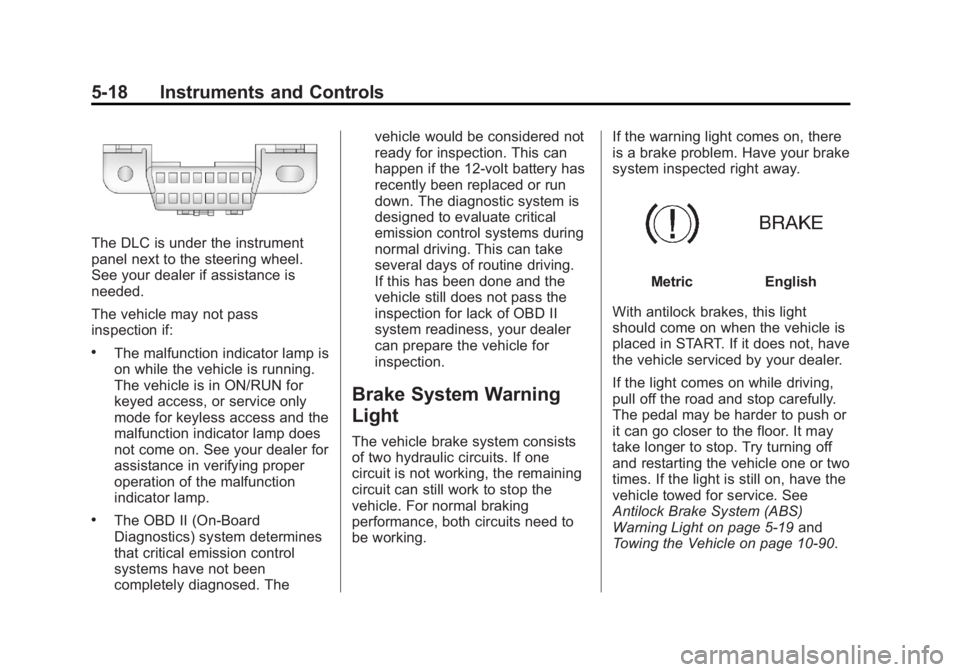
The DLC is under the instrument
panel next to the steering wheel.
See your dealer if assistance is
needed.
The vehicle may not pass
inspection if:
.The malfunction indicator lamp is
on while the vehicle is running.
The vehicle is in ON/RUN for
keyed access, or service only
mode for keyless access and the
malfunction indicator lamp does
not come on. See your dealer for
assistance in verifying proper
operation of the malfunction
indicator lamp.
.The OBD II (On-Board
Diagnostics) system determines
that critical emission control
systems have not been
completely diagnosed. Thevehicle would be considered not
ready for inspection. This can
happen if the 12-volt battery has
recently been replaced or run
down. The diagnostic system is
designed to evaluate critical
emission control systems during
normal driving. This can take
several days of routine driving.
If this has been done and the
vehicle still does not pass the
inspection for lack of OBD II
system readiness, your dealer
can prepare the vehicle for
inspection.
Brake System Warning
Light
The vehicle brake system consists
of two hydraulic circuits. If one
circuit is not working, the remaining
circuit can still work to stop the
vehicle. For normal braking
performance, both circuits need to
be working.
If the warning light comes on, there
is a brake problem. Have your brake
system inspected right away.
MetricEnglish
With antilock brakes, this light
should come on when the vehicle is
placed in START. If it does not, have
the vehicle serviced by your dealer.
If the light comes on while driving,
pull off the road and stop carefully.
The pedal may be harder to push or
it can go closer to the floor. It may
take longer to stop. Try turning off
and restarting the vehicle one or two
times. If the light is still on, have the
vehicle towed for service. See
Antilock Brake System (ABS)
Warning Light on page 5‑19 and
Towing the Vehicle on page 10‑90.
Page 123 of 422
Black plate (19,1)Buick LaCrosse Owner Manual - 2013 - crc - 9/7/12
Instruments and Controls 5-19
{WARNING
The brake system might not be
working properly if the brake
system warning light is on.
Driving with the brake system
warning light on can lead to a
crash. If the light is still on after
the vehicle has been pulled off
the road and carefully stopped,
have the vehicle towed for
service.
Electric Parking Brake
Light
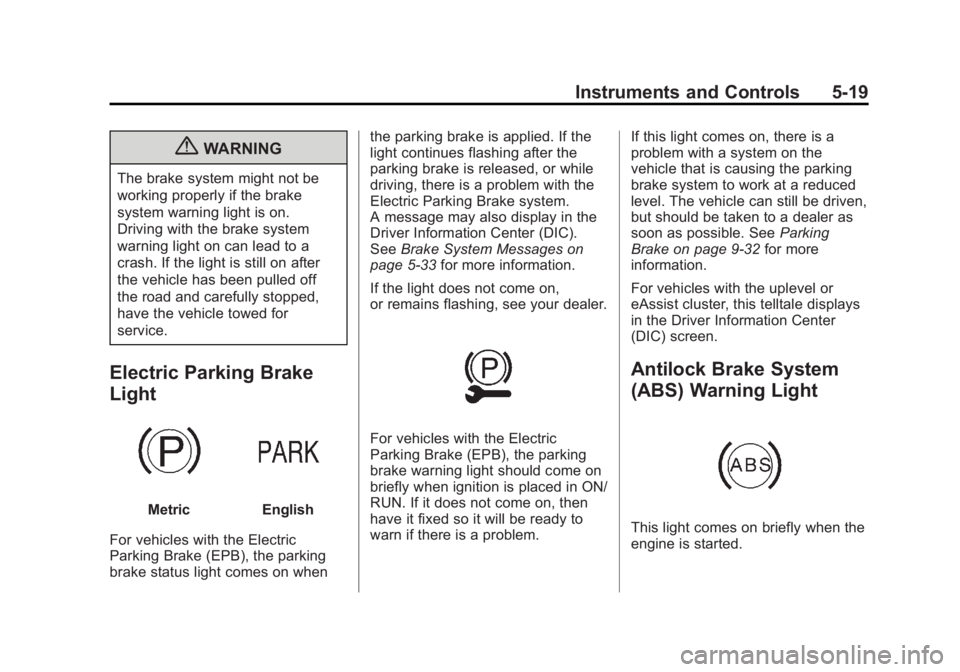
MetricEnglish
For vehicles with the Electric
Parking Brake (EPB), the parking
brake status light comes on when the parking brake is applied. If the
light continues flashing after the
parking brake is released, or while
driving, there is a problem with the
Electric Parking Brake system.
A message may also display in the
Driver Information Center (DIC).
See
Brake System Messages on
page 5‑33 for more information.
If the light does not come on,
or remains flashing, see your dealer.
For vehicles with the Electric
Parking Brake (EPB), the parking
brake warning light should come on
briefly when ignition is placed in ON/
RUN. If it does not come on, then
have it fixed so it will be ready to
warn if there is a problem. If this light comes on, there is a
problem with a system on the
vehicle that is causing the parking
brake system to work at a reduced
level. The vehicle can still be driven,
but should be taken to a dealer as
soon as possible. See
Parking
Brake on page 9‑32 for more
information.
For vehicles with the uplevel or
eAssist cluster, this telltale displays
in the Driver Information Center
(DIC) screen.
Antilock Brake System
(ABS) Warning Light
This light comes on briefly when the
engine is started.
Page 124 of 422
Black plate (20,1)Buick LaCrosse Owner Manual - 2013 - crc - 9/7/12
5-20 Instruments and Controls
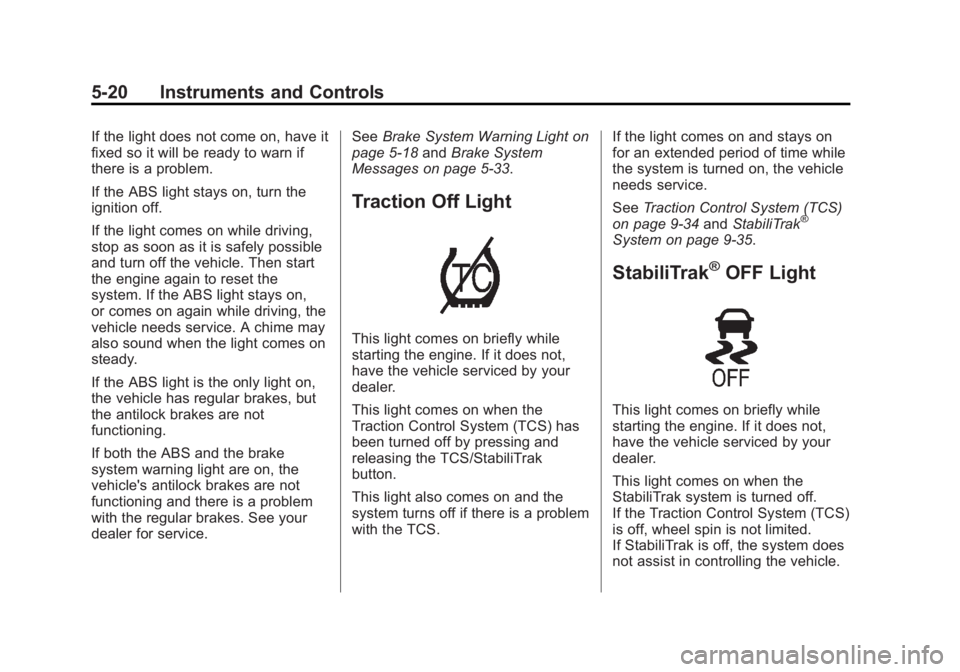
If the light does not come on, have it
fixed so it will be ready to warn if
there is a problem.
If the ABS light stays on, turn the
ignition off.
If the light comes on while driving,
stop as soon as it is safely possible
and turn off the vehicle. Then start
the engine again to reset the
system. If the ABS light stays on,
or comes on again while driving, the
vehicle needs service. A chime may
also sound when the light comes on
steady.
If the ABS light is the only light on,
the vehicle has regular brakes, but
the antilock brakes are not
functioning.
If both the ABS and the brake
system warning light are on, the
vehicle's antilock brakes are not
functioning and there is a problem
with the regular brakes. See your
dealer for service.See
Brake System Warning Light on
page 5‑18 andBrake System
Messages on page 5‑33.
Traction Off Light
This light comes on briefly while
starting the engine. If it does not,
have the vehicle serviced by your
dealer.
This light comes on when the
Traction Control System (TCS) has
been turned off by pressing and
releasing the TCS/StabiliTrak
button.
This light also comes on and the
system turns off if there is a problem
with the TCS. If the light comes on and stays on
for an extended period of time while
the system is turned on, the vehicle
needs service.
See
Traction Control System (TCS)
on page 9‑34 andStabiliTrak
®
System on page 9‑35.
StabiliTrak®OFF Light
This light comes on briefly while
starting the engine. If it does not,
have the vehicle serviced by your
dealer.
This light comes on when the
StabiliTrak system is turned off.
If the Traction Control System (TCS)
is off, wheel spin is not limited.
If StabiliTrak is off, the system does
not assist in controlling the vehicle.
Page 134 of 422
Black plate (30,1)Buick LaCrosse Owner Manual - 2013 - crc - 9/7/12
5-30 Instruments and Controls
The following indicator lights come
on in the instrument panel when
activated and also appear on
the HUD:
.Turn Signal Indicators
.High-Beam Indicator Symbol
The HUD temporarily displays some
vehicle warnings, such as CHECK
TIRE PRESSURE and FUEL
LEVEL LOW when these messages
are on the DIC trip computer.
The HUD also displays the following
messages on vehicles with these
systems, when they are active:
.TRACTION CONTROL ACTIVE
.STABILITRAK ACTIVE
When the HUD is on, the
speedometer reading is continually
displayed. The current radio station
or CD track number will display for a
short period of time after the radio
or CD track status changes. This
happens whenever radio information
is changed. The speedometer size
is reduced when radio, CD
information, warnings, or turn-by-turn navigation
information are displayed on
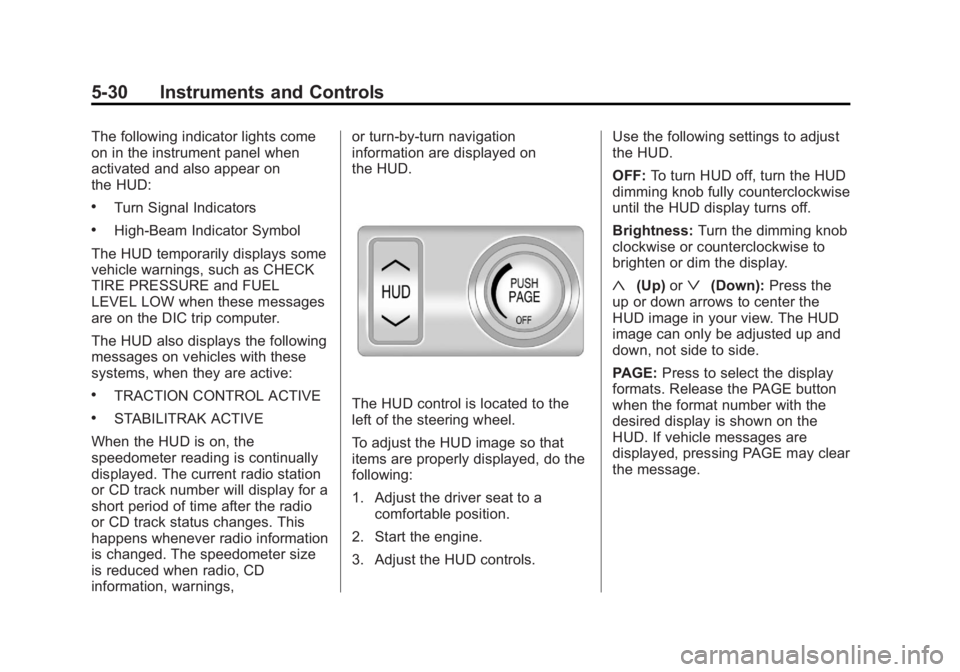
the HUD.The HUD control is located to the
left of the steering wheel.
To adjust the HUD image so that
items are properly displayed, do the
following:
1. Adjust the driver seat to a
comfortable position.
2. Start the engine.
3. Adjust the HUD controls. Use the following settings to adjust
the HUD.
OFF:
To turn HUD off, turn the HUD
dimming knob fully counterclockwise
until the HUD display turns off.
Brightness: Turn the dimming knob
clockwise or counterclockwise to
brighten or dim the display.
«(Up) orª(Down): Press the
up or down arrows to center the
HUD image in your view. The HUD
image can only be adjusted up and
down, not side to side.
PAGE: Press to select the display
formats. Release the PAGE button
when the format number with the
desired display is shown on the
HUD. If vehicle messages are
displayed, pressing PAGE may clear
the message.
Page 136 of 422
Black plate (32,1)Buick LaCrosse Owner Manual - 2013 - crc - 9/7/12
5-32 Instruments and Controls
Care of the HUD
Clean the inside of the windshield
as needed to remove any dirt or film
that could reduce the sharpness or
clarity of the HUD image.
To clean the HUD lens, use a soft,
clean cloth that has household glass
cleaner sprayed on it. Wipe the
HUD lens gently, then dry it. Do not
spray cleaner directly on the lens
because the cleaner could leak into
the unit.
If You Cannot See the HUD
Image When the Ignition Is On
.Is anything covering the
HUD lens?
.Is the HUD dimmer setting bright
enough?
.Is the HUD image adjusted to
the proper height?
.Are you wearing polarized
sunglasses?
.Still no HUD image? Check the
fuse in the instrument panel fuse
block. SeeInstrument Panel
Fuse Block on page 10‑40.
If the HUD Image Is Not Clear
.Is the HUD image too bright?
.Are the windshield and HUD
lens clean?
If the HUD image is not correct,
contact your dealer.
Keep in mind that the windshield is
part of the HUD system.
Vehicle Messages
Messages displayed on the DIC
indicate the status of the vehicle or
some action that may be needed to
correct a condition. Multiple
messages may display one after the
other.
The messages that do not require
immediate action can be
acknowledged and cleared by
pressing SET/CLR. The messages
that require immediate action cannot
be cleared until that action is
performed. All messages should be
taken seriously and clearing the
messages does not correct the
problem.
The following are some of the
vehicle messages that may be
displayed depending on your
vehicle content.
Page 140 of 422
Black plate (36,1)Buick LaCrosse Owner Manual - 2013 - crc - 9/7/12
5-36 Instruments and Controls
Key and Lock Messages
NO REMOTE DETECTED
This message displays when the
transmitter battery is weak on
vehicles with keyless access. See
“Starting the Vehicle with a Low
Transmitter Battery”underRemote
Keyless Entry (RKE) System
Operation on page 2‑3.
REPLACE BATTERY IN
REMOTE KEY
This message displays when the
battery in the Remote Keyless Entry
(RKE) transmitter needs to be
replaced. See “Battery
Replacement” underRemote
Keyless Entry (RKE) System
Operation on page 2‑3.
Lamp Messages
AFL (Adaptive Forward
Lighting) LAMPS NEED
SERVICE
This message displays when the
Adaptive Forward Lighting (AFL)
system is disabled and needs
service. See your dealer. See
Adaptive Forward Lighting (AFL) on
page 6‑3 for more information.
Object Detection System
Messages
PARK ASSIST OFF
This message displays when the
park assist system has been turned
off or when there is a temporary
condition causing the system to be
disabled. See Ultrasonic Parking
Assist on page 9‑40.
SERVICE PARK ASSIST
This message displays if there is a
problem with the Ultrasonic Rear
Parking Assist (URPA) system. Do not use this system to help you
park. See
Ultrasonic Parking Assist
on page 9‑40.
SERVICE BLIND ZONE ALERT
SYSTEM
If this message appears, both SBZA
displays will remain on indicating
there is a problem with the SBZA
system. If these displays remain on
after continued driving, the system
needs service. Take the vehicle to
your dealer.
SIDE BLIND ZONE ALERT
SYSTEM OFF
This message indicates that the
driver has turned the system off.
SIDE BLIND ZONE SYS.
UNAVAILABLE
This message indicates that the
SBZA system is disabled because
the sensor is blocked and cannot
detect vehicles in the blind zone.
The sensor may be blocked by mud,
dirt, snow, ice, or slush. This
message may also activate during
Page 144 of 422
Black plate (40,1)Buick LaCrosse Owner Manual - 2013 - crc - 9/7/12
5-40 Instruments and Controls
The following list of menu items may
be available:
.Climate and Air Quality
.Comfort and Convenience
.Collision/Detection Systems
.Language
.Lighting
.Power Door Locks
.Remote Lock/Unlock/Start
.Return to Factory Settings
Turn the Multifunction knob to
highlight the menu. Press SELECT
to select it. Each of the menus is
detailed in the following information.
Climate and Air Quality
Select the Climate and Air Quality
menu and the following may be
displayed:
.Auto Fan Speed
.Air Quality Sensor
.Auto Heated Seats
.Air Conditioning Mode
.Remote Start Auto Heated Seats
.Remote Start Cooled Seats
.Auto Defog
.Auto Rear Defog
Auto Fan Speed
This will allow you to select the
automatic fan speed. It can be
adjusted to run lower or higher than
normal.
Press SELECT when Auto Fan
Speed is highlighted to open the
menu. Turn the Multifunction knob
to highlight High, Medium, or Low.
Press SELECT to confirm the
selection. Press
/BACK to move to
the last menu.
Air Quality Sensor
This will allow you to select whether
the system will operate at high or
low sensitivity. Only vehicles with
the dual zone climate control will
have this option. Press SELECT when Air Quality
Sensor is highlighted to open the
menu. Turn the Multifunction knob
to highlight High or Low. Press
SELECT to confirm the selection.
Press
/BACK to move to the
last menu.
Auto Heated Seats
If equipped and turned on, this
feature will automatically activate
heated seats at the level required by
the interior temperature. The auto
heated seats can be turned off by
using the heated seat buttons on
the climate control panel.
Press SELECT when Auto Heated
Seats is highlighted to open the
menu. Turn the Multifunction knob
to highlight On or Off. Press
SELECT to confirm the selection.
Press
/BACK to move to the
last menu.
Page 147 of 422
Black plate (43,1)Buick LaCrosse Owner Manual - 2013 - crc - 9/7/12
Instruments and Controls 5-43
Lighting
Select the Lighting menu and the
following will be displayed:
.Exit Lighting
.Vehicle Locator Lights
Exit Lighting
This allows selection of how long
the exterior lamps stay on when
leaving the vehicle and it is dark
outside.
Press SELECT when Exit Lighting is
highlighted. Turn the Multifunction
knob to select Off, 30 Seconds,
1 Minute, or 2 Minutes. Press
SELECT to confirm the selection.
Press
/BACK to move to the
last menu.
Vehicle Locator Lights
This allows the vehicle locator lights
to be turned on or off. The vehicle
locator lights come on when
unlocking the vehicle with the RKE
transmitter. Press SELECT when Vehicle
Locator Lights is highlighted. Turn
the Multifunction knob to select On
or Off. Press SELECT to confirm the
selection. Press
/BACK to move to
the last menu.
Power Door Locks
Select Power Door Locks and the
following will be displayed:
.Unlocked Door Anti Lock Out
.Delayed Door Lock
.Auto Door Unlock
Unlocked Door Anti Lock Out
When on, this feature will keep the
driver door from locking when the
door is open. If Off is selected, the
Unlocked Door Anti Lock Out menu
will be available and the door will
lock as programmed through
this menu.
Press SELECT when Unlocked
Door Anti Lock Out is highlighted.
Turn the Multifunction knob to select On or Off. Press SELECT to confirm
the selection. Press
/BACK to
move to the last menu.
Delayed Door Lock
When on, this feature will delay the
locking of the doors until
five seconds after the last door is
closed. You will hear three chimes
to signal delayed locking is in use.
Pressing either the power lock
button or
Qon the RKE transmitter
twice will override the delayed
locking feature and immediately lock
all of the doors.
Press SELECT when Delayed Door
Lock is highlighted. Turn the
Multifunction knob to select On or
Off. Press SELECT to confirm the
selection. Press
/BACK to move to
the last menu.
Auto Door Unlock
This allows selection of which of the
doors will automatically unlock when
the vehicle is shifted into P (Park).