center console BUICK LACROSSE 2013 Owner's Manual
[x] Cancel search | Manufacturer: BUICK, Model Year: 2013, Model line: LACROSSE, Model: BUICK LACROSSE 2013Pages: 422, PDF Size: 5.74 MB
Page 16 of 422
Black plate (10,1)Buick LaCrosse Owner Manual - 2013 - crc - 9/7/12
1-10 In Brief
SeeMemory Seats on page 3‑6 and
Power Mirrors on page 2‑15.
Manual Foldaway Mirrors
These mirrors can be folded inward
to prevent damage when going
through an automatic car wash. To
fold, pull the mirror toward the
vehicle. Push the mirror outward to
return it to the original position.
See Folding Mirrors on page 2‑15.
Automatic Dimming Feature
The vehicle may have an automatic
dimming driver outside mirror.
Automatic dimming reduces the
glare of the headlamps behind you.
SeePower Mirrors on page 2‑15.
Interior
Adjust this mirror for a clear view of
the area behind the vehicle. Hold
the mirror in the center to move it
up, down, or side to side. To reduce
headlamp glare from behind, push
the tab forward for daytime and pull
it for nighttime use. Vehicles with OnStar
®have three
control buttons at the bottom of the
mirror. See your dealer for more
information on the system and how
to subscribe to OnStar. See OnStar
Overview on page 14‑1.
See Manual Rearview Mirror on
page 2‑16.
Steering Wheel
Adjustment
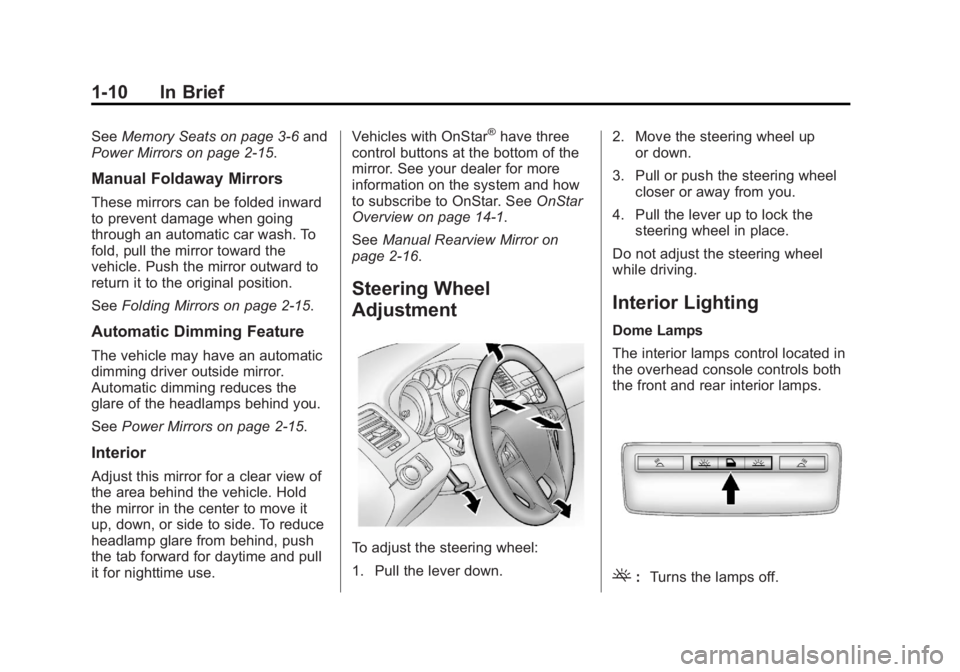
To adjust the steering wheel:
1. Pull the lever down. 2. Move the steering wheel up
or down.
3. Pull or push the steering wheel closer or away from you.
4. Pull the lever up to lock the steering wheel in place.
Do not adjust the steering wheel
while driving.
Interior Lighting
Dome Lamps
The interior lamps control located in
the overhead console controls both
the front and rear interior lamps.
(: Turns the lamps off.
Page 22 of 422
Black plate (16,1)Buick LaCrosse Owner Manual - 2013 - crc - 9/7/12
1-16 In Brief
Portable Audio Devices
Some vehicles have a 3.5 mm
(1/8 in) auxiliary input and a USB
port in the center console bin.
External devices such as iPods
®,
laptop computers, MP3 players, CD
changers, and USB drives may be
connected, depending on the audio
system.
See Auxiliary Devices on page 7‑18.
Bluetooth®
The Bluetooth®system allows users
with a Bluetooth-enabled mobile
phone to make and receive
hands-free calls using the vehicle
audio system and controls.
The Bluetooth-enabled mobile
phone must be paired with the
in-vehicle Bluetooth system before it
can be used in the vehicle. Not all
phones will support all functions. See
Bluetooth (Overview) on
page 7‑20 orBluetooth
(Infotainment Controls) on
page 7‑22 orBluetooth (Voice
Recognition) on page 7‑25.
Steering Wheel Controls
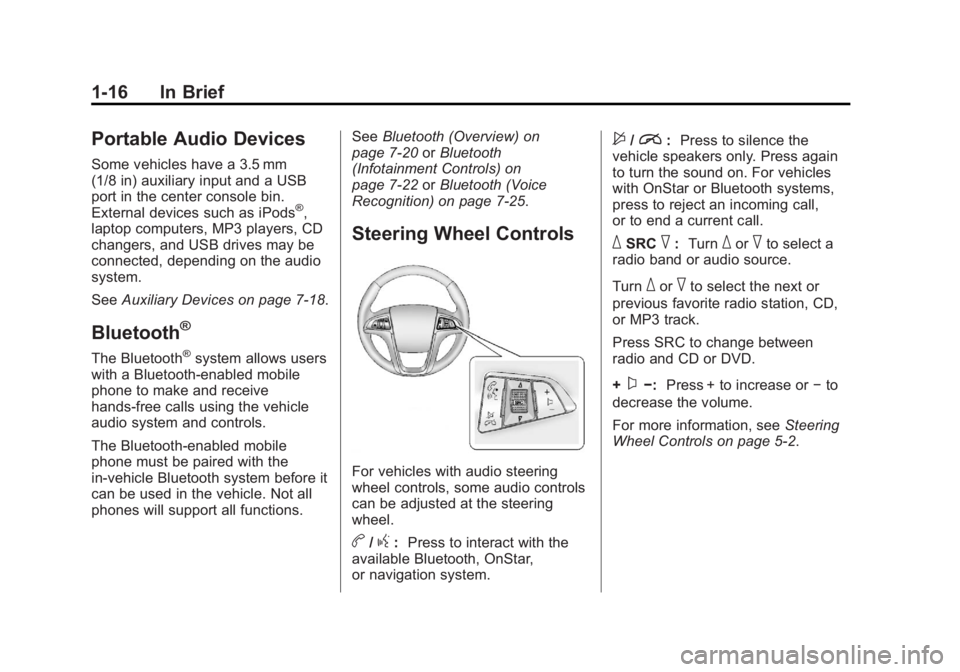
For vehicles with audio steering
wheel controls, some audio controls
can be adjusted at the steering
wheel.
b/g: Press to interact with the
available Bluetooth, OnStar,
or navigation system.
$/i: Press to silence the
vehicle speakers only. Press again
to turn the sound on. For vehicles
with OnStar or Bluetooth systems,
press to reject an incoming call,
or to end a current call.
_SRC^: Turn_or^to select a
radio band or audio source.
Turn
_or^to select the next or
previous favorite radio station, CD,
or MP3 track.
Press SRC to change between
radio and CD or DVD.
+
x−: Press + to increase or −to
decrease the volume.
For more information, see Steering
Wheel Controls on page 5‑2.
Page 24 of 422
Black plate (18,1)Buick LaCrosse Owner Manual - 2013 - crc - 9/7/12
1-18 In Brief
Vehicle Personalization
Some vehicle features can be
programmed by using the audio
system controls. These features
include:
.Climate and Air Quality
.Comfort and Convenience
.Collision/Detection Systems
.Language
.Lighting
.Power Door Locks
.Remote Lock/Unlock
.Return to Factory Settings
See Vehicle Personalization on
page 5‑39.
Ultrasonic Parking Assist
If available, this system uses
sensors on the rear bumper to
assist with parking and avoiding
objects while in R (Reverse).
It operates at speeds less than 8 km/h (5 mph). URPA uses audible
beeps to provide distance and
system information.
Keep the sensors on the vehicle's
rear bumper clean to ensure proper
operation.
See
Ultrasonic Parking Assist on
page 9‑40.
Power Outlets
The accessory power outlets can be
used to plug in electrical equipment,
such as a cell phone or MP3 player.
There are two accessory power
outlets. One is located under the
armrest inside the center console
storage and the other is on the rear
of the center floor console.
Open the protective cover to use the
accessory power outlet.
See Power Outlets on page 5‑6.
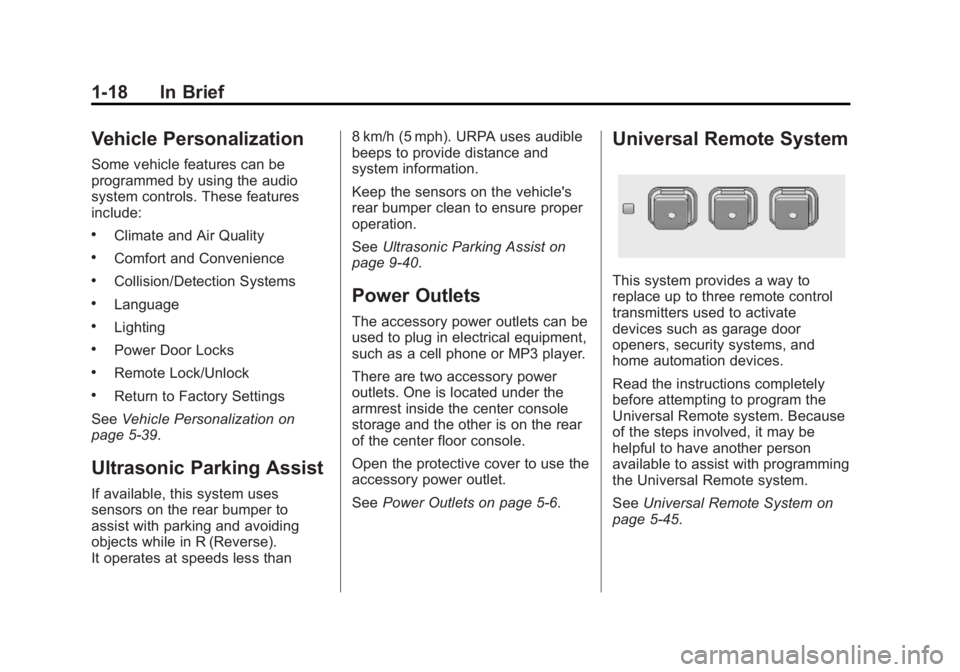
Universal Remote System
This system provides a way to
replace up to three remote control
transmitters used to activate
devices such as garage door
openers, security systems, and
home automation devices.
Read the instructions completely
before attempting to program the
Universal Remote system. Because
of the steps involved, it may be
helpful to have another person
available to assist with programming
the Universal Remote system.
SeeUniversal Remote System on
page 5‑45.
Page 36 of 422
Black plate (6,1)Buick LaCrosse Owner Manual - 2013 - crc - 9/7/12
2-6 Keys, Doors, and Windows
2. Insert the vehicle key of the newtransmitter into the key lock
cylinder located on the outside
of the driver door and turn the
key to the unlock position five
times within 10 seconds.
The Driver Information Center
(DIC) displays READY FOR
REMOTE #2, 3, 4 or 5.
3. Place the new transmitter into the transmitter pocket. The
transmitter pocket is located
inside the center console
storage area under the
cupholder. The cupholder will
need to be pulled out to access
the transmitter pocket.
4. Press the ignition. When the transmitter is learned, the DIC
will show that it is ready to
program the next transmitter.
5. Remove the transmitter from the transmitter pocket and press
K.
To program additional
transmitters, repeat Steps 3–5. When all additional transmitters
are programmed, press and hold
the ignition for 10 seconds to
exit programming mode.
Programming without a
Recognized Transmitter (Keyless
Access Vehicles Only)
If there are no currently recognized
transmitters available, follow this
procedure to program up to eight
transmitters. This feature is not
available in Canada. This procedure
will take approximately 30 minutes
to complete. The vehicle must be off
and all of the transmitters you wish
to program must be with you.
1. Insert the vehicle key of the transmitter into the key lock
cylinder located on the outside
of the driver door and turn the
key to the unlock position five
times within 10 seconds.
The Driver Information Center
(DIC) displays REMOTE LEARN
PENDING, PLEASE WAIT. 2. Wait for 10 minutes until the DIC
displays PRESS ENGINE
START BUTTON TO LEARN
and then press the ignition.
The DIC displays will again
show REMOTE LEARN
PENDING, PLEASE WAIT.
3. Repeat Step 2 two additional times. After the third time, all
previously known transmitters
will no longer work with the
vehicle. Remaining transmitters
can be relearned during the next
steps.
The DIC display should now
show READY FOR REMOTE
# 1.
4. Place the new transmitter into the transmitter pocket. The
transmitter pocket is located
inside the center console
storage area under the
cupholder. The cupholder will
need to be pulled out to access
the transmitter pocket.
Page 37 of 422
Black plate (7,1)Buick LaCrosse Owner Manual - 2013 - crc - 9/7/12
Keys, Doors, and Windows 2-7
5. Press the ignition. When thetransmitter is learned the DIC
will show that it is ready to
program the next transmitter.
6. Remove the transmitter from the transmitter pocket and press
K.
To program additional
transmitters, repeat Steps 4–6.
When all additional transmitters
are programmed, press and hold
the ignition for 10 seconds to
exit programming mode.
Starting the Vehicle with a Low
Transmitter Battery
If the transmitter battery is weak, the
DIC may display NO REMOTE
DETECTED when you try to start
the vehicle. The REPLACE
BATTERY IN REMOTE KEY
message may also be displayed at
this time.
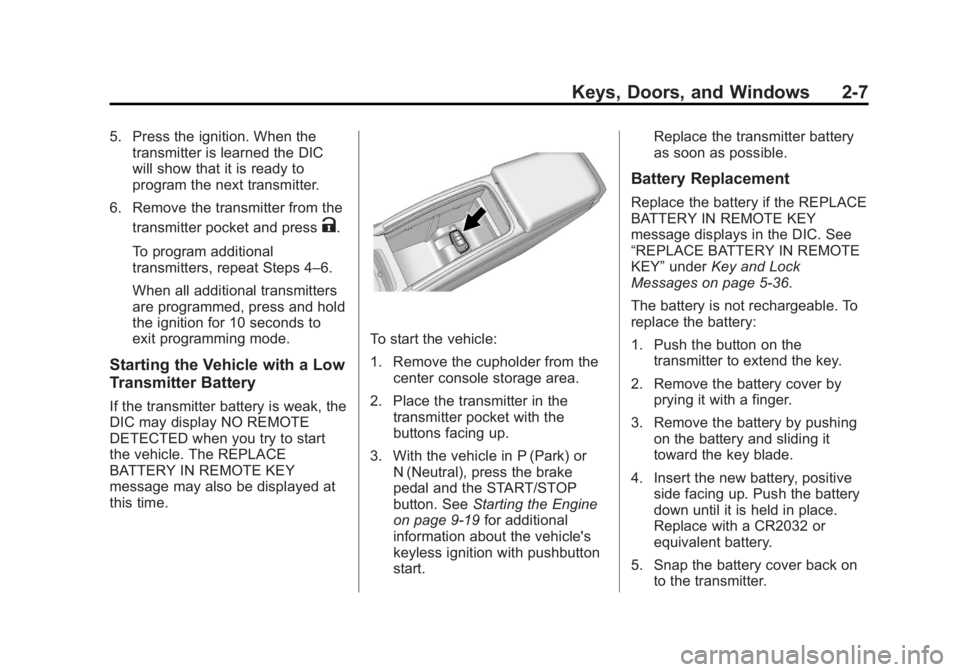
To start the vehicle:
1. Remove the cupholder from the center console storage area.
2. Place the transmitter in the transmitter pocket with the
buttons facing up.
3. With the vehicle in P (Park) or N (Neutral), press the brake
pedal and the START/STOP
button. See Starting the Engine
on page 9‑19 for additional
information about the vehicle's
keyless ignition with pushbutton
start. Replace the transmitter battery
as soon as possible.
Battery Replacement
Replace the battery if the REPLACE
BATTERY IN REMOTE KEY
message displays in the DIC. See
“REPLACE BATTERY IN REMOTE
KEY”
under Key and Lock
Messages on page 5‑36.
The battery is not rechargeable. To
replace the battery:
1. Push the button on the transmitter to extend the key.
2. Remove the battery cover by prying it with a finger.
3. Remove the battery by pushing on the battery and sliding it
toward the key blade.
4. Insert the new battery, positive side facing up. Push the battery
down until it is held in place.
Replace with a CR2032 or
equivalent battery.
5. Snap the battery cover back on to the transmitter.
Page 44 of 422
Black plate (14,1)Buick LaCrosse Owner Manual - 2013 - crc - 9/7/12
2-14 Keys, Doors, and Windows
dealer who can service the
theft-deterrent system and have a
new key made.
Do not leave the key or device that
disarms or deactivates the
theft-deterrent system in the vehicle.
Immobilizer Operation
(Keyless Access)
This vehicle has a passive
theft-deterrent system.
The system does not have to be
manually armed or disarmed.
The vehicle is automatically
immobilized when the transmitter
leaves the vehicle.
The immobilization system is
disarmed when the ignition button is
pushed in and a valid transmitter is
found in the vehicle.
The security light in the instrument
cluster comes on When there is a
problem with arming or disarming
the theft-deterrent system.
The system has one or more
transmitters matched to an
immobilizer control unit in your
vehicle. Only a correctly matched
transmitter will start the vehicle.
If the transmitter is ever damaged,
you may not be able to start your
vehicle.
When trying to start the vehicle, the
security light comes on briefly when
the ignition is turned on.
If the engine does not start and the
security light stays on, there is a
problem with the system. Turn the
vehicle off and try again.If the RKE transmitter appears to be
undamaged, try another transmitter.
Or, you may try placing the
transmitter in the transmitter pocket
in the center console. See
“Starting
the Vehicle with a Low Transmitter
Battery” underRemote Keyless
Entry (RKE) System Operation on
page 2‑3.
If the engine does not start with the
other transmitter or when the
transmitter is in the pocket in the
center console, your vehicle needs
service. See your dealer who can
service the theft-deterrent system
and have a new transmitter
programmed to the vehicle.
Do not leave the transmitter or
device that disarms or deactivates
the theft-deterrent system in the
vehicle.
Page 49 of 422
Black plate (19,1)Buick LaCrosse Owner Manual - 2013 - crc - 9/7/12
Keys, Doors, and Windows 2-19
3. Pull the power window switch upuntil the window is fully closed.
4. Continue holding the switch up for approximately two seconds
after the window is completely
closed.
The window is now reprogrammed.
Repeat the process for the other
windows.
Sun Visors
Pull the sun visor down to block
glare. Detach the sun visor from the
center mount to pivot to the side
window, or to extend along the rod,
if available.
Rear Window Sunshade
On vehicles with a rear window
sunshade, the switch is on the
console to the right of the shift lever.
The sunshade only operates when
the ignition is in ON/RUN or ACC/
ACCESSORY.
To open the sunshade, press and
release the switch. The sunshade
will fully extend. To close the
sunshade, press and release the
switch again. The sunshade will fully
close.
If the vehicle is shifted into
R (Reverse) when the sunshade is
extended, it will automatically close.
Roof
Sunroof
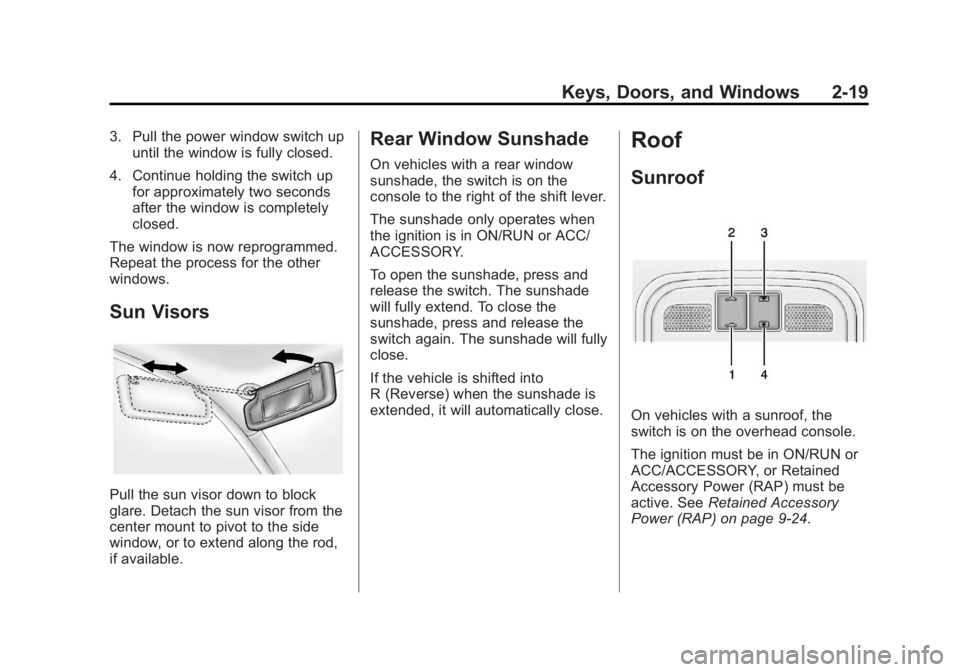
On vehicles with a sunroof, the
switch is on the overhead console.
The ignition must be in ON/RUN or
ACC/ACCESSORY, or Retained
Accessory Power (RAP) must be
active. See Retained Accessory
Power (RAP) on page 9‑24.
Page 103 of 422
Black plate (1,1)Buick LaCrosse Owner Manual - 2013 - crc - 9/7/12
Storage 4-1
Storage
Storage Compartments
Glove Box . . . . . . . . . . . . . . . . . . . . 4-1
Cupholders . . . . . . . . . . . . . . . . . . . 4-1
Front Storage . . . . . . . . . . . . . . . . . 4-1
Center Console Storage . . . . . . 4-2
Additional Storage Features
Convenience Net . . . . . . . . . . . . . 4-2
Storage
Compartments
Glove Box
The glove box is located on the
passenger side of the instrument
panel. Lift up on the lever to open it.
Cupholders
There are removable cupholders in
the center console. Slide the cover
to access the cupholders.
Cupholders are also in the rear
center armrest.
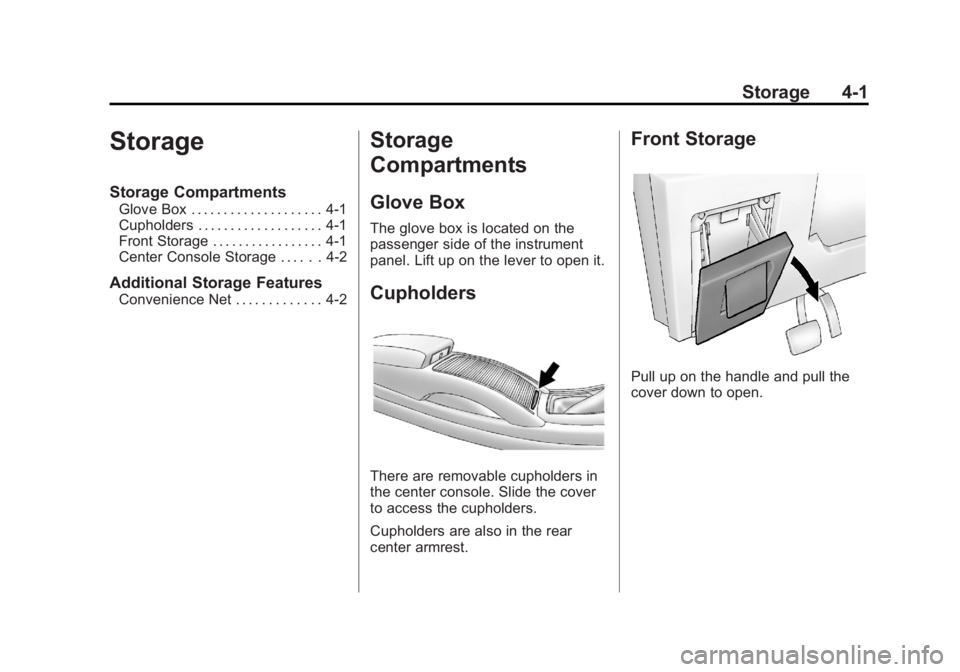
Front Storage
Pull up on the handle and pull the
cover down to open.
Page 104 of 422
Black plate (2,1)Buick LaCrosse Owner Manual - 2013 - crc - 9/7/12
4-2 Storage
Center Console Storage
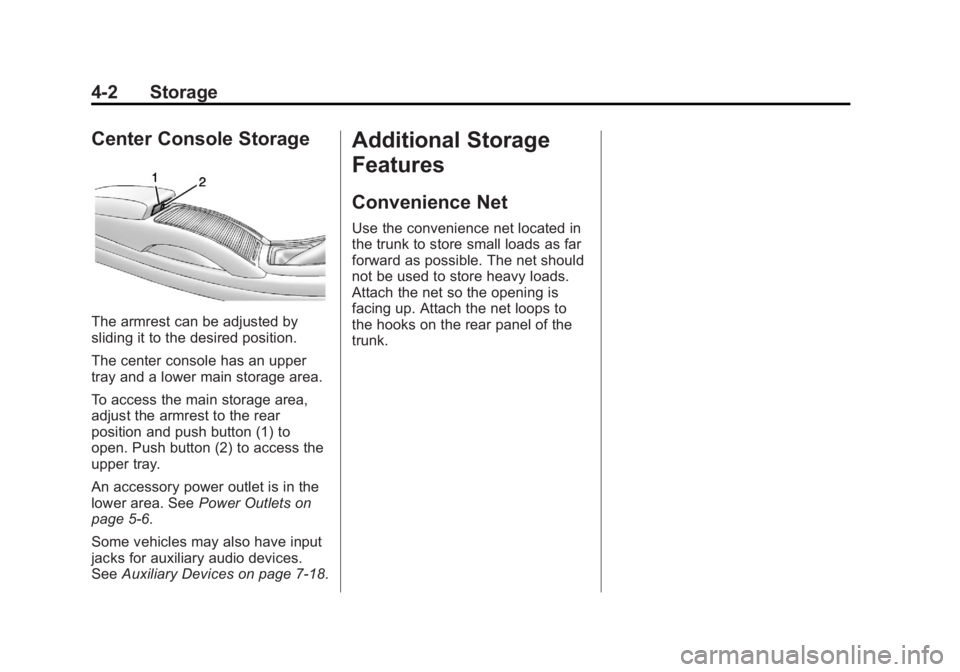
The armrest can be adjusted by
sliding it to the desired position.
The center console has an upper
tray and a lower main storage area.
To access the main storage area,
adjust the armrest to the rear
position and push button (1) to
open. Push button (2) to access the
upper tray.
An accessory power outlet is in the
lower area. SeePower Outlets on
page 5‑6.
Some vehicles may also have input
jacks for auxiliary audio devices.
See Auxiliary Devices on page 7‑18.
Additional Storage
Features
Convenience Net
Use the convenience net located in
the trunk to store small loads as far
forward as possible. The net should
not be used to store heavy loads.
Attach the net so the opening is
facing up. Attach the net loops to
the hooks on the rear panel of the
trunk.
Page 110 of 422
Black plate (6,1)Buick LaCrosse Owner Manual - 2013 - crc - 9/7/12
5-6 Instruments and Controls
3. Press SELECT to select the12 hour or 24 hour display
format.
Setting the Month and Day Format
1. Press the CONFIG button and select Time and Date Settings,
or press
H.
2. Highlight Set Date Format.
3. Press SELECT to select MM/ DD/YY (month/day/year) or DD/
MM/YY (day/month/year).
Setting the Auto Time Adjust
1. Press the CONFIG button and select Time and Date Settings,
or press
H.
2. Highlight Auto Time Adjust.
3. Press SELECT to turn Auto Time Adjust on or off.
4. Press SELECT button to select Time Zone, and then select the
Time Zone.
5. Press SELECT to turn Daylight Savings on or off.
Setting the Time and Date
(Radio with CD and
Touchscreen)
To set the time:
1. Press the CONFIG button toenter the menu options. Turn the
Multifunction knob to scroll
through the available setup
features. Press the SELECT
knob or press the Time screen
button to display other options
within that feature.
2. Press + or −to decrease or
increase the Hours and Minutes
displayed on the clock.
12/24 HR Format: Press the 12 HR
screen button for standard time;
press the 24 HR screen button for
military time.
Day + or Day −:Press the Day +
or Day −display buttons to increase
or decrease the day.
Display: Press Display to turn the
display of the time on the screen on
or off.
Power Outlets
The accessory power outlets can be
used to plug in electrical equipment,
such as a cell phone or MP3 player.
There are two accessory power
outlets. One is located under the
armrest inside the center console
storage and the other is on the rear
of the center floor console.
The outlet is powered when the
ignition is in ON/RUN or ACC/
ACCESSORY, or until the driver
door is opened within 10 minutes of
turning off the vehicle. See Retained
Accessory Power (RAP) on
page 9‑24.
Open the protective cover to use the
accessory power outlet.
Certain electrical accessories may
not be compatible with the
accessory power outlet and could
overload vehicle or adapter fuses.
If there is a problem, see your
dealer.