display BUICK LACROSSE 2015 Workshop Manual
[x] Cancel search | Manufacturer: BUICK, Model Year: 2015, Model line: LACROSSE, Model: BUICK LACROSSE 2015Pages: 407, PDF Size: 4.89 MB
Page 180 of 407
Black plate (3,1)Buick LaCrosse Owner Manual (GMNA-Localizing-U.S./Canada/Mexico-
7707475) - 2015 - CRC - 10/9/14
Climate Controls 8-3
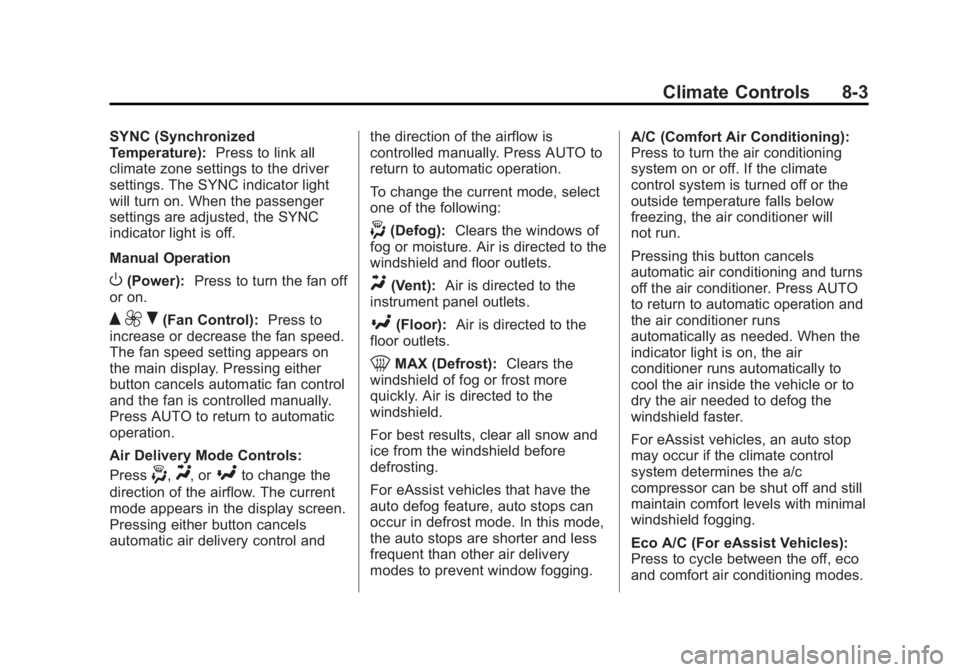
SYNC (Synchronized
Temperature):Press to link all
climate zone settings to the driver
settings. The SYNC indicator light
will turn on. When the passenger
settings are adjusted, the SYNC
indicator light is off.
Manual Operation
O(Power): Press to turn the fan off
or on.
Q 9 R(Fan Control): Press to
increase or decrease the fan speed.
The fan speed setting appears on
the main display. Pressing either
button cancels automatic fan control
and the fan is controlled manually.
Press AUTO to return to automatic
operation.
Air Delivery Mode Controls:
Press
-,Y, or[to change the
direction of the airflow. The current
mode appears in the display screen.
Pressing either button cancels
automatic air delivery control and the direction of the airflow is
controlled manually. Press AUTO to
return to automatic operation.
To change the current mode, select
one of the following:
-(Defog):
Clears the windows of
fog or moisture. Air is directed to the
windshield and floor outlets.
Y(Vent): Air is directed to the
instrument panel outlets.
[(Floor): Air is directed to the
floor outlets.
0MAX (Defrost): Clears the
windshield of fog or frost more
quickly. Air is directed to the
windshield.
For best results, clear all snow and
ice from the windshield before
defrosting.
For eAssist vehicles that have the
auto defog feature, auto stops can
occur in defrost mode. In this mode,
the auto stops are shorter and less
frequent than other air delivery
modes to prevent window fogging. A/C (Comfort Air Conditioning):
Press to turn the air conditioning
system on or off. If the climate
control system is turned off or the
outside temperature falls below
freezing, the air conditioner will
not run.
Pressing this button cancels
automatic air conditioning and turns
off the air conditioner. Press AUTO
to return to automatic operation and
the air conditioner runs
automatically as needed. When the
indicator light is on, the air
conditioner runs automatically to
cool the air inside the vehicle or to
dry the air needed to defog the
windshield faster.
For eAssist vehicles, an auto stop
may occur if the climate control
system determines the a/c
compressor can be shut off and still
maintain comfort levels with minimal
windshield fogging.
Eco A/C (For eAssist Vehicles):
Press to cycle between the off, eco
and comfort air conditioning modes.
Page 201 of 407
Black plate (16,1)Buick LaCrosse Owner Manual (GMNA-Localizing-U.S./Canada/Mexico-
7707475) - 2015 - CRC - 10/9/14
9-16 Driving and Operating
shift lever must be in P (Park) to
turn the ignition switch to the
LOCK/OFF position.
4. Set the parking brake. See Parking Brake on page 9-31.
{Warning
Turning off the vehicle while
moving may cause loss of power
assist in the brake and steering
systems and disable the airbags.
While driving, only shut the
vehicle off in an emergency.
If the vehicle cannot be pulled over,
and must be shut off while driving,
turn the ignition to ACC/
ACCESSORY.
2 (ACC/ACCESSORY): This
position provides power to some of
the electrical accessories. It unlocks
the ignition. To move the key from
ACC/ACCESSORY to LOCK/OFF,
the shift lever must be in P (Park). 3 (ON/RUN):
The ignition switch
stays in this position when the
engine is running. This position can
be used to operate the electrical
accessories, including the
ventilation fan and 12-volt power
outlet, as well as to display some
warning and indicator lights. This
position can also be used for
service and diagnostics, and to
verify the proper operation of the
malfunction indicator lamp as may
be required for emission inspection
purposes. The transmission is also
unlocked in this position.
The battery could be drained if the
key is left in the ACC/ACCESSORY
or ON/RUN position with the engine
off. The vehicle might not restart if
the battery is allowed to drain for an
extended period of time.
4 (START): This position starts the
engine. When the engine starts,
release the key. The ignition switch
will return to ON/RUN for normal
driving. A warning tone sounds when the
driver door is opened when the
ignition is still in ACC/ACCESSORY
and the key is in the ignition. If the
ignition becomes difficult to turn,
see
Keys on page 2-1.
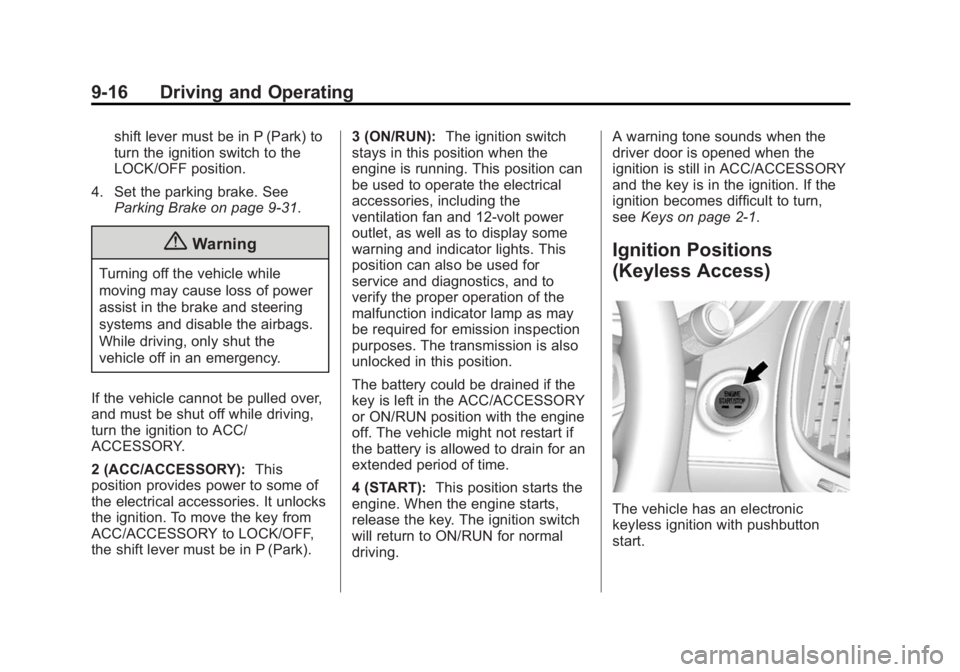
Ignition Positions
(Keyless Access)
The vehicle has an electronic
keyless ignition with pushbutton
start.
Page 202 of 407
Black plate (17,1)Buick LaCrosse Owner Manual (GMNA-Localizing-U.S./Canada/Mexico-
7707475) - 2015 - CRC - 10/9/14
Driving and Operating 9-17
Pressing the button cycles it through
three modes, ACC/ACCESSORY,
ON/RUN/START, and Stopping the
Engine/OFF.
The transmitter must be in the
vehicle for the system to operate.
If the pushbutton start is not
working, the vehicle may be near a
strong radio antenna signal causing
interference to the keyless access
system. SeeRemote Keyless Entry
(RKE) System Operation on
page 2-3.
To shift out of P (Park), the vehicle
must be in ACC/ACCESSORY or
ON/RUN and the brake pedal must
be applied.
Stopping the Engine/OFF (No
Indicator Lights): When the
vehicle is stopped, press the
ENGINE START/STOP button once
to turn the engine off.
If the vehicle is in P (Park), the
ignition will turn off, and Retained
Accessory Power (RAP) will remain
active. See Retained Accessory
Power (RAP) on page 9-23. If the vehicle is not in P (Park), the
ignition will return to ACC/
ACCESSORY and display the
message SHIFT TO PARK in the
Driver Information Center (DIC).
See
Transmission Messages on
page 5-44. When the vehicle is
shifted into P (Park), the ignition
system will switch to OFF.
Do not turn the engine off when the
vehicle is moving. This will cause a
loss of power assist in the brake
and steering systems and disable
the airbags.
If the vehicle must be shut off in an
emergency:
1. Brake using a firm and steady pressure. Do not pump the
brakes repeatedly. This may
deplete power assist, requiring
increased brake pedal force.
2. Shift the vehicle to N (Neutral). This can be done while the
vehicle is moving. After shifting
to N (Neutral), firmly apply the
brakes and steer the vehicle to a
safe location. 3. Come to a complete stop, shift
to P (Park), and turn the ignition
to OFF. On vehicles with an
automatic transmission, the shift
lever must be in P (Park) to turn
the ignition switch to the OFF
position.
4. Set the parking brake. See Parking Brake on page 9-31.
{Warning
Turning off the vehicle while
moving may cause loss of power
assist in the brake and steering
systems and disable the airbags.
While driving, only shut the
vehicle off in an emergency.
If the vehicle cannot be pulled over,
and must be shut off while driving,
press and hold the ENGINE START/
STOP button for longer than
two seconds, or press twice in
five seconds.
Page 205 of 407
Black plate (20,1)Buick LaCrosse Owner Manual (GMNA-Localizing-U.S./Canada/Mexico-
7707475) - 2015 - CRC - 10/9/14
9-20 Driving and Operating
If the RKE transmitter is not in
the vehicle, if there is
interference, or the RKE battery
is low, the Driver Information
Center (DIC) will display a
message. SeeKey and Lock
Messages on page 5-39 and
Remote Keyless Entry (RKE)
System Operation on page 2-3.
{Caution
Cranking the engine for long
periods of time, by returning the
ignition to the START position
immediately after cranking has
ended, can overheat and damage
the cranking motor, and drain the
battery. Wait at least 15 seconds
between each try, to let the
cranking motor cool down.
2. If the engine does not start after five to 10 seconds, especially in
very cold weather (below −18°C
or 0°F), it could be flooded with
too much gasoline. Try pushing
the accelerator pedal all the way to the floor and holding it there
as you press the ENGINE
START/STOP button, for up to a
maximum of 15 seconds. Wait at
least 15 seconds between each
try, to allow the cranking motor
to cool down. When the engine
starts, let go of the button, and
the accelerator. If the vehicle
starts briefly but then stops
again, do the same thing. This
clears the extra gasoline from
the engine. Do not race the
engine immediately after starting
it. Operate the engine and
transmission gently until the oil
warms up and lubricates all
moving parts.
eAssist Automatic Engine
Start/Stop
{Warning
Exiting the vehicle without first
shifting into P (Park) may cause
the vehicle to move. You or others
(Continued)
Warning (Continued)
may be injured. Because the
vehicle has the automatic engine
start/stop feature, the vehicle's
engine might seem to be shut off;
however, once the brake pedal is
released, the engine will start up
again.
Shift to P (Park) and turn the
ignition to LOCK/OFF, before
exiting the vehicle.
Vehicles with eAssist have an
automatic engine start/stop feature.
After the engine is started and has
reached operating temperature, the
auto stop feature may cause the
engine to turn off when the brakes
are applied and the vehicle comes
to a complete stop. The vehicle may
remain in auto stop for up to
two minutes. When the brake is
released or the accelerator pedal
applied, the engine will start. The
engine will continue to run until the
next auto stop.
Page 214 of 407
Black plate (29,1)Buick LaCrosse Owner Manual (GMNA-Localizing-U.S./Canada/Mexico-
7707475) - 2015 - CRC - 10/9/14
Driving and Operating 9-29
Manual Mode
Driver Shift Control (DSC)
{Caution
Driving with the engine at a high
rpm without upshifting while using
Driver Shift Control (DSC), could
damage the vehicle. Always
upshift when necessary while
using DSC.
DSC allows the automatic
transmission to be shifted similar to
a manual transmission. To use the
DSC feature:
With Selective Ride Control
1. Move the shift lever from D (Drive) to M/S (Manual Mode/
Sport Mode).
The vehicle will be in Sport
Mode. The vehicle will remain in
Sport Mode until the shift lever is
moved back to the D (Drive) position. The gear indicator in
the instrument cluster will still
display an S for Sport Mode, and
the SPORT MODE ON message
will display momentarily. See
Ride Control System Messages
on page 5-42. When in Sport
Mode, the vehicle will still shift
automatically, but chassis tuning
is modified. See
Selective Ride
Control on page 9-36. If you
press the +/− switch on the side
of the shift lever, the
transmission will enter Manual
Mode, and the DIC gear
indicator will change to an M
followed by a number
representing the gear the vehicle
is currently in.
2. In Manual Mode, press the + (Plus) end of the switch on the
side of the shift lever to upshift,
or the −(Minus) end to
downshift. Without Selective Ride Control
1. Move the shift lever from
D (Drive) to M (Manual Mode).
The transmission will enter
Manual Mode. The DIC gear
indicator will change to an M
followed by a number
representing the gear the vehicle
is currently in.
2. In Manual Mode, press the + (Plus) end of the switch on the
side of the shift lever to upshift,
or the −(Minus) end to
downshift.
The display on the instrument
cluster will show which gear the
vehicle is in. The number indicates
the requested gear when pressing
the +/− switch on the shift lever.
The transmission will only allow
shifting into gears appropriate for
the vehicle speed and engine
revolutions per minute (rpm). The
transmission will not automatically
shift to the next lower gear if the
Page 217 of 407
Black plate (32,1)Buick LaCrosse Owner Manual (GMNA-Localizing-U.S./Canada/Mexico-
7707475) - 2015 - CRC - 10/9/14
9-32 Driving and Operating
parking brake-related Driver
Information Center (DIC) messages.
SeeBrake System Messages on
page 5-36. In case of insufficient
electrical power, the EPB cannot be
applied or released.
Before leaving the vehicle, check
the red parking brake status light to
ensure that the parking brake is
applied.
EPB Apply
To apply the EPB:
1. Be sure the vehicle is at a complete stop.
2. Lift up the EPB switch momentarily.
The red parking brake status light
will flash and then stay on once the
EPB is fully applied. If the red
parking brake status light flashes
continuously, then the EPB is only
partially applied or there is a
problem with the EPB. A DIC
message will display. Release the
EPB and try to apply it again. If the
light does not come on, or keeps flashing, have the vehicle serviced.
Do not drive the vehicle if the red
parking brake status light is flashing.
See your dealer. See
Electric
Parking Brake Light on page 5-20.
If the amber parking brake warning
light is on, lift up on the EPB switch
and hold it up. Continue to hold the
switch until the red parking brake
status light remains on. If the amber
parking brake warning light is on,
see your dealer.
If the EPB is applied while the
vehicle is moving, the vehicle will
decelerate as long as the switch is
held up. If the switch is held up until
the vehicle comes to a stop, the
EPB will remain applied.
The vehicle may automatically apply
the EPB in some situations when
the vehicle is not moving. This is
normal, and is done to periodically
check the correct operation of the
EPB system.
If the EPB fails to apply, the rear
wheels should be blocked to
prevent vehicle movement.
EPB Release
To release the EPB:
1. Place the ignition in the ACC/ ACCESSORY or ON/RUN
position.
2. Apply and hold the brake pedal.
3. Push down momentarily on the EPB switch.
The EPB is released when the red
parking brake status light is off.
If the amber parking brake warning
light is on, release the EPB by
pushing down on the EPB switch
and holding it down. Continue to
hold the switch until the red parking
brake status light is off. If either light
stays on after release is attempted,
see your dealer.
{Caution
Driving with the parking brake on
can overheat the brake system
and cause premature wear or (Continued)
Page 219 of 407
Black plate (34,1)Buick LaCrosse Owner Manual (GMNA-Localizing-U.S./Canada/Mexico-
7707475) - 2015 - CRC - 10/9/14
9-34 Driving and Operating
Ride Control Systems
Traction Control/
Electronic Stability
Control
System Operation
The vehicle has a Traction Control
System (TCS) and StabiliTrak®, an
electronic stability control system.
These systems help limit wheel slip
and assist the driver in maintaining
control, especially on slippery road
conditions.
TCS activates if it senses that any
of the drive wheels are spinning or
beginning to lose traction. When this
happens, TCS applies the brakes to
the spinning wheels and reduces
engine power to limit wheel spin.
StabiliTrak activates when the
vehicle senses a difference between
the intended path and the direction
the vehicle is actually traveling.
StabiliTrak selectively applies
braking pressure to any one of the vehicle wheel brakes to assist the
driver in keeping the vehicle on the
intended path.
If cruise control is being used and
traction control or StabiliTrak begins
to limit wheel spin, cruise control will
disengage. Cruise control may be
turned back on when road
conditions allow.
Both systems come on
automatically when the vehicle is
started and begins to move. The
systems may be heard or felt while
they are operating or while
performing diagnostic checks. This
is normal and does not mean there
is a problem with the vehicle.
It is recommended to leave both
systems on for normal driving
conditions, but it may be necessary
to turn TCS off if the vehicle gets
stuck in sand, mud, ice, or snow.
See
If the Vehicle Is Stuck on
page 9-9 and“Turning the Systems
Off and On” later in this section.
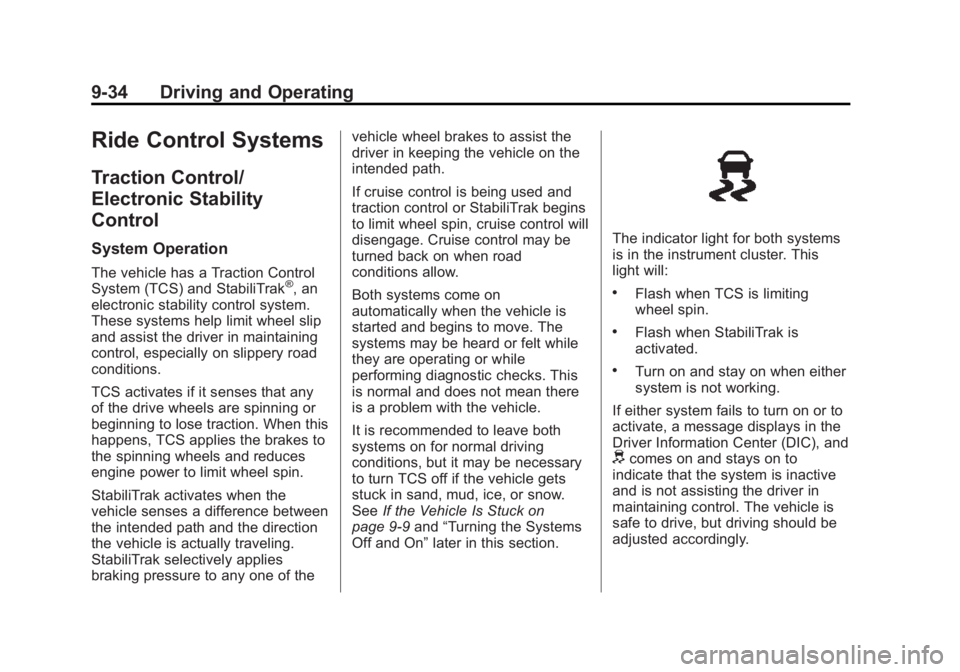
The indicator light for both systems
is in the instrument cluster. This
light will:
.Flash when TCS is limiting
wheel spin.
.Flash when StabiliTrak is
activated.
.Turn on and stay on when either
system is not working.
If either system fails to turn on or to
activate, a message displays in the
Driver Information Center (DIC), and
dcomes on and stays on to
indicate that the system is inactive
and is not assisting the driver in
maintaining control. The vehicle is
safe to drive, but driving should be
adjusted accordingly.
Page 220 of 407
Black plate (35,1)Buick LaCrosse Owner Manual (GMNA-Localizing-U.S./Canada/Mexico-
7707475) - 2015 - CRC - 10/9/14
Driving and Operating 9-35
Ifdcomes on and stays on:
1. Stop the vehicle.
2. Turn the engine off and wait 15 seconds.
3. Start the engine.
Drive the vehicle. If
dcomes on
and stays on, the vehicle may need
more time to diagnose the problem.
If the condition persists, see your
dealer.
Turning the Systems Off
and On
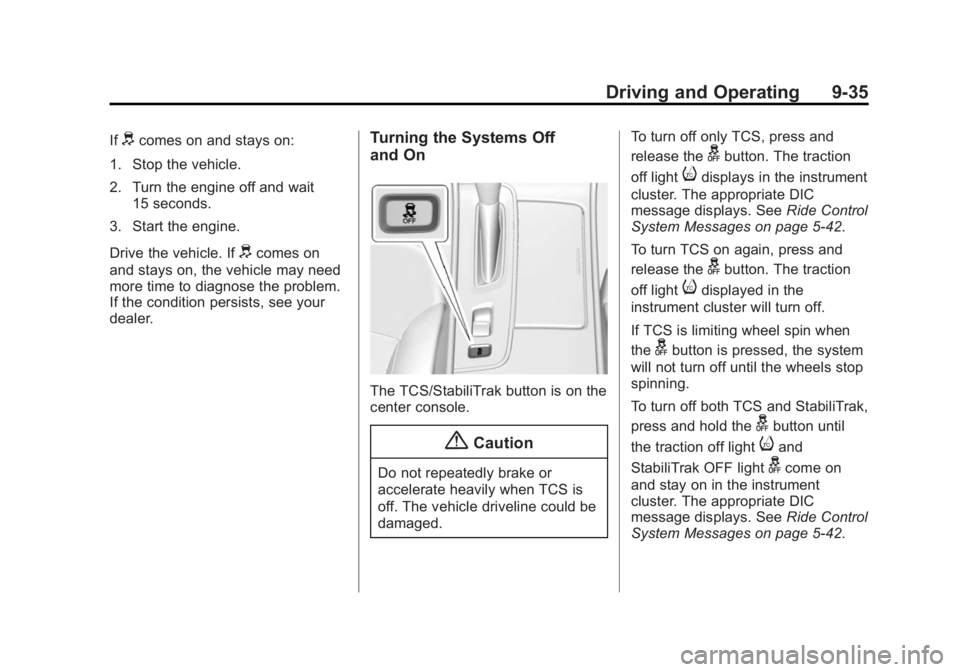
The TCS/StabiliTrak button is on the
center console.
{Caution
Do not repeatedly brake or
accelerate heavily when TCS is
off. The vehicle driveline could be
damaged. To turn off only TCS, press and
release the
gbutton. The traction
off light
idisplays in the instrument
cluster. The appropriate DIC
message displays. See Ride Control
System Messages on page 5-42.
To turn TCS on again, press and
release the
gbutton. The traction
off light
idisplayed in the
instrument cluster will turn off.
If TCS is limiting wheel spin when
the
gbutton is pressed, the system
will not turn off until the wheels stop
spinning.
To turn off both TCS and StabiliTrak,
press and hold the
gbutton until
the traction off light
iand
StabiliTrak OFF light
gcome on
and stay on in the instrument
cluster. The appropriate DIC
message displays. See Ride Control
System Messages on page 5-42.
Page 223 of 407
Black plate (38,1)Buick LaCrosse Owner Manual (GMNA-Localizing-U.S./Canada/Mexico-
7707475) - 2015 - CRC - 10/9/14
9-38 Driving and Operating
SET−(Set/Coast): Press the
control down briefly to set the speed
and activate cruise control. If cruise
control is already active, use to
decrease vehicle speed.
*(Cancel): Press to disengage
cruise control without erasing the
set speed from memory.
Setting Cruise Control
If the
5button is on when not in
use, SET− or RES+ could get
pressed and go into cruise when not
desired. Keep the
5button off
when cruise is not being used.
1. Press the
5button to turn the
cruise system on.
2. Get to the speed desired.
3. Press and release the SET− control on the steering wheel.
The desired set speed briefly
appears in the instrument
cluster.
4. Take your foot off the accelerator pedal. The cruise control indicator on the
instrument cluster turns green after
the cruise control has been set to
the desired speed. See
Instrument
Cluster on page 5-8.
Resuming a Set Speed
If the cruise control is set at a
desired speed and then the brakes
are applied or
*is pressed, the
cruise control is disengaged without
erasing the set speed from memory.
Once the vehicle reaches about
40 km/h (25 mph) or more, press
RES+ up briefly. The vehicle returns
to the previously set speed.
Increasing Speed While Using
Cruise Control
If the cruise control system is
already activated:
.Press and hold RES+ up until
the vehicle accelerates to the
desired speed, then release it.
.To increase vehicle speed in
small increments, press RES+
up briefly. For each press, the
vehicle goes about 1.6 km/h
(1 mph) faster.
The speedometer reading can be
displayed in either English or metric
units. See Instrument Cluster on
page 5-8. The increment value used
depends on the units displayed.
Reducing Speed While Using
Cruise Control
If the cruise control system is
already activated:
.Press and hold SET− down until
the desired lower speed is
reached, then release it.
.To slow down in small
increments, press SET−down
briefly. For each press, the
vehicle goes about 1.6 km/h
(1 mph) slower.
Page 224 of 407
Black plate (39,1)Buick LaCrosse Owner Manual (GMNA-Localizing-U.S./Canada/Mexico-
7707475) - 2015 - CRC - 10/9/14
Driving and Operating 9-39
The speedometer reading can be
displayed in either English or metric
units. SeeInstrument Cluster on
page 5-8. The increment value used
depends on the units displayed.
Passing Another Vehicle While
Using Cruise Control
Use the accelerator pedal to
increase the vehicle speed. When
you take your foot off the pedal, the
vehicle will slow down to the
previously set cruise speed. While
pressing the accelerator pedal or
shortly following the release to
override cruise control, briefly
pressing SET− will result in cruise
set to the current vehicle speed.
Using Cruise Control on Hills
How well the cruise control will work
on hills depends upon the vehicle
speed, load, and the steepness of
the hills. When going up steep hills,
you might have to step on the
accelerator pedal to maintain your
speed. When going downhill, you
might have to brake or shift to a lower gear to keep your speed
down. If the brake pedal is applied,
cruise control will disengage.
Ending Cruise Control
There are four ways to end cruise
control:
.Step lightly on the brake pedal.
.Press*.
.Shift the transmission to
N (Neutral).
.To turn off cruise control,
press
5.
Erasing Speed Memory
The cruise control set speed is
erased from memory if
5is pressed
or the ignition is turned off.
Adaptive Cruise Control
If equipped with Adaptive Cruise
Control (ACC), it allows the driver to
select the cruise control set speed
and following gap. Read this entire
section before using this system. The following gap is the following
time between your vehicle and a
vehicle detected directly ahead in
your path, moving in the same
direction. If no vehicle is detected in
your path, ACC works like regular
cruise control. ACC uses a radar
sensor. See
Radio Frequency
Statement on page 13-12.
If a vehicle is detected in your path,
ACC can apply acceleration or
limited, moderate braking to
maintain the selected following gap.
To disengage ACC, apply the brake.
If ACC is controlling your vehicle
speed when the traction control
system (TCS) or electronic stability
control system activates, the ACC
may automatically disengage. See
Traction Control/Electronic Stability
Control on page 9-34. When road
conditions allow ACC to be safely
used, the ACC can be turned
back on.
ACC will not engage if the TCS or
electronic stability control system is
disabled.