radio BUICK LESABRE 2003 Owner's Guide
[x] Cancel search | Manufacturer: BUICK, Model Year: 2003, Model line: LESABRE, Model: BUICK LESABRE 2003Pages: 380, PDF Size: 2.75 MB
Page 186 of 380
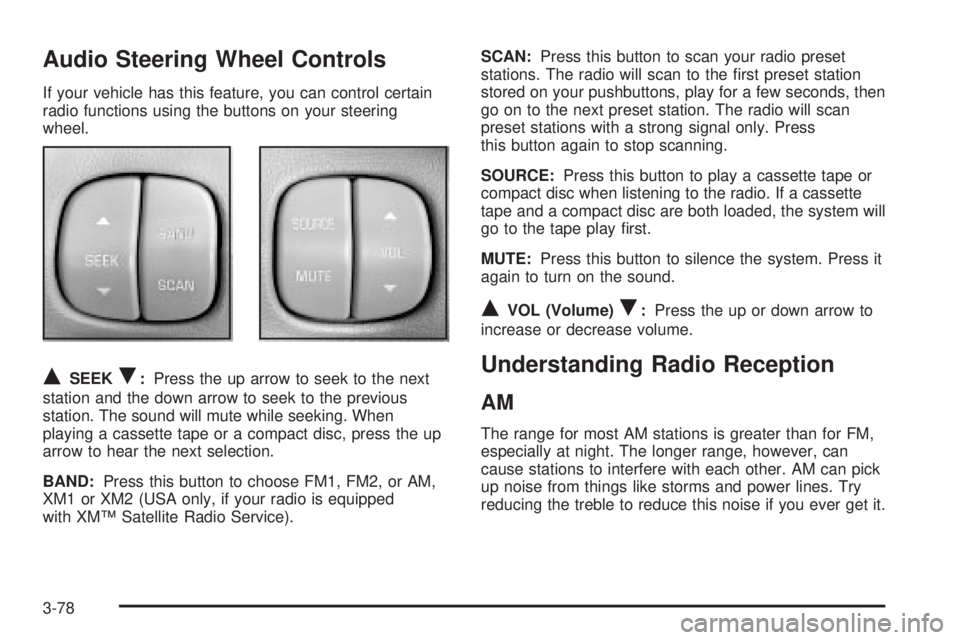
Audio Steering Wheel Controls
If your vehicle has this feature, you can control certain
radio functions using the buttons on your steering
wheel.
QSEEKR:Press the up arrow to seek to the next
station and the down arrow to seek to the previous
station. The sound will mute while seeking. When
playing a cassette tape or a compact disc, press the up
arrow to hear the next selection.
BAND:Press this button to choose FM1, FM2, or AM,
XM1 or XM2 (USA only, if your radio is equipped
with XMŸ Satellite Radio Service).SCAN:Press this button to scan your radio preset
stations. The radio will scan to the ®rst preset station
stored on your pushbuttons, play for a few seconds, then
go on to the next preset station. The radio will scan
preset stations with a strong signal only. Press
this button again to stop scanning.
SOURCE:Press this button to play a cassette tape or
compact disc when listening to the radio. If a cassette
tape and a compact disc are both loaded, the system will
go to the tape play ®rst.
MUTE:Press this button to silence the system. Press it
again to turn on the sound.
QVOL (Volume)R:Press the up or down arrow to
increase or decrease volume.
Understanding Radio Reception
AM
The range for most AM stations is greater than for FM,
especially at night. The longer range, however, can
cause stations to interfere with each other. AM can pick
up noise from things like storms and power lines. Try
reducing the treble to reduce this noise if you ever get it.
3-78
Page 187 of 380
FM Stereo
FM stereo will give you the best sound, but FM signals
will reach only about 10 to 40 miles (16 to 65 km).
Tall buildings or hills can interfere with FM signals,
causing the sound to come and go.
XMŸ Satellite Radio Service
(USA Only)
XMŸ Satellite Radio gives you digital radio reception
from coast to coast. Just as with FM, tall buildings
or hills can interfere with satellite radio signals, causing
the sound to come and go. Your radio may display
NO SIGNAL to indicate interference.
Care of Your Cassette Tape Player
A tape player that is not cleaned regularly can cause
reduced sound quality, ruined cassettes or a damaged
mechanism. Cassette tapes should be stored in their
cases away from contaminants, direct sunlight and
extreme heat. If they aren't, they may not operate
properly or may cause failure of the tape player.Your tape player should be cleaned regularly after every
50 hours of use. Your radio may display CLEAN
PLAYER to indicate that you have used your tape player
for 50 hours without resetting the tape clean timer. If
this message appears on the display, your cassette tape
player needs to be cleaned. It will still play tapes, but
you should clean it as soon as possible to prevent
damage to your tapes and player. If you notice a
reduction in sound quality, try a known good cassette to
see if the tape or the tape player is at fault. If this
other cassette has no improvement in sound quality,
clean the tape player.
For best results, use a scrubbing action, non-abrasive
cleaning cassette with pads which scrub the tape
head as the hubs of the cleaner cassette turn. The
recommended cleaning cassette is available through
your dealership.
The cut tape detection feature of your cassette tape
player may identify the cleaning cassette tape as
a damaged tape, in error. If the cleaning cassette ejects,
insert the cassette at least three times to ensure
thorough cleaning.
3-79
Page 188 of 380
You may also choose a non-scrubbing action, wet-type
cleaner which uses a cassette with a fabric belt to
clean the tape head. This type of cleaning cassette will
not eject on its own. A non-scrubbing action cleaner
may not clean as thoroughly as the scrubbing type
cleaner. The use of a non-scrubbing action, dry-type
cleaning cassette is not recommended.
After you clean the player, press and hold the eject
button for ®ve seconds to reset the CLEAN PLAYER
indicator. The radio will display --- to show the indicator
was reset.
Cassettes are subject to wear and the sound quality
may degrade over time. Always make sure the cassette
tape is in good condition before you have your tape
player serviced.Care of Your CDs
Handle discs carefully. Store them in their original cases
or other protective cases and away from direct sunlight
and dust. If the surface of a disc is soiled, dampen
a clean, soft cloth in a mild, neutral detergent solution
and clean it, wiping from the center to the edge.
Be sure never to touch the side without writing when
handling discs. Pick up discs by grasping the outer
edges or the edge of the hole and the outer edge.
Care of Your CD Player
The use of CD lens cleaner discs is not advised, due to
the risk of contaminating the lens of the CD optics
with lubricants internal to the CD mechanism.
3-80
Page 189 of 380

Diversity Antenna System
Your AM-FM antennas are located in the windshield and
rear window. Be sure that the inside surfaces of the
windshield and rear window are not scratched and that
the lines on the glass are not damaged. If the inside
surfaces are damaged, they could interfere with
radio reception. Also, for proper radio reception, the
antenna connectors at the top-center of the front
and rear windows need to be properly attached to the
posts on the glass.
Notice:Do not apply aftermarket glass tinting with
metallic ®lm. The metallic ®lm in some tinting
materials will interfere with or distort the incoming
radio reception. Any damage caused to your
backglass antenna due to metallic tinting materials
will not be covered by your warranty.
Notice:Do not try to clear frost or other material
from the inside of the rear window with a razor blade
or anything else that is sharp. This may damage
the rear defogger grid and affect your radio's ability
to pick up stations clearly. The repairs wouldn't
be covered by your warranty.
If, when you turn on your rear window defogger, you
hear static on your radio station, it could mean that
a defogger grid line has been damaged. If this is true,
the grid line must be repaired.If you choose to add an aftermarket cellular telephone
to your vehicle, and the antenna needs to be attached to
the glass, be sure that you do not damage the grid
lines for the AM-FM antennas or place the cellular
telephone antenna over the grid lines.
XMŸ Satellite Radio Antenna
System (United States Only)
Your XMŸ Satellite Radio antenna is located on the
roof of your vehicle. Keep this antenna clear of
snow and ice build up for clear radio reception.
The performance of your XM system may be affected if
your sunroof is open.
Chime Level Adjustment
The volume level of the vehicle's chimes can be
controlled by the radio. To change the volume level,
press and hold pushbutton 6 with the ignition on and the
radio power off. The chime volume level will change
from the normal level to loud, and LOUD will be
displayed on the radio. To change back to the default or
normal setting, press and hold pushbutton 6 again.
The chime level will change from the loud level
to normal, and NORMAL will be displayed.
3-81
Page 275 of 380

Notice:If you leave your radio on, it could be badly
damaged. The repairs wouldn't be covered by
your warranty.
3. Turn off the ignition on both vehicles. Unplug
unnecessary accessories plugged into the cigarette
lighter or in the accessory power outlet(s). Turn
off the radio and all lamps that aren't needed. This
will avoid sparks and help save both batteries.
And it could save your radio!
4. Open the hood on the other vehicle and locate the
positive (+) and negative (-) terminal locations on
that vehicle.
Open the hood on your vehicle and ®nd the remote
positive (+) terminal, located in the engine
compartment on the passenger side of the vehicle.
See
Engine Compartment Overview on page 5-12for more information on location.Access the remote
positive (+) terminal by
removing the cover.
You will not see the battery of your vehicle under
the hood. It is located under the rear passenger's
seat. You will not need to access the battery
for jump starting. The remote positive (+) terminal
is for that purpose.
{CAUTION:
An electric fan can start up even when the
engine is not running and can injure you. Keep
hands, clothing and tools away from any
underhood electric fan.
5-43
Page 323 of 380

Fuses Usage
1 Fuel Pump
2 HVAC Blower
3 Memory
4 Assembly Line Diagnostic Link
5 Not Used
6 Compact Disc (CD)
7 Driver's Door Module
8 Air Bag System (SIR)
9 Not Used
10 Right Parking Lamp
11 Vent Solenoid
12 Ignition 1
13 Left Parking LampFuses Usage
14 Dimmer
15 Satellite Digital Radio
16 Left Front Heated Seat
17 Not Used
18 Rear Door Module
19 Stoplamp
20 Park/Reverse
21 Audio
22 Retained Accessory Power (RAP)
23 Not Used
24 Not Used
25 Passenger Door Module
26 Body
27 Interior Lamps
28 Not Used
29 Ignition Switch
30 Instrument Panel
31 Right Front Heated Seat
32 Not Used
33 HVAC
34 Ignition 3 Rear
35 Anti-Lock Brake System (ABS)
36 Turn Signal/Hazard
37 HVAC Battery
38 Dimmer
5-91
Page 365 of 380
A
Accessory Power Outlets.................................3-22
Adding Washer Fluid.......................................5-36
Additional Program Information........................... 7-9
Additives, Fuel................................................. 5-6
Add-On Electrical Equipment............................5-85
Adjusting the Speakers (Balance/Fade)......3-57, 3-65
Air Bag Systems.............................................1-46
How Does an Air Bag Restrain?....................1-52
Servicing Your Air Bag-Equipped Vehicle.........1-54
What Makes an Air Bag In¯ate?....................1-51
What Will You See After an Air
Bag In¯ates?...........................................1-52
When Should an Air Bag In¯ate?...................1-50
Where Are the Air Bags?..............................1-49
Air Bag .........................................................3-36
Readiness Light..........................................3-36
Air Cleaner/Filter, Engine.................................5-18
AM ...............................................................3-78
Antenna, Diversity Antenna System...................3-81
Antenna, XMŸ Satellite Radio
Antenna System..........................................3-81
Anti-lock Brake System (ABS)............................ 4-7
Anti-Lock Brake, System Warning Light..............3-38
Appearance Care............................................5-77
Care of Safety Belts....................................5-80
Chemical Paint Spotting...............................5-83Appearance Care (cont.)
Cleaning the Inside of Your Vehicle................5-77
Cleaning the Outside of Your Vehicle..............5-80
Finish Damage............................................5-83
Sheet Metal Damage...................................5-82
Underbody Maintenance...............................5-83
Vehicle Care/Appearance Materials................5-84
Weatherstrips..............................................5-80
Ashtrays........................................................3-23
Audio System(s).............................................3-55
Audio Steering Wheel Controls......................3-78
Care of Your Cassette Tape Player................3-79
Care of Your CD Player...............................3-80
Care of Your CDs........................................3-80
Chime Level Adjustment...............................3-81
Diversity Antenna System.............................3-81
Personal Choice Radio Controls....................3-77
Radio with Cassette and CD.........................3-62
Radio with CD............................................3-56
Setting the Time..........................................3-55
Theft-Deterrent Feature................................3-77
Trunk-Mounted CD Changer..........................3-73
Understanding Radio Reception.....................3-78
XMŸ Satellite Radio Antenna System............3-81
Automatic Door Locks.....................................3-51
Automatic Level Control...................................4-35
Automatic Operation........................................3-27
Automatic Transaxle Check..............................6-18
1
Page 374 of 380

N
New Vehicle Break-In......................................2-21
Normal Maintenance Replacement Parts............5-94
O
Odometer......................................................3-35
Off-Road Recovery..........................................4-13
Oil ................................................................5-13
Engine.......................................................5-13
Pressure Light.............................................3-43
Older Children, Restraints................................1-27
Online Owner Center........................................ 7-3
OnStar
žPersonal Calling.................................2-38
OnStaržServices............................................2-37
OnStaržSystem.............................................2-37
OnStaržVirtual Advisor....................................2-38
Other Warning Devices...................................... 3-6
Outlet Adjustment............................................3-30
Outside Curb View Assist Mirror........................3-54
Outside.........................................................2-36
Automatic Dimming Heated Mirror..................2-36
Convex Mirror.............................................2-36
Curb View Assist Mirror................................2-36
Power Mirrors.............................................2-35Overseas ± Customer Assistance........................ 7-5
Owners, Canadian............................................... ii
Owner's Information........................................7-11
P
Park(P).........................................................2-28
Shifting Into................................................2-28
Shifting Out of............................................2-30
Parking Brake and Automatic Transaxle Park (P)
Mechanism Check.......................................6-20
Parking on Hills..............................................4-41
Parking.........................................................2-27
Brake........................................................2-27
Over Things That Burn.................................2-31
Part A - Scheduled Maintenance Services............ 6-4
Part B - Owner Checks and Services................6-17
Part C - Periodic MaintenanceInspections..........6-21
Part D - Recommended Fluids and Lubricants....6-23
Part E - Maintenance Record...........................6-24
Passenger Temperature Control........................3-30
Passing.................................................4-13, 4-40
PASS-Key
žIII Operation..................................2-20
PASS-KeyžIII ................................................2-19
Perimeter Lighting...................................3-18, 3-53
Personal Choice Programming..........................2-11
Personal Choice Radio Controls........................3-77
10
Page 375 of 380
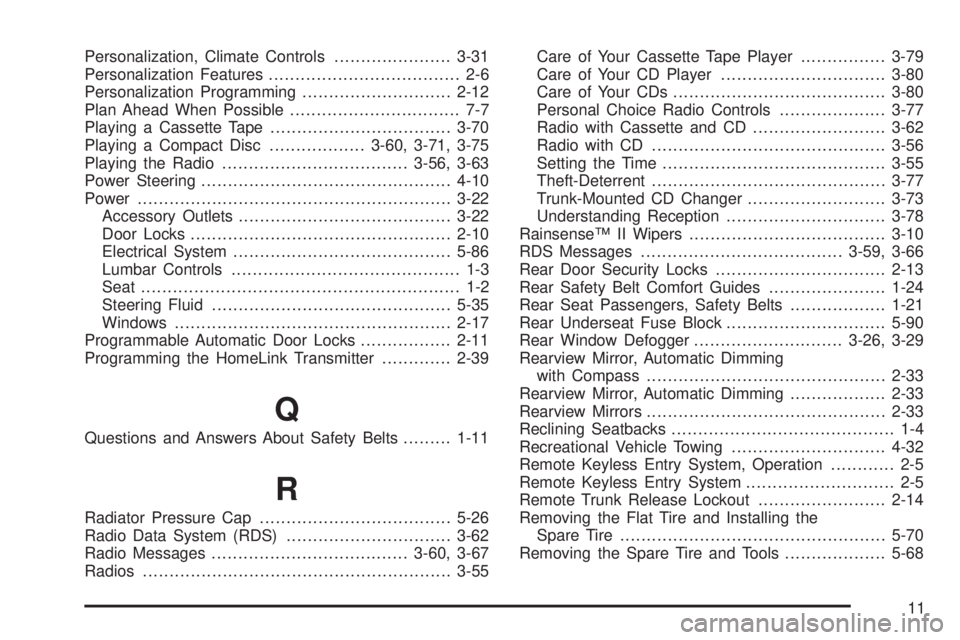
Personalization, Climate Controls......................3-31
Personalization Features.................................... 2-6
Personalization Programming............................2-12
Plan Ahead When Possible................................ 7-7
Playing a Cassette Tape..................................3-70
Playing a Compact Disc..................3-60, 3-71, 3-75
Playing the Radio...................................3-56, 3-63
Power Steering...............................................4-10
Power...........................................................3-22
Accessory Outlets........................................3-22
Door Locks.................................................2-10
Electrical System.........................................5-86
Lumbar Controls........................................... 1-3
Seat............................................................ 1-2
Steering Fluid.............................................5-35
Windows....................................................2-17
Programmable Automatic Door Locks.................2-11
Programming the HomeLink Transmitter.............2-39
Q
Questions and Answers About Safety Belts.........1-11
R
Radiator Pressure Cap....................................5-26
Radio Data System (RDS)...............................3-62
Radio Messages.....................................3-60, 3-67
Radios..........................................................3-55Care of Your Cassette Tape Player................3-79
Care of Your CD Player...............................3-80
Care of Your CDs........................................3-80
Personal Choice Radio Controls....................3-77
Radio with Cassette and CD.........................3-62
Radio with CD............................................3-56
Setting the Time..........................................3-55
Theft-Deterrent............................................3-77
Trunk-Mounted CD Changer..........................3-73
Understanding Reception..............................3-78
RainsenseŸ II Wipers.....................................3-10
RDS Messages......................................3-59, 3-66
Rear Door Security Locks................................2-13
Rear Safety Belt Comfort Guides......................1-24
Rear Seat Passengers, Safety Belts..................1-21
Rear Underseat Fuse Block..............................5-90
Rear Window Defogger............................3-26, 3-29
Rearview Mirror, Automatic Dimming
with Compass.............................................2-33
Rearview Mirror, Automatic Dimming..................2-33
Rearview Mirrors.............................................2-33
Reclining Seatbacks.......................................... 1-4
Recreational Vehicle Towing.............................4-32
Remote Keyless Entry System, Operation............ 2-5
Remote Keyless Entry System............................ 2-5
Remote Trunk Release Lockout........................2-14
Removing the Flat Tire and Installing the
Spare Tire..................................................5-70
Removing the Spare Tire and Tools...................5-68
11
Page 378 of 380
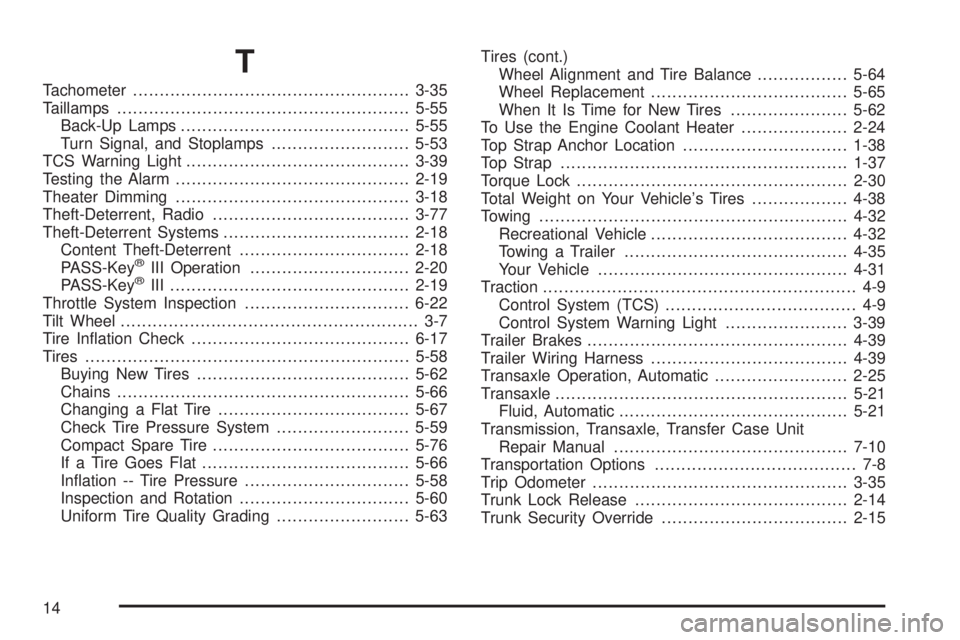
T
Tachometer....................................................3-35
Taillamps.......................................................5-55
Back-Up Lamps...........................................5-55
Turn Signal, and Stoplamps..........................5-53
TCS Warning Light..........................................3-39
Testing the Alarm............................................2-19
Theater Dimming............................................3-18
Theft-Deterrent, Radio.....................................3-77
Theft-Deterrent Systems...................................2-18
Content Theft-Deterrent................................2-18
PASS-Key
žIII Operation..............................2-20
PASS-KeyžIII .............................................2-19
Throttle System Inspection...............................6-22
Tilt Wheel........................................................ 3-7
Tire In¯ation Check.........................................6-17
Tires.............................................................5-58
Buying New Tires........................................5-62
Chains.......................................................5-66
Changing a Flat Tire....................................5-67
Check Tire Pressure System.........................5-59
Compact Spare Tire.....................................5-76
If a Tire Goes Flat.......................................5-66
In¯ation -- Tire Pressure...............................5-58
Inspection and Rotation................................5-60
Uniform Tire Quality Grading.........................5-63Tires (cont.)
Wheel Alignment and Tire Balance.................5-64
Wheel Replacement.....................................5-65
When It Is Time for New Tires......................5-62
To Use the Engine Coolant Heater....................2-24
Top Strap Anchor Location...............................1-38
Top Strap......................................................1-37
Torque Lock...................................................2-30
Total Weight on Your Vehicle's Tires..................4-38
Towing..........................................................4-32
Recreational Vehicle.....................................4-32
Towing a Trailer..........................................4-35
Your Vehicle...............................................4-31
Traction........................................................... 4-9
Control System (TCS).................................... 4-9
Control System Warning Light.......................3-39
Trailer Brakes.................................................4-39
Trailer Wiring Harness.....................................4-39
Transaxle Operation, Automatic.........................2-25
Transaxle.......................................................5-21
Fluid, Automatic...........................................5-21
Transmission, Transaxle, Transfer Case Unit
Repair Manual............................................7-10
Transportation Options...................................... 7-8
Trip Odometer................................................3-35
Trunk Lock Release........................................2-14
Trunk Security Override...................................2-15
14